Week 9 - Attachment Feature Creation (Ribs & Screw Boss) - Challenge 1
Week 9 - Attachment Feature Creation (Ribs & Screw Boss) - Challenge 1
AIM – To create the Rib and Screw boss for the door handle considering design rules.
Procedure to be followed-
- Creating the Tooling Axis
- Draft analysis of Class A surface
- Creating Class B surface
- Creating Class C surface
- Creating Solid body
- Creating Engineering features Rib and Screw boss
- Draft analysis of Solid body with engineering features.
Creating the Tooling Axis
Tooling axis: The tooling axis is the direction in which the cavity, core, or mould opens. By utilising the Boundary or Join functionality to see and fix the surface's open edges, you may first examine the connectivity of the specified Class A surface.
Next, determine visually which plane or surface is ideal for the tooling axis. To determine the tooling axis, we must extract the surface, draw a point, then construct the intersection. Draw a line at the intersection's edge and make a bisecting line to get the tooling axis.
Draft analysis of Class A surface
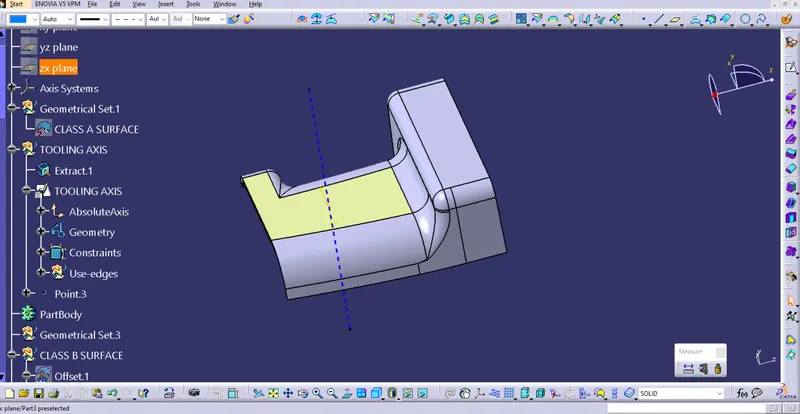
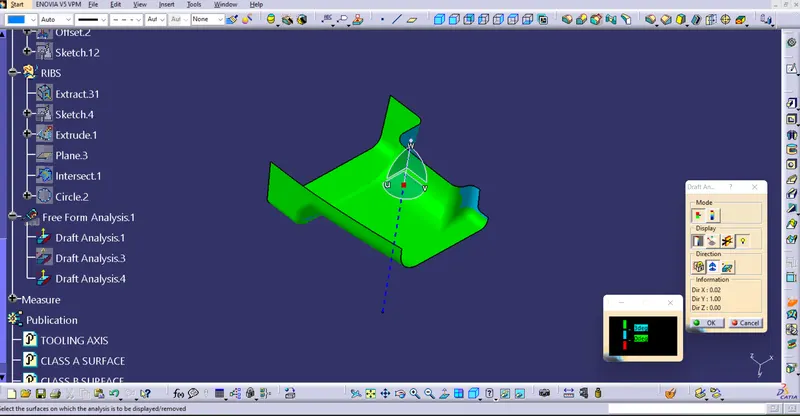
We must check that the input which we received that is class A surface must be clear in draft analysis in tooling direction if is not clearing then we must give a feebback to class A designer to provide the required draft the the specific surfaceIn the draft analysis of Class A surface of door handle, most of surface are green that means the surface has draft angle more than 3 degree and some surface has draft angle in between 3 to 1 degree which is shown in blue colour and there is not negative draft surface here.
Creating Class B surface
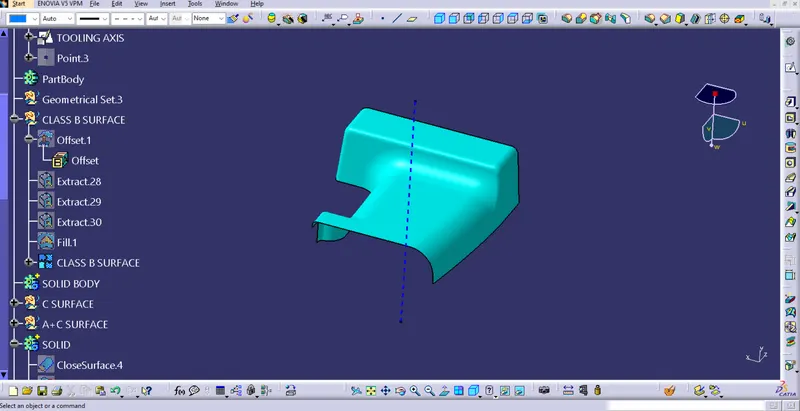
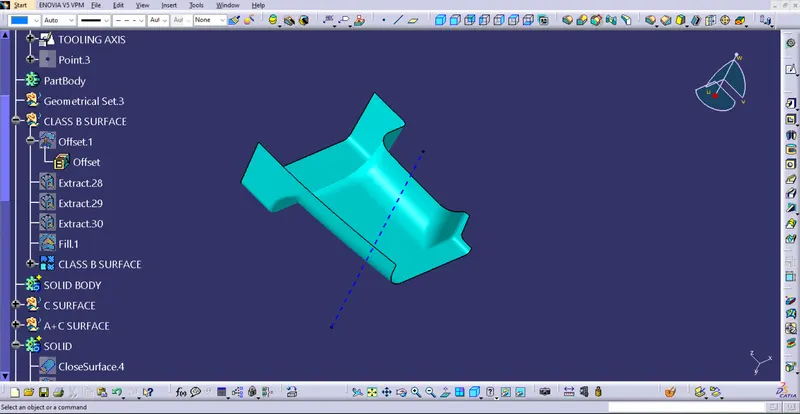
To create the class B surface, we need to offset the surface of Class A. here we have given the offset value of 2.5 mm as per requirement. After giving offset we can se the some of the surface is not filled such as the portion of the fillets we need to fill those patches by multi section surface and some by extracting and trimming it.
Creating Class C surface
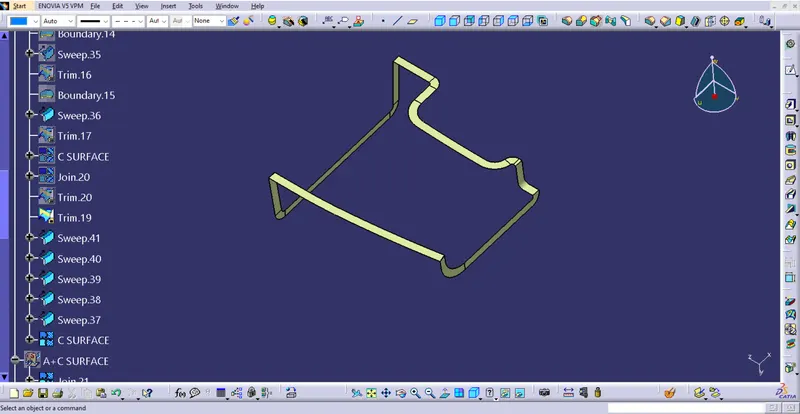
Class C surface is used to connect Class A and Class B surface. Class C surface is created by sweep command. By creating the boundary of Class A surface using sweep command (Profile type – Line, Subtype- with reference surface) at and 93 degree angle we can create class C surface
Once the C surface created we need to join A and C surface then trim A+C surface with B surface
Creating Solid body
To create the solid body of the surface we need to select close surface option in the part workbench.
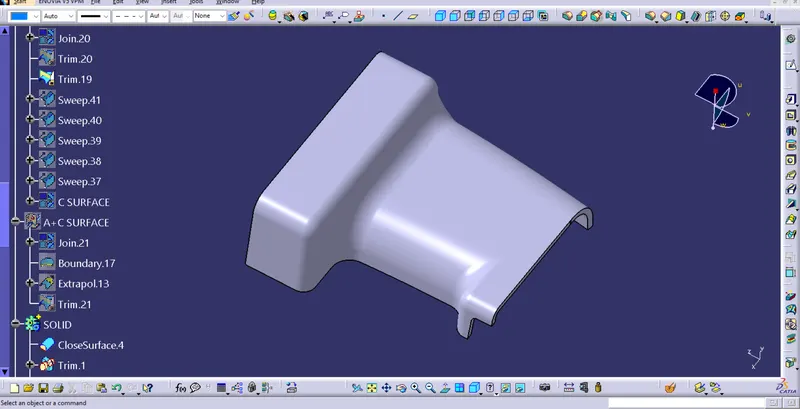
Creating Engineering features Rib and Screw boss
Rib-
Without increasing the overall thickness of the wall, ribs offer an efficient solution to strengthen and stiffen the mould sections. It was a narrow protrusion that jutted out from the wall in a straight line.
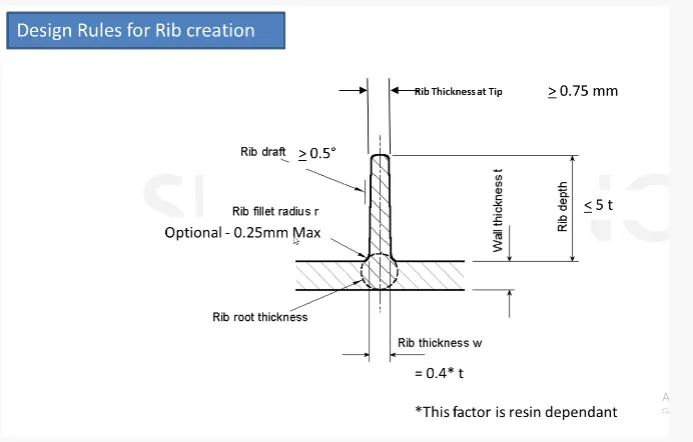
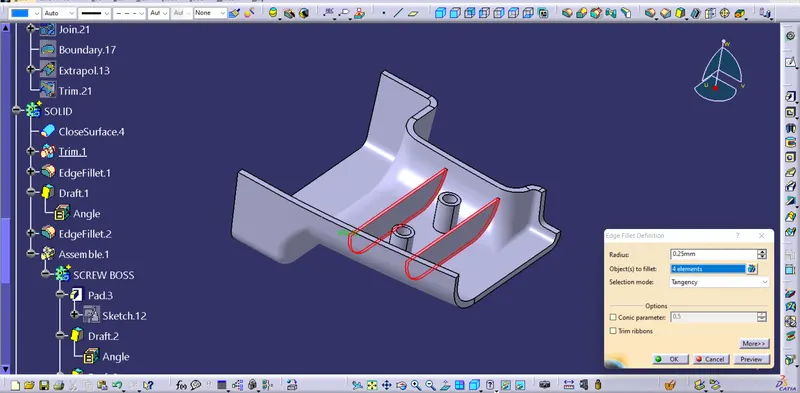
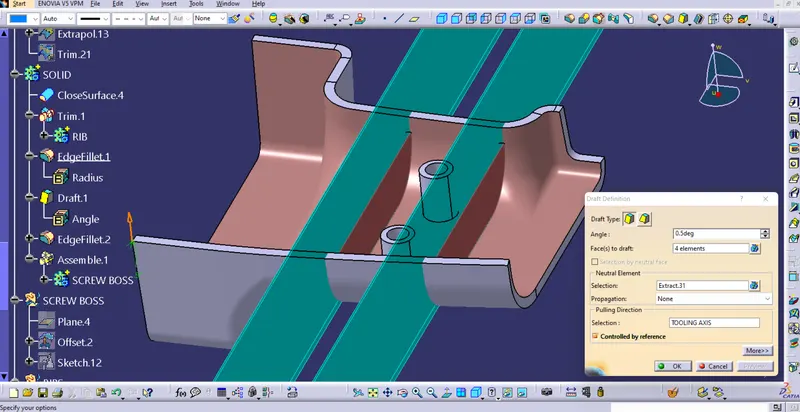
Rib root thickness analysis
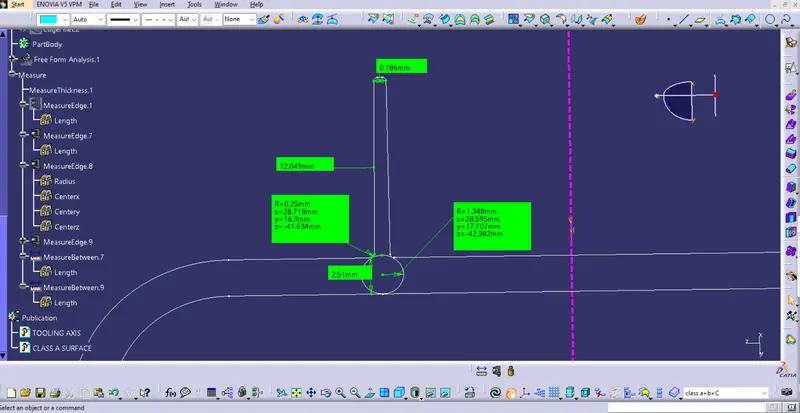
The value must be within 30% greater of the wall thickness.
Screw boss
The most common sort of screw boss is a cylindrical protrusion with a hole design to take a screw or other type of fastening hardware. Screw bosses are utilised as points of attachment and assembly.
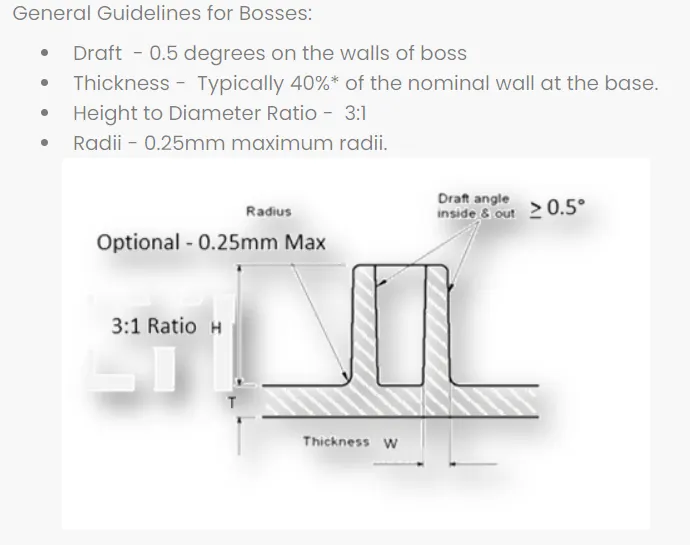
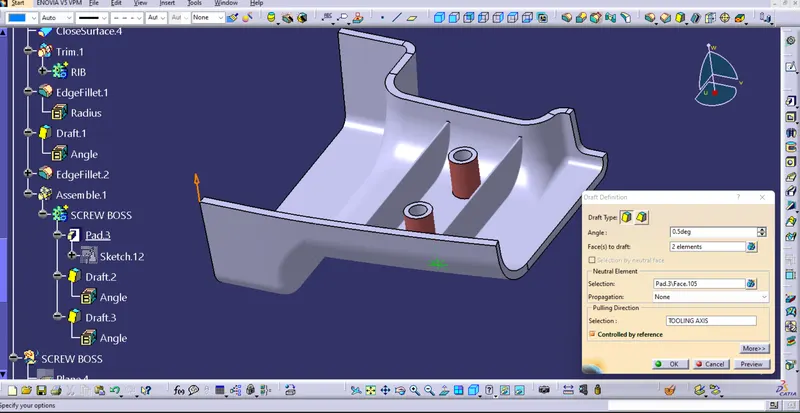
Draft analysis of Solid body with engineering features.
A tool used to quickly examine the product after it has been extracted from the core and cavity is draft analysis.
In the draft analysis of Class A surface of door handle, most of surface are green that means the surface has draft angle more than 3 degree and some surface has draft angle in between 3 to 1 degree which is shown in blue colour and there is not negative draft surface here.
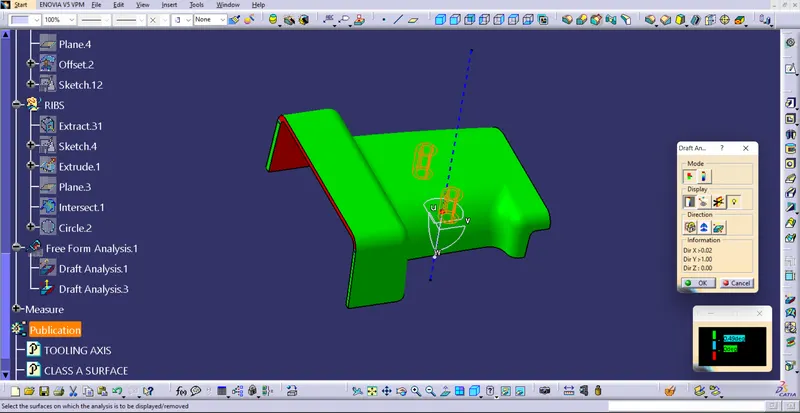
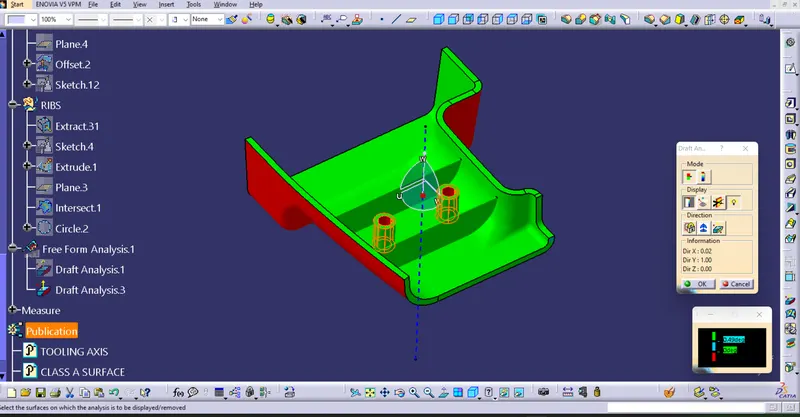
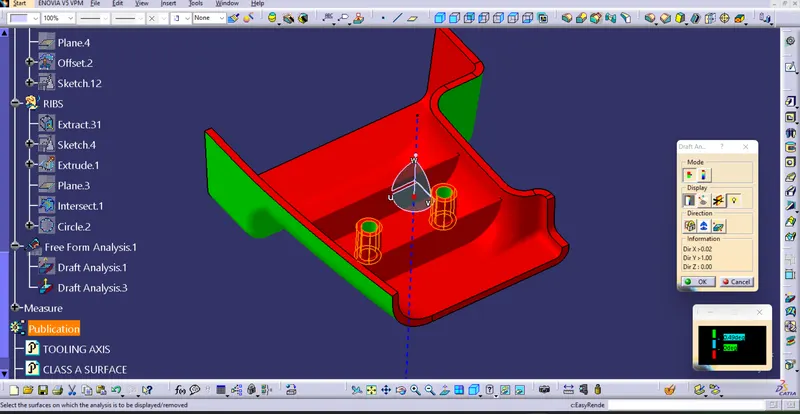
The draft analysis at draft angle 0.49 degrees with the tooling axis to the plastic component engineering features like the rib and screw boss show green, indicating that it will be clear during production, The internal part of screw boss showing -0.5 degree which is showing red colour which is not clearing and some surfaces of the left side of Class-C surface have negative draught up to -0.3.9 degrees, which show in red colour.