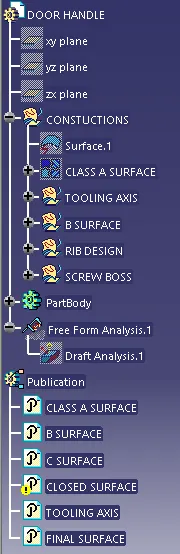
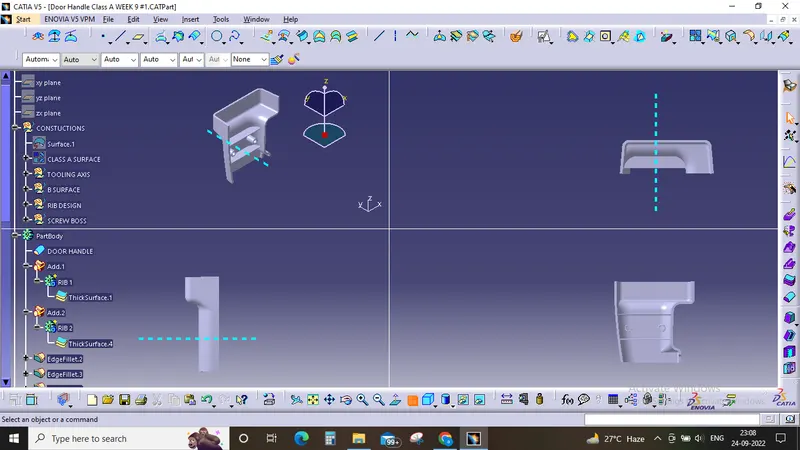
Week 9 - Attachment Feature Creation (Ribs & Screw Boss) - Challenge 1
1) Tooling axis creation:-
In this design the tooling axis is created by firstly examining the component and its efficient tooling direction. At first the a plane and a point was defined and the simple line was created which was clearing the X-axis so we get the line which is clearing the desired the tooling axis.
2) Draft Analysis method :-
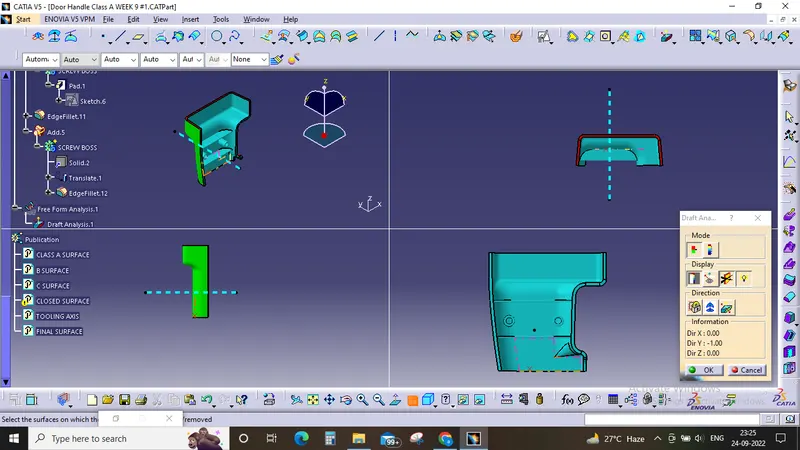
before entering in to the draft analysis we have to make the surface product into a solid by applying closed body to it and then ensure that the material mode is switche to Material so that we can able to proceed with the draft analysis tool
then we click on the compass which is in the draft analysis menue and we move it to the tooling axis direction and placed it on it and then we click on the component to check the draft which is on the component and we change it according to us and standards
in this design the the default draft was 2.9 degree then we change the draft angle to 3 degree which makes the outer surface in proper draft configuration.
3) Screw Boss and Ribs creation was carried out after obtaining a close body and then after considering the design rules we designed the ribs and the screw boss