Week 9 - Attachment Feature Creation - Challenge 2
AIM:
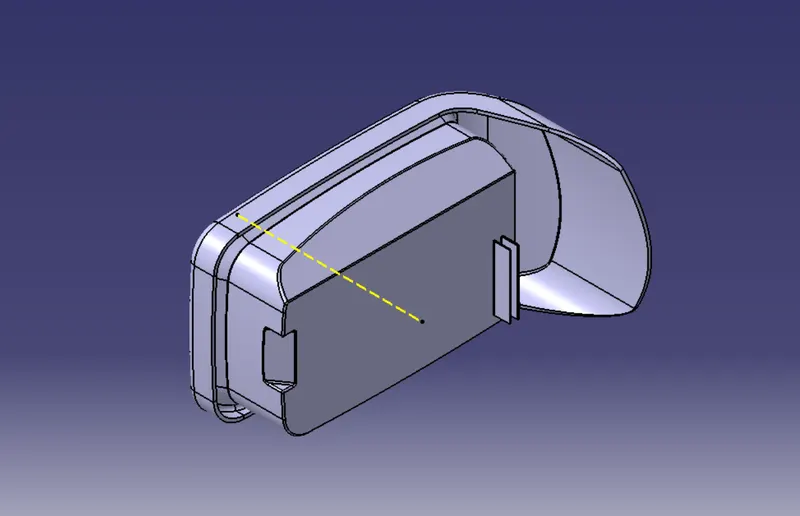
To create a Screw boss and Dog house of a centre console coin holder considering the design rules.
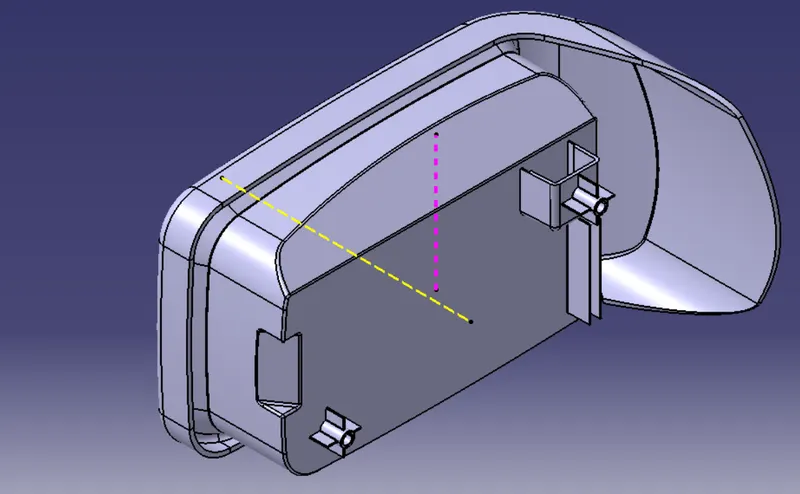
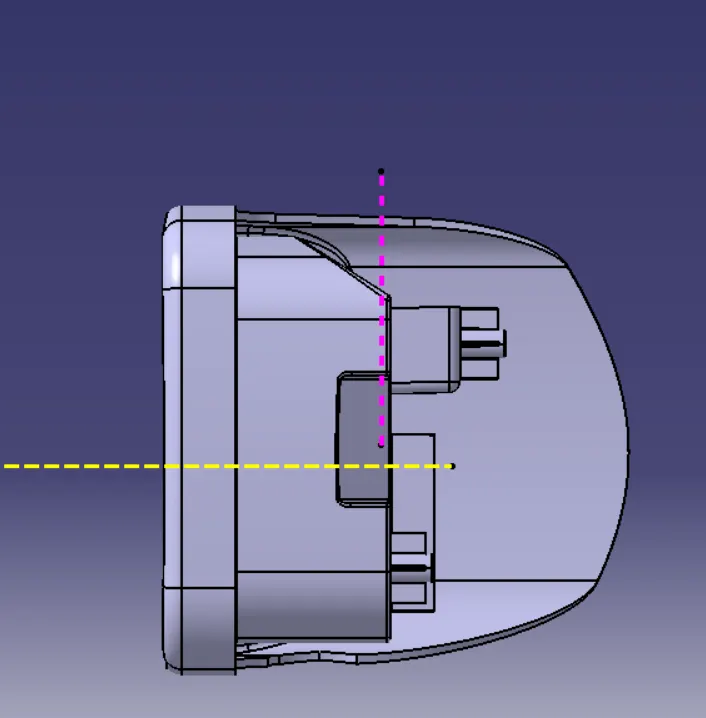
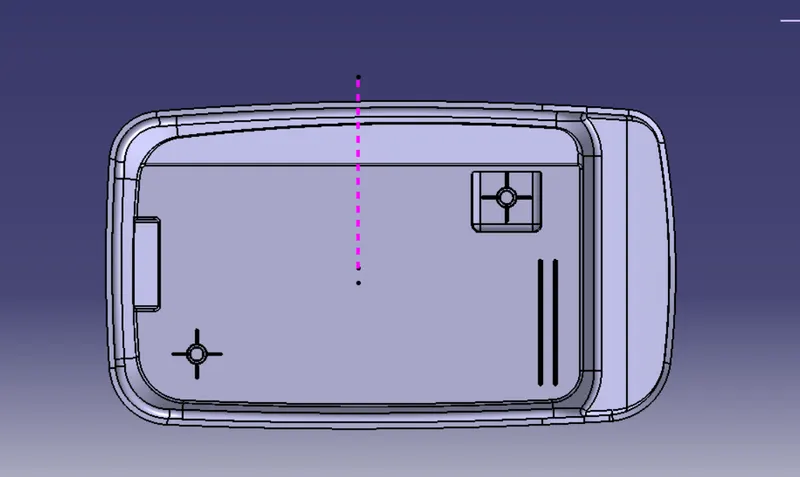
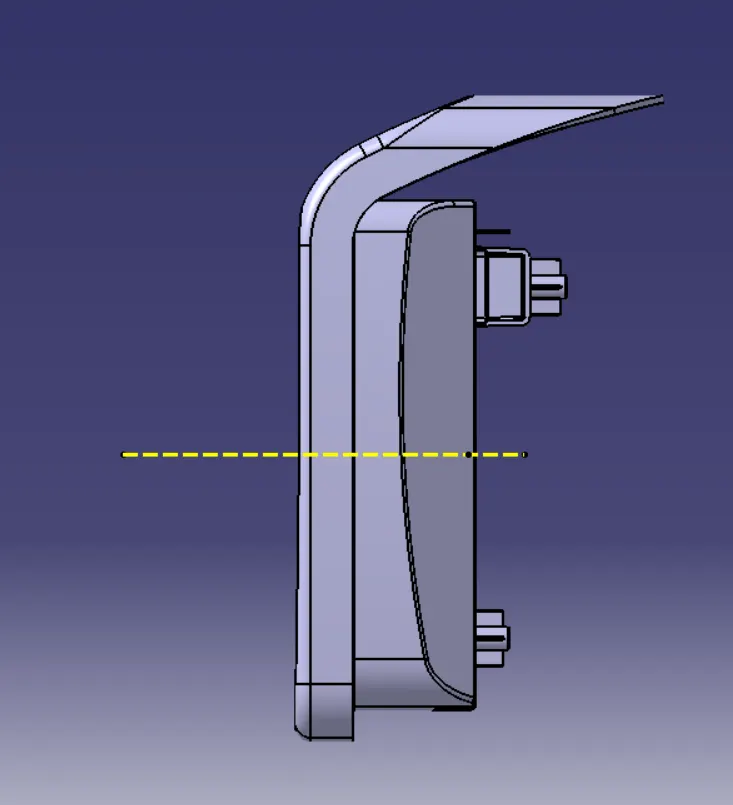
Given Centre Console Coin Holder
Screw Boss :
This is used in many part designs for attachments and assembly.
It helps to screw two different components .
It exerts different types of forces - tension, compression ,torsion, shear.
Avoid the bosses that merge into side walls because they can form a thick section that leads to sink.
Design rules for Screw boss construction
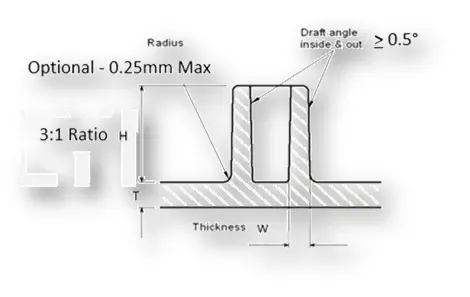
- Draft - 0.5 degrees on walls of boss
- Thickness - Typically 40%* of the nominal wall at the base.
- Height to Diameter Ratio - 3:1
- Radii - 0.25mm maximum radii.
Procedure
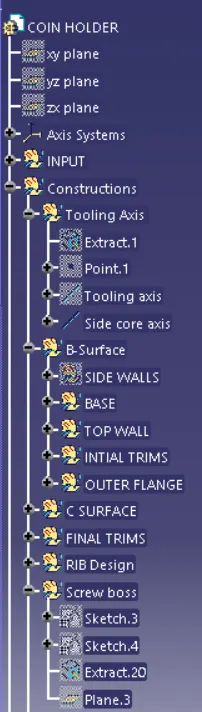
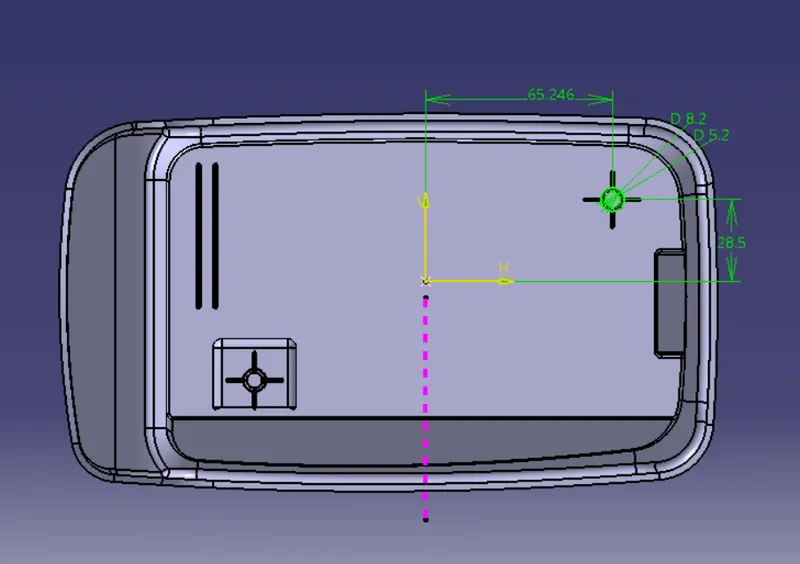
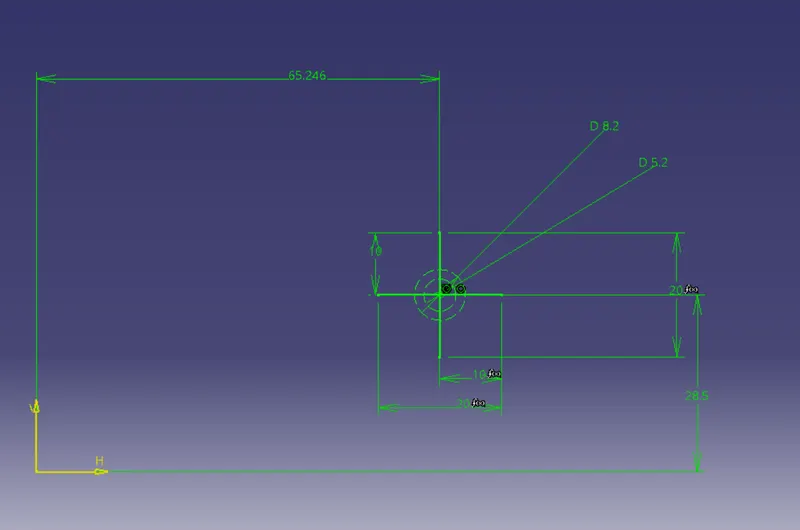
Create a position sketch with dimensions.as shown below
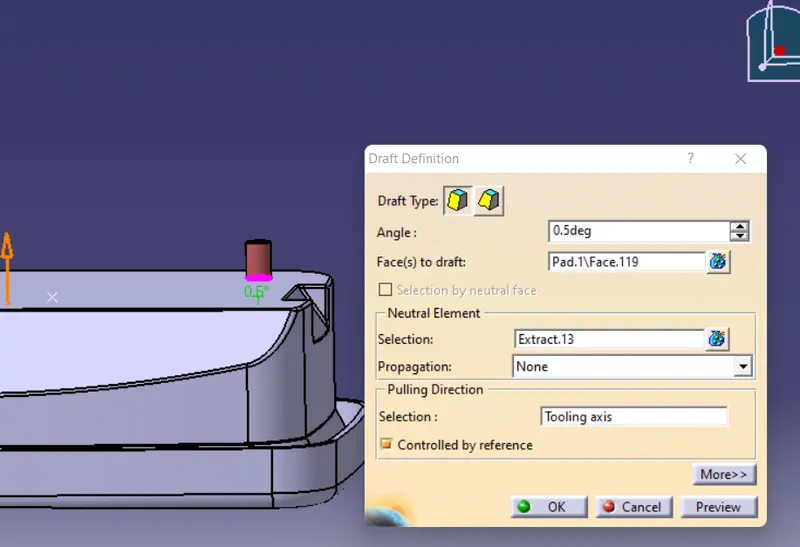
Pad the sketch
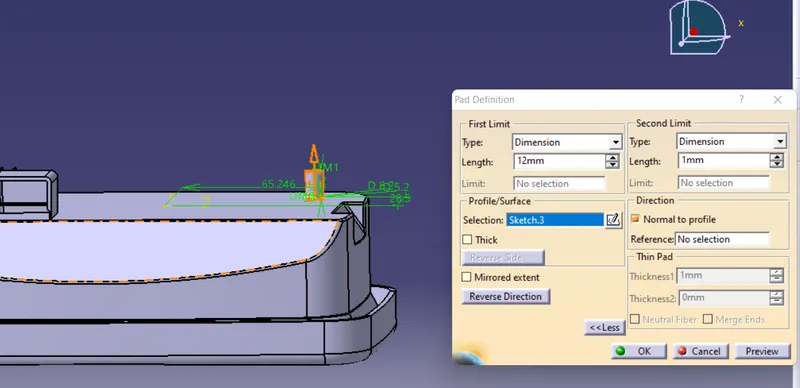
Draft angle=0.5deg
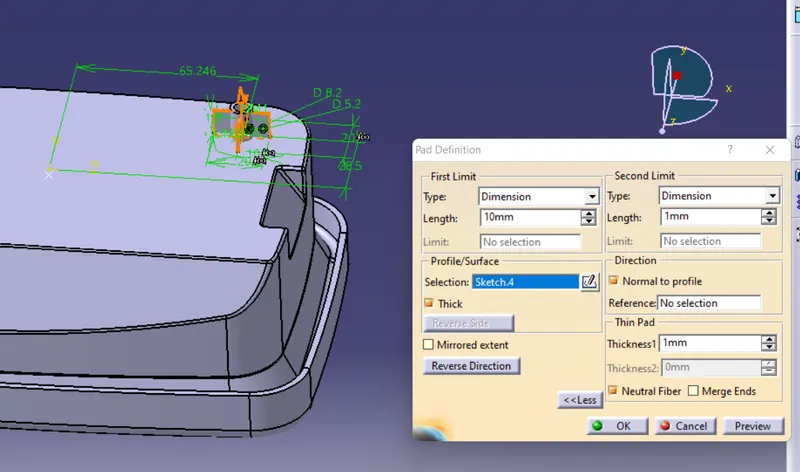
Again make a sketch and Extrude it
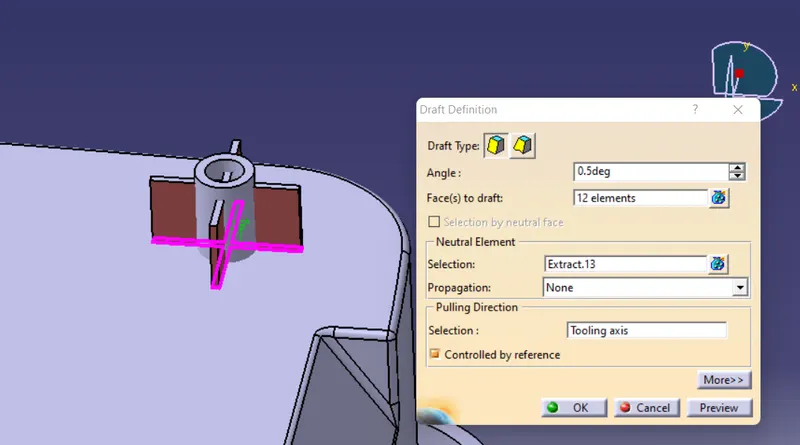
Apply draft=0.5deg
Use Union trim to remove the inside surface for getting screw boss design.
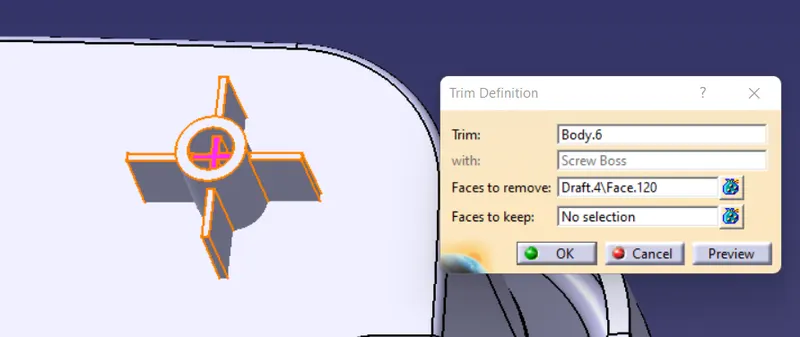
Now apply fillets for all edges with radius of 0.25mm
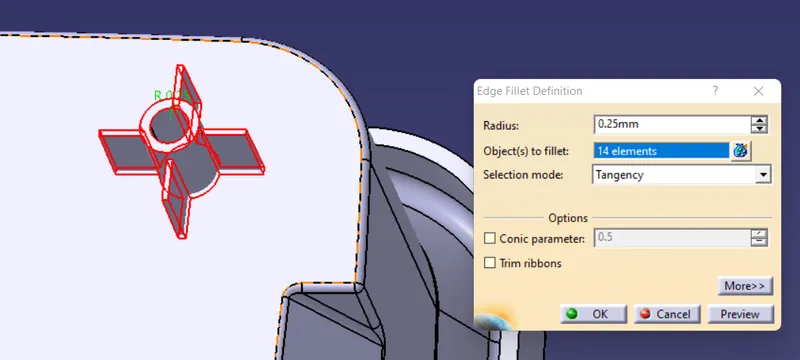

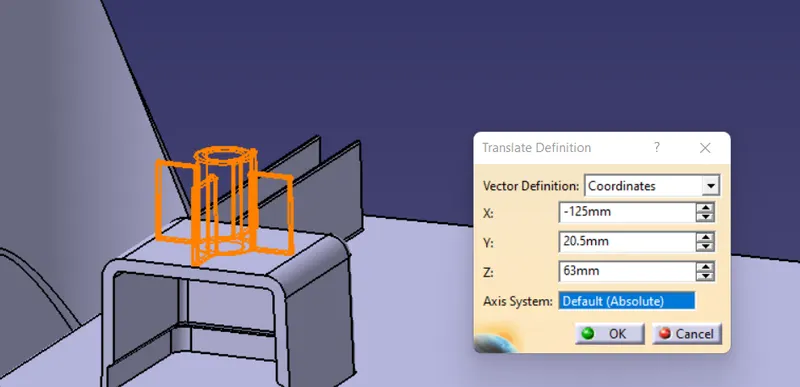
Similarly create another screw boss by using Translation option for designing a screw boss for designing a Dog house.
Dog House:
Dog House is the engineering support feature used in plastic design to avoid sink marks as wllas provide enough strength to join different surfaces having large distance between them.
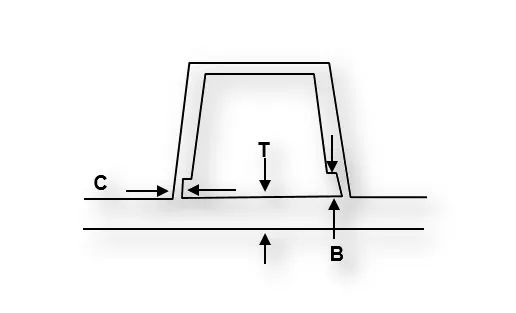
-
Doghouse wall thickness at the intersection of the part wall ( C ) should be 40% or less than the main wall stock ( T ).
-
Height of ( B ) should be between 3.0 – 6.0 mm.
- Width/Height ratio=3:1.
- C is where Dog house contacts the back side of surface.
Procedure:
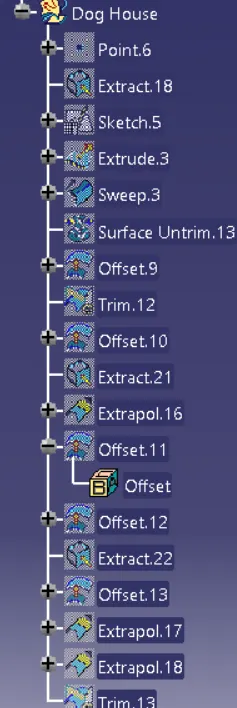
Create a point and extract the base Surface
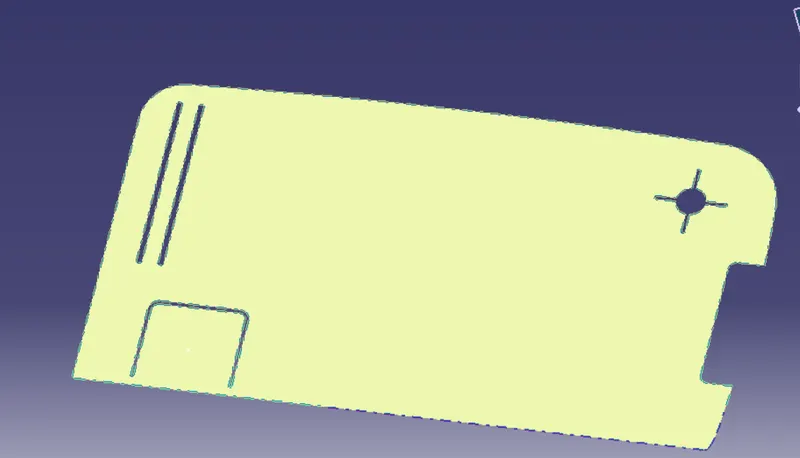
Create a postion sketch using the point created earlier.
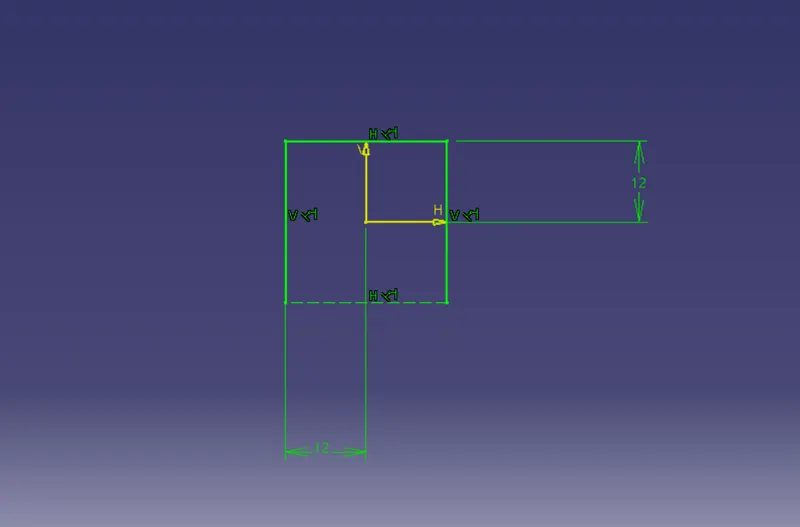
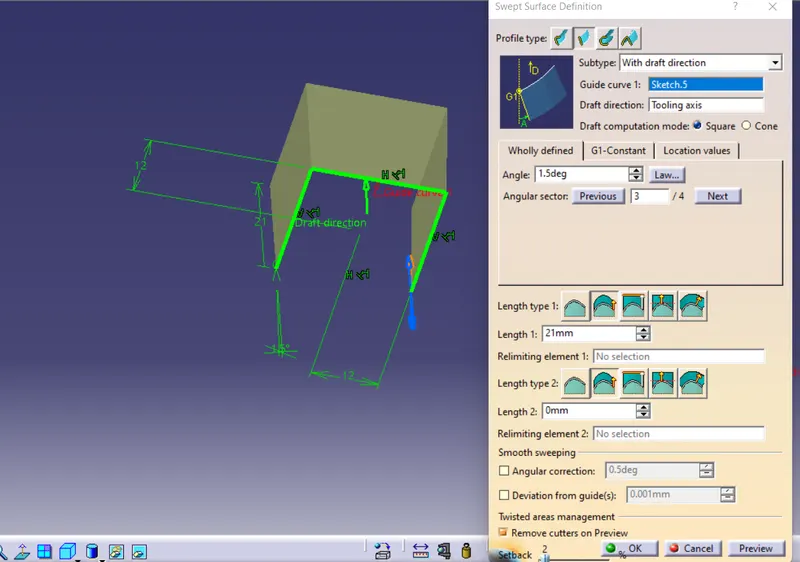
Exit the sketch and use sweep Option with refrence draft direction and driection would be tooling axis.
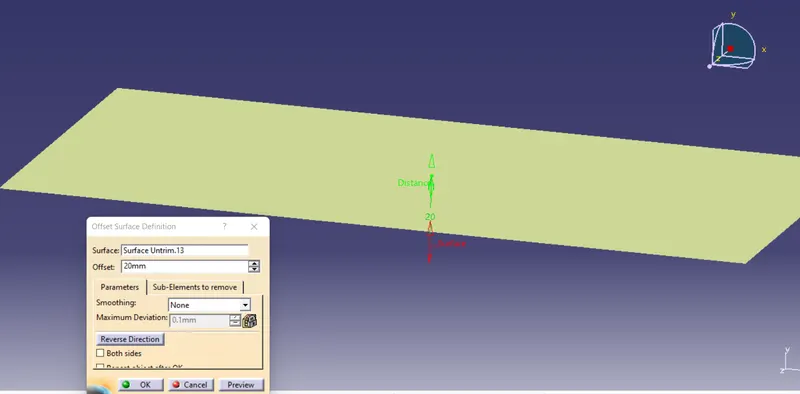
Now untrim the extract we created earlier and offset it.
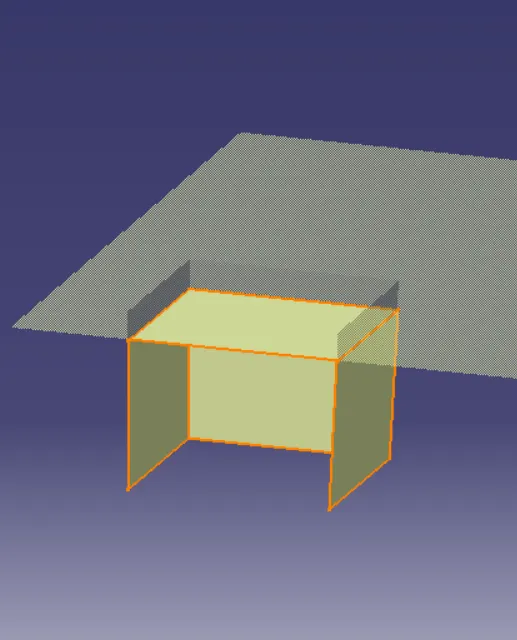
Now trim the surfaces
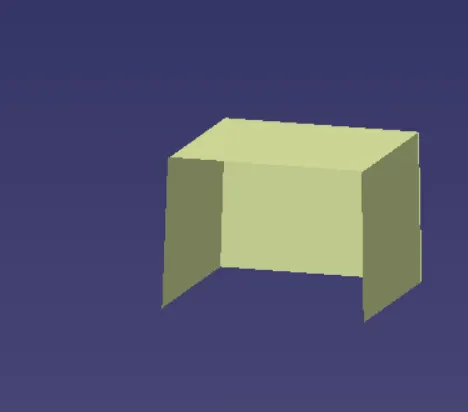
Now go to part design and make solid surface using thicksurface option.
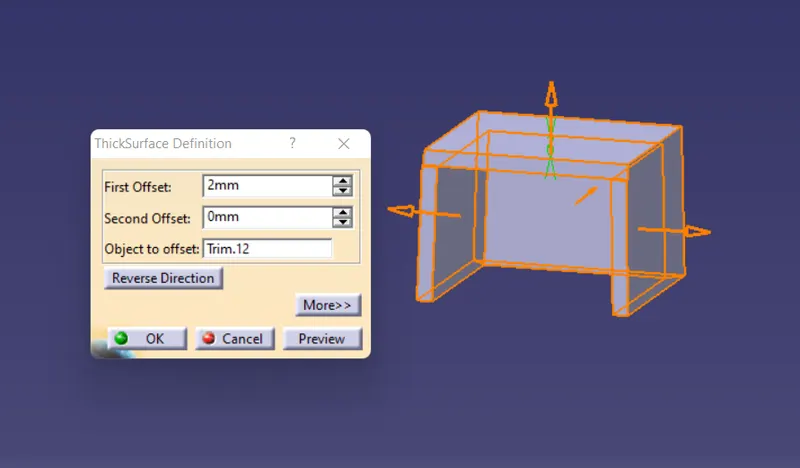
Inorder to make a proper doghouse we need to make C which is contact surface with main body.
Extract the base surface and offset the rectangular shape surface 1mm inside solid profile to make a proper cut and extract all other surfaces needed and trim those surfaces.
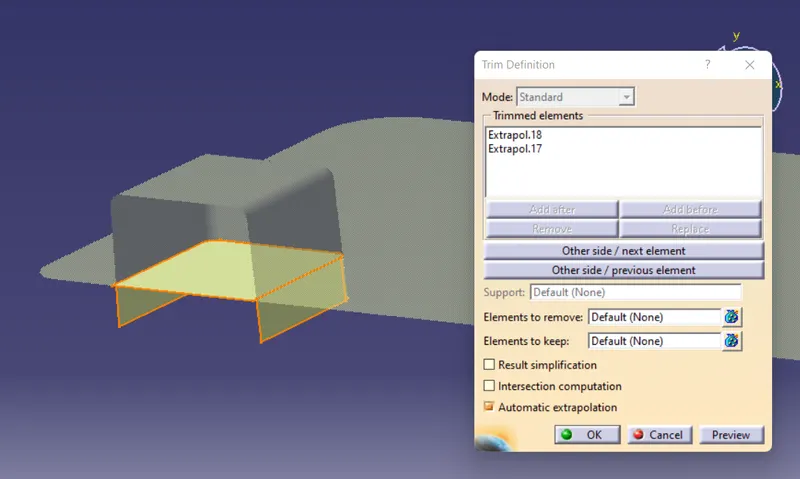
Now define in the body we created and split the surface
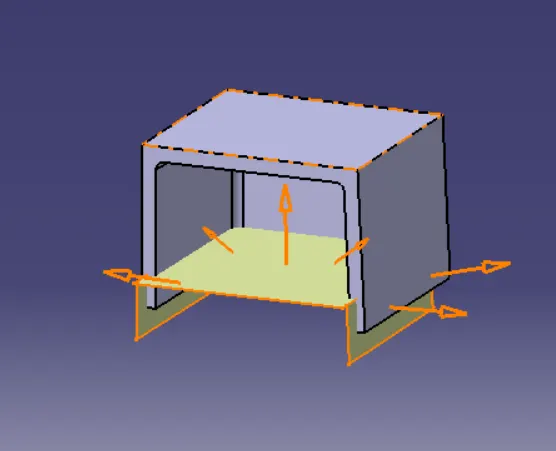
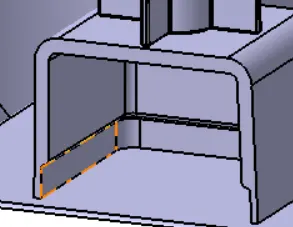
Thus Dog house is created
As the screw bosses and dog house are created now mount the screw boss on the top of Dog house using translate option.
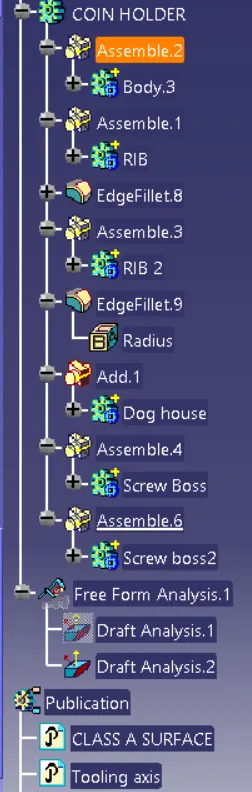
Now add the dog house part to main body and the assemble both screw bosses on to main body
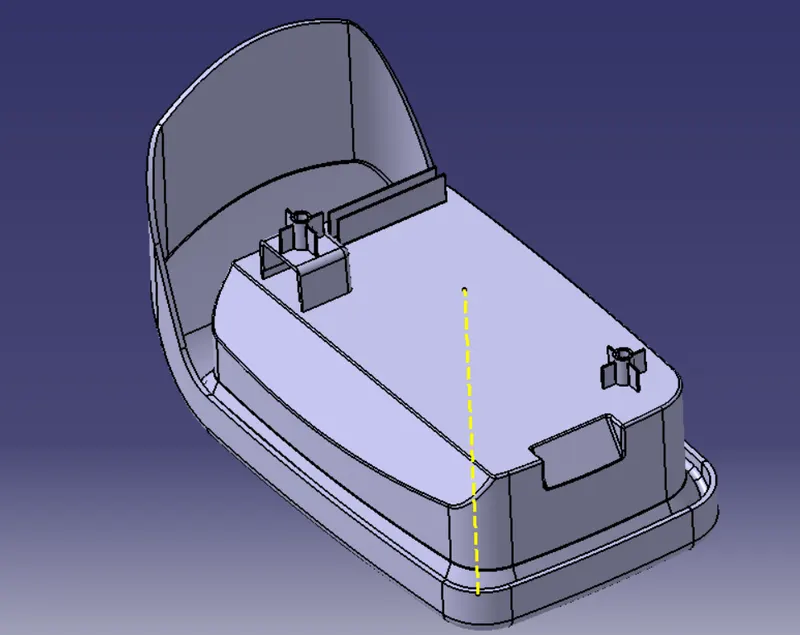
Side core tooling axis:
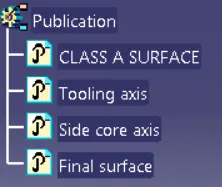
A secondary tooling axis is created in this case to ease out process of ejection .the angle of this axis is for side core to slide along. this was vreated due to presence of hole in surface at bottom side of component and also for dog house inner faces to clear
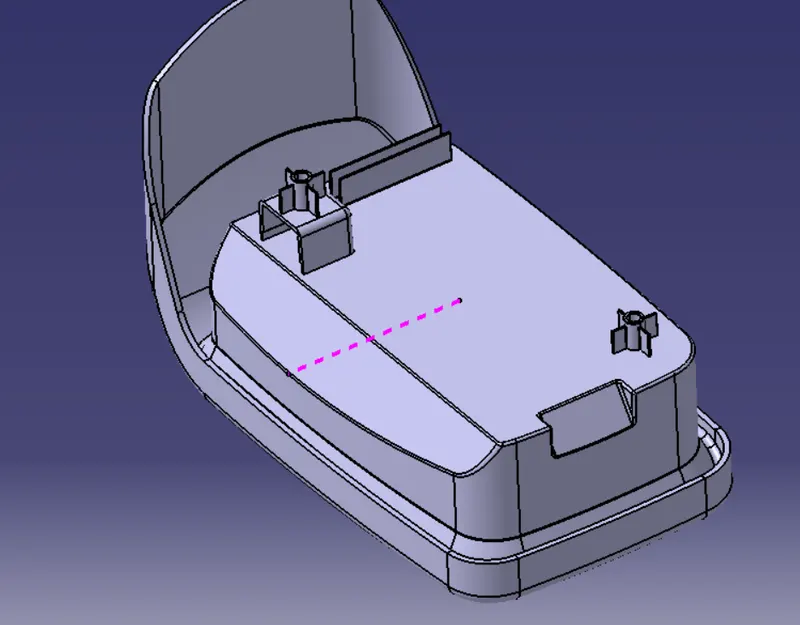
DRAFT ANALYSIS (along main tooling axis):
To perform draft analysis on the model: Go to menu bar > Analysis > Feature Draft analysis. to give draft direction use the compass and align Z-axis of it with tooling axis. Once it properly aligned , lock the draft direction. A red point shown on the screen ,select main body and it will show us the current of the model . then go to display tab on draft analysis and select the first option under it colour scale and it will show draft value .set the value to 3 deg under the colour scale variat and press ok.here analysis can be done in two ways quick analysis and full anaysis we choose quick analysis.
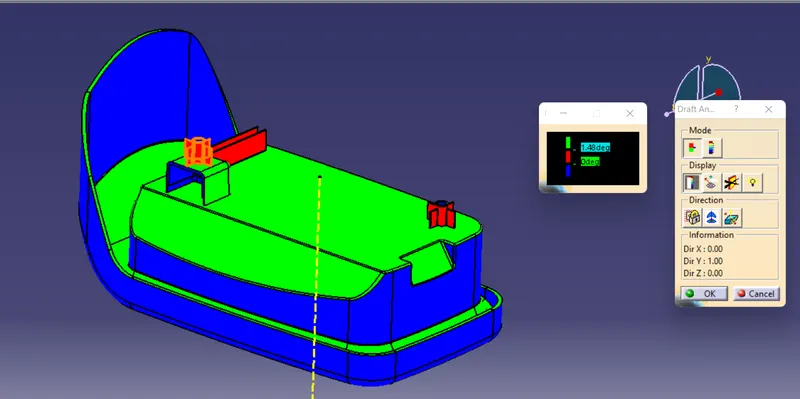
Here draft analysis shows
- The Green colour is drafted walls above 1.48 degree.
- The Red colour is drafted walls above 0 degree.
The analysis shows the drafted walls of Coin holder are above the par of 3deg which is permissible to manfacture in injection modeling. except some surfaces which are to modified and we can see Screw boss and dog house are above 0 deg draft angle.
DRAFT ANALYSIS (along Side core axis):
To perform draft analysis on the model: Go to menu bar > Analysis > Feature Draft analysis. to give draft direction use the compass and align Z-axis of it with tooling axis. Once it properly aligned , lock the draft direction. A red point shown on the screen ,select main body and it will show us the current of the model . then go to display tab on draft analysis and select the first option under it colour scale and it will show draft value .set the value to 3 deg under the colour scale variat and press ok.here analysis can be done in two ways quick analysis and full anaysis we choose quick analysis.
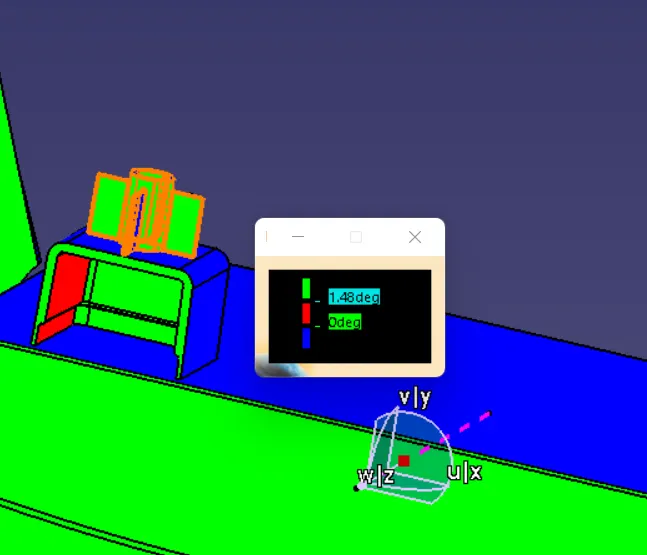
Here draft analysis shows
- The Green colour is drafted walls above 1.48 degree.
- The Red colour is drafted walls above 0 degree.
The analysis shows us along side core the inner faces of dog house are cleared and are feasbile for manfacturing through injection molding.