Week 9 - Attachment Feature Creation - Challenge 2
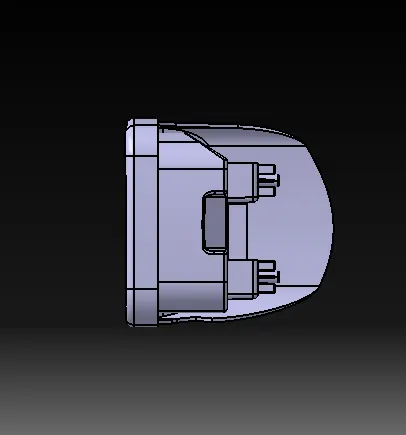
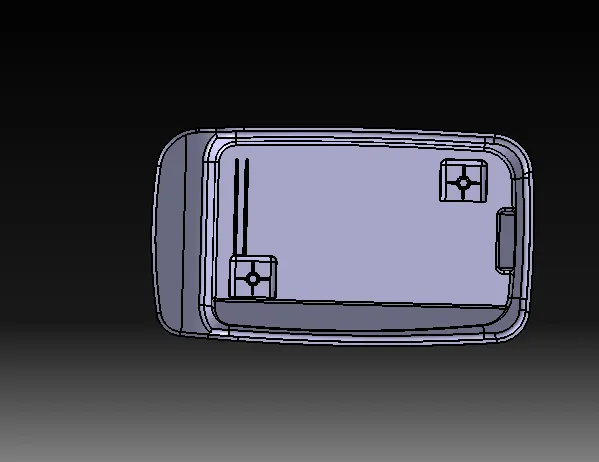
AIM :DESIGN OF SCREW BOSS & DOG HOUSE USING CENTRE CONSOLE COIN HOLDER
DESCRIPTION : DESIGN OF SCREW BOSS & DOG HOUSE ,TOOLING AXIS WITH PERFORM DRAFT ANALYSIS ON WHOLE PART,.
To make the part to an angle dirtection. so that the part model can be easily removed from the model cavity-core.
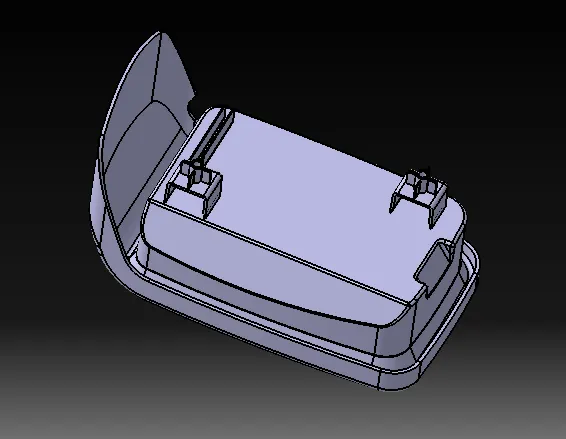
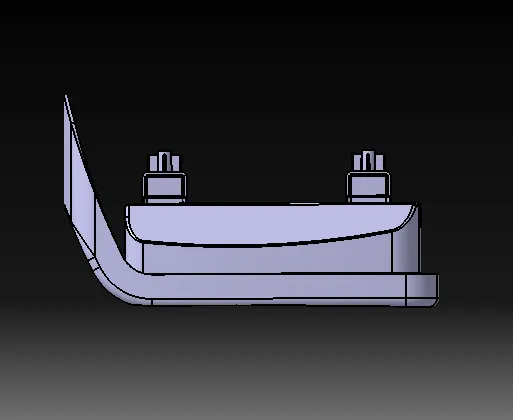
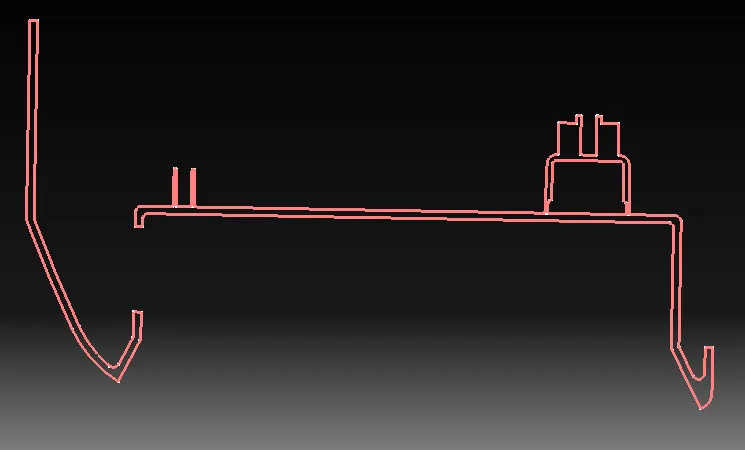
SCREW BOSS CREATION extract the class A surface & sketch the circles & make it iso constrained extrude it at required lenght make it thickhen of 1 mm in neutral axis & ribs of 10 mm
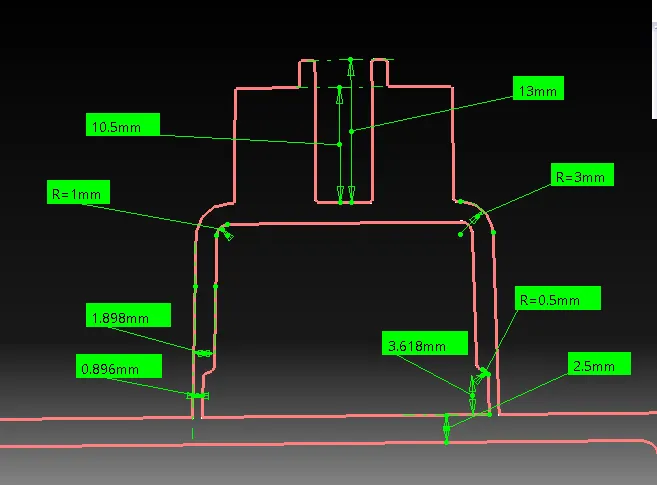
DOG HOUSE CREATION extract the surface sketch the lines required and make it iso constrained & extrude it with sweep command with draft direction of 1.5 mm inside direction with tooling direction thickhen it of 2 mm
DRAFT ANGLE of dog house is 0.5 mm inside surface
FILLET RADIUS -0.25 AS PER DESIGN RULES.
DRAFT ANALYSIS of dog house is performed of 1.45 deg & also to final component using respective tooling direction
IT is a analysis of a plastic component to determine weather the component is actually feasible to manufacture or not mainly used for thicken the surface.at certain angle (3deg)
REQUIREMENT FOR DRAFT ANALYSIS
solid body
main tooling direction
select material mode
TOOLING AXIS CREATION
Check the correct direction & extract the required surface & create the line with point direction.highlet it so that it can be easily visible .(tooling axis 1) y direction
check the x direction create the plane & interect teh part & sketch the point to point lines as referance & create the bysection line name it as (tooling axis 2)
by the above two lines create the main tooling axis with bysecting method the obtained line required tooling axis so that the draft analysis can be performed clearly on the whole part.including ribs.
to clear the draft analysis even the ribs side core is used
TOOLING AXIS BYSECTION METHOD .The tooling axis is created only in bisection methiod because the draft analysis should perform clearly with 3 deg on the required direction .it is created by choosing the clearance of complete part and then the tooling axis is created.the part is intersected and the point to point lines are created by the two line the bysection line is created.that is the actual tooling axis.
TOOLING AXIS FOR DOG HOUSE create the line as point direction through z direction that is the tooling axis for dog for draft analysis .
STEPS FOR DRAFT ANALYSIS
- switch to material mode
- activate feature draft analysis
- place the compass on main tooling direction
- activate compass logo 7 slightly move the compass over MTD line.
- set the angle & colour as per the requirement
GREEN- area clear in main tooling
RED- area have no draft in main tooling
BLUE- area undercut in main tooling
- click on bodu on which draft analysis to be done
- ckeck a surface feasibility.
TYPES OF DRAFT ANALYSIS
catia v5 has two types of draft analysis
1. Quick analysis
2. Full analysis
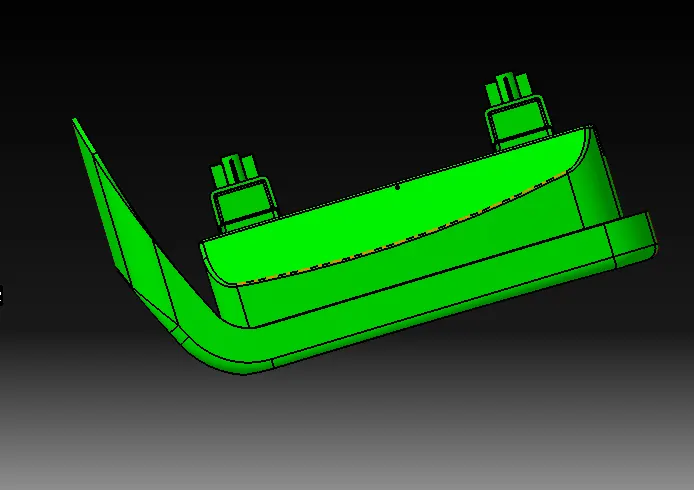
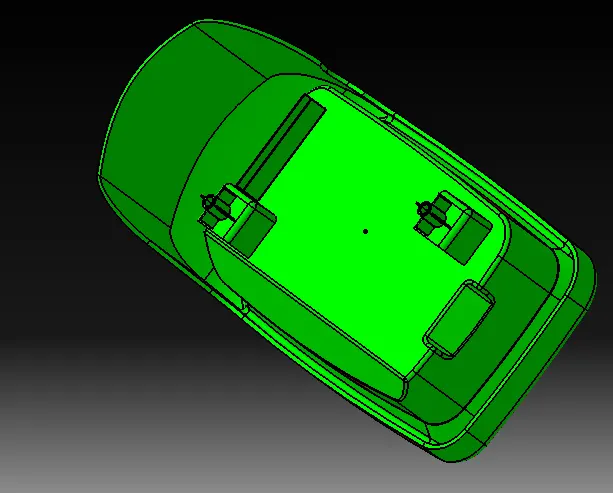
DRAFT ANALYSIS- it is performed on the dog house & centre console coin holder using the tooling axis is clear.by ceating the side core tooling axis as explained above
draft analysis on dog house is perform by creating the side core tooling axis at z direction applied compass on it and gave the rdius of 1.45 mm that is clear
TOOLING AXIS- it is used to perform the draft analysis to apply the compass on it to perform the draft analysis.
RESULT design of screw boss & dog house following the design rules is created on the coin holder & draft analysis is performed on it is clear.