Week 9 - Attachment Feature Creation - Challenge 1
REPORT :-
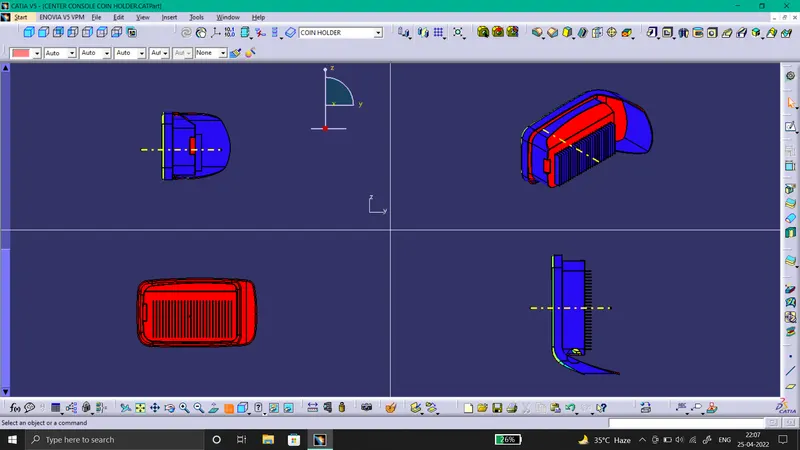
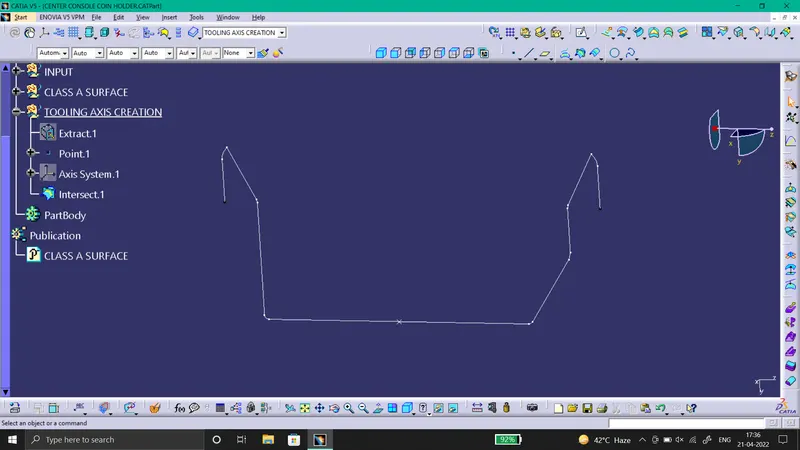
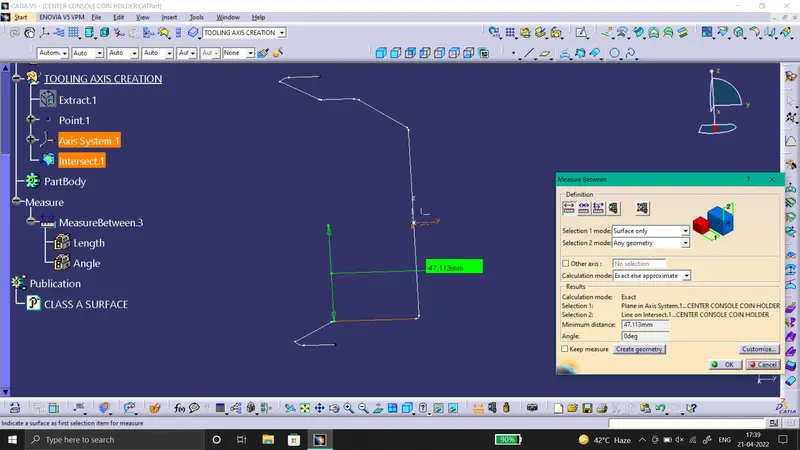
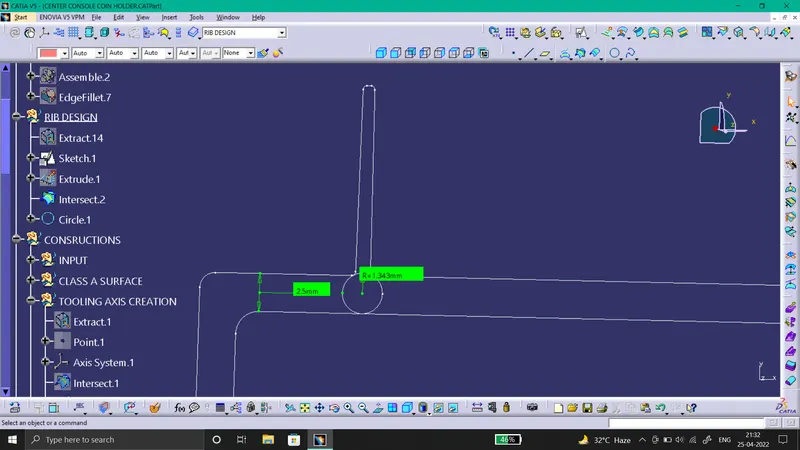
For Draft Analysis, 1st we have to create a Tooling Axis. So, see all sides of the component and observe all the planes, watch for side core and decise the direction of Tooling axis. To draw Tooling axis we will create a point on the base surface. Then insert a Axis System, we will intersect the Y-Z plane with the component. By observing the intersection, we come to know that there are no draft sides, the sidea are at 0degrees as shown in images below. And as it is a Bin Structure we will create the Axis on the point create on the base surface. Hence, we will get our required Tooling Axis.
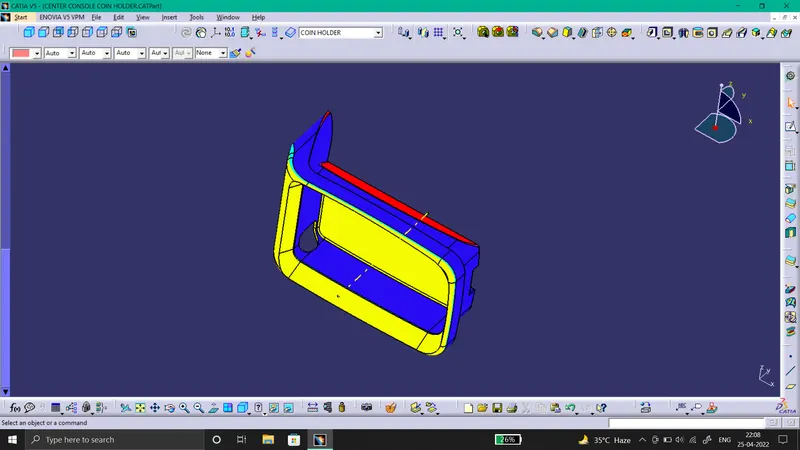
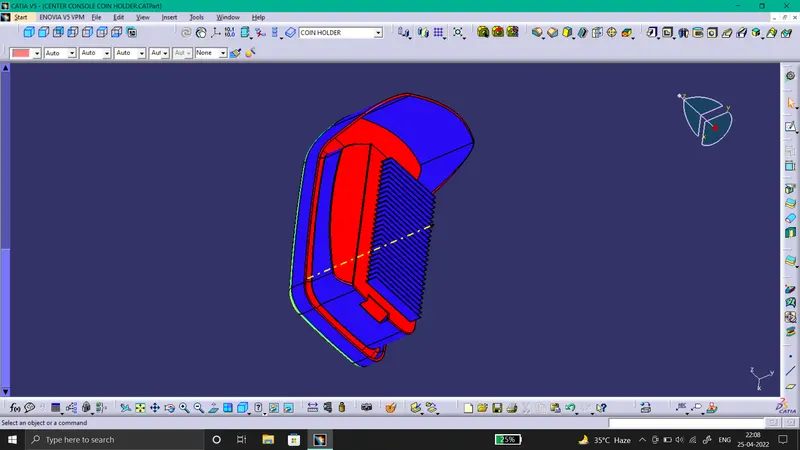
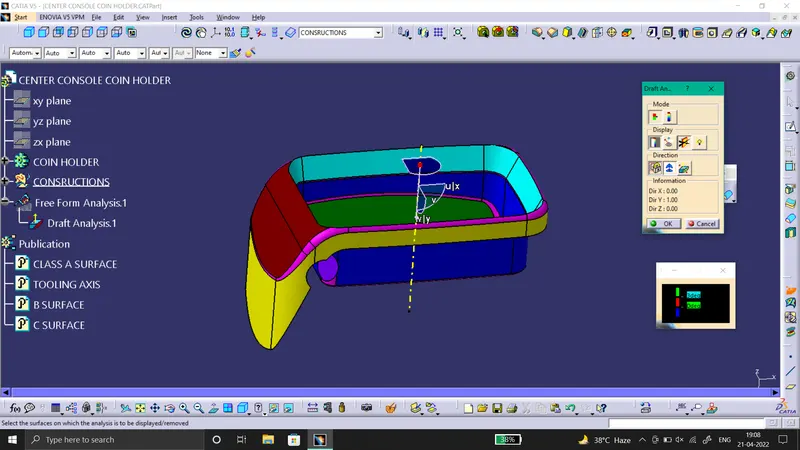
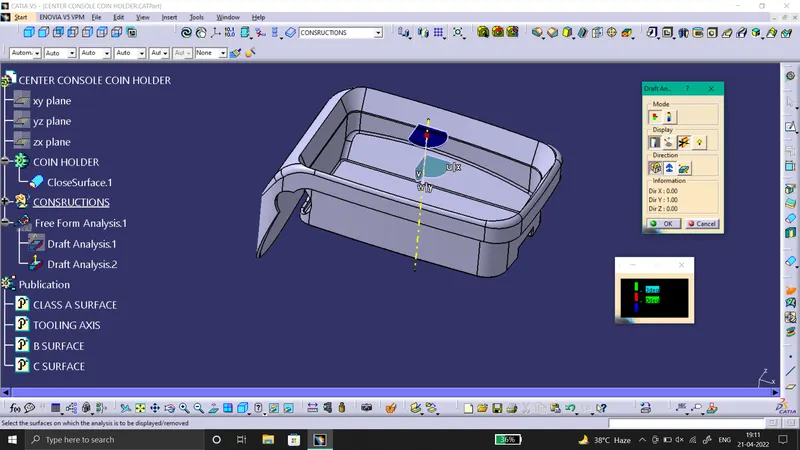
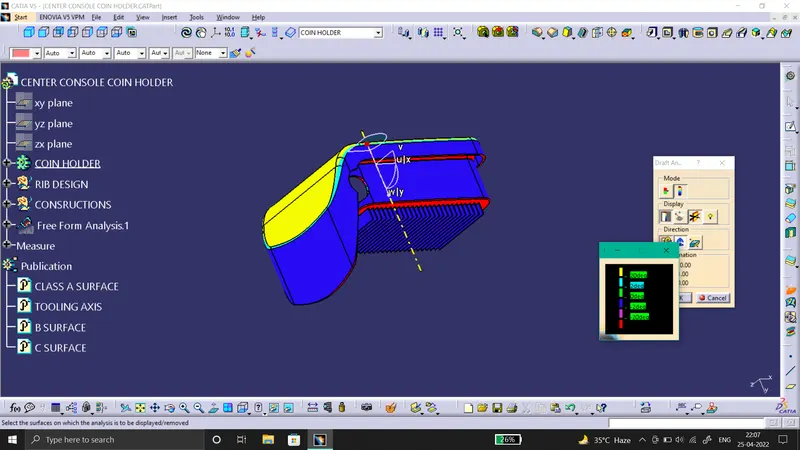
Then For Draft Analysis on Class A surface, click on the Feature Draft Analysis command in the part workbench. Insert the compass on the Tooling Axis and lock it their, As shown in Image. Then click on the surface, we will get the required Draft Analysis with color. For the Draft Analysis of the close component, perform the similar steps.
Below are the required Images:-
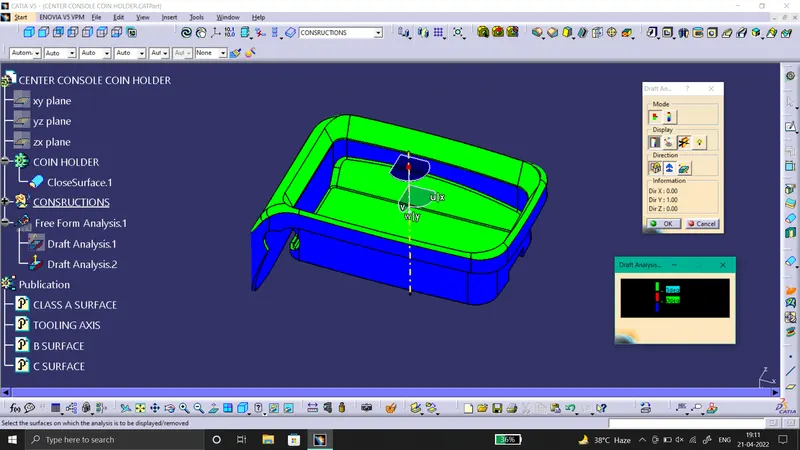
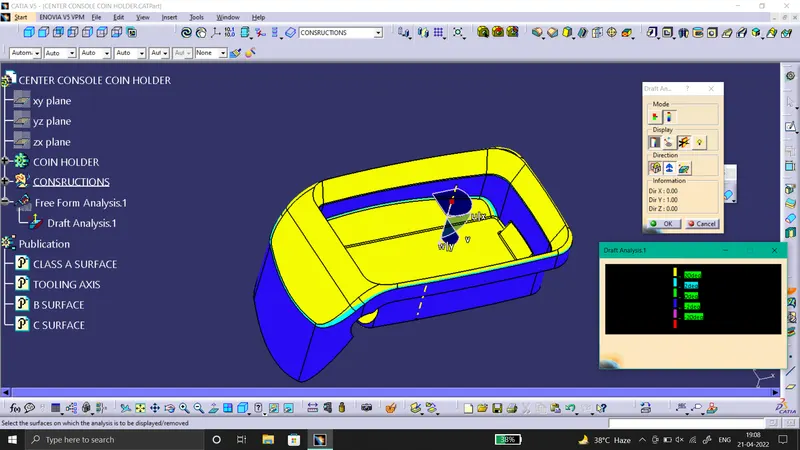
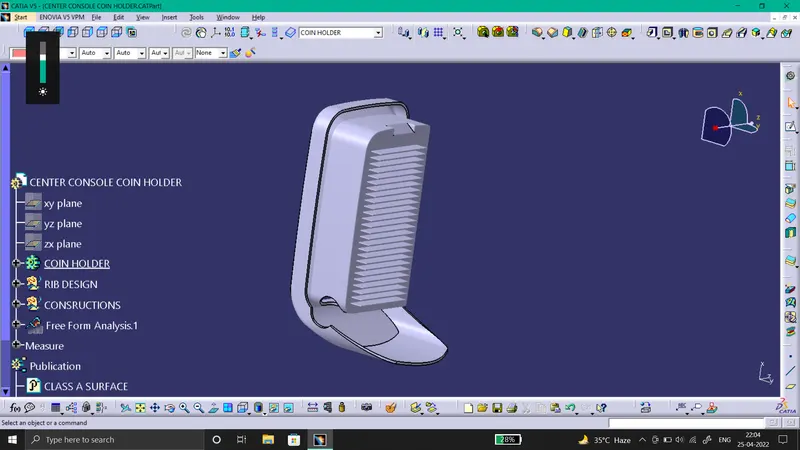
Images of Rib Creation and its draft analysis are as follows:-
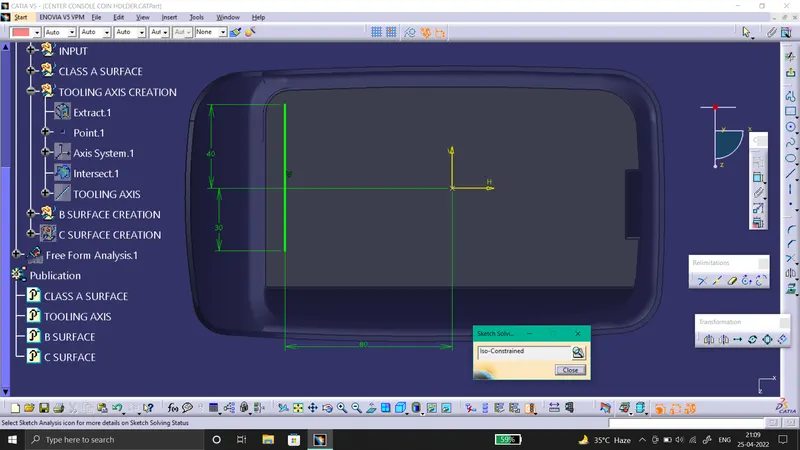
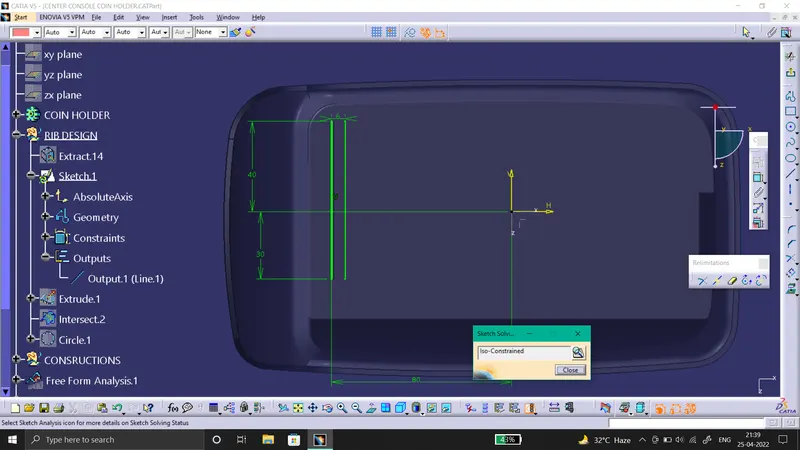
1) SS of the completed design in various orientations (Isometric, Front, Side, and Top View).