Week 9 - Attachment Feature Creation - Challenge 1
REPORT - ATTACHMENT FEATURE CREATION (RIB) ON COINHOLDER COMPONENT
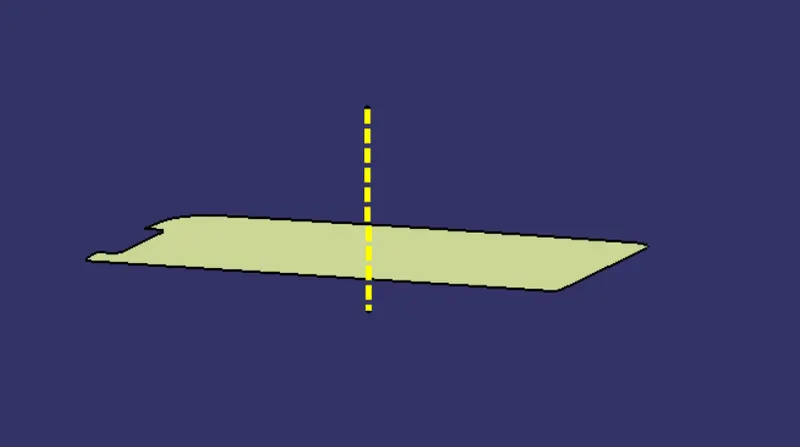
TOOLING AXIS -
1.Extract the base surface of coin holder and assign the point on surface for line creation.
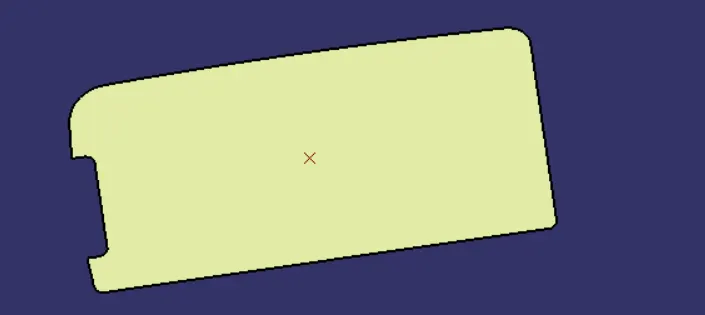
2. Draw the line passing through the point and normal to the extracted surface and this line will be tooling axis of coin holder component.
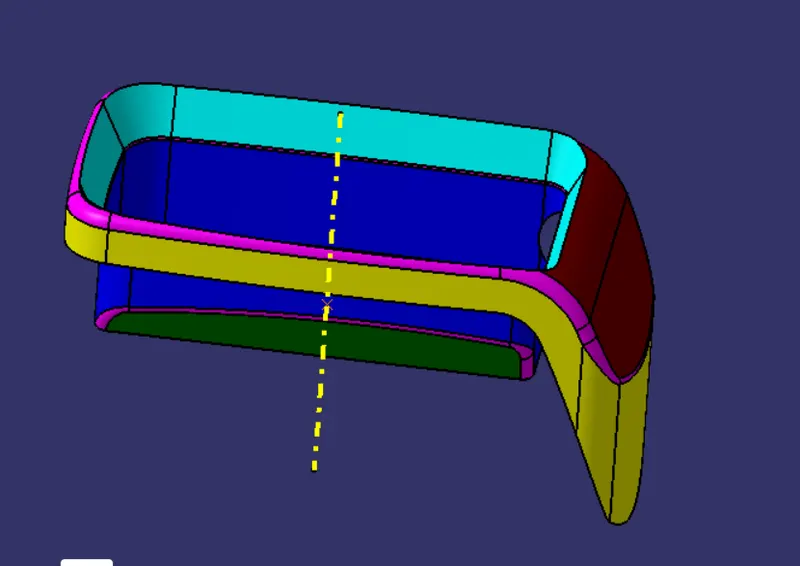
CLASS A SURFACE-
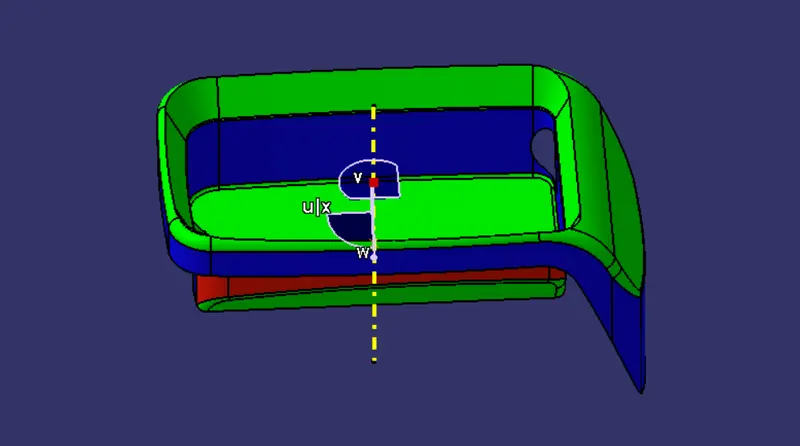
CLASS A SURFACE WITH DRAFT ANALYSIS-
**Procedure to create Draft Analysis-
1.Open the part file in Catia workbench.
2.Apply the material for part.For that go to view feature>Render style>Customize view parameter.
3.For draft analysis we have to select Insert>Analysis>Feature draft Analysis.Then there will be opening the Draft analysis dialogue box with showing icons like mode, display and direction.
4.Move the compass towards the tooling axis and coinside it with tooling axis.If you want to fix the compass then click on lock icon .
To start the analysis-
1.Select the surface of Part that we want to analysis.
2. click on draft analysis icon .
3.MODE OPTION-
In dialoue box showing mode option with quick & full analysis mode.In that mode feature we can understand the different angle range value in colour format which indicate part is in correct drafft mode or not.The default mode is the quick mode. It simplifies the analysis in that it displays only three color ranges.
* Doble click on colour range which display in dialogue box and we can change the colour range.
*Also by double click on the angle value ,we can modify it.
*The colour mode and respective Draft angle value is set in mode dialogue box.
- When the Draft angle value of the surface is equal or smaller than graduated (fixed in dialogue box) value,the colour will be applied as per graduated value to the surface.
- When the Draft angle value of the surface is greater than greatest value of graduated,the colour of graduated value is applied.
4.DISPLAY OPTION-
- colour scale-this dialog box only appears in edition mode.Means we have to activate Full mode or Quick mode analysis.
- Angle Pointer-activate the pointer and move it over the surface which showing various draft value at different locations.
Arrows are displayed under the pointer, identifying the normal to the surface at the pointer location (green arrow), the draft direction (red arrow), and the tangent (blue arrow). As you move the pointer over the surface, the display is dynamically updated. Furthermore, circles are displayed indicating the plane tangent to the surface at this point.
3.No highlighted & Representation icon-This feature gives option like on/ off the highligh portion of part.As it enable ,it will show all edges in colour (highlight) format.
4.LIGHT EFFECT-This feature helps to understand the visualisation effect of part under light effect.This light effect will affect the visualiser's eye.
5.Inverse direction- It allows to change the direction of draft angle of selected part.As the we click on reverse direction then there is changing gaduated colour effect ( in negative).It shows the BLUE colour.
5. DIRECTION -
- LOCKED DIRECTION- In that we can lock or unlock the draft angle direction,a plane,a Face which is used in current analysis.
- COMPASS- It is used to define the new or current draft direction.To set the compass direction on Tooling Axis,we have to move or pull the compass origin and coinside with tooling axis.
6.Once we have finished the analysing the surface by applying propper elements CLICK on OK icon in DRAFT ANALYSIS DIALOGUE BOX.The analysis is added to tree chart of part.
IN this way we can genrate the report for Draft Analysis for a given part by using Feature Draft Analysis.
RIB DESIGN PROCEDURE-
RIB: Rib is a supportive member to plastic part.Rib gives holding strenght to plastic part to bear compressive strenght.ribs are thin wall member that extend normaly from wall or plane.They are usually found to offering support to plane or wall.Rib are single in quantity or more than one to give the support.The design of rib must be design rule with thickness and height.
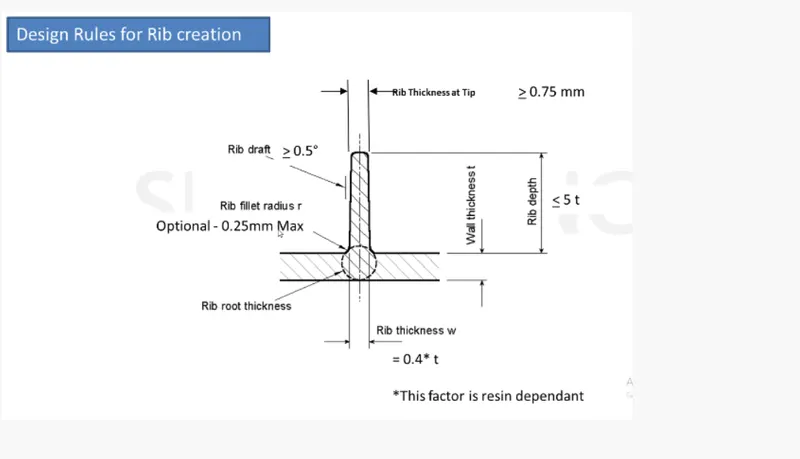
IMPERICAL RELATIONS TODESIGN THE RIB-
PROCEDURE TO RIB DESIGN-
1.Extract the plane surface where to be rib is created.Use the EXTRACT COMMAND tool bar also use the positioned sketch to sketch rib profile.
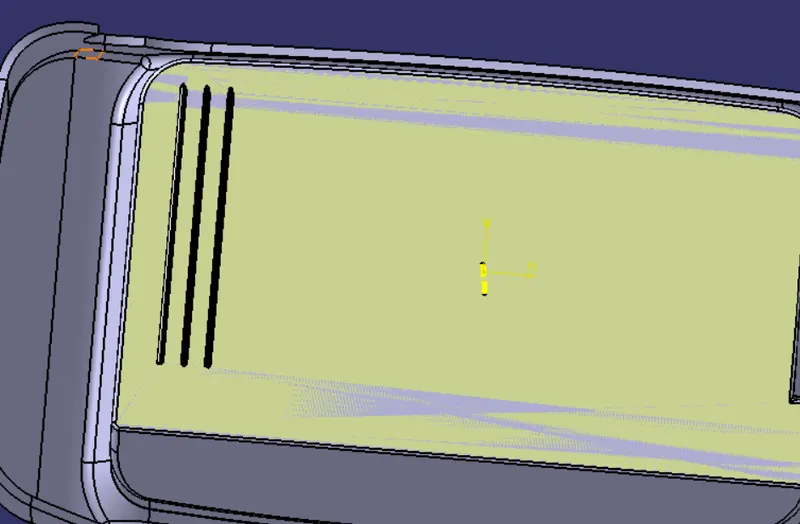
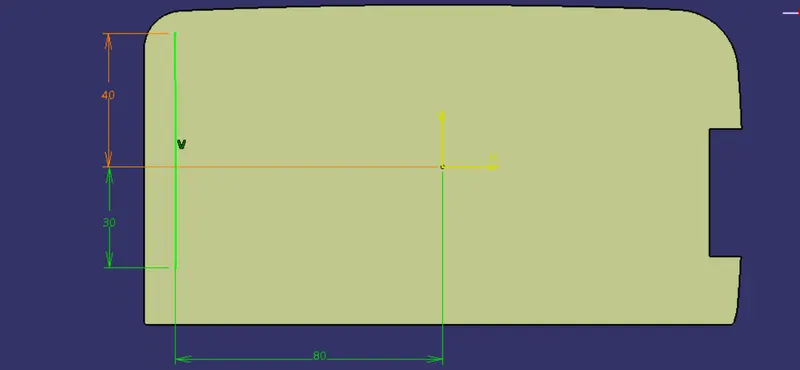
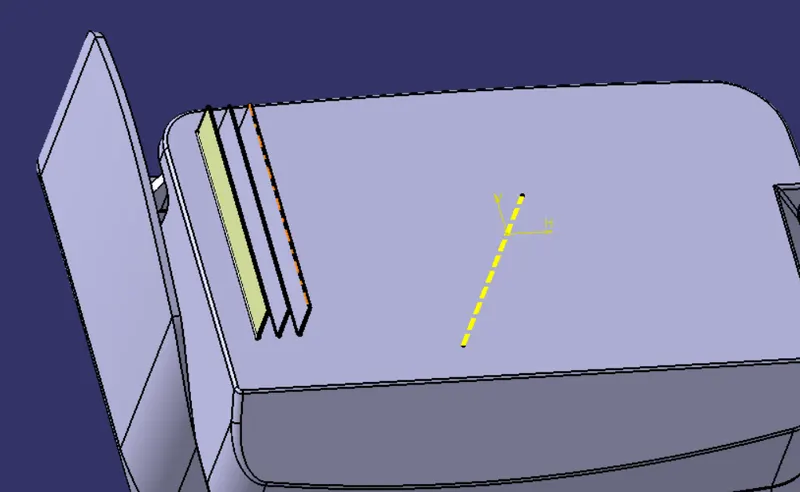
2.Sketch the Rib profile on extracted plane and extrude with hieght with reference to part thickness.Use imperical relation to find the height of rib.
IMPERICAL RELATION- PART THICKNESS TO HEIGHT OF RIB
height (h)= wall thickness x 5
= 2.5*5
=12.5 mm
hence the hight of rib for coin holder is 12.5 mm .
3.Provide the draft on rib to easy remove from side core.The draft should be equal or grater than 0.5 degree.Also apply the fillet on edges of rib profile.Fillet should be 0.25 mm of maximum value.
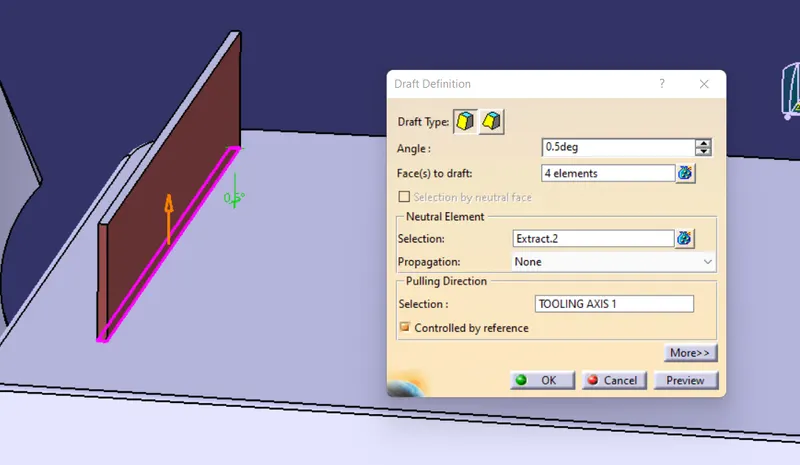
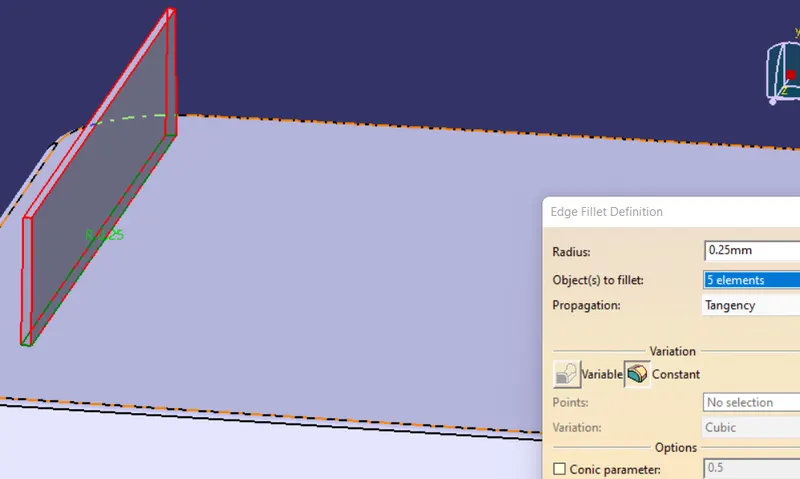
4. RIB THICKNESS AT TOP- Thickness at top will be grater than or equal to 0.75 mm.It is necessary to maintain the thickness of rib.
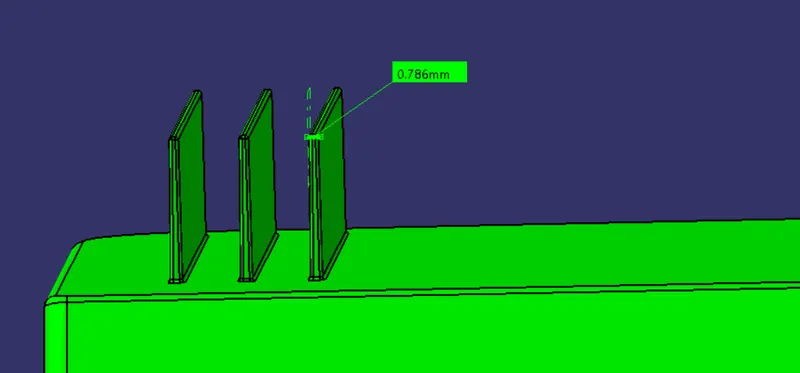
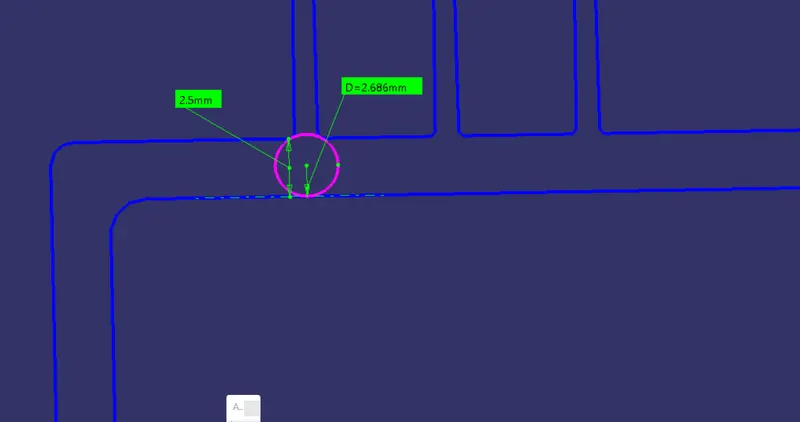
5.Provide the rib root thickness- To check the rib root thickness we have to take intersetion of the coin holder with plane.After that use the tri-tangent circle command at root of rib and measure it.The thickness value must be 30% greater than wall thickness.
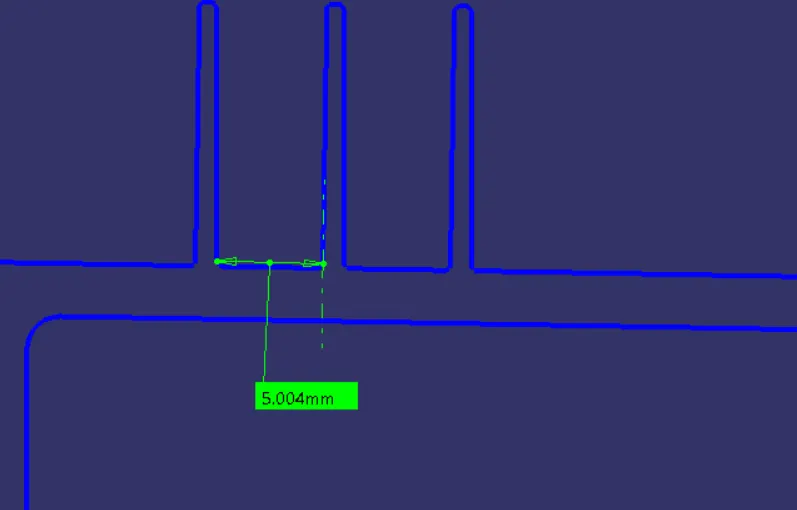
6.space between the two rib- To find the space orr offset distance of rib use the imperical relation.
the ratio of rib height to space between the rib is not be greater than 3.
i.e. x/y<3
x= rib height
y= space between the rib.
let- x=12.5 mm
hence X/Y ,12.5/Y=3
Y=4.16 mm or =5 mm.
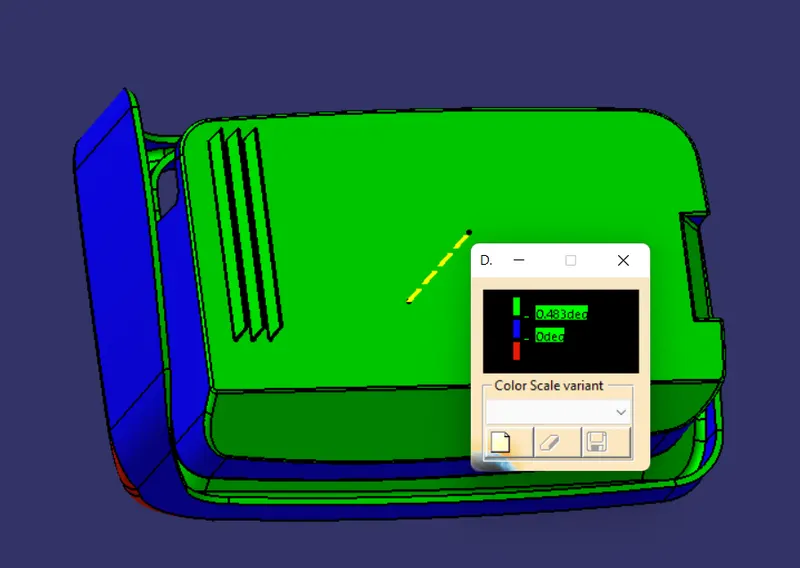
DRAFT ANALYSIS IMAGES OF COIN HOLDER WITH RIB-
FRONT VIEW-
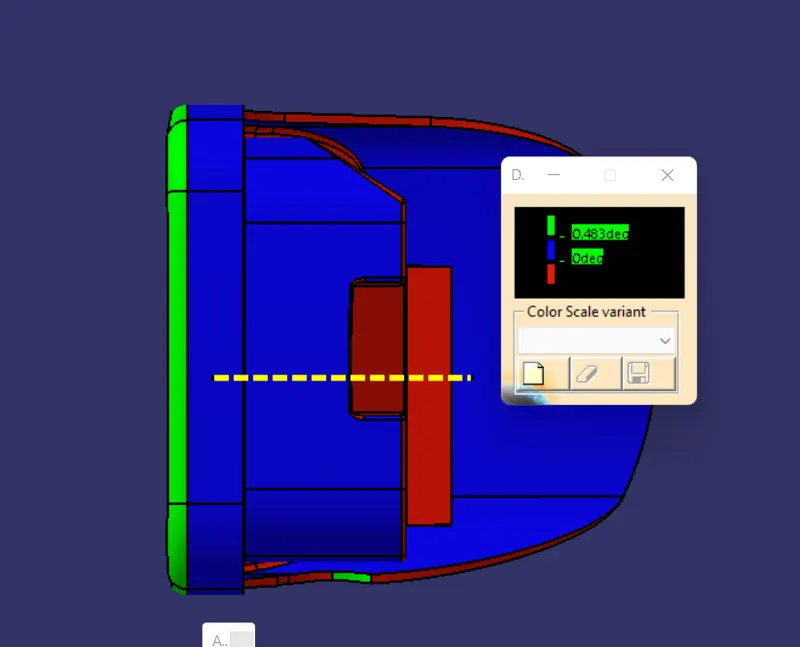
SIDE VIEW-
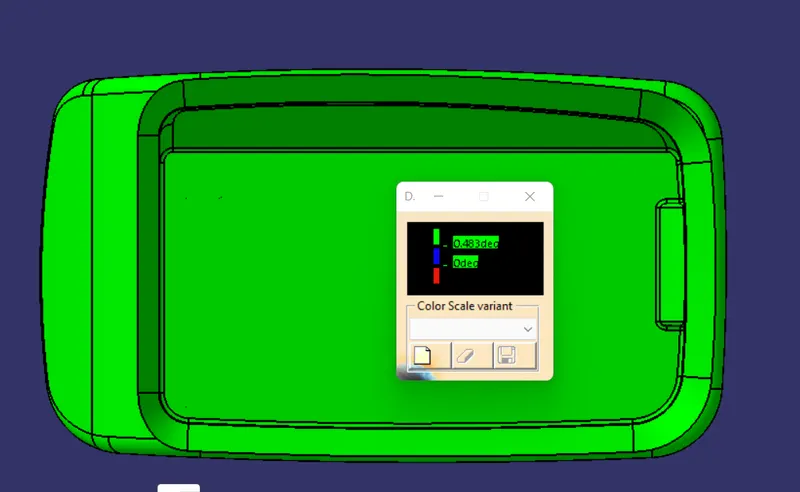
TOP VIEW
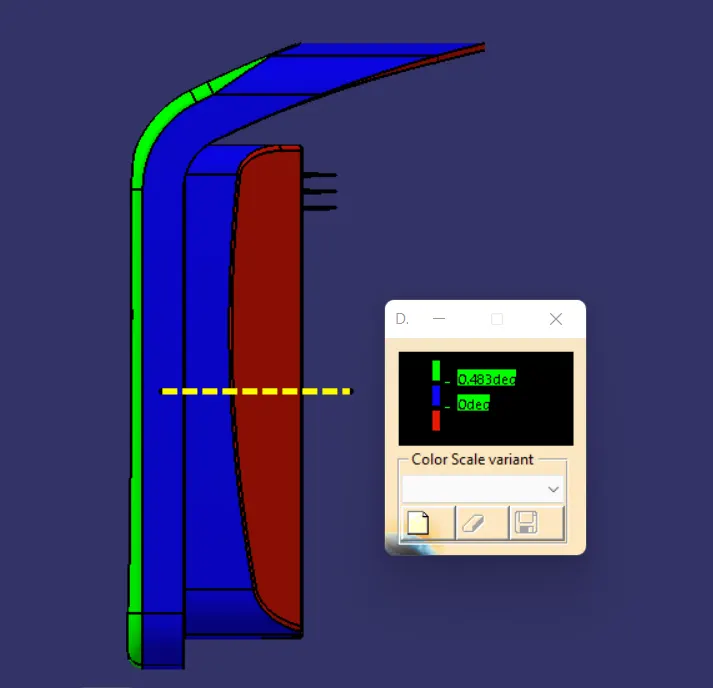
ISOMETRIC VIEW-
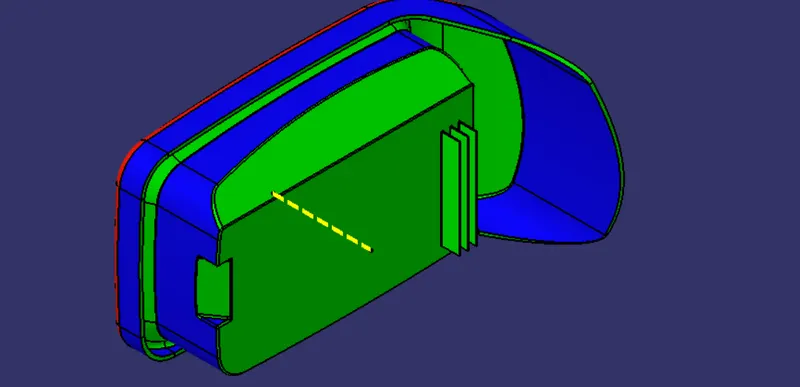
INVERSE DRAFT ANALYSIS FOR RIB-
CONCLUSION-
To give the support for plastic components in form of strength sometime we have to use attachment feature like RIB.
- Learn to function and importance of rib for thin plastic part design.
- Learn to design method of rib by using standard relation with wall thickness.
- Understand the concept like wall thickness,root thickness,ribs spacing,rib depth.
- Learn to importance of draft on ribs.