Week 8 Worm Gear Challenge
OBJECTIVE:-
To Perform a transient structural analysis on a worm gear assembly. We need to cut the gear by half so as to bring the model within limits. Obtain results for
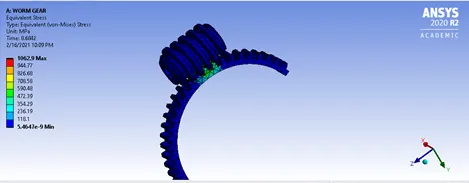
- Equivalent stress
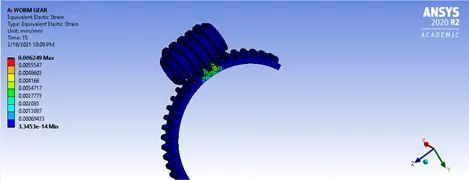
- Equivalent elastic strain and
- The total deformation in the model.
We can use a finer mesh while performing the challenge and submit a well formatted report with appropriate images.
PROCEDURE FOLLOWED:-
Create a new Transient structural analysis. Import the geometry. Open the geometry and cut the gear component into half. The cutting of the component is done so that it can’t exceed the academic version limit.
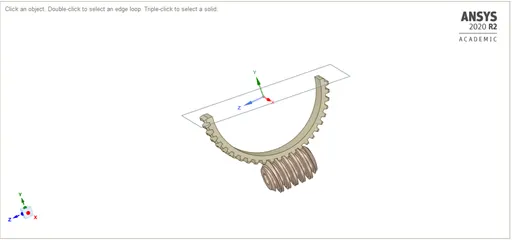
After the model close the spaceclaim and open the model in mechanical workbench.
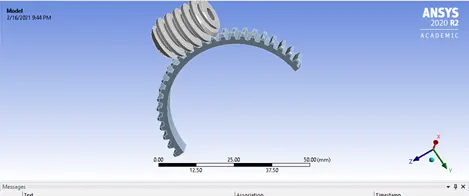
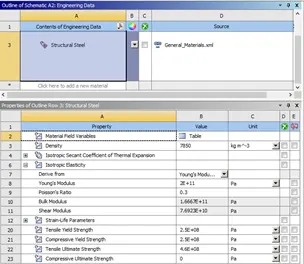
Rename the geometry according to the model. Also the material for the model is selected as structural steel bearing properties as:
Connections are good in this model we just have to perform a small changes. Add some more faces according to the contacting faces in target face.
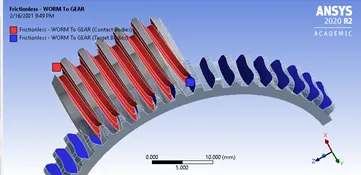
Also rename the geometry based on definition.
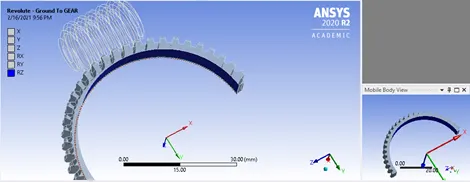
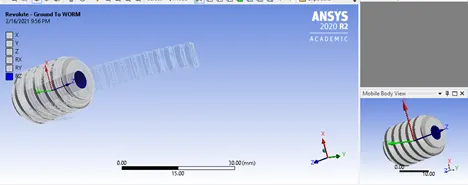
After the contacts, it is time for inserting the joints. In our model we will be inserting 2 revolute joints 1 for gear and 1 for Worm.
Joint for gear
Joint for Worm
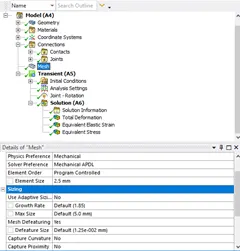
Post joints now we will be setting up the Mesh size.
The mesh size we will be giving in our model is 2.5 mm mesh size also the Adaptive sizing has to be given NO command.
Now setting up the Analysis Setting
Number of steps= 15
For 1st step:
Initial time step = 0.2
Minimum time step = 0.2
Maximum time step = 0.5
Weak springs = Program controlled
Large deflection = ON
Turn on all the output controls except the contact miscellaneous.
For step 2 to 15:
Carry over time step = ON
Rest all the setting are to be default as set for step 1.
Now insert a Joint load for the worm gear,
Type = Rotation
Magnitude = Tabular data
Data = 80 degree to 1200 degree.
|
Time |
Rotation |
|
0. |
0. |
|
1. |
80. |
|
2. |
160. |
|
3. |
240. |
|
4. |
320. |
|
5. |
400. |
|
6. |
480. |
|
7. |
560. |
|
8. |
640. |
|
9. |
720. |
|
10. |
800. |
|
11. |
880. |
|
12. |
960. |
|
13. |
1040. |
|
14. |
1120. |
|
15. |
1200. |
After the joint load now its time to insert the required output result command.
For the simulation we will be requiring the Total deformation, Equivalent stress & Equivalent elastic strain.
Solving the simulation:-
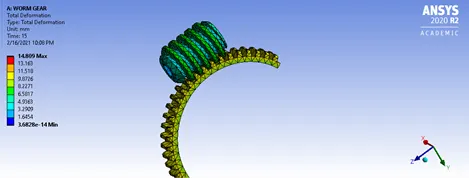
Total deformation:-
Equivalent strain:
Elastic elastic stress:
CONCLUSION:-
The simulation is run and the results obtained are tabulated below:-
|
Total Deformation |
14.809 mm |
|
Von-mises Stress |
1062.9 MPa |
|
Equivalent strain |
0.006249 mm/mm |
The workbench files can be accessed thorugh the below link:
https://drive.google.com/file/d/1mYj1_QUIpfV20iGgSsuRbjmcpibiD4SV/view?usp=sharing