Week - 8 - Morphing
AIM:- To morph the given components as per the given guidelines.
OBJECTIVE: -
- To Practice morphing techniques on Model 1 as per Video.
- To Increase the Height of the Dog houses and Ribs by morphing For model 2.
THEORY: -
Morphing is technique used by CAE Engineer to change or modify the geometry to improve the results (FEA result) according to the analysis instead of waiting for the new CAD design. it also saves time in the trial-and-error methods of the design team. giving the morphed component to the design team will provide them a better understanding of the area to be modified in cad software properly for production.
Morphing with ANSA
- Reshape any type of FE without turn back to the CAD model for modification
- Introducing parametric shape modification for optimization purpose
- Morphing modification on both FE and Geometry
Two main methods
- Box Method
- Direct morphing
1.) Direct morphing (without morphing boxes)
- For local modification of simple component or assembly
- Applicable on geometry and FE model
- Different type of movements is Possible.
2.) Box-Morphing
- Domain or Box Morphing is preformed via boxes that are created around a particular part or assembly that the user intends to morph.
- The movement of the Morphing boxes control points defines the morphing operations on the entities inside the Morph box.
- This type of Morphing can be applied to both FE and Geometry based models.
MODEL:1
Very First, we have to import the CAD model to the ANSA software after the model is imported to ANSA, we have to perform the Topological clean-up on the model.
For this we use Command: Topo >> Faces >> Topo >> window selection the component >> hit middle.
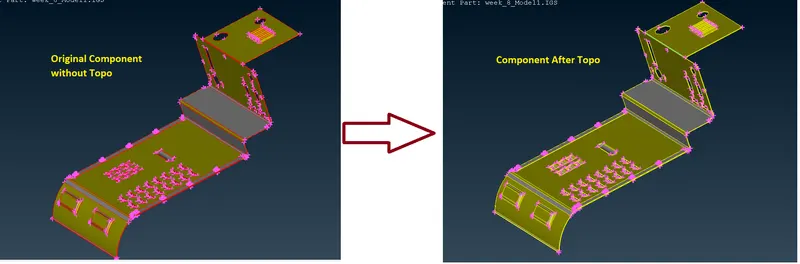
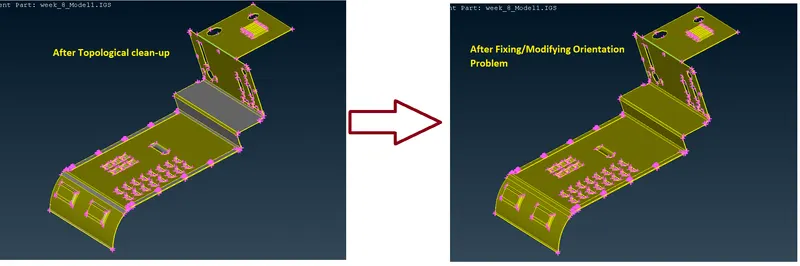
After the Topo we have to check the orientation of the model.
Command: Topo >> Faces >> Orient >> Visible.
Geometry Clean up
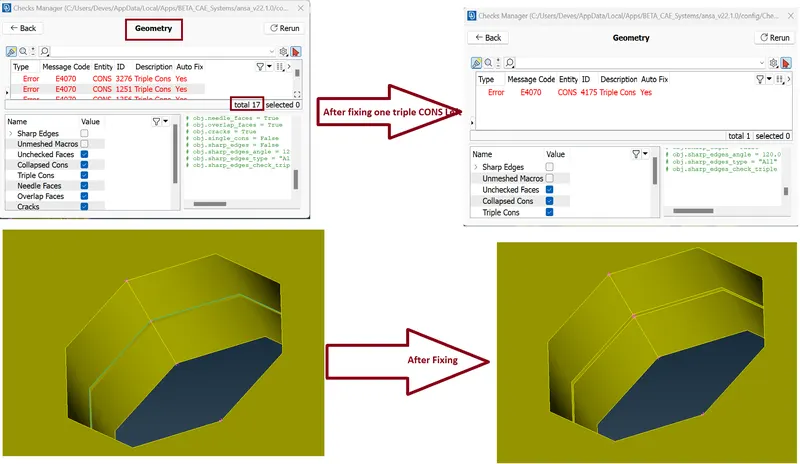
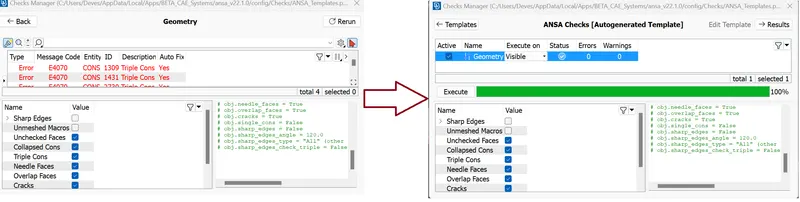
whenever CAD model is imported into the ANSA, there might be several geometrical errors like intersecting surfaces, missing/distorted surfaces etc. due to the format conversion process or inherent bad model. And, it is important to clear all these errors before starting meshing.
Command: Tools >> Checks >> Geometry >> Execute
MORPHING:
Now we performed morphing on the given component. For This we Use Command: MORPH >> Classic Morph >> Boxes >> New >> Click Ortho >> select the Entity (window selection) >> Ok >> Press Middle mouse click.
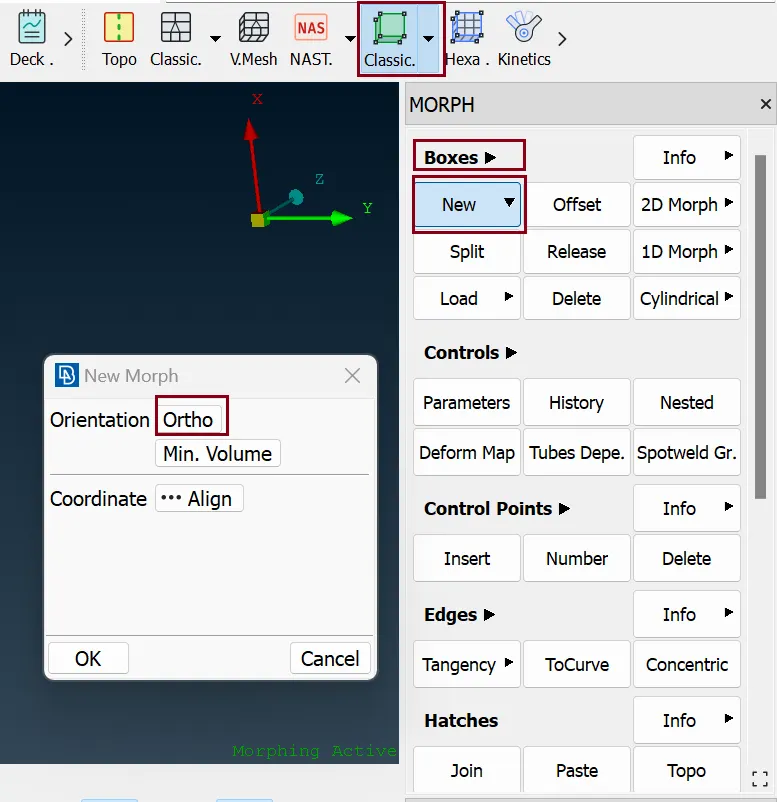
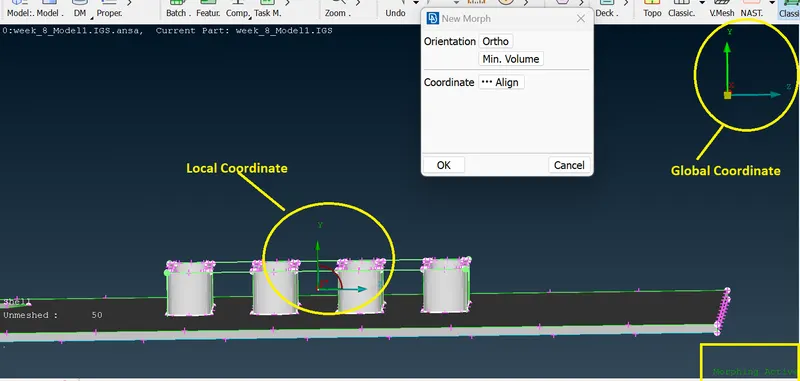
After that a morphing Grid is Generated
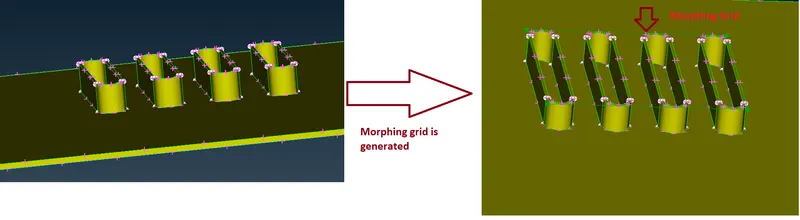
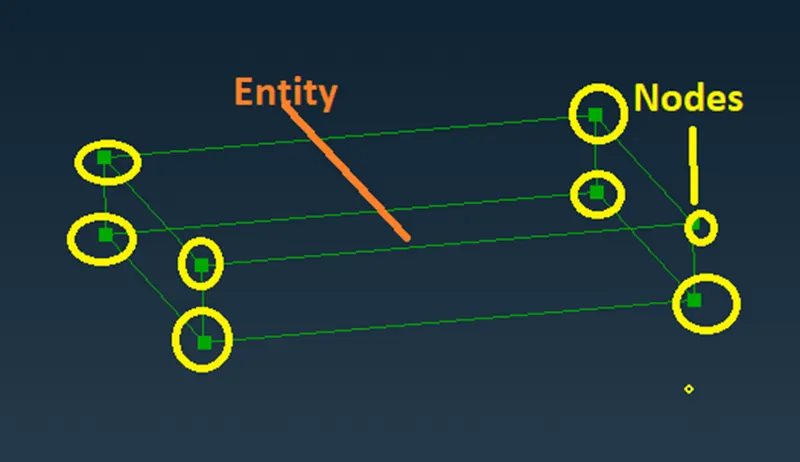
By selecting the Nodes and Entity on this Grid we can change the geometry as per our requirement.
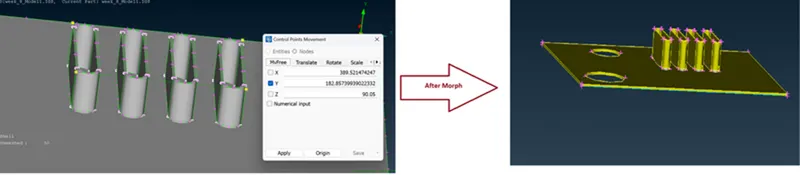
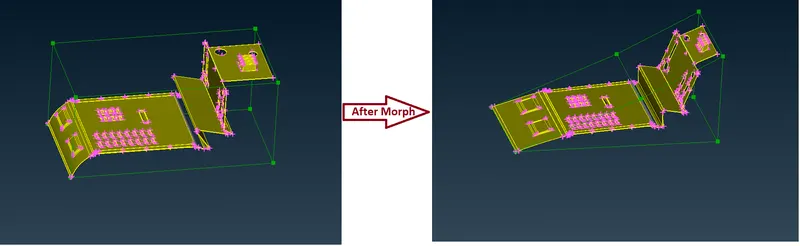
Here we illustrated some Morphing Operation On a Model 1
Operation :1
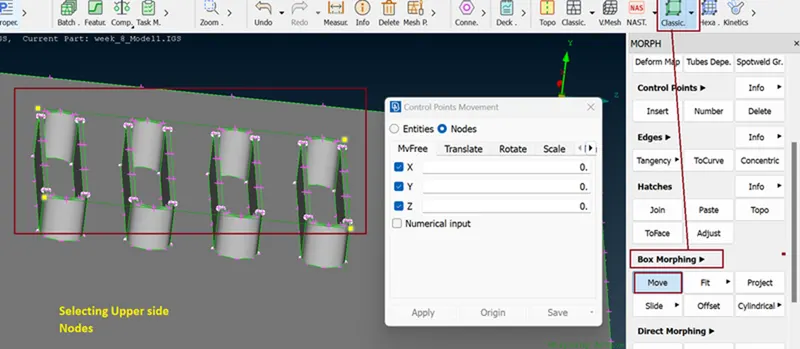
Here we want to change only in Hight of Entity so we uncheck the Other axis.
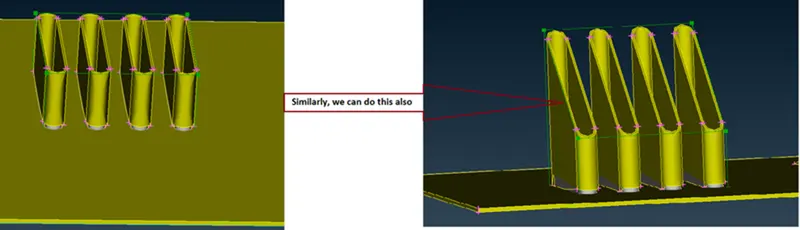
Operation :2
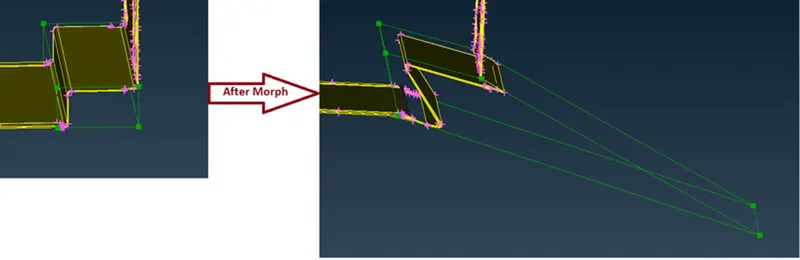
Operation :3
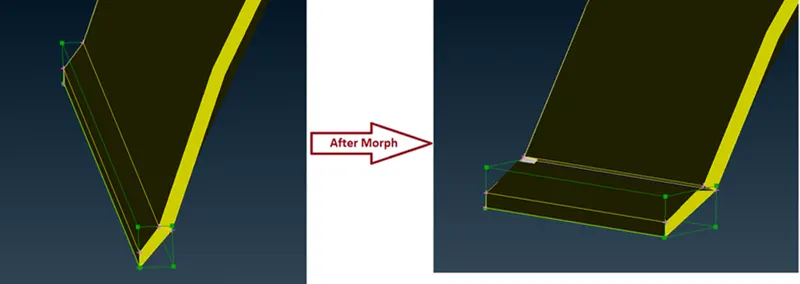
Operation :4
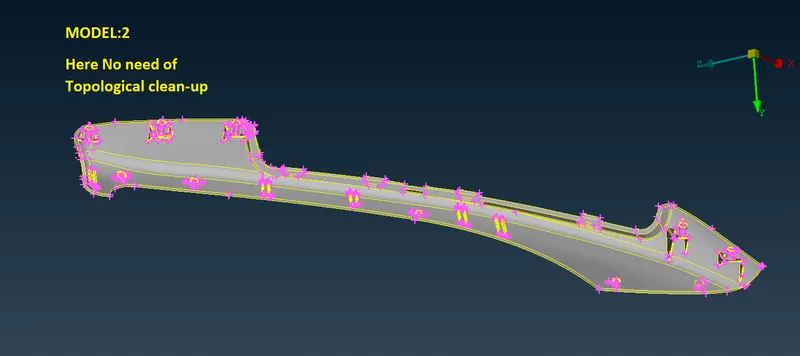
MODEL:2
Geometry Clean up
Command: Tools >> Checks >> Geometry >> Execute
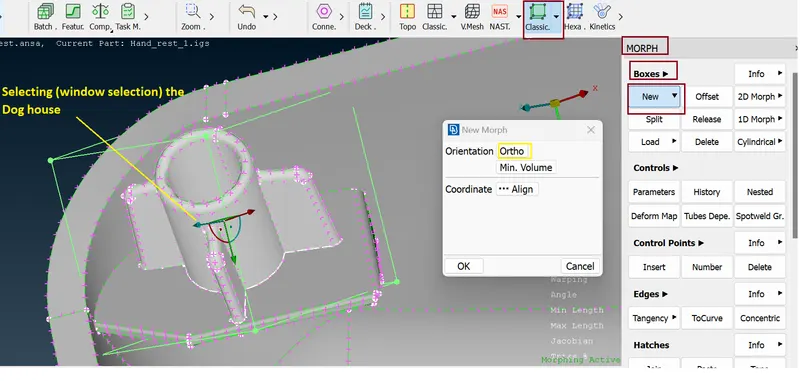
MORPHING: Similarly as previous
Command: MORPH >> Classic Morph >> Boxes >> New >> Orientation >> Click Ortho >> selecting the Doghouse (window selection) >> Min. Volume >> Ok >> Press Middle mouse click.
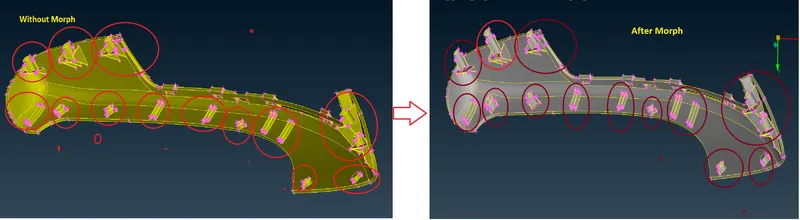
After making Morph Grid we need to increase height of Dog House for this we use Move command
Command: MORPH >> Classic Morph >> Box Morphing >> Move >> Control Point Card will Open >> Selecting Nodes as per figure >> Translate >> hit curser on “dx” >> Middle mouse click.
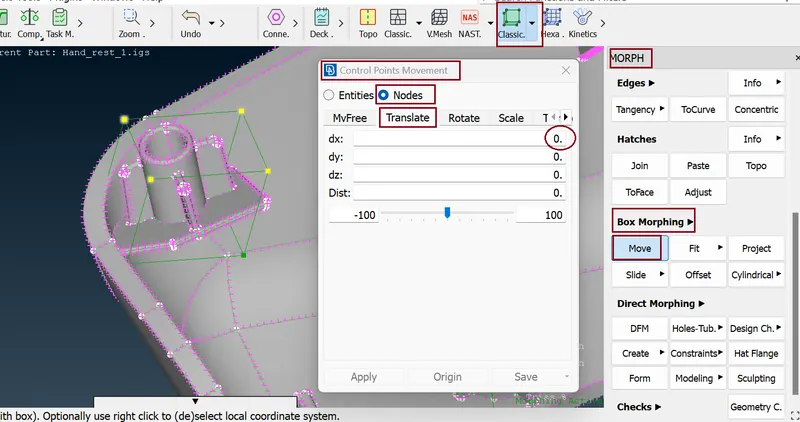
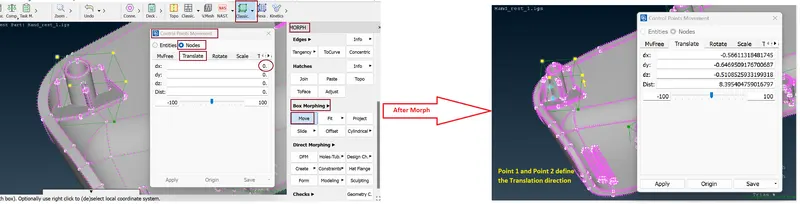
Similarly, we work on the all the Doghouse and ribs finally we get
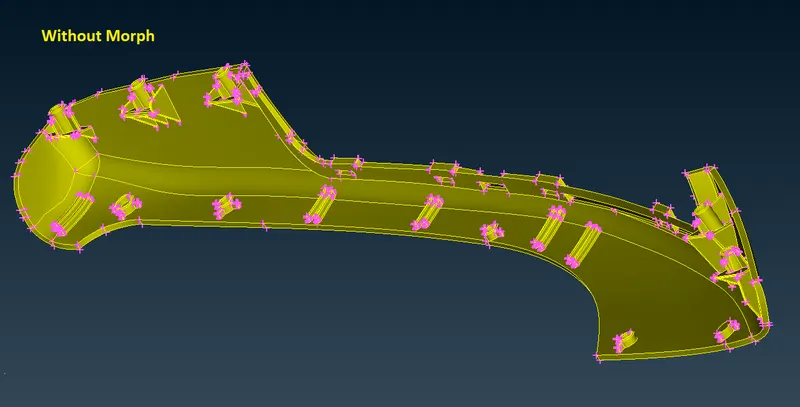
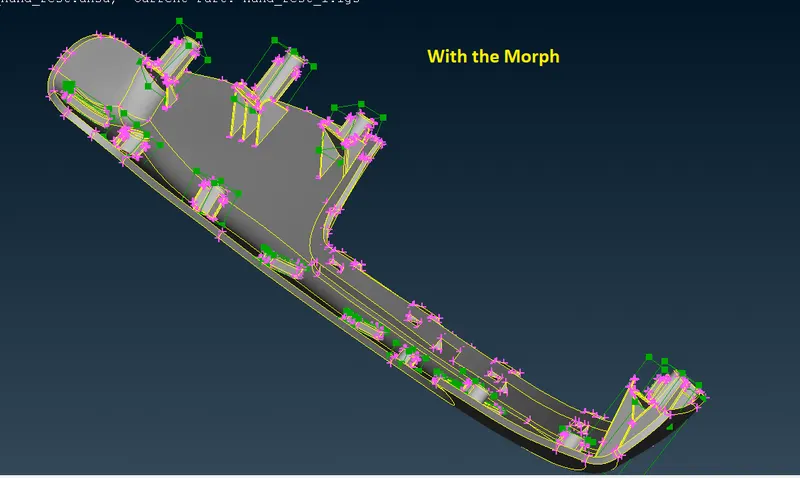
Now we Delete the Morph Grid for this we use Command: MORPH >> Boxes >> Delete >> Select the Morph Grid >> hit Middle mouse click.
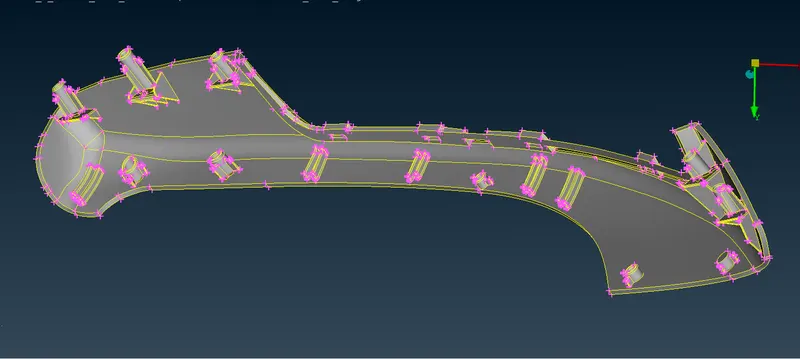
Final Morph Result
Applications
Morphing is mainly applied in circumstances when certain design changes need to be studied in an existing design, morphing operations requires much less time than creating a completely new CAD/FE model.
- Automobile Industry:- Morphing is extremely useful in studying effect of design changes, like changes in vehicle Structure with small changes in design, evaluation of design concepts starting from the morphed predecessor models, retrofit design and Aerodynamic modelling.
- Turbine Design and Analysis:- Mesh and Shape Morphing is Applied in Aerodynamic stress Analysis in turbine Blade of Turbine (all type), Rotor etc.
- Ship Design and Analysis:- In recent times Morphing have been used extensively in Ship hull design as it reduces time and can generate enough parametric possibilities for improvements in Hull design, one of the most important aspects of ship designing.
- Biomedical Research and Analysis :- Morphing is actively used in biomedical research in areas such as determination the biomechanical response of a structure, implant positioning and virtual bone modelling.
- Robotics Design and Analysis
Morphing is the process of adaptation of CAD of computational grids (Mesh morphing) to change the shape of the Finite element grid.
CONCLUSION:
Here we morphed Both the MODEL and we Observe their shapes and design orientation have been changed considerably. In the second model the Height of the ribs and doghouses have been increased.
LEARNING OUTCOMES:
Here we learned
- How to create a new box for morphing.
- How to split the box (Morph Grid).
- How to change the length of the geometry by using MOVE command, where box is created.
- How to use to morph the FE MODEL.
*********************************************************************************************************************************************************************************************************************************************************************END