Week - 8 - Morphing
Week- 8 Challenge Report.
Aim: Performing Morphing models given above.
Procedure:
the models from the challenges.
Improve the visuals by using cons resolution.
Check for the connectivity using TOPO.
Do orient for normal direction.
Check for geometrical errors using check geometry.
Go to Morph Module>Boxes>New>Select the entity>OK. to perform selection of desired entity to change its shape.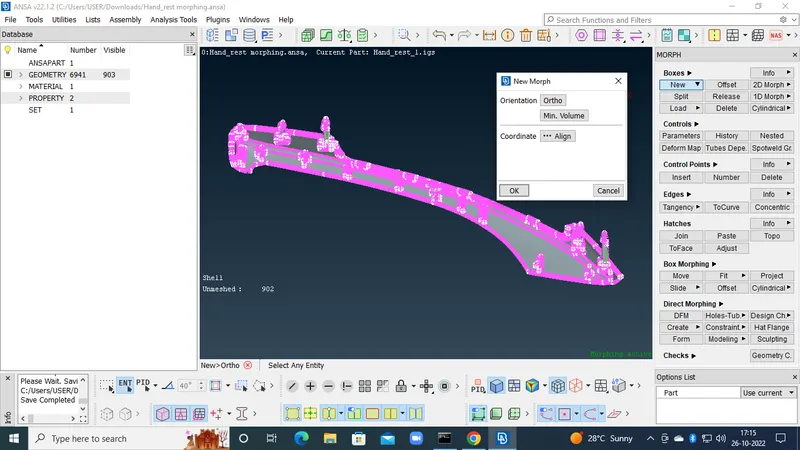
Use split option to select specific region in the box selection to change shape.
Go to Box Morphing>Move>Select the nodes/entities>Ok. to select the box area made after new.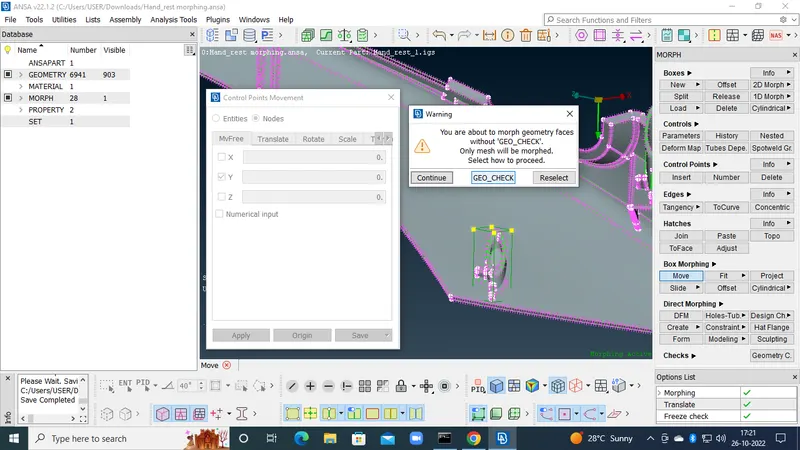
Next>Finish>Move the cursor to distort the length as desired. Then confirm Ok.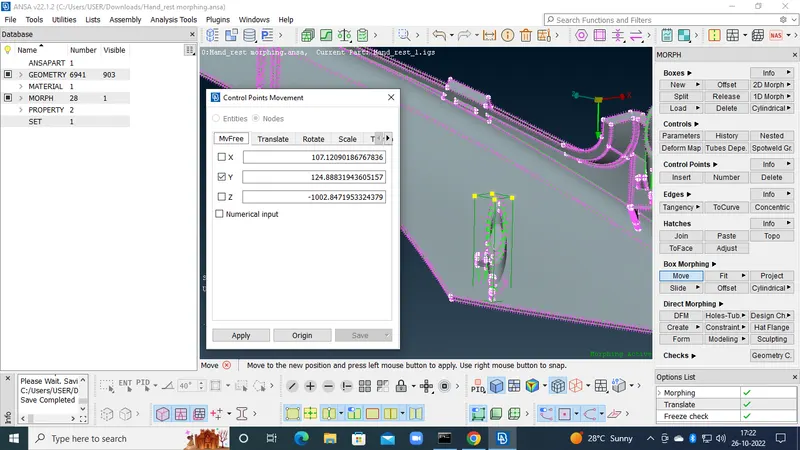
Now delete the unnecessary box with Boxes>Delect>Select>Ok.
Conclusion: Morphing is used to bring out desired change in geometry/FE model for desired reults.