Week - 8 - Morphing
Aim: Using Morphing give proper change to geometry.
Introduction:
Morphing: It is a type of ANSA feature which is used to change the geometry of the model as well as FE.
Need of Morphing: After creating FE, if the user wants to make any change in that like creating the hole, copying or moving the features, it is used to do that.
Procedure:
1. Import the model.
2. Perform Topo and Geometry Cleanup.
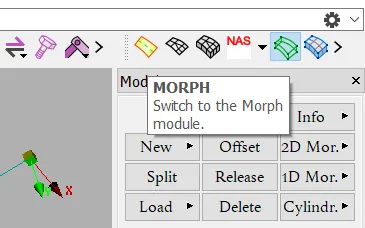
3. Go tp MORPH Module.
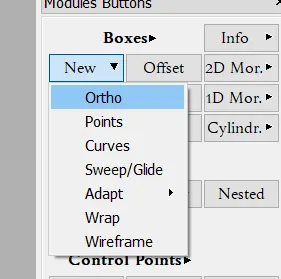
4. In the box module click on new>>ortho.
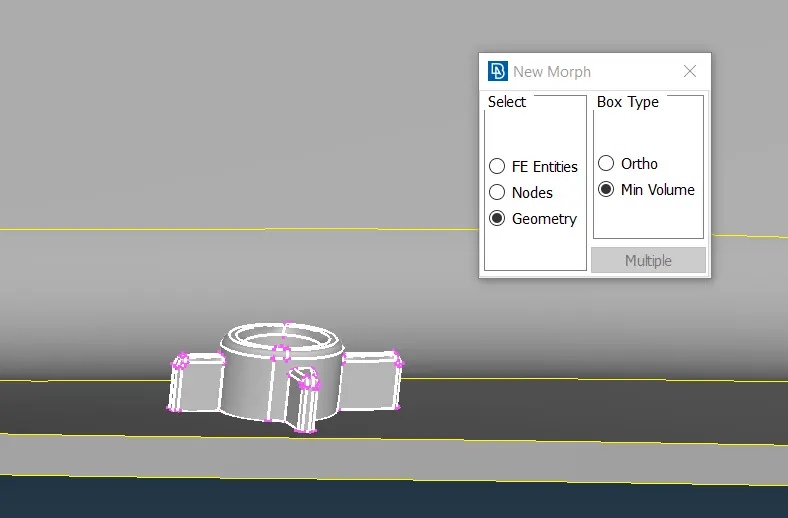
5. Select 'Geometry' and 'Min Volume' and then select the entity to morph.
6. Now click middle click. and click on 'move' tool from 'Box Morphing' Module.
7. Select the corner points according to need and click middle mouse button.
8. Move according to required direction and click 'Ok'.
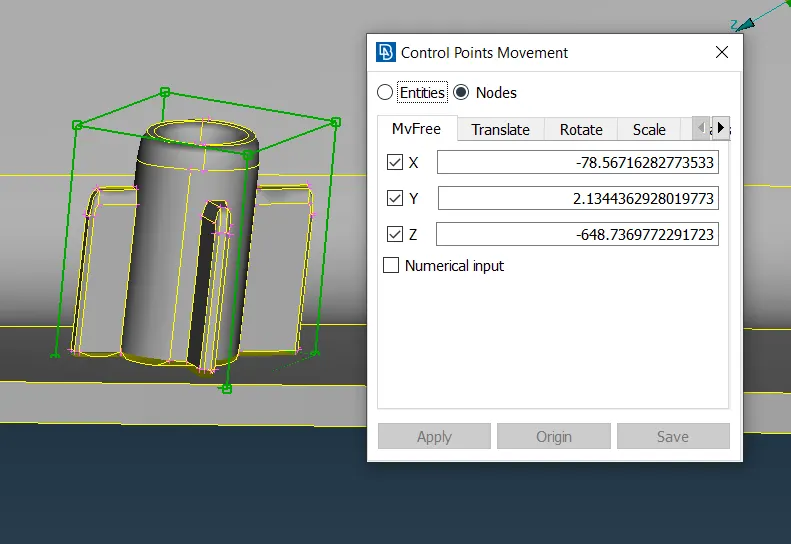
9. Thus we do morphing processes.
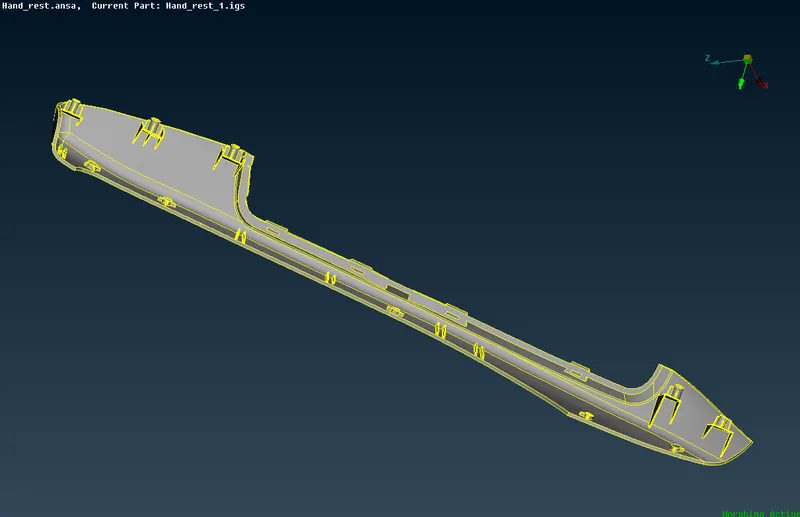
Model before performing Morphing.
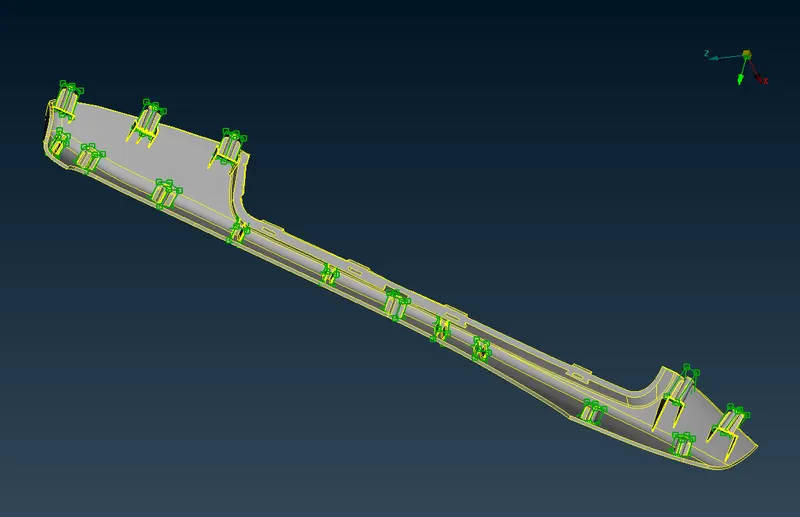
Model after performing Morphing.
Industrial use of Morphing:
1. Changing the shape & side of wings and tails in aerospace.
2. Changing the shape and size of seat, roof panel, Hood etc in automatives.
3. Changimg the shape & size of ship marine.
Learning outcomes:
Able to understand the commands and aplication of 'Morphing Technique'
Conclusion:
For the given model morphong technique is applied.