Week- 5 - Solid meshing
Aim: Tetra Mesh Generation on Rear View Mirror
Quality Creteria:
|
S.No |
Quality Criteria |
Value |
|
1 |
Target/Average length |
1 |
|
2 |
Minimum Length |
0.5 |
|
3 |
Maximum Length |
2 |
|
4 |
Tet Collapse (Solid) |
0.2 |
Introduction:
The FE model which has thickness 6 mm or more than 6mm is used for solid meshing. No need of extracting mid surface for these models. In this challenge a side view mirror is meshed 3D meshing.
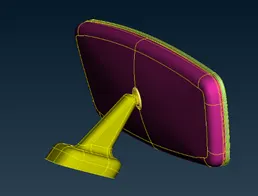
Rear View Mirror
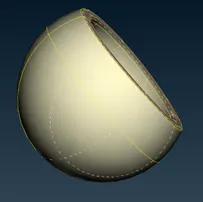
Socket
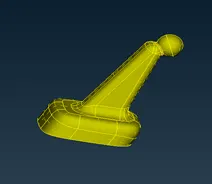
Holder
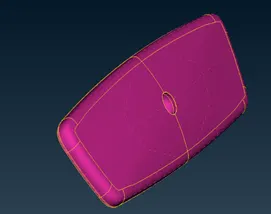
Plastic Body
Procedure:
- Cons Resolution and Topo: In ANSA when we open any ‘.igs’ format file, then it open in unstitched form. Hence to stich cons we perform Topo First, we give 1 mm reslotution to model using mesh>>length operation. Then we give Topo command.
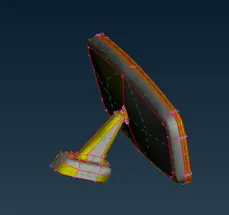
Before Resolution
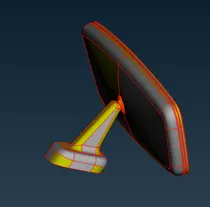
After Resolution
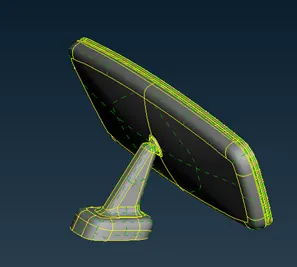
After Performing Topo
- Geometry clean-up and 2D Meshing: In this step we give proper cut to surface or suppress unnecessary edge of the model. We should give the cut such that after meshing no quad length should be less than 5 mm.
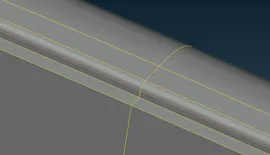
Supressed edged (Orange colour)
Go to check manager>>Geometry to check and fix the geometry of model. Now since there is no any single con or double con, geometry is cleaned by auto – fix.
After cleaning the geometry mesh the flat surface with Tria Mesh and fillet or curved surface by Ortho – Tria Mesh.
- Defining Solid and Tetra Meshing: Now, After 2D meshing the model, go to 3D mesh>>Volumes>>Define and then manually define the volume.
After defining volume go to 3D mesh>>Volumes>>List and select the unmeshed and right click on it. Then go to edit and change type to Tetra Rapid. Again right click and then select Remesh. Thus Solid Mesh is defined.
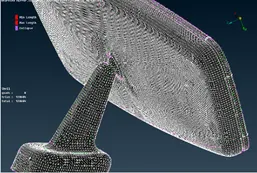
3D Mesh
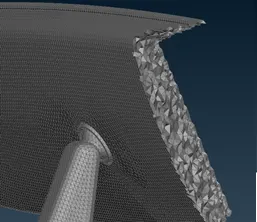
Cross Section View
Conclusion:
- In Volume Mesh we have to take care of cons in such a way, no tria should be less than 5 mm or target length.
- Defining the volume is necessary for 3D meshing.