Week - 8 - Morphing
MORPHING.
WHAT IS MORPHING?
Morphing is the technique used to modify the shape of the existing component without entering the numerical value.
The main advantage of morphing is it can be done not only on the CAD model but also on the FE model.
APPLICATIONS: 1) Morphing is widely is used in automotive industries whenever we need to do modifications in the existing car model. It saves time and cost.
2) Morphing also helps the design engineers in case of converting an existing hatchback model to a sedan or vice-versa. In that case front portion of the car remains same only rear portion is modified as per the requirement using different morph tools. Examples of morphing are Honda Brio(hatchback) and Honda amaze(sedan), which share similar design until b-pillar. Another example is Tata tigor (sedan) and Tata Tiago(hatchback).
AIM: To do morphing on the floor panel and hand rest model.
MODEL 1: FLOOR PANEL.
PROCEDURE: 1) Open CAD model in ANSA.
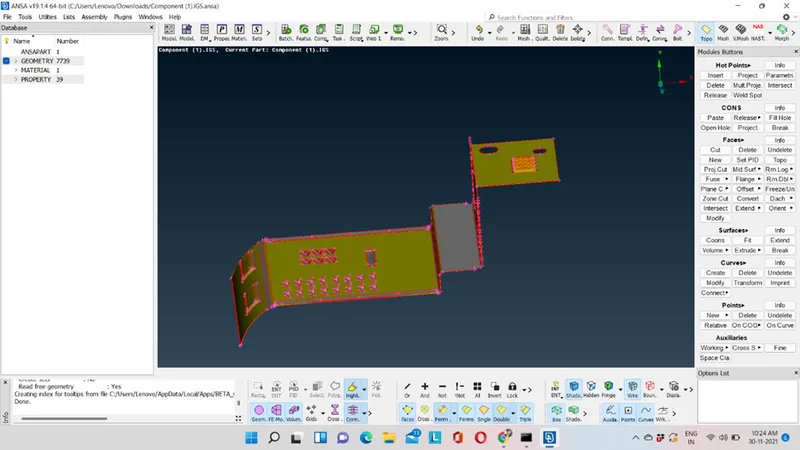
2) Perform Topo and give the perimeter length as 1.
TOPO→FACES→TOPO→SELECT THE COMPONENT→CONFIRM
MESH→PERIMETER→LENGTH→MACROS→SELECT THE ENTITIES→ENTER THE VALUE AS 1.
3) Check for the geometry.
CHECK→GEOMETRY→EXECUTE.
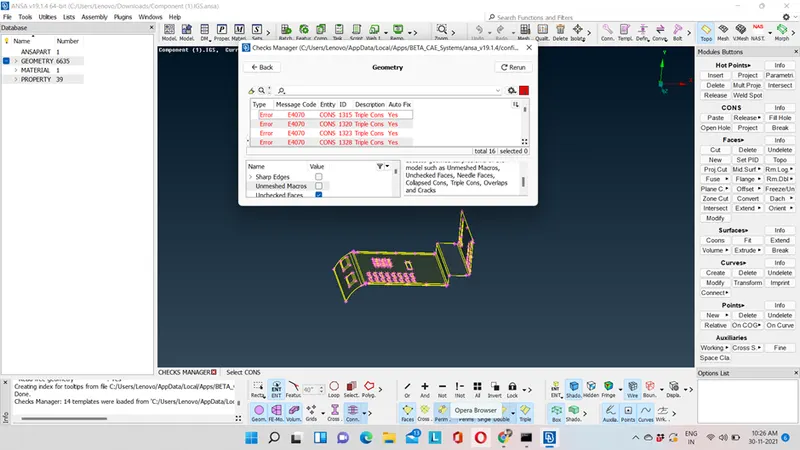
4) Resolve these triple cons with the help of release cons and topo option.
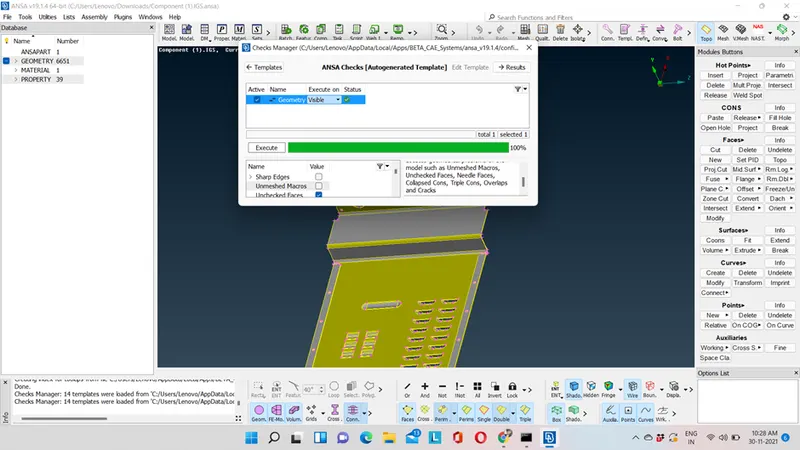
Hence, geometry is cleaned.
5) Now we will perform box morphing. Box morphing is also known as ortho or free free morphing method.
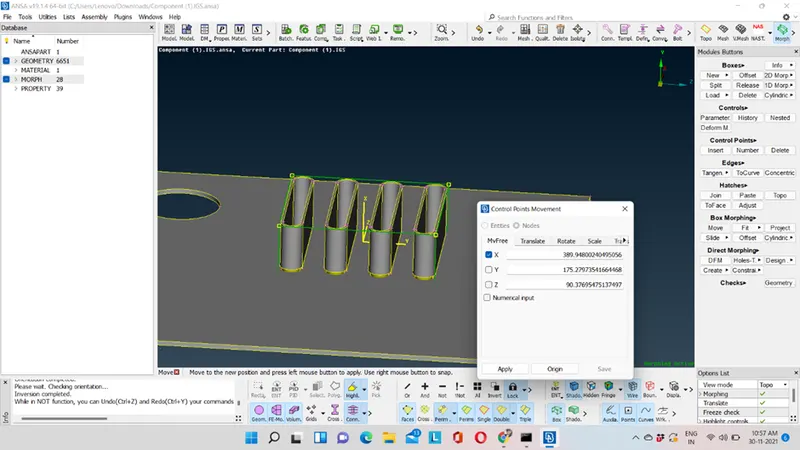
In the above image we have to increase the height of the feature we can do it with reference of global coordinate or local coordinate. Yellow line represents local coordinate axis.
Step to increase the height of the feature:a) Create a box.
MORPH→BOXES→NEW→ORTHO→GEOMETRY→SELECT THE FEATURE.
b) Now with the help of move option we will increase the height of the feature.
MORPH→BOX MORPHING→MOVE→NODES→SELECT THE TOP FOUR NODES OF THE BOX AND WITH THE HELP OF MIDDLE MOUSE INCREASE THE HEIGHT AS PER THE REQUIREMENT→CONFIRM.
In the above image, the height is increased with the reference to local co ordinate that is in X-direction but with reference to global co ordinate height will increase in Y-direction.
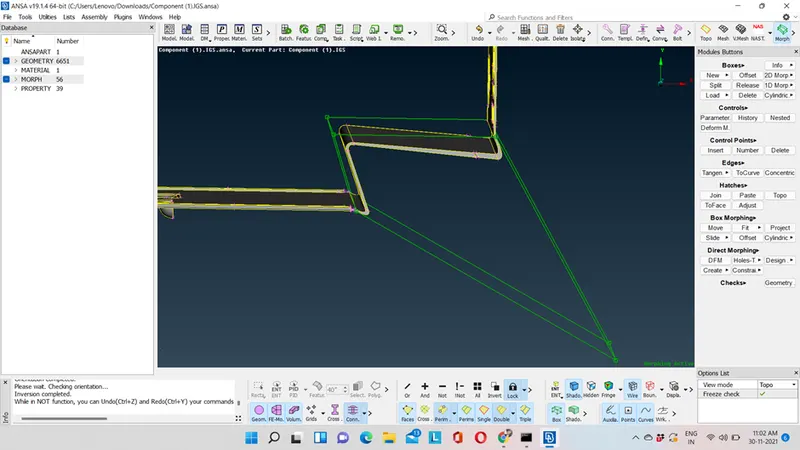
6) In the above image, we have to bend this region follow the same procedure that is box creation and move.
7) Now, we will try to modify the shape of the entire floor panel component. We can achieve it by doing same creation of box and with move option. We can split the box into half or at particular distance using parametric option or user can define where the box needs to be split.
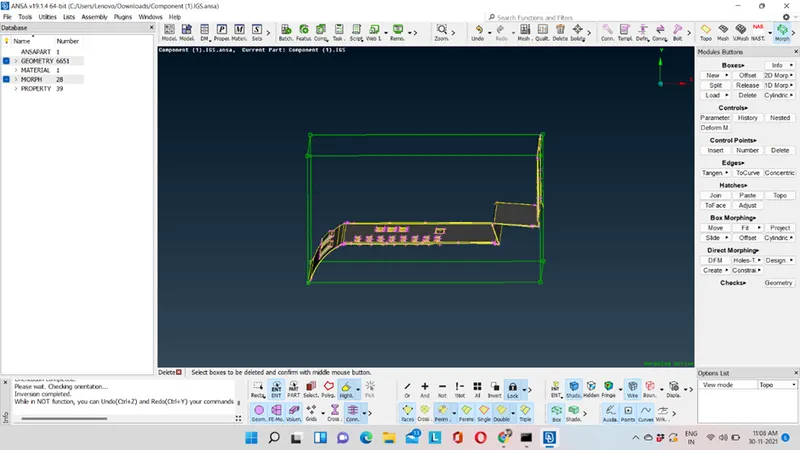
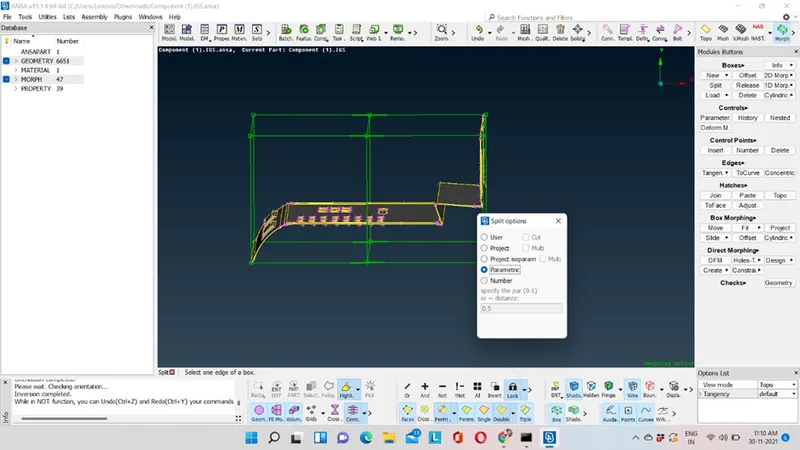
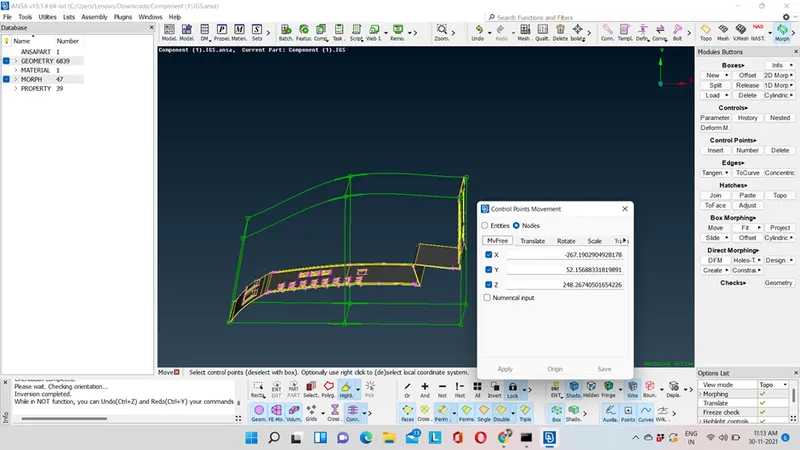
Hence, morphing is done.
MODEL 2: HAND REST MODEL
PROCEDURE: 1) Open CAD model in ANSA.
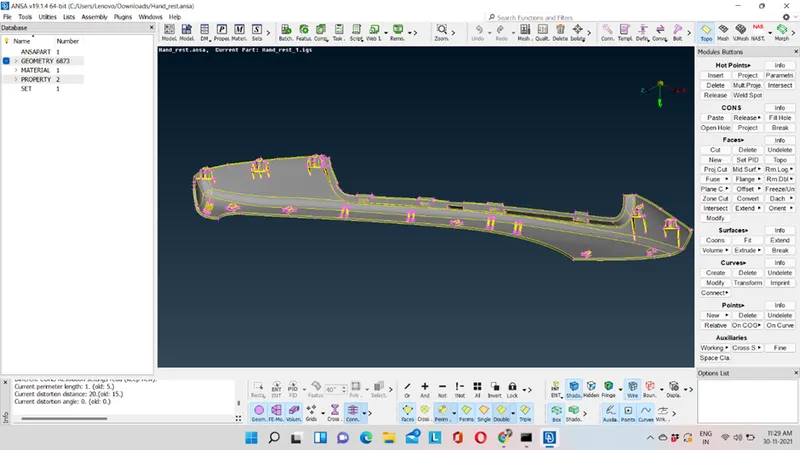
2) Give the perimeter length as 1 and check for the geometry.
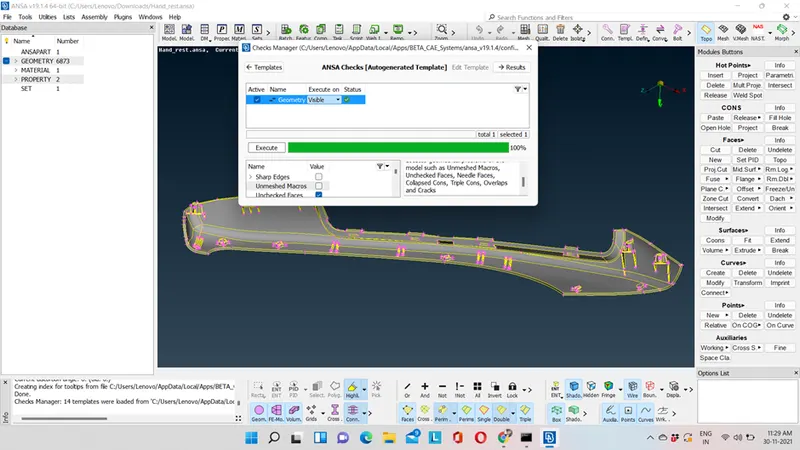
3) In this model we have to increase the height of the dog house and the ribs. We have to follow same procedure as we did in the floor panel model that is creation of box and move.
Remember while creating a box for dog house and rib select only the dog house and rib region and deselect the other areas otherwise an inappropriate box will be created.
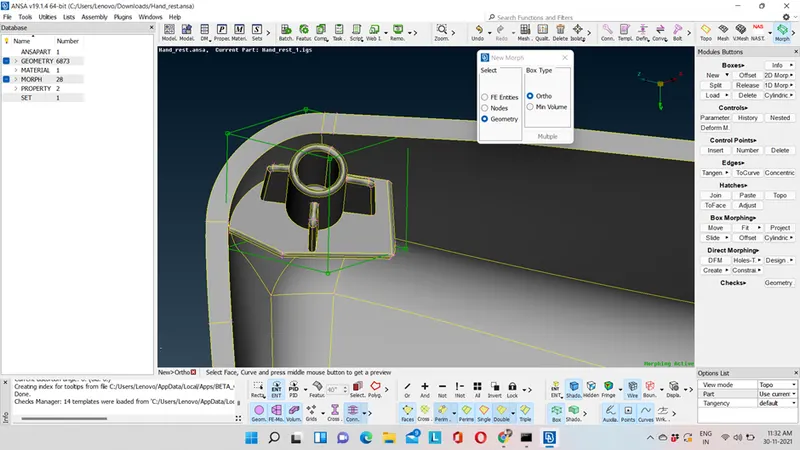
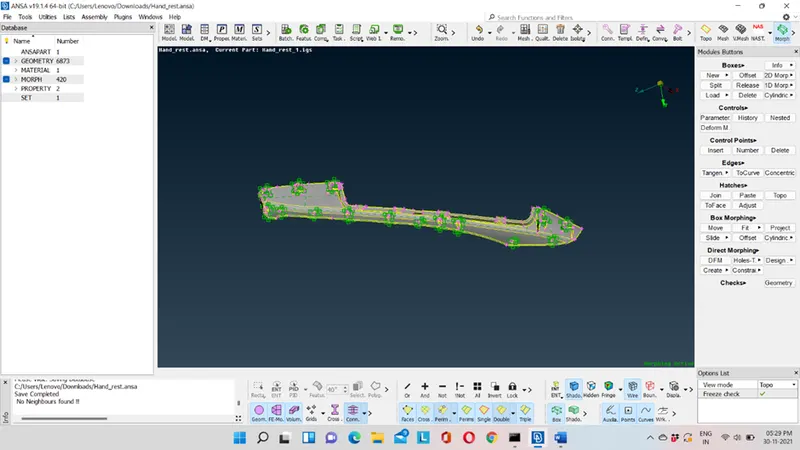
Hence, the height of the dog house and rib has been done.
LEARNING OUTCOMES: 1) What is morphing and its application.
2) Advantage of morphing.
3) Basic tools of morphing.
CONCLUSION: Hence, we can conclude that morphing plays a crucial role if we want to model the component which are almost identical with small modifications. It saves designing time.
TO DOWNLOAD FLOOR PANEL MODEL CLICK ON THE LINK GIVEN BELOW:
https://drive.google.com/file/d/1Djin-z1dMUssKpemk9KUEzawpBvzMcaH/view?usp=sharing
TO DOWNLOAD HAND REST COMPONENT CLICK ON THE LINK GIVEN BELOW:
https://drive.google.com/file/d/1_MnOEXncNNpd5gYfZlu-QkHf5TyTcbT3/view?usp=sharing