Week 8 - Challenge 6 - Core & Cavity Design
Aim
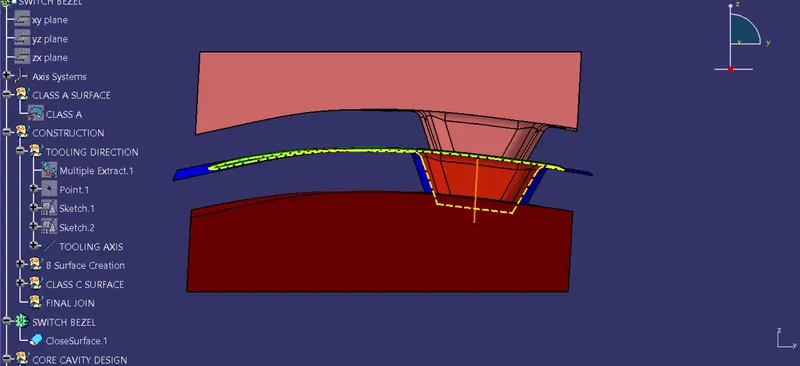
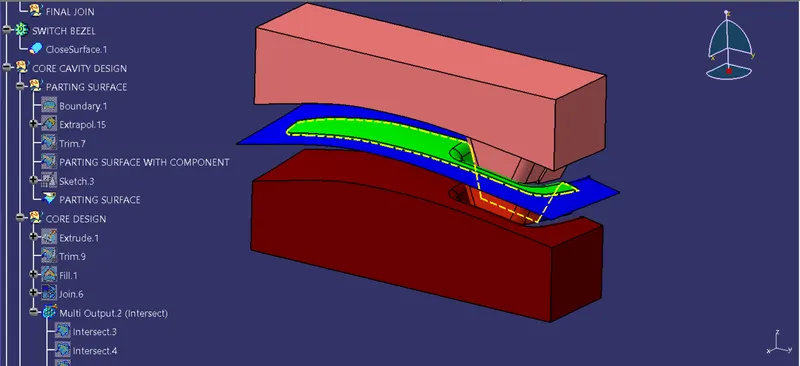
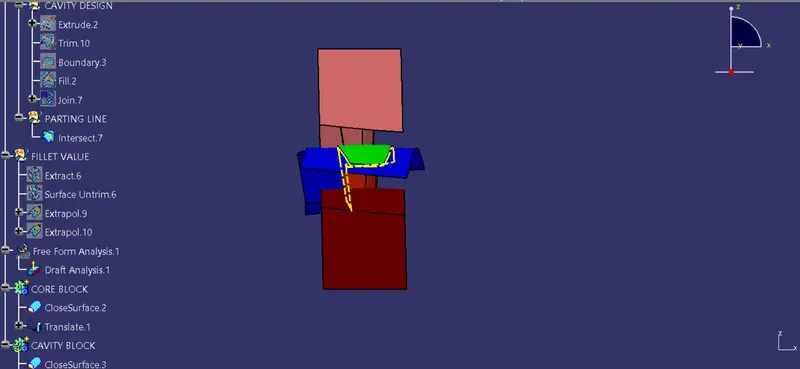
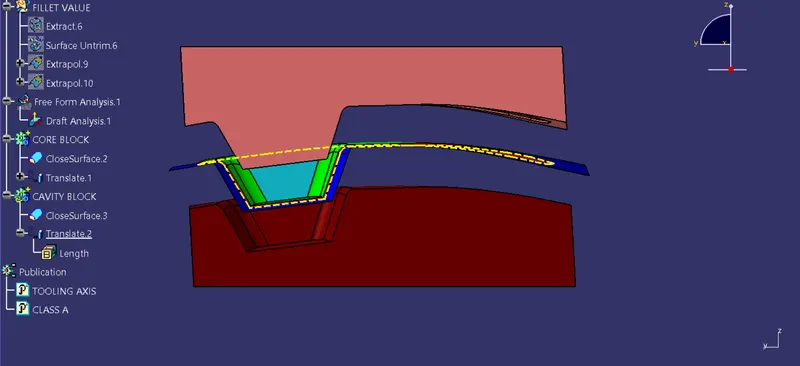
To Create the Core and Cavity Blocks for the switch bezel component.
Description
Creating Tooling Axis
The tooling Direction is basically the direction that the moild pulls a part. The mold is build in two seperate pieses, basically. You have a cavity side and you have the Core side. The Core Pulls apart from the cavity and thats the dye line or the Tooling Direction.
1. Open the given CAT part file.
2. Check for gaps between surfaces for that click on join and then preview .
3. If there is any gap between the surfaces joi them with maximum tolerance of 0.003 mm.
4. extract the boundary and disassemble the boundary.
5. Find the correct tooling axis where the material dont interfere with the tooling axis and all the elements can be created.
6. Create an axis system using at the centre of switch bezel.
7. Intersect the yz plane with respect to the class A surface.
8. Create bisecting line with the, two lines and point to create a toolig axis.
9. Bisecting lines were used to get the extact medium from the two sides so that maximum positive draft angle can be achieved.
10. The tooling axis is created for the component by bidecting two axis from x and y planes.
Publication
1. Publication is done to the component to make it visible and navigate easily.
2. to publish the component go to tools > publications and then select the tooling axis and the class A surface.
3. A seperate tree structure is formed under main part.
Draft Analysis
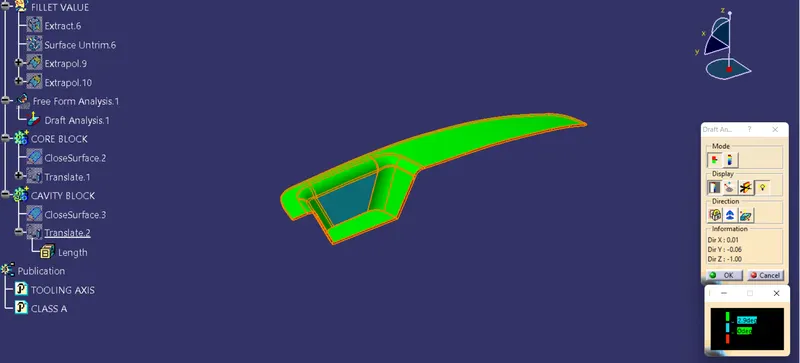
The draft Analysis command enables you to detect if the part you drafted will be easily removed. This type of anlysis is performed based on color ranges identifing zones on the analysis element where the deviation from the draft analysis at any point, correspondings to secified values.
1. Before going tp draft analysis go to customized view parameter > under mesh > chck material and then click ok.
2. Now for draft analysis go to insert > analysis> feature analysis.
3. Use the compass to define the draft direction.
4. In the colour scale chamge the draft angle to 3 degree.
5. The component changes to green in indication of passing draft angle.
6. Use running point to check the angle on the component.
Parting Surface
Generally injection Mold has two major components . the movable half and the fixed half, during the injection mold process, these two halves are pressed tightly from a sealed hollow to avoid the melt flow leakage and maintain certain holding pressure, the pressed surface are called parting surface, usually parting surface are bigger projection outline of the part.
Parting Line
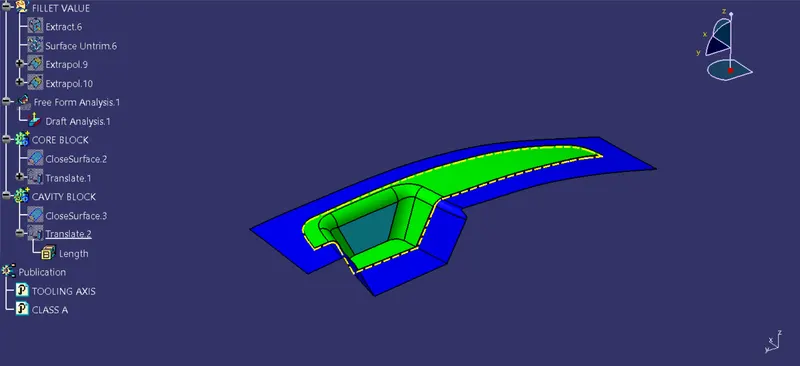
1. A Parting Line is an inevitable part of injection molded products.
2. It is the line of seperation between where two halves of a mold meet.
3. It manifest itself an injection molded parts as a line that runs the entire perimeter of the part.
4. In most parts, it is just a line that runs straight down the middle.
Core Design
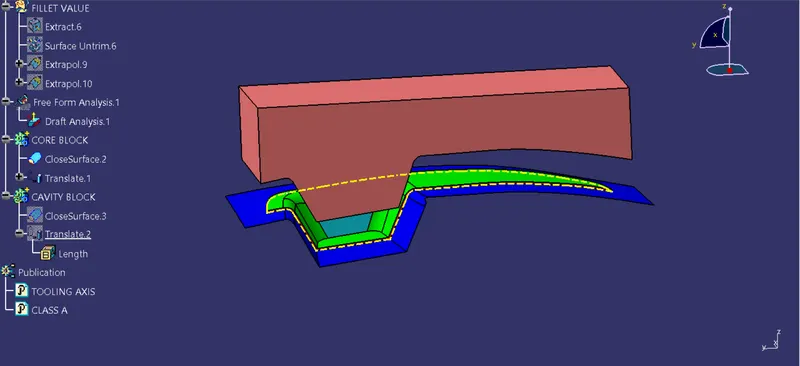
1. Core - A Portion of the mold that goes inside a cavity to form the interior of a hollow part.
2. Core-Cavity- a term used to describe a mold created by mating A- side mold halves.
Cavity design
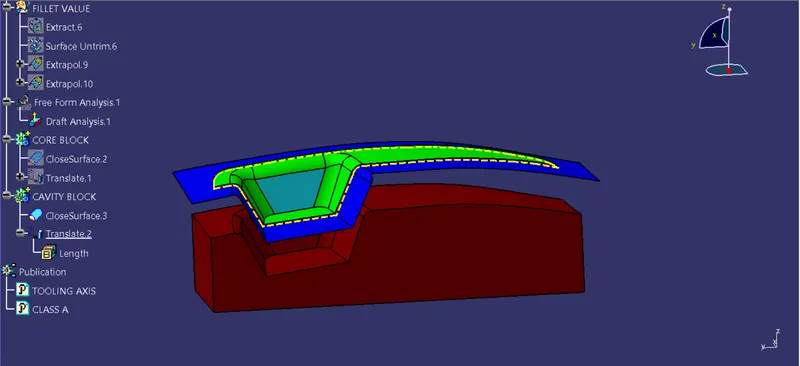
1. a mold is a hollow form typically made from stain less steel that has plastic injected into ot to manufacure a plastic part.
2. The plastic is inserted into the mold cavity, which is a hole in the mold shaped like the desired part.
3D views
Conclusion
The Core and cavity blocks for the switch bezel component is created.