Week 8 - Challenge 4 - Bumper
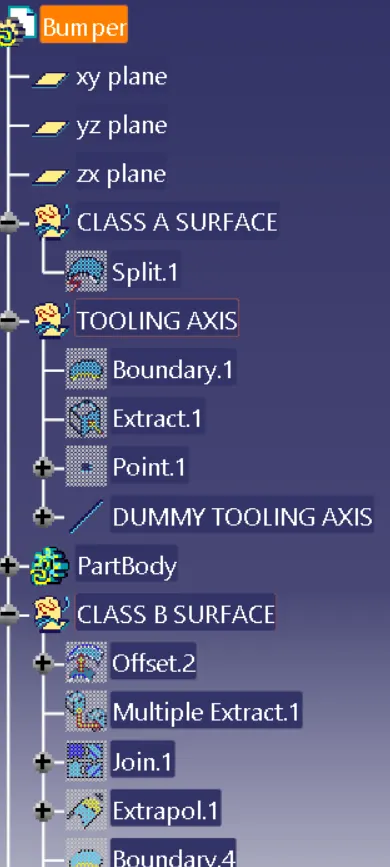
In Bumper Exercise,firstly we have to create tooling axis with respect to given Class A surface
Inorder to create the tooling axis :
- Find any flat surface.Create a point on the surface.Create a line on that point.That is our Tooling axis.
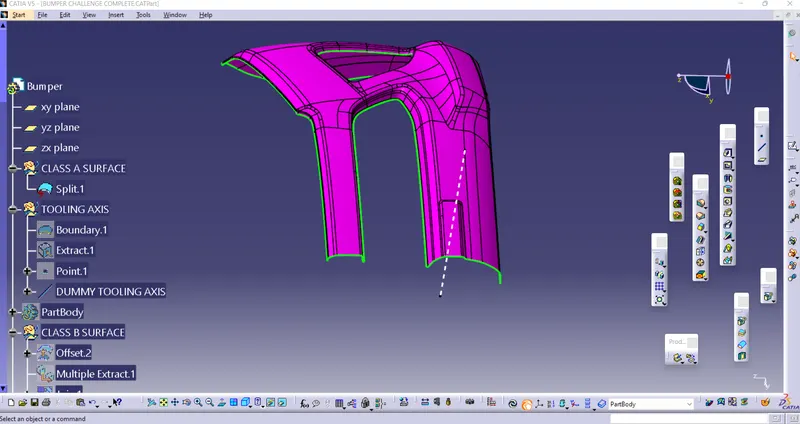
Then the next step is to do the draft analysis
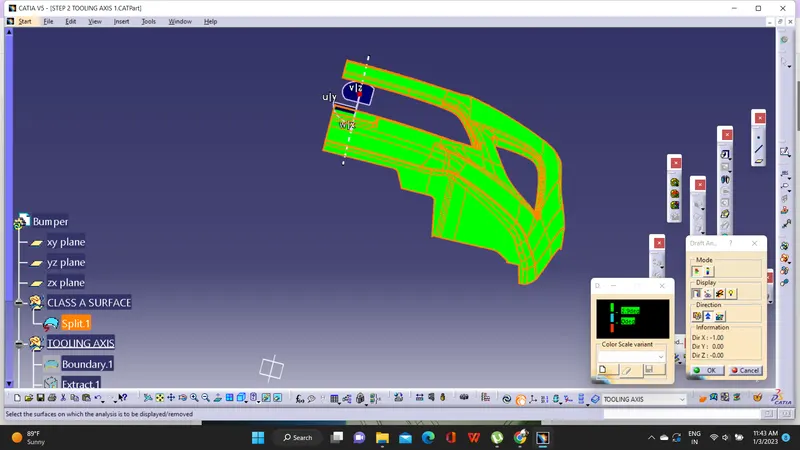
For doing the draft analysis,click on the draft analysis and insert the Compass to the Tooling axis.Make sure that compass is perfectly inserted to the Tooling axis.Click anywhere on the surface.If it is showing the green colour,we can proceed to the next step
Creation of B surface
For the creation of B surface,just offset the Class A surface to the given thickness (3mm).
Some Patches will appear.We should clear the patches.The patches can be cleared using the commands Extrapolation,Multisectionsolid or Blend option
Creation of Class C Surface
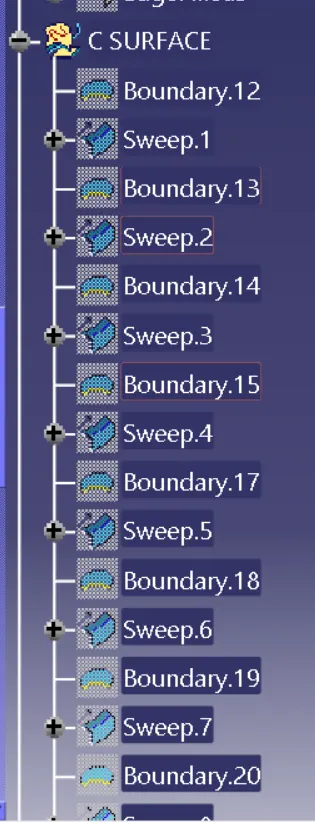
For the creation of Class C Surface,we have to sweep with the surface direction.While applying the sweep try to do by creating all seperate boundaries.
A+C Surface
After creating the Class C Surface,Join the Class C surface with the Class A.
Final Trim
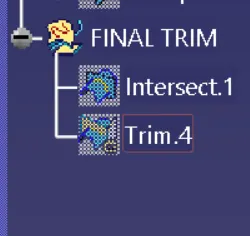
The final trim is done by trimming the Class B surface with the A+C Surface.For that we need to extrapolate the B Surface little.
Closed Body
The last step is creating the closed body.For that enter into part design and create the closed body.