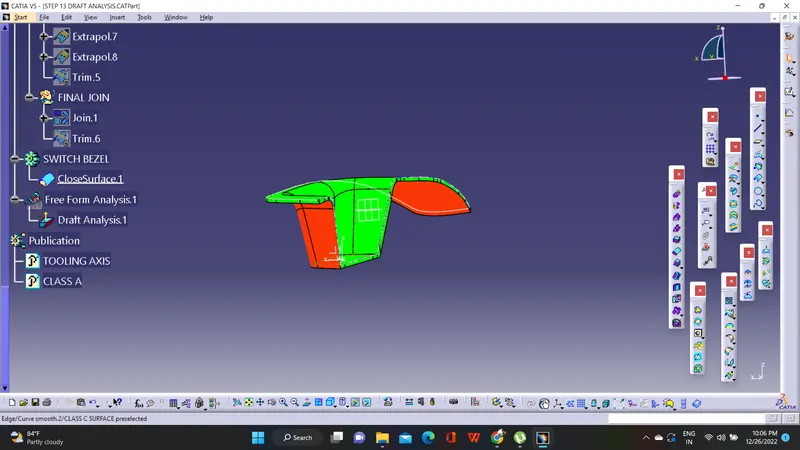
Week 8 - Challenge 2 - Switch Bezel Design
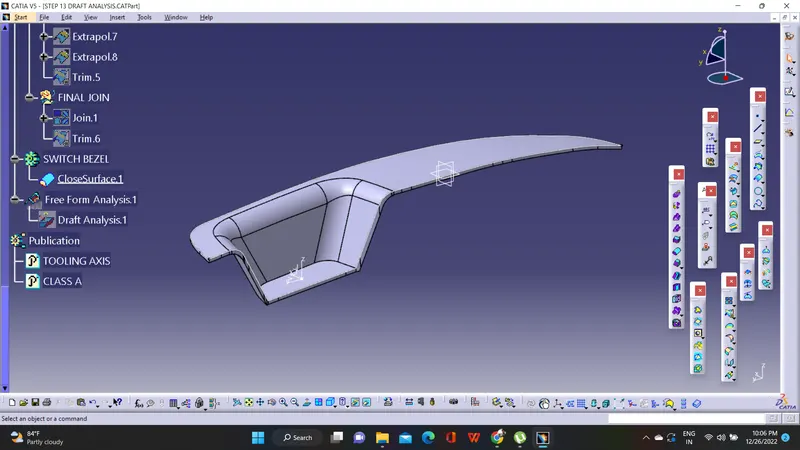
In this design the Class C and Class B surface is generated from the Class A surface
The major steps/overview of this process are
1.Creation of Tooling axis
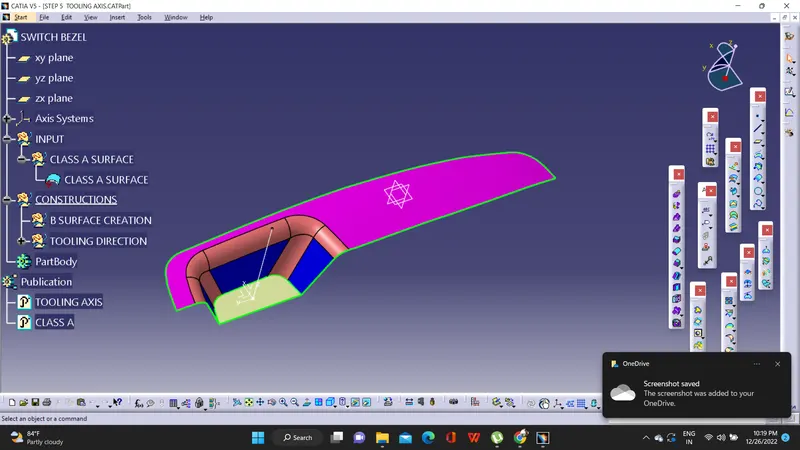
In here we are using Bisecting method for creating tooling axis.
For that first take the intersection of class A surface through Y axis.Draw the lines from two surfaces.Bisect these lines.Similarly done the same steps through x axis.In x axis,we must draw a line on surface and draw other line on our own and bisect these lines.And finally bisect these two lines finally obtained.
2.Extraction,extrapolation,applying of fillets and finally the offsetting of Class A surface for the generation of Class B surface
3.From Class B surface,use the sweep command to generate Class C surface.Then join Class A and Class C surface.Finally join with Class B surface.
4.Make it to the close body in part design.Now we obtain the solid that to be ready for giving manufacturing.
5.Finally done the Draft Analysis
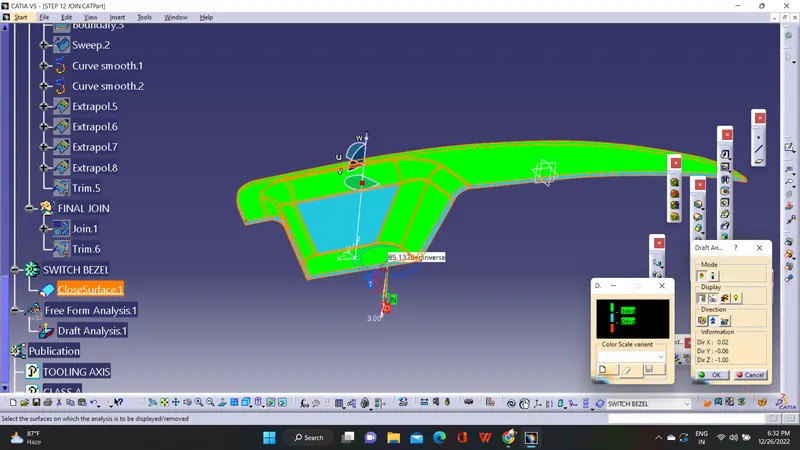
Take draft analysis and select compass and place it in the tooling axis alligned.Check the angles.Select the surface.Check the colour that formed.Green means draft is more than 2 degree.Blue means o to 3 degree.Red means Negative.