Week 8 - Challenge 4 - Bumper
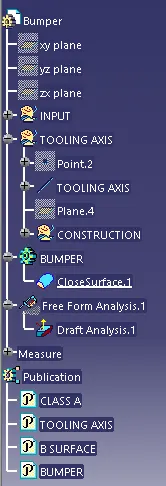
1) Creating the tooling axis
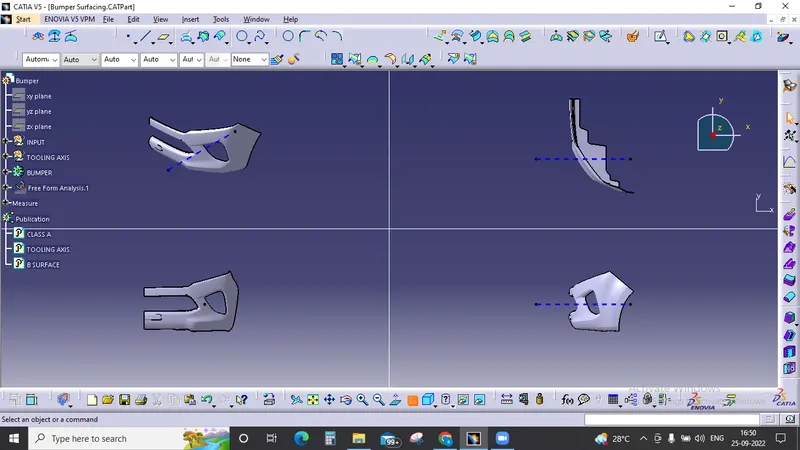
in this given problem we hae to select the tooling axis by selecting the simple portion of the design to begin with so here we go with creating the general tooling axis which is in x direction
2) Offseting the Class A surface
while offseting the class A surface the offset value wass taken to be as 3 so in order to reduce the complexity of the design , after the offset certain geometries were nt offseted due to non connecity error and then those patches were created individually by performing operatios like extract, multisection and at the last Sweep for every surface in order to get the final closed body after trminig with the B surface
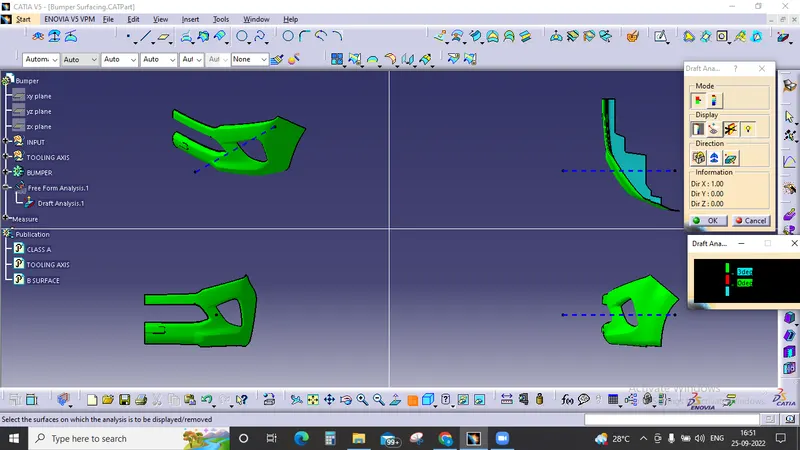
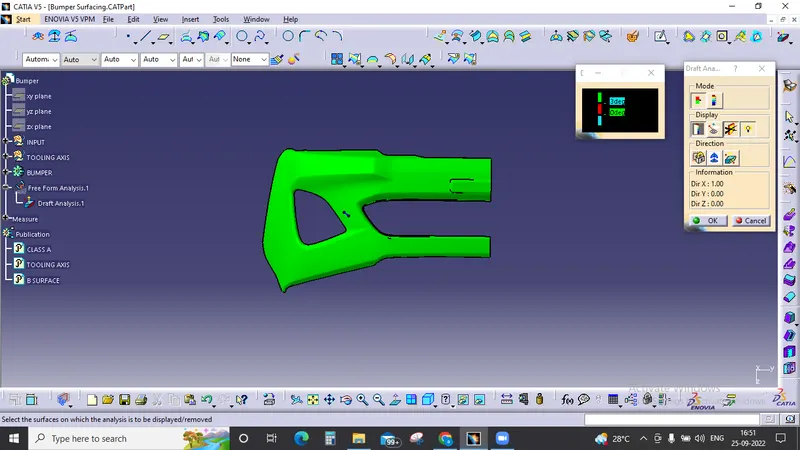
3) Draft Analysis
Before entering in to the draft analysis we have to make the surface product into a solid by applying closed body to it and then ensure that the material mode is switche to Material so that we can able to proceed with the draft analysis tool
then we click on the compass which is in the draft analysis menue and we move it to the tooling axis direction and placed it on it and then we click on the component to check the draft which is on the component and we change it according to us and standards here the by default draft was 3 degree which is correct.