Week 8 - Challenge 4 - Bumper
AIM:
Create the Bumper Plastic component through the given Class-A surface And draft analysis
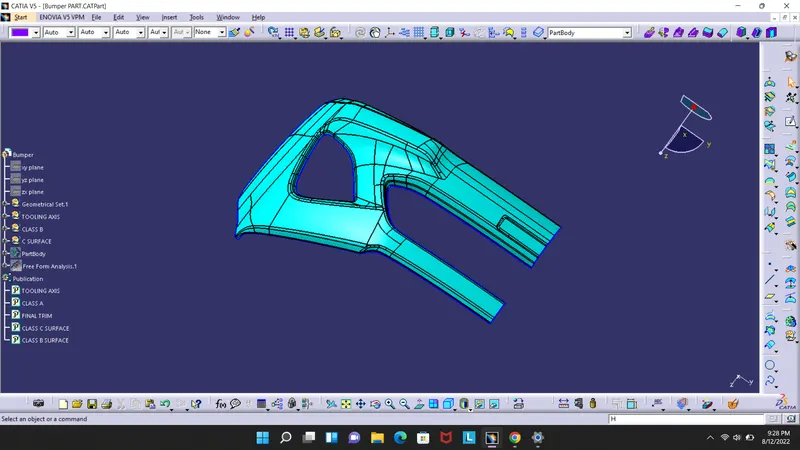
Given step file is convert into CAT and given bumper model taken as CLASS A SURFACE
CLASS A SURFACE
TOOLING AXIS
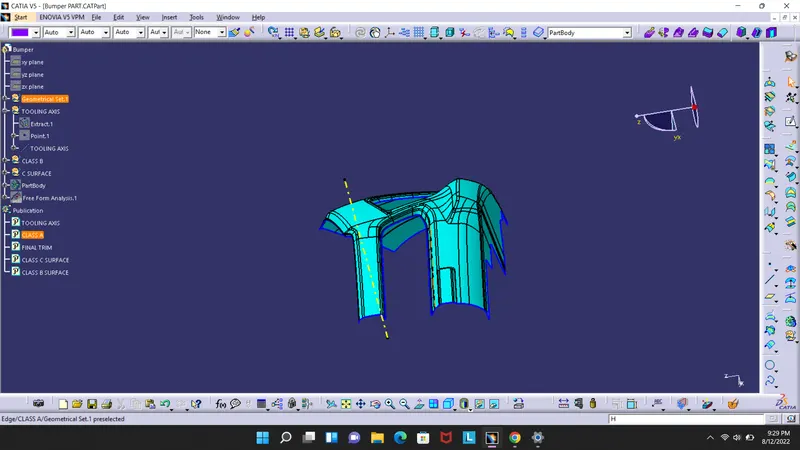
Here we dont need to complicate the tooling axis we can just use the "Normal to surface " method. by considering the plane straight surface and creating an point on the body then we can put line in the surface normal direction and use as tooling axis.
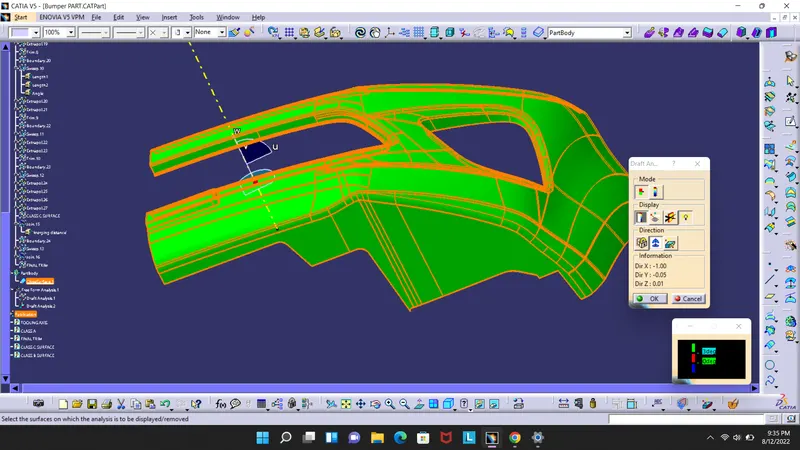
DRAFT ANALYSIS
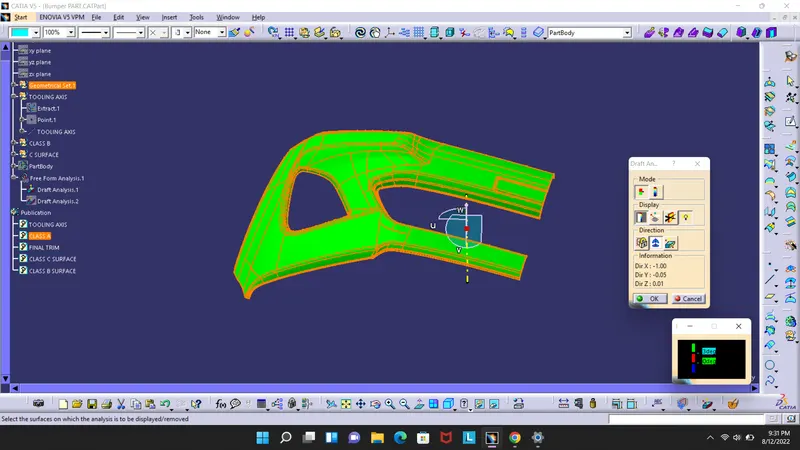
The draft analysis is donr by clicking feature drfat analysis or go to TOOLS>ANALYSIS>DRAFT ANALYSIS and on the bar select the compass and place it on the tooling axis and lock the compass and click on the body, As u can see the body comes in GREEN in colour that ie angles are under 3 degree and ready to draft
CLASS B SURFACE
SInce class A surface and complicated we cannot extract every surface and offset instead we can select the whole body and offset to 3 mm and some of the fillet and sides seem to missing in the case manualy use extract,join,untrim,extraplorate,swept command and create b surface
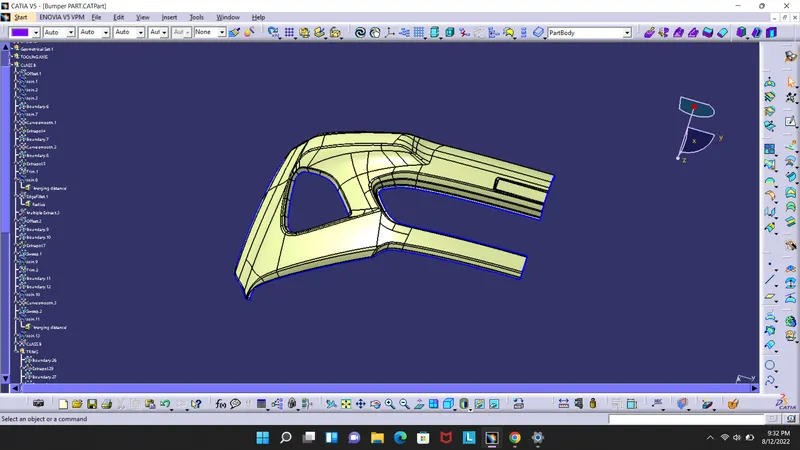
CLASS C SURFACE
CLASS C surface created from CLASS A since body are parallel in nature we can swept the surface in 90 degree using swept surace, with referance surface.
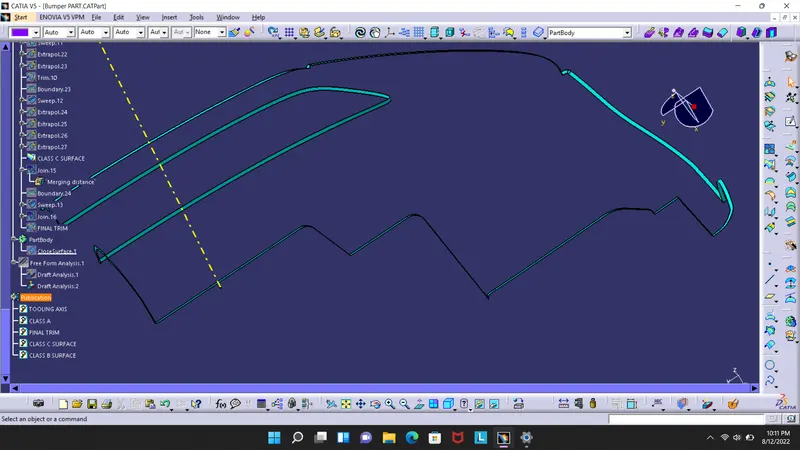
CLASS A and CLASS C join
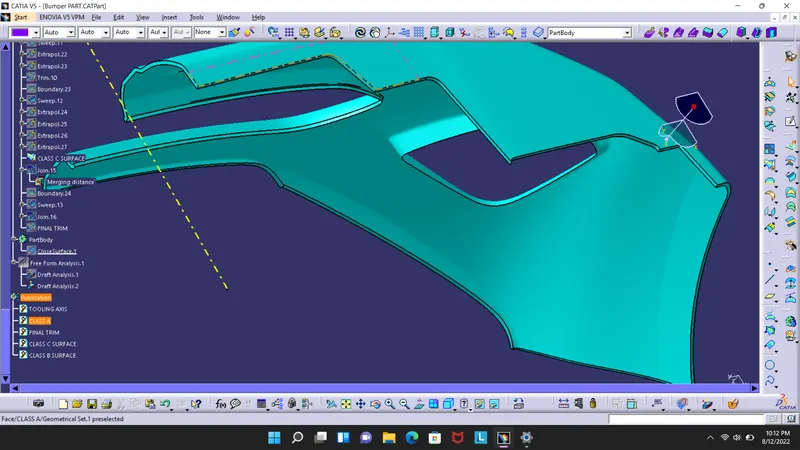
FINAL TRIM
By using class A CLASS C join and trim with class B surface we obtain the closed body
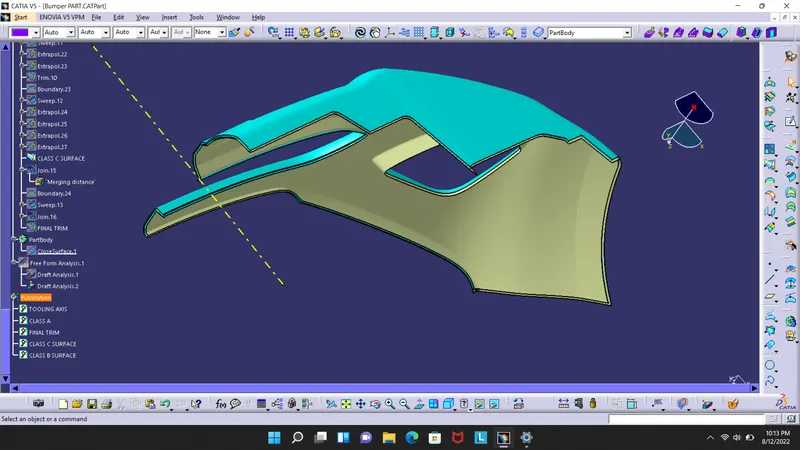
SOLID BODY
By going to part body and use closed surface tool.
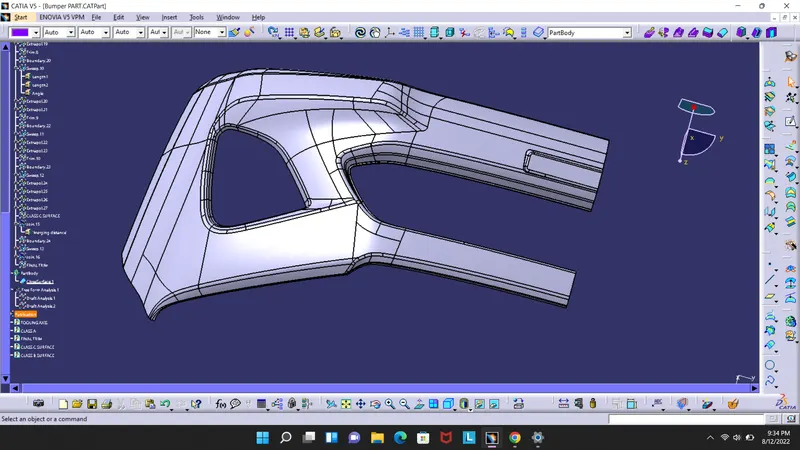
FINAL DRAFT ANALYSIS
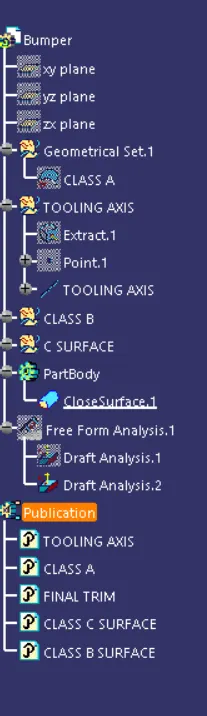
ASSEMBLY TREE