Week 8 Challenge
Aim of this challenge is to know how to loading like self weight, member weight etc. in staad pro. After applying the loads on structure created in week 7 challenge run the analysis and know how to determine the maximum force and minimum force of the member. Understand how to view and rectify the warnings instabilities in the structue.
Procedure: Applying Load, run the analysis, determine max. force and min force:
a) First open the model that was created on week 7 challenge. Now we have define the loads, apply the loads as per given in the question.
b) Than go to the Loading tab than a load and defination pop up window appears. There we need to create the loads and loads combination as per question.
c) Under the load case details click on add option than select the Dead Load and than name it as DL. Under DL click add there we need to select the self weight and enter the value of selft weight as -1. Similarly create the member load under dead load click add and than select the member load and enter the value at W1. In this way do for all the other loads as per given question.
d) For Live load repeat the above steps.
e) Now for Load combination go to load case details there click on add and than a pop up window appears there click on the deifine load load combination. Name the load combination as 1.5DL+1.5LL. Click the loads and shift the loads by clicking on the arrow and enter the factor value as 1.5 for both the loads. Than click on add.
f) Now we have to assign the loads for the respective members. Like for assigning a DL of 3KN/M for rafter member select the rafters members in the model than click the loads of 3kn/m in the load case details and than select the assign to the selected beams. than click on assign. Now the loads has been assigned. Similarly follow the same procedure for all other loads.
g) Now go to the analysis tab there click on the run analysis. The model analysis report will be generated.
h) Now we can check for maximum force and minimum force by clicking on the beams. That has been attached below.
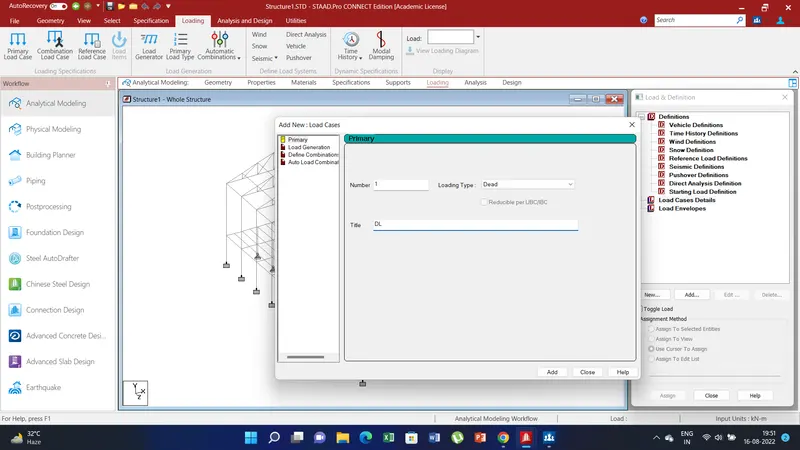
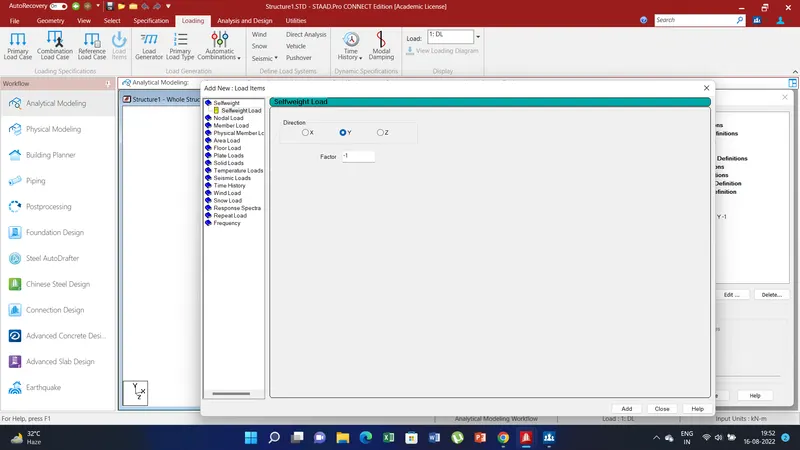
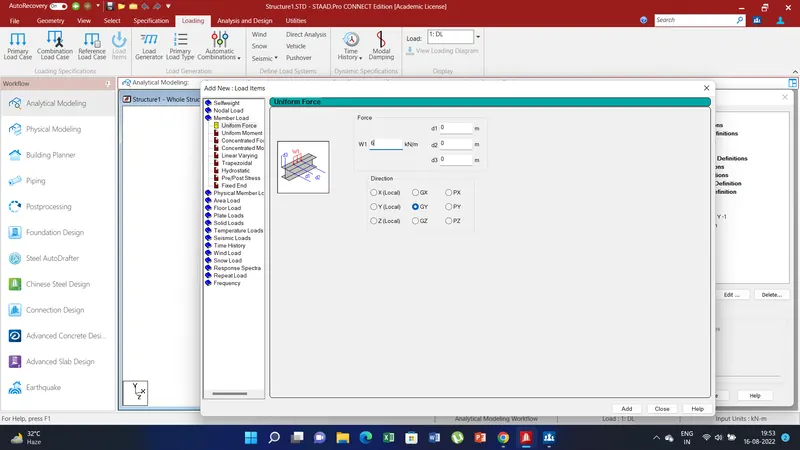
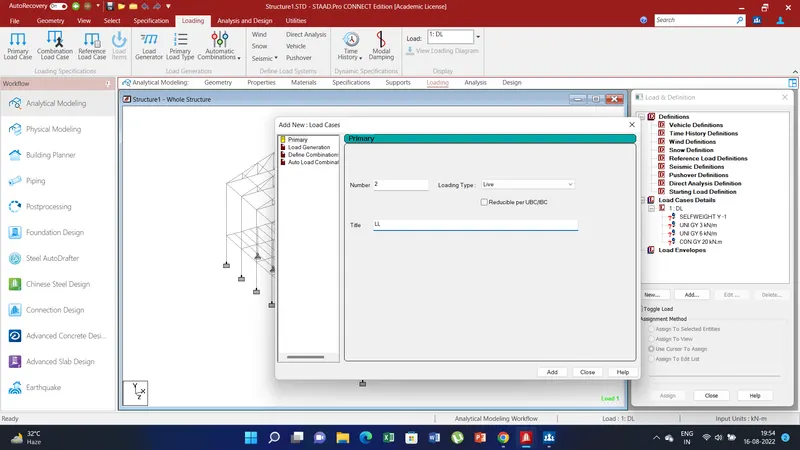
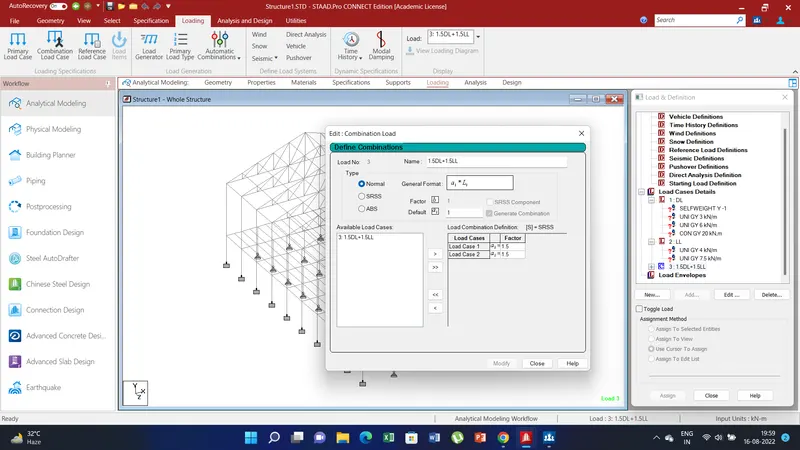
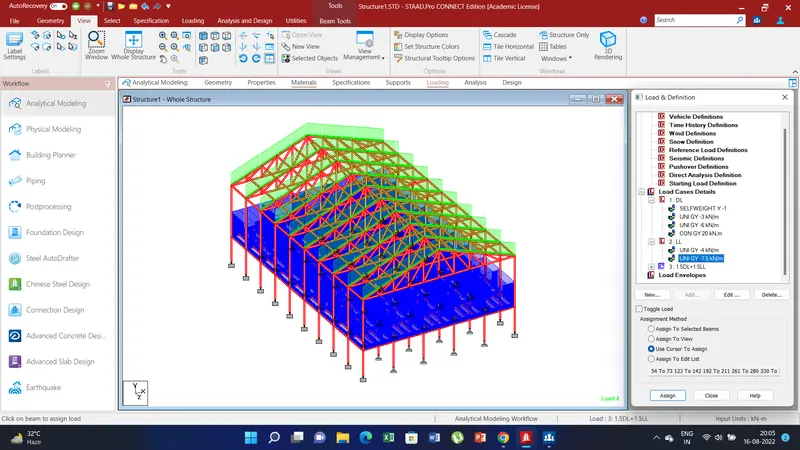
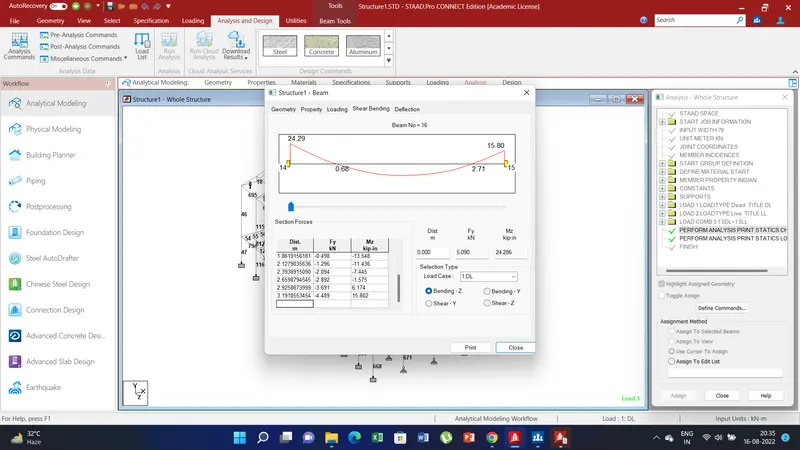
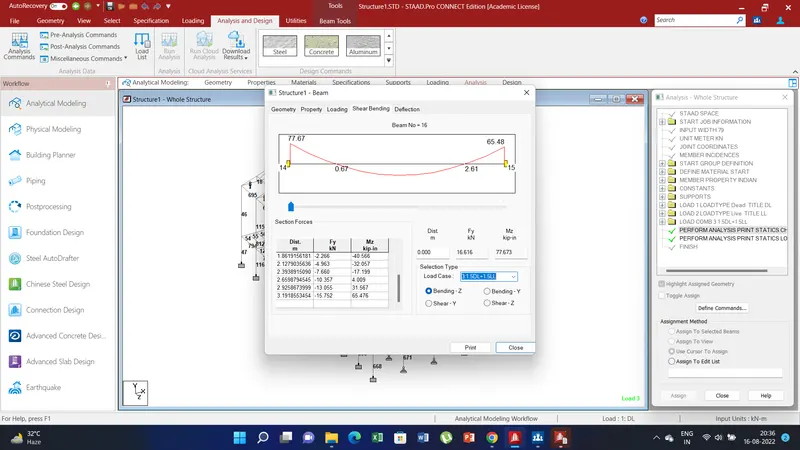
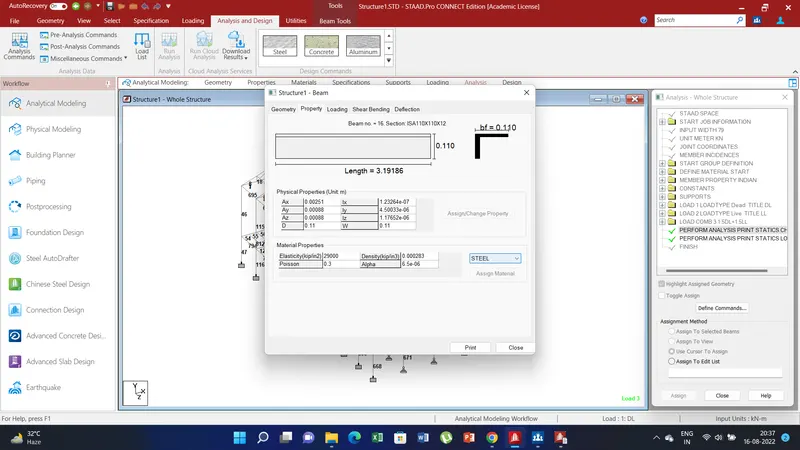
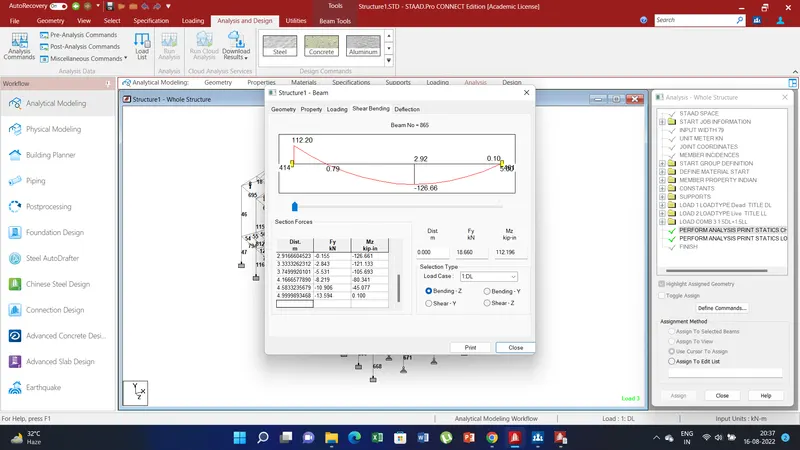
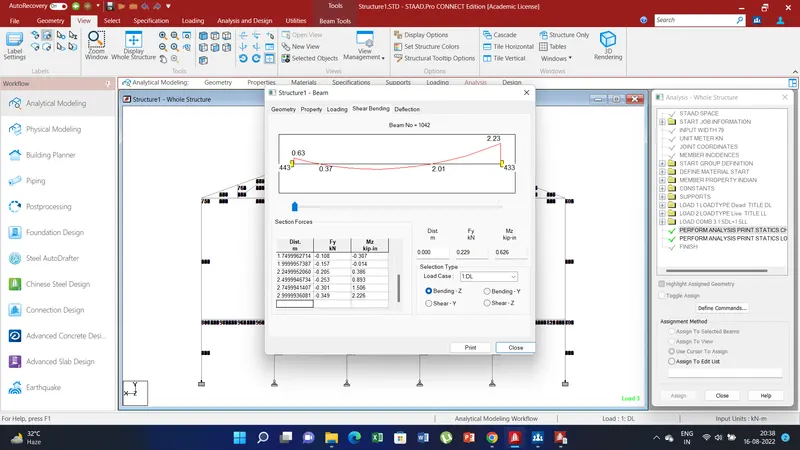
Result: Thus in this challenge we understoon how to create loads and combination. Than assign thos loads to the respective members. Also knew how to analyze the model and read the max. force and min. force of generated due to the loading conditions of the members. Also understood how to rectify errors if and error is generated and how the minimize the warnings.