Week 8 - Challenge 3 - Coin Holder Design
AIM : To Create the Coin Holder Plastic component through the given Class-A surface taking the thickness of the component to be 2.5 mm.
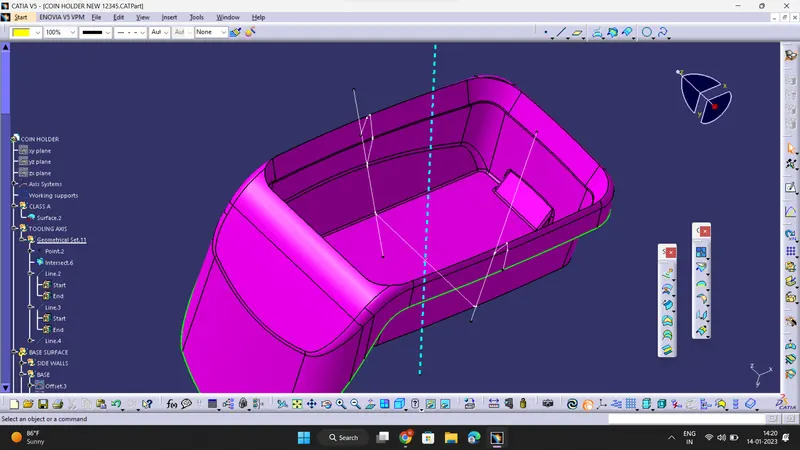
- An explanation should be given on the way of creating the tooling axis, particularly the Bisecting method :
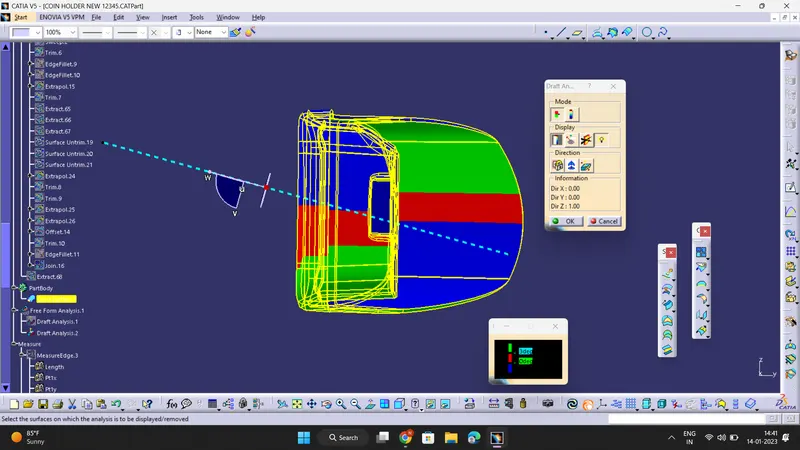
Create a point on the middle of the base surface by using point on the surface command and then take an axis system on the point . Now create an intersection of surface along YZ plane axis . Now create two lines using ' point to point ' command on either sides of the intersection . Now create a line using ' Bisecting method ' taking two lines and a point that we created earlier as reference . This is our required Tooling Axis .
REPORT ON DRAFT ANALYSIS :
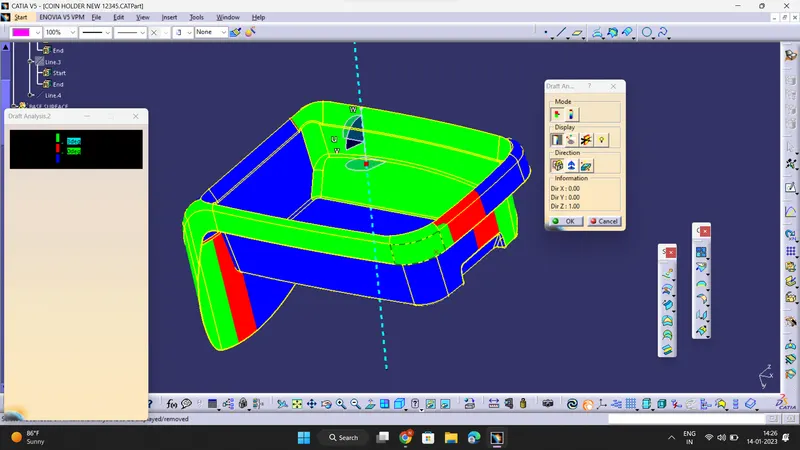
- Follow these steps : Go to insert> analysis> feature draft analysis
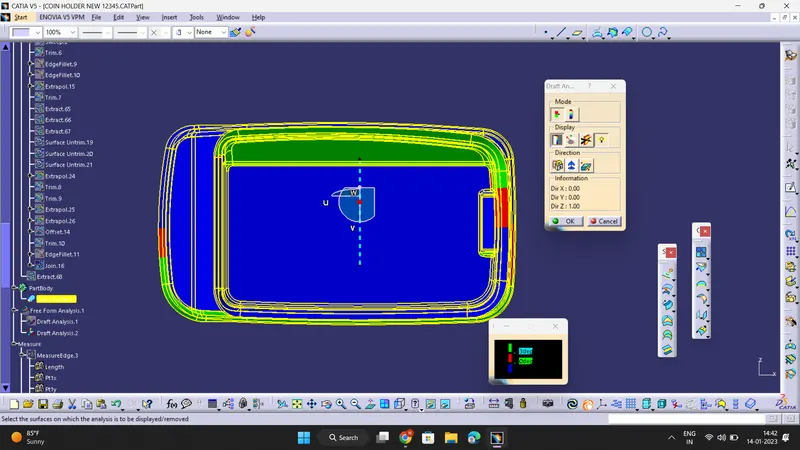
- Place the compass on the Tooling axis that is created using bisecting method and lock it .
- Click on the surface and see that the surface is within the permissible limit of the draft values.
- The surface should be green and nominal draft value should be 3deg .
- Thus the draft analysis on the class-A surface is successfully performed.
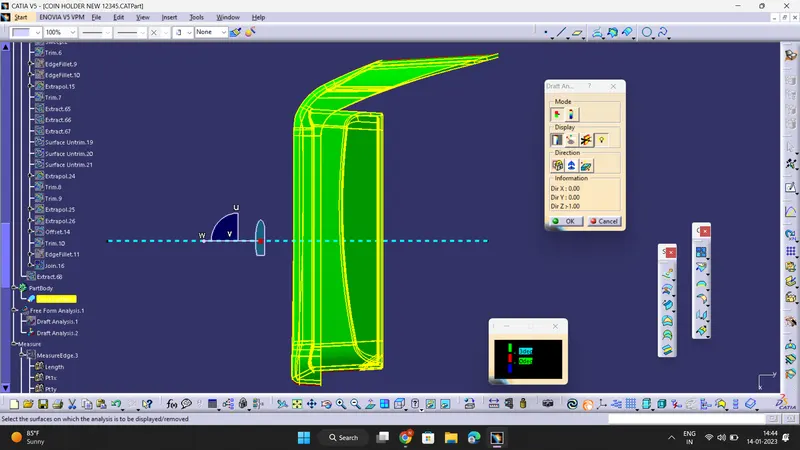
- Screenshots of the solid model with the proper color code of the draft angle in various orientations (Isometric, Front, Side, and Top View) :
ISOMETRIC VIEW :
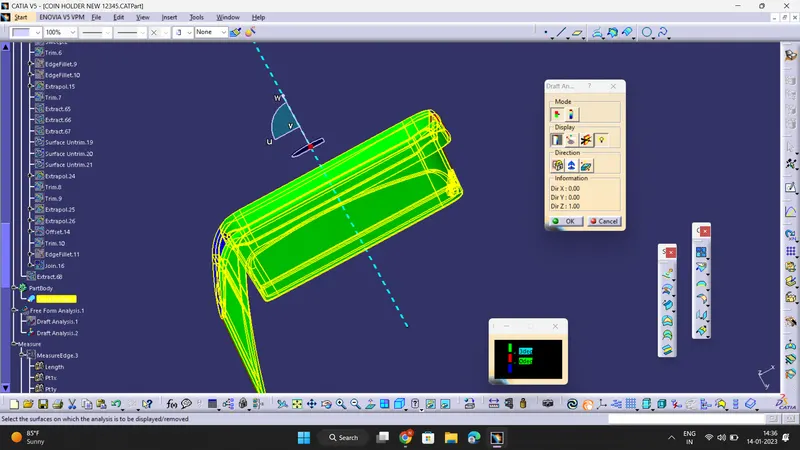
FRONT VIEW :
SIDE VIEW :
TOP VIEW :