Week 8 - Challenge 3 - Coin Holder Design
Coin Holder Design
Objective
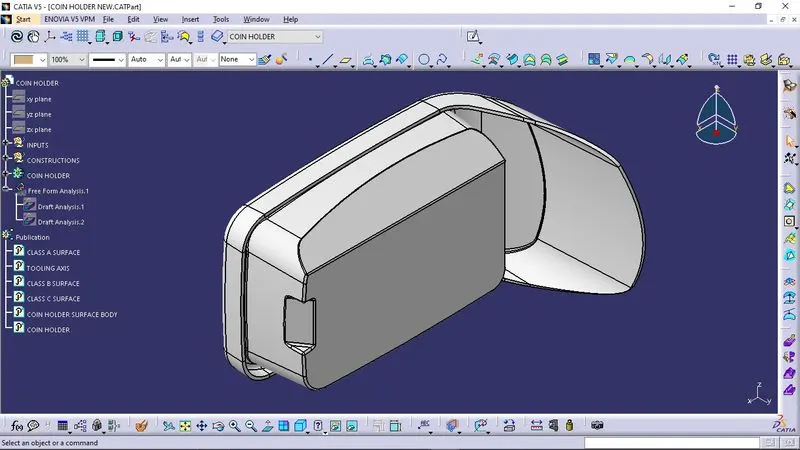
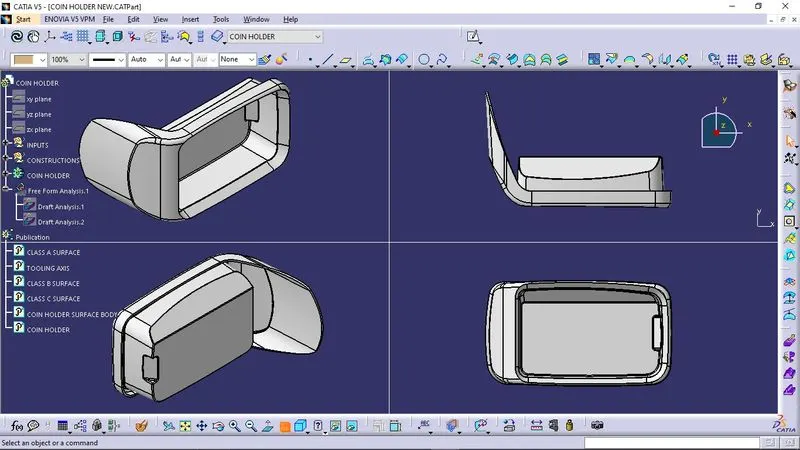
Create the Coin Holder Plastic component through the given Class-A surface.
Software Used
Catia V5
Procedure
- The given styling surface is checked for any irregularities and if found then it is corrected by using Trim, Extrapolate, Split and Join commands.
- Considering the Ejection from the cavity of the mold after manufacturing the interior trim (switch bezel) the tooling direction is created by bisecting method.
- For creating the class-B surface the class A surface will be offset based on the thickness provided and then the surfaces will be untrimmed, extrapolated and trimmed together.
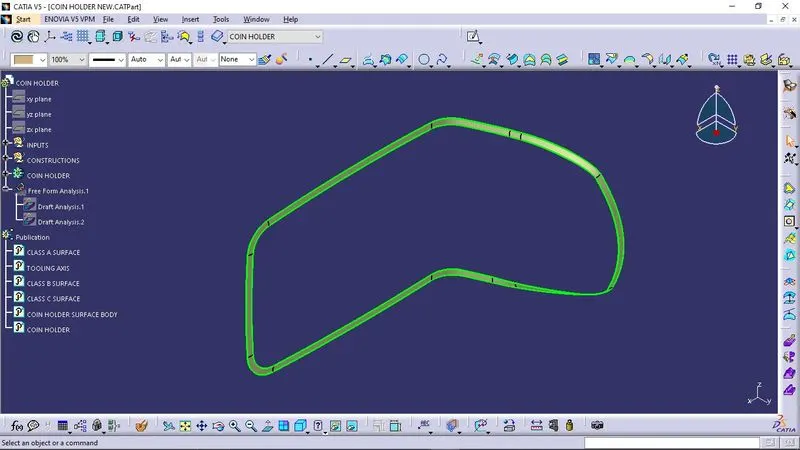
- The required outer edges of the A-Surface were extracted using Multiple Extract. Then for avoiding the patches the curve is smoothened using the Curve Smooth option. Then by using the sweep command with a 3-degree draft angle the C-surface was created
- Now class A and class C will be joined and then the join will be trimmed with Class B and the closed body is achieved
- In the part workbench using the closed surface option, the closed body will be converted into a solid model.
Class A Surface
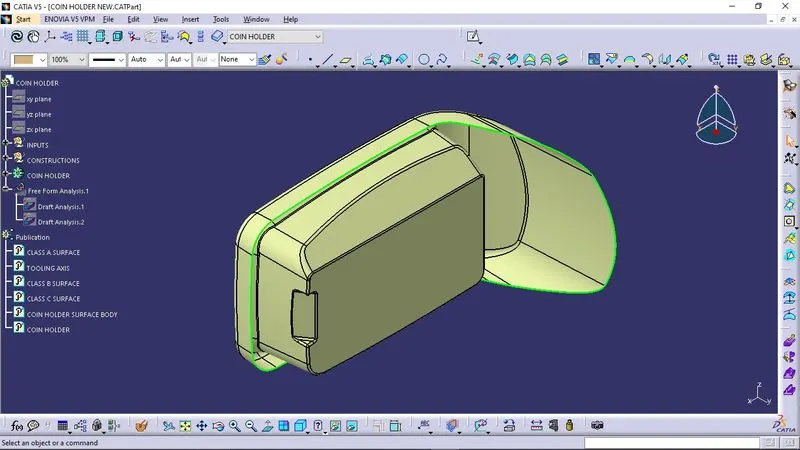
After recieving the Class A surface, it should be checked for any openings or boundaries and then it should be patched and joined together.
Tooling Axis
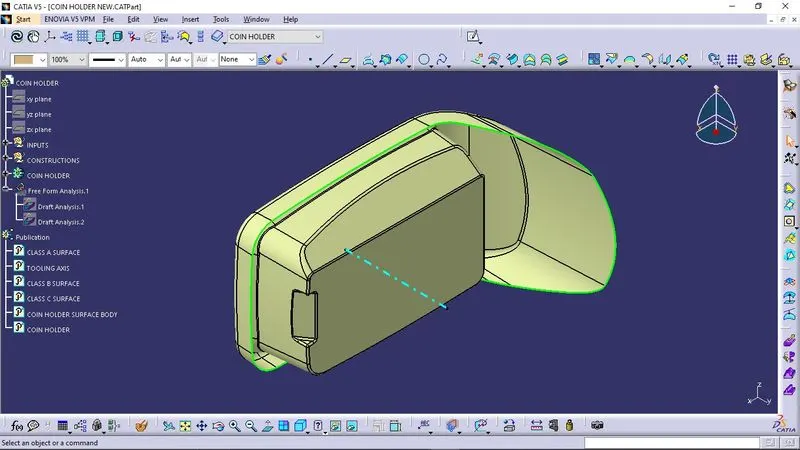
One another way to create tooling axis is by bisection method :
Bisecting method is basically use to find the proper tooling axis using the dummy tooling axis. In Bisecting method, bisecting line is used which either bisect the two line or it will show error which means the two lines are parallel to each other. In order to know whether the particular surface is toolable or not we intersect the surface with the respective plane and get a sketch which consist of two lines and with the help of bisecting line option we bisect the line which creates a line at the mid point of the two lines. Like wise we create tooling clearing axis for x and y which will be used to create the main tooling axis using the bisecting line option in in the line comand.
Draft analysis
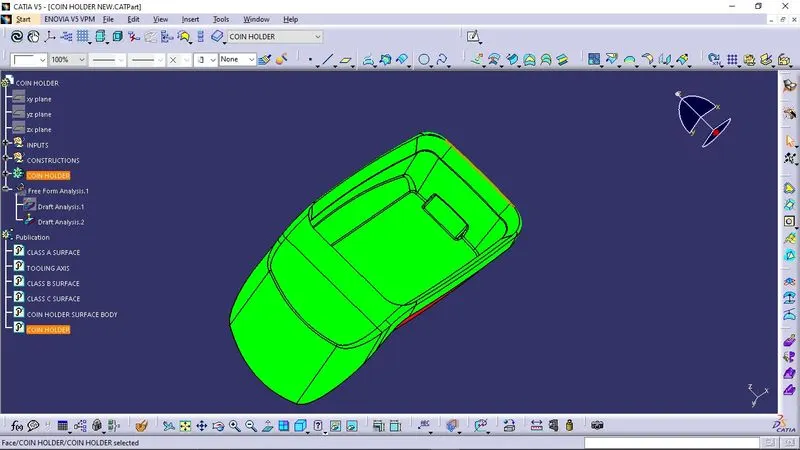
It is a tool used in CATIA to make the faces taper with respect to tooling axis. Tooling axis is the direction of mold part ejection.A functional part for injection molding has to have drafts facing both cavity and core sides to reduce the risk of damage to the parts and ensure ejection. As the molten plastic flows into the closed die and fills the cavity, the material shrinks inside the mold upon cooling and as a result grips the core.Without any taper, the part would come out scratched while increasing wear and tear on the mold and shortening the tool life.
Class B surface
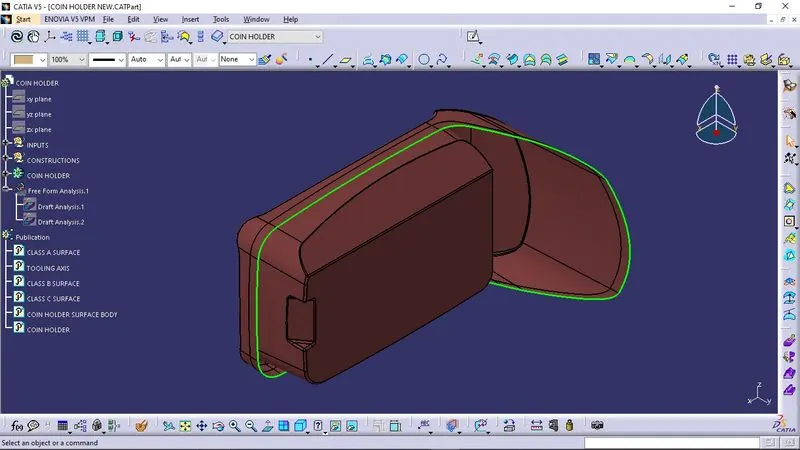
Class C Surface
Final Output and Draft analysis
Conclusion
A complete understanding of Coin Holder Plastic component design by creating class B , class C surfaces and checking draft analysis is thus concluded.