Week 8 - Challenge 2 - Switch Bezel Design
Switch Bezel Design
Objective
- To design switch bezel as per automotive OEM Standard.
- Create B Class and C Class and tooling axis.
- Converting close surface into the solid inside part workbench and provide the thickness of 2.5mm.
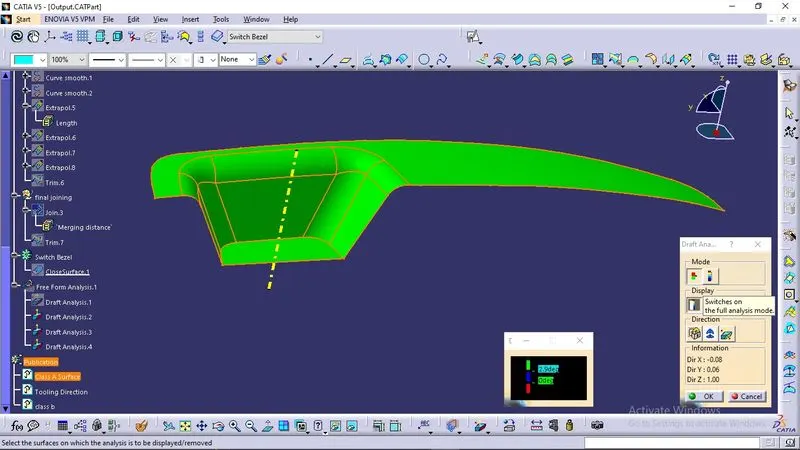
- Performing draft analysis to verify the creation of the Tooling axis and C Class surface.
Software
CATIA V5
Introduction
The control panel bezel is the frame part of the window switch that holds its switch covers and buttons into place. Moulding is the method used to manufacture the plastic trims of an automotive by most OEM’s, hence by considering the manufacturing consideration the switch bezel is designed.
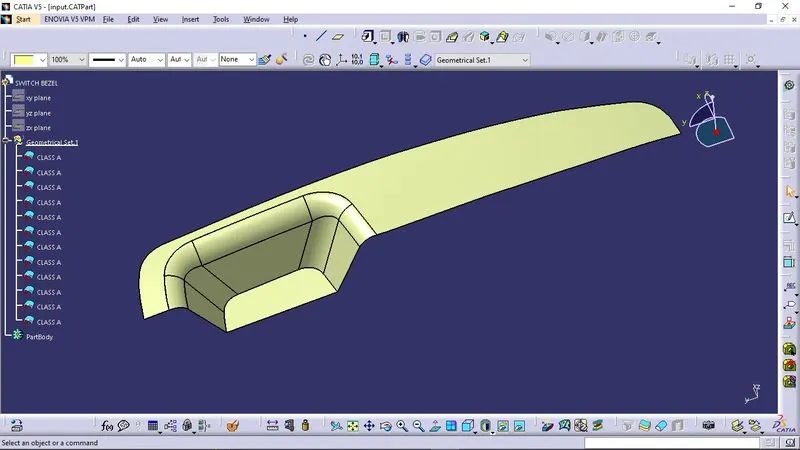
Input
Steps To Design
- After recieving the ClassA surface analyse and visualise the surface.
- Use Join operation to join all the surfaces.
- Use Boundary operation to check the continuity.
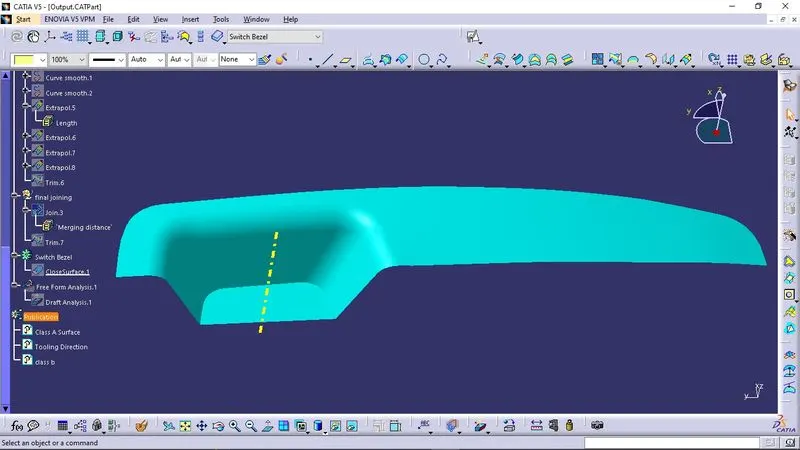
- Create The tooling axis and check draft analysis.
- Next is the class B surface creation.
- Offset the surface to the required thickness
- Create the class C surface.
- Join all the surfaces using Trim operation.
Tooling Axis and Draft analysis
Class B Surface Creation
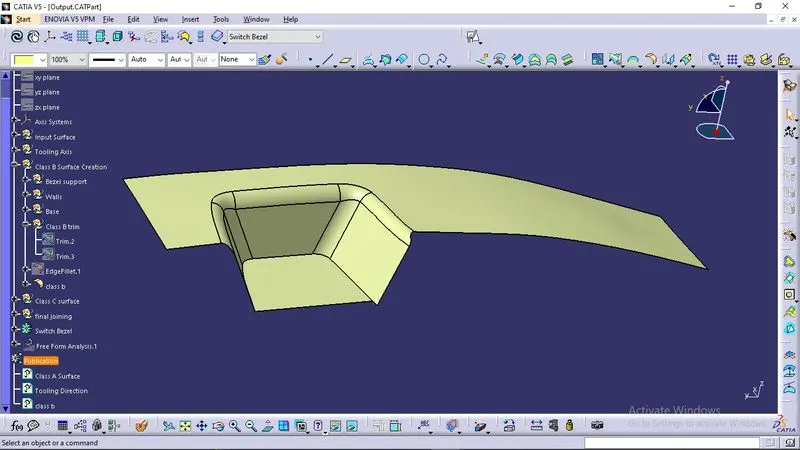
- For creating the class-B surface the required surface except the offset surface have been extracted and then untrimmed all the surface.
- Then all the surfaces have been extrapolated to get intersections between them.
- Since the thickness of the Switch bezel is 2.5mm the B-Surface was offset to 2.5 mm and the required trim operations must be carried out.
- Finally, the required corners have been filleted to 12.5mm (15mm-2.5mm). [ 15mm - fillet value of the A-surface, 2.5mm – Thickness of the component ]
Class C Surface creation
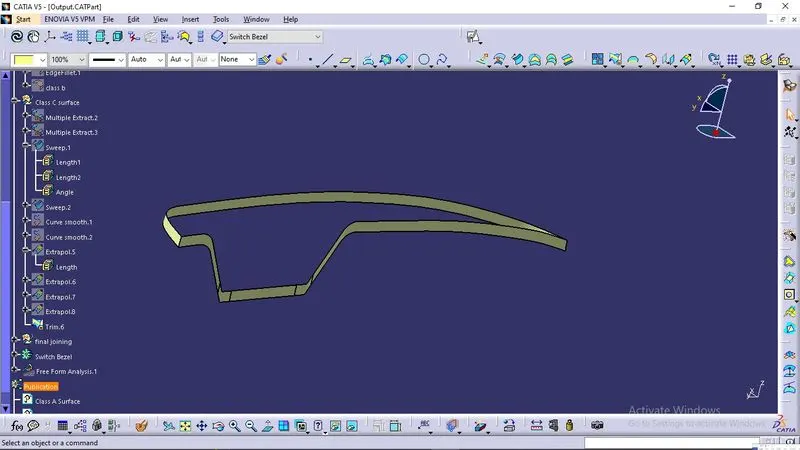
- The required outer edges of the A-Surface were extracted using Multiple Extract. Then for avoiding the patches the curve is smoothened using the Curve Smooth option.
- Then by using the sweep command the surface was created with the following feature controls,
- Profile type – Line
- Subtype – With Draft Direction
- Guide Curve – Smooth Curve
- Draft Direction – Tooling Axis
- Draft Computation Mode – Square
- Angle – 3 Degree
- Angle Sector – Positive Downward (1)
- Length – 20mm
- Then by using extrapolate command the edges were intersected between the surface corners which eases the trimming operation.
- Now the required portion of the C – surface were trimmed out.
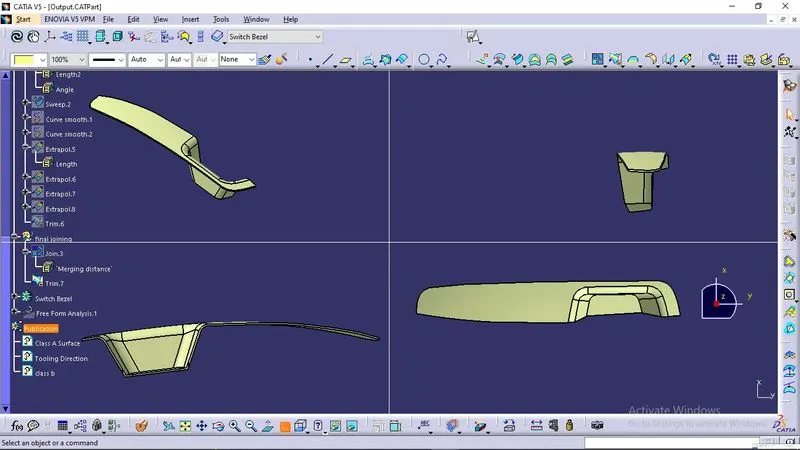
- Now the class – A and Class- C surfaces were joined together by removing the gaps in-between them with the help of extrapolation(tangent continuity) and Trim surface.
- Then the exact surface of the Switch bezel was trimmed from the above-resulted trim surface with the class-B surface.
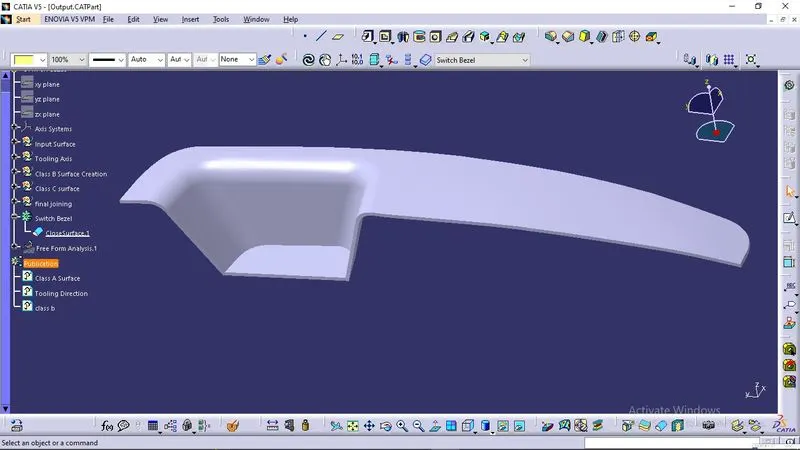
- Then, by defining the part body by using the Closed Surface command in Part Design, the component's solid body is created.
Final Draft analysis
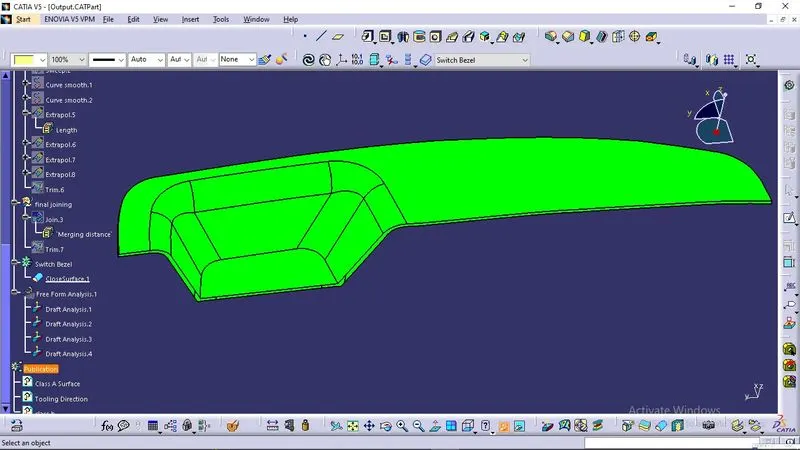
Output
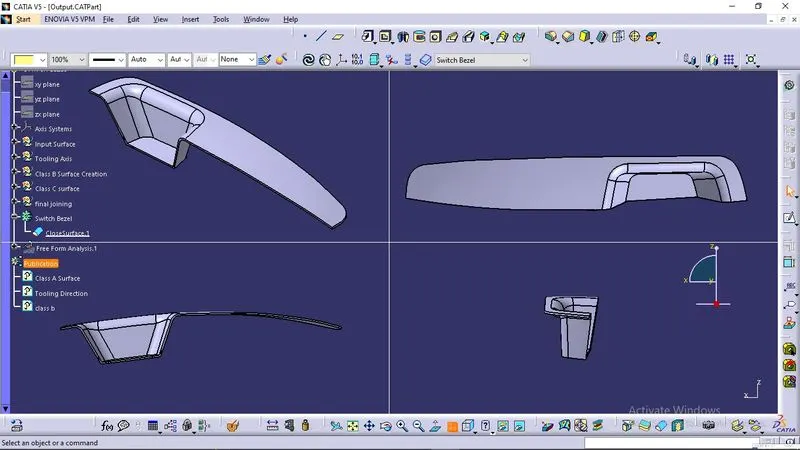
Conclusion
The complete understanding and knowledge about Switch Bezel designing is thus concluded