Week 8-Challenge
3D MESHING IN HYPERMESH
OBJECTIVE:
- To perform 3d meshing on the housing model with element size of 5mm
- To perfrom 3d meshing on both the models with the element size of 6mm
CAD MODEL IMAGES:
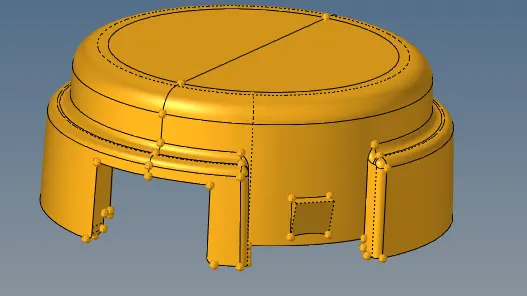
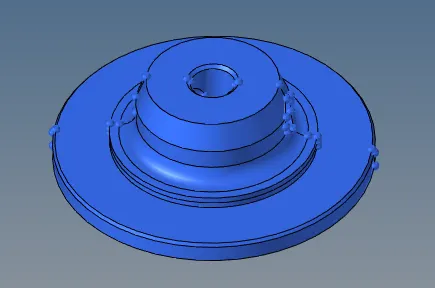
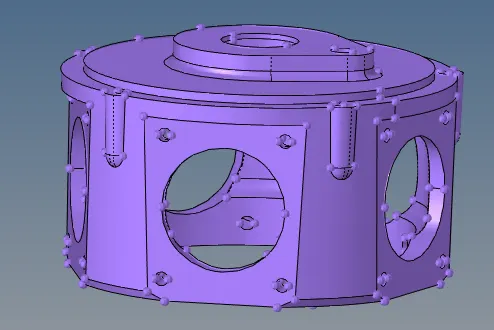
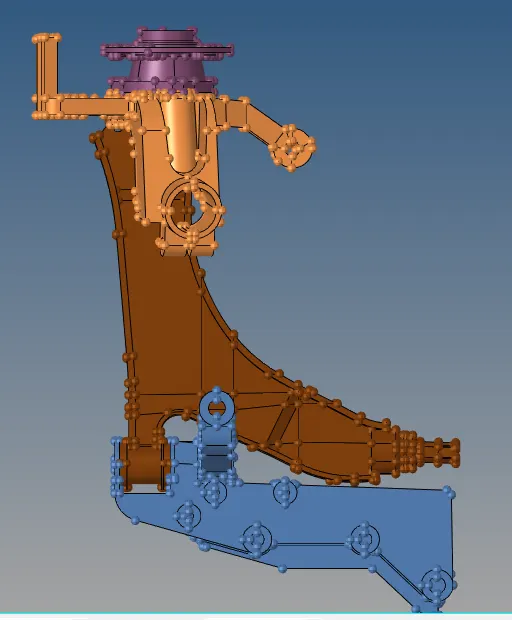
GENERAL TRIVIA ABOUT 3D MESHING:
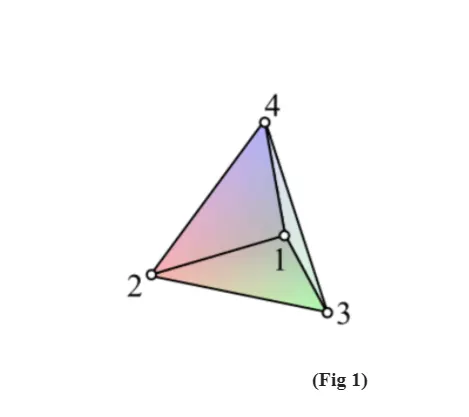
- 3D meshing is used for complex geometries and solids whose thickness lie above 5mm and when the result needed is accurate , time taken for tetra meshing will be more when compared to 2d meshing.Tetra meshing is one amoung the 3d meshing along with hexa meshing. Tetra meshing consits of tetrahedral elements. Tetra hedral is a four noded solid element which can be generated through the tria element by creating the volume and also through the exsisting volume of the geometry. The below figure is a tetrahedral element, it has four triangular faces with four nodes joining them,
PROCEDURE FOR 3D TETRA MESHING:
Generaly there are three methods through which tetra mesh can be created, they are as follows:
a. Conversion of 2d tria to terahedral using tetra mesh panel
b. Using the quick tetra mesh from the utility panel.
c. Using the volumemesh from tetramesh panel.
Here as the objective being creation of tetra mesh on the components, every method is expalined completely by in the below sections,
- CONVERSION OF 2D TRIA TO TETRA BY USING TETRA MESH PANEL :
- The first step in this is to import the model from the import options, then performing the geometry cleanup on the model.
- Delete the solid from the model by checking, set the mode to topo. Here for the given model, the geometry clean up is done as shown in the below fig,
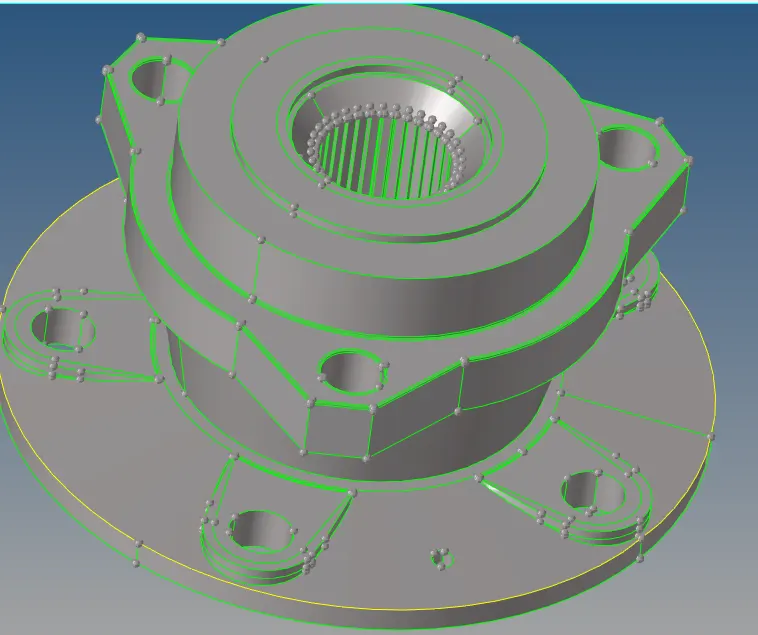
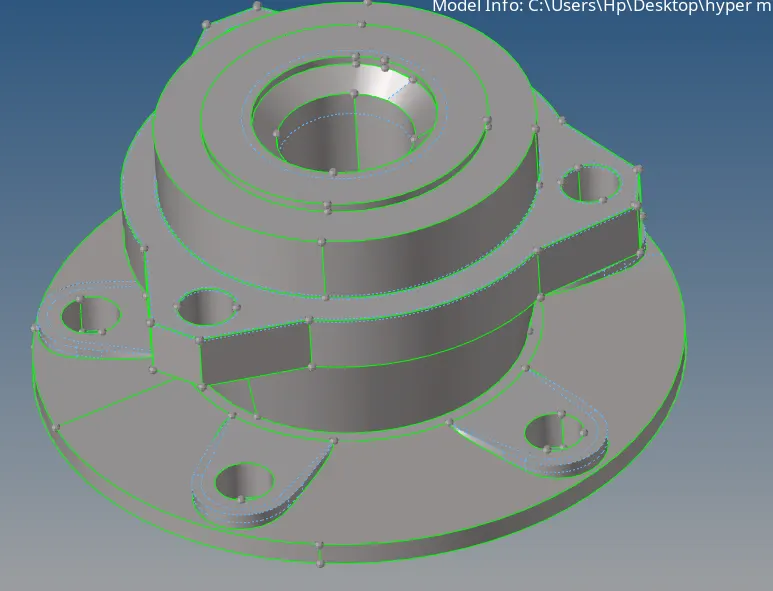
BEFORE CLEANING THE GEOMETRY AFTER CLEANING THE GEOMETRY
- As we can observe in the above figures all the necessary corrections have been made, the features that will fail for minimum length are removed and the fillets are also defeatured if they fail for minimum length, here the required element size is 5mm and the minimum length is 2mm and maximum length is 7 mm. According to the parameters, all the necessary connetions have been made on the model.
- The next step is to mesh the model with 2d tria elements with element size of 5 mm , this can be done by selecting automesh option from 2d panel. The below figures illustrates this step,
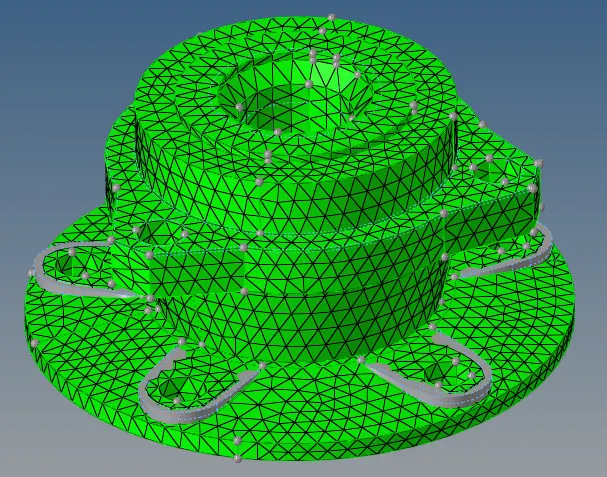
- All the necessary quality parameters such as minimum length and maximum length should be cheked and the elements have to be resolved if failed, now go to 3d panel- select Tetramesh, select the surface and enter all the necessary paramters, the 3d meshing will be created once we click on create option.The below figures explains this ,

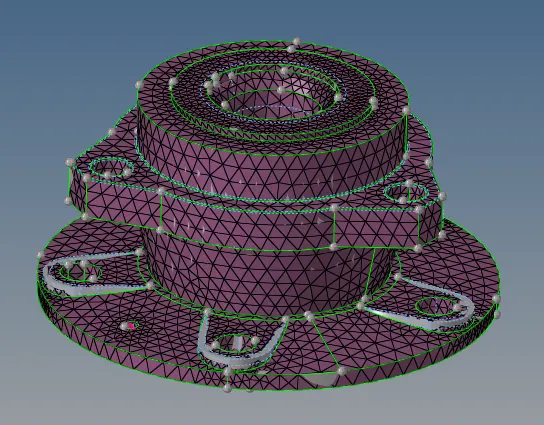
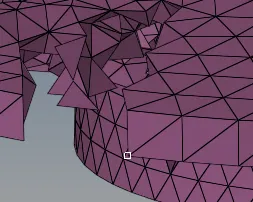
TETRA MESH CREATED TETRAHEDRAL ELEMENTS
- After the generation of tetramesh, mask some elements and check whether the 3d tetra elements are created.
- USING QUICK TETRA FROM UTILITY PANEL :
- In this model import the model into the hypermesh, clean the geometry.
- Delete the solid in the model by selecting Delete-solid-Delete entity.
- Click on view-hypermesh-utility as shown below,
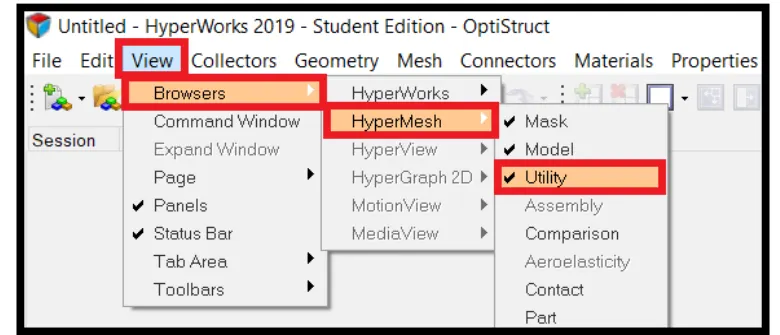
- Now select geom/mesh from the utility, then click on the quicktetra mesh ,
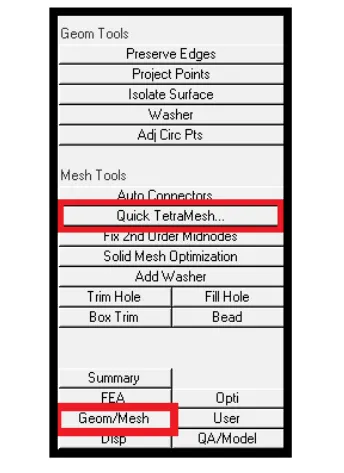
- In the quick tetra tab select the components and the surface, specify the mesh size and set the type as trias only set the target length as 6mm and minimum element size as 2 ,
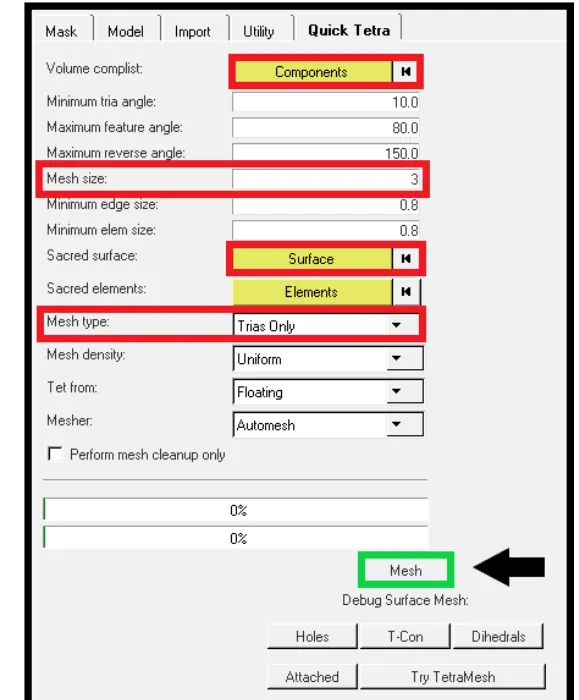
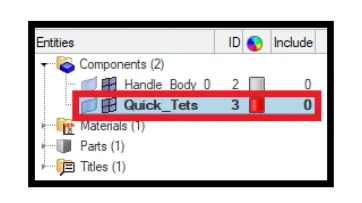
- click on the mesh button to generate tetra mesh, click on OK button to complete the meshing process, a new colletor with tetramesh will be created in the Tab bar.
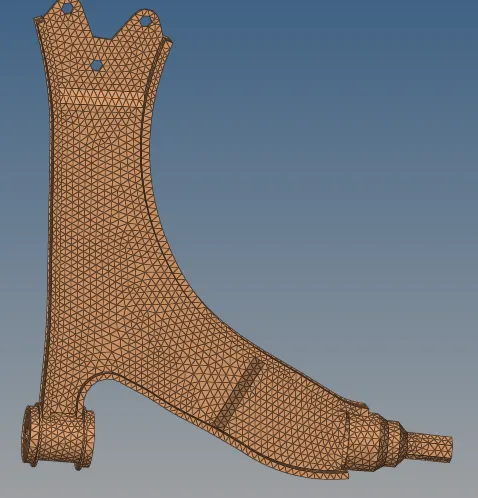
- The following is a image of tetra mesh created using quicktetra,
- CREATION OF TETRAMESH USING VOLUME MESH FROM 3D TERAMESH PANEL:
- Import the model to hypermesh, clean the geometry
- Keep the solid of the model, select 3d-tetramesh
- Click on volume tetra option and , select the solid of the model, tick the check boxes of use curvature , use proximity , clean up element size and specify element size and click on mesh , the tetra mesh will be generated as shown in the below figure,
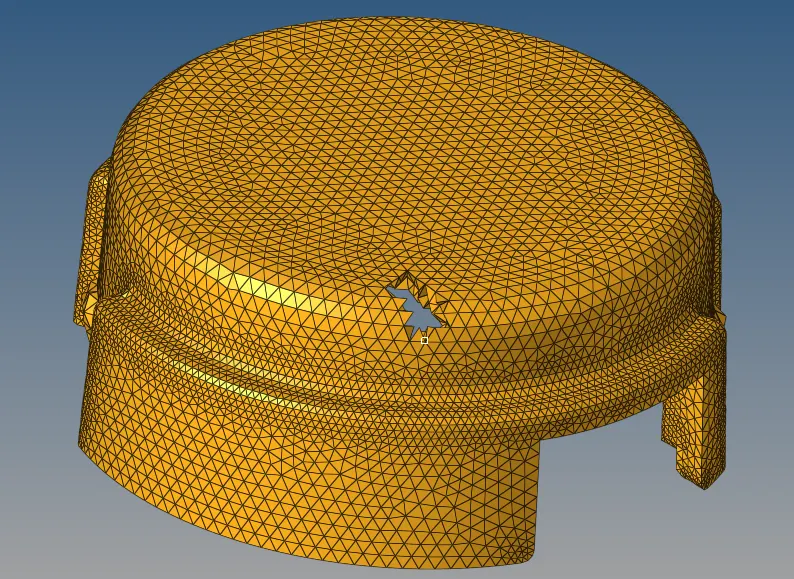
- The element size for above model is 5mm , the other components are also created using three methods as mentioned above.
- For tetramesh, one of the main quality criteria is tet collapse, It an be caluculated by measuring the distance of the node from the opposite face, then each of the four values will be divided by the squarerooot of the opposite area. The minimum of the four resulting values is then normalized by dividing it by 1.24
- Genrally tetcollapse can be caluculated from the formula = Minimum of (h/squareroot of the area of opposite face) / 1.24
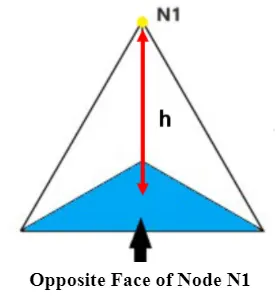
- There are 2 methods to clear tetcollapse, one is to translate the nodes and the other is tetraremesh option from the tetramesh panel.
- USING TRANSLATE OPTION:
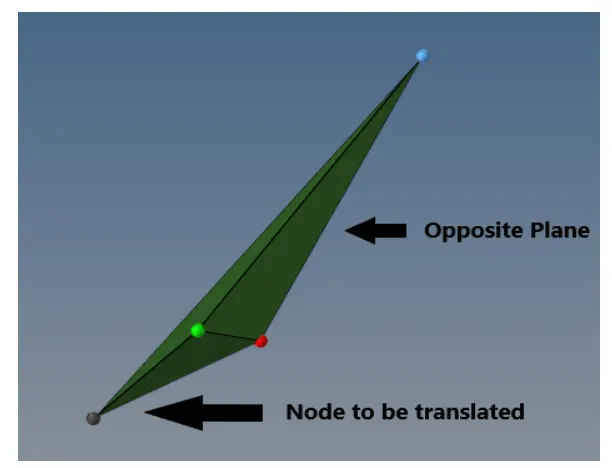
- select the tools-translate command, pick a node in any of the failed element which has minimum height, select N1,N2,N3 which represents the opposite plane of the node
- choose the magnitude value approximately, by trial and error method,click on the translate command.
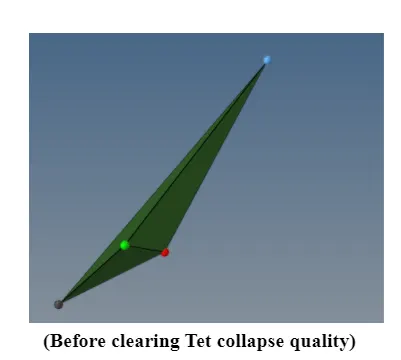
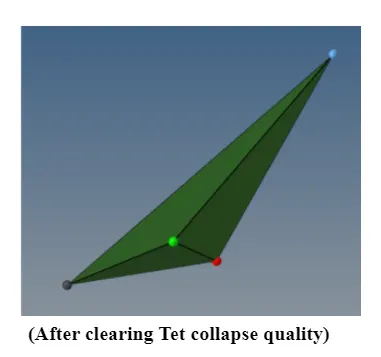
- Using Tetraremesh panel :
- go for tetramesh- tetramesh parameters -tetra remesh , first enter the tetra mesh parameters ,

- Then go for tetra remesh option , select 3d elements, 2d baffle elements and click on tetra remesh to clear tetcollapse.

RESULT :
The following are the terameshed models of the given models,
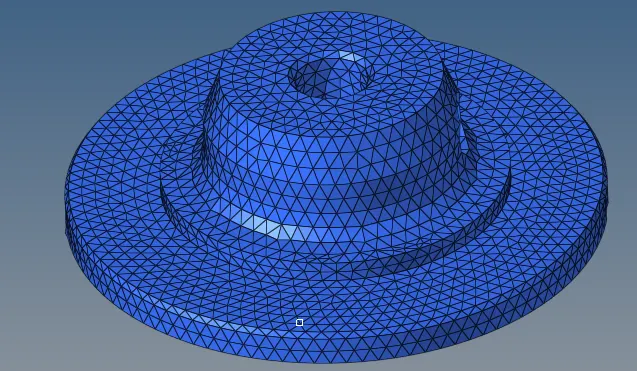
ELEMENT SIZE 5MM ELEMENT SIZE 5MM
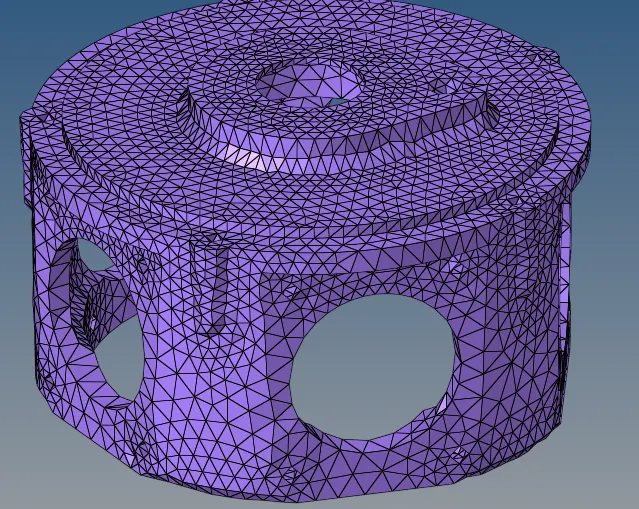
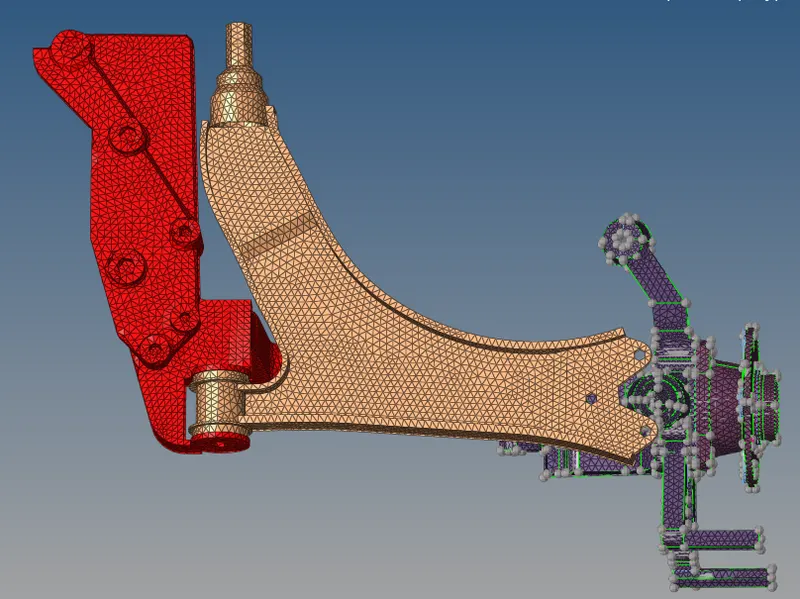
ELEMENT SIZE 6MM ELEMENT SIZE 6MM