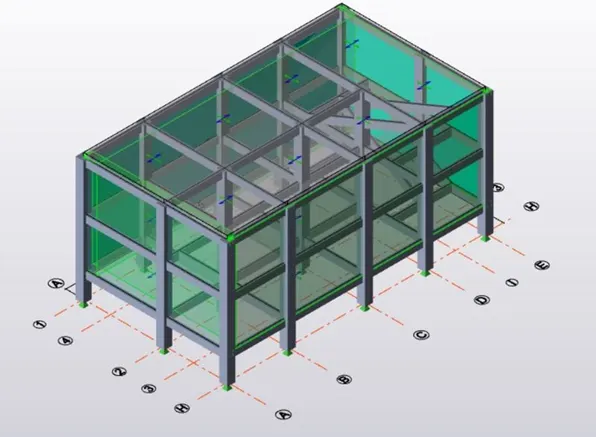
Week 8 Challenge
ANS 1)
AIM : To calculate the dead load based on the design and apply it on the structure.
TOOLS USED :
- MS Excel.
- Loads.
- Loadcases.
- Dead load.
- Area.
PROCEDURE :
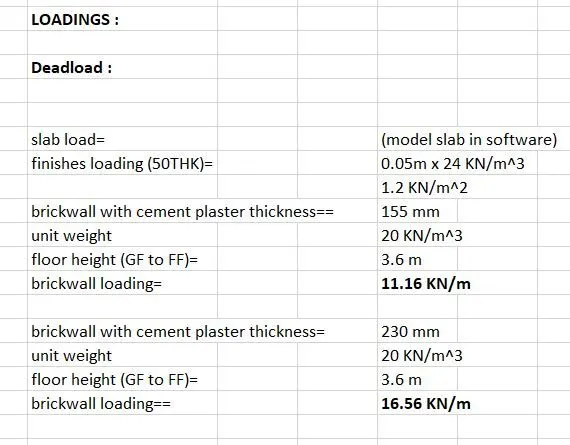
- First open MS Excel and start the calculations of the dead load values which should be applied on the structure.
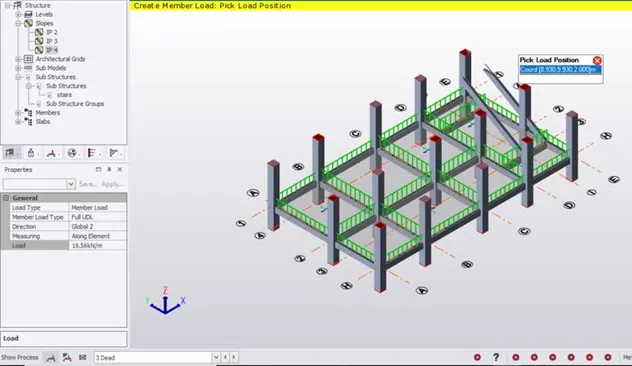
- Next go to loadcases and create a new loadcase with the name Deadload.
- Next select deadload option from the drop up box and select dead load.
- We have to use the IS standard values for deadload and apply the values calculated in the excel sheet.
- 5In the left side enter the value of load and select global z directions.
RESULT :
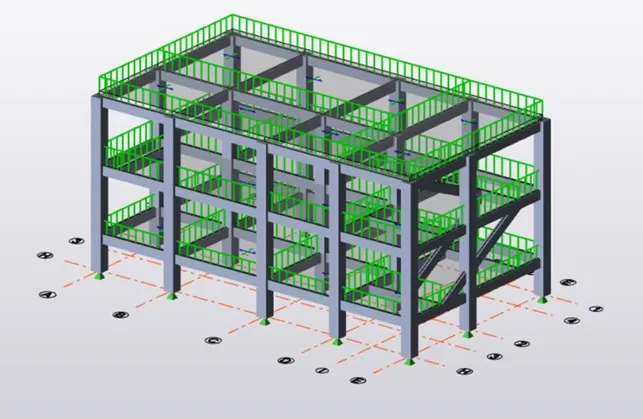
With the above steps we can calculate and apply the dead load to the structure.
ANS 2)
AIM : To calculate live load based on IS code and to apply live load on the model.
TOOLS USED :
- MS Excel.
- Loads.
- Loadcases.
- Live load.
- Area load.
PROCEDURE :
- First open MS Excel and do the live load calculations.
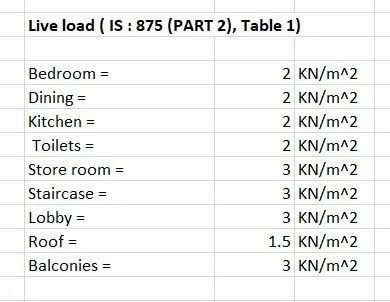
- We can get the values of live load from IS standard codes.
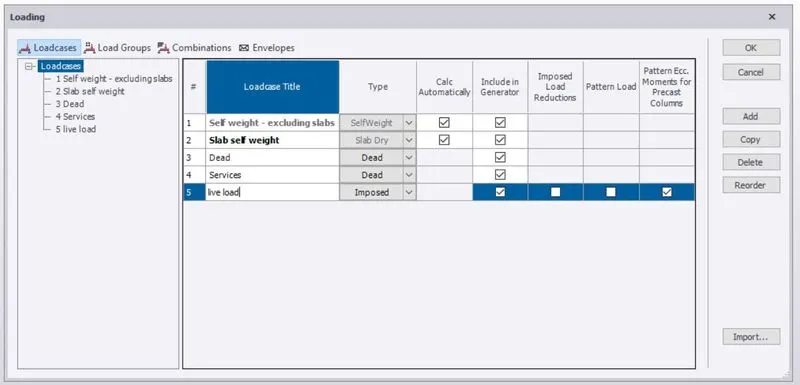
- Go to load cases and add imposed live which is used to apply live load.
- The live load values are different for each and every types of rooms.
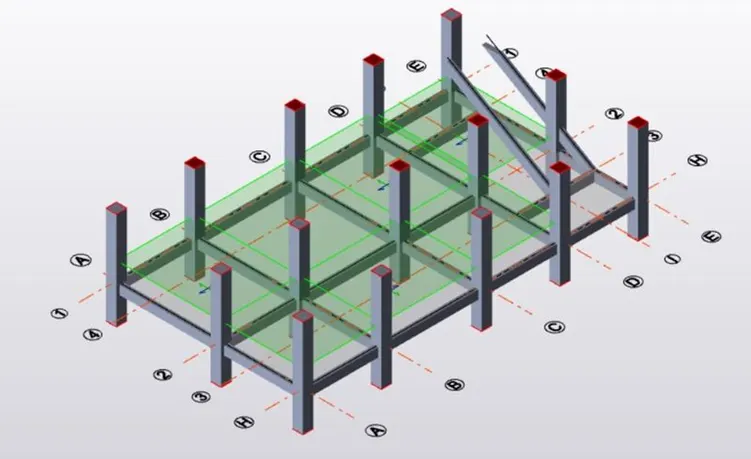
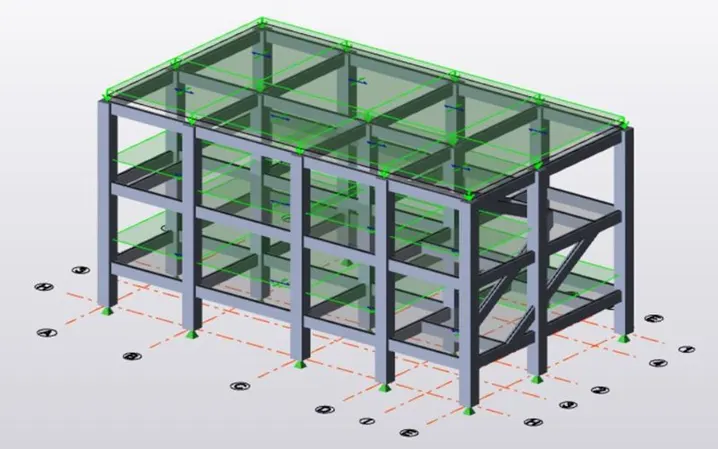
- After selecting live load, use area option to apply the loads on the model in each floor.
- All the live loads will be applied.
RESULT :
With the above steps we will be successful in applying the live loads to the model.
ANS 3)
AIM: To generate the wind load calculations.
RESULT :
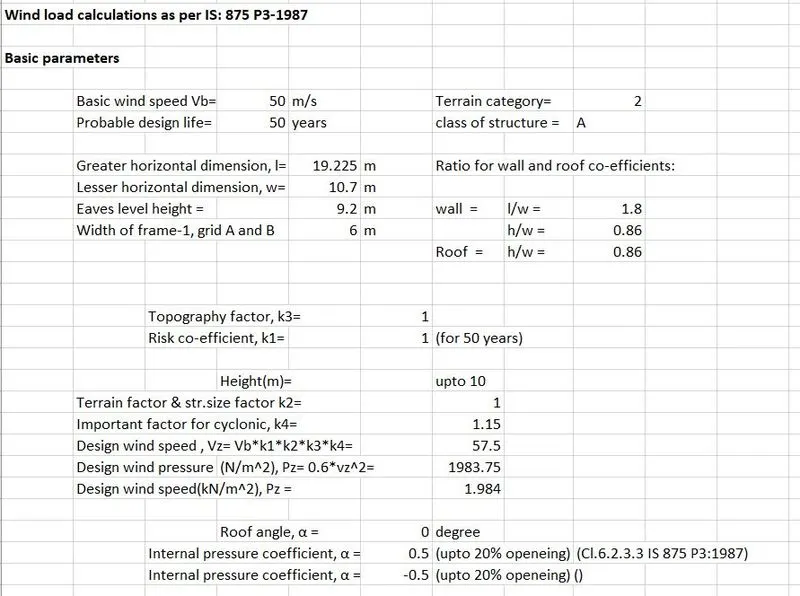
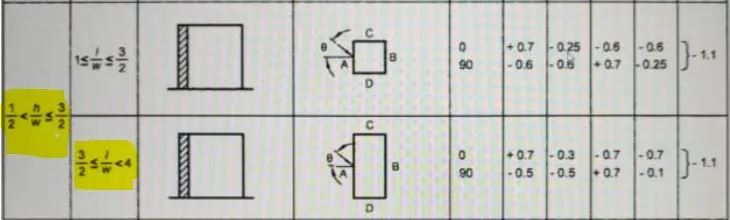
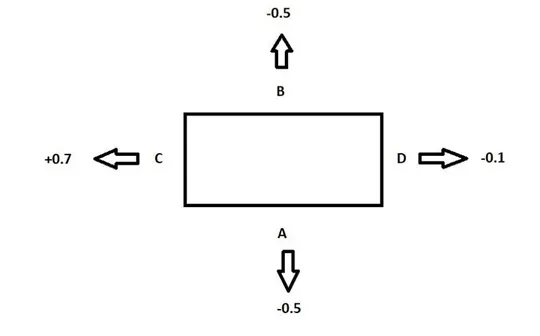
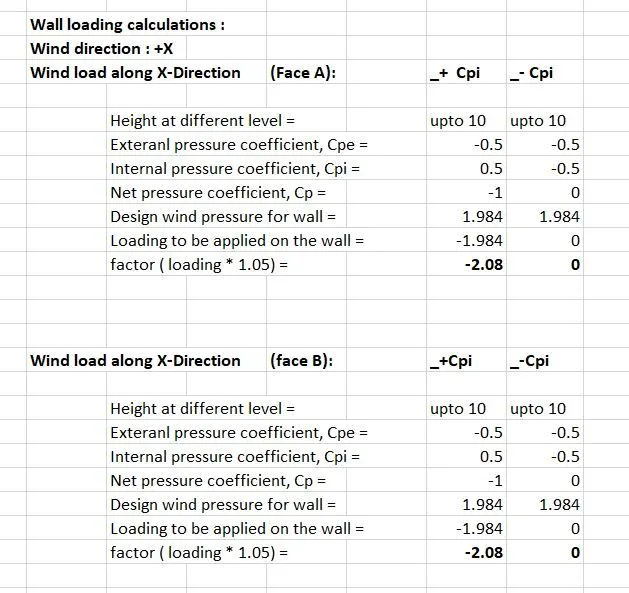
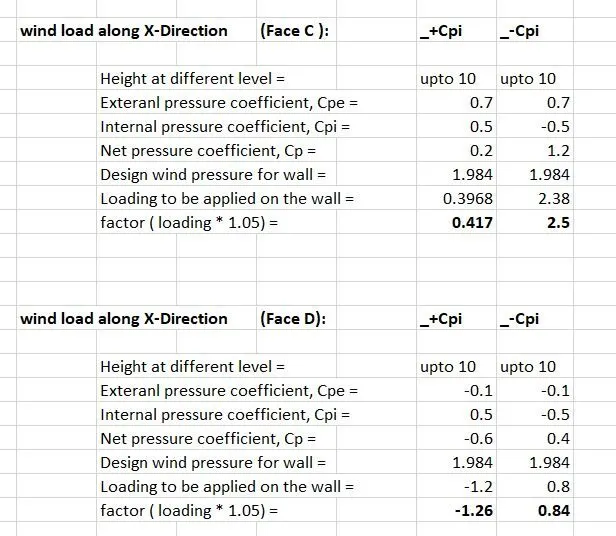
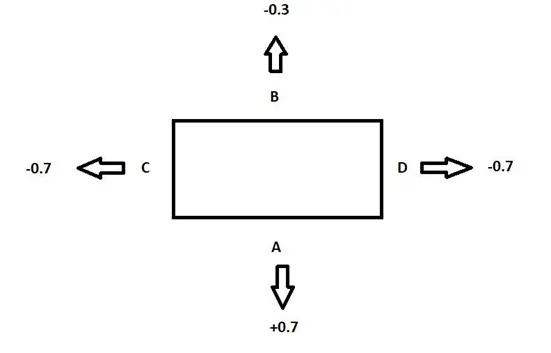
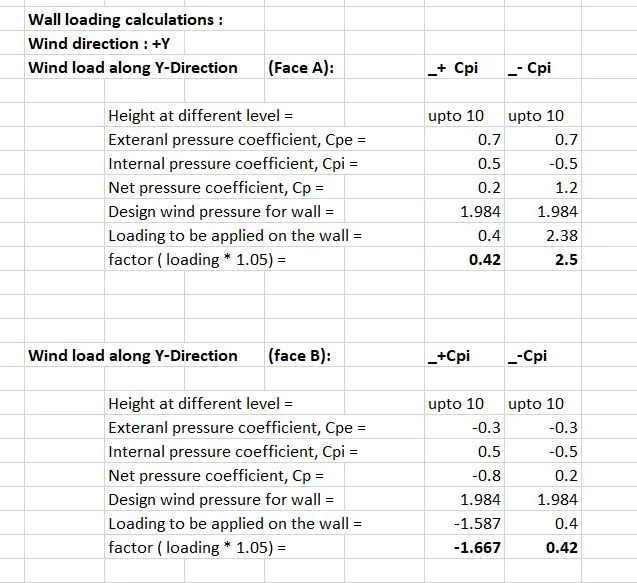
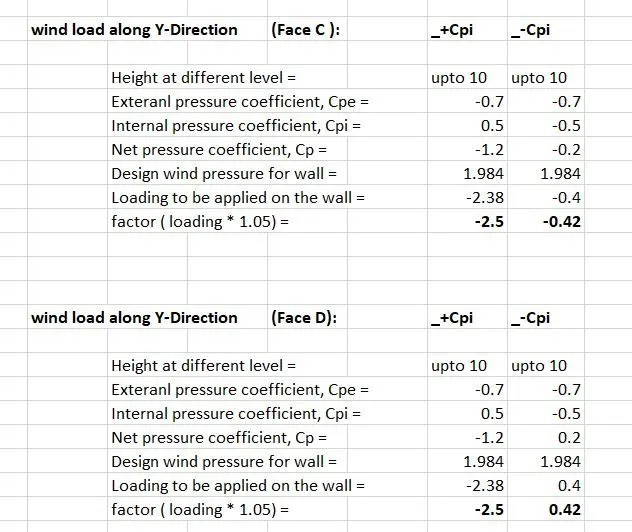
ANS 4)
AIM : To apply the loads based on the above calculation of question 3.
TOOLS USED :
- Loads.
- Loadcases.
- Wind load.
- Area load.
PROCEDURE :
- First open the file where we have constructed the model.
- Next go to loads and select loadcases.
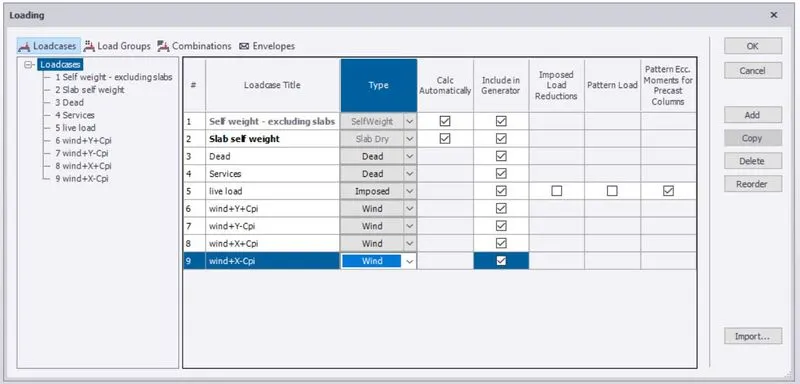
- Create new wind loads for X and Y ( Both +Cpi and -Cpi)
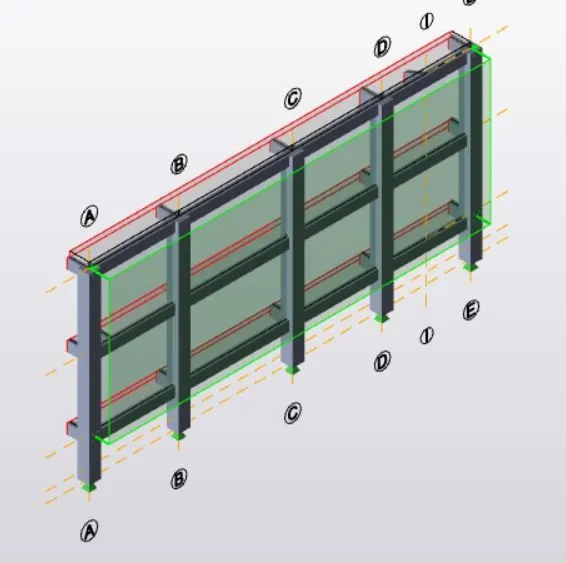
- Select each of the wind loads and apply on the structure.
- Before applying loads create wall panels.
- Adjust the coordinate system as
- Face A and B : Global Y.
- Face C and D : Global X.
RESULT :
With the above steps we will be able to apply wind loads on the structure using manual calculations.