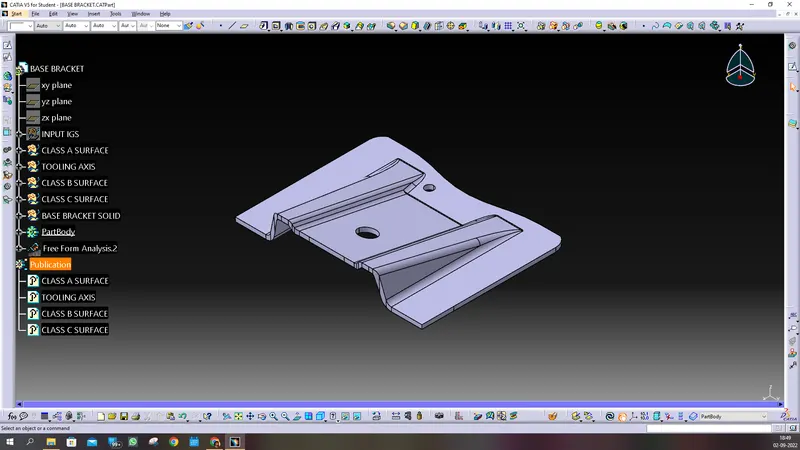
Week 8 - Challenge 1 - Base Bracket Design
DPWNLOADED IGS DATA , AND OPENED IN THE CATIA AS SHOWN BELOW AND TAKE IT IN NEW GEOMETRICAL SET NAMED AS INPUT IGS: 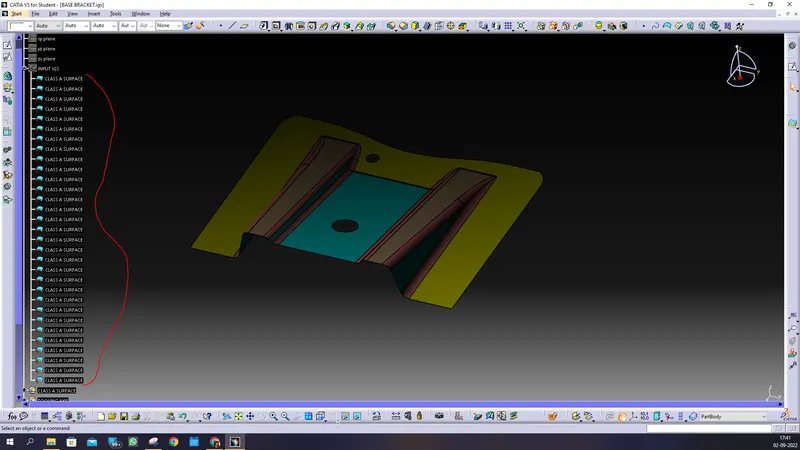
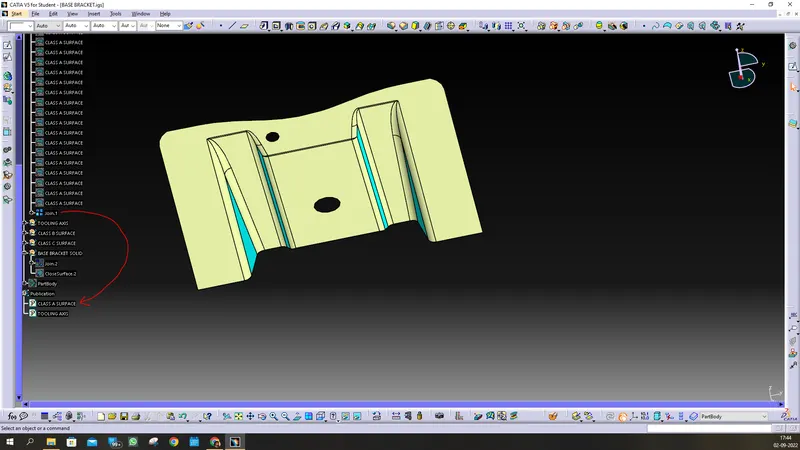
COPY ALL OF IT SURFACE AND PASTE IN NEW GEO SET NAMED CLASS A SURFACE AND JOIN IT SINCE THE SURFACES ARE SPLITS INDIVIDUAL.
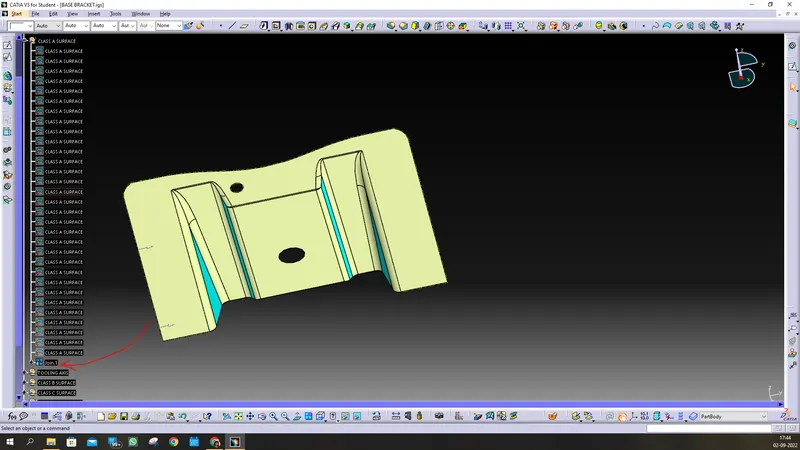
PUBLISH THIS SURFACE AS CLASS A SURFACE
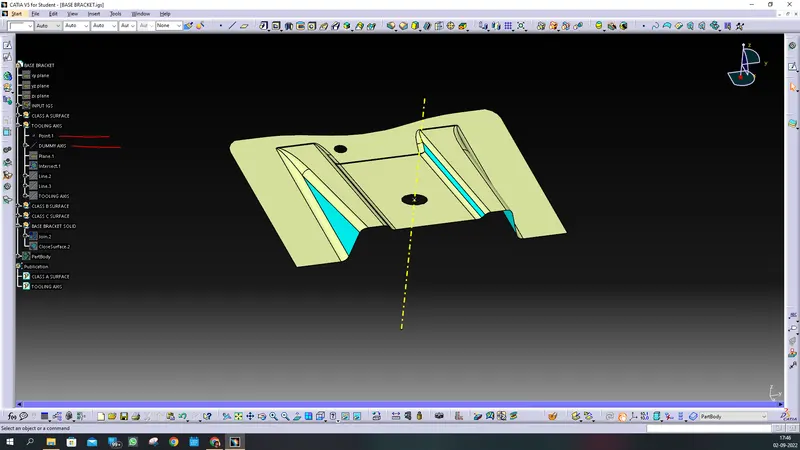
CREATE POINT USING CIRCLE AND THEN AXIS IN DIRECTION OF Z AXIS AS SHOWN.
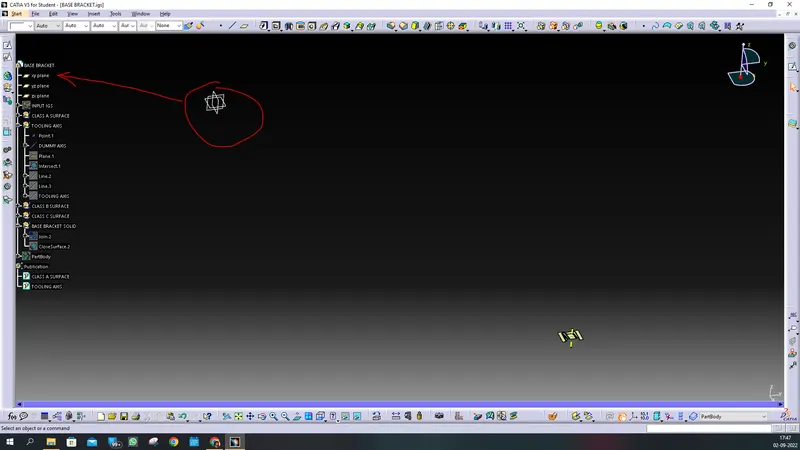
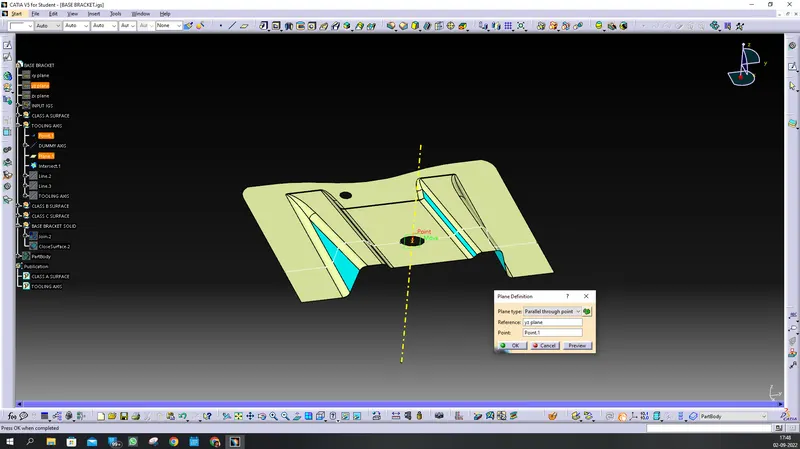
ORIGINAL PLANES ARE FAR AWAY FROM THE BODY SO YOU CAN CREATE YOU OWN PLATE WITH REFRENCE TO AXIS AND POINT. AS SHOWN.:
NOW FOR TOOLING AXIS, WE HAVE TO TAKE SECTION OF PROFILE AND WILL MAKE ACTUAL TOOLING axis as shown:
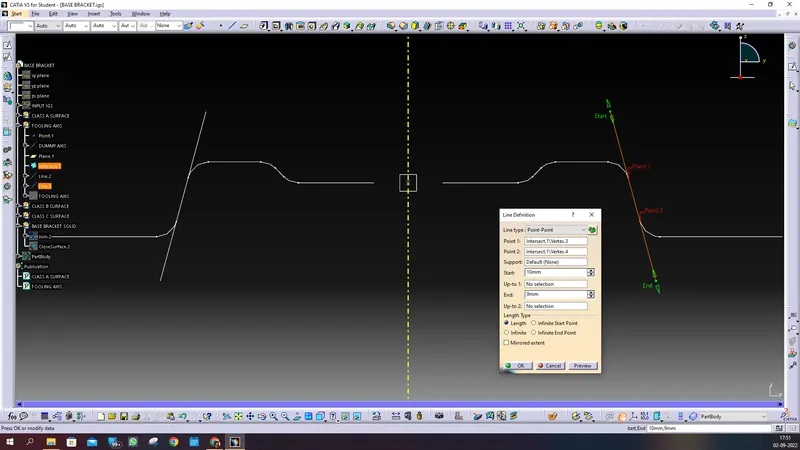
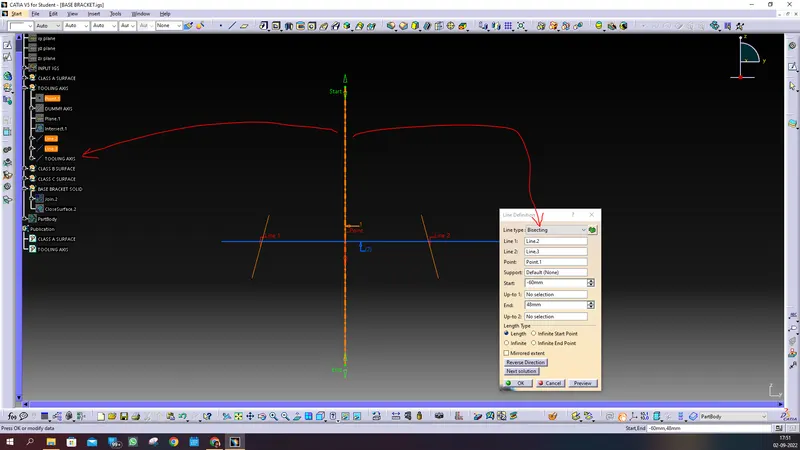
hence bisecting line is our tooling axis., now we go for draft analysis, without analysing we can not go for surface b & C,
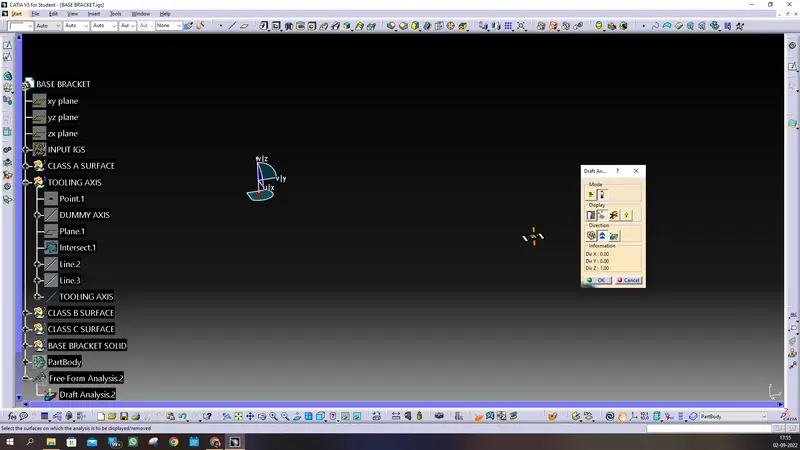
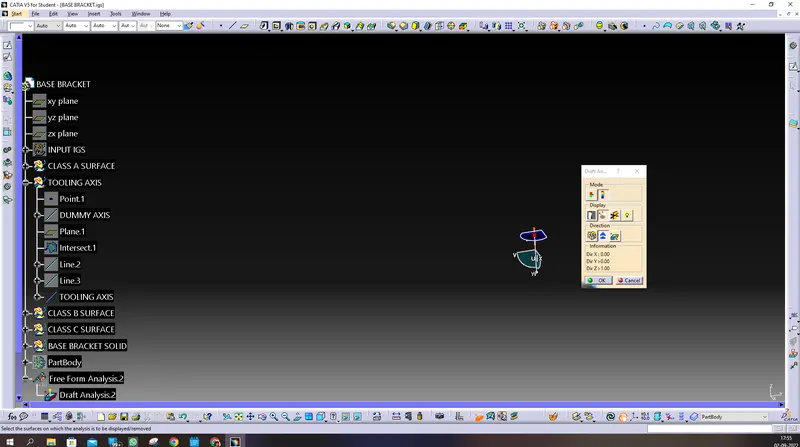
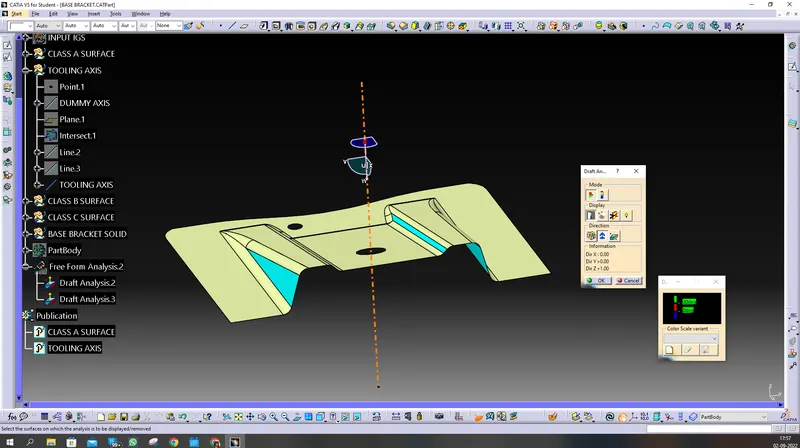
our W is downward direction you can rotate it or you can take as it is. there will be no issue but inverted color result only.
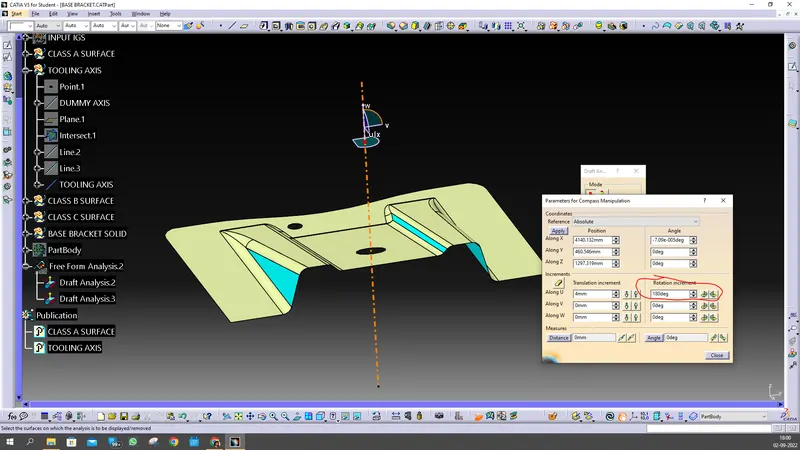
i have rotate by clicking double on W-axis and rotated about x-axis 180 degree.
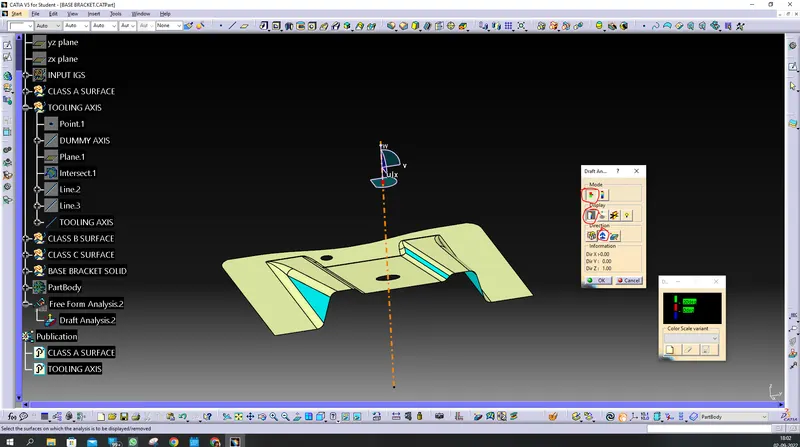
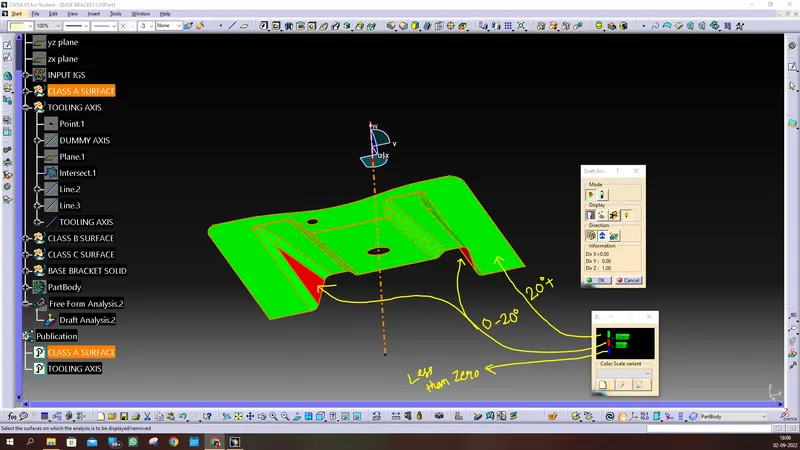
lock the draft direction the, we can see, the quick analysis, green is for 20+ degree draft, Red is for 0-20 degree draft and whatever goes below 0 is blue.
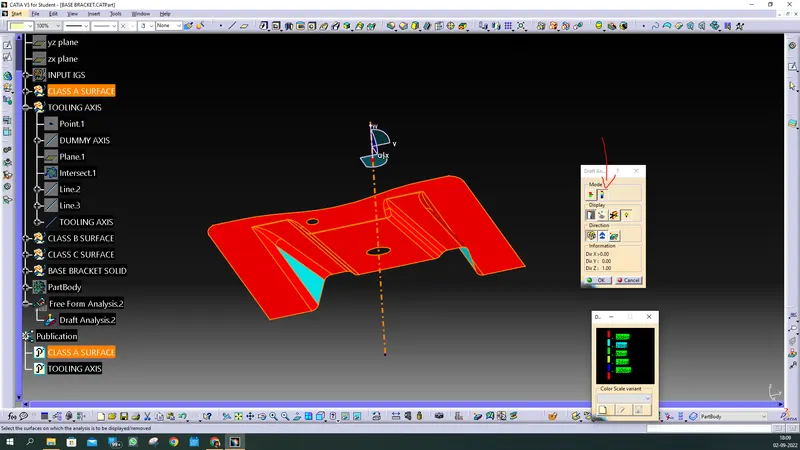
now we see full analysis , in which we see indexing of draft ranges: all the face above 20 degree is red, all the faces between 2 to 20 degree is cyan color,
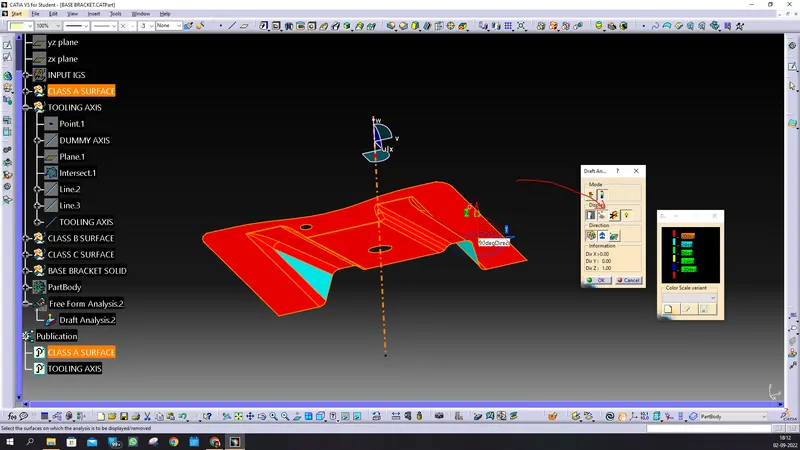
now we see angle analysis by rtunning point,
we can at marked face it is 90 degree thatis true. if we go for other draft face it will show exact draft angle with tooling axis
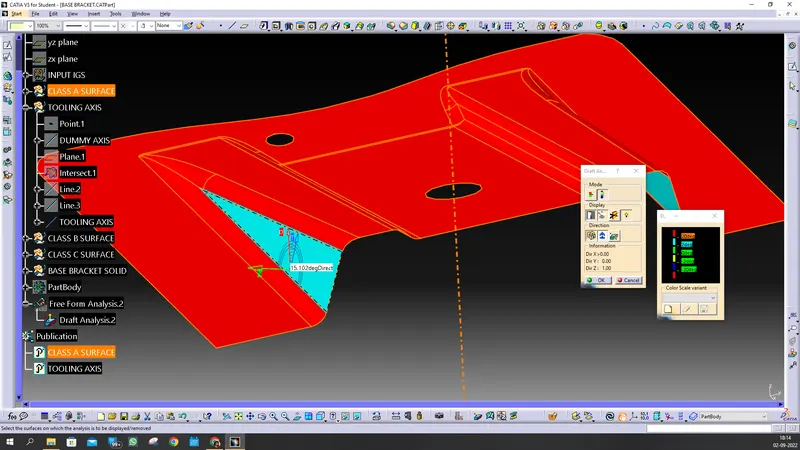
since, there is no negative draft, the draft must be greater than 3 degree, which it does qualify, now we can create surface class B & C:
now in new GEO set , extract face without draft in it,
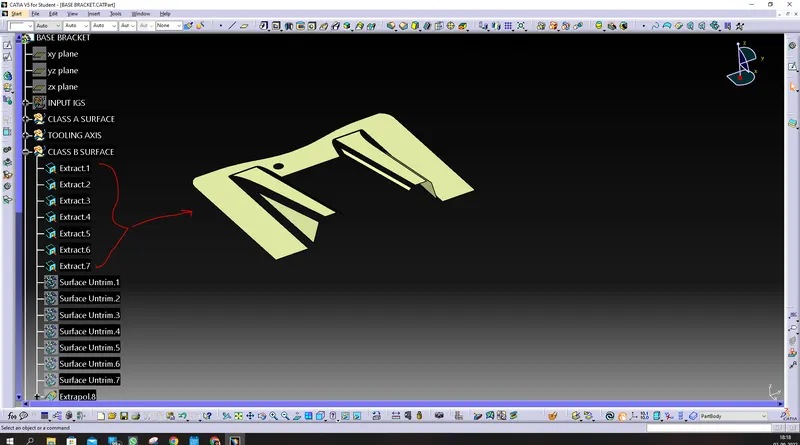
we do untrim it, then the original extracted face will be hide, and untrim face will shown up.
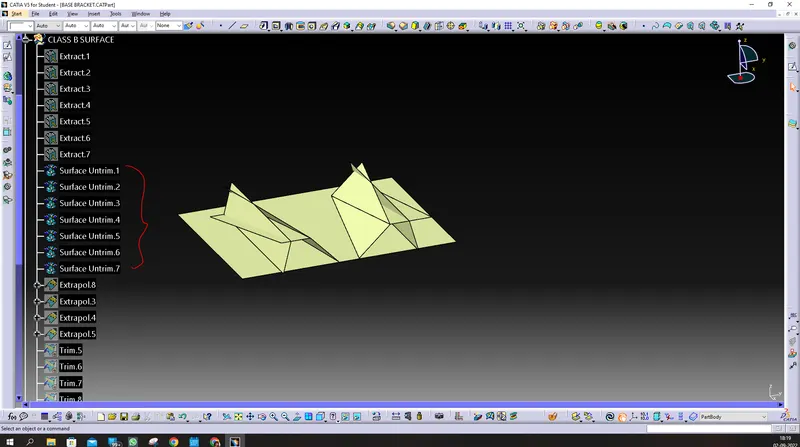
we do extrapolate it,
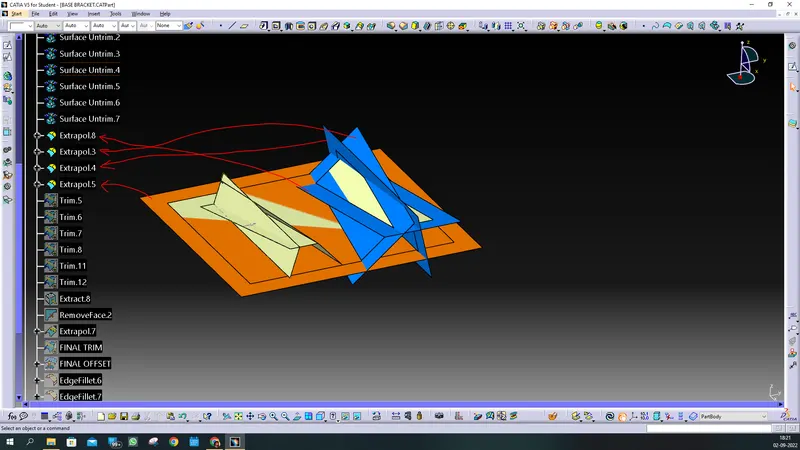
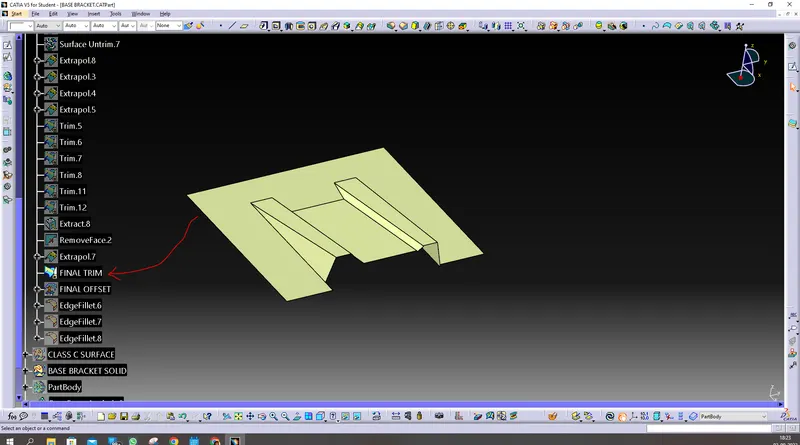
you trim it one by one, and you get final trim,
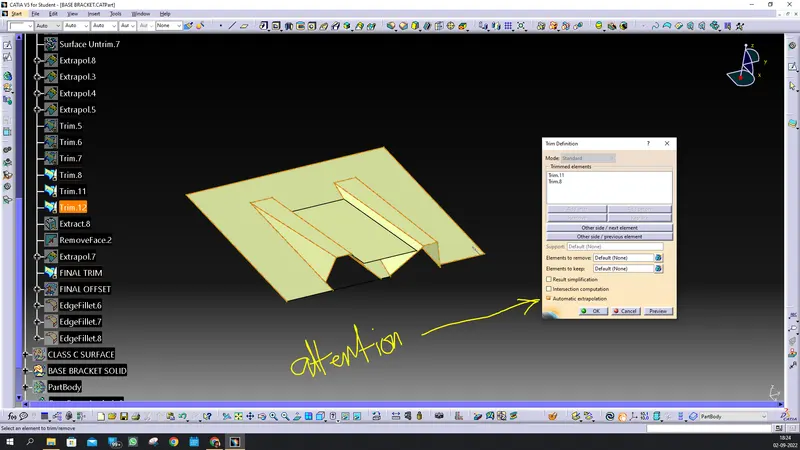
attention, to click it while extrapolation, otherwise you will get error, what it does it, it automatically extrapolate to trim the edges.
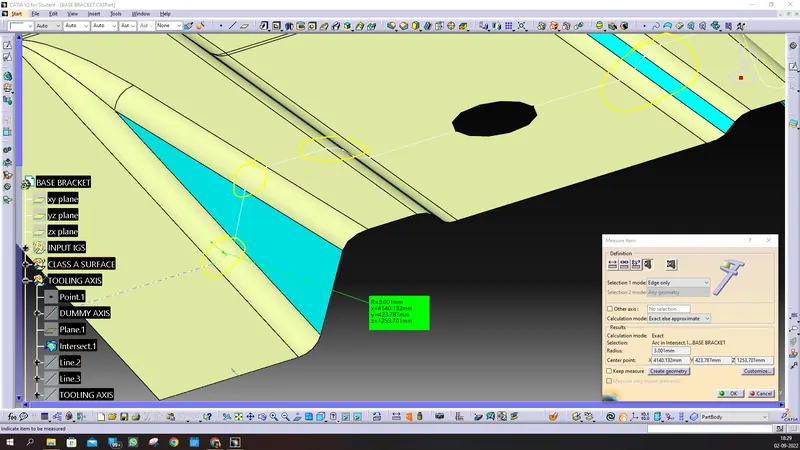
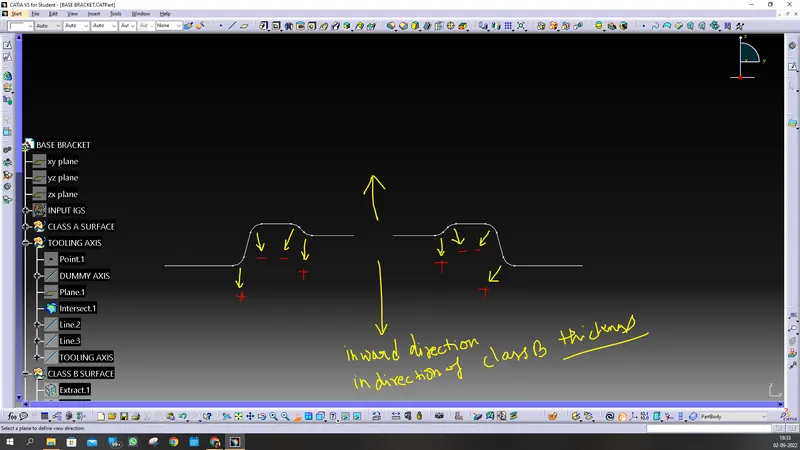
you do offset to thicknes what your required , here is 2.5mm, do fillet at the edges . you measure it from surface A and do fillet increses for CONCAVE FILLET in INWARD direction, And Fillet decrease for CONVEX fillet in inward direction .
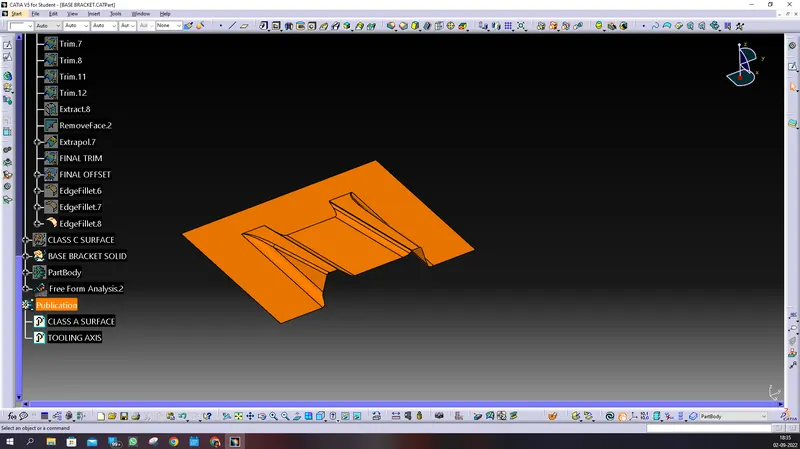
now create another GEO set for CLASS c SURFACE, AND SHOW UP CLASS A SURFACE.
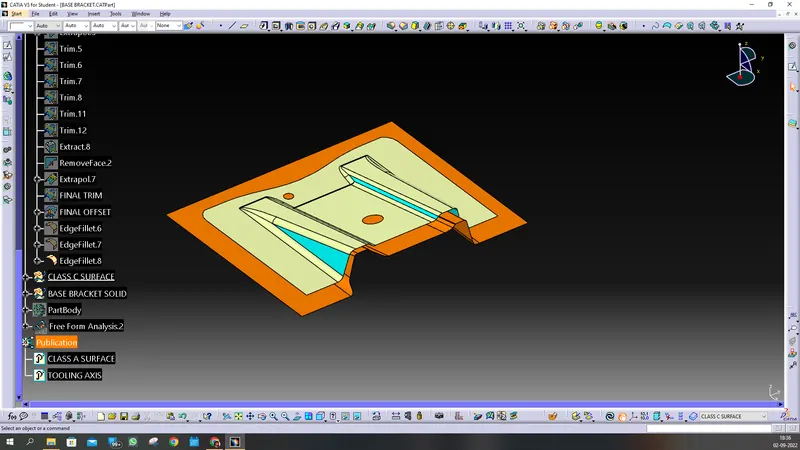
WE CREATE A BOUNDARY CURVE FROM SURFACE A,
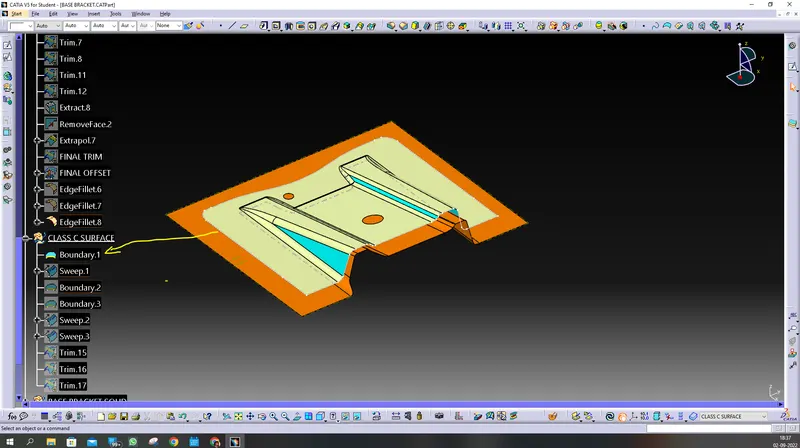
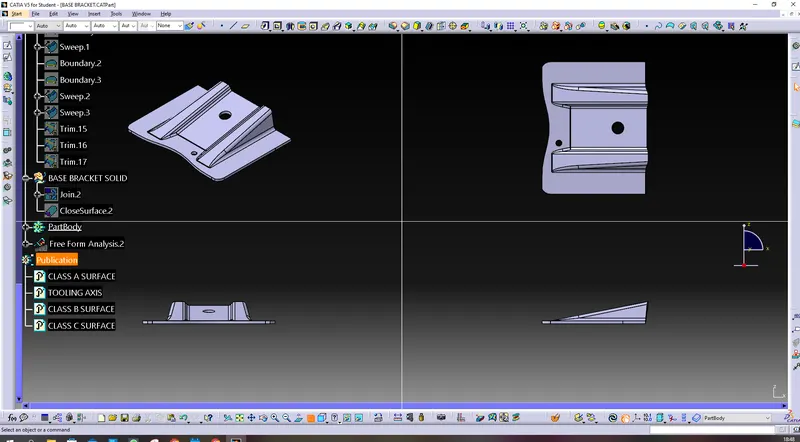
NOW WE CREATE SWEEP AS SHOWN, USING DRAFT DIRECTION
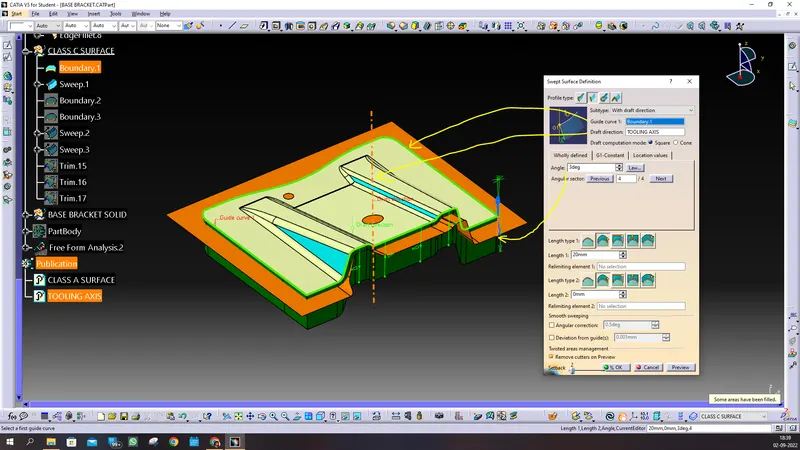
SIMILARY DO FOR THE HOLES:
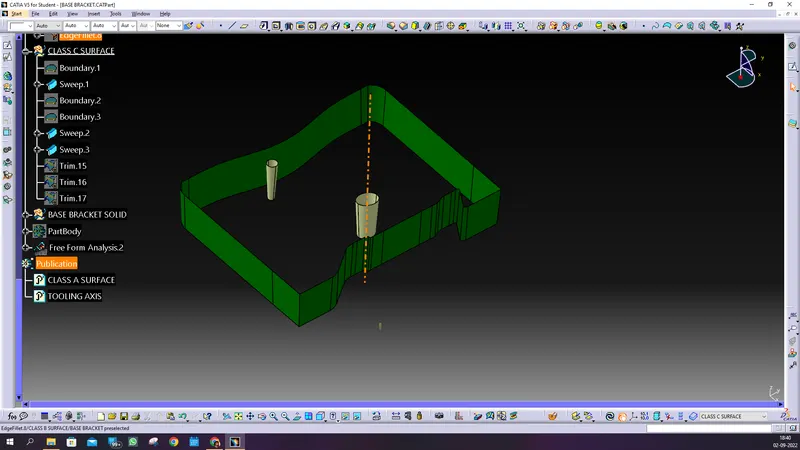
NOW TRIM IT ,
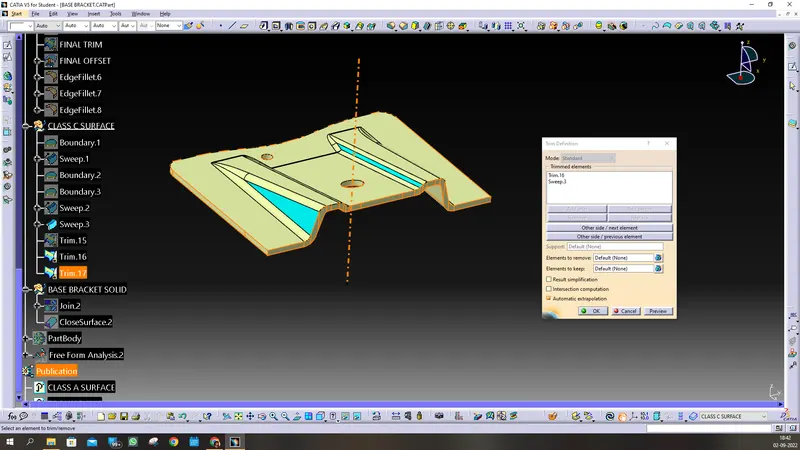
NOW WE CREATE ANOTHER GEO SET NAME AS BRAKECT SOLID, AND WE JOIN ALL THE THREE CLASS a, b c SURFACES. THEN WE CREATE CLOSED VOLUME AS SHO9WN:
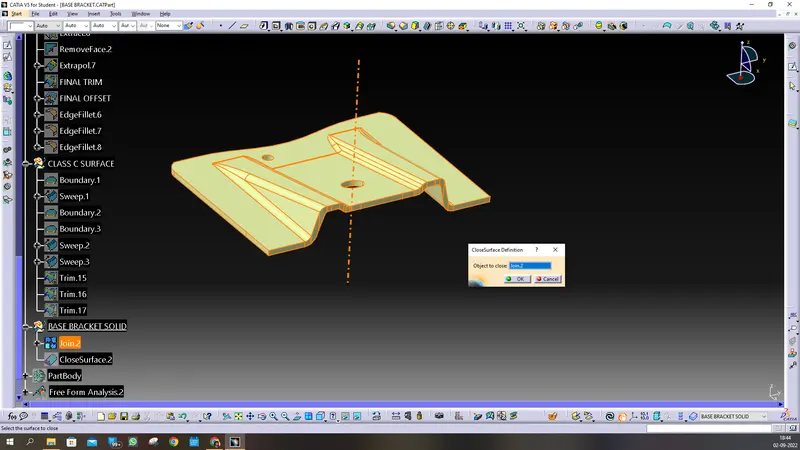
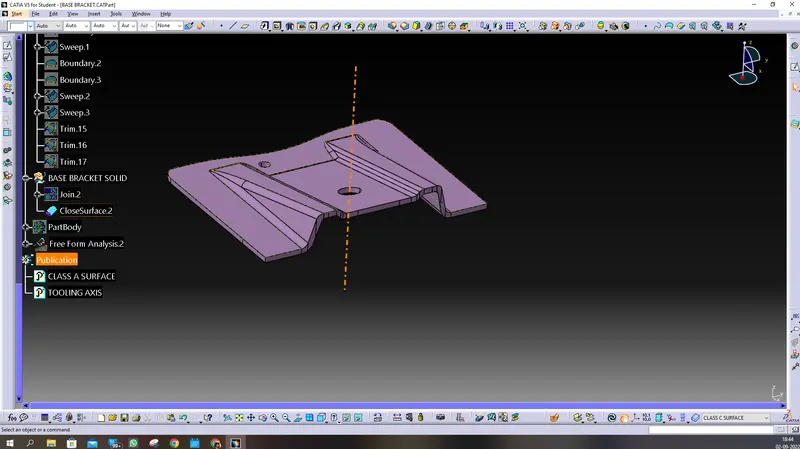
NOW TO PART WORKBENCH AND ADD CLOSED VOLUME INTO PART BODY,
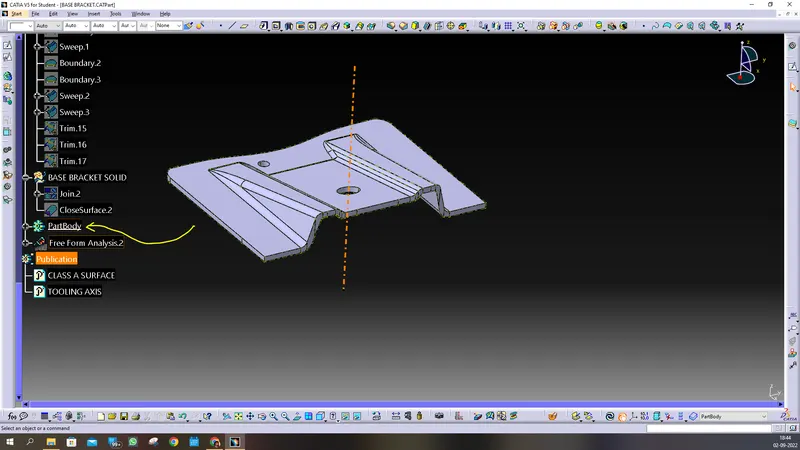
THANK YOU.