Week 2- 2R Robotic Arm Challenge
hi, I am Deepak Sharma,
Date : 17-03-2022
Today, we will see the2R robotic arm movement , its forward kinematics.
here below we can see, a robotic arm:
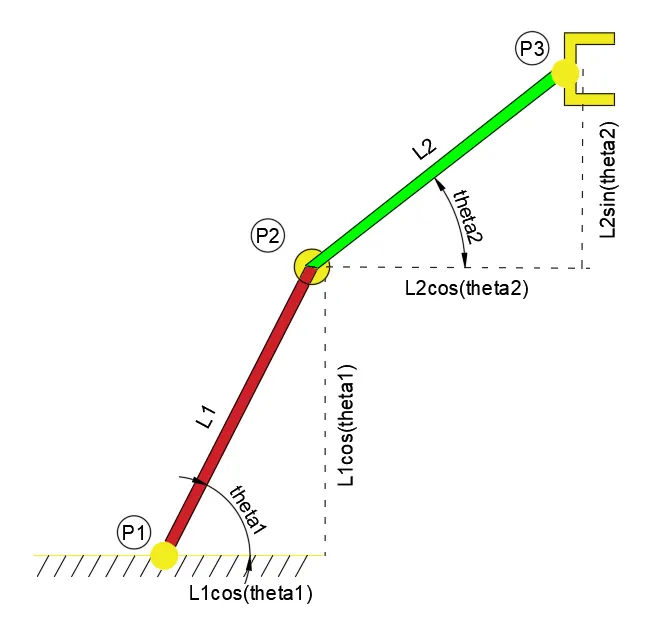
L1= is the length of arm 1st , And L2= is the second arm length.
theta1= angle of Arm L1, and theta2= angle fo arm L2.
P1 is the point where the first arm is connected to ground, hence co-ordinate of P1= (x0, y0)
P2=(x1, y2) & P2=(x2, y2).
so, from above for L1:
x-component= L1 x cos(theta1)
y-component= L1 x sin(theta1)
also for L2:
x-component=L2 x cos(theta2)
y-component=L2 x sin(theta2)
hence, x1= L1 x cos(theta1), y1= L1 x sin(theta1)
also x2= L2 x cos(theta2) , y2=L2 x sin(theta2)
Let , theta1= 45 & theta2=90
we will use cosd instead of cos, because only cos or sin, the angle will be taken as Radian, and cosd means: cos will take angle in degree.
code:
% Forward kinematics of a 2R Robotic Arm Challenge
% 17-03-2022

x0=0
y0=0

l1=1.0 % length of arm 1st
l2=0.5 % length of arm 2nd

theta1=45
theta2=90

x1=l1 * cosd(theta1) % x-component of l1
y1=l2 * sind(theta1) % y-component of l1

x2=x1+l2 * cosd(theta2) % x-component of l2
y2=y1+l2 * sind(theta2) % y-component of l2


plot([x0 x1],[y0 y1],[x1 x2],[y1 y2],'linewidth',3)
title('robot arm manipulator')
xlabel('x-axis')
ylabel('y-axis')
axis([0 1.0 0 1.0])
output:
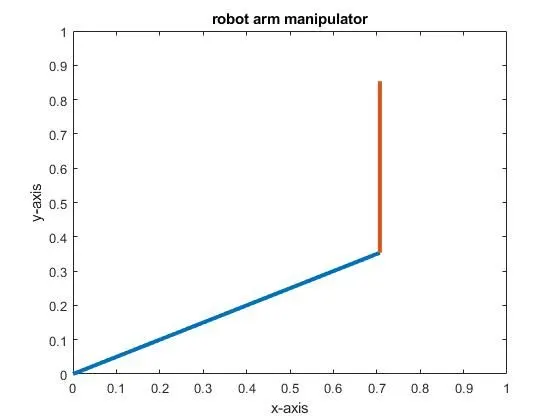
now, we have to change theta1 & theta2 again and again. for specific value of theta1 , the theta2 value will have multiple value.
to repeat the above code again and again we will use "for loop", that helps to change theta1 and theta2 repeatedly.
code:
% Robot arm Forward kinematics: code2
% INPUTS:
clear all
close all
clc

L1= 1.0
L2= 0.5

theta1=linspace(0,90,30)
theta2=linspace(0,90,30)

ct=1
for i=1:length(theta1)
    THETA1=theta1(i)
    for j=1:length(theta2)
        THETA2=theta2(j)
x0=0
y0=0
x1=L1 * cosd(THETA1) % x-component of L1
y1=L1 * sind(THETA1) % y-component of L1

x2=x1+L2 * cosd(THETA2) % x-component of L2
y2=y1+L2 * sind(THETA2) % y-component of L2

plot([x0 x1],[y0 y1],[x1 x2],[y1 y2],'linewidth',3)
axis([0 1.5 0 1.5])
pause(0.01)
title('robot arm manipulator')
xlabel('x-axis')
ylabel('y-axis')
M(ct)=getframe(gcf)
ct=ct+1
    end
end
movie(M)
videofile=VideoWriter('Robot Arm Manipulator','uncompressed avi')
open(videofile)
writeVideo(videofile, M)
close(videofile)
EXPLANATION:
clear all
close all
clc
it clears all value, syntax & other
L1= 1.0
L2= 0.5
theta1=linspace(0,90,30)
theta2=linspace(0,90,30)
ct=1
L1 & L2 are length of arms, Theta1 & theta2 are angles for L1 & L2 respectively.
Linspace(0,90,30) : it denots, value from 0 to 90, of 30 values.
ct=1, it defines the frame no.
for i=1:length(theta1)
THETA1=theta1(i)
for j=1:length(theta2)
THETA2=theta2(j)
here for loop used to define,
lentgh(theta1): it says, nos of value that is 10, hence i=1:10,
to every value of theta1, there will be 30 values of theta2.
x0=0
y0=0
x1=L1 * cosd(THETA1) % x-component of L1
y1=L1 * sind(THETA1) % y-component of L1
x2=x1+L2 * cosd(THETA2) % x-component of L2
y2=y1+L2 * sind(THETA2) % y-component of L2,
we have learned above. about x0, x1, y0, y1, x2, y2, etc..
plot([x0 x1],[y0 y1],[x1 x2],[y1 y2],'linewidth',3) it plots line, from point 1 to point2 to point3., with linewidth of 3.
axis([0 1.5 0 1.5]) it locks plot's axis 0 to 1.5 units.
pause(0.01) for every frame pause for 0.01 seconds
title('robot arm manipulator') it define title of figure
xlabel('x-axis')
ylabel('y-axis')
M(ct)=getframe(gcf) M(ct) is array opf each frame, getframe is to get frame, "gcf" is to get current framect=ct+1
end
end it ends loops
movie(M) it movie of "M" i.e. M array
videofile=VideoWriter('Robot Arm Manipulator','uncompressed avi') it makes videofile by using command "VideoWriter("name of video", "type")
open(videofile) it opens
writeVideo(videofile, M) it write the frame of "M"
close(videofile) finally close
after running the code, the video will be saved in the directory where you have saved the script.
i have successfully, created on.
here is the link
Some problem i faced:
1. cosd it sayd cos of degree, only "cos" it takes value in radians.
2. axis([0 1.5 0 1.5]), this line must be after plot line, otherwise figure will be disturbed.
3. videofile=VideoWriter('Robot Arm Manipulator','uncompressed avi')
open(videofile)
writeVideo(videofile, M)
close(videofile)
in these video outputs command , these are case sensitive. make sure we use exact same capital where required.
4. Make sure you save the script in different location than matlab directory.
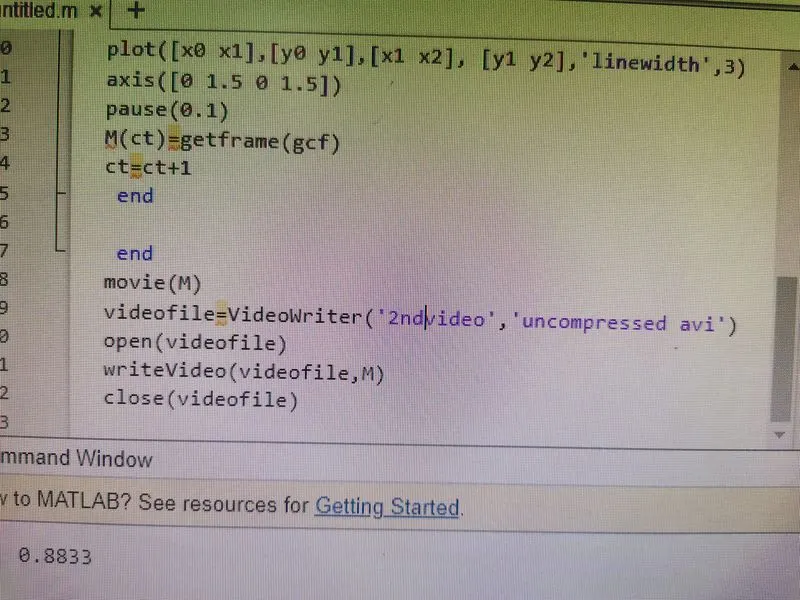
ABOVE CORRECT WAY OF VIDEO WRITING
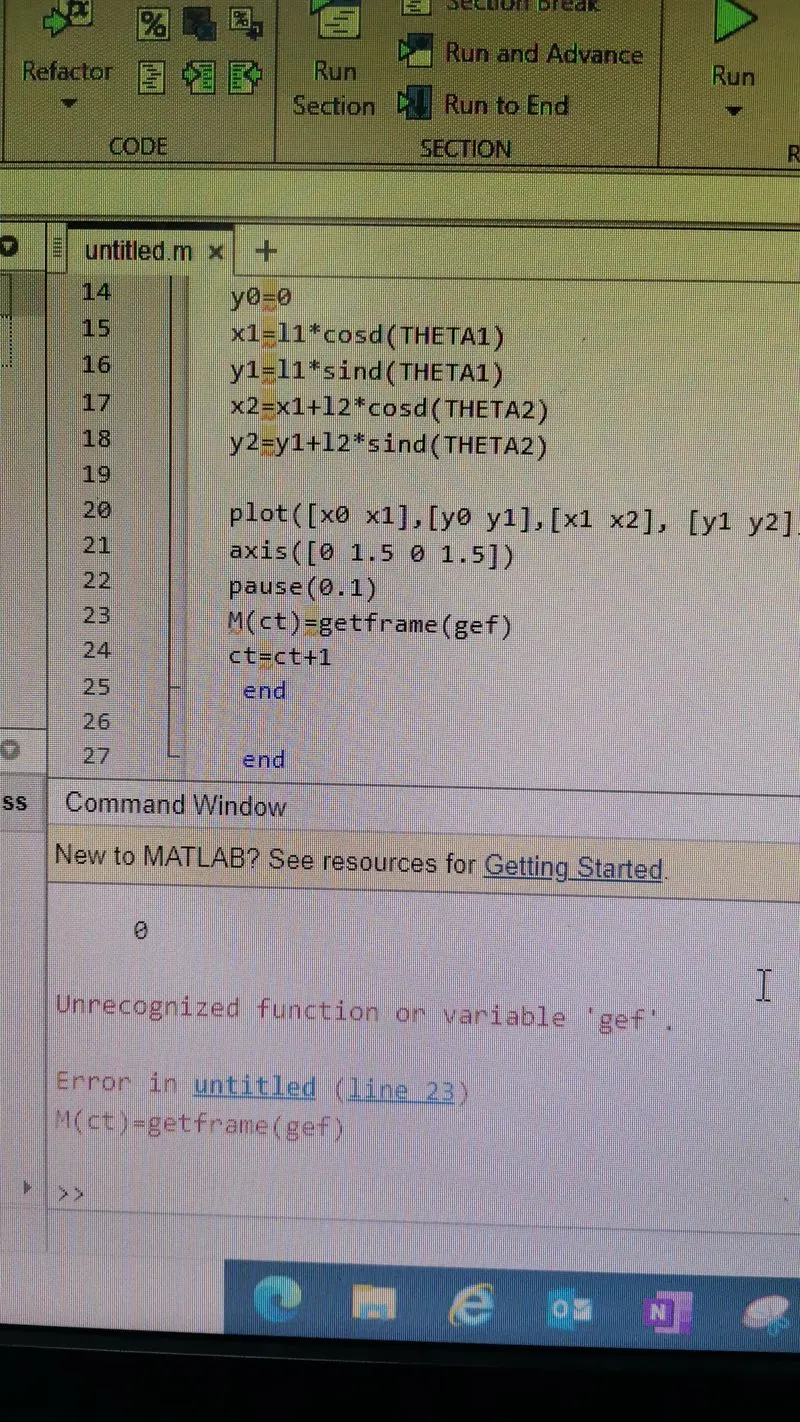
I MISSED WITH "gef" instead of "gcf"
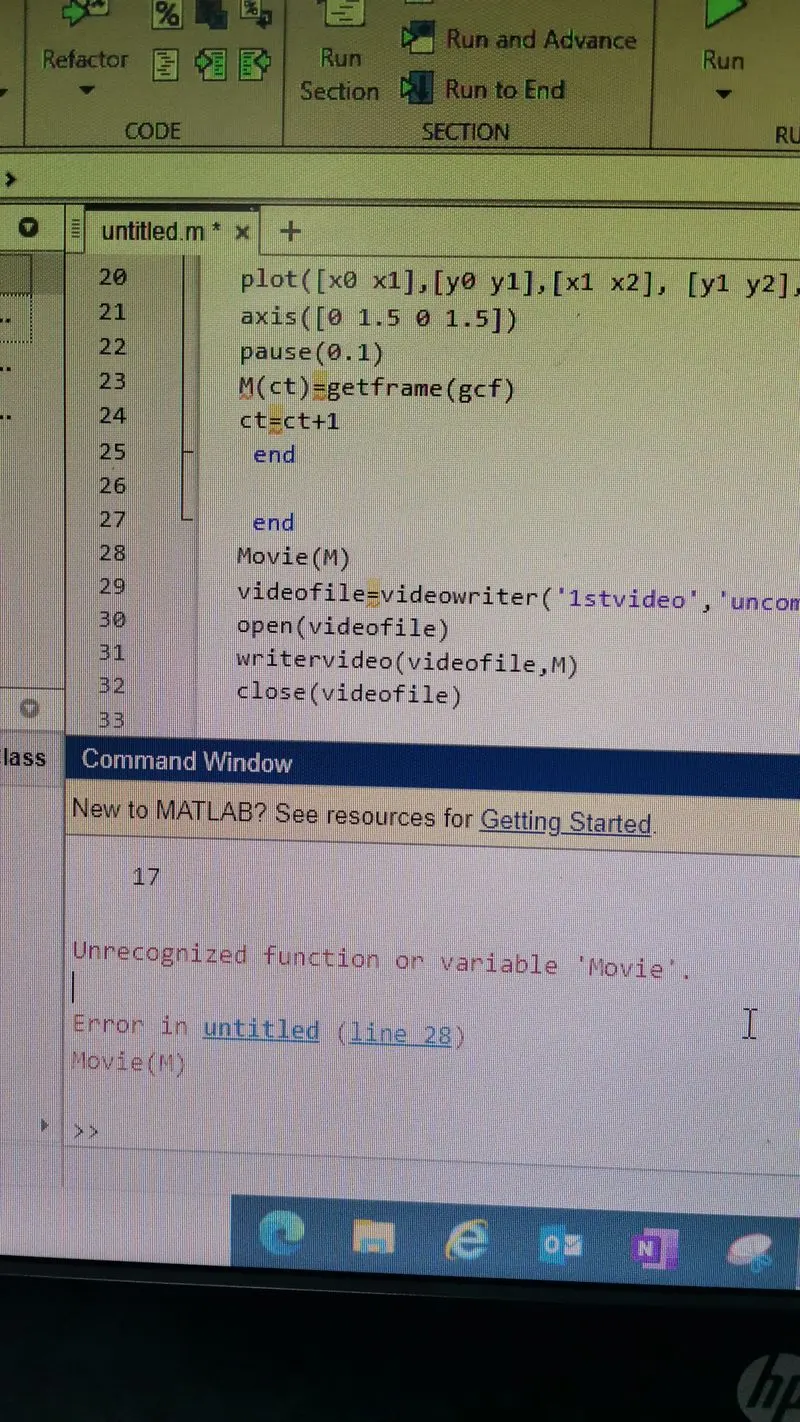
Movie, = it must be "movie". note : case sensitive
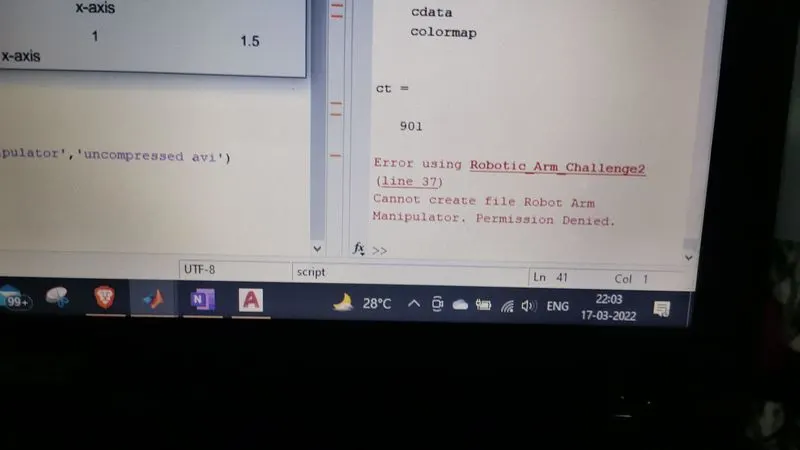
i have to save it in Local disk D instead of directory.
# THANKS TO MATHEW DANIEL, HE CLEARED MY DOUBTS