Week 8 - BlockMesh Drill down challenge
AIM:
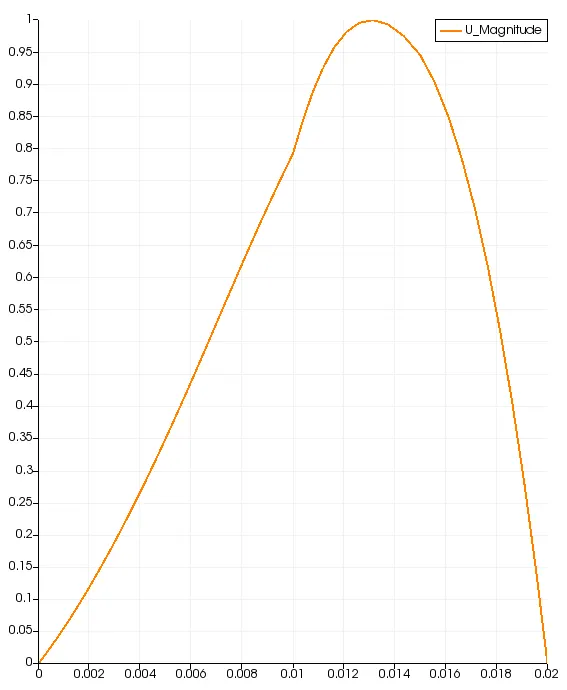
the main of this project is to simulate the flow through the backward facing step using the block in icoFoam solver and postprocess the results for velocity at 0.085 m from the start point
Theory:
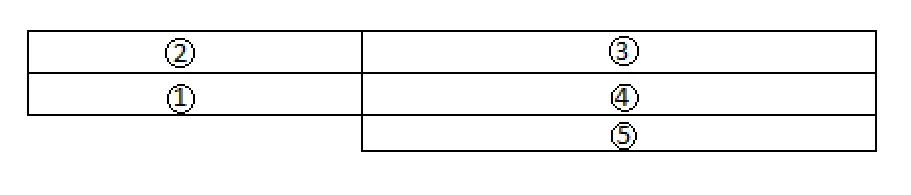
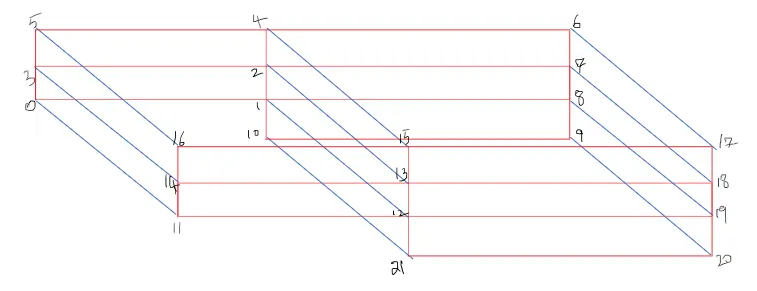
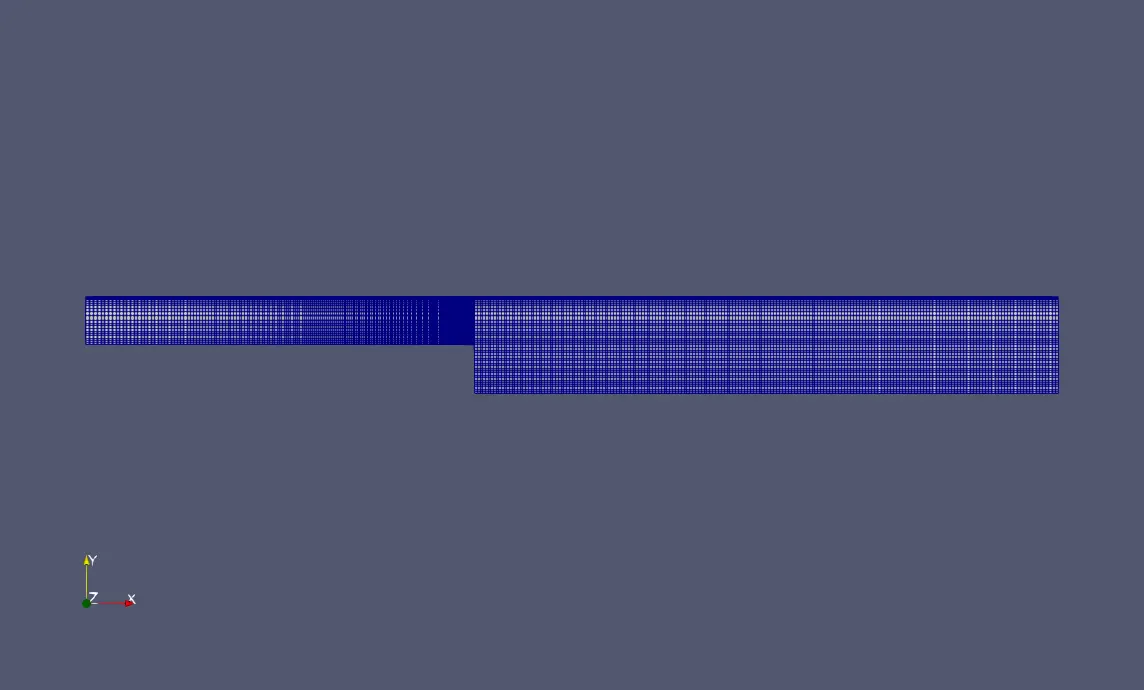
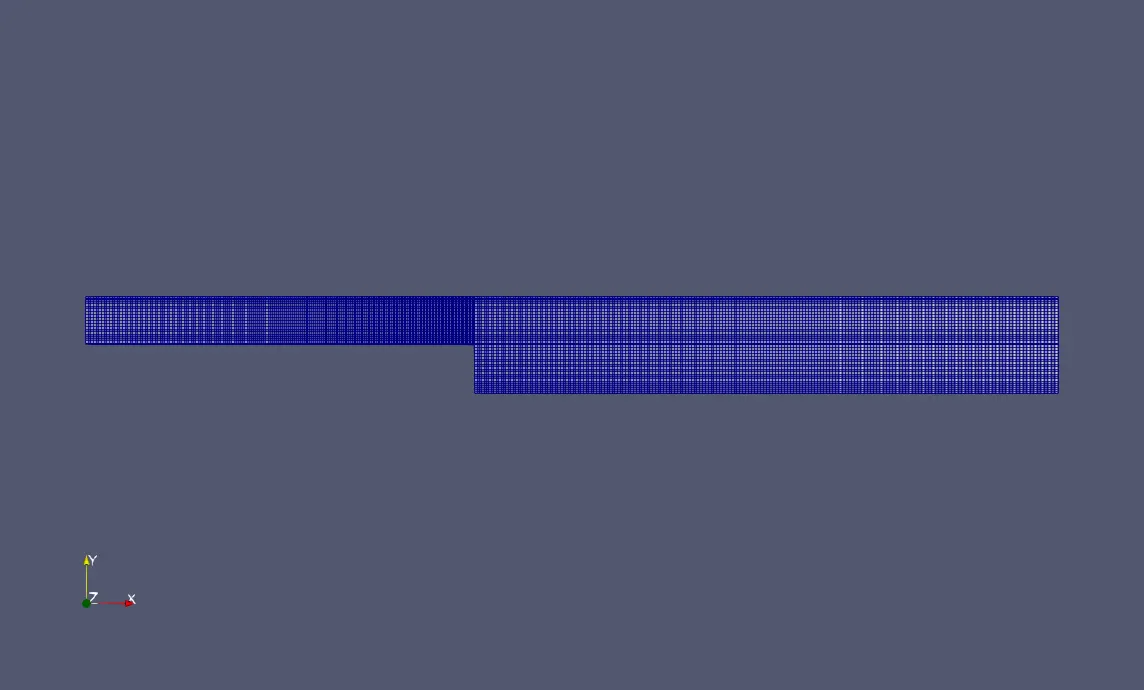
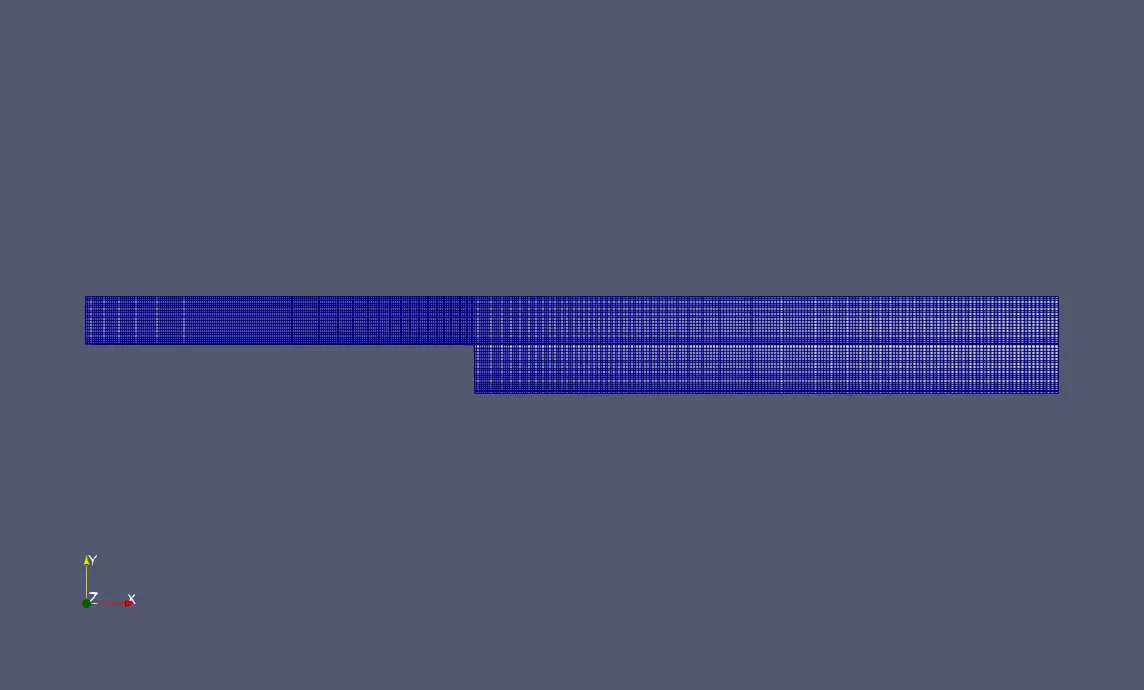
there are 5 blocks in this particular project, 200 cells in the x direction and 10 cells in the y direction(for top 4 blocks ) and 20 cells in the y direction for the bottom block(5) so that the mesh is aligned.
the block mesh diagram is as show below
STEPS:
- open the terminal window in linux
- type 'cd $FOAM_TUTORIALS' which will take you to the tutorials folder in open foam
- typr 'ls' to view the contents of this folder
- type 'cd icoFoam' then 'ls' to open the icoFoam directory
- type 'cd cavity' then 'ls' to open the cavity directory
- type 'cd -r/cavity/FOAM_RUN' to copy the cavity module onto the run folder
- type 'cd FOAM_RUN' this will take you to the run directory (PS: never run the suimulation in the perticular tutorial folder as it may corrupt the original files )
- type 'cd' and 'ls' to view the contents of the copied file
- open cavity-> system and then 'ls' to view the contents
- type 'gedit blockMeshDict' and allocate the grid size and the grading factor as required
- likewise edit controlDict with respect to the initial conditions
- come back to the cavity folder by typing 'cd ..'
- in this file edit the velocity and pressure values according to the initial conditions given in the question which can be found in the '0' folder
- after doing the edits to the folders in the copy of cavity we need to run the BlockMesh command to generate the mesh, check mesh for errors using the paraFoam command which opens paraview
- after checking the mesh use the 'icoFoam' command to simulate the problem
- after the completion of the calculation type 'paraFoam ' to open the post processor
- ParaView is an open-source multiple-platform application for interactive, scientific visualization. It has a client–server architecture to facilitate remote visualization of datasets, and generates level of detail models to maintain interactive frame rates for large datasets.
CODE:
shown below is the code for the simple grading. we edit the blockMeshDict file in the system folder
/*--------------------------------*- C++ -*----------------------------------*\
  =========                 |
  \\      /  F ield         | OpenFOAM: The Open Source CFD Toolbox
   \\    /   O peration     | Website:  https://openfoam.org
    \\  /    A nd           | Version:  8
     \\/     M anipulation  |
\*---------------------------------------------------------------------------*/
FoamFile
{
    version     2.0;
    format      ascii;
    class       dictionary;
    object      blockMeshDict;
}
// * * * * * * * * * * * * * * * * * * * * * * * * * * * * * * * * * * * * * //

convertToMeters 0.01;

vertices
(
    (0 0 0) //point 0
    (8 0 0)//point 1
    (8 0.5 0)//point 2
    (0 0.5 0)//point 3
    (8 1 0)//point 4
    (0 1 0)//point 5
    (20 1 0)//point 6
    (20 0.5 0)//point 7
    (20 0 0)//point 8
    (20 -1 0)//point 9
    (8 -1 0)//point 10
    (0 0 0.1) //point 11
    (8 0 0.1)//point 12
    (8 0.5 0.1)//point 13
    (0 0.5 0.1)//point 14
    (8 1 0.1)//point 15
    (0 1 0.1)//point 16
    (20 1 0.1)//point 17
    (20 0.5 0.1)//point 18
    (20 0 0.1)//point 19
    (20 -1 0.1)//point 20
    (8 -1 0.1)//point 21

);

blocks
(
    hex (0 1 2 3 11 12 13 14) (200 10 1) simpleGrading (1 1 1)
    hex (3 2 4 5 14 13 15 16 ) (200 10 1) simpleGrading (1 1 1)
    hex (2 7 6 4 13 18 17 15) (200 10 1) simpleGrading (1 1 1)
    hex (1 8 7 2 12 19 18 13) (200 10 1) simpleGrading (1 1 1)
    hex (10 9 8 1 21 20 19 12) (200 20 1) simpleGrading (1 1 1)
);

edges
(
);

boundary
(
    inlet
    {
        type patch;
        faces
        (
            (0 11 14 3)
            (3 14 16 5)
        );
    }
    outlet
    {
        type patch;
        faces
        (
            (9 8 19 20)
            (8 7 18 19)
            (7 6 17 18)
        );
    }
    frontAndBack
    {
        type empty;
        faces
        (
            (0 3 2 1)
            (3 5 4 2)
            (10 1 8 9)
            (1 2 7 8)
            (2 4 6 7)
            (11 12 13 14)
            (14 13 15 16)
            (13 18 17 15)
            (12 19 18 13)
            (21 20 19 12)
        );
    }
    noslipwalls
    {
    	type wall;
    	faces
    	(
    		(16 15 4 5)
    		(15 17 6 4)
    		(0 1 12 11)
    		(10 21 12 1)
    		(10 9 20 21)
    	);
    }
);

mergePatchPairs
(
);

// ************************************************************************* //
for the controlDict
/*--------------------------------*- C++ -*----------------------------------*\
  =========                 |
  \\      /  F ield         | OpenFOAM: The Open Source CFD Toolbox
   \\    /   O peration     | Website:  https://openfoam.org
    \\  /    A nd           | Version:  8
     \\/     M anipulation  |
\*---------------------------------------------------------------------------*/
FoamFile
{
    version     2.0;
    format      ascii;
    class       dictionary;
    location    "system";
    object      controlDict;
}
// * * * * * * * * * * * * * * * * * * * * * * * * * * * * * * * * * * * * * //

application     icoFoam;

startFrom       startTime;

startTime       0;

stopAt          endTime;

endTime         0.1;

deltaT          0.0001;

writeControl    timeStep;

writeInterval   20;

purgeWrite      0;

writeFormat     ascii;

writePrecision  6;

writeCompression off;

timeFormat      general;

timePrecision   6;

runTimeModifiable true;


// ************************************************************************* //
for the pressure conditions
/*--------------------------------*- C++ -*----------------------------------*\
  =========                 |
  \\      /  F ield         | OpenFOAM: The Open Source CFD Toolbox
   \\    /   O peration     | Website:  https://openfoam.org
    \\  /    A nd           | Version:  8
     \\/     M anipulation  |
\*---------------------------------------------------------------------------*/
FoamFile
{
    version     2.0;
    format      ascii;
    class       volScalarField;
    object      p;
}
// * * * * * * * * * * * * * * * * * * * * * * * * * * * * * * * * * * * * * //

dimensions      [0 2 -2 0 0 0 0];

internalField   uniform 0;

boundaryField
{
    inlet
    {
        type            zeroGradient;
    }

    outlet
    {
        type            fixedValue;
        value		 uniform 0;
    }
    noslipwalls
    {
    	type		 zeroGradient;
    }

    frontAndBack
    {
        type            empty;
    }
}

// ************************************************************************* //
for the velocity conditions
/*--------------------------------*- C++ -*----------------------------------*\
  =========                 |
  \\      /  F ield         | OpenFOAM: The Open Source CFD Toolbox
   \\    /   O peration     | Website:  https://openfoam.org
    \\  /    A nd           | Version:  8
     \\/     M anipulation  |
\*---------------------------------------------------------------------------*/
FoamFile
{
    version     2.0;
    format      ascii;
    class       volVectorField;
    object      U;
}
// * * * * * * * * * * * * * * * * * * * * * * * * * * * * * * * * * * * * * //

dimensions      [0 1 -1 0 0 0 0];

internalField   uniform (0 0 0);

boundaryField
{
    inlet
    {
        type            fixedValue;
        value           uniform (1 0 0);
    }

    outlet
    {
        type            zeroGradient;
    }

    noslipwalls
    {
    	type		 noSlip;
    }

    frontAndBack
    {
        type            empty;
    }
}

// ************************************************************************* //
OUTPUT:
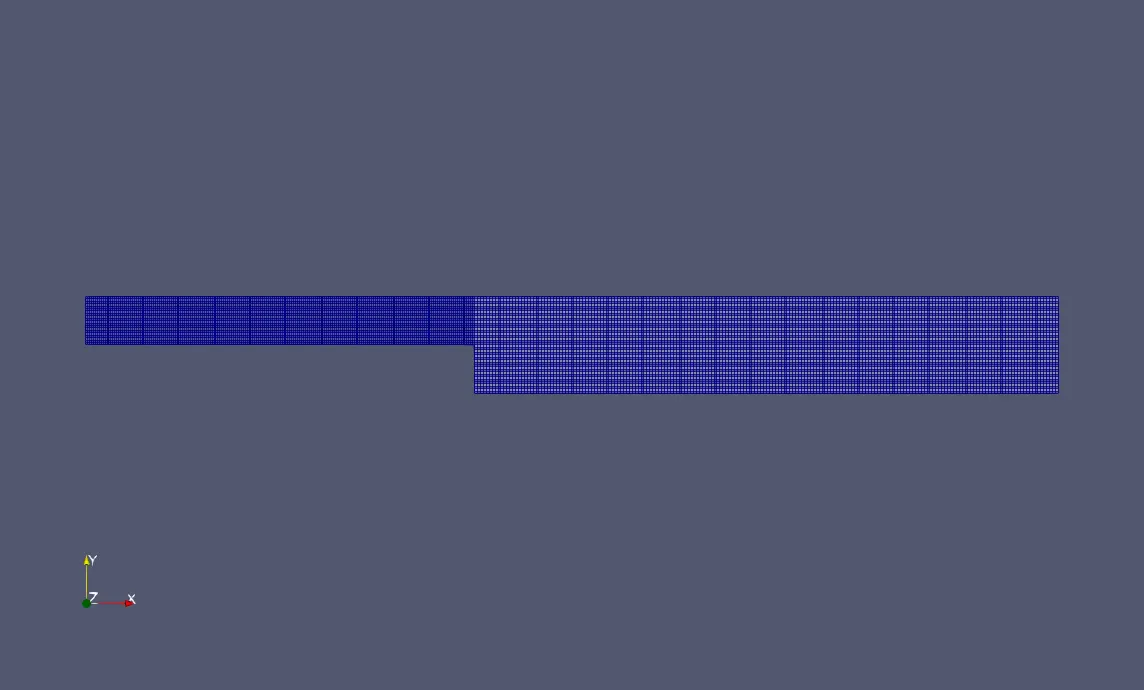
grading factor =1
the mesh block diagram
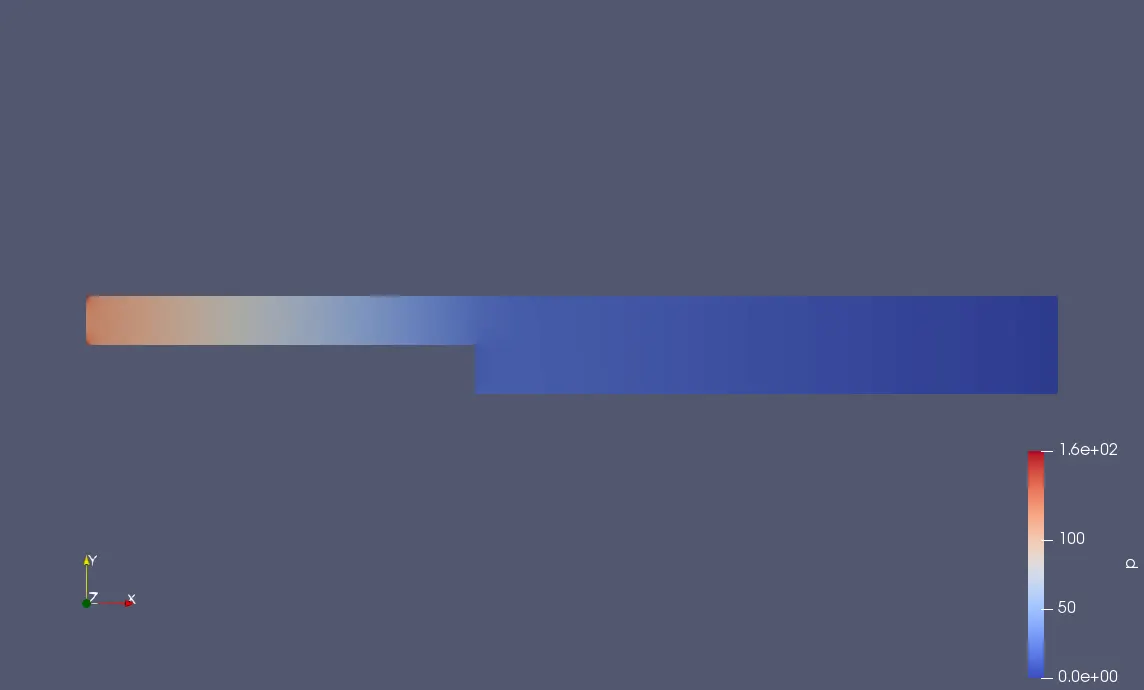
The Pressure variation Diagram
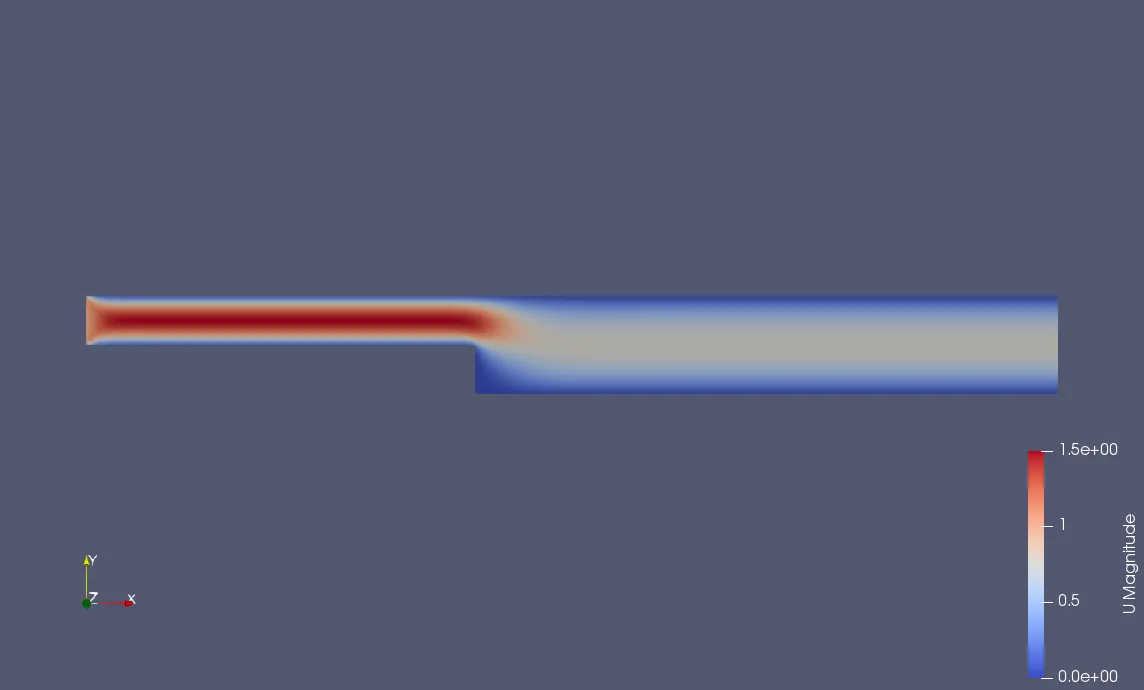
The Velocity variation diagram
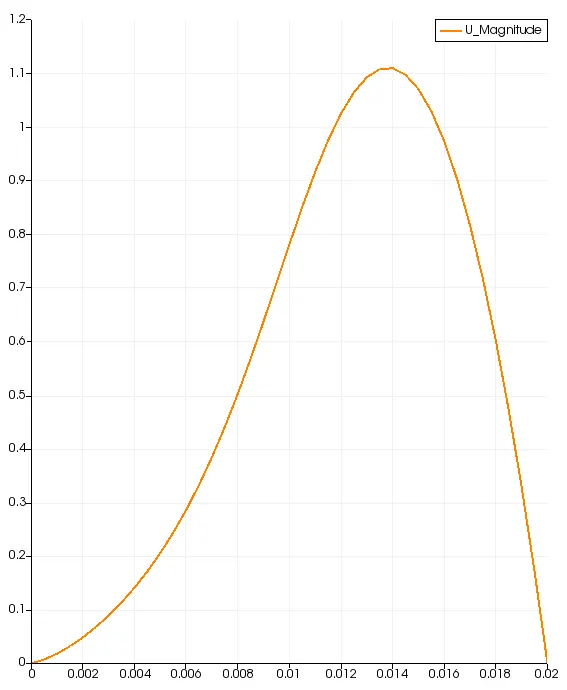
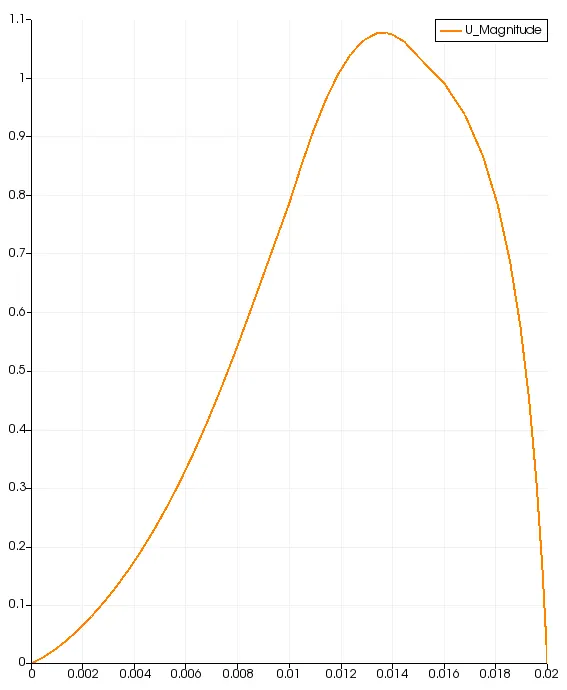
The velocity profile at 0.085
grading factor =0.2
the mesh block diagram
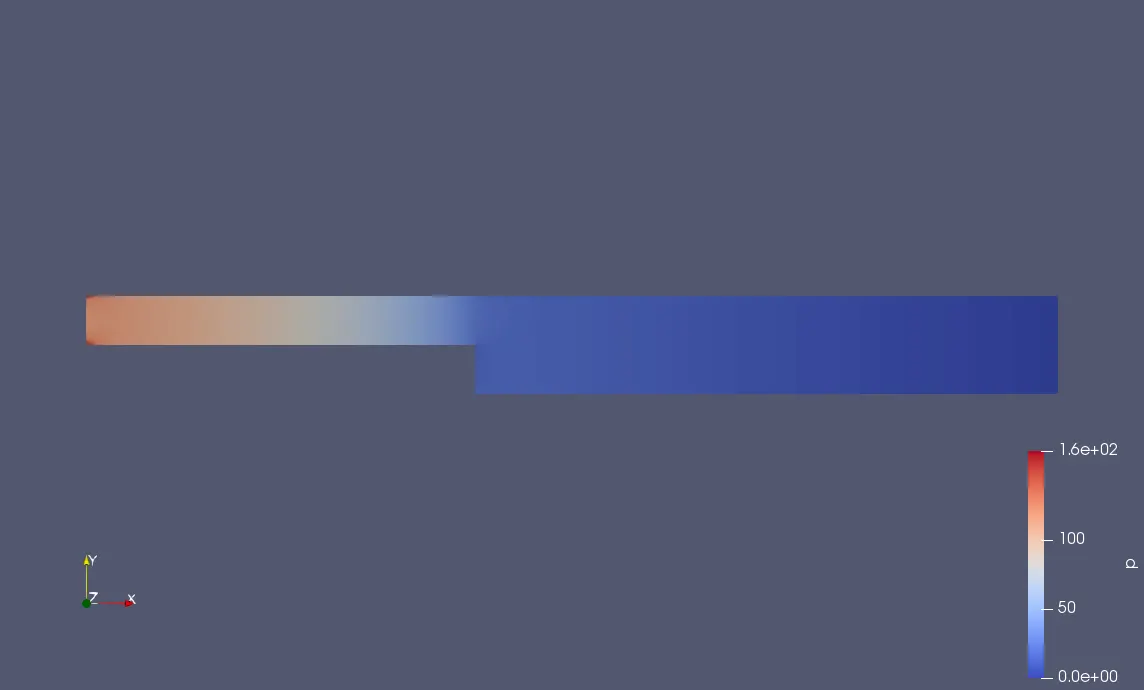
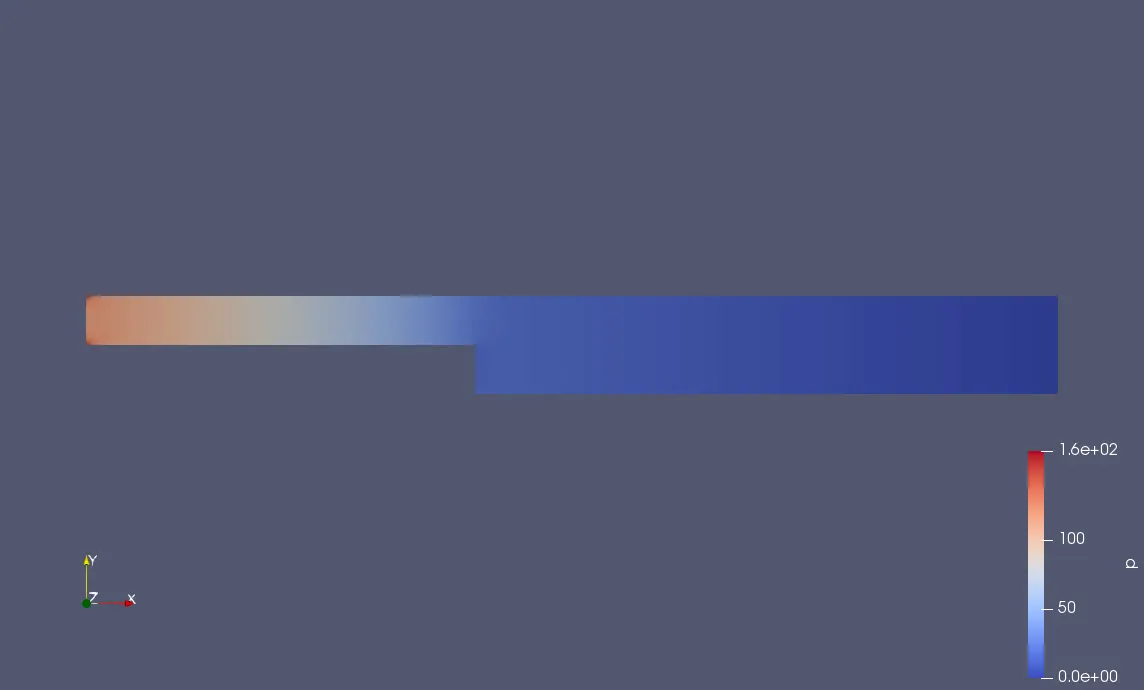
The Pressure variation Diagram
The Velocity variation diagram
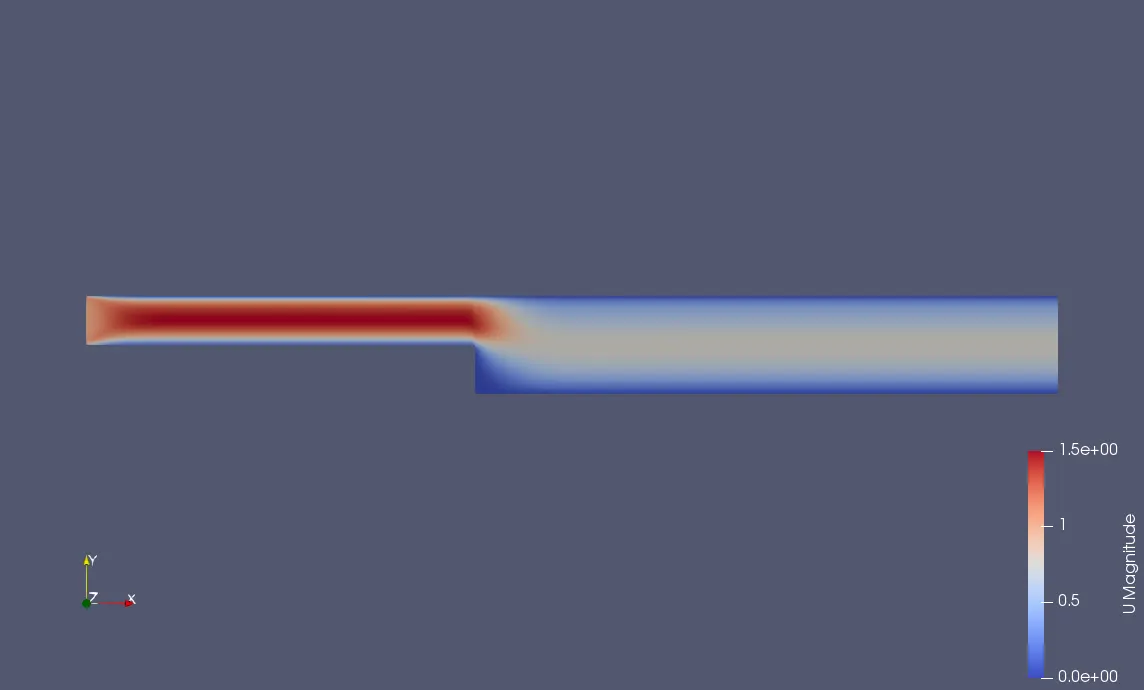
The velocity profile at 0.085
grading factor =0.5
the mesh block diagram
The Pressure variation Diagram
The Velocity variation diagram
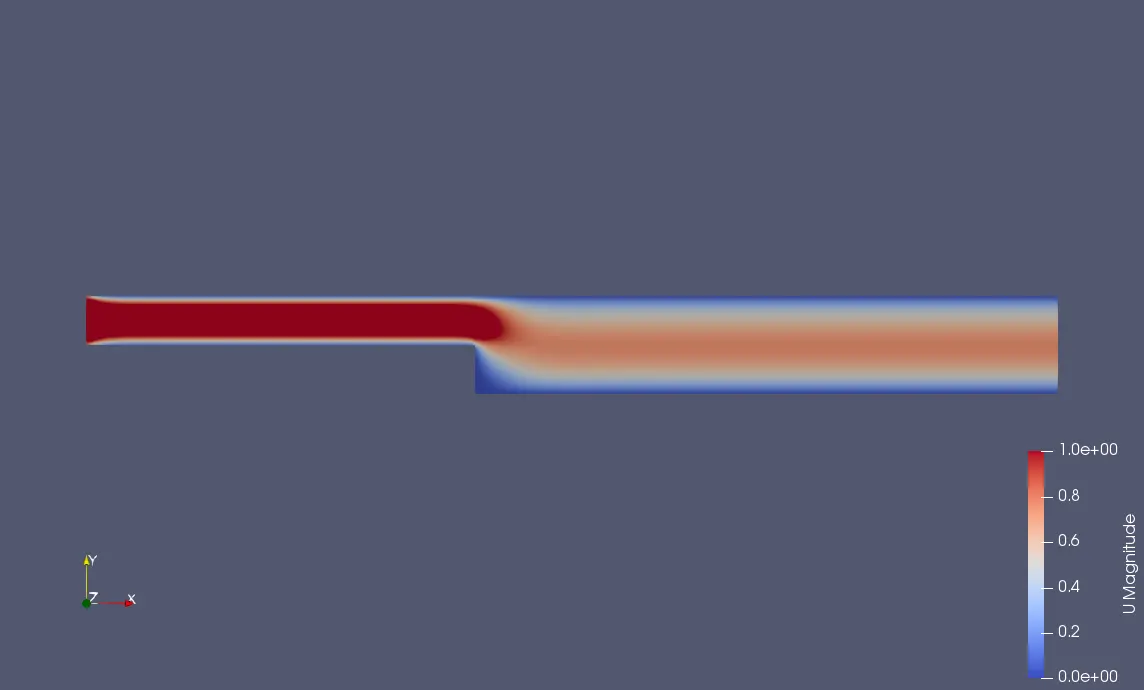
The velocity profile at 0.085
grading factor =0.8
the mesh block diagram
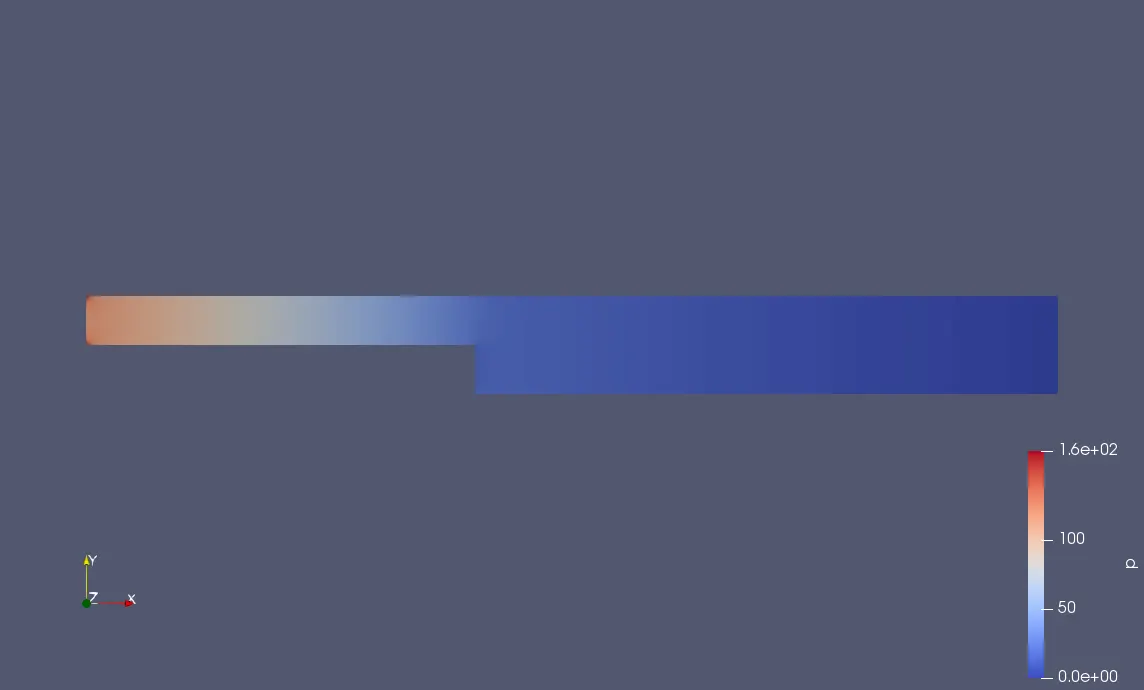
The Pressure variation Diagram
The Velocity variation diagram
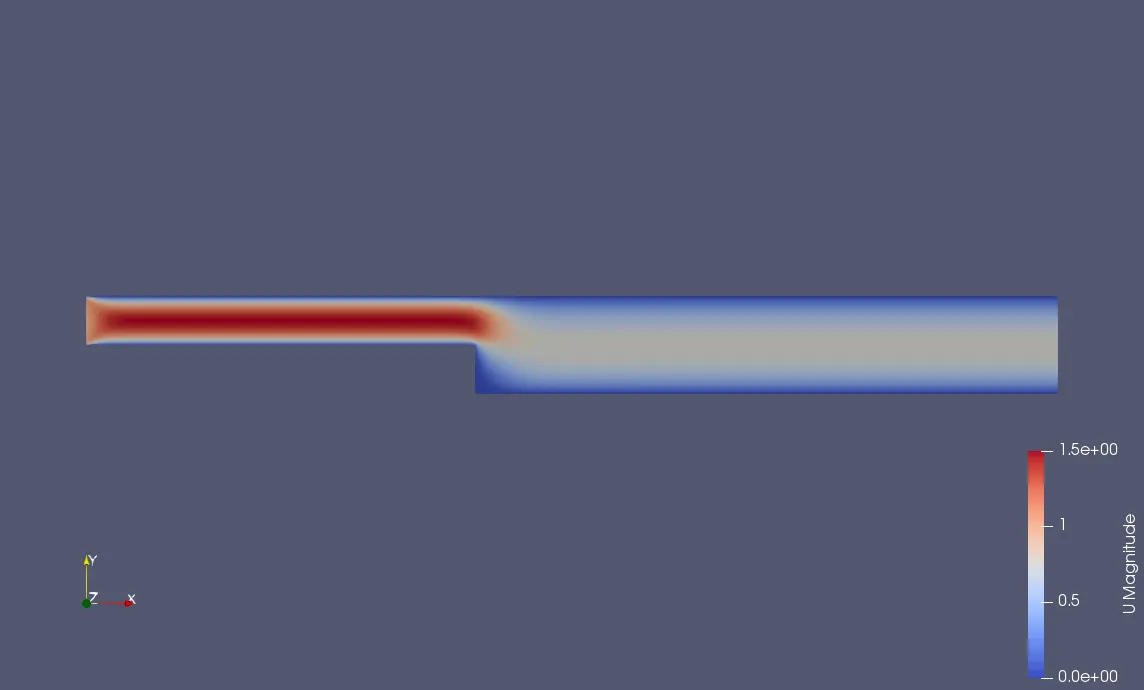
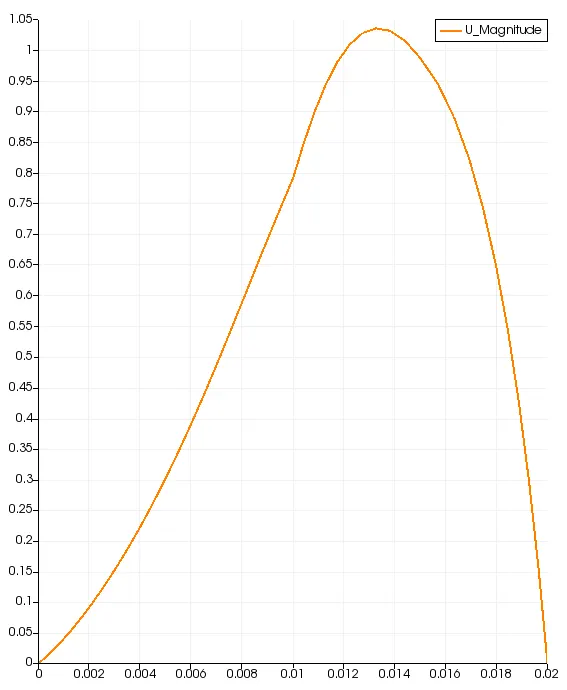
The velocity profile at 0.085
CONCLUSION:
All the velocity graphs obtained from the different meshing grading factors are similar with negligible variations. as we reduce the mesh size ie for a finer mesh the accuracy increases but the computation time increases.
Grading does not play a hhuge role in the velocity behaviour as the simulation is for small dimensions and flow parameters.
At a distace of 0.085 from the start the change in velocity gradient is not significant with grading, however grading makes the step region a little courser thus making the velocity cure a bit more distorted.