Week 8 & 9 - Four Bar Mechanism
AIM :-
To avoid trunk lid hitting the Trunk body using model.
CREATION OF MODEL
Lets create Cylinder Models using Points with Parametrization
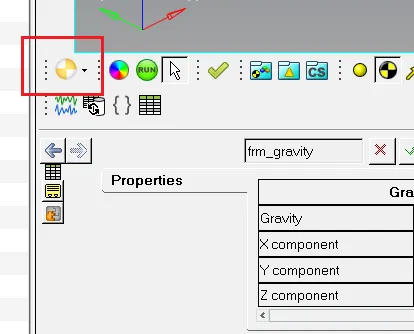
Step 1 :- Start the Hyperworks and change the list to motion View
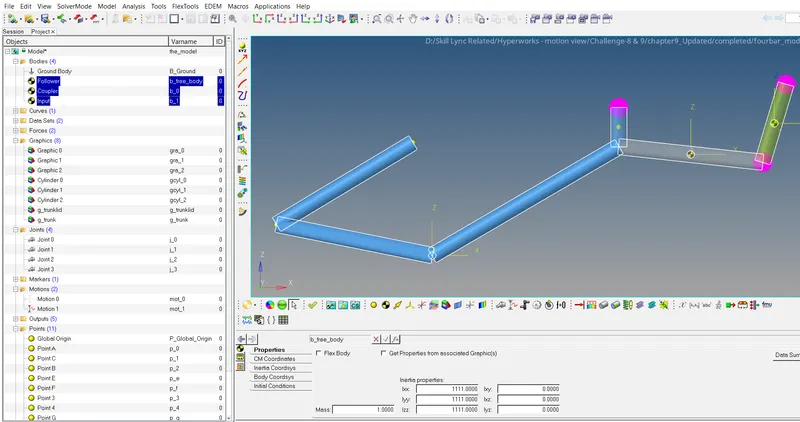
Step 2 :- Create a Bodies Follower, Coupler and Input as shown in image below
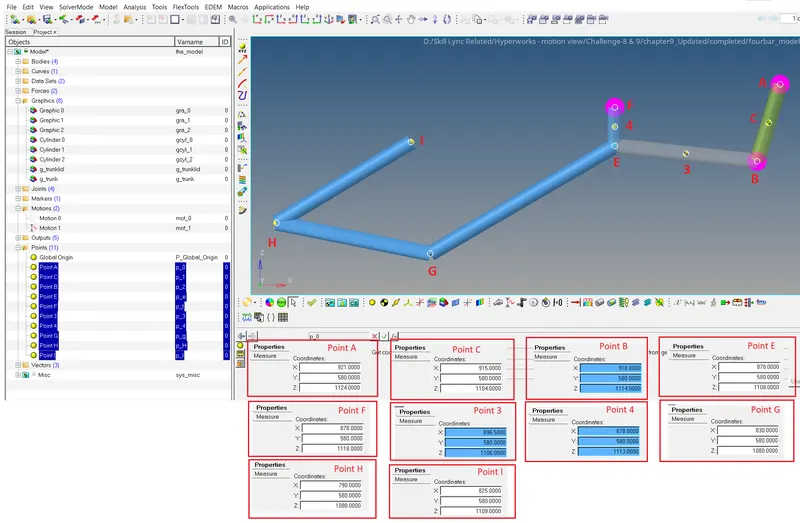
Step 3 :- Create a Points Point A, Point B, Point C, Point 3, Point 4, Point G, Point H and Point I with coordinates as shown in image below (Point B, Point 3 & Point 4 created in middle using macro)
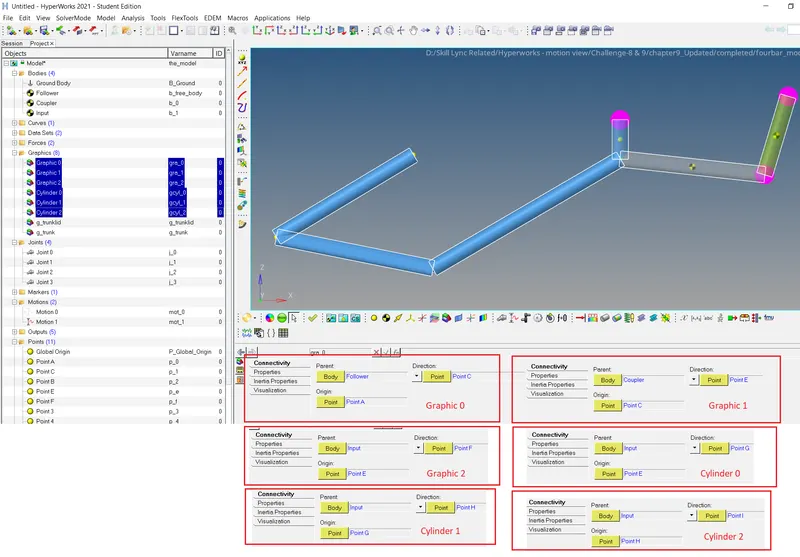
Step 4 :- Create Graphics Graphic 0, Graphic 1, Graphic 2, Cylinder 0, Cylinder 1, Cylinder 2 using points as shown in image below
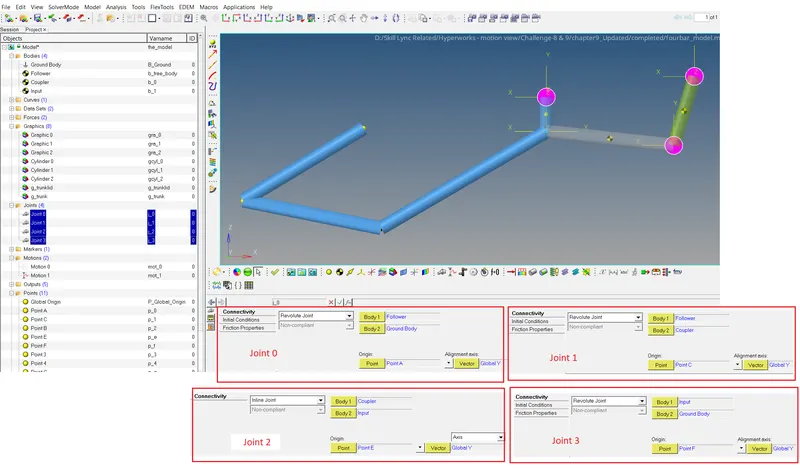
Step 5 :- Create Joints Joint 0 , Joint 1, Joint 2 and Joint 3 as shown in image below
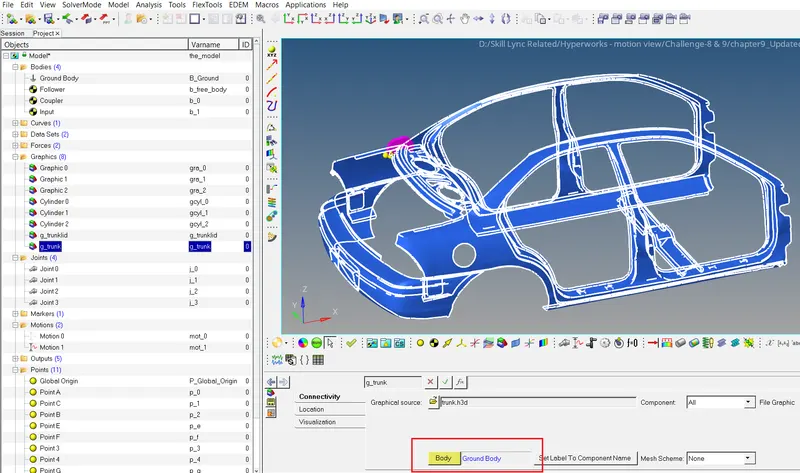
Step 6 :- Import Trunk_Body and set Body Ground body as shown in image below
Step 7 :- Import Trunk lid and set Body input as shown in image below.
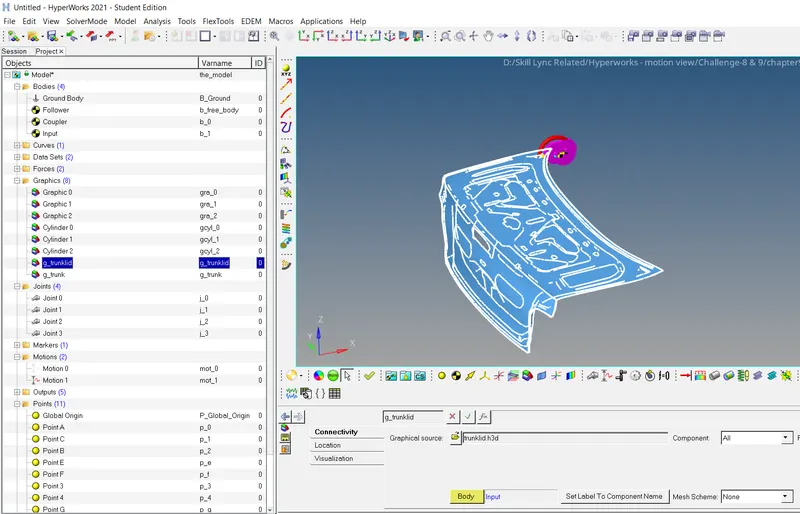
Our aim to stop the Trunk Lid hitting the hood.
Create a curve with the help of Motion curve excel file as shown in image below
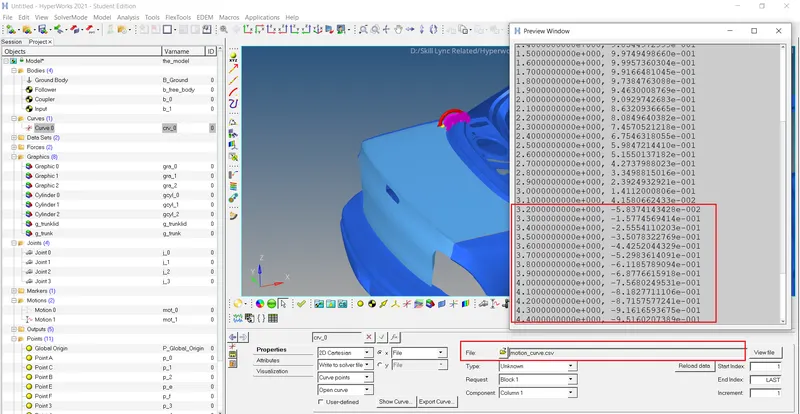
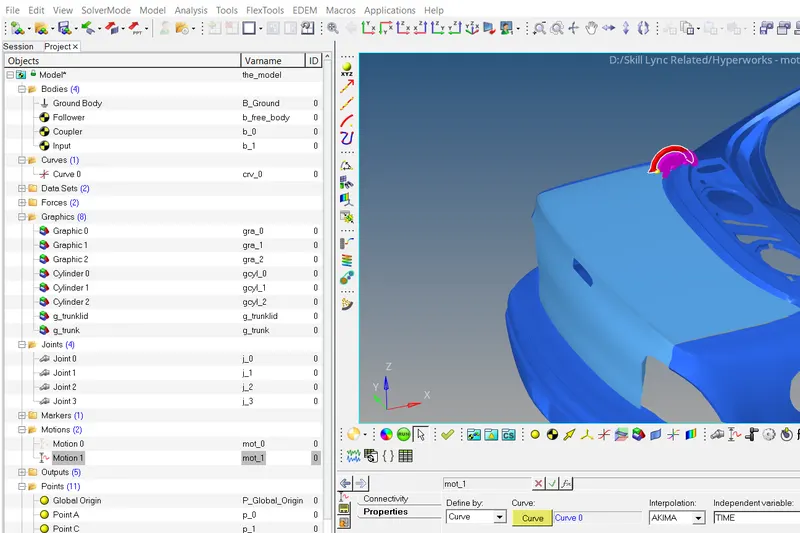
Create a motion using the Curve Curve 0 as shown in image below
It is seen that in Excell file after 3.1 sec. the value of coordinates goes in negative direction, hence change the coordinates to 0 after 3.1 sec.
Now Link that updated Excel file to Curve 0 in Both X axis and Y axis , and update the Motion.
Now run the simulation again, we can see the Lid will stop at 3.1 sec near the Hood Body.