Week 8-3D Tetra Meshing Challenge
AIM: Generating The 3D TETRA MESH WITH DIFFERENT METHOD
EXPLANATION: The following methods of three different method
1Method-conversion of 2D tria elements into tetrahedral elements, by using (tetra mesh panel)
2Method - Tetra mesh by using “Quick tetra mesh ,from the utility panel.
3Method - Tetra mesh, by using the “volume tetra mesh panel”.
PROCEDURE :
>Firstly the given model of three models of different methods.
>Then , downloads of models
>Import the model geometry
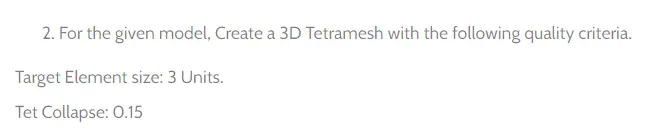
>question image
> 1Method-conversion of 2D tria elements into tetrahedral elements, by using (tetra mesh panel)
>Import model
>Given housing component
>Model 1
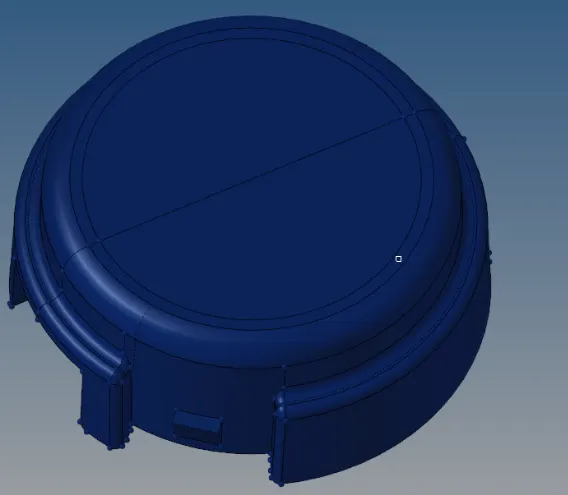
>By topology view :
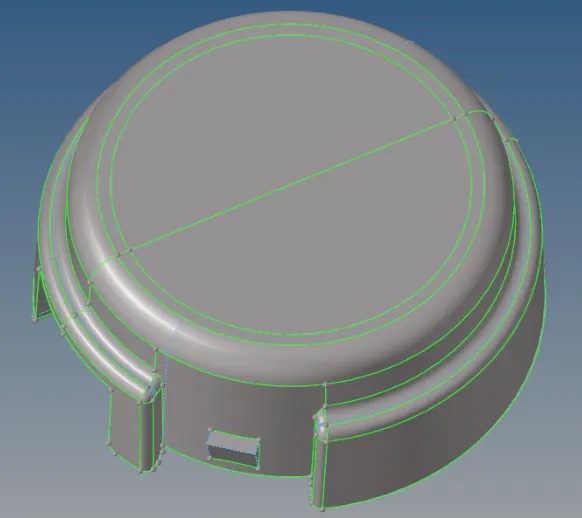
>First given surface, generating the 2D mesh with auto mesh option in 2D panel
>See the given length of values min, and maximum and target length of element
>After generating the 2D mesh, Then go with Tetra mesh,
>Select-3Doption-tetramesh-select trias and quads option -and mesh
>Give the element size

>Check whether generated or not of 3D mesh
>While i was deleting the few of elements , then i was checking
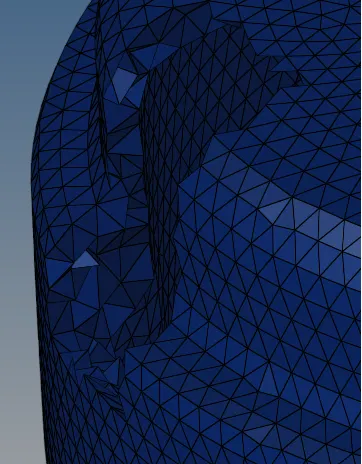
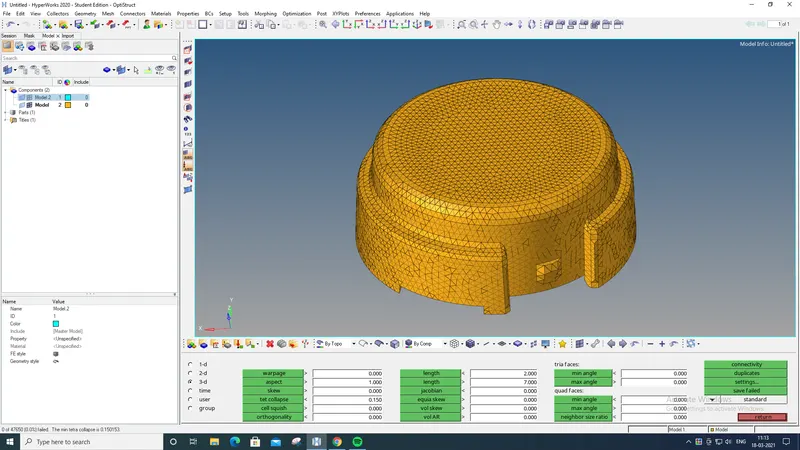
> Then, Finally check the quality of parameter (Shortcut key f10)

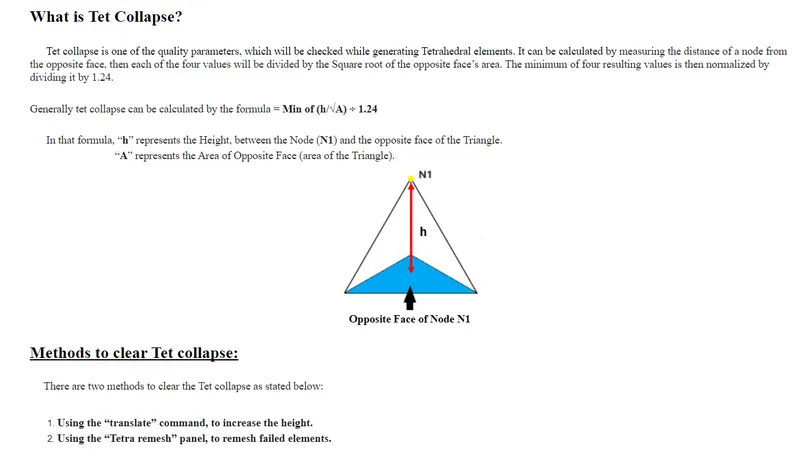
>Checking with 3D panel - test collapse
>Then check the status bar, there visible of failure elements
 v
v
MODEL 2 :
>Given model image in below , same of 1method process
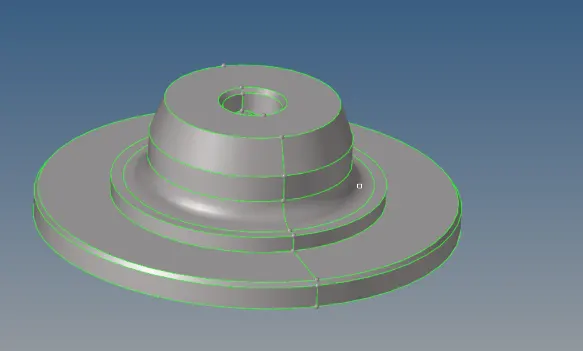
>First given surface, generating the 2D mesh with auto mesh option in 2D panel
>See the given length of values min, and maximum and target length of element
>After generating the 2D mesh, Then go with Tetra mesh,
>Select-3Doption-tetramesh-select trias and quads option -and mesh
>Give the element size

>Check whether generated or not of 3D mesh
>While i was deleting the few of elements , then i was checking
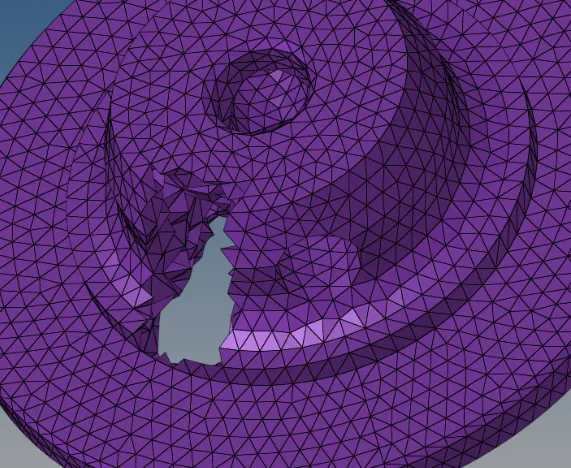
> Then, Finally check the quality of parameter (Shortcut key f10)

>Checking with 3D panel - test collapse
>Then check the status bar, there visible of failure elements (0.001)
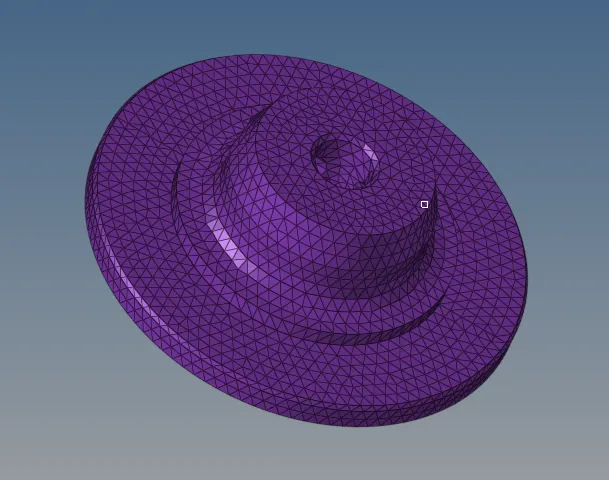
2MODEL
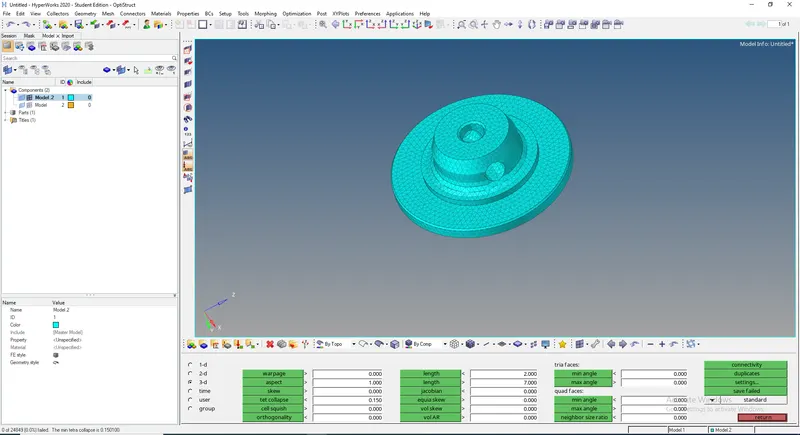
>Finally generated mesh MODEL 1 AND 2
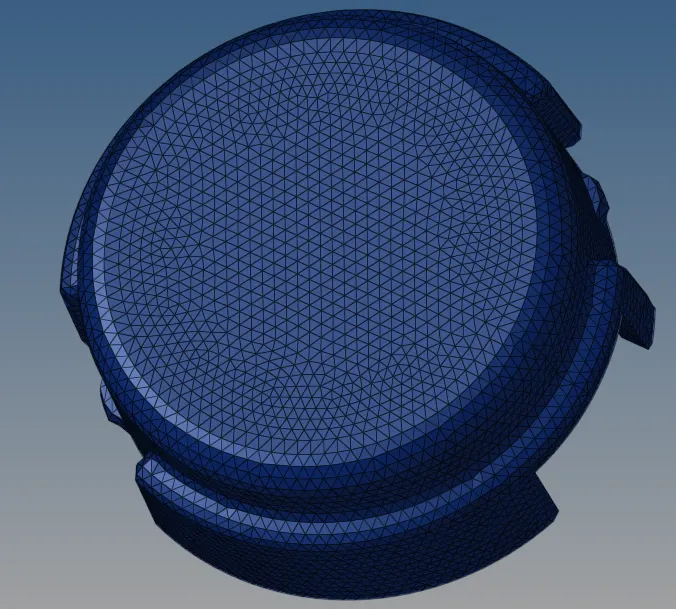
2METHOD - Tetra mesh by using “Quick tetra mesh ,from the utility panel.
>PROCEDURE :
>Import the model
>Given crank model and below the question
 v
v
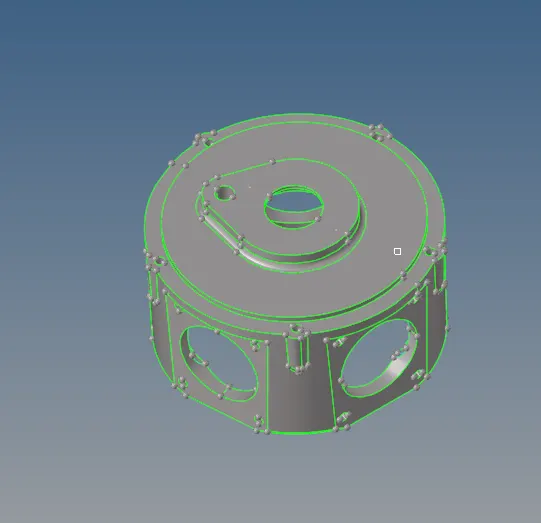
>Then, go with 3D Mesh - tetramesh - select- elements/comp

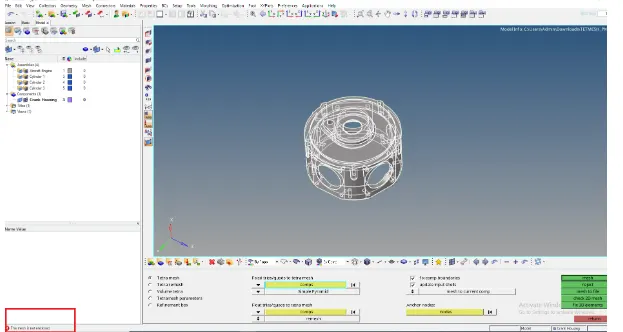
>Check the status bar , while mesh the comp/element
>Showing the error of the mesh is not enclosed,because the 3D mesh is directly take of whole component to mesh, whether any any missing surface or holes are the some of reasons
>Then i was going with option utility
>Then i was going with option utility
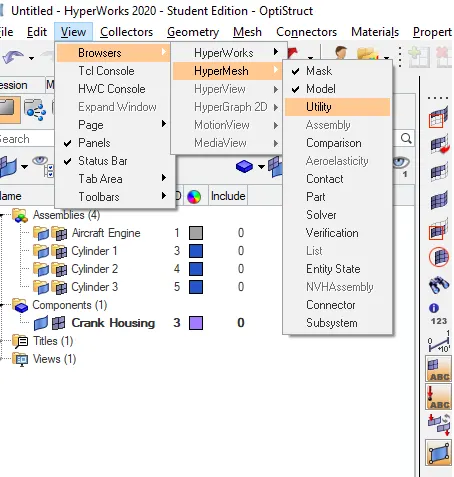
>Then go with option of Geome/mesh
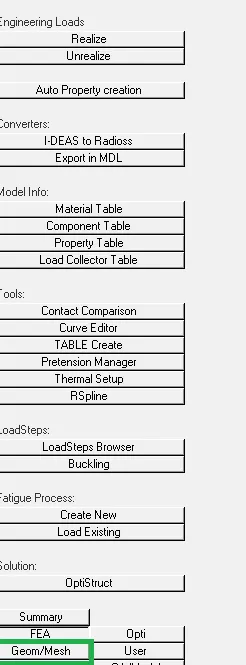
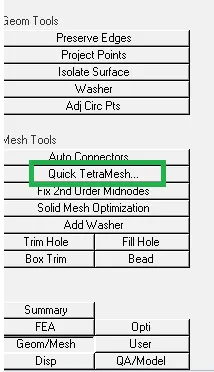
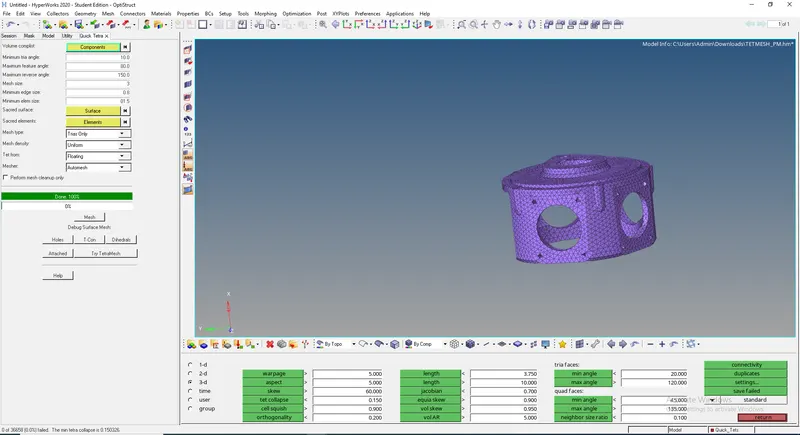
>Click the geom/mesh option(visible of mesh tools - quick tetra mesh)
>Then set all parameters valves
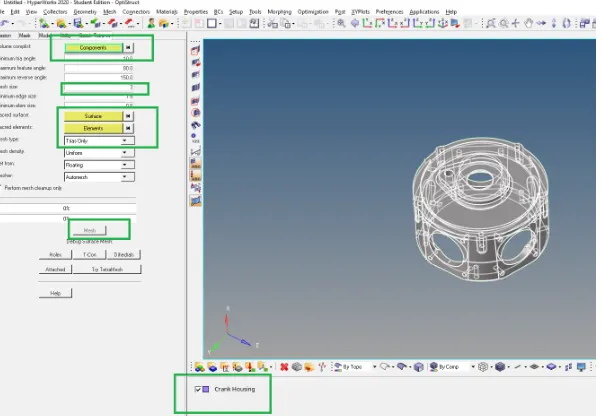
>Finally click on mesh option
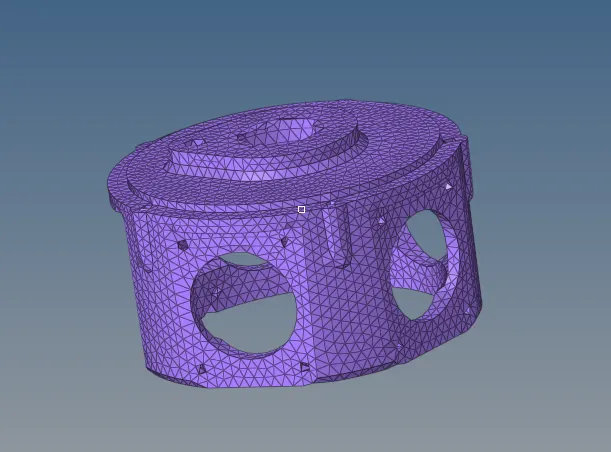
>The 3D mesh is generated
>Check the quality parameter(shortcut key f10)
>Check with test collapse (elements failure is 0.001)
>
>Finally generated the 3D mesh of given component
3Method - Tetra mesh, by using the “volume tetra mesh panel”.
>PROCEDURE :
>Import the model

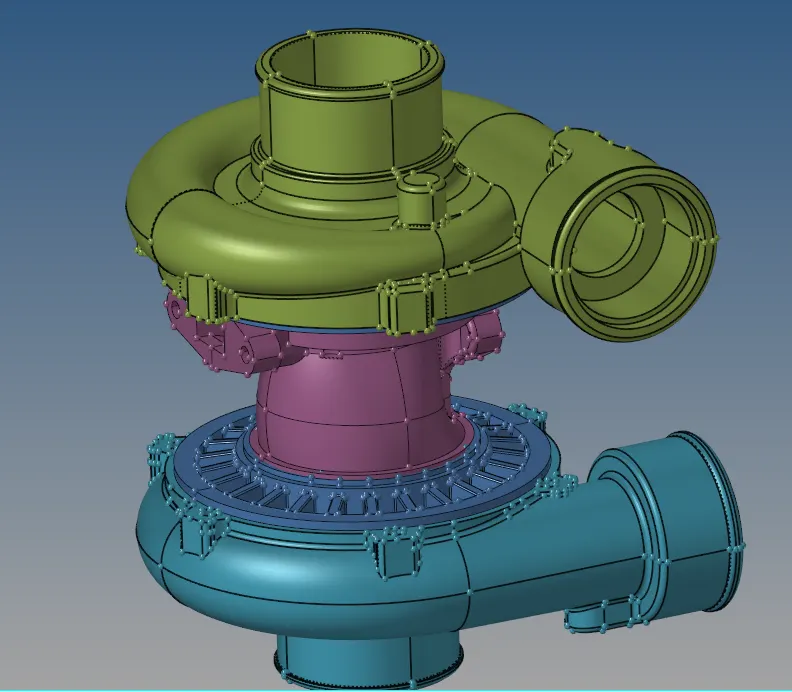
>The upper and lower of casing 1 and casing 2 are in the solid geometry body
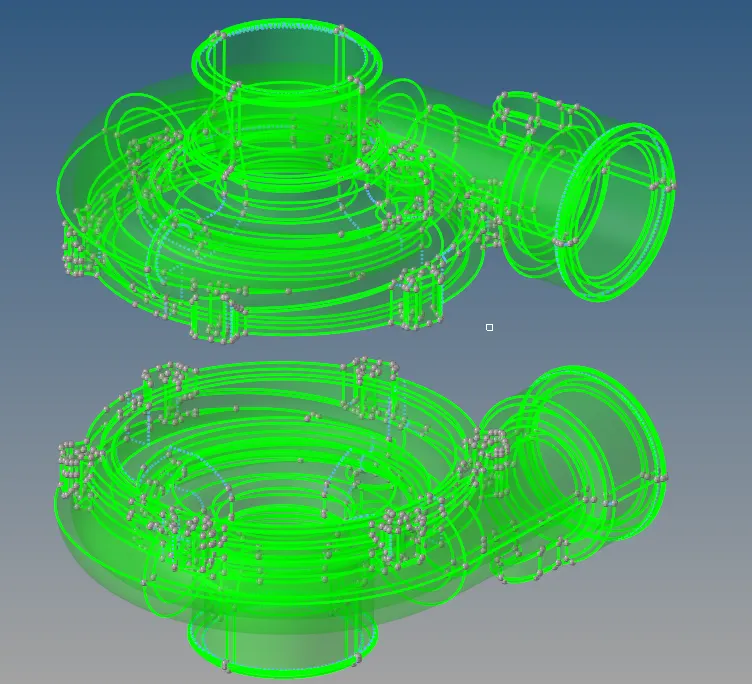
>The hub and center hub are in the surface geometry body
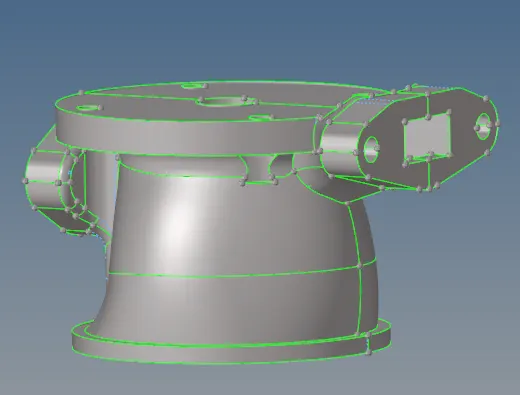
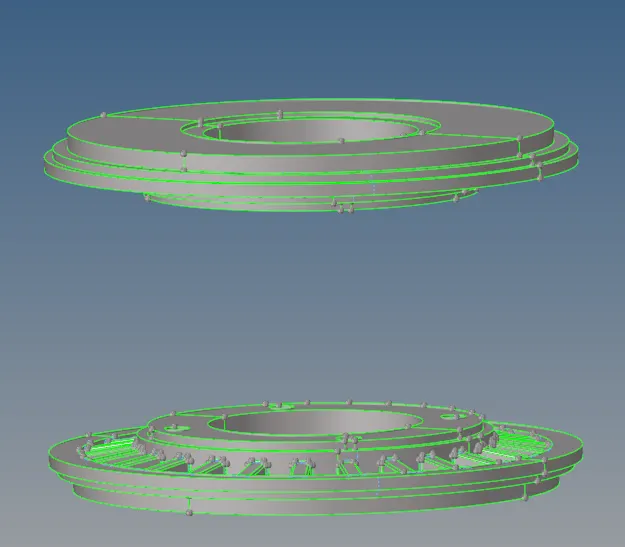
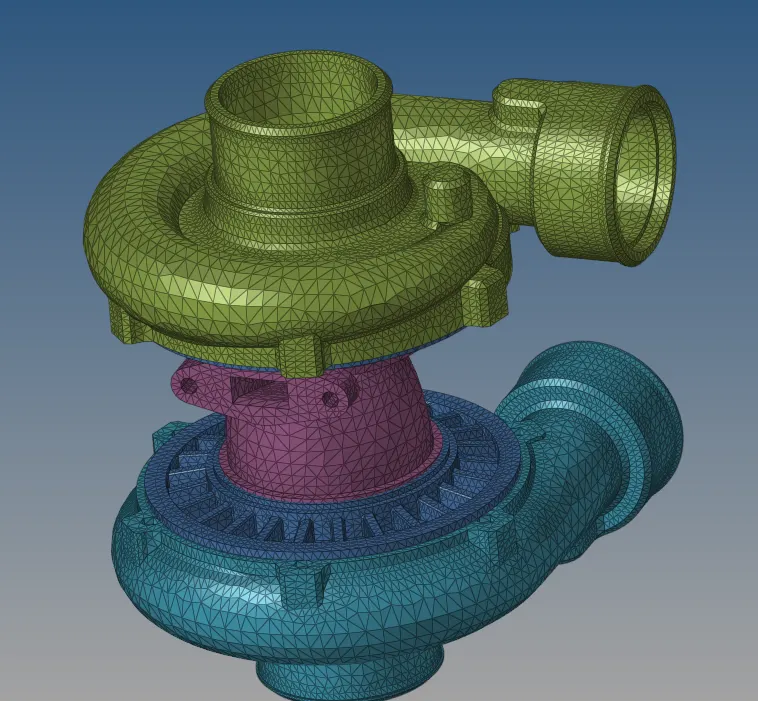
>Then go with 3D panel - tetramesh-"VOLUME TETRA "option

>Then generated the mesh with accordingly surf/solids body
USE OF PROXIMITY : It refines the mesh in areas where the features are small and closer together and also it eases the smooth transition from small to large elements
USE OF CURVATURE : It allow more tries/tras elements to be generated along the curved surface based on user specified setting
USE OF CLEANUP ELEMENTS: It will apply an extra stage of calculation stage of calculation to improve the overall mesh quality by removing some nodes and combining elements ,meshing will fail if the shell elements of solids are present and are conflicting with the selection when this occurs the element are cleaned up accordingly.
UNDESTAND BY TOPICS:
- How to generated 3D tetramesh
- How to use the different methods while doing the tetramesh 3D
- How to check element quality and test collapse
- How to remesh while failure of elements again
CONCLUSION :
- Generated the tetra mesh of given different models
- Checked the mesh quality parameter should passed