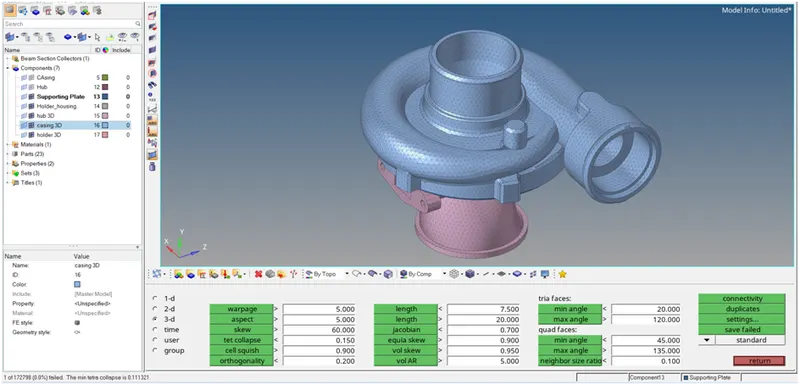
Week 8-3D Tetra Meshing Challenge
Report
AIM:
for given models generate the 3D mesh by using different methode.
1] Create a Teramesh for Housing component with the following quality criteria.
TetraMesh Generation Method: 2D to 3D Conversion
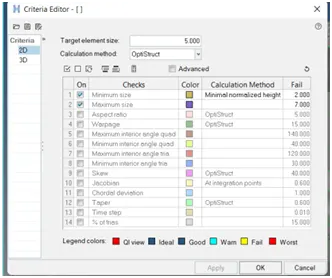
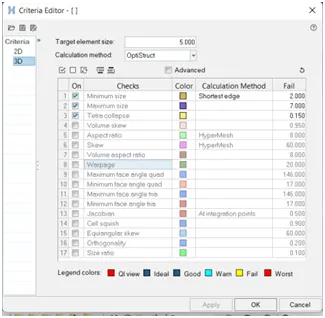
Elements sizes: Min- 2 Units, Target- 5 Units, Max- 7 Units
Tet collapse: 0.15
Procedure:
following step to be done for meshing the model.
1] Import the Geometry:
import the geometry in the .stl,.STEP,.IGES format. import > import geometry > Choose the File and hit on open.
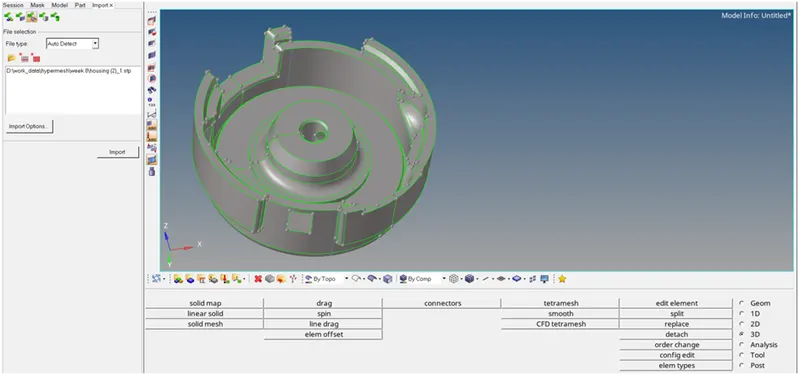
2] Set Quality Criteria:
preferences > criteria file setting >put the proper value
a] 2D Quality Criteria:
b] 3D Quality Criteria:
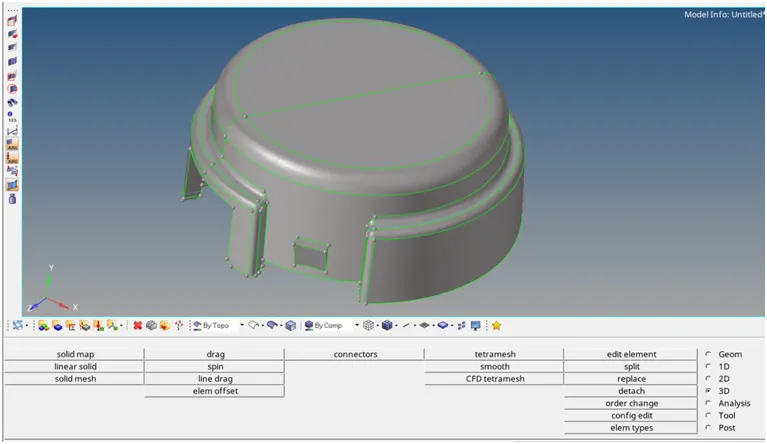
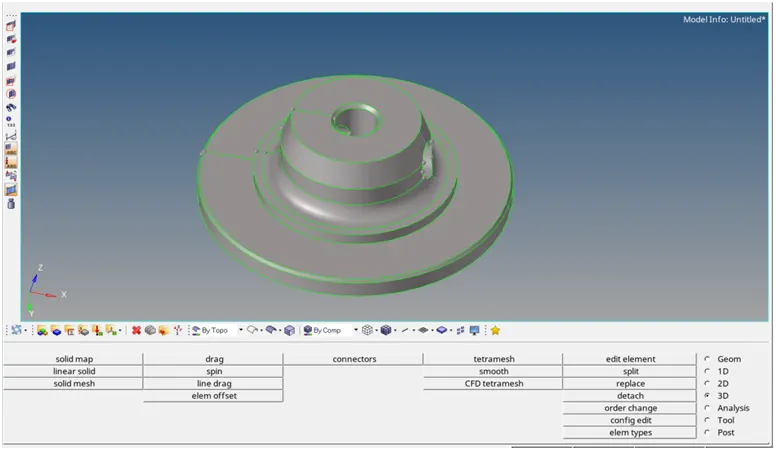
3] Cleaning the geometry:
by using the sum of this command we clear the geometry
geometry > surface > ruled/spline
geometry > surface edit > trim/extend
geometry > quick edit panel
a] part 1:
b] part 2:
4] visualization panel:
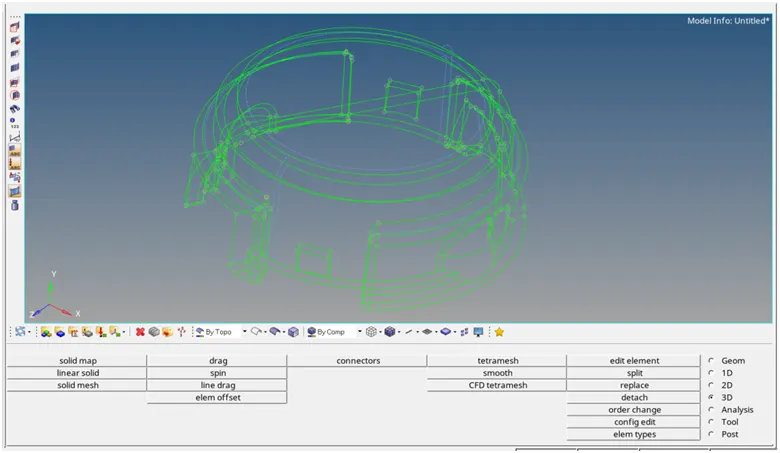
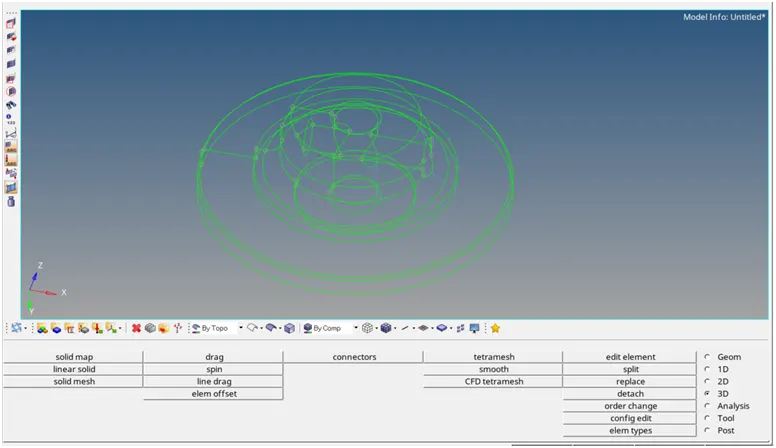
from visualization panel we check the free edge are present in the geometry,if any free edge are present then remove this free edge.
a] part 1:
b] part 2:
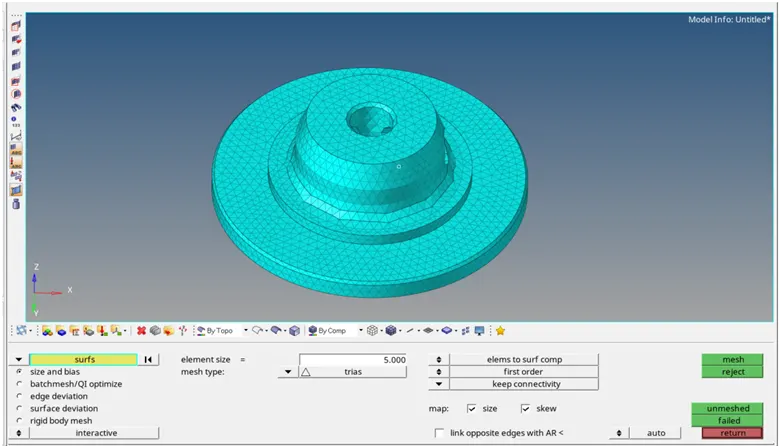
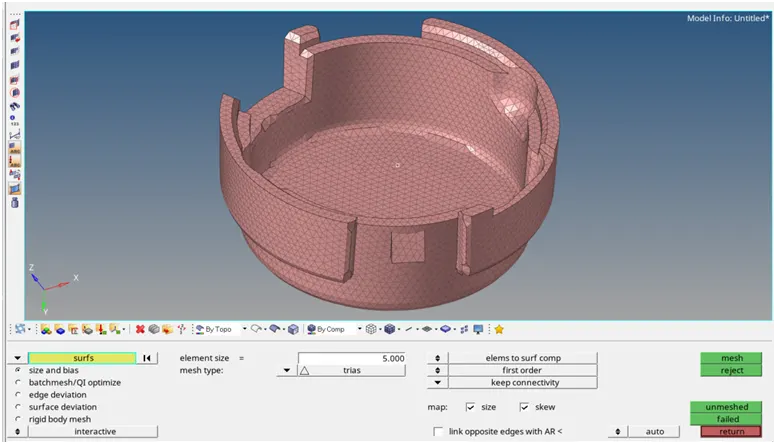
5] Generate 2D mesh on surface:
creating the mesh on the surface by using automesh.here we use the Min- 2 Units, Target- 5 Units, Max- 7 Units element type is tria type.
a] part 1:
b] part 2:
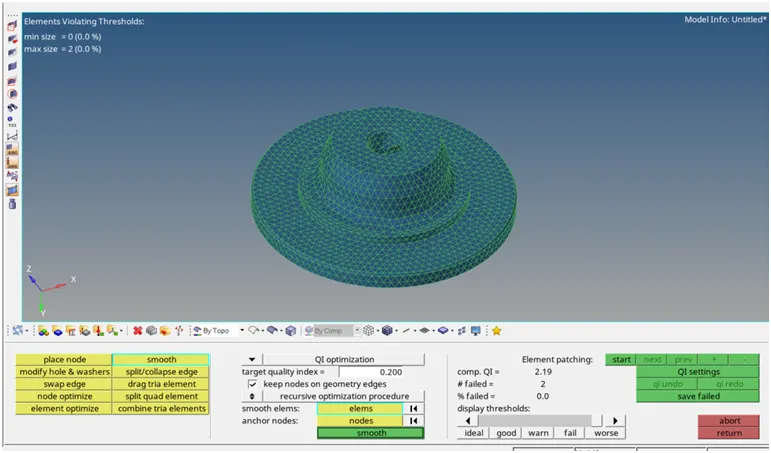
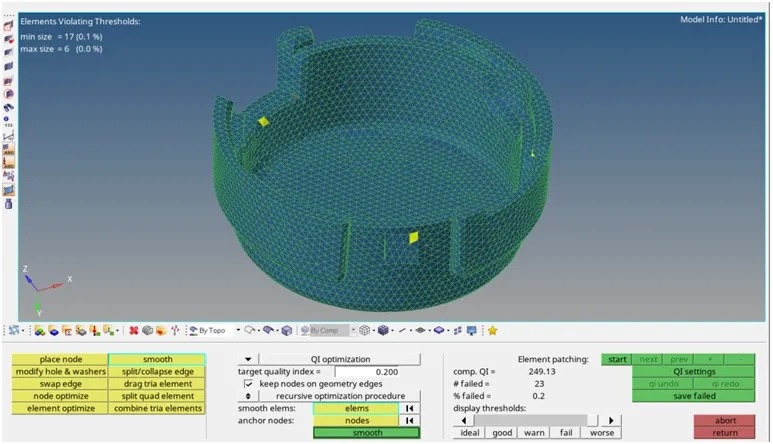
6] Checking quality of 2D mesh:
by using the quality index option we check the quality of mesh and also clear the quality.
a] part 1:
b] part 2:
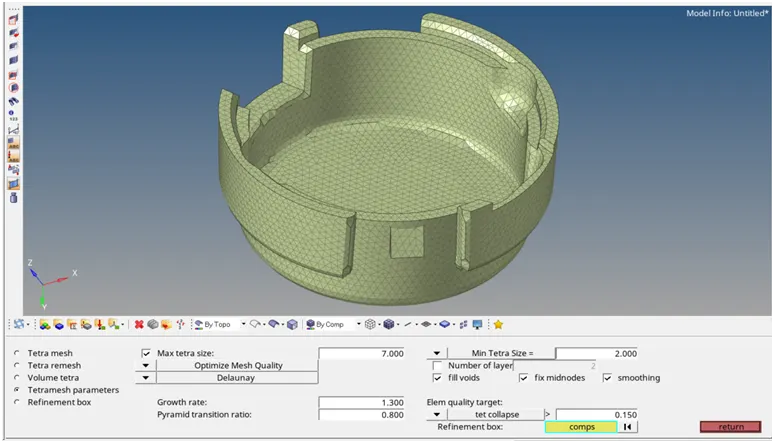
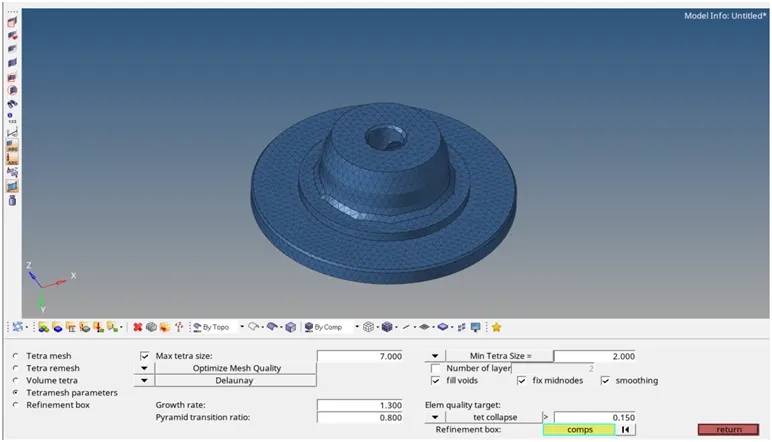
7] Convert 2D mesh to 3D mesh:
by using the tetra mesh option in 3D mesh module we convert the 2D mesh into the 3D mesh. first we set the tetramesh parameters as Min- 2 Units, Target- 5 Units, Max- 7 Units element type is tria type.
a] part 1:
b] part 2:

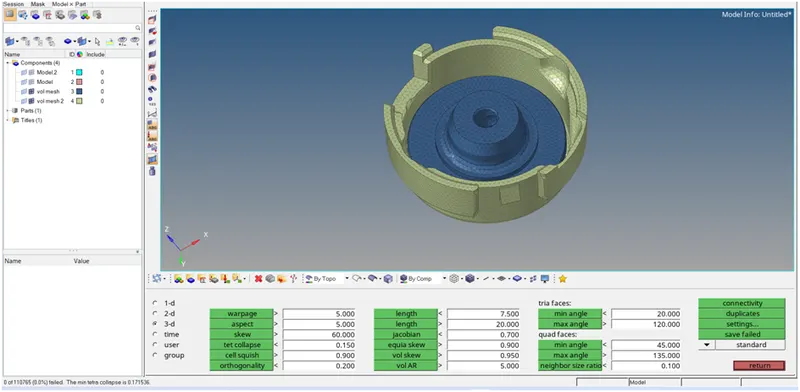
8] Checking for Tet Collapse:
by using the check elements in 3d module we check for ted collapse.here we clear shown 0elements are fail for tet collapse.
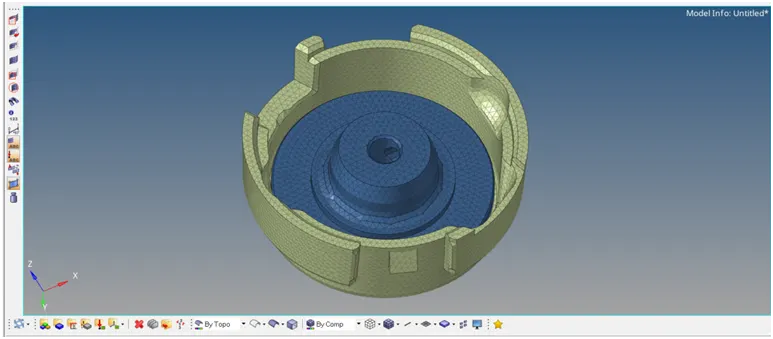
9] Final product:
2] For the given model, Create a 3D Tetramesh with the following quality criteria.
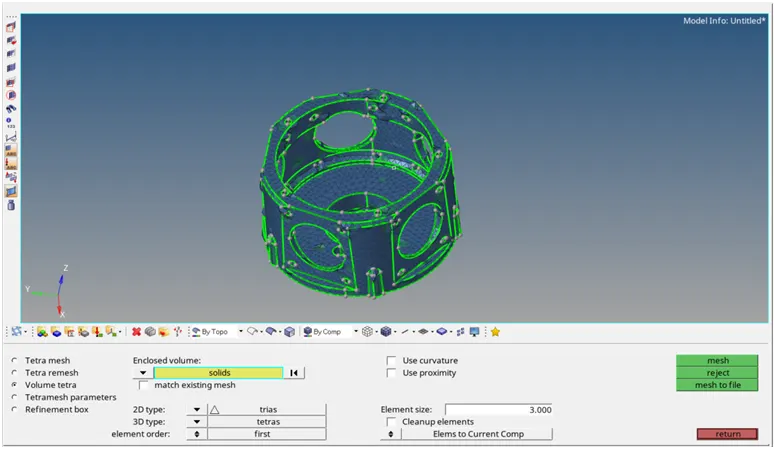
TetraMesh Generation Method: Volume Tetra Mesh
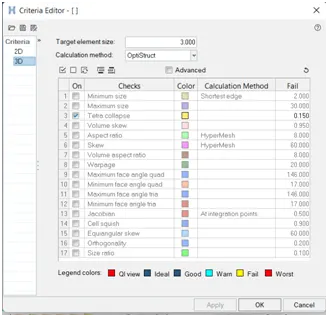
Target Element size: 3 Units.
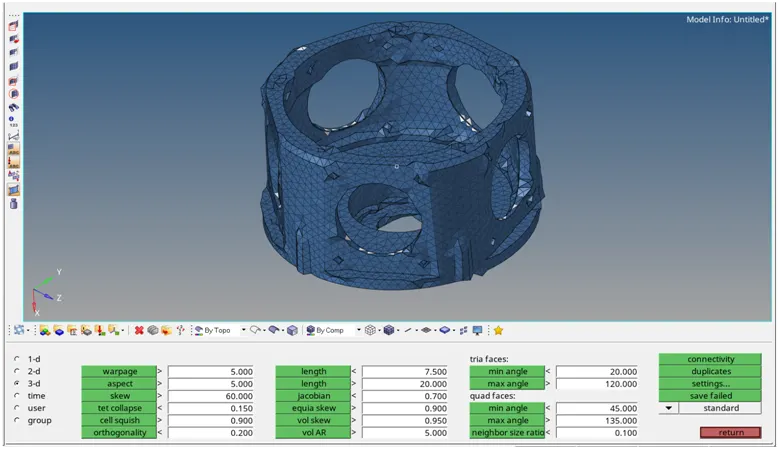
Tet Collapse: 0.15
Procedure:
following step to be done for meshing the model.
1] Import the Geometry:
import the geometry in the .stl,.STEP,.IGES format. import > import geometry > Choose the File and hit on open.
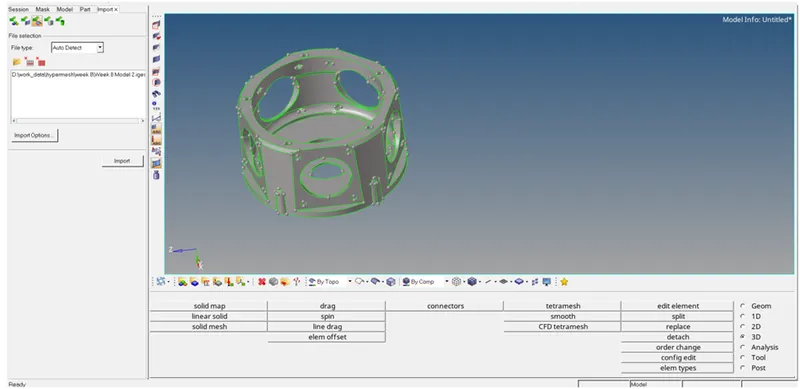
2] Set Quality Criteria:
preferences > criteria file setting >put the proper value
b] 3D Quality Criteria:
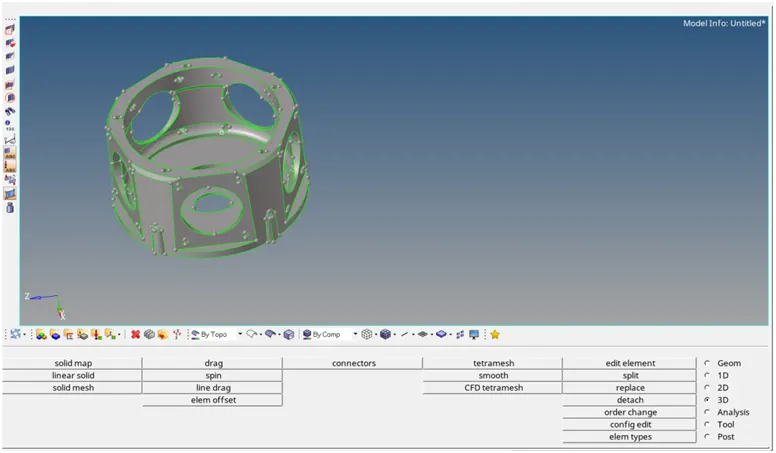
3] Cleaning the geometry:
by using the sum of this command we clear the geometry
geometry > surface > ruled/spline
geometry > surface edit > trim/extend
geometry > quick edit panel
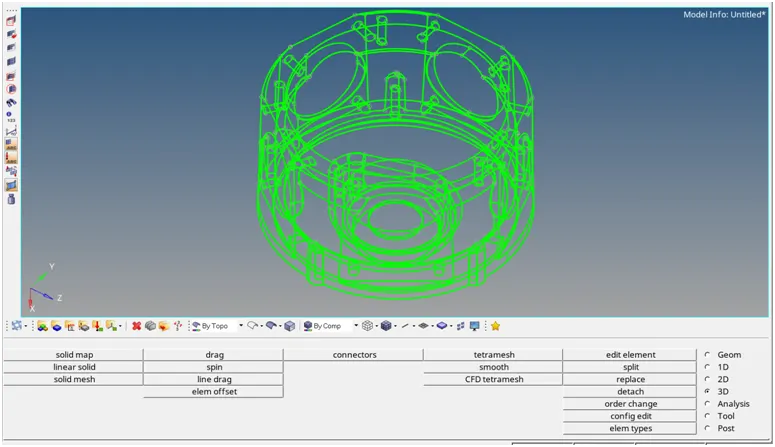
4] visualization panel:
from visualization panel we check the free edge are present in the geometry,if any free edge are present then remove this free edge.
5] creating the Volume mesh:
in this we directly select the solid componenet and set the 2D and 3D element type and size of elements and proceed.
6] Checking for Tet Collapse:
by using the check elements in 3d module we check for ted collapse.here we clear shown some elements are fail for tet collapse.
3] For the given assembly model, Create a 3D Tetramesh with the following quality criteria.
TetraMesh Generation Method: Quick Tetra Mesh
Target Element size: 4 Units.
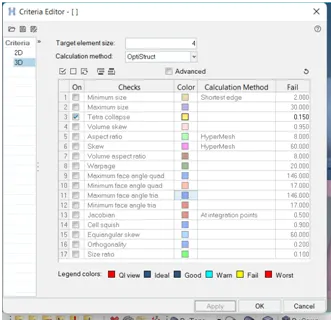
Tet Collapse: 0.15
Procedure:
following step to be done for meshing the model.
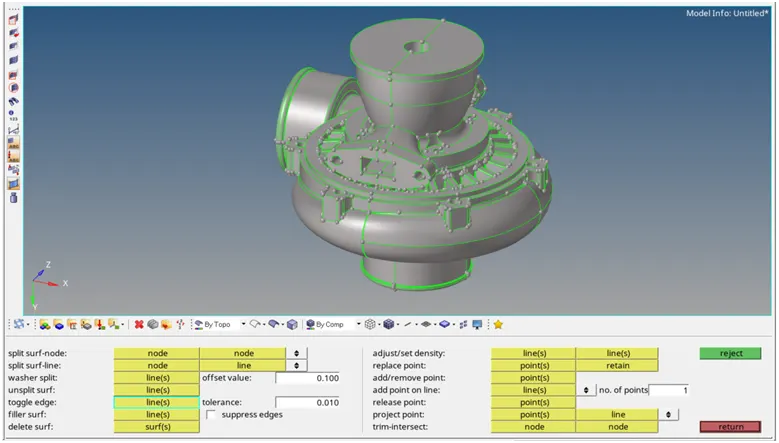
1] Import the Geometry:
import the geometry in the .stl,.STEP,.IGES format. import > import geometry > Choose the File and hit on open.
2] Set Quality Criteria:
preferences > criteria file setting >put the proper value.
b] 3D Quality Criteria:
3] Cleaning the geometry:
by using the sum of this command we clear the geometry
geometry > surface > ruled/spline
geometry > surface edit > trim/extend
geometry > quick edit panel
4] visualization panel:
from visualization panel we check the free edge are present in the geometry,if any free edge are present then remove this free edge.
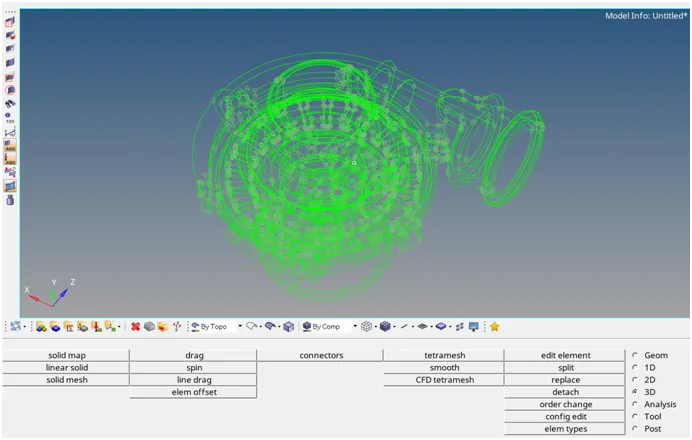
5] creating the Quick Tetra Mesh:
step1:
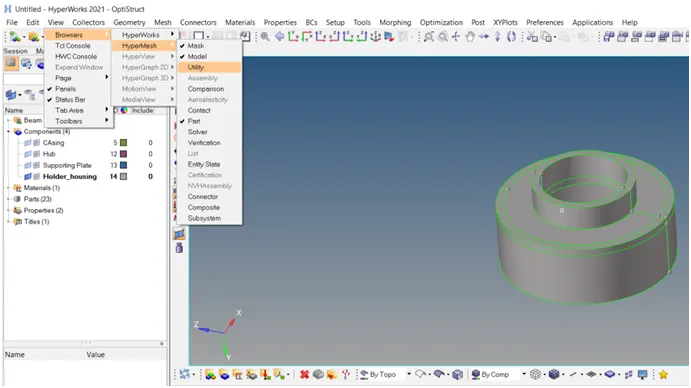
step2:
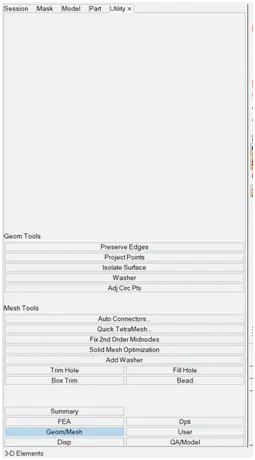
step3:
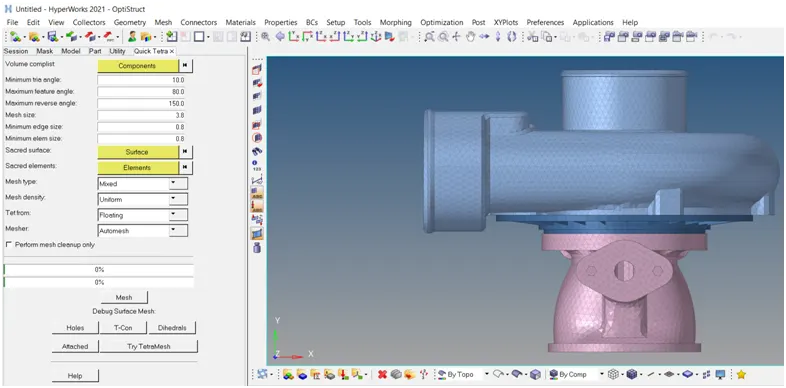
6] Checking for Tet Collapse:
by using the check elements in 3d module we check for ted collapse.here we clear shown 0 elements are fail for tet collapse.