Week 8-3D Tetra Meshing Challenge
TETRA MESHING OF COMPONENTS
AIM
To Create a Tetramesh for the given 3 components with the mentioned quality criteria.
OBJECTIVES
1) Create a Tetramesh for Housing component with the given quality criteria.
2) For the given model, Create a 3D Tetramesh with the given quality criteria.
3) For the given assembly model, Create a 3D Tetramesh with the mentioned quality criteria.
CASE 1
PROCEDURE
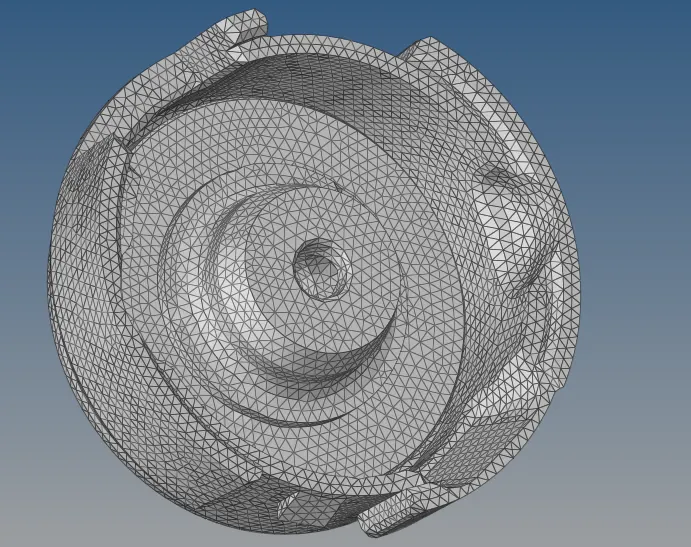
HOUSING MODEL
1. import the model in to the hypermesh through the option, import model - import geometry - file type - STEP - select file - import.
2. visualy inspect the housing model for any missing surfaces,free edges and non manifold lines.
3. make the model in to the wire frame mode and enable suitable visualization options and find out all the free edges and missed surfaces.
4. fill all the missing surfaces and free edges by using filler surfs option and ruled option.
5. for filling free edges by filler surface option,go to quick edit - filler surfs - select the free edges.
6. for filling edges by ruled option , go to surfaces - ruled - select line.
7. also use the toggle edge option by going through, quick edit - toggle edge - apply tolerence - select free edges and clear it.
8. go to edge edit and replace unwanted free edges.
9. after making geometry cleanup go to meshing.before meshing toggle the ines that are fail to the minimum length.toggle all the unwanted lines and prepare a neat geometry to mesh.
10.after that apply the given quality criterias.for that go to, preference - criteria file settings - 2D - apply quality - ok.
11.then select the surfaces and mesh by going through 2D - automesh - srfaces - trias - mesh.
12.mesh all the component and clear all the quality errors.rebuild the mesh for getting etter mesh flow and cear quality.for that go to, 2D - rebuild mesh - slect elements/surfs - edit parameters - rebuild.
13.By going through quaity index - clean up tools - smooth/place node/swap edge/node optimize/element optimize..etc clear all the quality criterias and improve the mesh.
14.also use replace node,combine,align options to improve the quality of the mesh.
15.dissassosiate the model by going through preference - topology revision options - dissassosiate for making changes in the mesh.
16.after 2D meshing we want to mesh the model by using tetramesh.for tetrameshing go to 3D - elements - displayed - mesh.
17.after tetrameshing delete all the 2D mesh elements.and remesh the the tetramesh and clear the mesh for the tet collapse value.
18.for remeshing go to 3D - tetramesh - select the elements and remesh.
19.finish the work with a neat tetra mesh.
CASE - 2
1.import the model in to the hypermesh through the option, import model - import geometry - file type - IGES - select file - import.
2. visualy inspect the model for any missing surfaces,free edges and non manifold lines.
3. make the model in to the wire frame mode and enable suitable visualization options and find out all the free edges and missed surfaces.
4.clear all the errors with suitable options.
5.toggle the unwanted lines.defeature the model if required,fo defeaturing go to geometry - defeature.
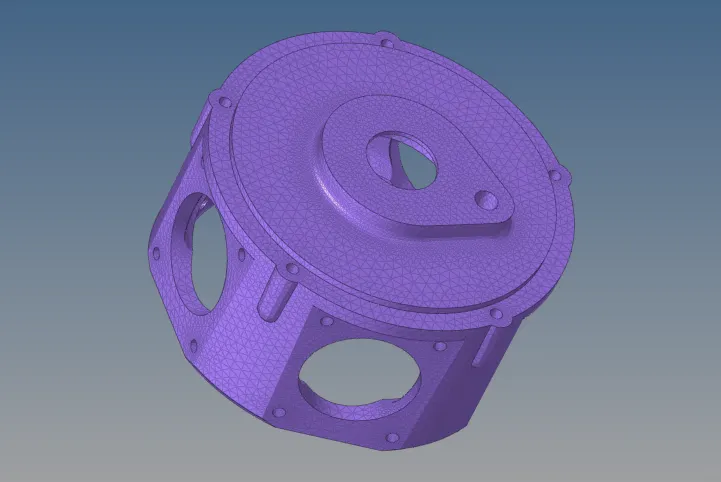
6.after the proper defeaturing and geometric cleanup mesh the component with volume tetra mesh.
7.for tetrameshing go to 3D - tetramesh - tetramesh parameters - tet collapse value - volume tetra - element type - element size - mesh.
8.after tetra meshing check for any tet collapse error.for that go to tools - check elements - 3D tet collapse.
9.remesh and clear all the tet collapse error.for remeshing the adjacent elements of the tetcollapse error, go to check elements - 3D - tet collapse - save failed - tetra remesh - elements - retrieve -by adjacent - remesh.
10.clear all the tetcollapse error and finish the work.
CASE-3
1.import the model in to the hypermesh through the option, import model - import geometry - file type - IGES - select file - import.
2. visualy inspect the model for any missing surfaces,free edges and non manifold lines.
3. make the model in to the wire frame mode and enable suitable visualization options and find out all the free edges and missed surfaces.
4.clear all the errors with suitable options.
5.toggle the unwanted lines.defeature the model if required,fo defeaturing go to geometry - defeature.
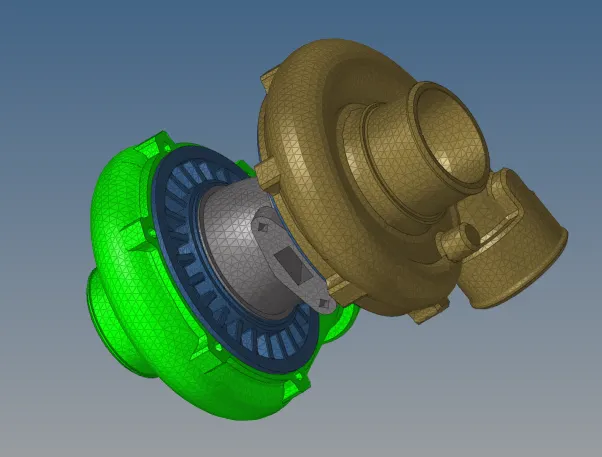
6.after the proper defeaturing and geometric cleanup mesh the components with quick tetramesh method .
7.for quick tetrameshing go to view - browser - hyperesh - utility - geom/mesh - quick tetramesh - components - mesh size - surfaces - mesh type - mesh.
8.also use volume tetra mesh if required .
9.remesh the component properly and finish the work.
CONCLUSION
Tetra meshed the given components using 2D to 3D method,Quick tetra mesh using utility panel and volume mesh in 3D using hypermesh .