Week 8-3D Tetra Meshing Challenge
Week 8: 3D Tetra MEshing Challenge
Agenda of Week 8:
1. To understand the various types of 3D meshing and its purpose.
2. To generate 3D mesh with 0% tet collapse.
Types of 3D mesh Generation:
1. 2D Tria to 3D Tetra Conversion
2. Quick 3D - Tetramesh
3. Volumetric Tetramesh
2D Trias to 3D Tetra Conversion:
The purpose of converting the 2D to 3D elements to achieve a good quality mesh. Good quality mesh leads to good results and lean analysis time.
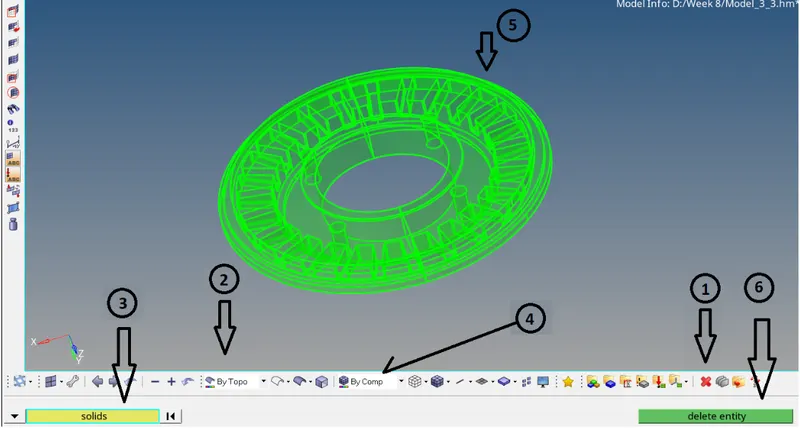
The idea behind this method is to generate 3D tetrahedral mesh from 2D tria mesh. Firstly, the solid must be removed from the given component. The above image shows that the solid isn't removed from the component means it's still in a 3D component. To remove that the below steps should be followed.
(1) Pick the delete icon or press f2
(2) Change the view mode to By Topo. therefore one can see that the solid has been removed from 3D component.
(3) Pick the first drop-down box and select solids
(4) Change the view mode to By Comp
Pick the delete entity option from the delete menu.
(5) Now, the component has only 2D surfaces, below image shows a 2D representation after removing solids from the component.
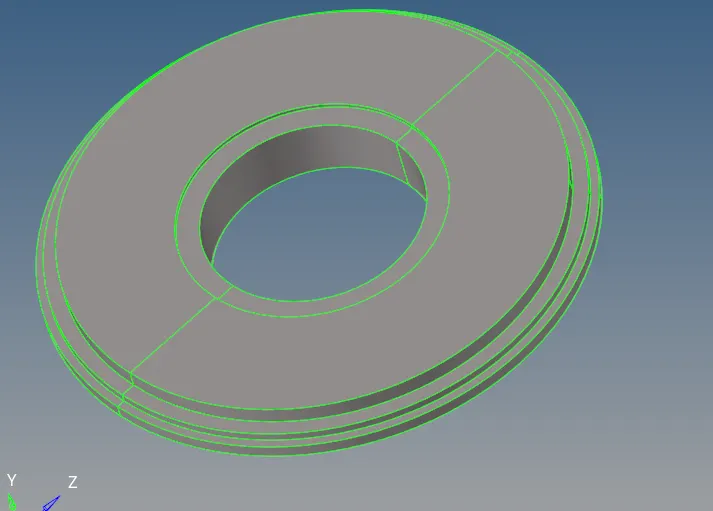
After successfully removing the solids, the surfaces will be having some fillets. Hence, meshes cannot capture the fillet radius. It has to be removed from the 2D surface.

Geom ==> defeature
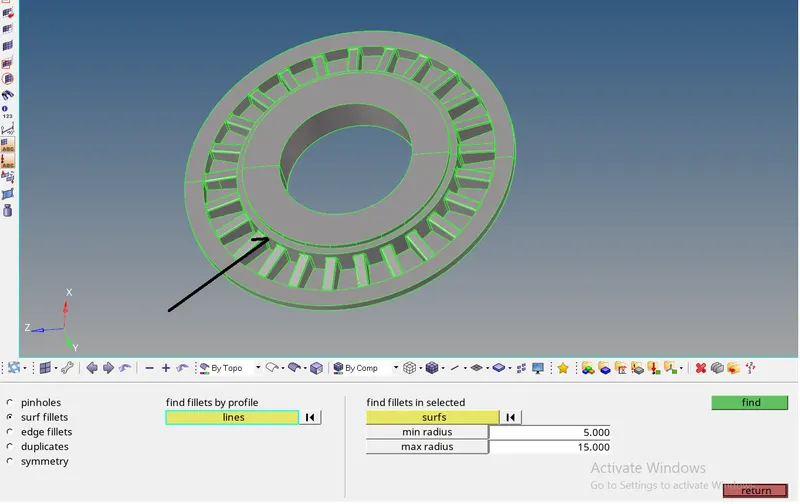
Click on surf fillets ==> under find fillets in selected select the surfaces of particular component ==> to enter the min radius and max radius then click on find
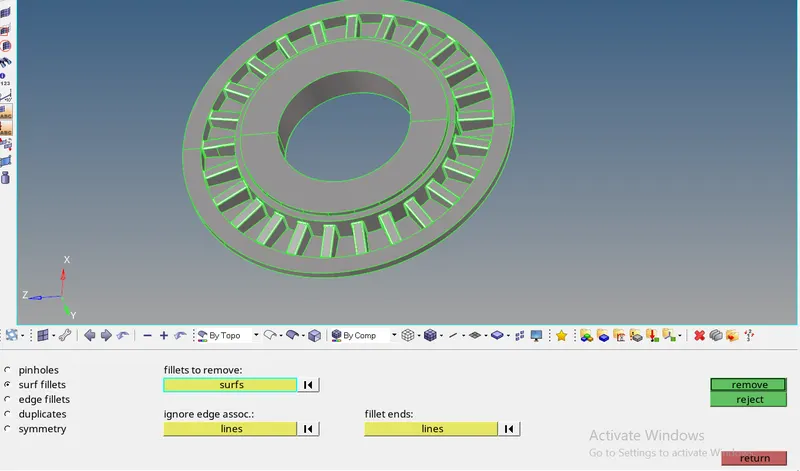
click on remove
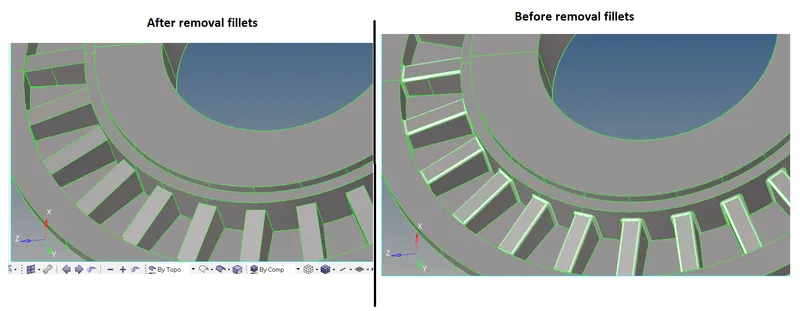
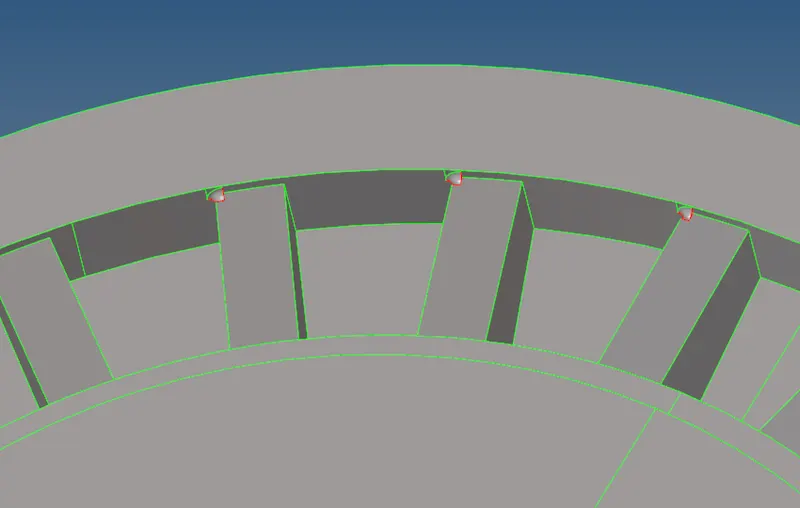
But still few edges might not be removed properly, so one must use Geom ==> quick edit here many options related to cleanup the model available.
Use replace points option to merge or clear the surface where mesh cannot be able to capture. For Example to clean kind of surfaces,
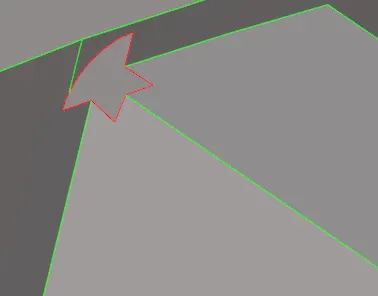
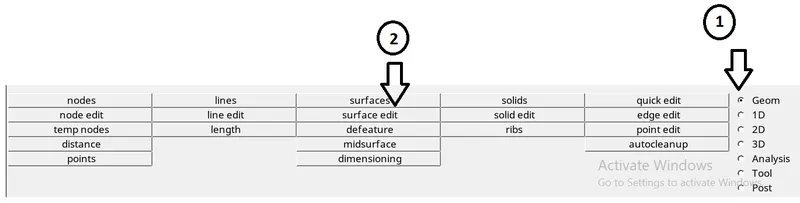
Go to Geom ==> surface edit
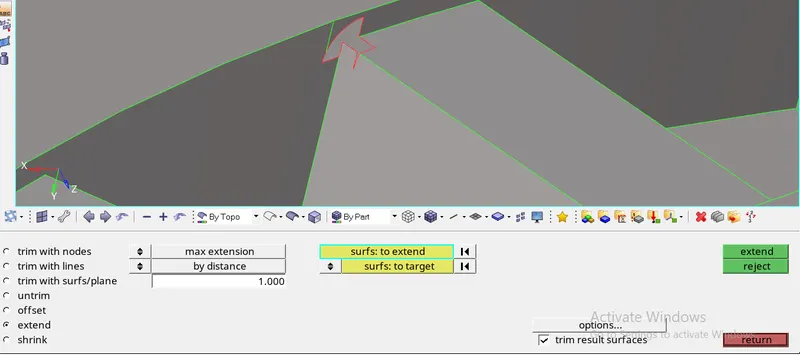
Click extend ==> surf: to extend (pick the surface which has to be extended) ==> change the crosss extension to surfs: to target (pick the destination surface to be extended).
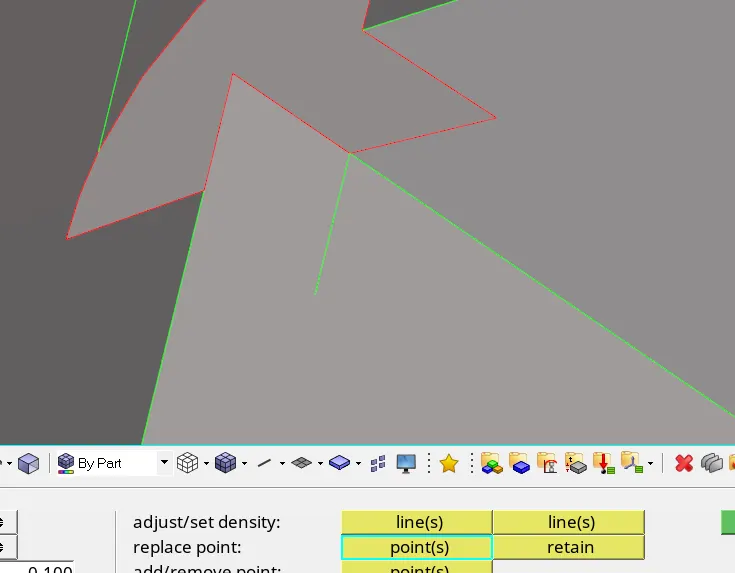
replace point to join the two surfaces. Then after using surface ==> skin and surface ==> ruled option surfaces are closed.
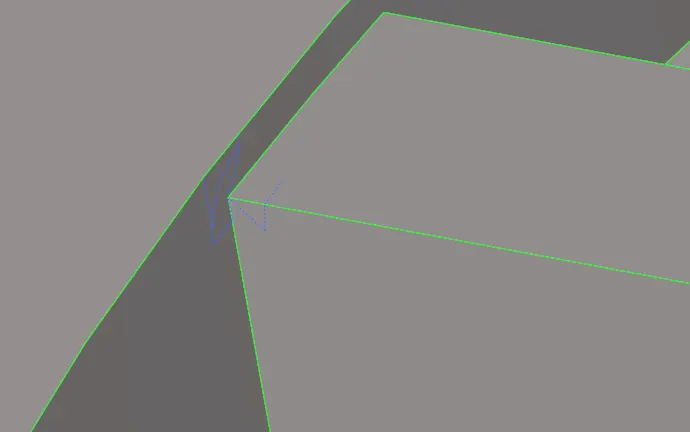 .
.
After completion of the model cleanup. The next thing is mesh.
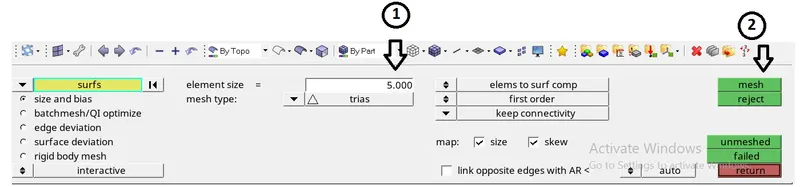
Go to 2D==>automesh==>mesh type: trias==> element size: 5==> mesh
2D tria will create route for 3D Tetra,

Fixed tria/quads to tetra mesh ==> elems ==> simple pyramid.
The purpose of giving above option is to "follow the trias"
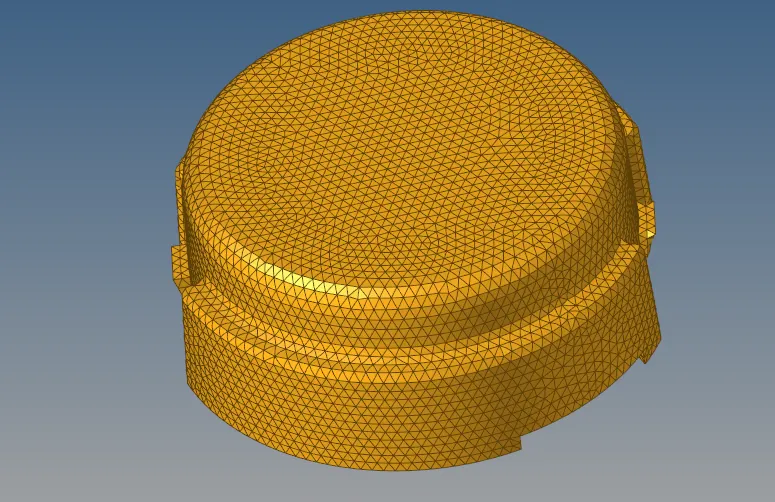
The above model is tetra meshed using the method 2D tria converted to 3D tetra mesh.
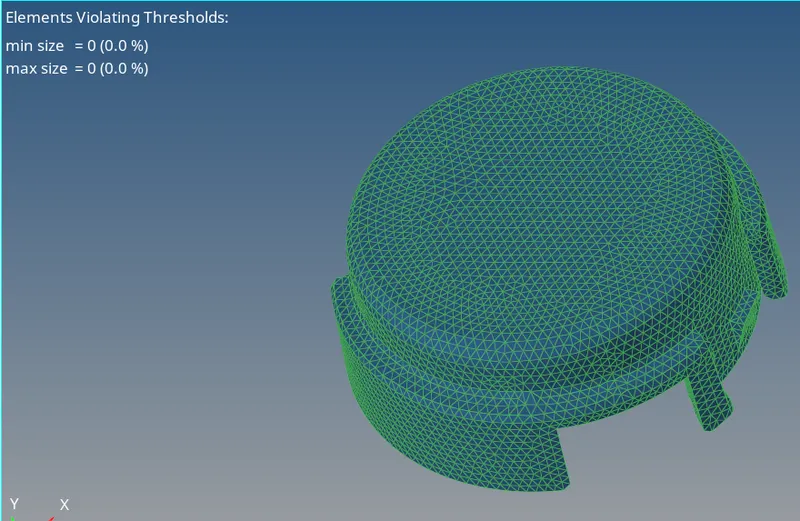
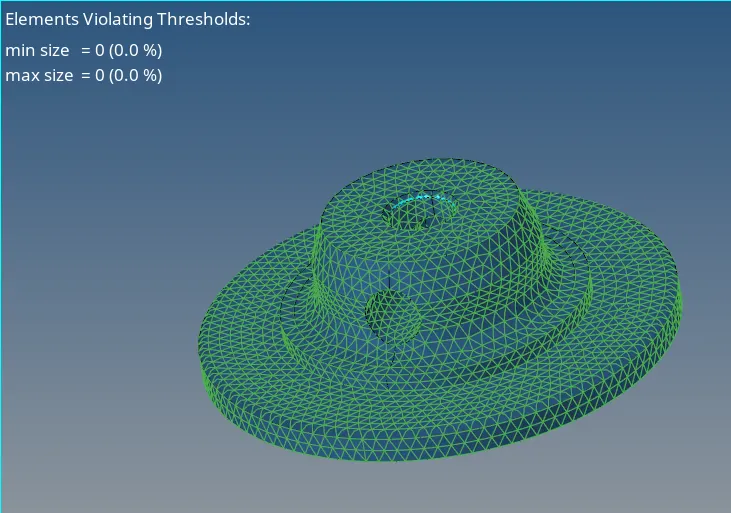
2. Quick 3D - Tetramesh using utility panel
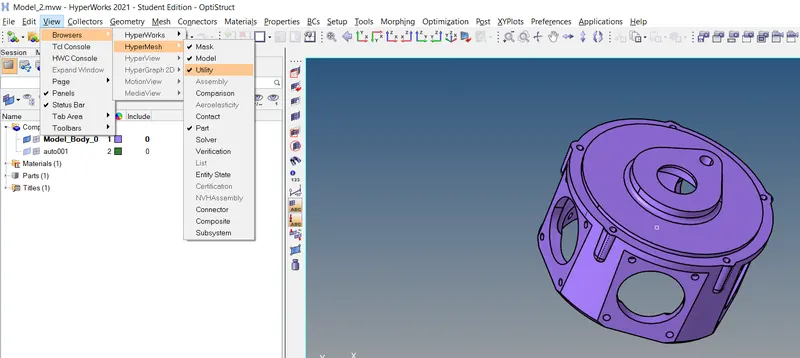
Click view ==> Browsers ==> HyperMesh ==> Utility
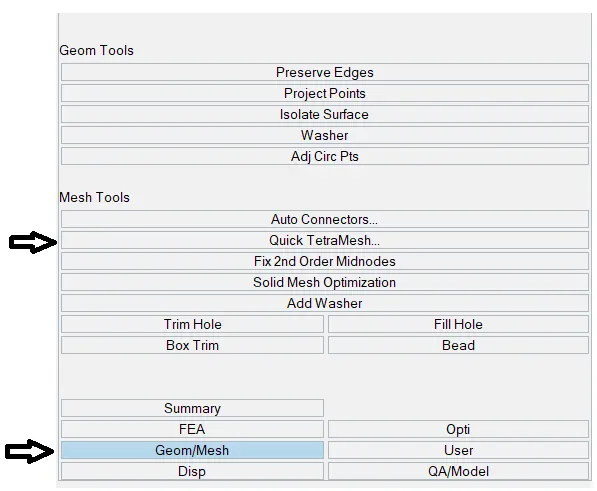
Click Geom/Mesh ==> Quick TetraMesh
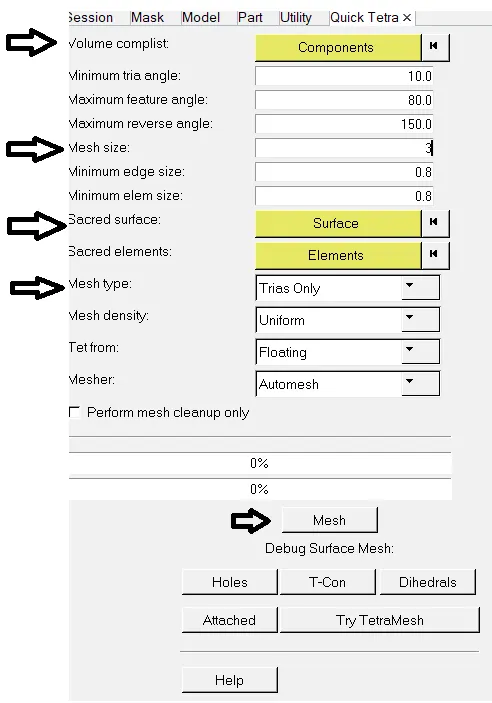
Steps for Quick Tetramesh:
(1) Volume complist ==> components
(2) Mesh size ==>3
(3) Scared surface ==> select the surface
(4) Mesh type ==> Trias only
(5) Mesh
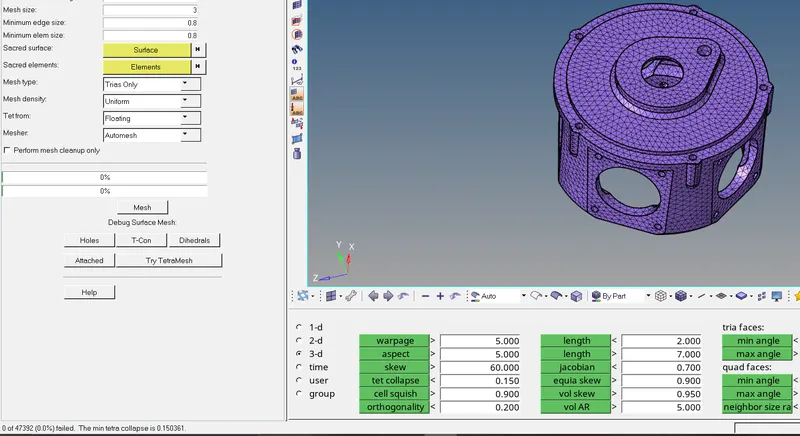
3. Volumetric Tetramesh:
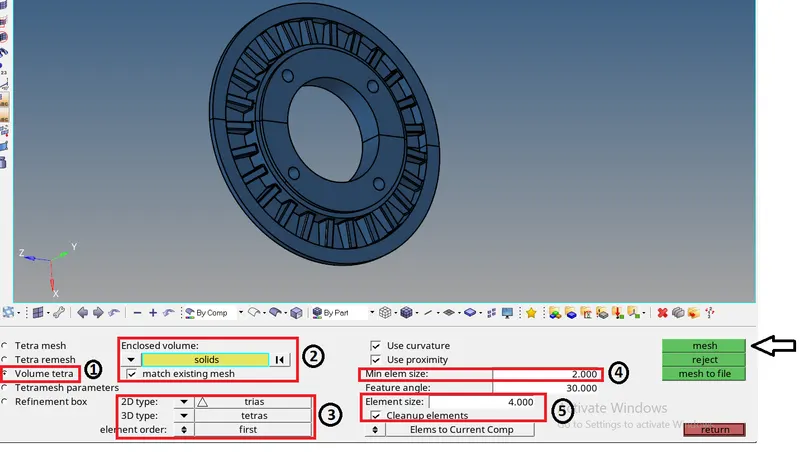
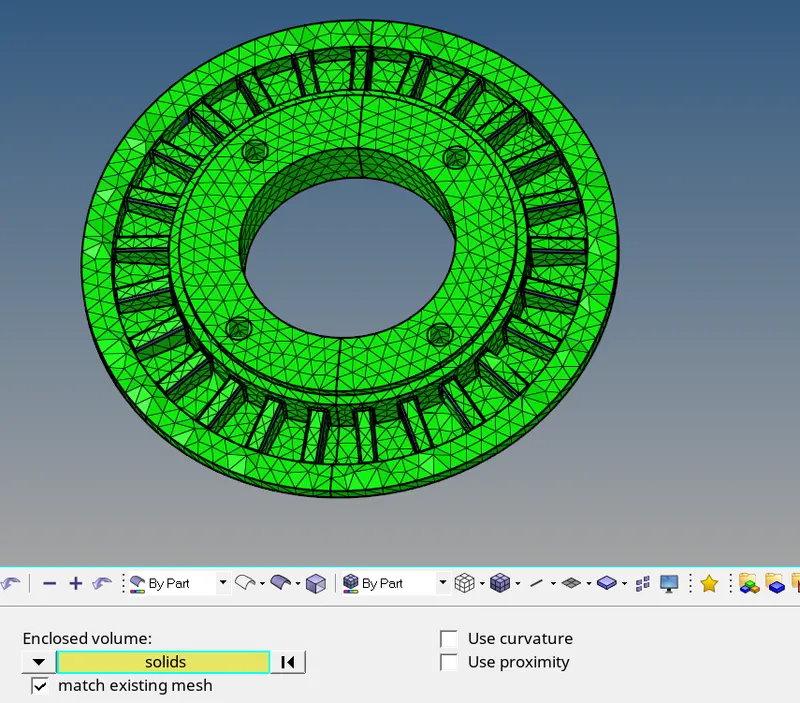
Click Volumetric tetra - Tetramesh is created in the presence of solid in a component.
Steps to be followed to generate volumetric mesh
(1) 3D ==> tetramesh
(2) Click Volume tetra, pick solid under Enclosed volume
(3) Ensure that the 2D type is in trias and 3D is in tetras
(4) Type the Min elem size
(5) Enter Element size as of input.
Pick mesh from the table.
The purpose of using "Use curvature"- To capture the curves, while meshing this option is ON "Use Proximity" - To capture the complicated edges in the components this option is ON.
To check tet collapse and resolve the tet collapse:
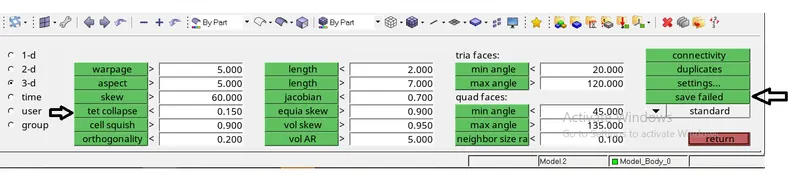
(1) Click Tools ==> Check elems ==> 3D ==> tet collapse
(2) Click on save failed to save the elements which failed in component.
(3) Click on f5 or mask icon.
(4) Click elems ==> retrieve ==> mask ==> reverse all
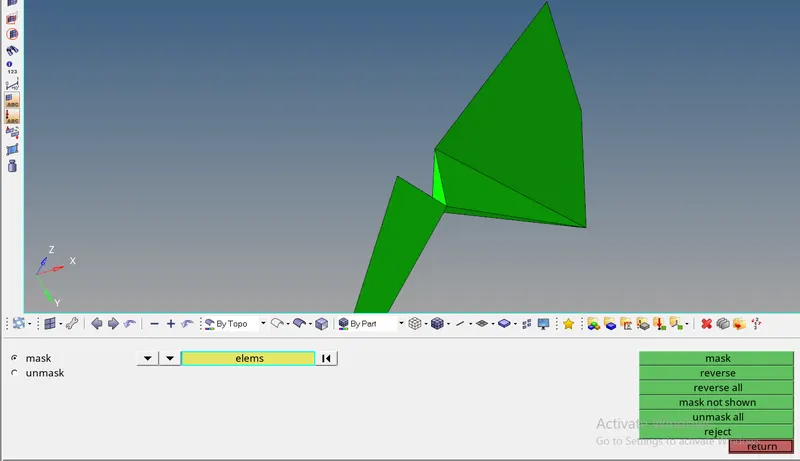
It can be cleared in two methods
1. Translate method
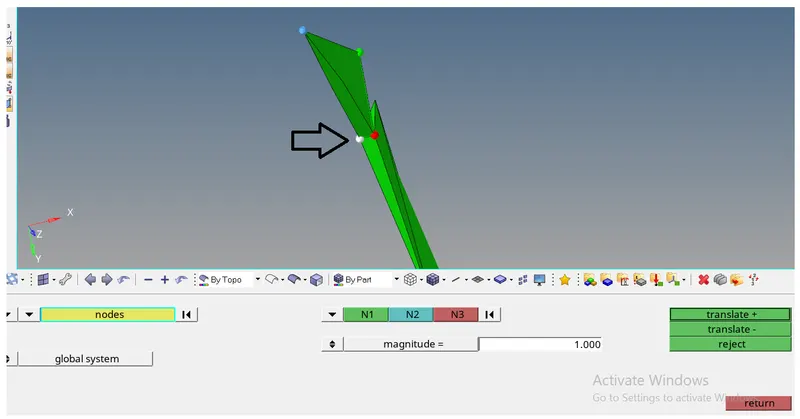
Node to be translated. Enter magnitude and pick translate + or translate -. Pick return.
2. Tetra remesh method
mask as per the above mentioned steps in translate method.
Pick 3D ==> tetramesh ==> elems ==> remesh

Conclusion:
The challenge has been completed with the expected agenda which is learning about 3D mesh and its types, and methods of generating the 3D mesh.
The given model has been meshed using the above three methods and also met with required quality parameters.