Perform Morphing Operation on an Automotive Component
Aim:
To perform morphing techniques to the sheet metal component and mention the industrial uses of morphing.
Procedure:
The geometry is imported to ANSA and topo is performed in order to get a refined geometry. Then we must assign the element size in general, under perimeters title ---> length ---> perimeters and macros as 1 mm in mesh mode for the whole model.
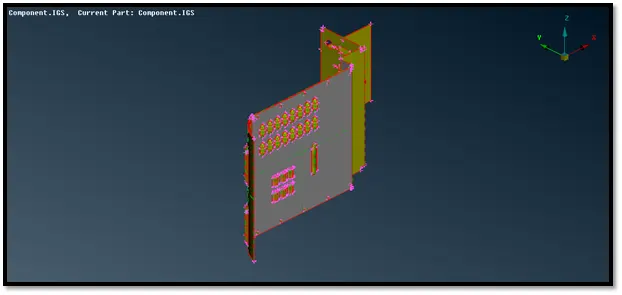
Fig: Imported geometry file
After which we must do a check geometry for the model by selecting checks---> geometry in the tools bar and fix the errors shown. The various errors are displayed such as needle faces, unchecked faces, triple cons, etc. Auto fix option was opted for resolving these errors.
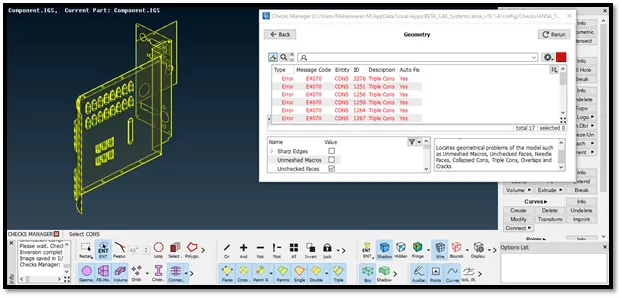
Fig: Applying geometry check
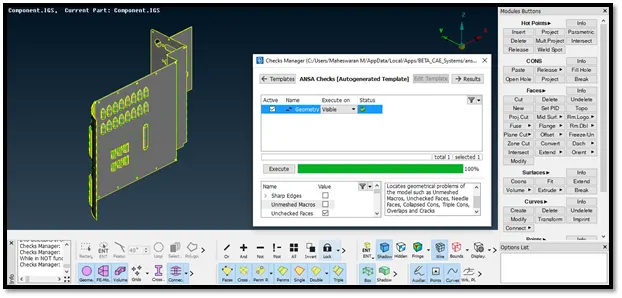
Fig: Using auto fix option
Under Morph Modules --->Boxes--->New select the geometry where morphing needs to be done. It can be done for both CAD Geometry and FE Elements.
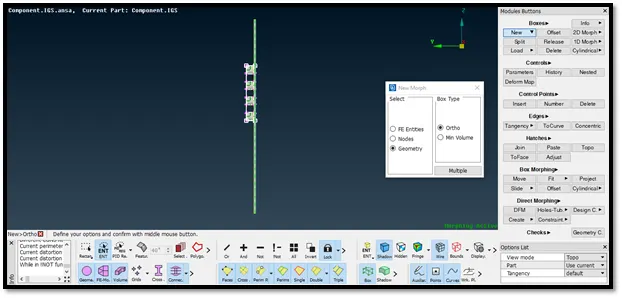
Fig: Box morph for ribs
As a result, a box type of structure will be formed with control points at the edges. These control points can be moved so that the model can be transformed into different shapes. If you move the control points the entities inside the box only will be affected.
Move Option:
Now use box morphing a move option to transform the entities inside the box in any direction using coordinate axis. Therefore, ribs are morphed easily without changing any geometrical values. Always select control points before moving. Similarly, for all features a box type morph can be applied and control points can be moved to generate morphing. This method is very effective for simple modifications of all the features.
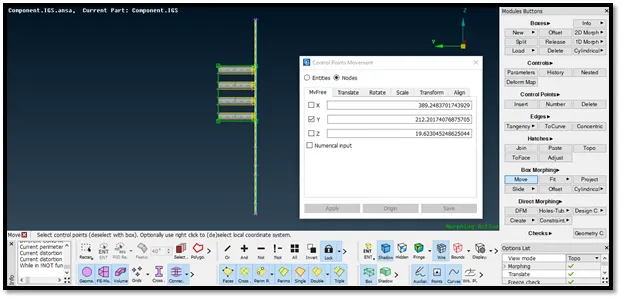
Fig: Ribs morphed in Y coordinate
Split Option:
Using split option, one can divide the box which is created using new morph option. This can be done in multiple ways.
Using user cut we can click anywhere to divide the box morph.
By using number option, ANSA automatically splits the box morph according to the number specified by the user.
By parametric cut the user can specify the distance of the split. The box will be divided according to the value given by the user.
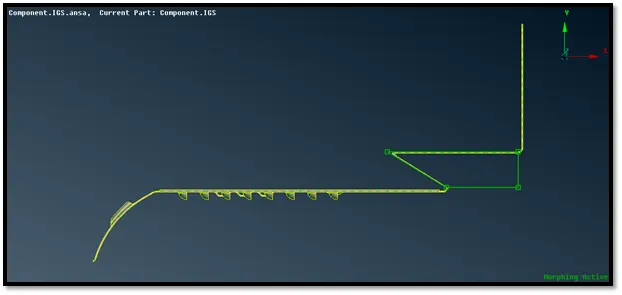
Fig: Morphed Features
After morphing, one can use Boxes---> Delete option to delete all the box morph i.e. the green lines.
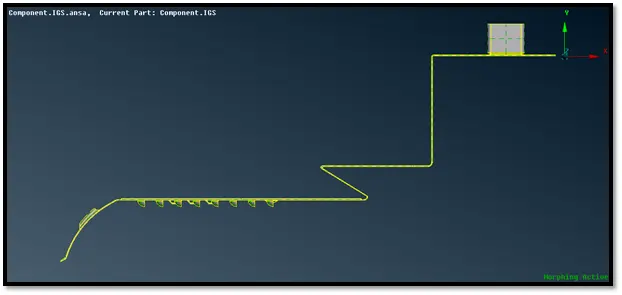
Fig: Box morph deleted
Therefore, morphing can be very effective as it can alter the shape of geometry or FE model easily. I have mentioned the total morphed model in the below picture.
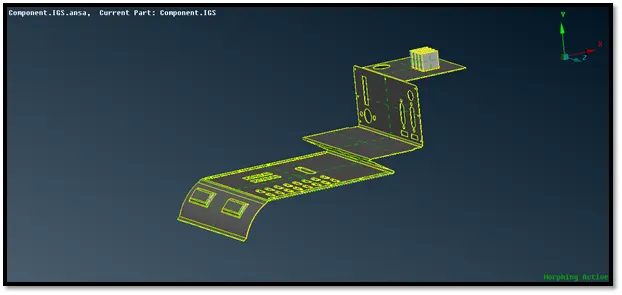
Fig: Geometry after morphing
Case Study:
Domain (Box) Morphing
Domain or Box Morphing is preformed via boxes that are created around a particular part or assembly that the user intends to morph. The movement of the Morphing boxes control points defines the morphing operations on the entities inside the Morph box. This type of Morphing can be applied to both FE and Geometry based models.
Direct Morphing
ANSA’s Direct morphing features gives the user the ability to efficiently modify a part locally without having to create Morphing boxes. This method is extremely useful in creating local modifications on single parts. Creation of depressions, surface fitting certain FE part features to new target geometry, moving selected features along the contour of a surface and also the ability to freeze (rigid) elements during the morphing process are some of the direct morphing abilities.
Parametric Morphing
The desired morphing actions can be saved as parameters which can be accessed in batch mode. Users can enforce desired shape changes by changing numerical input value for the appropriate parameter. This method of morphing is highly utilized for coupling of the morphing operations to an external optimizer. The scripting capability can be used in conjunction with ANSA’s parametric morphing functionality to deliver faster DOE models.
Geometry Morphing
ANSA brings to the CAE world its ‘one – of – a kind’ tool for CAD geometry morphing. This pioneering concept allows the user to utilize the inventory of all the familiar FE morphing functions to perform equivalent operations in a CAD environment on geometric entities.
- The bead structures in the form of triangular, trapezoidal, rectangular and elliptical can be easily added to the existing FE model.
- Optimizing designs for a new vehicle model using the same geometry can be achieved effectively.
- Morphing and deformation parameters can be recorded for comparison of designs.
- The cars produced by Honda like Brio, a hatch back and Honda Amaze, a sedan are based on the same design but optimized with morphing techniques.
- Mahindra TUV300 and TUV300 PLUS are facelift versions that have same design with extended body which is achieved using morphing technique.
Result:
In this challenge I have successfully imported the model and did geometry clean up with no errors. I have successfully created the box morph and divided it using split. I have moved them in different directions. Also read about some real-life morphed designs related to automotive industry.