Week 7 State of charge estimation
Question1:
Simulate the 3 test cases from harness dashboard and write a detailed report on the results Now we have to simulate 3 test cases from harness dashboard .We nedd to select the harness dashboard from project file which is given the question the reference link
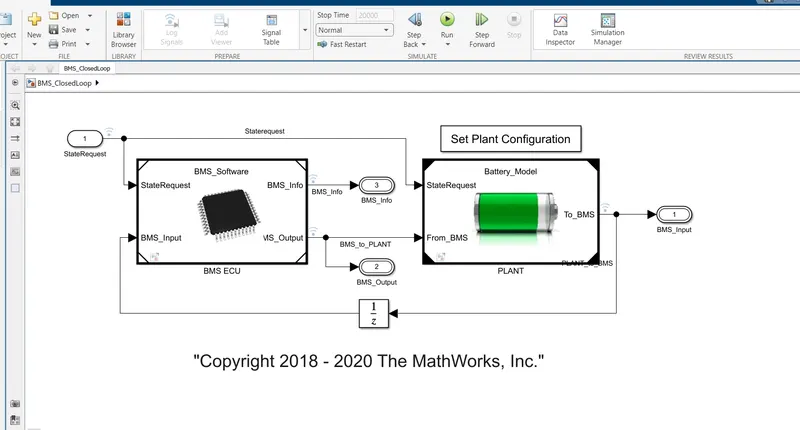
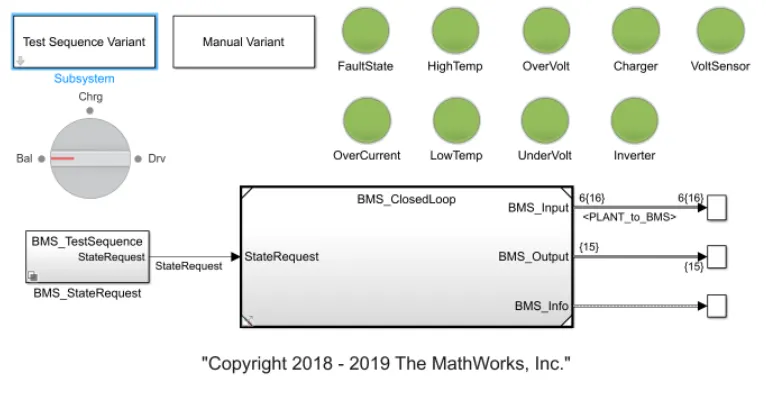
First we have to select harness model below
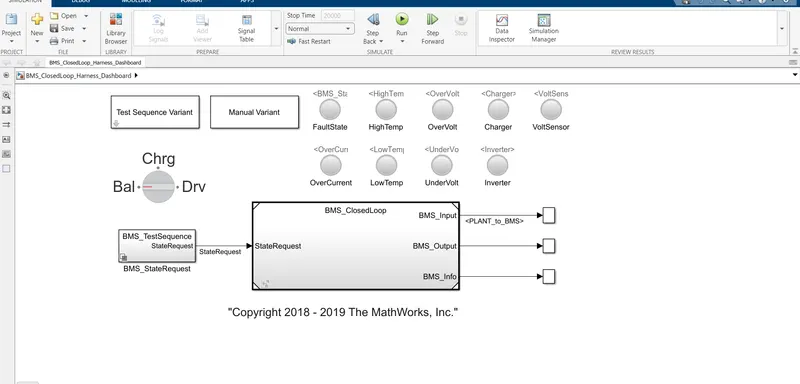
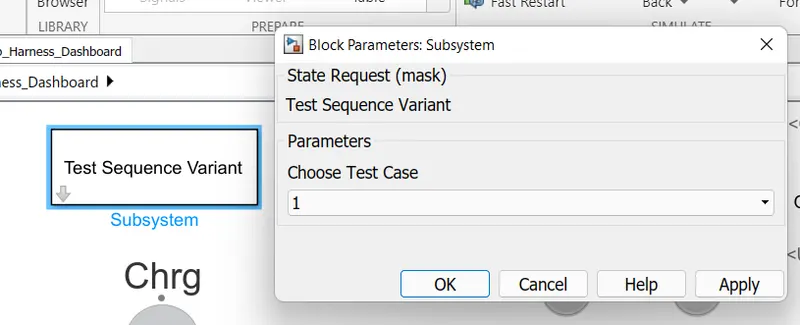
we have to open BMS closed loop Harness dashboard click on the test sequence varient block and select test case 1
test1:now by clicking on the BMS sequence block we get the chart
When the simulation will start the model in driven condition.after 3000seconds it will be in standby mode and after 1000 seconds it will be charging mode.Now by running the simulation we get
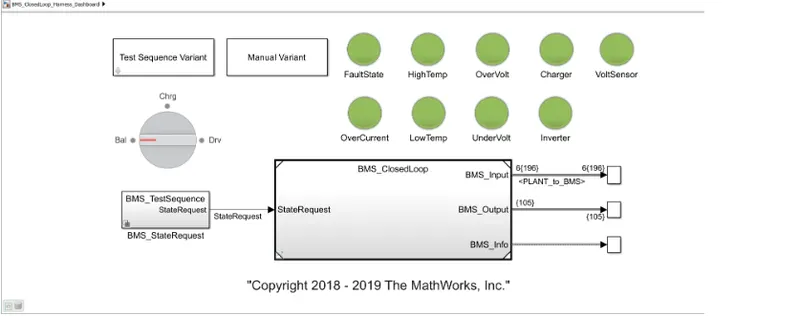
Results:the indicators are green so we can see no errors and we check the plot for this model and is shown below
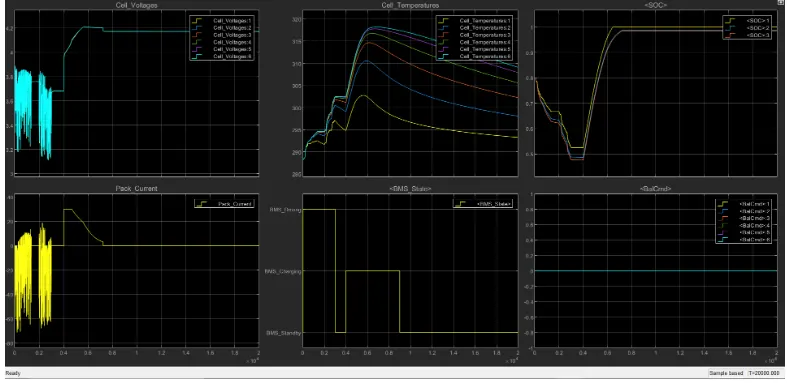
From the plot we can see the vehicle initially in driving state and charging was done till 90% after charging it is in standing mode battery temperature increases in driving and charging .battery voltage was increased to 4.2v while charging
Now change the test sequence varient in case two:
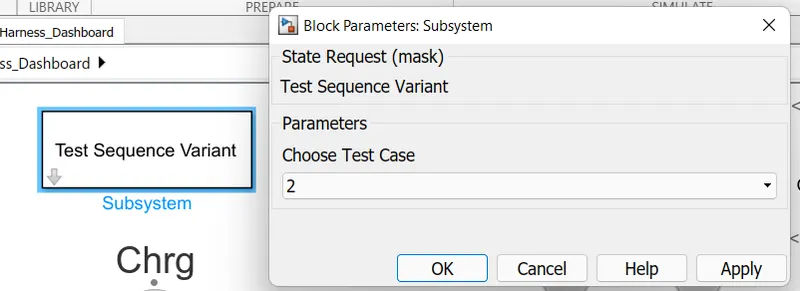
when the simulation starts in test 2 case the results will shown in given below
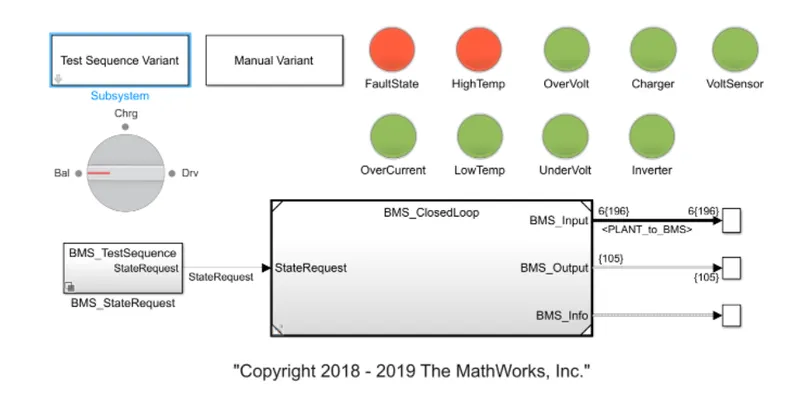
result from test 2:
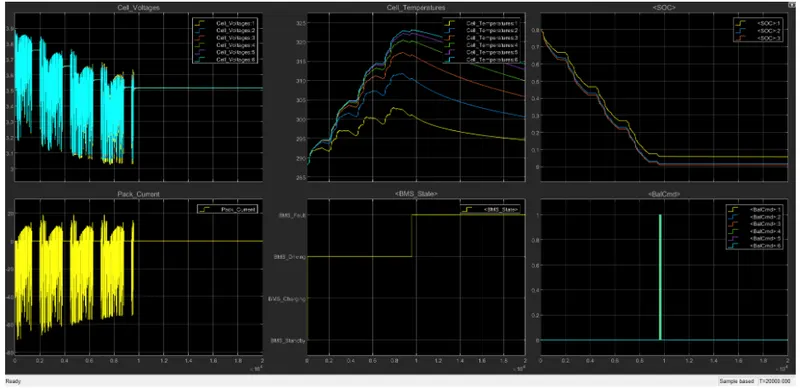
From the plot we can see fault condition occured in second condition charging started but soc did not increase it continue to decrease
Test3:
now changing the test sequence variance value to 3:
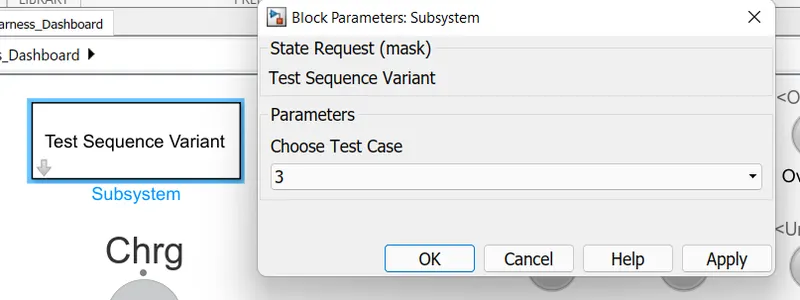
The condition has only one phase and that is charging thus 0 to 20000 seconds simulation runs
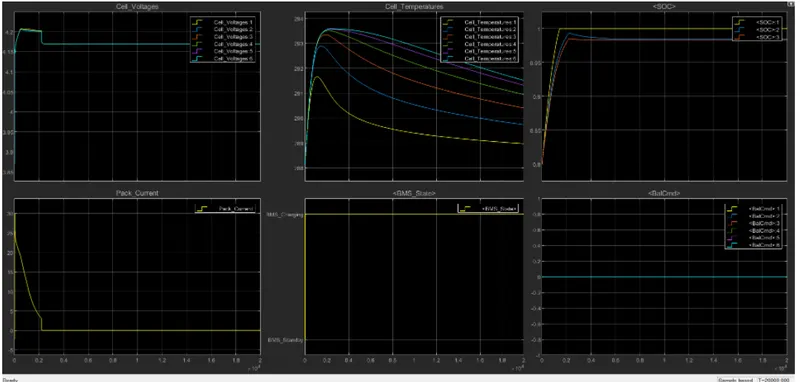
results:Here all the indicators are green and no errors and in the plot we can see that the soc is reached to 100%in charging and remained in standby mode.cell temperature also decreased when standby mode is achieved
From three cases we observed only charging takes place thus soc was 80%at first and then soc increases to 100% in 2000 seconds then soc remains constant at 100%
Question2:
What is coulomb counting? Refer to the above model and explain how BMS implements coulomb counting for SOC estimation ?
coulomb counting:
The Coulomb counting method is one of the most general and simple methods of estimating the SOC. We use it for a baseline comparison for more advanced methods. The Coulomb counting method measures the current of the battery and integrates the current over time to estimate SOC.
Coulomb counting is a technique used to track the State of Charge of a battery pack. It works by integrating the active flowing current (measured in amps) over time to derive the total sum of energy entering or leaving the battery pack. This produces a capacity that is typically measured in Amp-hours.
A coulomb counter is like an odometer for current. It constantly monitors the current your circuit is using, adds it up, and gives you a pulse each time a given amount of amp-hours have been used. With each pulse, you'll also get a "polarity" signal, which tells you which direction the current is flowing (great for rechargeable batteries!). By counting the pulses and direction, you can maintain an accurate count of how much power your circuit is removing from (or putting back into) your battery.
for example in the project file we downloaded BMS model is shown below
by clicking BMS ECU we get the subsystem
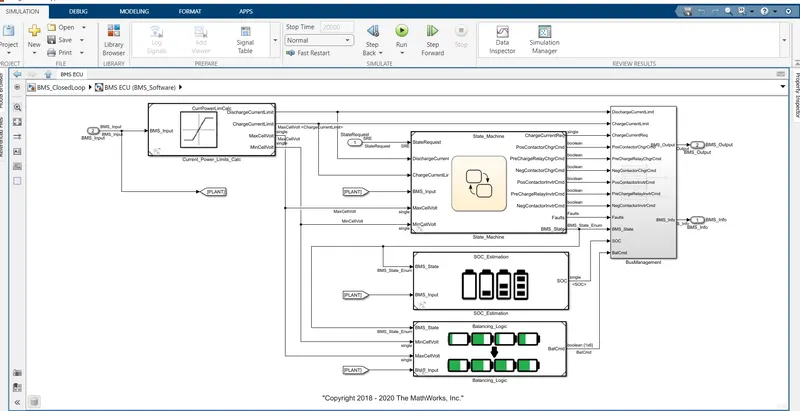
soc estimation block
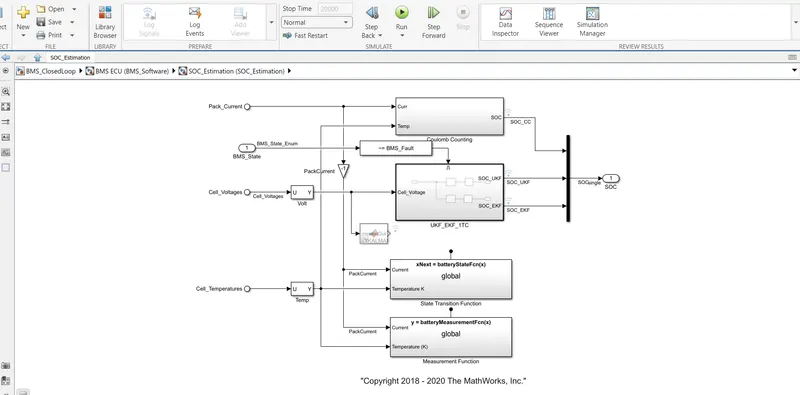
from this we get the coulomb counting block
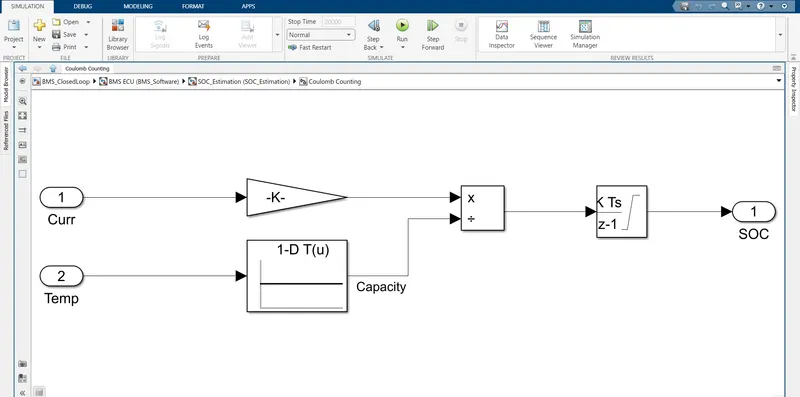
In the model it accepts two input signals current and temperature with the current signal going to the gain block and temperature going to battery time and current lookup tables both blocks are linked to split block.and the signals are sent to discrete-time integrator to track the charge
positives are simplicity and cheap capital cost. while disadvantages are a buildup of current sensor and inability to recover start condition.
advantages of coulomb counting method is its simplicity and low cost.temperature and current from the battery is given as inputs these inputs are given for integration where current will be integrated with respect to time