Week 7-Long Piston With Cam
Cam model
Aim
To model a cam system and determine strains and stresses.
Procedure
- Start a new transient structural model in ansys and import the model
- Open this model in ansys mechanical.
- Check that the materials were properly assigned to the model.
- Set the contact to rename based on definition and select the faces appropriately.
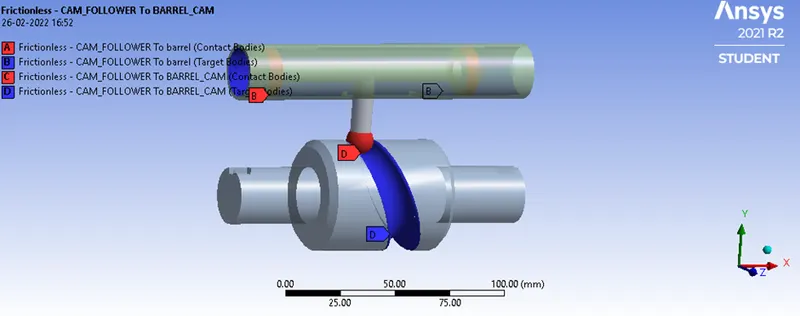
- Change the contacts frictionless, (fric 0.1 and 0.2 for other 2 cases)
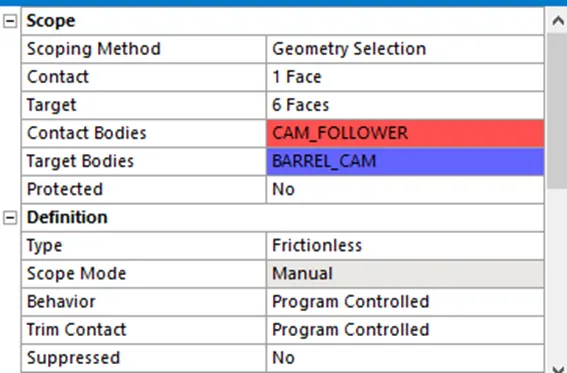
- Change the contact properties as shown
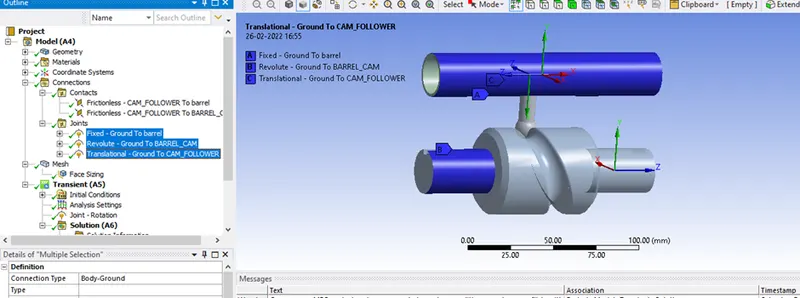
- Define the joints as shown
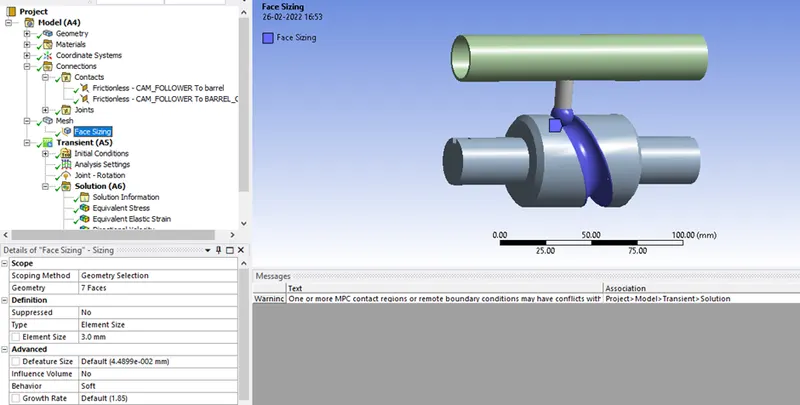
- Create face sizing as shown
- Define the rotation as shown
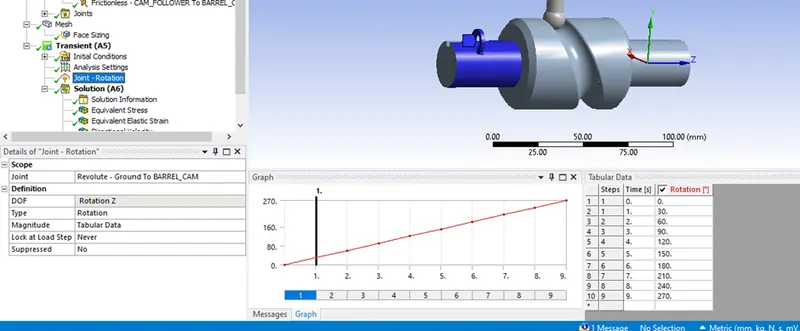
Analysis Settings
Set the analysis settings as shown.
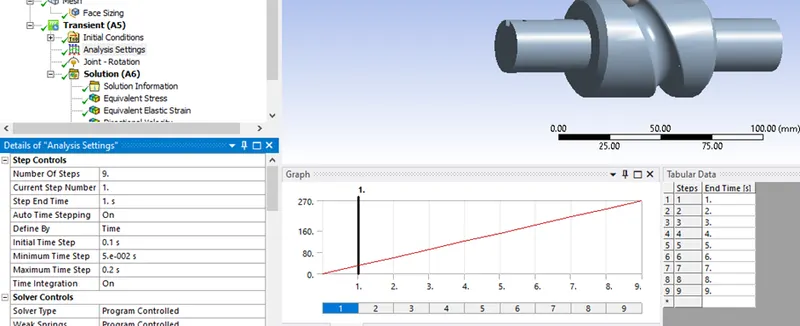
(set all the output controls to yes)
Set your output blocks as shown
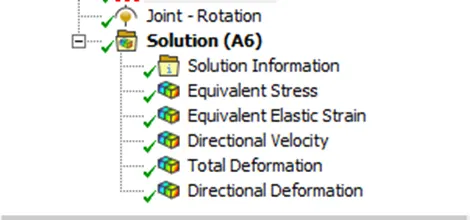
For the other case, simply change to friction 0.1 and 0.2 respectively.
Post Processing
Case 1: frictionless
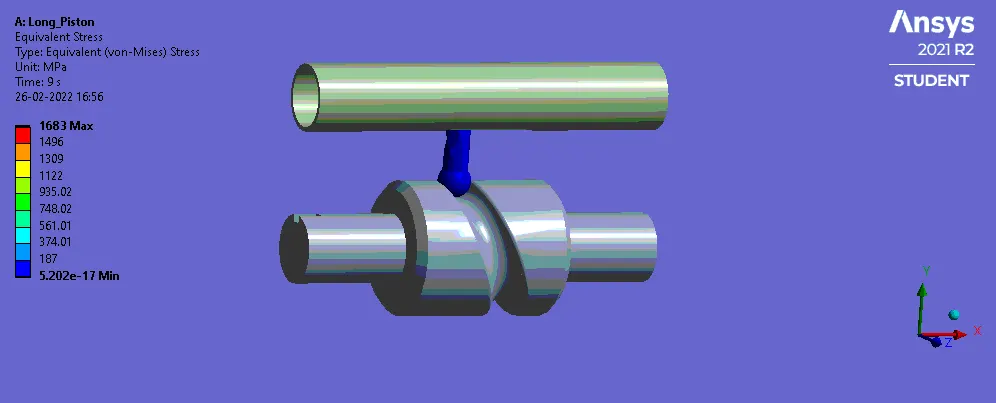
Case 2:Fric 0.1
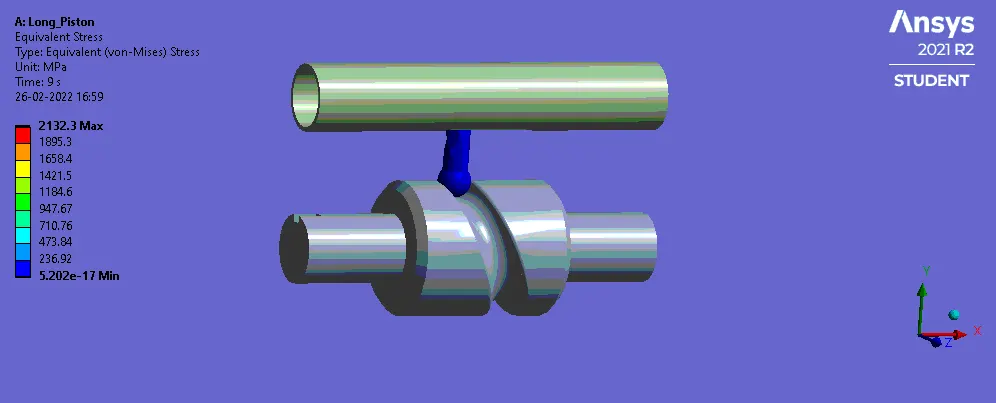
Case 3:Fric 0.2
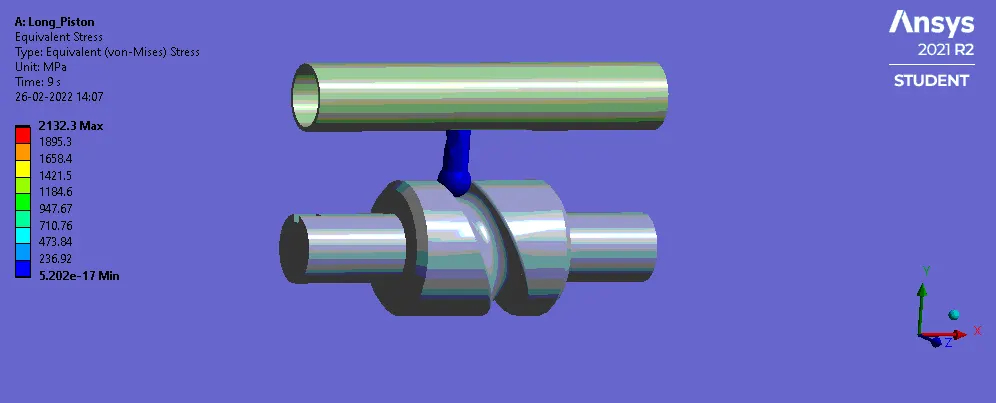
Tabulated Results
|
Case |
Case 1 |
Case 2 |
Case 3 |
|
Maximum Stress (MPa) |
1683 |
2132.3 |
2660 |
|
Elastic Strain |
0.0084632 |
0.010722 |
0.01339 |
|
Directional deformation |
20.324 |
20.34 |
50.801 |
It can be seen that the stresses and pressure experienced increases significantly as we add a coefficient of friction.
Conclusion
In this project, a simple cam system was modelled and simulated in 3 different cases.