Week-7 Head Impact
INTRODUCTION
Pedestrian safety simulation is a part of vehicle safety engineering from crash perspective. This study focuses on car and pedestrian interaction. In pedestrian protection, we look for imparting minimum injury to head, upper leg (thigh), and lower leg (including knee) in case of an accident with a human subject. These tests are usually done at a lower velocity from 20-40 kmph as accidents tend to result in more severe circumstances above these velocities and braking in case of an accident often results in collision at low velocities.
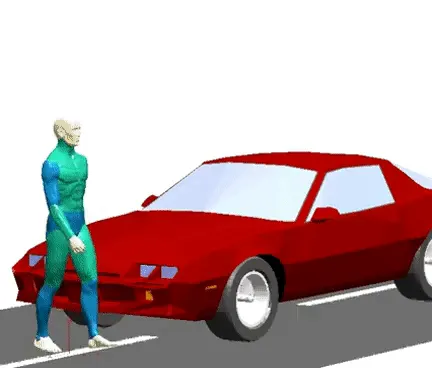
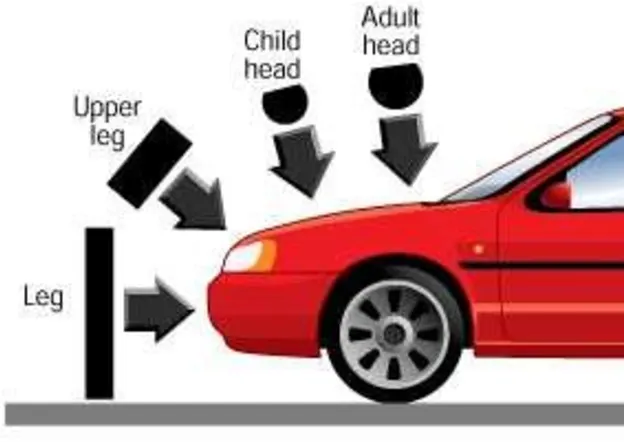
The following images depicts a car crash on a pedestrian specially the impact which is happening on the head and a general case of car crash happening on the head of child and adult.
HEAD INJURY CRITERION/COEFFICIENT(HIC)
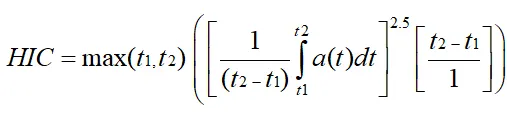
HIC(Head Injury Criterion/Coefficient) is a quantification of head injury. It measures likelihood of head injury caused due to impact after an accident. Basically a measure of acceleration during a small interval of crash.
The equation used for the measurement of head injury due to pedestrian head impact on a car is given below
HIC(d) = 0.75446(Free Motion Headform HIC) +166.4
t1 or t2 are the initial time and final time in seconds chosen to maximise HIC. a is the accelearation. The time duration (t2 – t1) is limited to a maximum value of 36 m/second. Usually it will be 15 m/second.
CONCLUSIONS FROM HIC VALUES
Small HIC value do not mean that head injuries will be of low levels. Likewise, a high HIC value do not imply high level head injuries. The real meaning is that with higher HIC values, higher the probability of getting high level head injuries.
The following images depicts a car crash on a pedestrian specially the impact which is happening on the head and a general case of car crash happening on the head of child and adult.
At HIC = 650,
90% Probability of level 1, Slight damage to brain with headache, dizziness, no loss of consciousness, confusions.
55% Probability of level 2, Concussion with or without skull fracture, less than 15 minutes of unconsciouness, detached retina, face and nose fracture.
20% Probability of level 3, Concussion with or without skull fracture, less than 15 minutes of unconsciouness without severe neurological damage, multiple skull fracture, loss of vision, multiple facial fracture, cervical fracture without damage to spine.
5% Probability of level 4, Multiple skull fracture with severe neurological daamage.
Small HIC value do not mean that head injuries will be of low levels. Likewise, a high HIC value do not imply high level head injuries. The real meaning is that with higher HIC values, higher the probability of getting high level head injuries.
OBJECTIVE:
1) The main objective of this problem is to perform the head impact simulation and calculate the HIC(Head Injury Criterion/Coefficient) value in LS-Prepost for the following cases.
- Simple head impact on a rigid wall.
- Pedestrain head impact on a rigid wall with the Stress/Strain plots and acceleartion plot.
- Pedestrian head impact on a hood with the Stress/Strain plots and acceleartion plot.
2)The second most objective is to compare the Stress/Strain plot from the Rigidwall simulation should be compared with the Stress/Strain plot from the Hood Simulation.
PROCEDURE FOR SIMULATION:-
Case 1, Steps to be followed for simulating simple head impact on a rigid wall
Step 1:- The given keyword file is opened in LS-PrePost using the option, File > Open > LS-Dyna Keyword File.
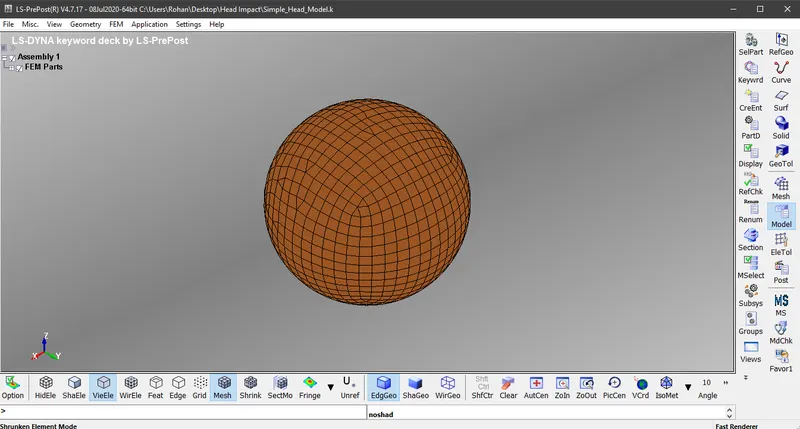
Step 2:- Assigning material properties for the shell element. The material used here is *MAT_PIECEWISE_LINEAR_PLASTICITY
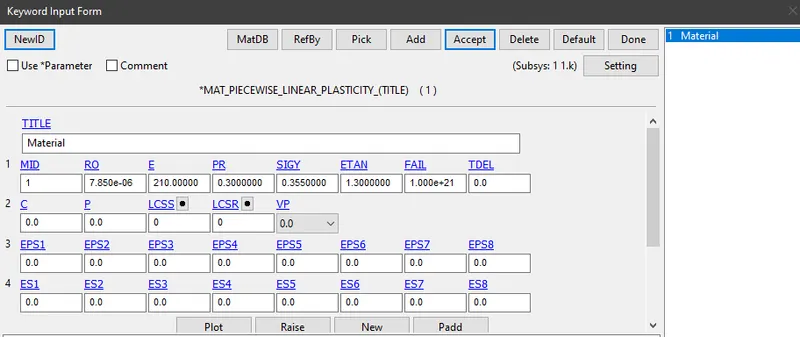
Step 3:- Assigning section properties for the shell element
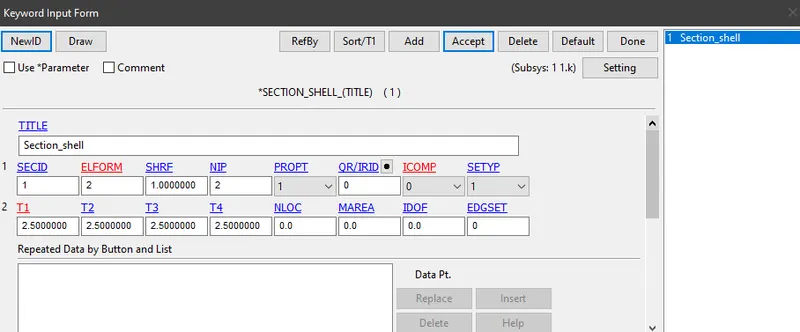
Step 4:- Assign the material properties and section properties to *PART card
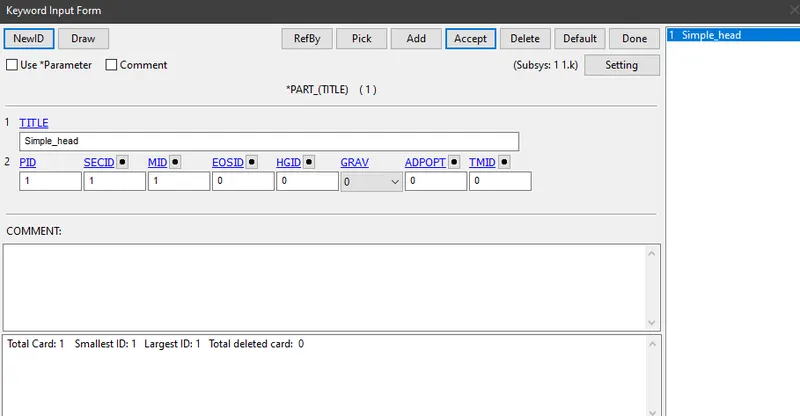
Step 5:- Create Node sets to provide initial velocity
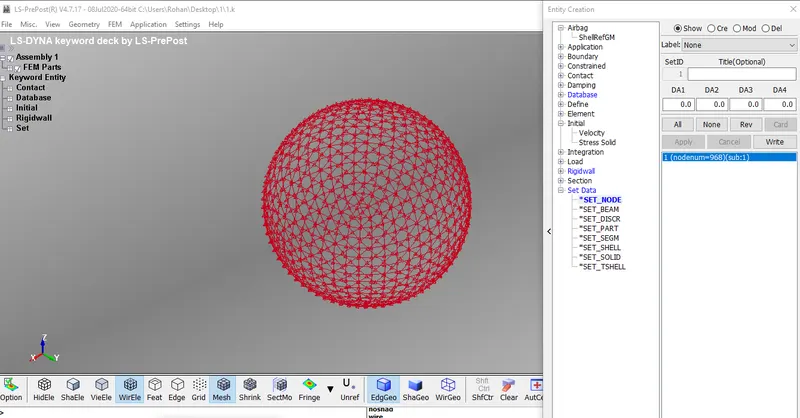
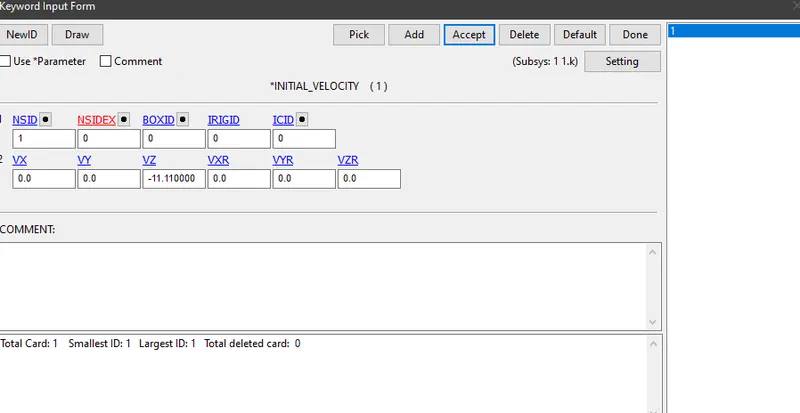
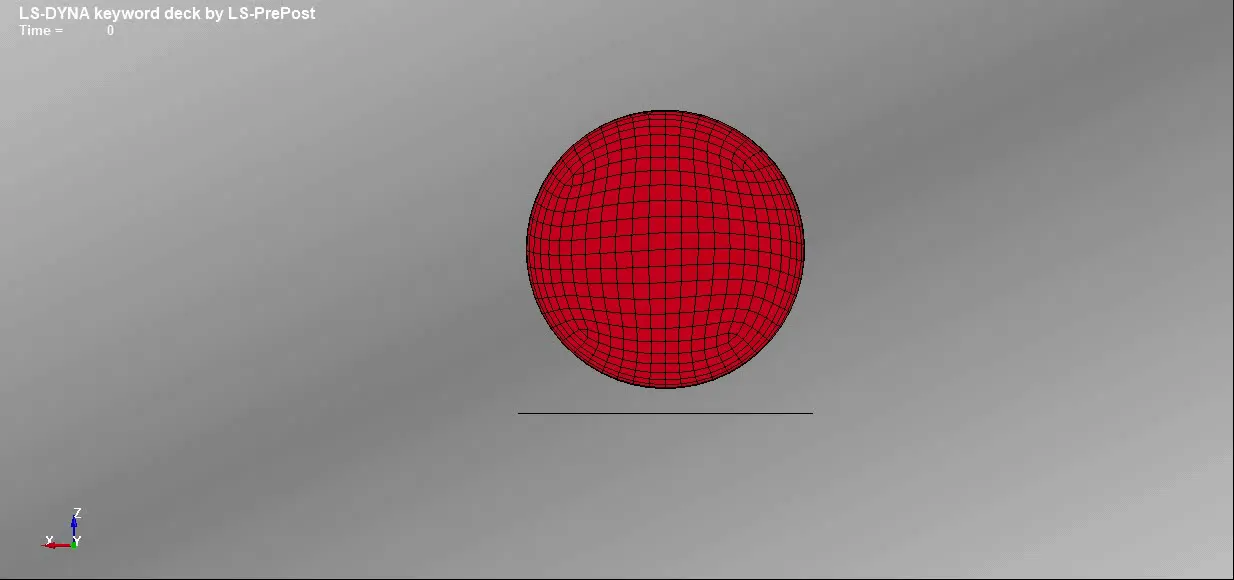
Step 6:- Defining velocity, the simple head model is assumed to be impacting the rigid wall at 40 Kmph i.e. 11.11 mm/ms in negative Z-Direction. Assign the node sets created in NSID column.
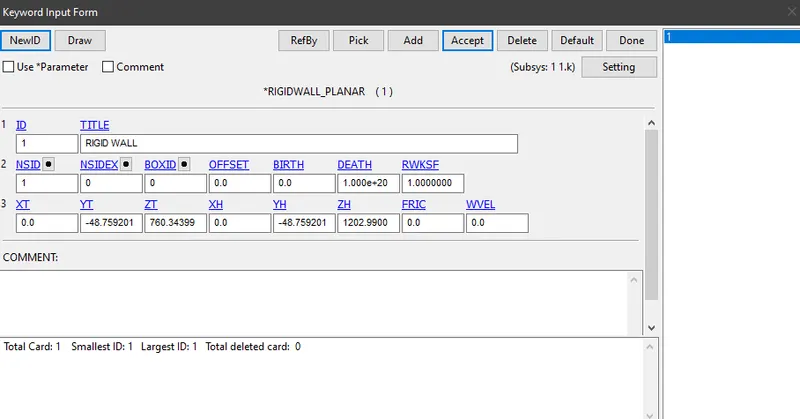
Step 7:- Rigid wall creation, A planar rigid wall is created at a distance of 15 mm from the bottom of the simple head model. Assign the node sets created in NSID column.
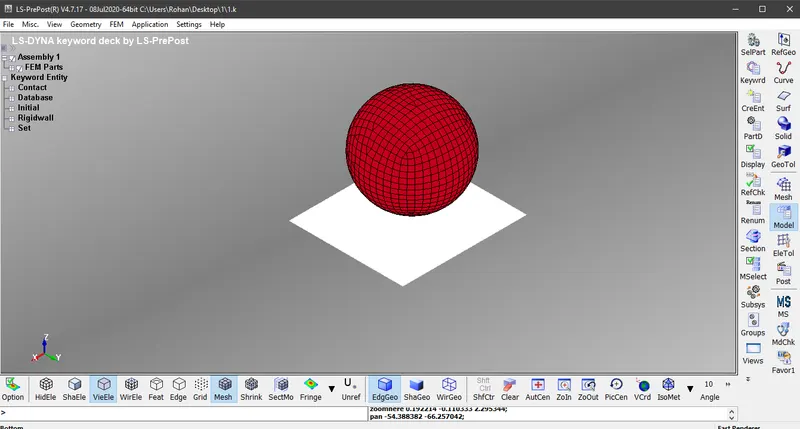
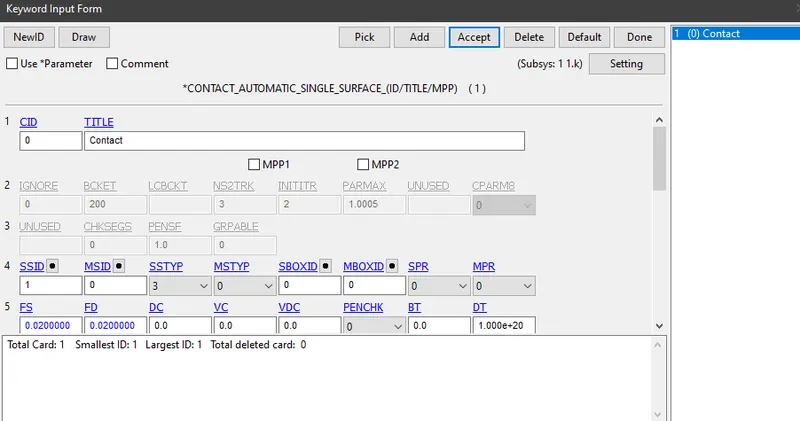
Step 8:- Assigning a contact between simple head model and rigid wall. The contact type selected is *AUTOMATIC_SINGLE_SURFACE. FS and FD are Static Coefficient of friction and Dynamic Coefficient of friction with a value of 0.02. Assign the part which is been created under Slave Set ID. The value loaded under SSTYP is 3 as it implies Part ID
Step 9:- After completing all the above steps, create a control card for termination i.e. *CONTROL_TERMINATION. The termination time is given as 20 ms
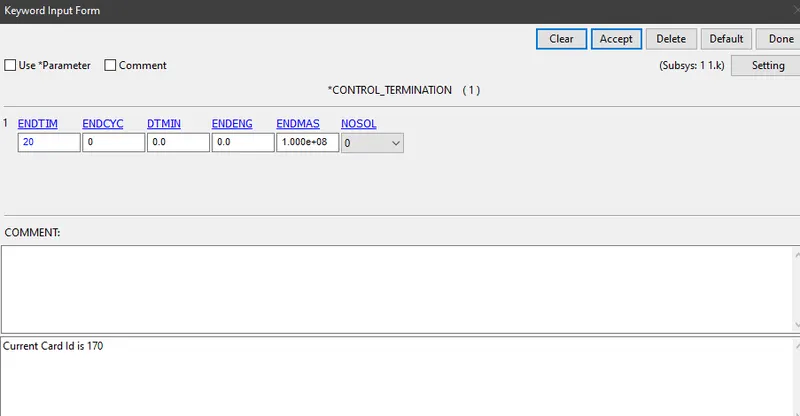
Step 10:- Under Database, create cards for *DATABASE BINARY D3PLOT, *DATABASE_EXTENT_BINARY, *DATABASE_HISTORY_NODE and *DATABASE_ASCII.
- The time step value of 0.5 ms is given for Binary D3Plot.
- STRFLG value is loaded as 1 under Database Extent Binary to compute the elastic strain in the model.
- Database History Node is used to compute the HIC value of a 68991 node in the model.
- Load the value as 0.5 for GLSTAT, NODOUT and RWFORC under ASCII.
Step 11:- The keyword file is checked for errors using model check and the file is saved using .k extension. Run the saved keyword file using LS-Run.
Steps to be followed for simulating pedestrian head impact on a rigid wall
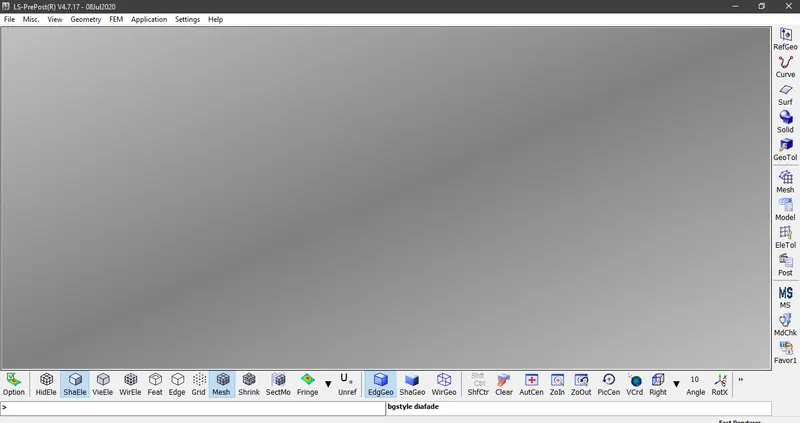
Step 1:- Open a blank LS-PrePost as shown below and do not open pedestrian head model
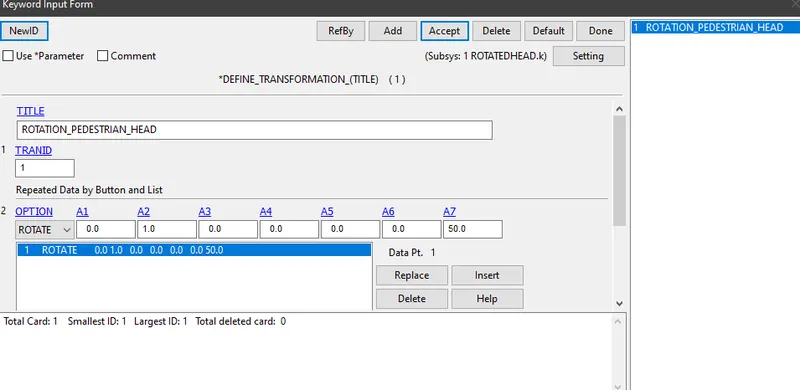
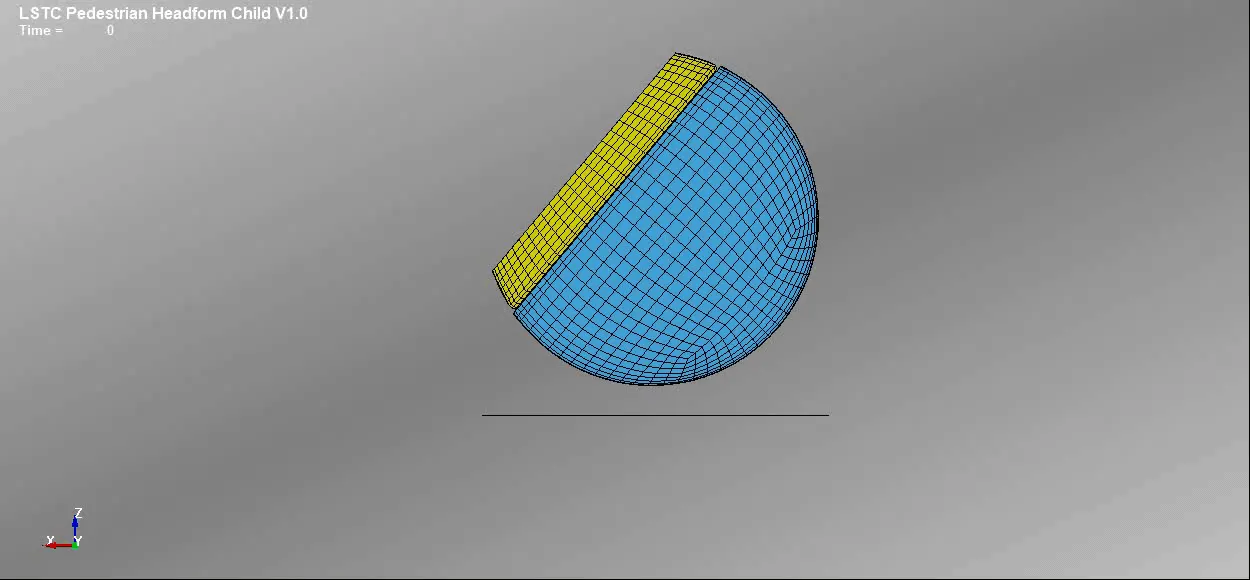
Step 2: Define the transformation card. (0, 1, 0) are the Direction cosines of a line passing through the point and it is rotated 50 degrees along Y-axis.
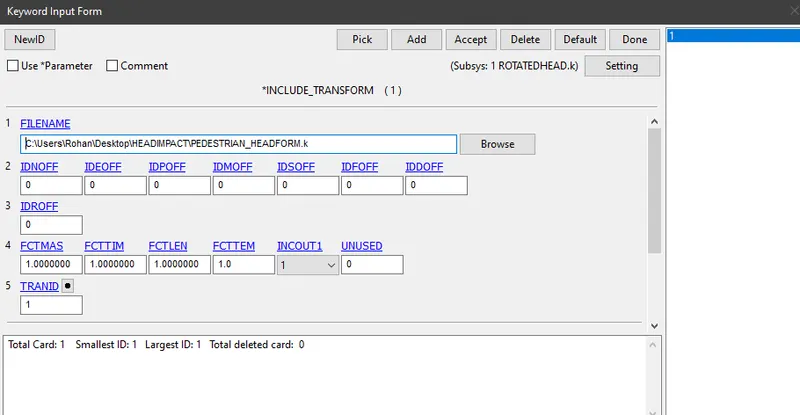
Step 3: Define the transform card using *INCLUDE_TRANSFORM. It is a card which is used to pull the rotated pedestrian head form model into the main file. Give the TRANID as 1. Use the original given pedestrian file for FILENAME.
Step 4:- Save the file using .k extension with a different name ROTATED
Step 5:- Open the ROTATED file in LS-PrePost using the option, File > Open > LS-Dyna Keyword File. This is how the rotated model at an angle of 50 degrees looks like.
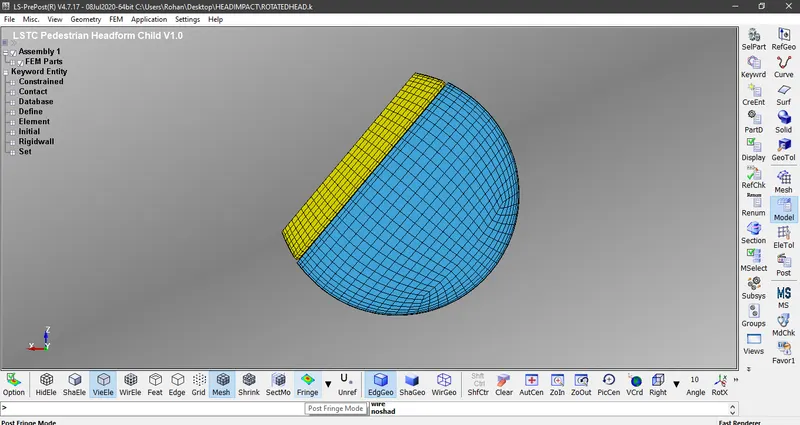
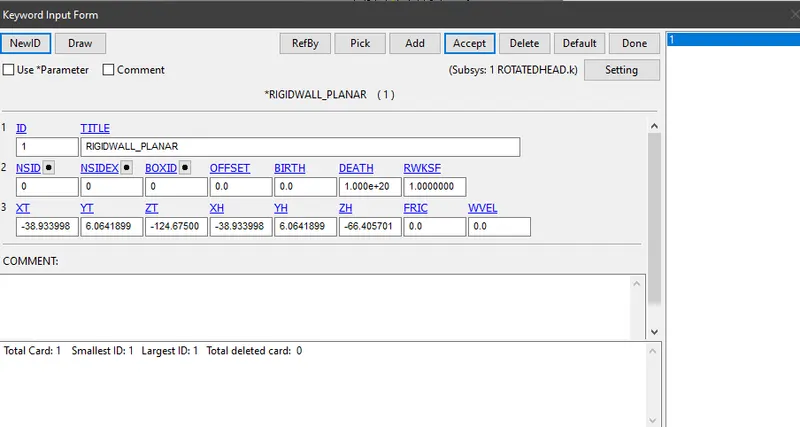
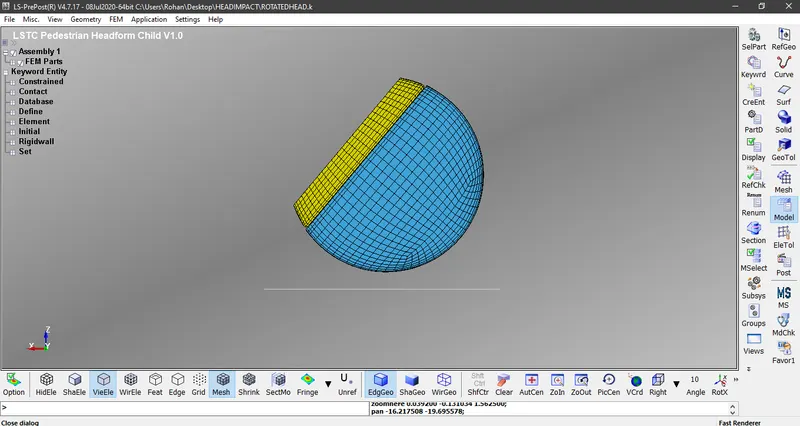
Step 6:- Create a Rigid wall 15 mm below the surface of the model. It is created by using *RIGIDWALL PLANAR
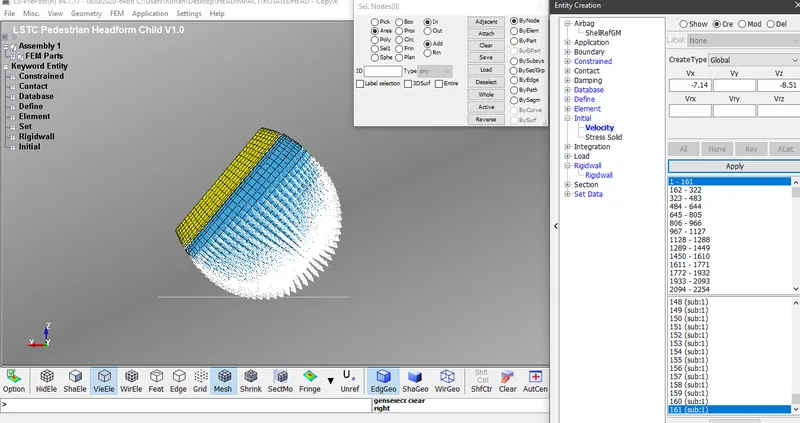
Step 7: Defining Initial velocity for the model, As per Euro NCAP Standards, an initial velocity of 40 Kmph is to be taken into consideration, i.e. 11.11 mm/ms at an angle of 50 degrees. The horizontal component and vertical component of velocities are -7.14 mm/ms and -8.51 mm/ms respectively.
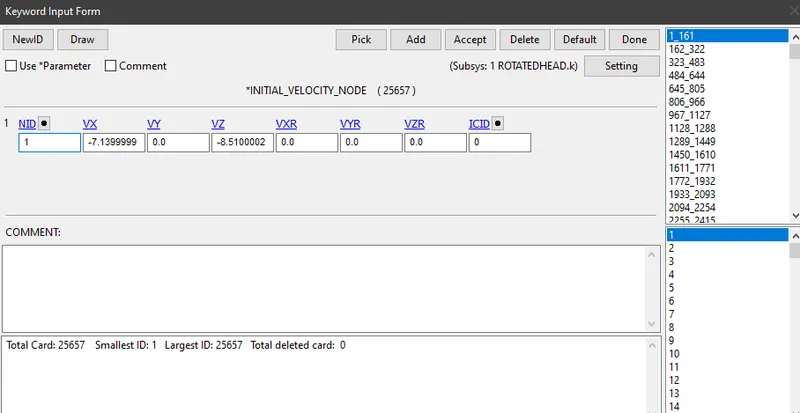
Step 8:- After completing all the above steps, create a control card for termination i.e. *CONTROL_TERMINATION. The termination time is given as 20 ms
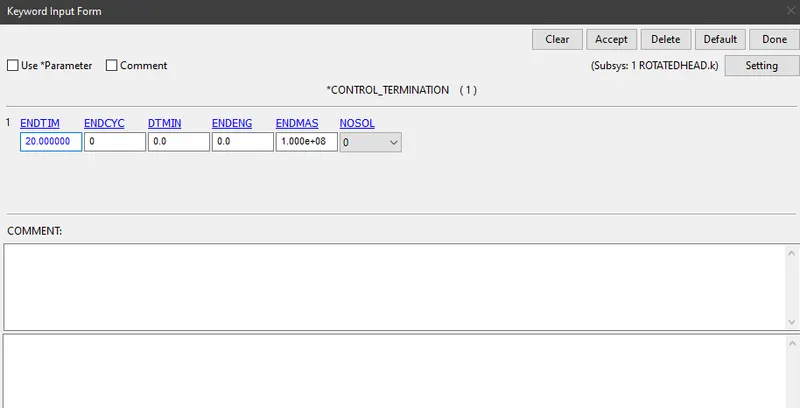
Step 9:- Under Database, create cards for *DATABASE BINARY D3PLOT, *DATABASE_EXTENT_BINARY, *DATABASE_HISTORY_NODE and *DATABASE_ASCII.
- The time step value of 0.5 ms is given for Binary D3Plot.
- STRFLG value is loaded as 1 under Database Extent Binary to compute the elastic strain in the model.
- Database History Node is used to compute the HIC value of a 25679 node in the model.
- Load the value as 0.5 for GLSTAT, NODOUT and RWFORC under ASCII.
Step 10:- The keyword file is checked for errors using model check and the file is saved using .k extension. Run the saved keyword file using LS-Run.
Case 3, Steps to be followed for simulating pedestrian head impact on a meshed hood
Step 1:- The given keyword file is opened in LS-PrePost using the option, File > Open > LS-Dyna Keyword File.
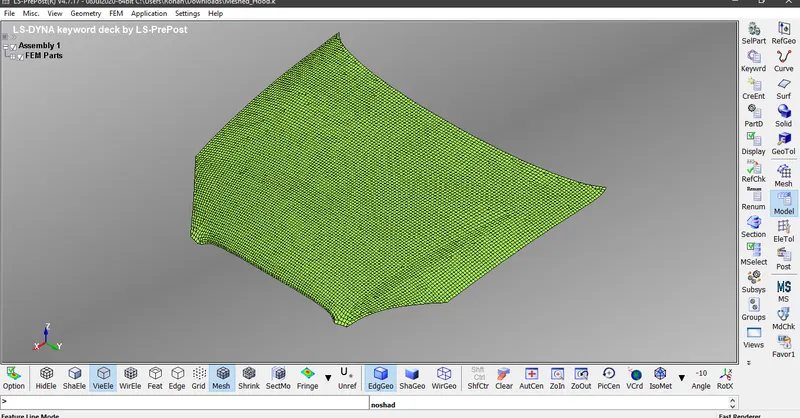
Step 2: Define the transformation card. (0, 1, 0) are the Direction cosines of a line passing through the point and it is rotated 50 degrees along Y-axis.
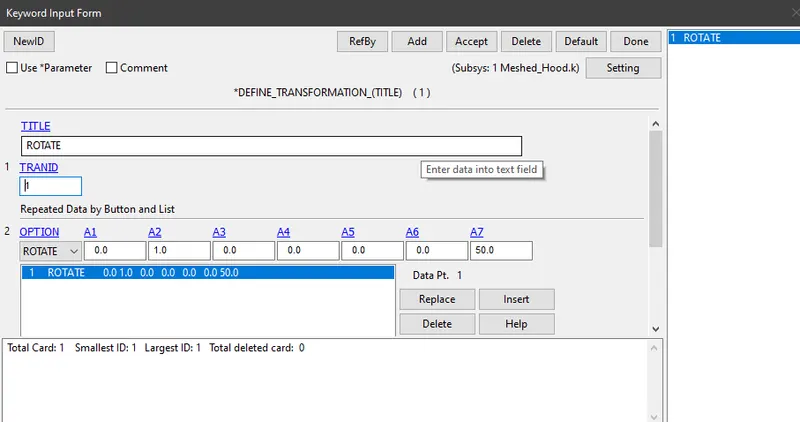
Step 3: Define the transform card using *INCLUDE_TRANSFORM. It is a card which is used to pull the rotated pedestrian head form model into the meshed hood file. Give the TRANID as 1. Use the original file of pedestrian head in the FILENAME
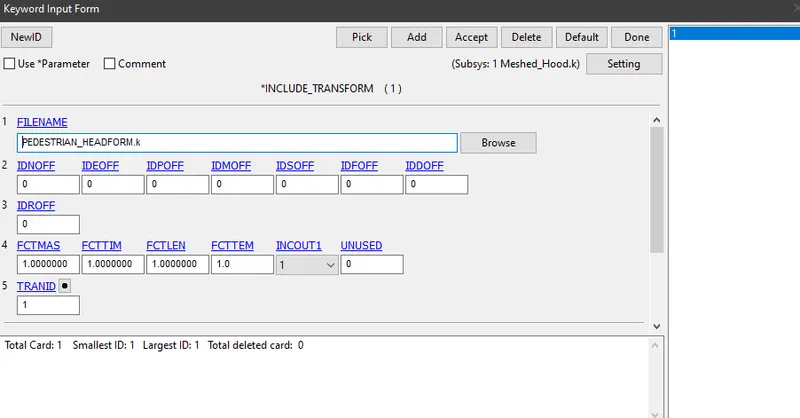
Step 4:- Save the file using .k extension and overwrite it on the Meshed_hood file
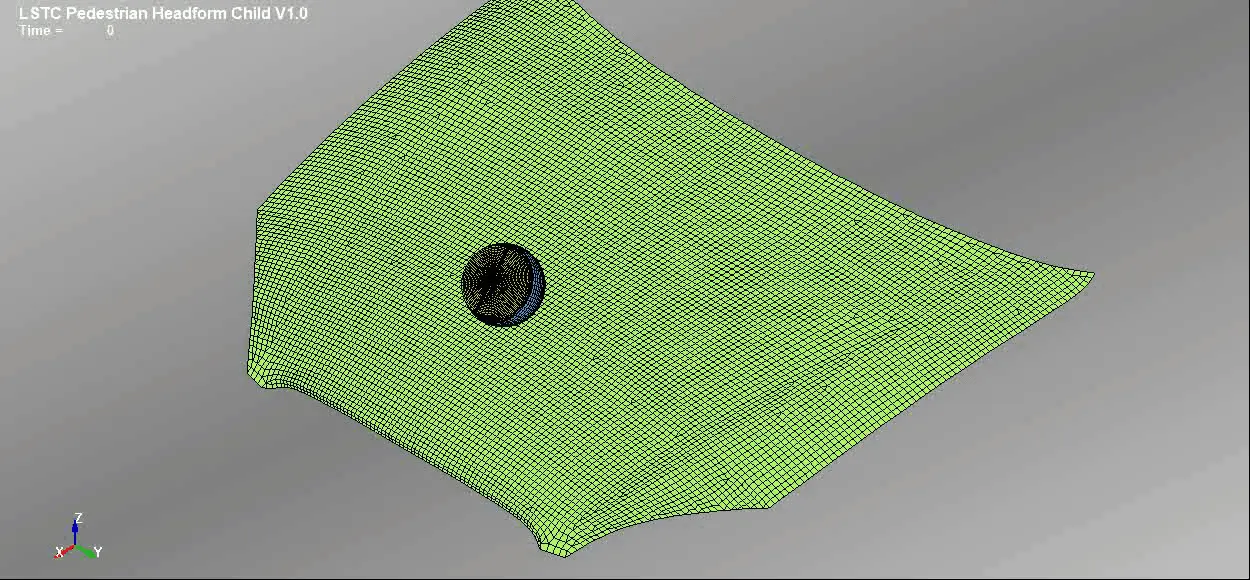
Step 5:- Open the saved Meshed_hood file using LS-PrePost application again and this is how the model looks like when the pedestrian head is included in the meshed hood at an agle of 50 degrees
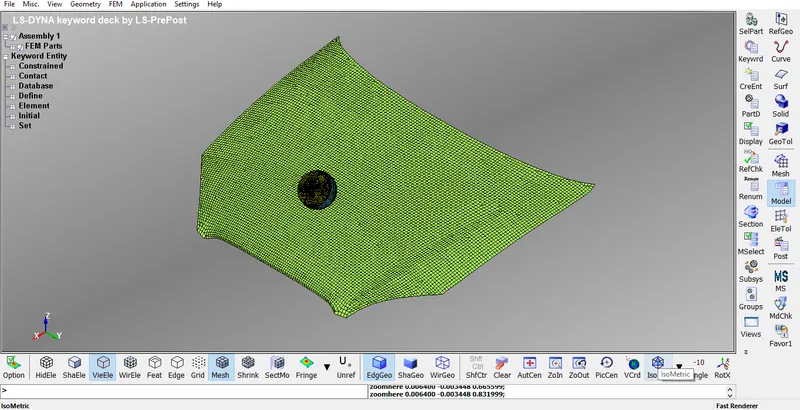
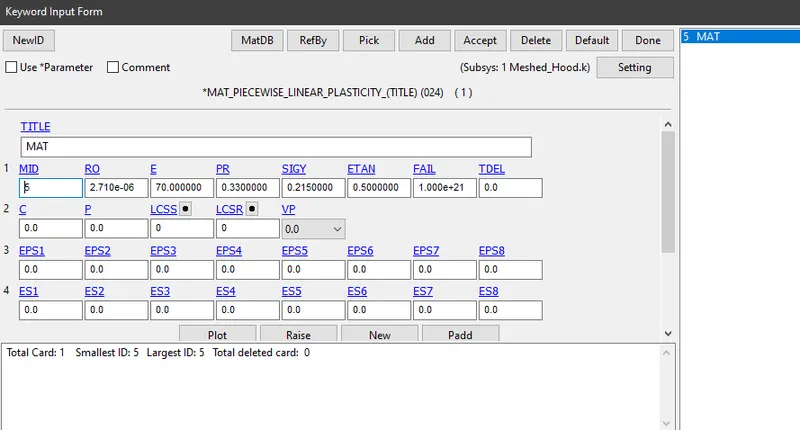
Step 6:- Assigning material properties for the shell element. The material used here is *MAT_PIECEWISE_LINEAR_PLASTICITY. Give the MID as 5.
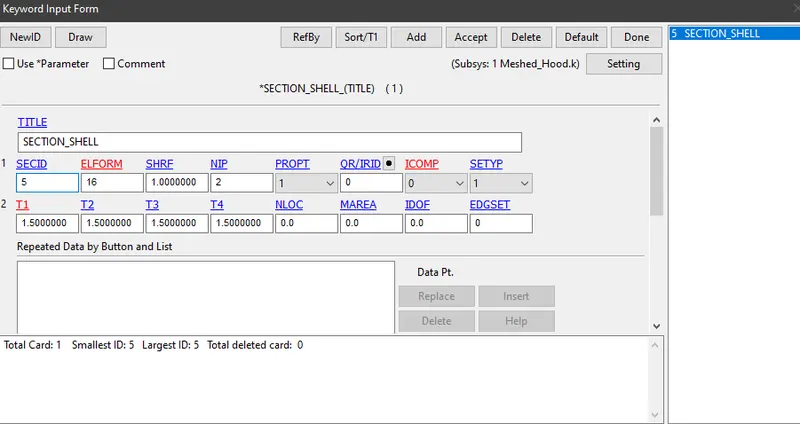
Step 7:- Assigning section properties for the shell element. Give the thickness of the shell element as 1.5 mm amd SECID as 5.
Step 8:- Assign the material properties and section properties to *PART card
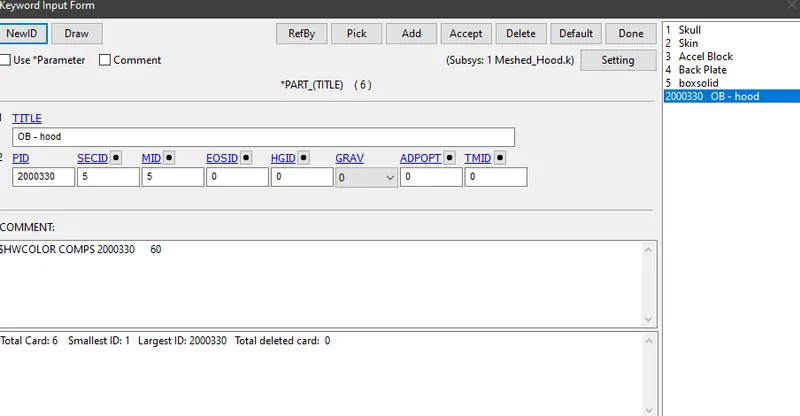
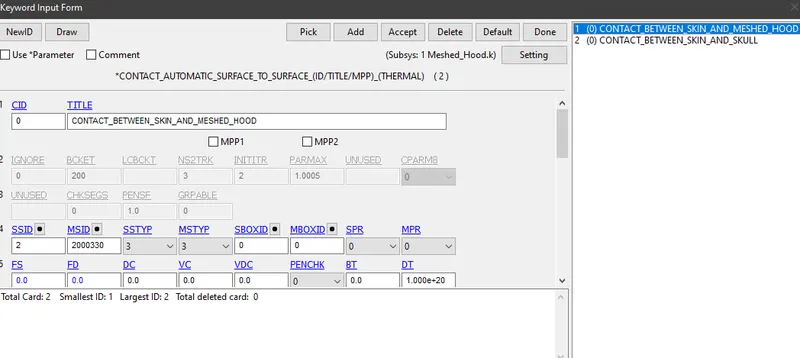
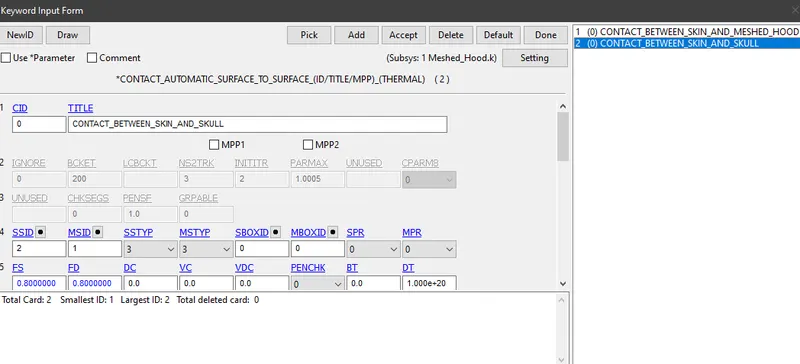
Step 9:- Creating two contact cards using *CONTACT_AUTOMATIC_SURFACE_TO_SURFACE for the contact between the parts to take place
Firstly assign the contact between skin(SSID=2) and meshed hood(MID=2000330) in the keyword file. Also assign the contact between skin(SSID=2) and skull(MSID=1) in pedestrain headform. SSTYP and MSTYP should be 3, as they are representing Part ID
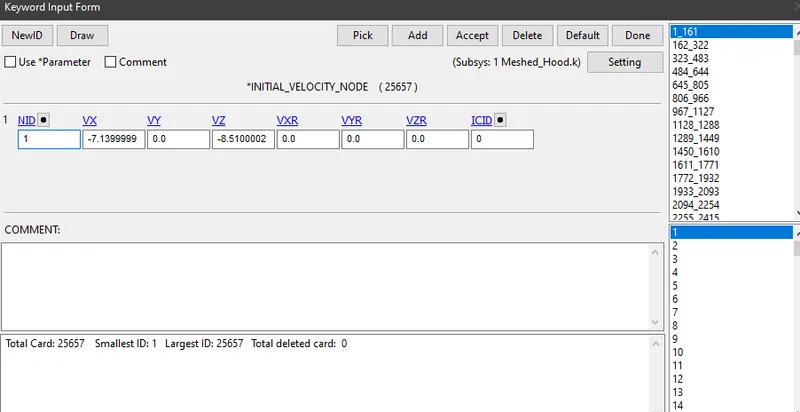
Step 10: Defining Initial velocity for the model, As per Euro NCAP Standards, an initial velocity of 40 Kmph is to be taken into consideration, i.e. 11.11 mm/ms at an angle of 50 degrees. The horizontal component and vertical component of velocities are -7.14 mm/ms and -8.51 mm/ms respectively.
Step 11:- After completing all the above steps, create a control card for termination i.e. *CONTROL_TERMINATION. The termination time is given as 20 ms
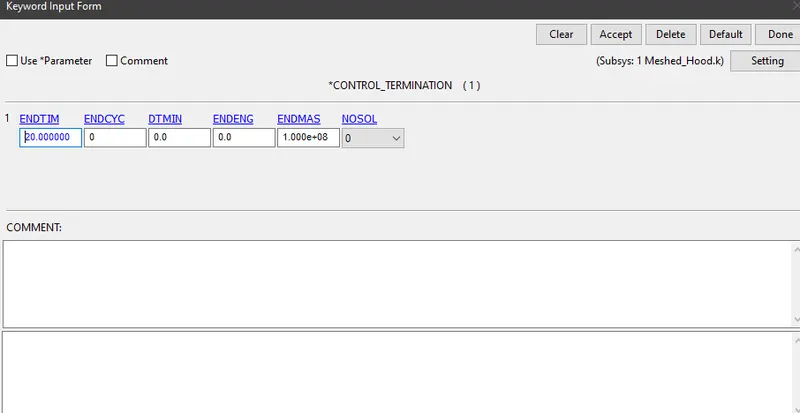
Step 12:- Under Database, create cards for *DATABASE BINARY D3PLOT, *DATABASE_EXTENT_BINARY and *DATABASE_ASCII.
- The time step value of 0.5 ms is given for Binary D3Plot.
- STRFLG value is loaded as 1 under Database Extent Binary to compute the elastic strain in the model.
- Database History Node is used to compute the HIC value of a 25679 node in the model.
- Load the value as 0.5 for GLSTAT, NODOUT and RWFORC under ASCII.
Step 13:- The keyword file is checked for errors using model check and the file is saved using .k extension. Run the saved keyword file using LS-Run.
RESULTS OF POST-PROCESSING
1)Animations
Case 1, Impact simulation of a simple head with the rigid wall
Case 2, Impact simulation of a pedestrian headform with the rigid wall
Case 3, Impact simulation of a pedestrian headform with the meshed hood
2)Contours and plots of Von- Mises Stress
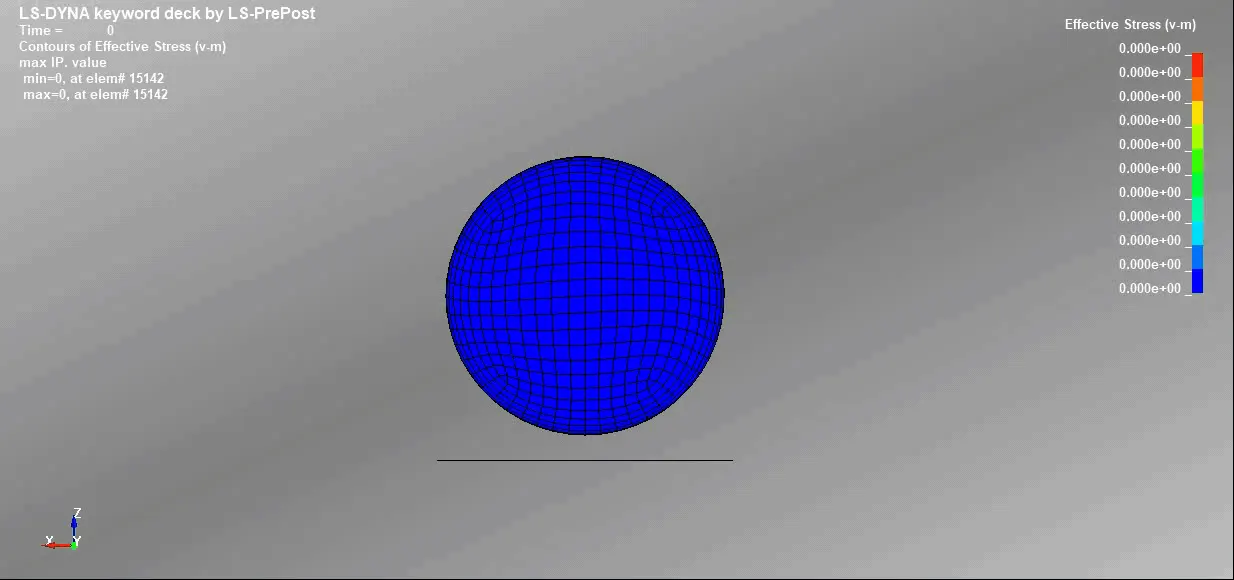
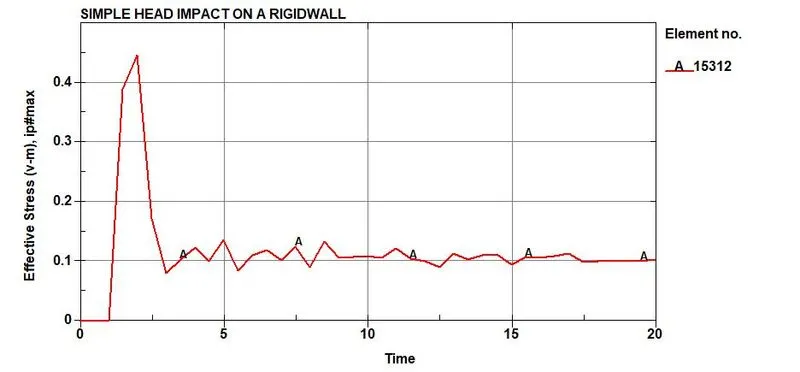
Case 1:- Impact simulation of a simple head with the rigid wall, The maximum stress of 446.56 MPa occurs at 2 ms on the element number 15312 and minimum stress of 0 MPa occurs at 2 ms on the element number 16626
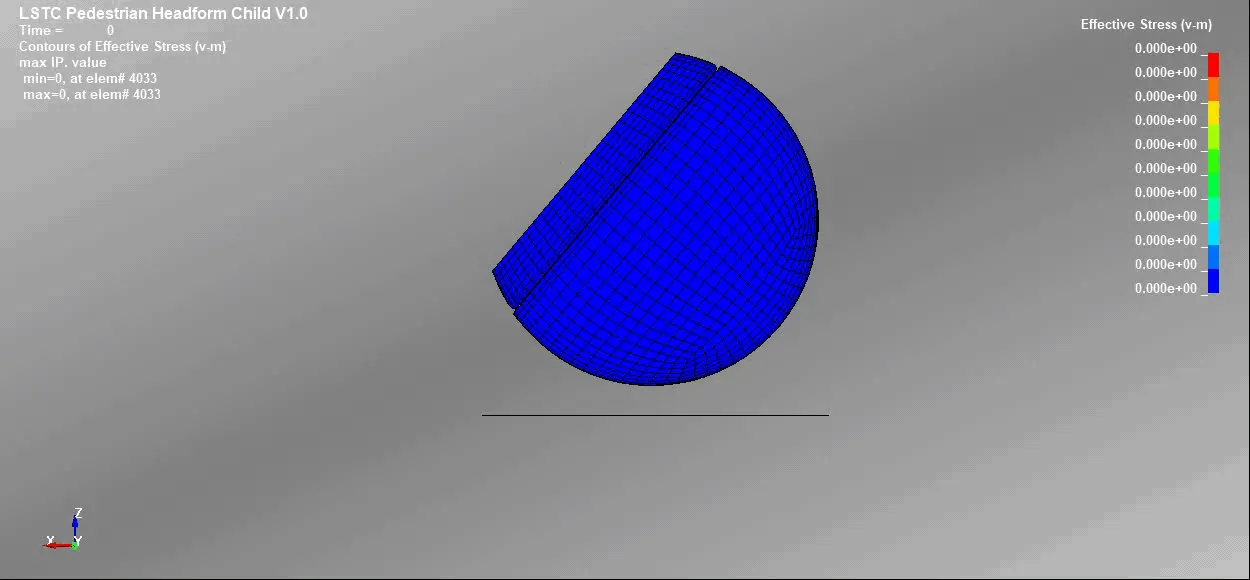
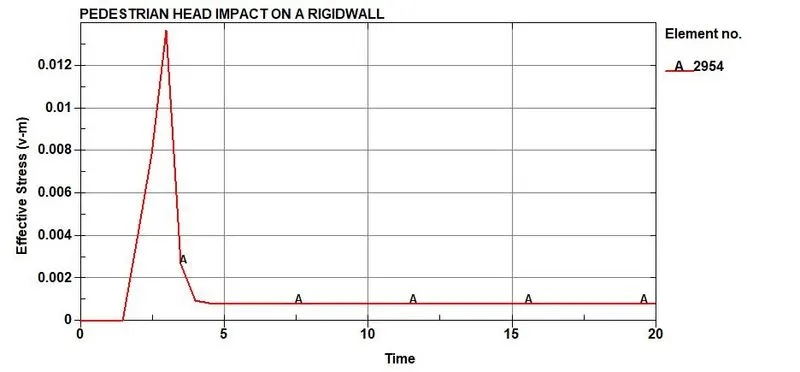
Case 2, Impact simulation of a pedestrian headform with the rigid wall, The maximum stress of 13.7 MPa occurs at 3 ms on the element number 2954 and minimum stress of 0 MPa occurs at 3 ms the element number 4033
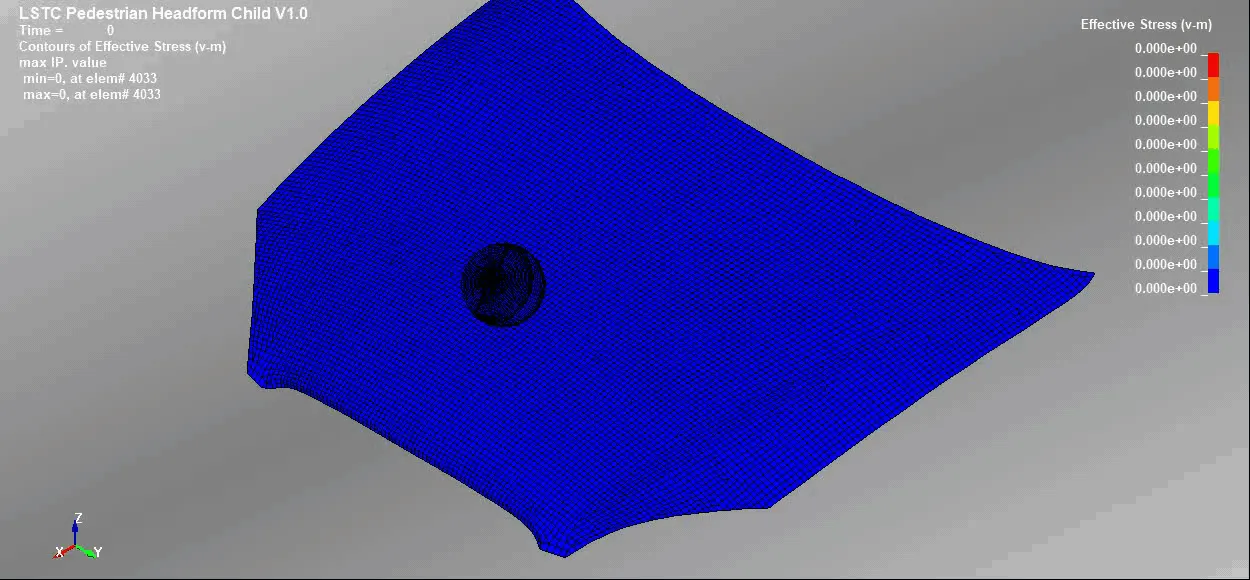
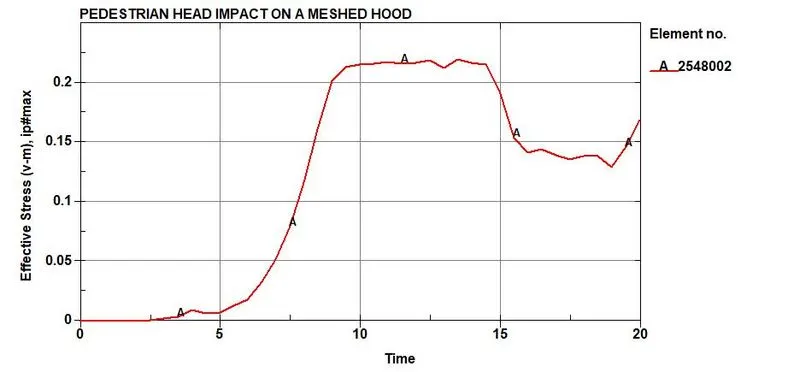
Case 3, Impact simulation of a pedestrian headform with the meshed hood, The maximum stress of 219.5 MPa occurs at 12.5 ms on the element number 2548002 and minimum stress of 0 MPa occurs at 12.5 ms the element number 4033
3)Effective Plastic Strain
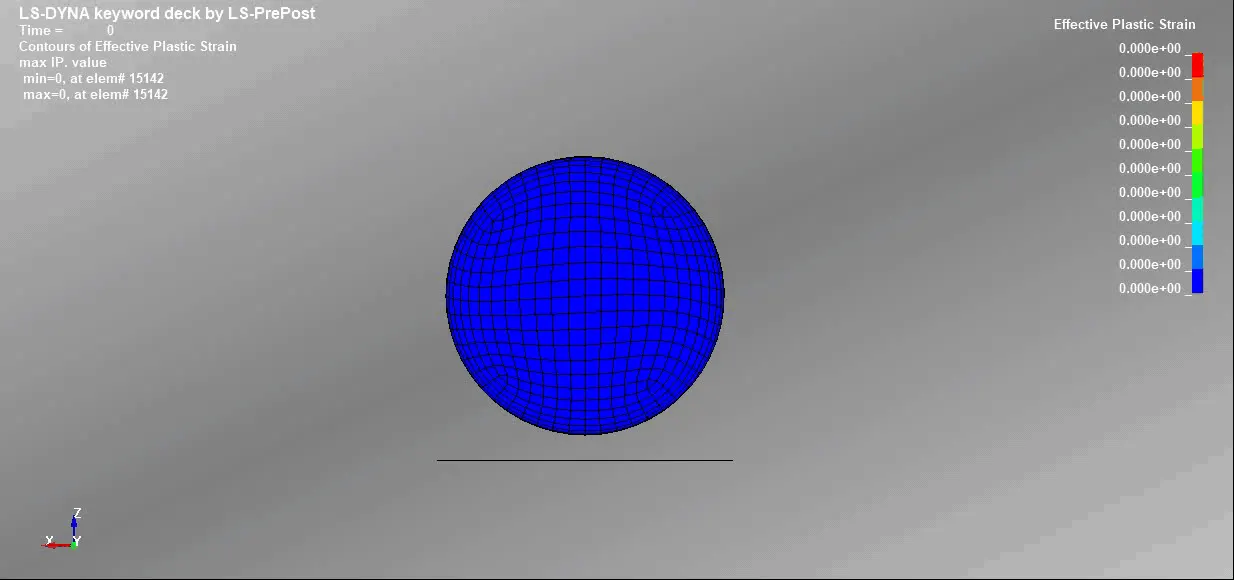
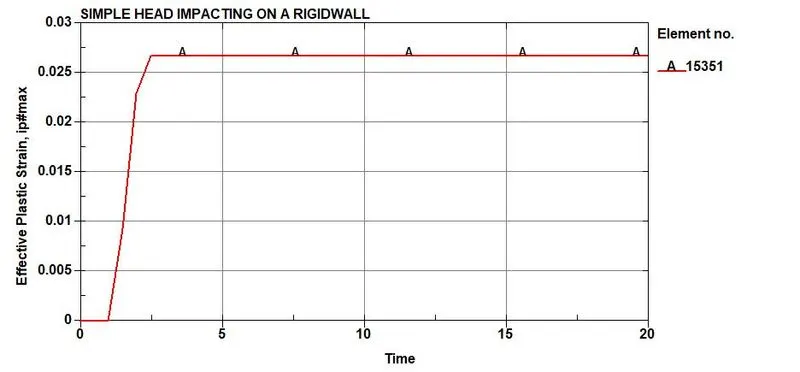
Case 1, Impact simulation of a simple head with the rigid wall, The maximum strain of 0.074391 occurs at 7.5 ms on the element number 15346 and minimum strain of 0 occurs at 7.5 ms the element number 15142
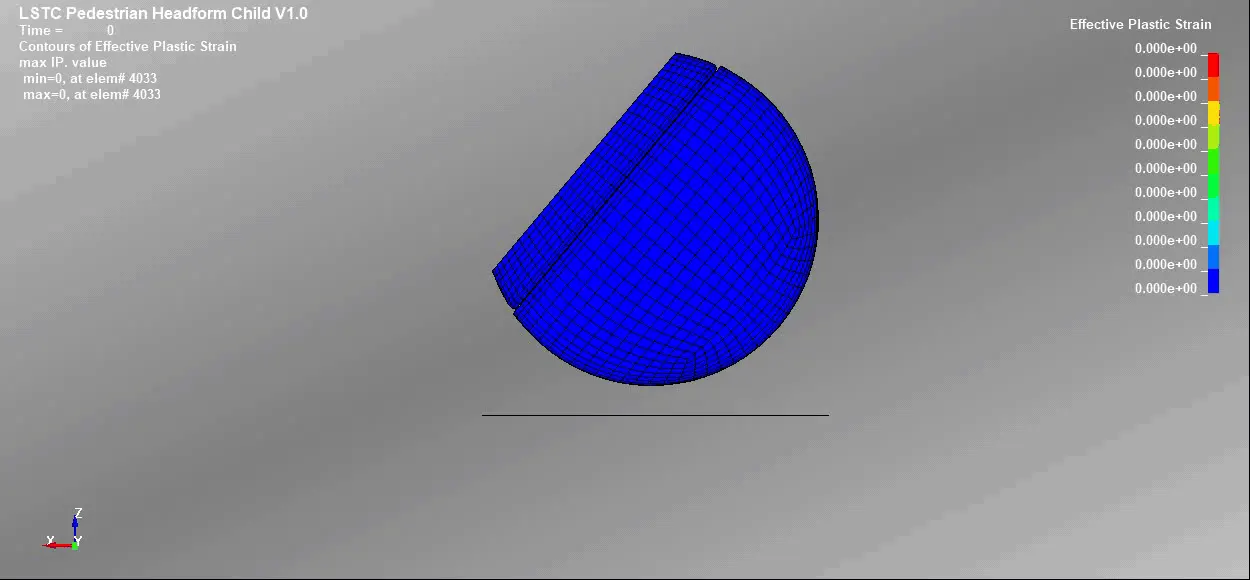
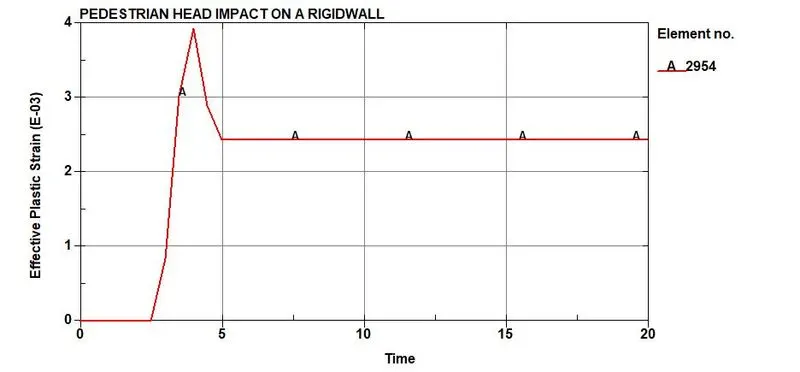
Case 2, Impact simulation of a pedestrian headform with the rigid wall, The maximum strain of 0.0039314 occurs at 4 ms on the element number 2954 and minimum strain of 0 occurs at 4 ms the element number 4033
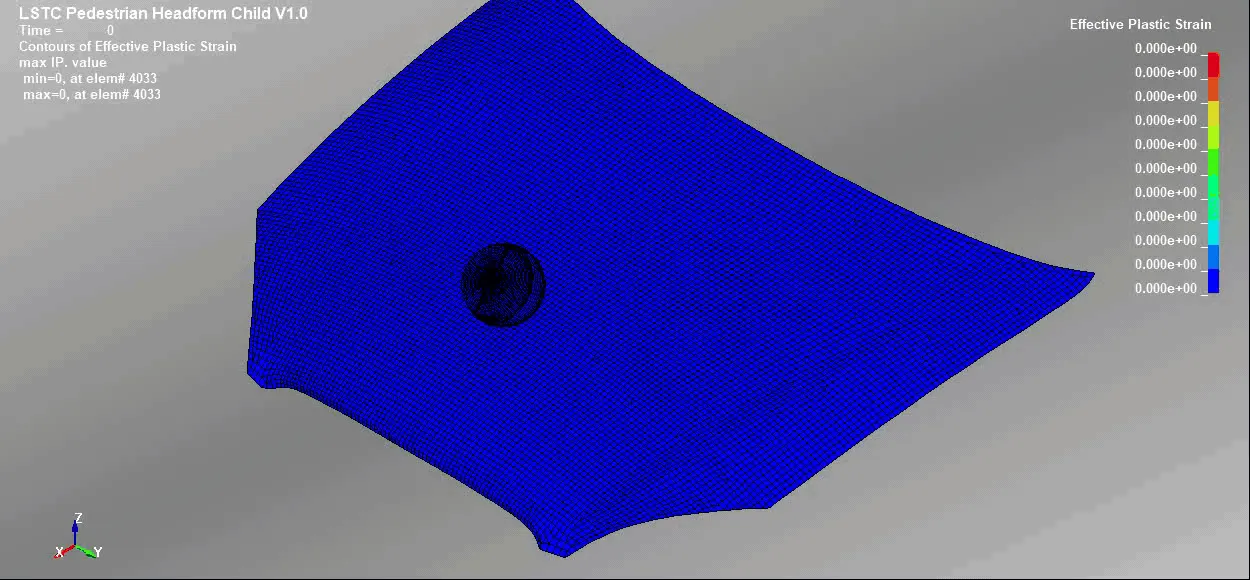
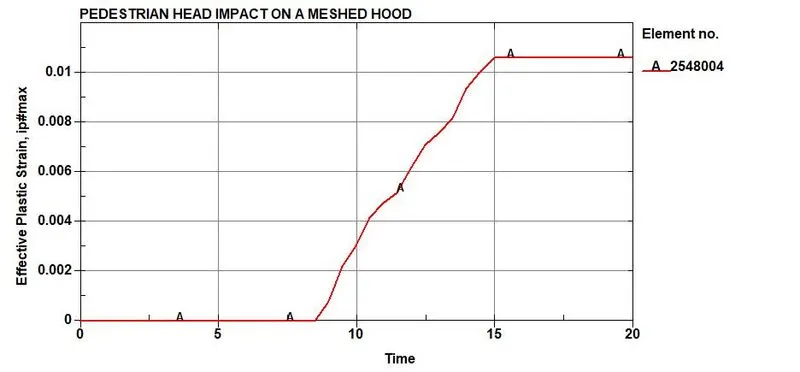
Case 3, Impact simulation of a pedestrian headform with the meshed hood, The maximum strain of 0.0106157 occurs at 16.5 ms on the element number 2548004 and minimum strain of 0 occurs at 16.5 ms the element number 4033
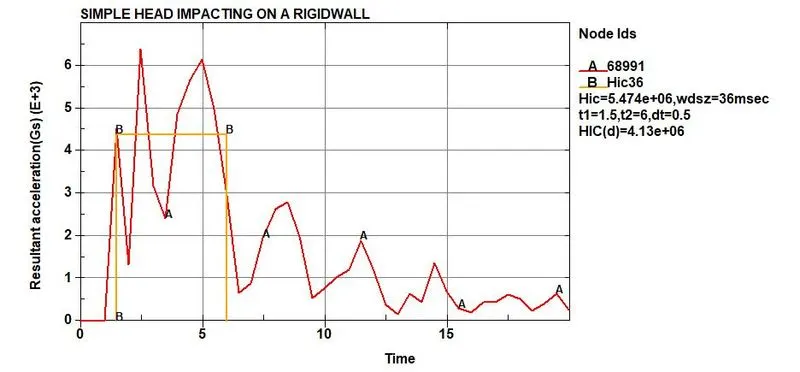
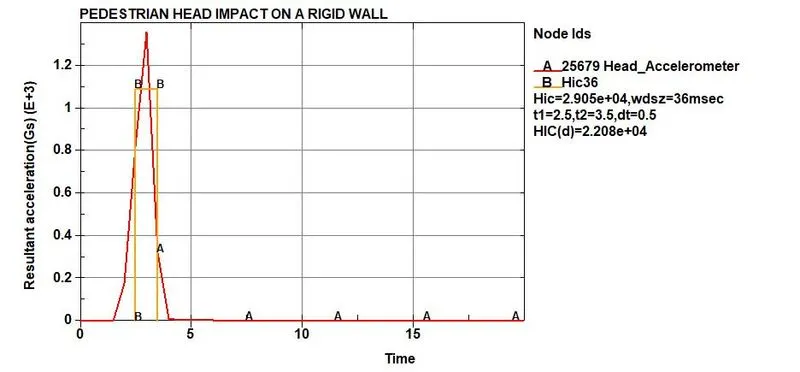
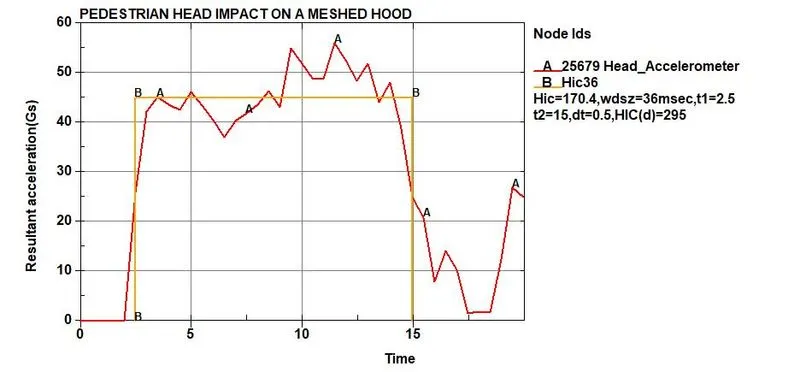
4)Acceleration Plots(HIC36): HIC values are generally derived from the accelerometer mounted at the centre of mass dummy crash test. HIC36 value is calculated in LS-PrePost and is basically measured for time interval less than 36 ms duration. From the following cases, it can be concluded that the HIC36 value for simple head impact is 5.474e+06, HIC36 value for pedestrian head impact on a rigidwall is 2.905e+04 and HIC36 value for pedestrian head impact on a meshed hood is 170.4
Case 1, Impact simulation of a simple head with the rigid wall
Case 2, Impact simulation of a pedestrian headform with the rigid wall
Case 3, Impact simulation of a pedestrian headform with the meshed hood
Comparision of HIC values and HIC(d) values
- HIC value given by LS-PrePost for a pedestrian head impact on a meshed hood is 170.4 and manually calculated value of HIC for a pedestrian head impact on a meshed hood is 169.801. There is a small variation in HIC value of LS-PrePost and manual calculation. This variation can be ignored.
- HIC(d) value given by LS-PrePost for a pedestrian head impact on a meshed hood is 295 and manually calculated value of HIC(d) for a pedestrian head impact on a meshed hood is 294.508. There is a small variation in HIC(d) value of LS-PrePost and manual calculation. This variation can be ignored.
Final conclusions from the simulation
- The impact simulation is created for all the three cases from simple scenario to complex real time scenario.
- The variation in values of stress/strain and HIC can be seen. It is because of the difference in material properties for different cases.
- HIC value obtained for the pedestrian head impact on a meshed hood is 295. This value lies between the standard safe HIC value of EURO NCAP protocol.
- HIC values obtained for the first two cases might not be realistic in nature.
- The computational time is less for simple case and more for complex case.
Simulated files can be accessed using this google drive link:- https://drive.google.com/drive/folders/1jaBvfoTGbtln9LQfHPVBlV8Ke5JLneB8?usp=sharing