Week 7 Challenge
1. Open the profile model for the innermost shape. Create existing ground profile.
2. Design the proposed profile for the existing ground & one more Design profile at one constant elevation?
3. Change the designed profiles for all the shapes with constant or variable slopes of desired values.(Using civil rules)
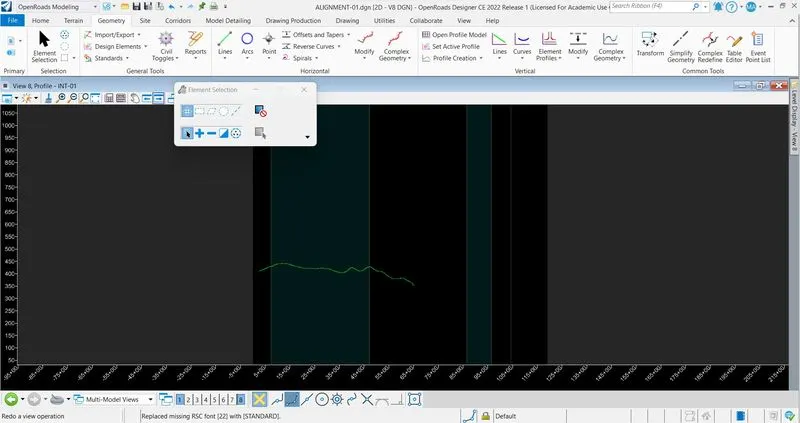
Q-1 : CREATE EXISTING GROUND PROFILE :
Open the alignment file in which alignment is created > Reference the TERRAIN FROM FILE file > Set the scale > Set the terrain as active > Click on open profile model > Select the alignment > Open in another tab > Existing ground profile is created.
Q-2 : DESIGN THE PROPOSED PROFILE WITH CONSTANT ELEVATION :
Click on complex geometry > Profile complex by PI > Click on starting point > Create the profile in straight line > Set the feature defination > Profile is created.
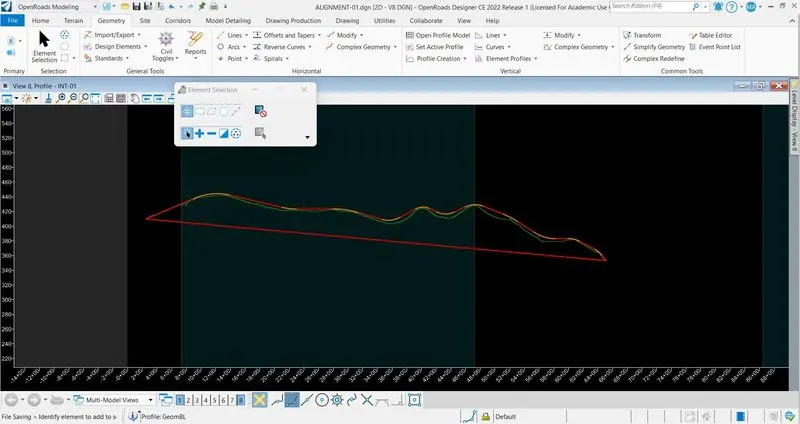
Q-3 : DESIGN THE PROPOSED PROFILE WITH SLOPES :
Click on Complex Geometry > Profile complex by PI > Click on starting point > Create the profile with curves > Set the feature defination > Set the curve lengths > Profile is created.