Week 6-Meshing of Hood Challenge
OBJECTIVE
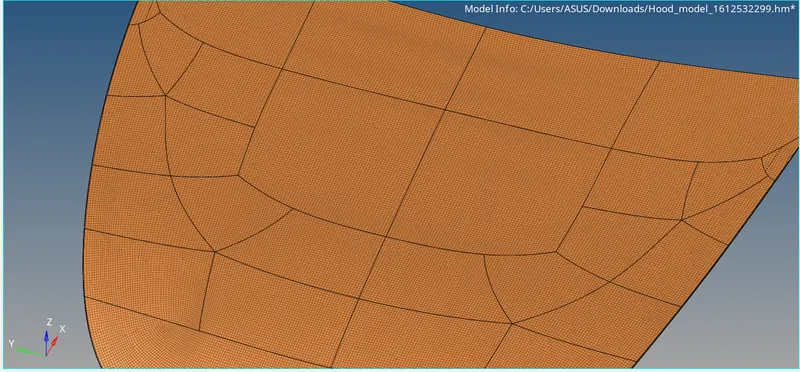
The main objective of this challenge is to extract the midsurface and generate mesh on the hood surface using hyperworks.
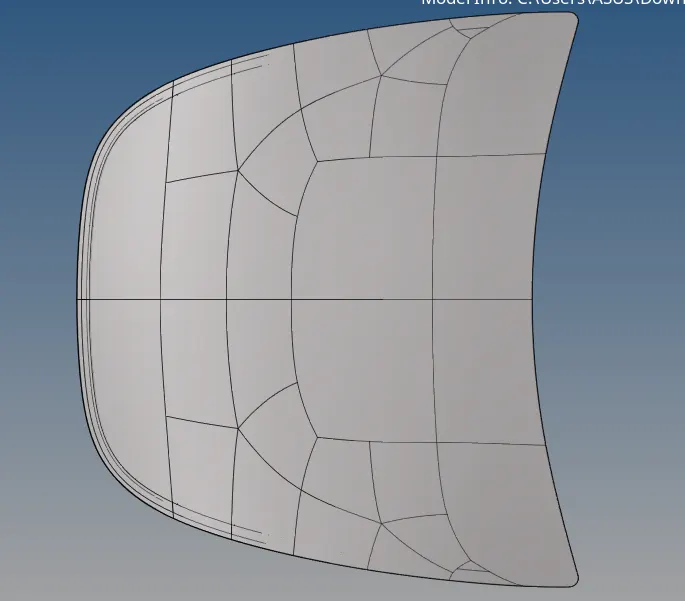
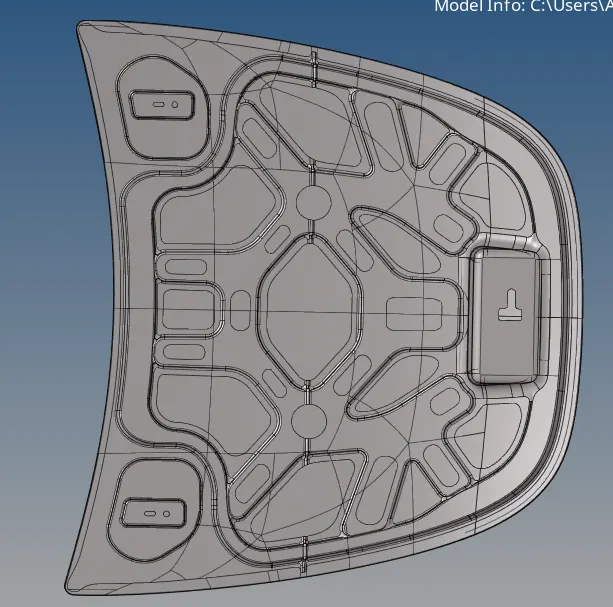
GIVEN MODEL
QUALITY CRITERIA
| S.N | Quality Criteria | Value |
| 1 | Aspect Ratio | 5 |
| 2 | Skewness | 45 |
| 3 | Warping | 15 |
| 4 | Taper | 0.5 |
| 5 | Min. Length | 2 Units |
| 6 | Max. Length | 8 Units |
| 7 | Min angle Quad | 45 |
| 8 | Max angle Quad | 135 |
| 9 | Min angle Tria | 20 |
| 10 | Max angle Tria | 120 |
| 10 | Tria % | 10 |
PROCEDURE
1. To import the geometry, go to file - import - select the file - import.
2. After import the geometry, the geometry is checked for any missing surface and errors. if there is any error, fix the errors and ready for extract the midsurface.
3. Extract the midsurface by any of the extracting option.
4. To extract the midsurface go to Geom - midsurface - select any of the extracting option - select the surface - extract.
5. After extract the midsurface, then check the surface for any errors like needle face, missing surface and triple cons. if there any errors fix the errors.
6. Create property like material to the midsurface, select model in database, right click and choose create then property.
7. To assain the property to midsurface, right click on the midsurface then assain select the property which is needed to assain.
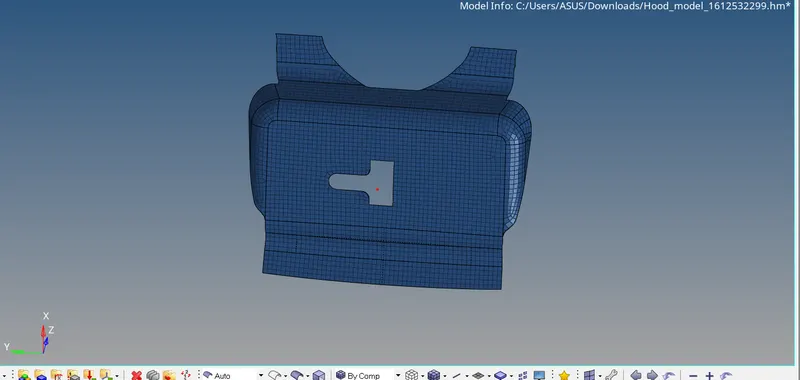
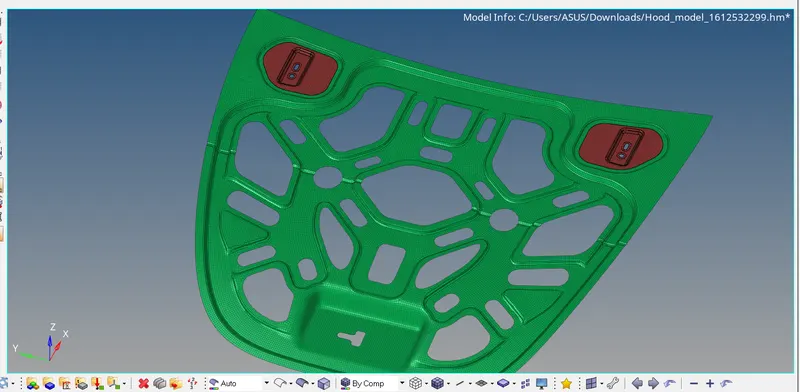
8. Generating mesh through 2D- automesh- select the surface - mesh, meshing is done by the given criteria.
Conclusion
For the given hood panel extracting the mid surface and generating the mesh in the given quality criteria.