Week 6-Meshing of Hood Challenge
Objectives: mesh the hood component with the given quality criteria and assign the thickness and material.
Given: Target element length =5 units
Element type(mixed).
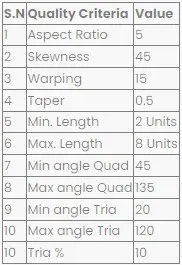
Stepwise procedure:
There are four sub-parts in the hood component:
- Inner-extract.
- Outer-extract.
- Hinge-reinforcement extract.
- Latch-reinforcement extract.
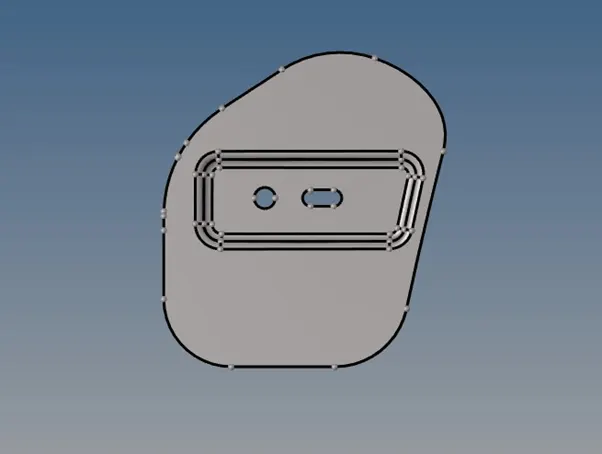
Hinge-reinforcement extract.
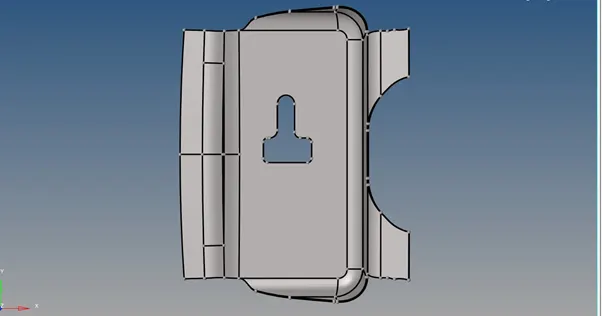
Latch-reinforcement extract.
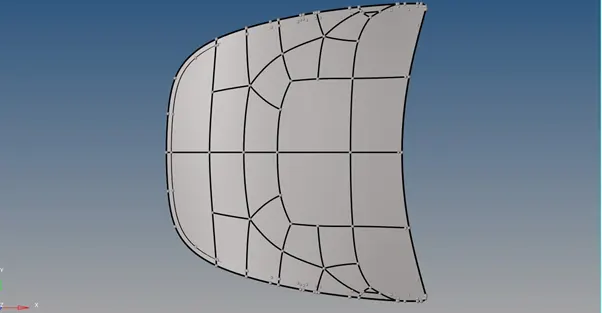
Outer-extract.
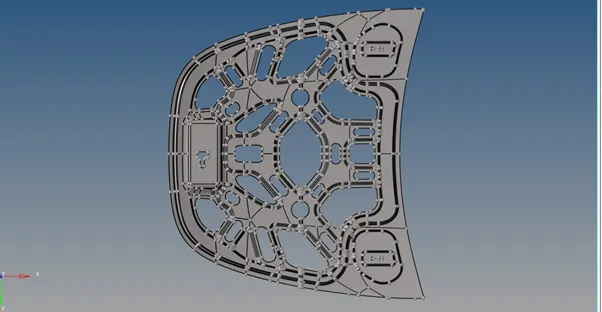
Inner-extract.
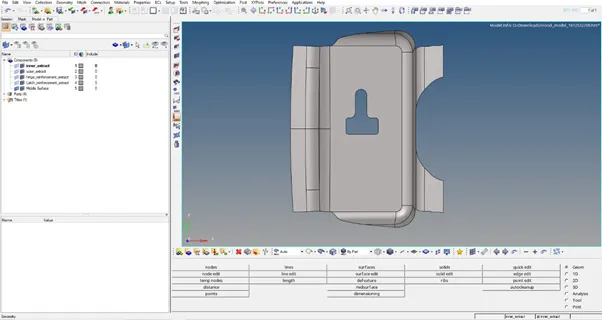
Firstly importing the latch reinforcement for meshing and quality checkup of mesh with the given criteria, and after that delete the solids and do mid surface and geometry cleanup for a goodmesh.
Delete solids (delete>select solids>delete entity).
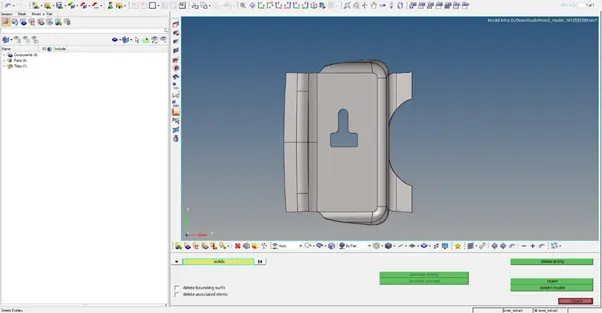
Mid surfacing (geom>mid surface>auto extraction>select surface>extract).
Geometry cleanup (geom>autocleanup>select surf>autocleanup).
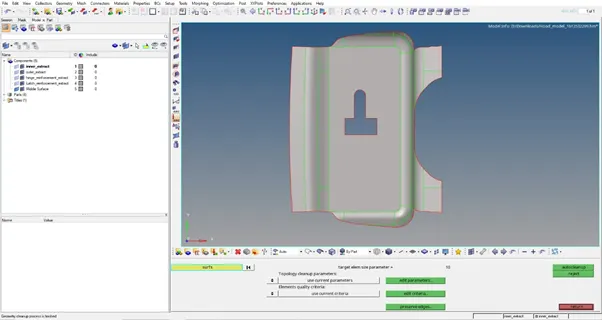
After the geometry cleanup check with all edges, points, duplicates, missing surfaces and suppressing the line. Then mesh the component with the element size 5mm and use the 'Mixed' (Not Quad) option to generate the mesh for crash & safety simulations.
Automesh (2D>automesh>surface to be select>check for element size and type>mesh).
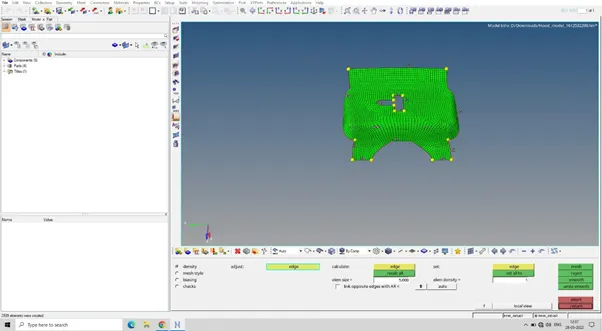
Trias management to follow the criteria of quality:
- No opposite trias.
- No rotational quads.
- No trias on fillets and hemming.
- No trias should share a boundary with the features line.
- No back to back trias.
Mesh size is basically depend upon what kind of analysis you working on ,what kind of solver you gonna use ,for example NVH ,u don’t need to worry about mesh size ,you can actually give a corse mesh Because you really don’t requirement of displacement of nodes and deformation in the elements stress strain that all things are not important in the NVH analysis ,but while we talking about durability ,actually calculating this factors itself ,so we have to very careful and give a fine mesh.
View the geometry in topology ,you can see the edges where exactly it is ,the advantage while viewing like this ,if any element and nodes exactly not capturing the particular elements align ,you can align them after words.
While working on the elements quality we have to use those tools given below:
- Align elements:
(geom>node edit>align node>1st end>2nd end>nodes align)
- For split elements:
(2D>edit elements>split>elements>select the elements>two points where the elements to be split>split)
- Combine two trias:
(2D>edit elements>combine >select trias elements>combine)
- Create elements:
(2D>edit elements>create >node list>type of elements>create)
- Project elements to the line:
(Tool>project>to line >nodes>line list>along vector>project>)
- Replace nodes:
(2D>replace>node>node)
After set up all elements we have to go with next tool which is qualityindex.
In the quality index go to the worse condition,it will show worse elements.
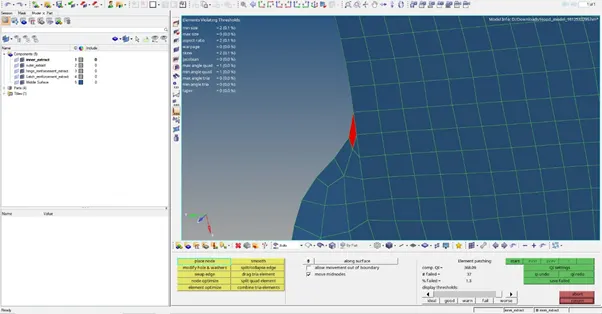
For correct it we have to go with cleanup tools which have below tools,they are works as they sounds.
- Place nodes.
- Modify hole & washers.
- Swap edge.
- Node optimize.
- Elements optimize.
- smoot.
- Split/collapse edge.
- Drag tria elements.
- Split quad elements.
- Combine tria elements.
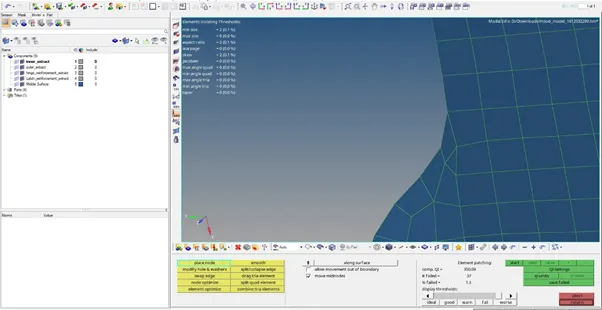
After doing all the fail elements correct we should go with elements checkup.
first we check for warpage ,warpage is basically will occure at the corners , curvature areas ,we have to set warpage angle as per given quality criteria which is 15.
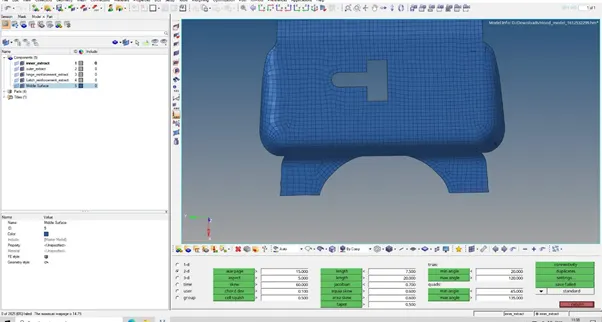
Remove the trias that removable ,ensure the smoothness of elements.
After checking the errors in the element fixing trias and quad elements also to ensure the edges are such in between the component rather than free edges.
After the all elements chekup we have to check our model
- Find edges
(Tool>edges>elements>find edges)
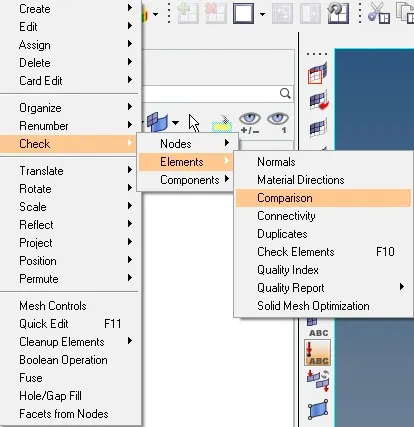
The another check is element to surface check that is for how the element are captured the actual geometry
Follow the below procedure:
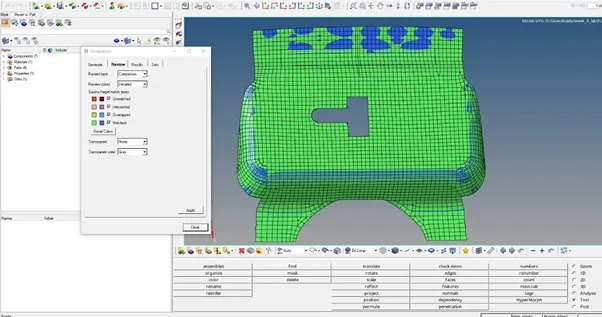
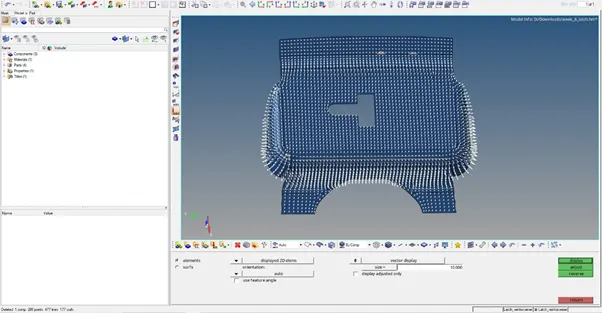
Next is to be check normals ,if there is force applied on it ,all of this elements will act in the normal way.
Next is to check dependency ,it is usually use in 1D elemets,if you have made rigid elements is dependant to other element.
(tool> dependency >elements>check)
Same again penetration
(tool>penetration>elements>check).
Results:
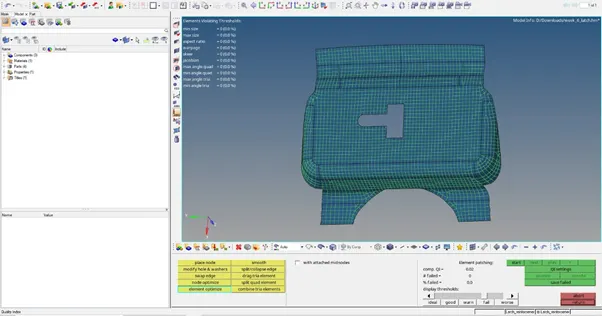
Next step is to get hinge part same as latch.
Procedure :
- First delete solids.
- Extract the midsurface.
- Cleanup the geometry (auto,manual)
- Then mesh the entire surface(mesh size=5 units,mixed type elements).
- Then check out for trias ,circular quads,repeat trias,no opposite trias.
- Then check with quality of mesh as per given criteria.
- Check comparison,dependency,penetrations
- Check edges.
- Give material as steel.
Results:
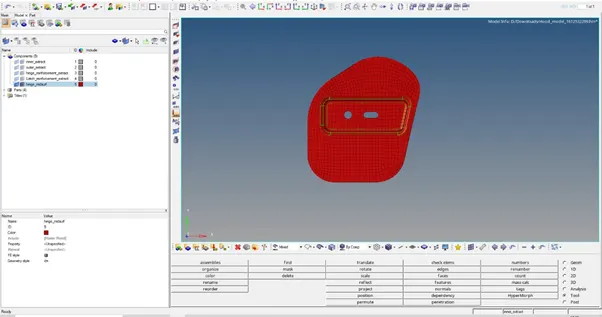
There are remaining two sub components:
- Outer extract
- Inner extract
- Both the components are big in size we should cut them into two parts ,after getting first half we have to repeat the process as we do with latch and hinge parts that make mid surface , do geometry cleanup.
- Geometry cleanup is very interesting task in both the parts, we have to clean the entire geometry as we want to get a good mesh as per quality criteria.
- We could not get back to back trias , rotating quads.
- We can use quick edit command for clean the geometry.
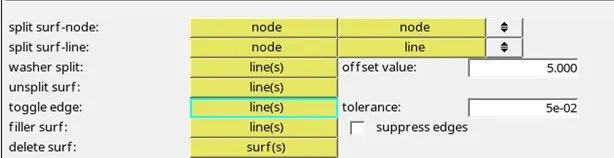
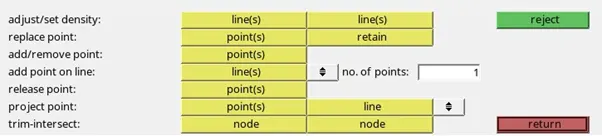
5.All this commands we can use for geometry cleanup,like if we want to split the surface we can use split surf-node and split surf-line.
6.also we can us the commands toggle edge which is basically use for free the edges form unnecessary lines.
We can project the point on the line with project point command ,replace two points with replace point command,
7.for adding or removing the unnecessary points with add/remove point command.
Below are the images of inner and outer extract with all the operations.
Import inner extract
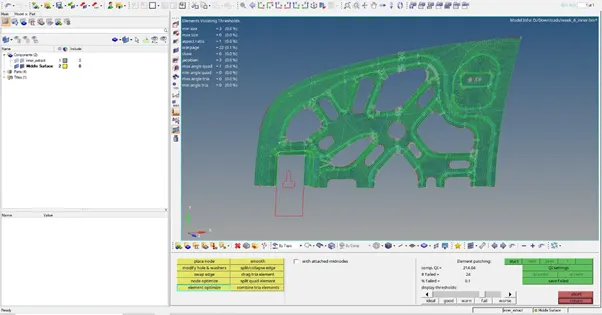
Mesh half inner extract
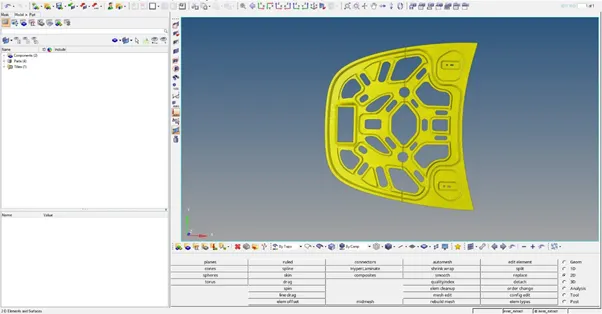
Final inner extract with all checkup
Import outer extract
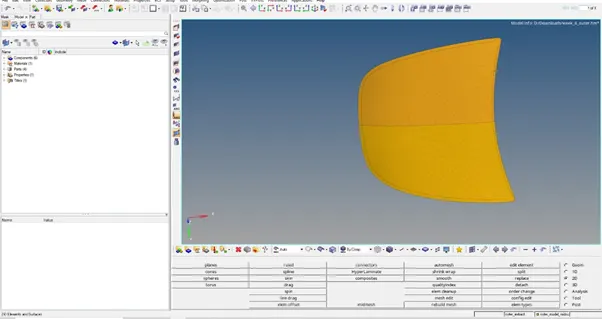
Final outer extract with all checkup
Errors while doing all this process:
- edges found because of remeshing the same surface again and again.
Conclusion: we mesh all the hood sub components with given quality criteria .
Note: I attached all the meshed files separately as per following names.
- Latch-reinforcement extract: week_6_latch
- Hinge-reinforcement extract: week_6_hinge
- Outer-extract: week_6_outer
- Inner-extract : week_6_inner