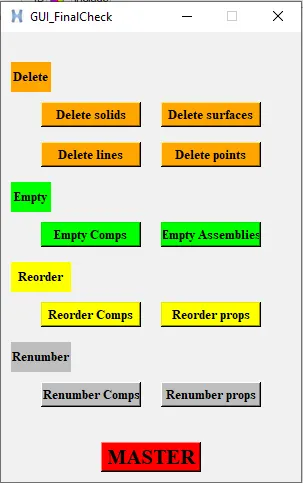
Week - 6 - Creating the GUI for final checks
1. Create buttons to delete displayed geometric entities (be careful about advanced remesh)
Objective:-
To create buttons to delete displayed geometric entities
Problem statement:-
set a .window
catch {destroy $a}
toplevel $a -class toplevel
wm title $a "DeleteGeometry"
wm geometry $a 240x100+100+200
button $a.01 -text "Delete surfaces" -command "delete surfaces" -bg grey -font {times 10 bold}; place $a.01 -x 20 -y 30 -width 100 -height 25
button $a.02 -text "Delete solids" -command "delete solids" -bg grey -font {times 10 bold}; place $a.02 -x 120 -y 30 -width 100 -height 25
proc delete {a} {
*createmark $a 1 "displayed"
if {[hm_marklength $a 1] !=0} {*deletemark $a 1}
}
TCL command explanation:-
- set a .window#.window is the window name/path by it which will be referred to saved in "a".
- catch {destroy $a}# catch is used to hide interpreter level errors.# destroy is used to close any previously existing windows by the same name.
- toplevel $a -class toplevel# top level is the command that actually builds the window.# setting the "class " to top-level put the window on the top of all
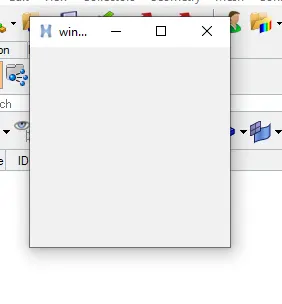
- wm title $a "DeleteGeometry"#It is the window name
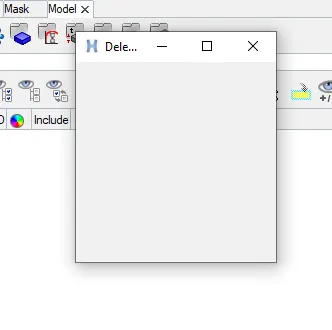
- wm geometry $a 240x100+100+200#window started position is changed and setting the window size
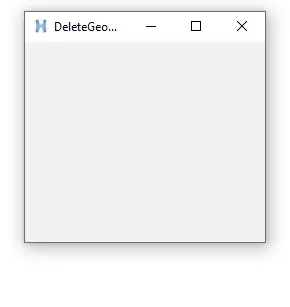
- button $a.01 -text "Delete surfaces" -command "delete surfaces" -bg grey -font {times 10 bold}; place $a.01 -x 20 -y 30 -width 100 -height 25
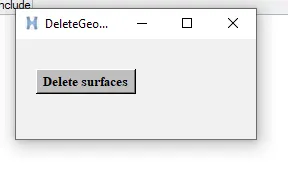
- button $a.02 -text "Delete solids" -command "delete solids" -bg grey -font {times 10 bold}; place $a.02 -x 120 -y 30 -width 100 -height 25
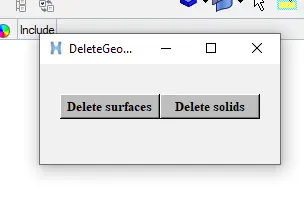
- proc delete {a} {
*createmark $a 1 "displayed"
if {[hm_marklength $a 1] !=0} {*deletemark $a 1}
}
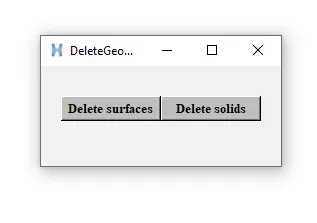
Now click on the buttons to see it is working or not as shown below image.
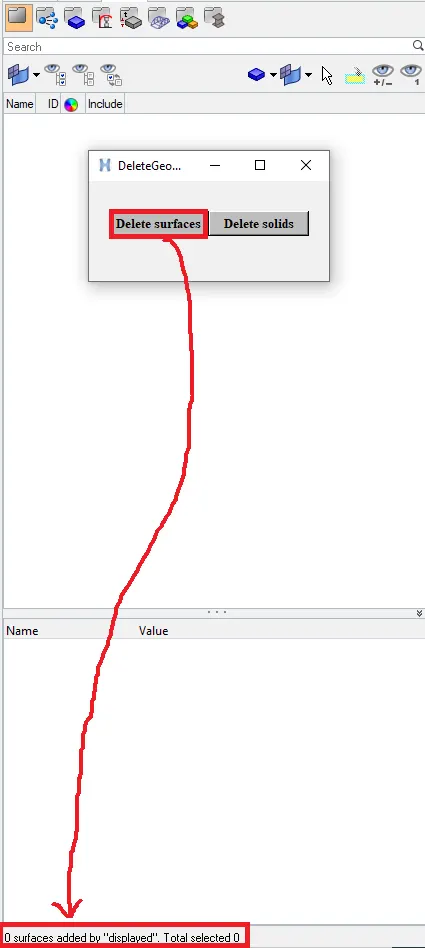
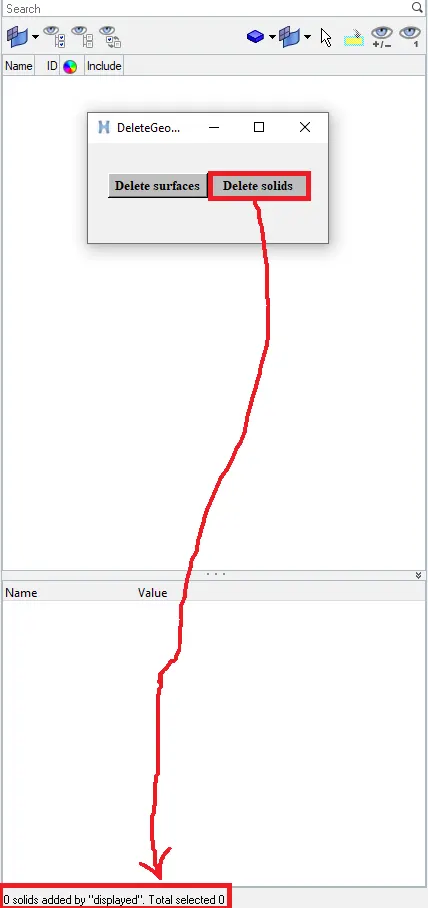 It's working properly.
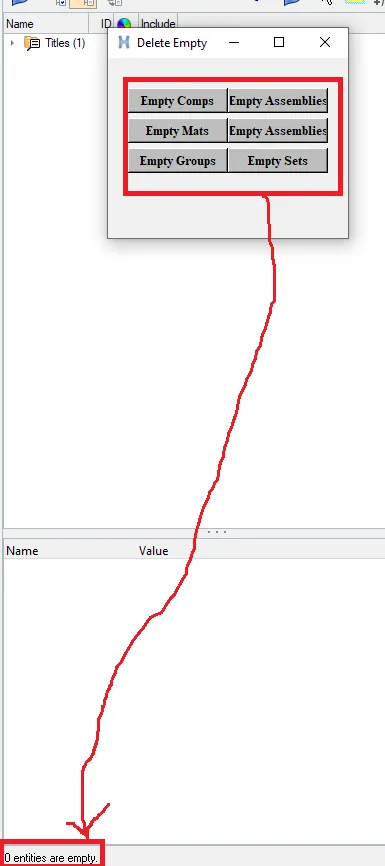
2. Create buttons to delete empty entities
Objective:-
To create the buttons to delete empty entities
Problem statement:-
set a .window
catch {destroy $a}
toplevel $a -class top-level
wm title $a "Delete Empty"
wm geometry $a 240x180+100+200
button $a.01 -text "Empty Comps" -command "empty comps" -bg grey -font {times 10 bold}; place $a.01 -x 20 -y 30 -width 100 -height 25
button $a.02 -text "Empty Assemblies" -command "empty assemblies" -bg grey -font {times 10 bold}; place $a.02 -x 120 -y 30 -width 100 -height 25
button $a.03 -text "Empty Mats" -command "empty mats" -bg grey -font {times 10 bold}; place $a.03 -x 20 -y 60 -width 100 -height 25
button $a.04 -text "Empty Assemblies" -command "empty assemblies" -bg grey -font {times 10 bold}; place $a.04 -x 120 -y 60 -width 100 -height 25
button $a.05 -text "Empty Groups" -command "empty groups" -bg grey -font {times 10 bold}; place $a.05 -x 20 -y 90 -width 100 -height 25
button $a.06 -text "Empty Sets" -command "empty sets" -bg grey -font {times 10 bold}; place $a.06 -x 120 -y 90 -width 100 -height 25
proc empty {a} {
*EntityPreviewEmpty $a 1
if {[hm_marklength $a 1] !=0} {*deletemark $a 1}
}
TCL command explanation:-
- set a .window
- catch {destroy $a}
- toplevel $a -class top-level
- wm title $a "Delete Empty"
- wm geometry $a 240x180+100+200
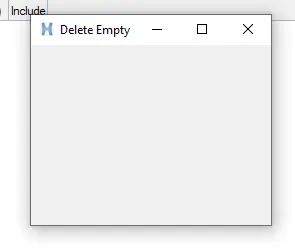
- button $a.01 -text "Empty Comps" -command "empty comps" -bg grey -font {times 10 bold}; place $a.01 -x 20 -y 30 -width 100 -height 25
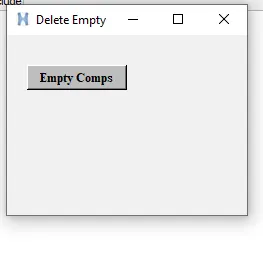
- button $a.02 -text "Empty Assemblies" -command "empty assemblies" -bg grey -font {times 10 bold}; place $a.02 -x 120 -y 30 -width 100 -height 25
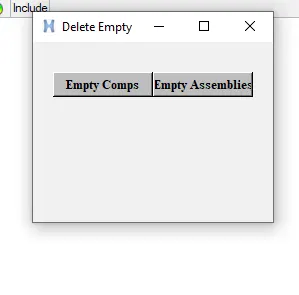
- button $a.03 -text "Empty Mats" -command "empty mats" -bg grey -font {times 10 bold}; place $a.03 -x 20 -y 60 -width 100 -height 25
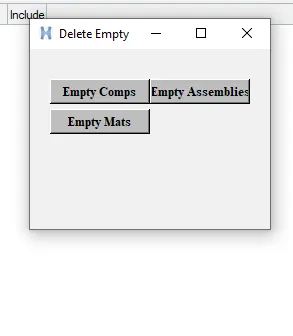
- button $a.04 -text "Empty Assemblies" -command "empty assemblies" -bg grey -font {times 10 bold}; place $a.04 -x 120 -y 60 -width 100 -height 25
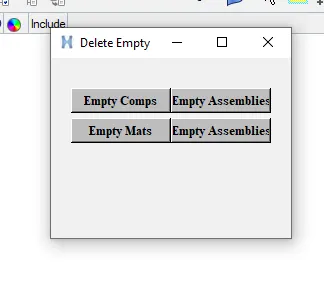
- button $a.05 -text "Empty Groups" -command "empty groups" -bg grey -font {times 10 bold}; place $a.05 -x 20 -y 90 -width 100 -height 25
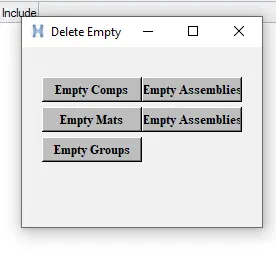
- button $a.06 -text "Empty Sets" -command "empty sets" -bg grey -font {times 10 bold}; place $a.06 -x 120 -y 90 -width 100 -height 25
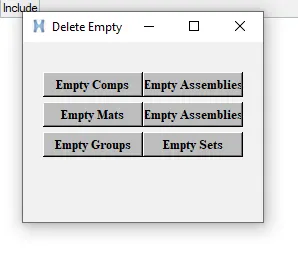
- proc empty {a} {
*EntityPreviewEmpty $a 1
if {[hm_marklength $a 1] !=0} {*deletemark $a 1}
}
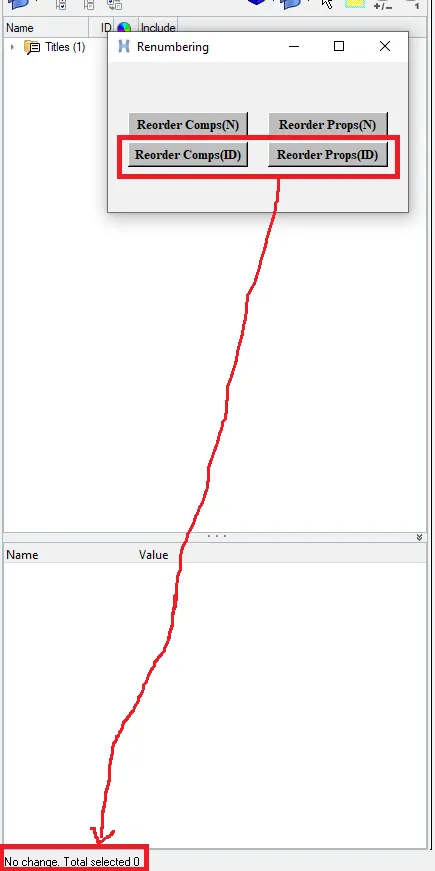
3. Create button to re-order and re-number entities by name
Objective:-
To create button to re-order and renumber entities by name.
Problem statement:-
set a .window
catch {destroy $a}
toplevel $a -class toplevel
wm title $a "Renumbering"
wm geometry $a 300x150+100+200
button $a.01 -text "Reorder Comps(N)" -command "reorderbyname comps" -bg grey -font {times 10 bold}; place $a.01 -x 20 -y 50 -width 120 -height 25
button $a.02 -text "Reorder Props(N)" -command "reorderbyname props" -bg grey -font {times 10 bold}; place $a.02 -x 160 -y 50 -width 120 -height 25
button $a.03 -text "Reorder Comps(ID)" -command "reorderbyid comps" -bg grey -font {times 10 bold}; place $a.03 -x 20 -y 80 -width 120 -height 25
button $a.04 -text "Reorder Props(ID)" -command "reorderbyid props" -bg grey -font {times 10 bold}; place $a.04 -x 160 -y 80 -width 120 -height 25
proc reorderbyname {a} {
*clearmarkall 1
*createmark $a 1 "all"
if {[hm_marklength $a 1] !=0} {*collectormarkmove $a 1 1 1}
}
proc reorderbyid {a} {
*clearmarkall 1
*createmark $a 1 "all"
if {[hm_marklength $a 1] !=0} {*collectormarkmove $a 1 1 2}
}
TCL command explanation:-
- set a .window
- catch {destroy $a}
- toplevel $a -class top-level
- wm title $a "Renumbering"
- wm geometry $a 300x150+100+200
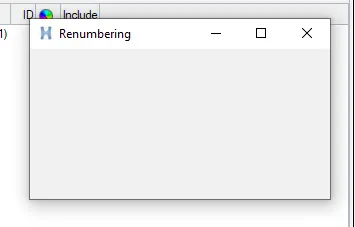
- button $a.01 -text "Reorder Comps(N)" -command "reorderbyname comps" -bg grey -font {times 10 bold}; place $a.01 -x 20 -y 50 -width 120 -height 25
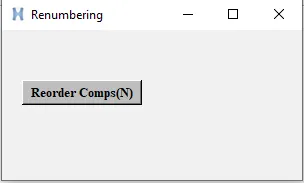
- button $a.02 -text "Reorder Props(N)" -command "reorderbyname props" -bg grey -font {times 10 bold}; place $a.02 -x 160 -y 50 -width 120 -height 25
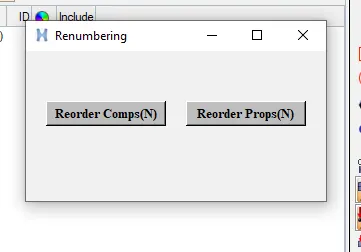
- button $a.03 -text "Reorder Comps(ID)" -command "reorderbyid comps" -bg grey -font {times 10 bold}; place $a.03 -x 20 -y 80 -width 120 -height 25
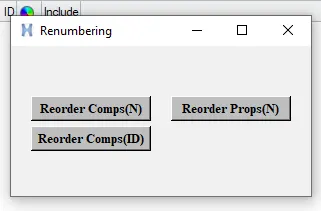
- button $a.04 -text "Reorder Props(ID)" -command "reorderbyid props" -bg grey -font {times 10 bold}; place $a.04 -x 160 -y 80 -width 120 -height 25
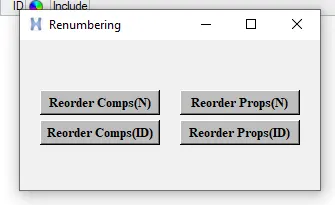
- proc reorderbyname {a} {
*clearmarkall 1
*createmark $a 1 "all"
if {[hm_marklength $a 1] !=0} {*collectormarkmove $a 1 1 1}
}
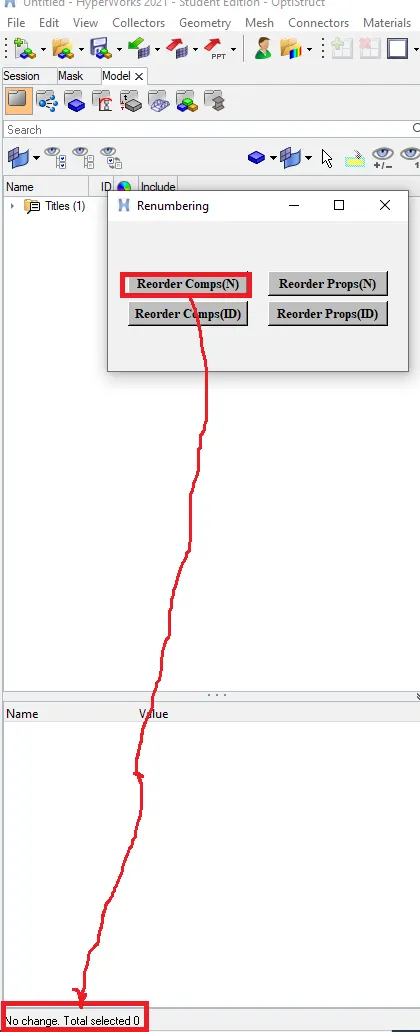
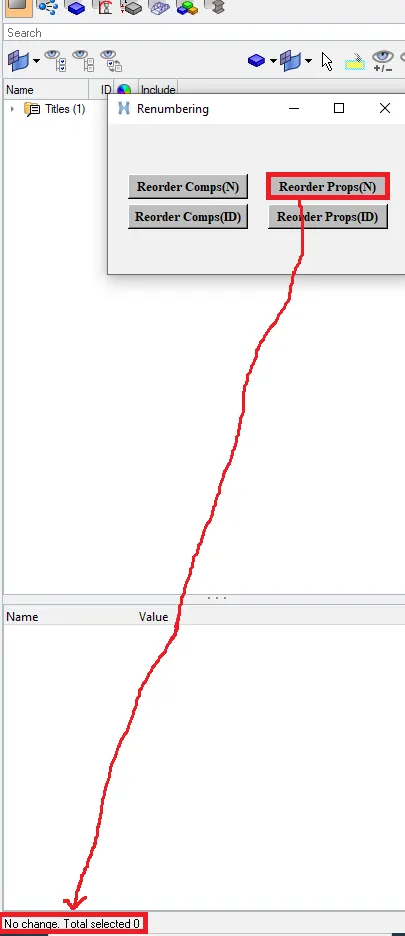
- proc reorderbyid {a} {
*clearmarkall 1
*createmark $a 1 "all"
if {[hm_marklength $a 1] !=0} {*collectormarkmove $a 1 1 2}
}
4. Create a master button in red that will execute all above scripts in proper order to keep only the fea entities. Name the button master
Objective:-
To Create a master button in red that will execute all above scripts in proper order to keep only the fea entities. Name the button master
Problem statement:-
set a .window
catch {destroy $a}
toplevel $a -class toplevel
wm title $a "GUI_FinalCheck"
wm geometry $a 300x450+100+200
wm resizable $a 0 0
button $a.01 -text "Delete solids" -command "delete solids" -bg orange -font {times 10 bold}; place $a.01 -x 40 -y 70 -width 100 -height 25
button $a.02 -text "Delete surfaces" -command "delete surfaces" -bg orange -font {times 10 bold}; place $a.02 -x 160 -y 70 -width 100 -height 25
button $a.03 -text "Delete lines" -command "delete lines" -bg orange -font {times 10 bold}; place $a.03 -x 40 -y 110 -width 100 -height 25
button $a.04 -text "Delete points" -command "delete points" -bg orange -font {times 10 bold}; place $a.04 -x 160 -y 110 -width 100 -height 25
label $a.05 -text "Delete" -bg orange -font {times 10 bold}; place $a.05 -x 10 -y 30 -width 40 -height 30
label $a.06 -text "Empty" -bg green -font {times 10 bold}; place $a.06 -x 10 -y 150 -width 40 -height 30
button $a.07 -text "Empty Comps" -command "empty comps" -bg green -font {times 10 bold}; place $a.07 -x 40 -y 190 -width 100 -height 25
button $a.08 -text "Empty Assemblies" -command "empty assemblies" -bg green -font {times 10 bold}; place $a.08 -x 160 -y 190 -width 100 -height 25
label $a.09 -text "Reorder" -bg yellow -font {times 10 bold}; place $a.09 -x 10 -y 230 -width 60 -height 30
button $a.10 -text "Reorder Comps" -command "reorder comps" -bg yellow -font {times 10 bold}; place $a.10 -x 40 -y 270 -width 100 -height 25
button $a.11 -text "Reorder props" -command "reorder props" -bg yellow -font {times 10 bold}; place $a.11 -x 160 -y 270 -width 100 -height 25
label $a.12 -text "Renumber" -bg grey -font {times 10 bold}; place $a.12 -x 10 -y 310 -width 60 -height 30
button $a.13 -text "Renumber Comps" -command "renumber comps" -bg grey -font {times 10 bold}; place $a.13 -x 40 -y 350 -width 100 -height 25
button $a.14 -text "Renumber props" -command "renumber props" -bg grey -font {times 10 bold}; place $a.14 -x 160 -y 350 -width 100 -height 25
button $a.15 -text "MASTER" -command {master} -bg red -font {times 16 bold}; place $a.15 -x 100 -y 410 -width 100 -height 30
proc delete {a} {
*createmark $a 1 "displayed"
if {[hm_marklength $a 1] !=0} {*deletemark $a 1}
}
proc empty {a} {
*EntityPreviewEmpty $a 1
if {[hm_marklength $a 1] !=0} {*deletemark $a 1}
}
proc reorder {a} {
*clearmarkall 1
*createmark $a 1 "all"
if {[hm_marklength $a 1] !=0} {*collectormarkmove $a 1 1 1}
}
proc renumber {a} {
*clearmarkall 1
*createmark $a 1 "all"
if {[hm_marklength $a 1] !=0} {*renumber $a 1 100 1 0 0 }
}
proc master {} {
delete solids;
delete surfaces;
delete lines;
delete points;
empty comps;
empty comps;
reorder comps;
reorder props;
renumber comps;
renumber props;
}
TCL command explanation:-
- set a .window
- catch {destroy $a}
- toplevel $a -class top-level
- wm title $a "GUI_FinalCheck"
- wm geometry $a 300x450+100+200
- wm resizable $a 0 0
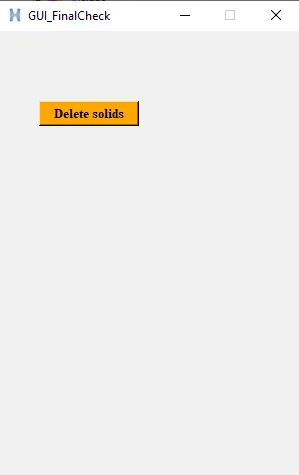
- button $a.01 -text "Delete solids" -command "delete solids" -bg orange -font {times 10 bold}; place $a.01 -x 40 -y 70 -width 100 -height 25
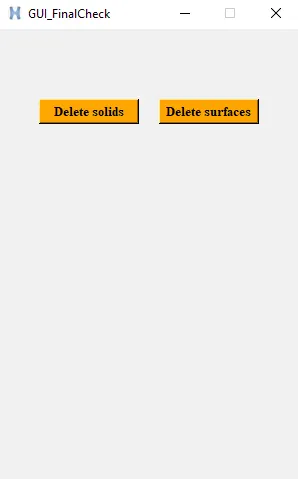
- button $a.02 -text "Delete surfaces" -command "delete surfaces" -bg orange -font {times 10 bold}; place $a.02 -x 160 -y 70 -width 100 -height 25
- button $a.03 -text "Delete lines" -command "delete lines" -bg orange -font {times 10 bold}; place $a.03 -x 40 -y 110 -width 100 -height 25
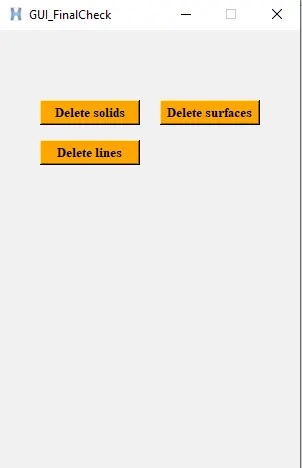
- button $a.04 -text "Delete points" -command "delete points" -bg orange -font {times 10 bold}; place $a.04 -x 160 -y 110 -width 100 -height 25
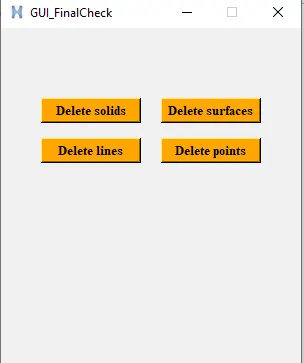
- label $a.05 -text "Delete" -bg orange -font {times 10 bold}; place $a.05 -x 10 -y 30 -width 40 -height 30
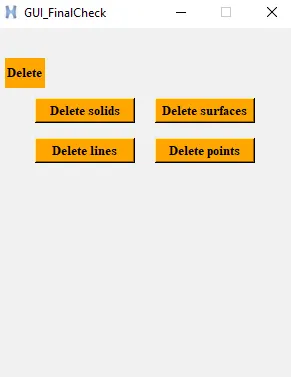
- label $a.06 -text "Empty" -bg green -font {times 10 bold}; place $a.06 -x 10 -y 150 -width 40 -height 30
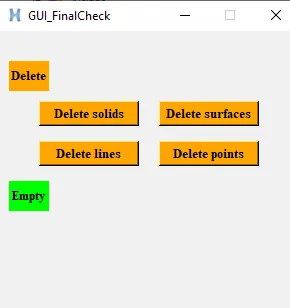
- button $a.07 -text "Empty Comps" -command "empty comps" -bg green -font {times 10 bold}; place $a.07 -x 40 -y 190 -width 100 -height 25
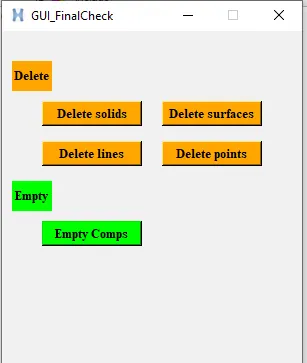
- button $a.08 -text "Empty Assemblies" -command "empty assemblies" -bg green -font {times 10 bold}; place $a.08 -x 160 -y 190 -width 100 -height 25
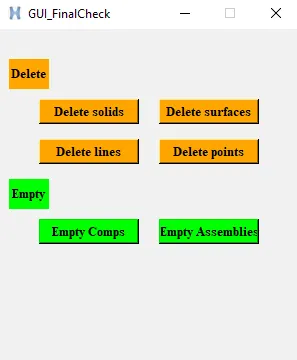
- label $a.09 -text "Reorder" -bg yellow -font {times 10 bold}; place $a.09 -x 10 -y 230 -width 60 -height 30
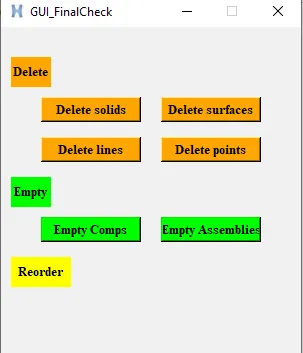
- button $a.10 -text "Reorder Comps" -command "reorder comps" -bg yellow -font {times 10 bold}; place $a.10 -x 40 -y 270 -width 100 -height 25
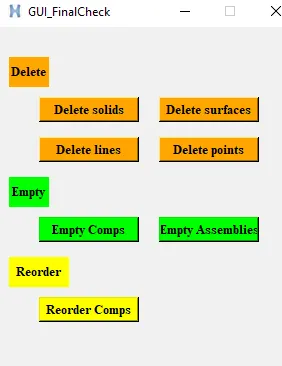
- button $a.11 -text "Reorder props" -command "reorder props" -bg yellow -font {times 10 bold}; place $a.11 -x 160 -y 270 -width 100 -height 25
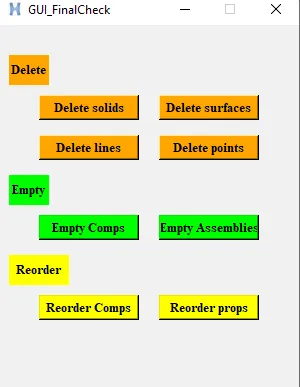
- label $a.12 -text "Renumber" -bg grey -font {times 10 bold}; place $a.12 -x 10 -y 310 -width 60 -height 30
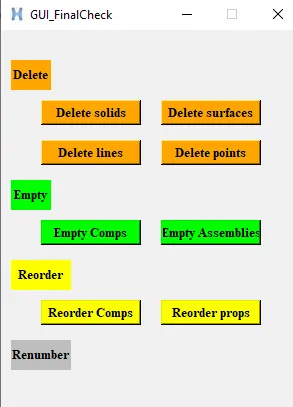
- button $a.13 -text "Renumber Comps" -command "renumber comps" -bg grey -font {times 10 bold}; place $a.13 -x 40 -y 350 -width 100 -height 25
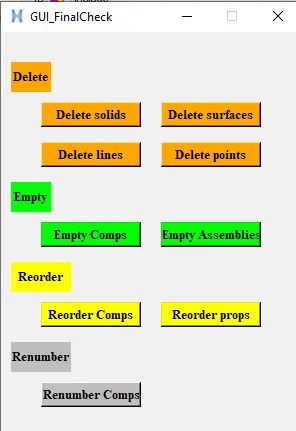
- button $a.14 -text "Renumber props" -command "renumber props" -bg grey -font {times 10 bold}; place $a.14 -x 160 -y 350 -width 100 -height 25
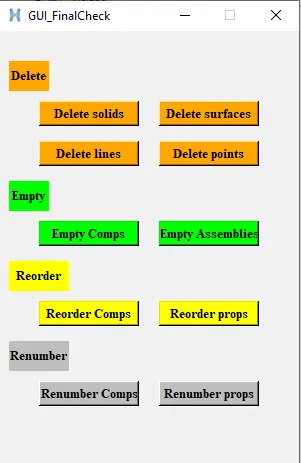
- button $a.15 -text "MASTER" -command {master} -bg red -font {times 16 bold}; place $a.15 -x 100 -y 410 -width 100 -height 30
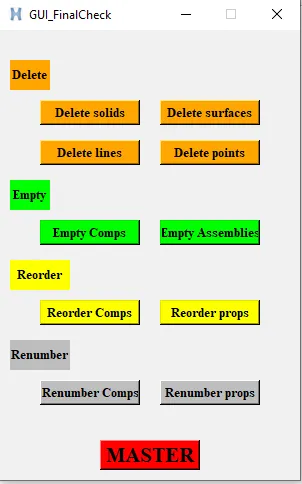
- proc delete {a} {
*createmark $a 1 "displayed"
if {[hm_marklength $a 1] !=0} {*deletemark $a 1}
}
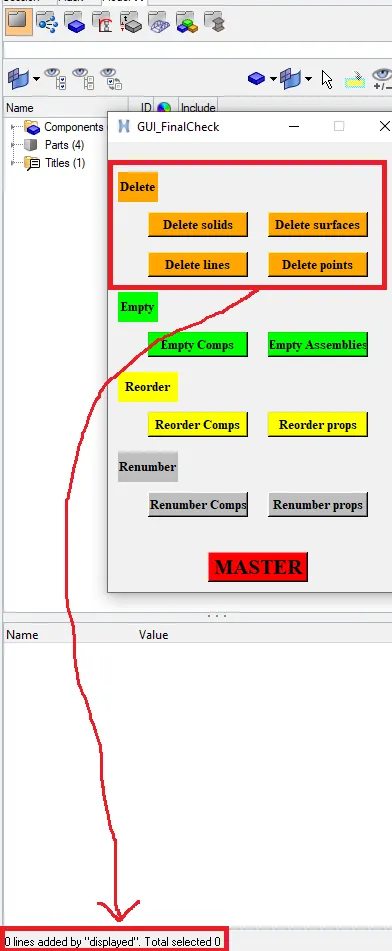
- proc empty {a} {
*EntityPreviewEmpty $a 1
if {[hm_marklength $a 1] !=0} {*deletemark $a 1}
}
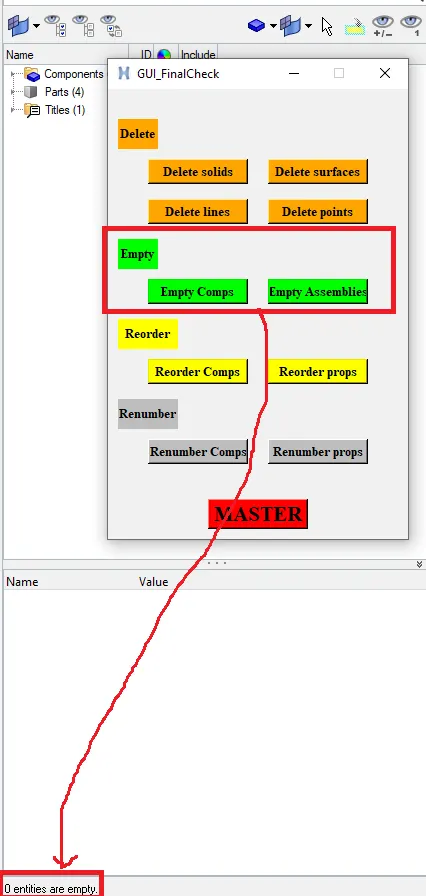
- proc reorder {a} {
*clearmarkall 1
*createmark $a 1 "all"
if {[hm_marklength $a 1] !=0} {*collectormarkmove $a 1 1 1}
}
- proc renumber {a} {
*clearmarkall 1
*createmark $a 1 "all"
if {[hm_marklength $a 1] !=0} {*renumber $a 1 100 1 0 0 }
}
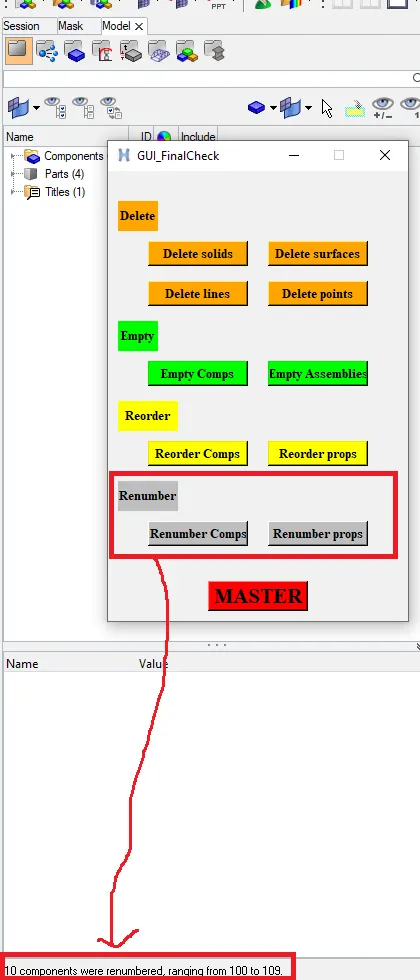
- proc master {} {
delete solids;
delete surfaces;
delete lines;
delete points;
empty comps;
empty comps;
reorder comps;
reorder props;
renumber comps;
renumber props;
}
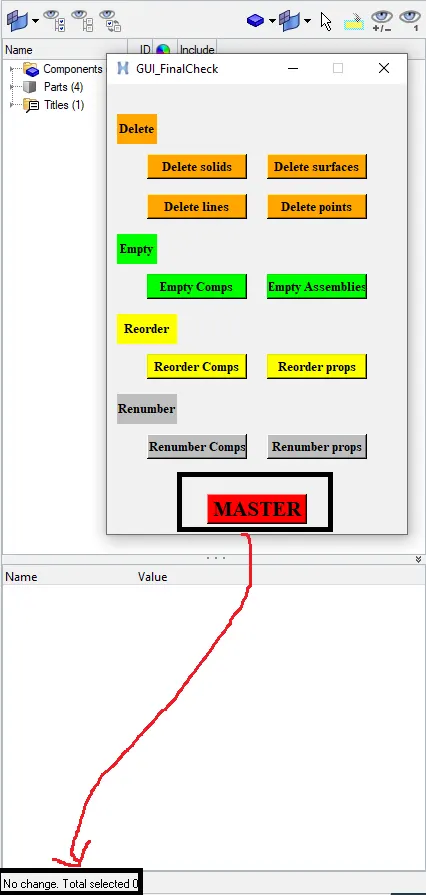
CONCLUSION:-
Finally, I have created buttons for delete geometric entities, delete empty entities, re-order and re-number and master by using the tool command language.