Week 6 - CHT Analysis on a Graphics card
AIM:- Perform a CHT Analysis on a Graphics card by Using Ansys Fluent.
OBJECTIVE:-
- Perform a steady-state conjugate heat transfer analysis on a model of a graphics card. You can use appropriate materials of your choice for the simulation. Make sure to properly define the correct solid and fluid zones. Refer the video for further clarification and the model is provided below the video.
- Run the simulation for best possible mesh with combination of coarse and refined mesh in different regions. Explain the reason for choosing the particular mesh settings.
- Run the simulation by varying the velocity from 1m/sec to 5m/sec for at least 3 velocities and discuss the results.
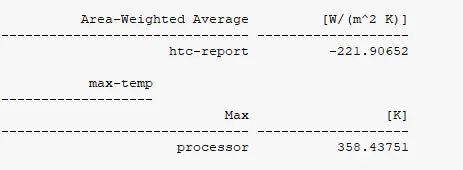
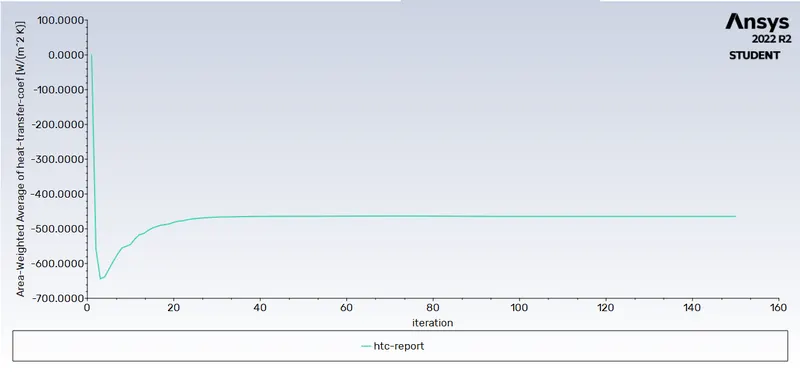
- Find out the maximum temperature and heat transfer coefficient attained by the processor.
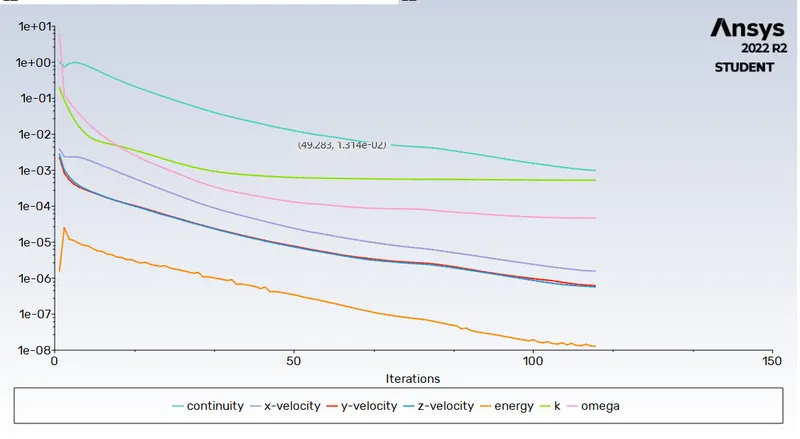
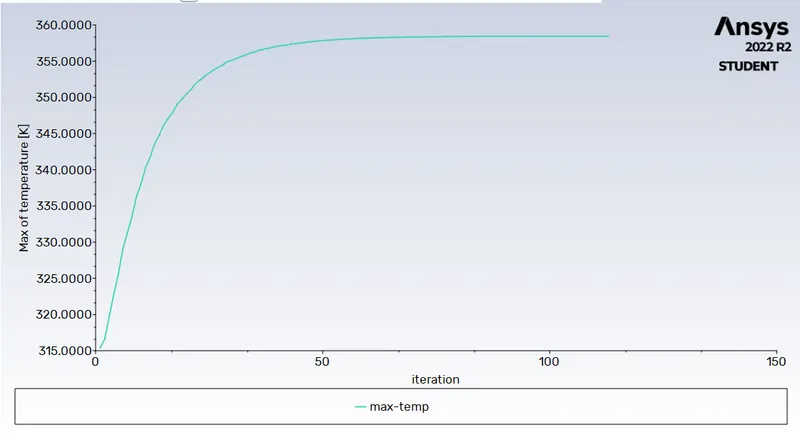
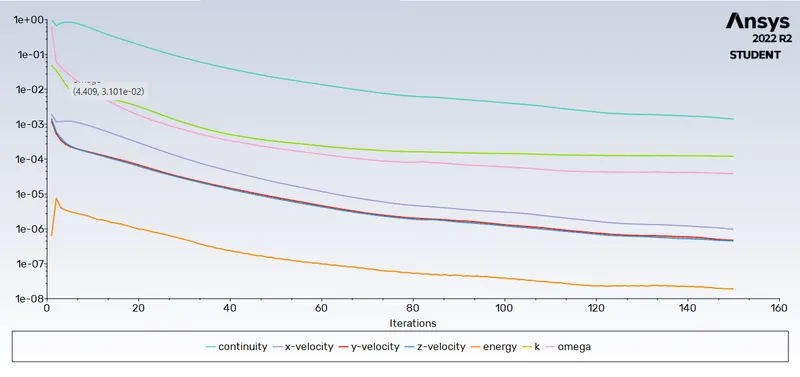
- Prove that the simulation has achieved convergence with appropriate images and plots.
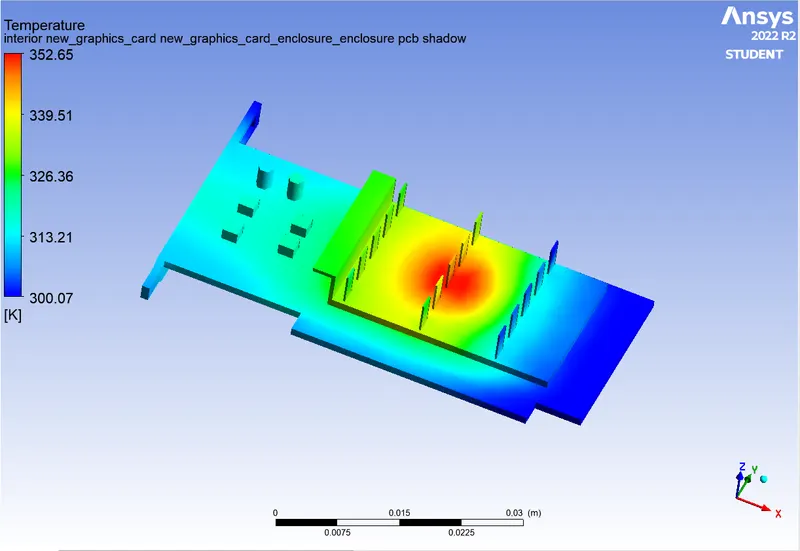
- Identify potential hotspots on the model.
INTRODUCTION:-
- Conjugate Heat Transfer:-
- Conjugate heat transfer (CHT) analysis can accurately predict heat transfer by simultaneous solving all the relevant solid and flow field heat transfer processes, for example: conduction through solids, free and forced convection in the gases/fluids and thermal radiation.
- The CHT approach therefore has benefits for those applications where heat transfer is either non-uniform or difficult to calculate.
- Graphic Card:-
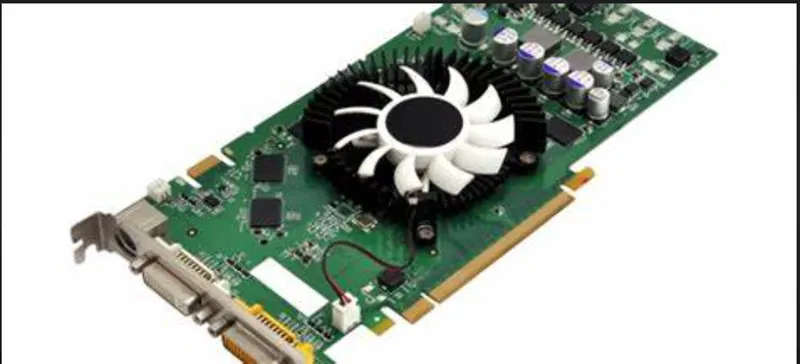
- Graphics card is a hardware which is used to increase the video memory of a computer, and make its display quality more high-definition.
- It makes the computer more powerful and gives it the capacity to do more high-level works.
- A graphics card's processor, called a graphics processing unit (GPU), is similar to a computer's CPU. A GPU, however, is designed specifically for performing the complex mathematical and geometric calculations that are necessary for graphics rendering. Some of the fastest GPUs have more transistors than the average CPU.
- A GPU produces a lot of heat, so it is usually located under a heat sink or a fan. Integrated chips differ slightly, in that they don't have their own VRAM, and have to pull from the same RAM stockpile as the CPU.
We need to Cool the Graphic Card because More Heat Generated in GPU for Efficient Work and Higher Resolution mode work on Computer.
MODELING/SIMULATION APPROACH:-
CASE-1 Course mesh with Velocity of Air 1 m/s.
CASE-2 Course mesh with Velocity of Air 3 m/s.
CASE-3 Course mesh with Velocity of Air 5m/s.
CASE-4 Refined mesh with Velocity of Air 1 m/s.
CASE-5 Refined mesh with Velocity of Air 3 m/s.
CASE-6 Refined mesh with Velocity of Air 5 m/s.
CASE-1 Course mesh with Velocity 1 m/s :-
- GEOMETRY:-
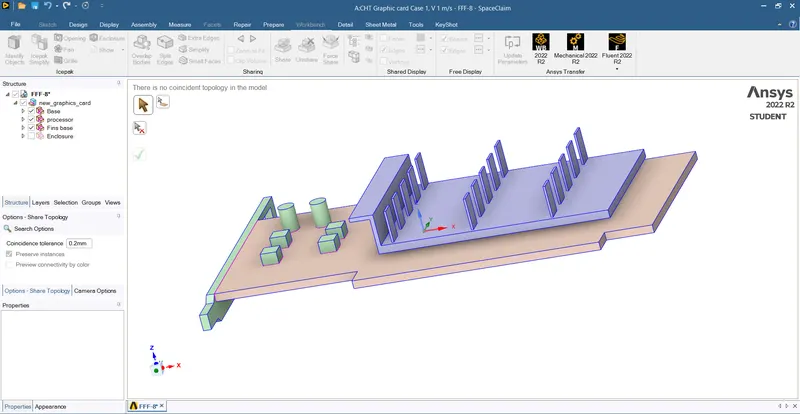
Import Geometry in Spaceclaim:-
- Meshing:-
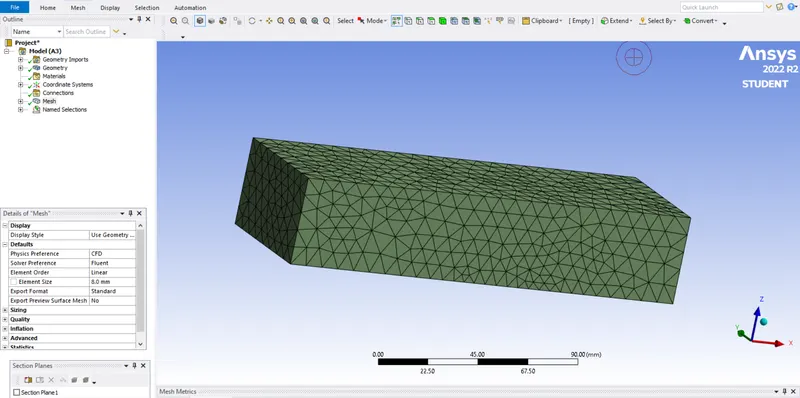
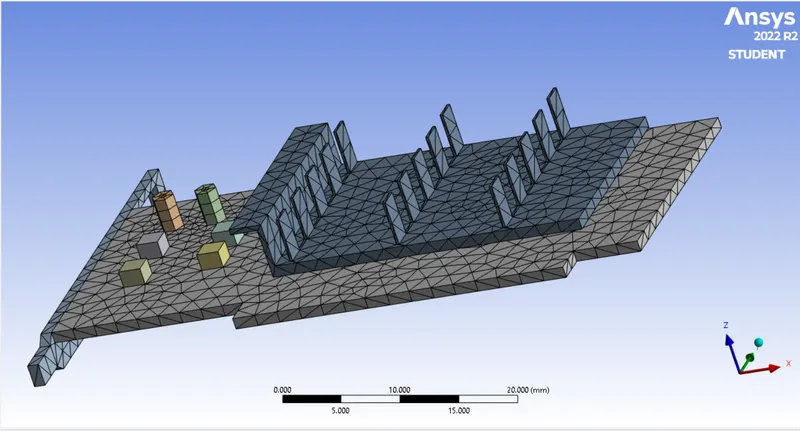
For Meshing for case-1 Enclosere Mesh Size is 8 mm and 1.5 mm mesh size for Graphic Card.
Mesh For Enclosere:-
Mesh For Graphic Card:-
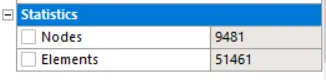
Mesh Statistics:-
Total No. of Elements for Meshing is 51461.
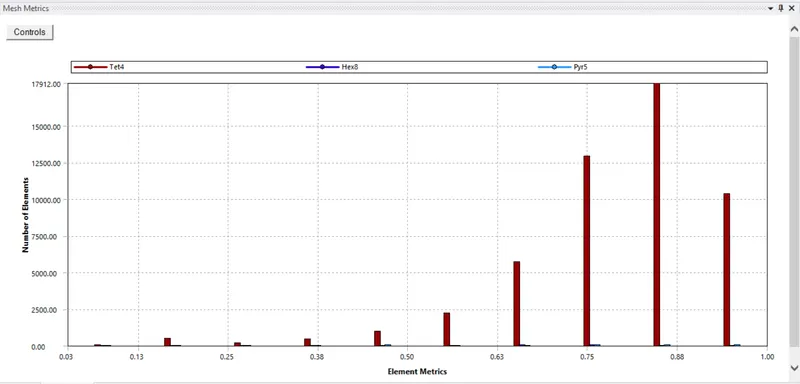
Mesh Quality:-
Create Named Selection:-
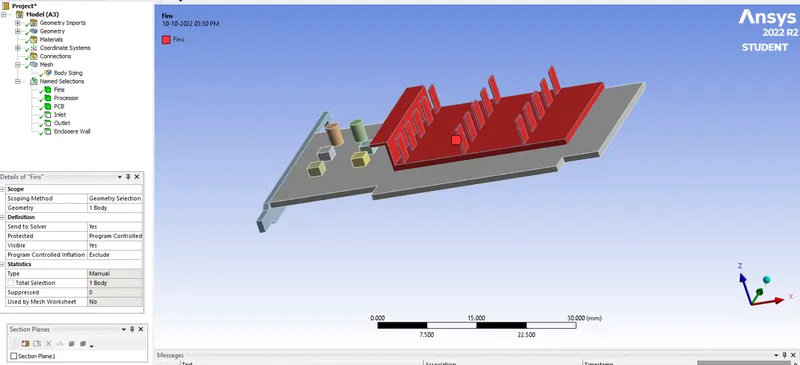
1. Fins:-
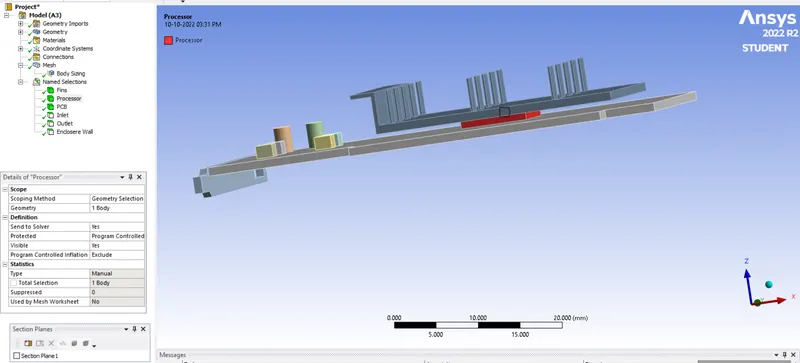
2. Processor:-
3. PCB:-
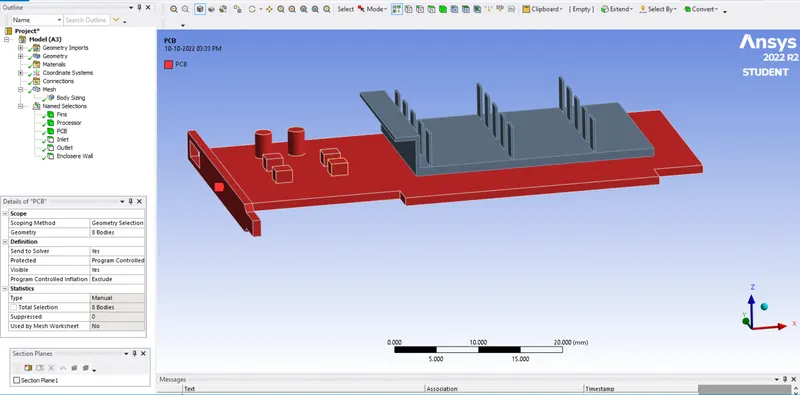
4. Inlet:-
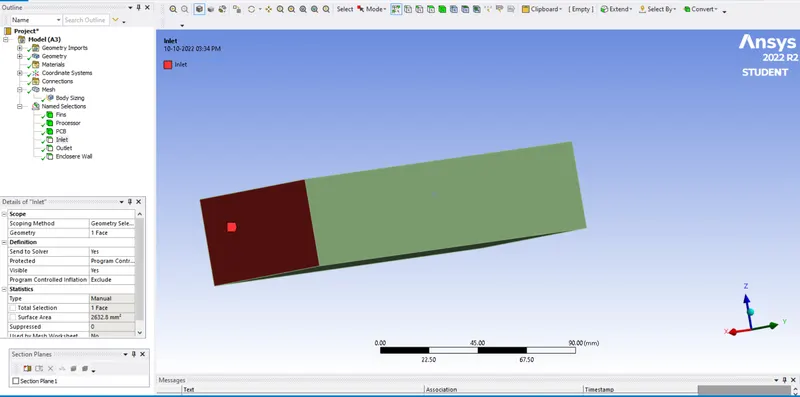
5. Outlet:-
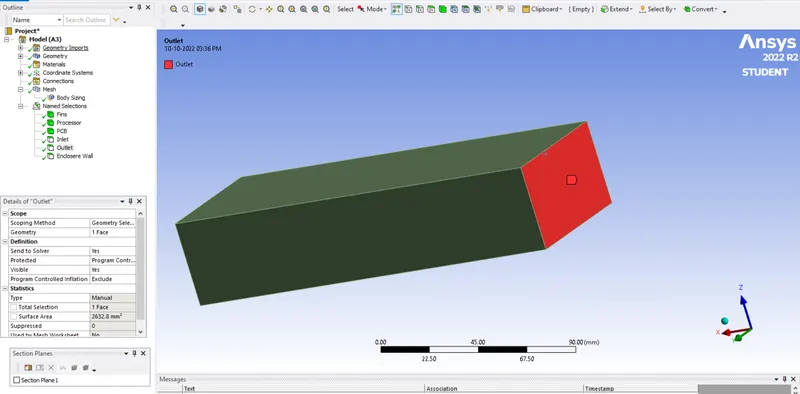
6. Enclosere Wall:-
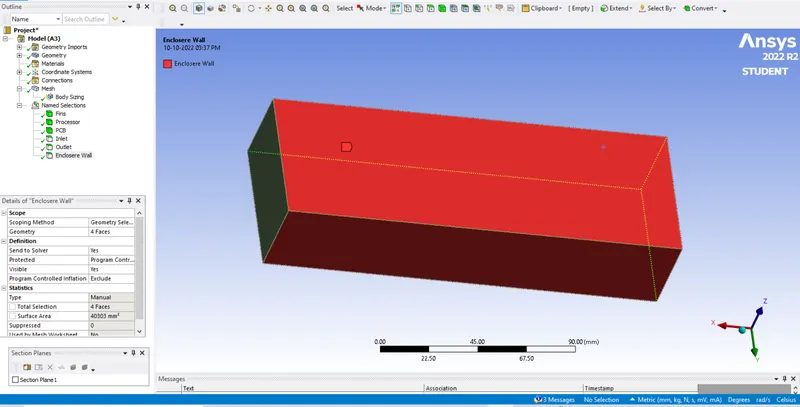
- SET-UP:-
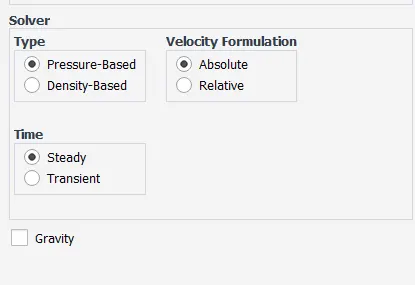
Solver:-
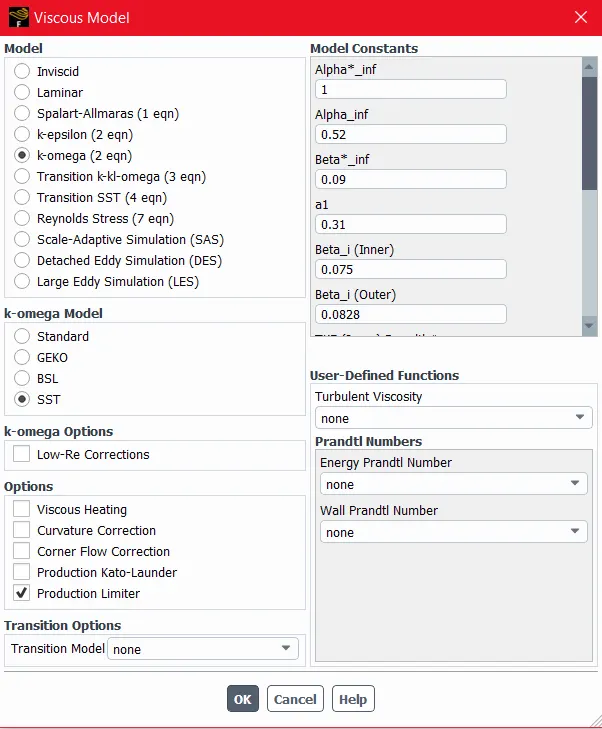
Viscous Model:-
Materials :-
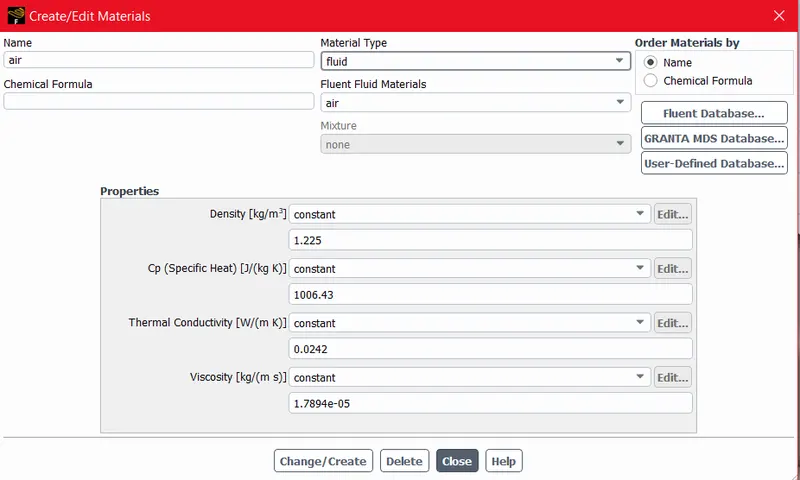
For Fluid Domain :-
1. Air:-
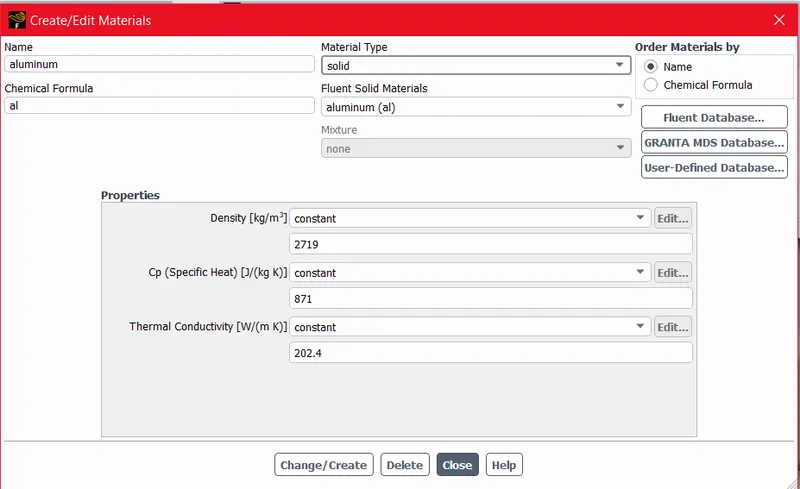
2. Aluminium (Fins):-
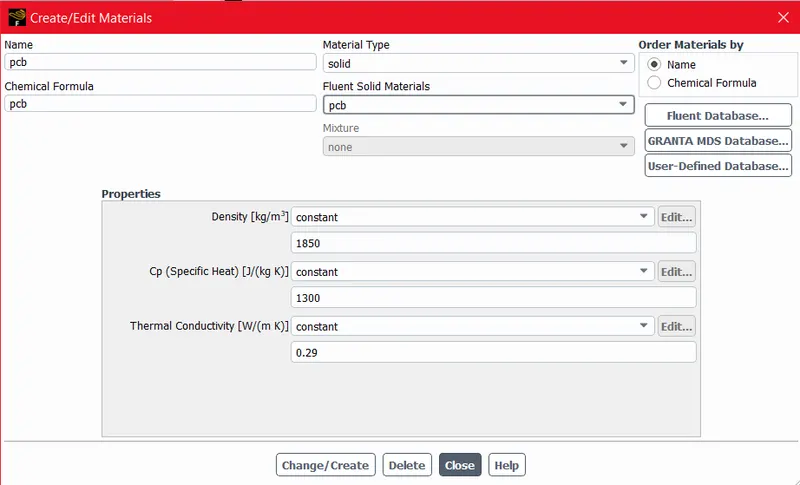
3. PCB(User Defined):-
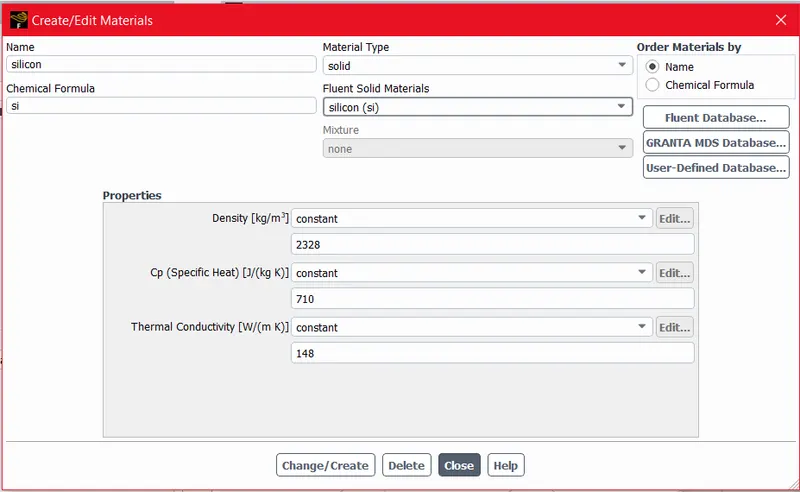
4. Silicon ( for Processor User Defined):-
Cell Zone :-
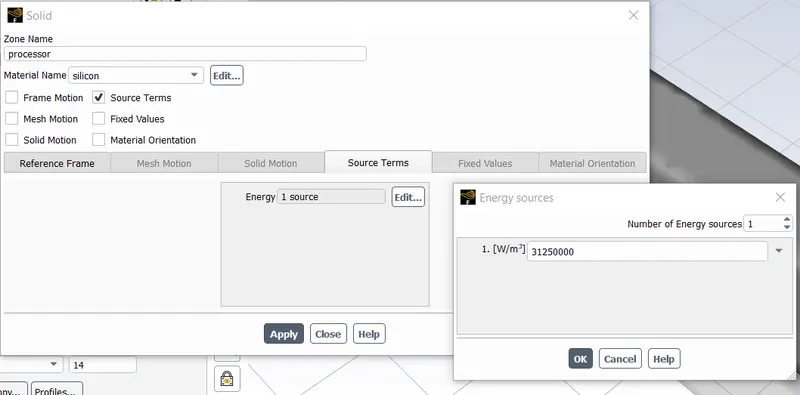
For Processor Source term is On because we are assumed Processer as heat source as 2w by calculating we are getting energy source as 31250000 W/m^3.
Boundary Conditions:-
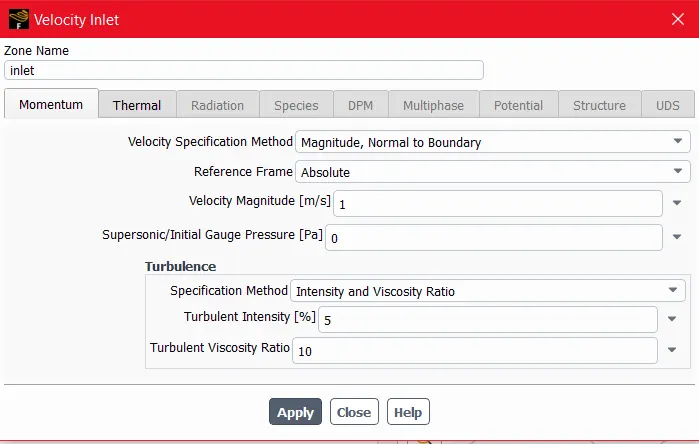
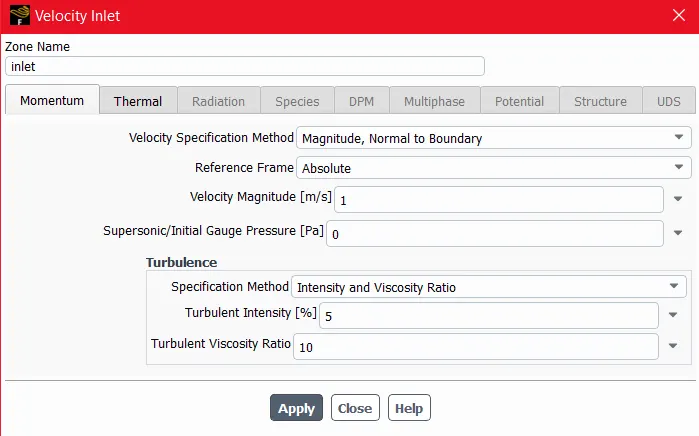
Velocity Inlet :- 1 m/s
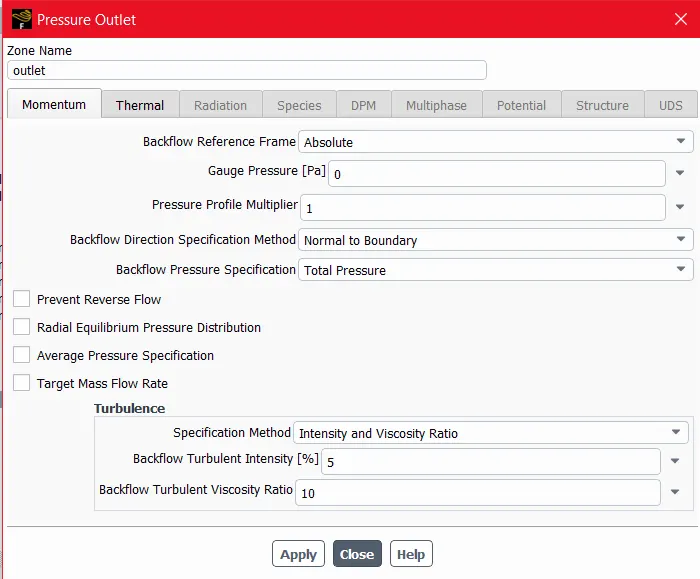
Pressure Outlet:-
Method of initialization: Hybrid
Energy:- On
Then Create the Report Definitions and Temperature Contour.
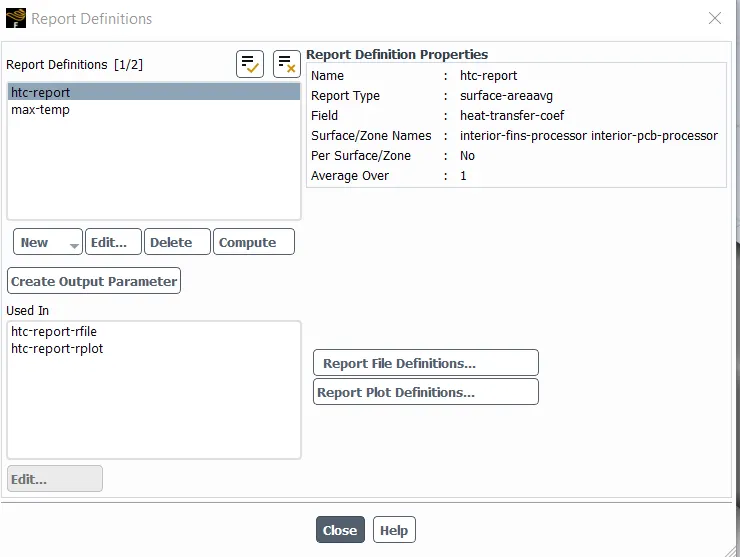
After above Set-up Ran the Solution, after that we are getting Folowing Results:-
- RESULTS:-
Residual Plot:-
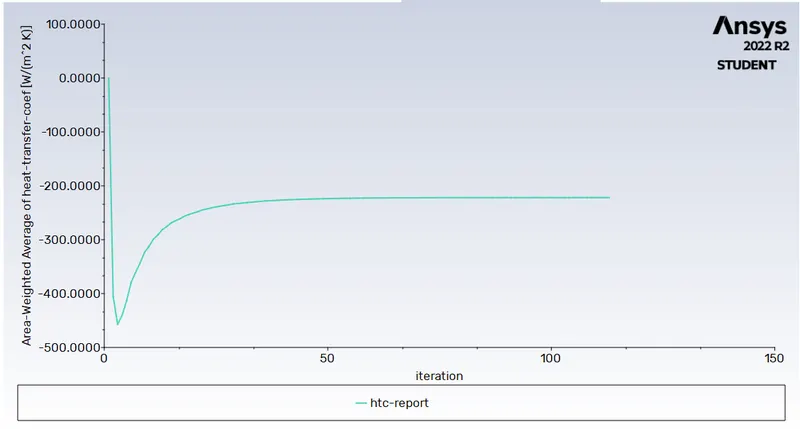
HTC Report:-
Maximum Temperature Report:-
Temperature Contour:-
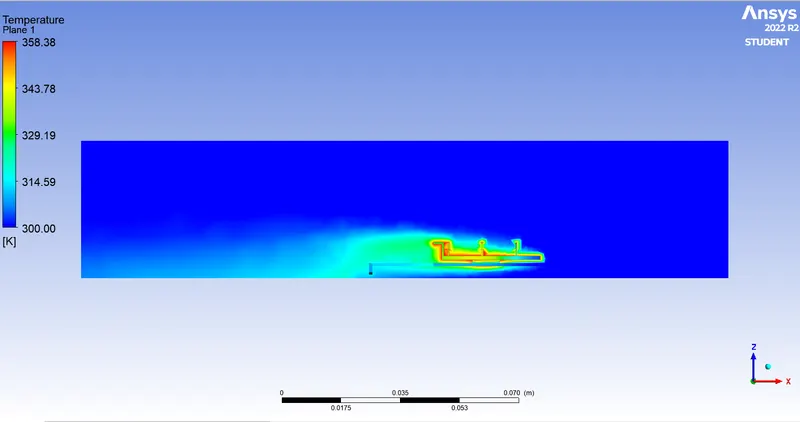
Velocity Vector :-
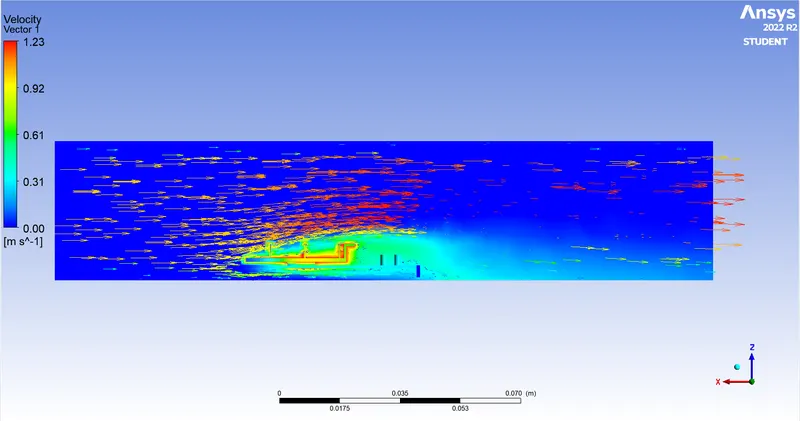
As we can see in Above figures Temperature is High near to the Processor and we can clearly seen the Hotspot.
CASE-2 Course mesh with Velocity of Air 3 m/s:-
In this Case-2 geometry, Meshing and Set-up are Same as Case-1, So we are Changed only Inlet Velocity of air as 3 m/s.
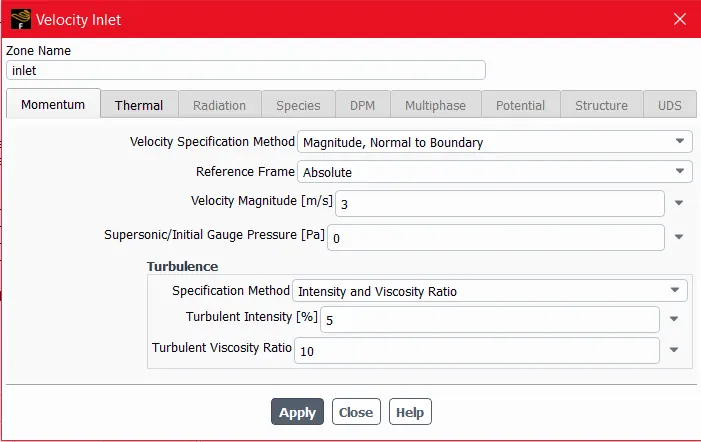
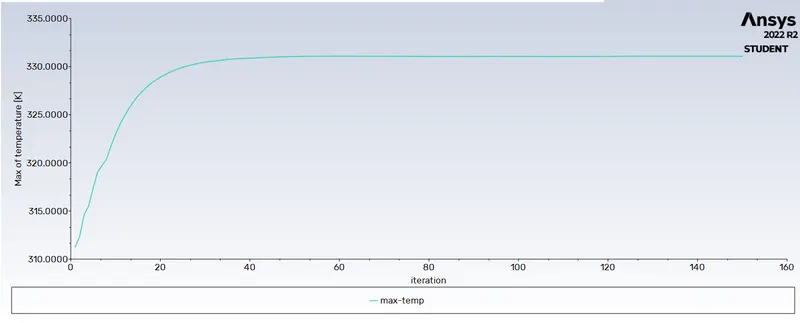
After above Set-up Ran the Solution, after that we are getting Folowing Results:-
- RESULTS:-
Residual Plot:-
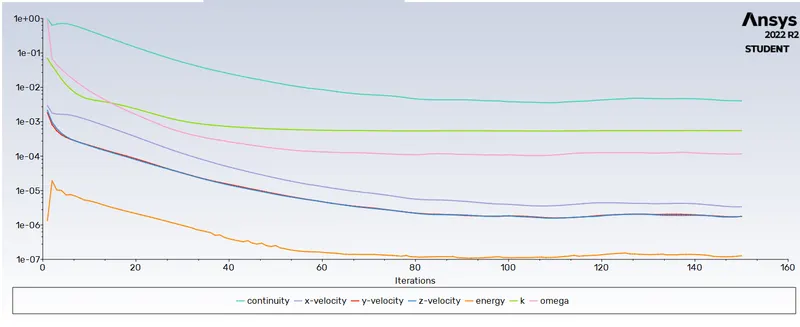
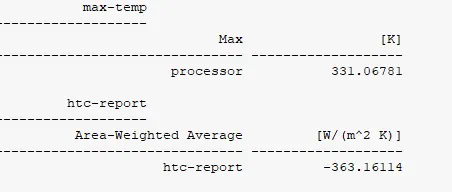
HTC Report:-
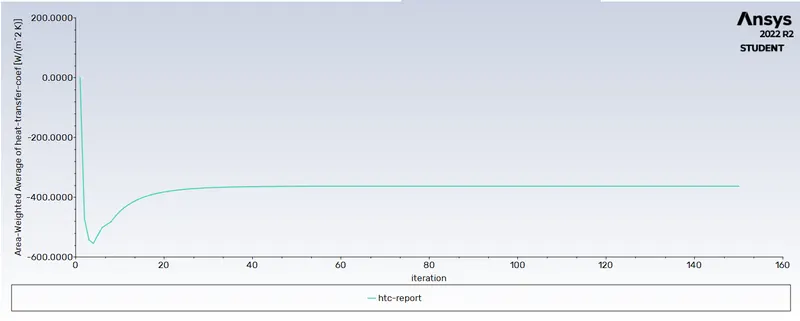
Maximum Temperature Report:-
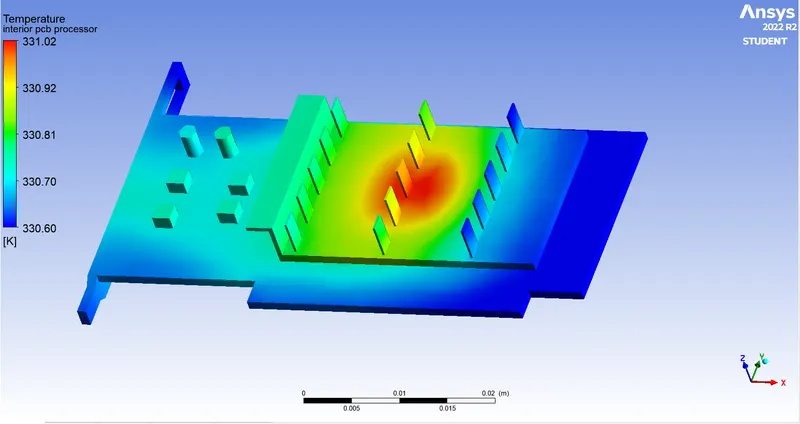
Temperature Contour:-
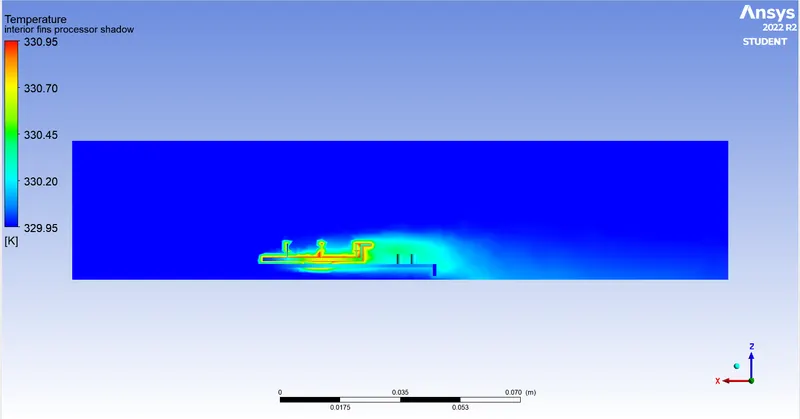
Velocity Vector:-
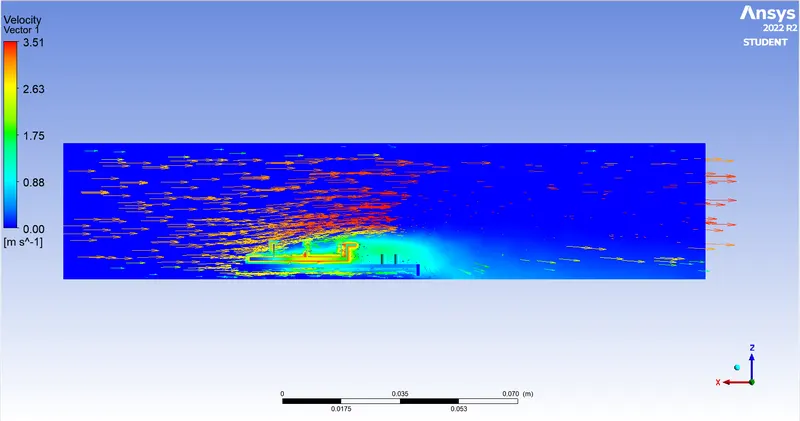
As we can see in Above figures Temperature is High near to the Processor and we can clearly seen the Hotspot.
CASE-3 Course mesh with Velocity of Air 5m/s:-
In this Case-3 geometry, Meshing and Set-up are Same as Case-1, So we are Changed only Inlet Velocity of air as 5 m/s.
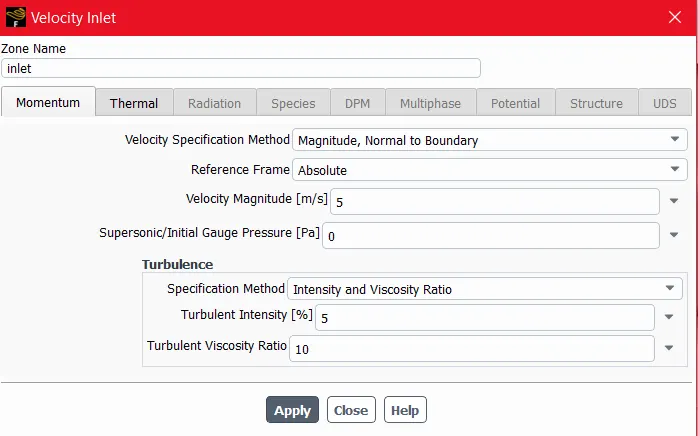
After above Set-up Ran the Solution, after that we are getting Folowing Results:-
- RESULTS:-
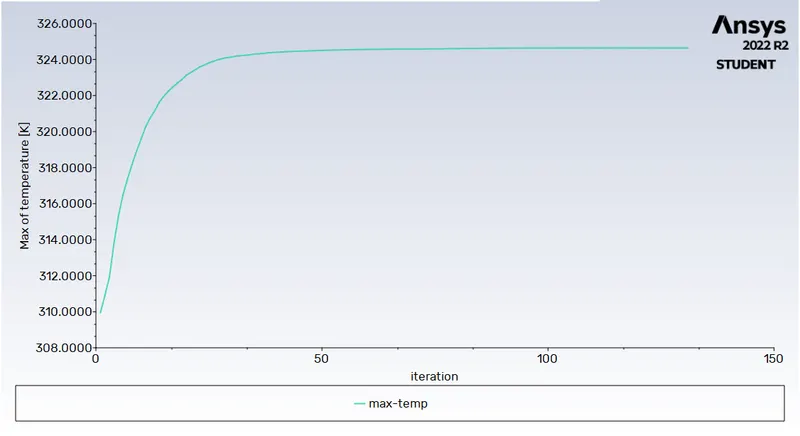
Residual Plot:-
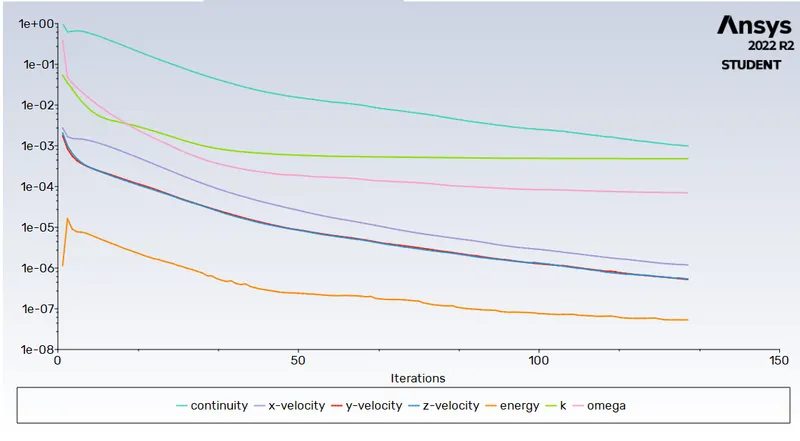
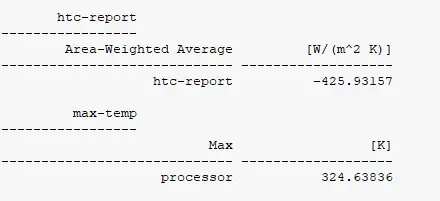
HTC Report:-
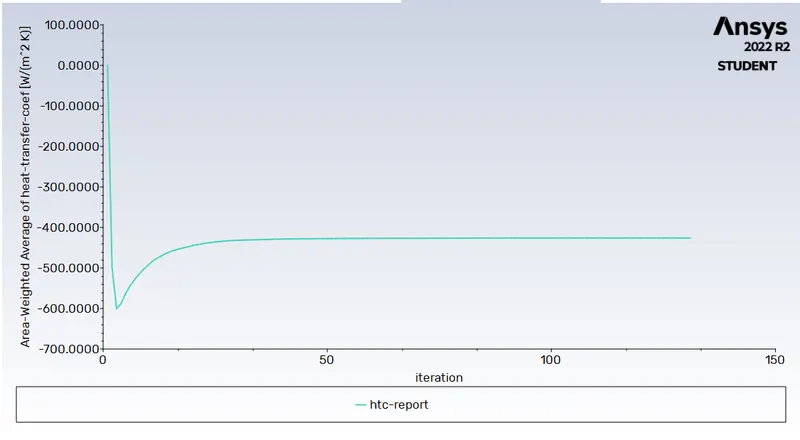
Maximum Temperature Report:-
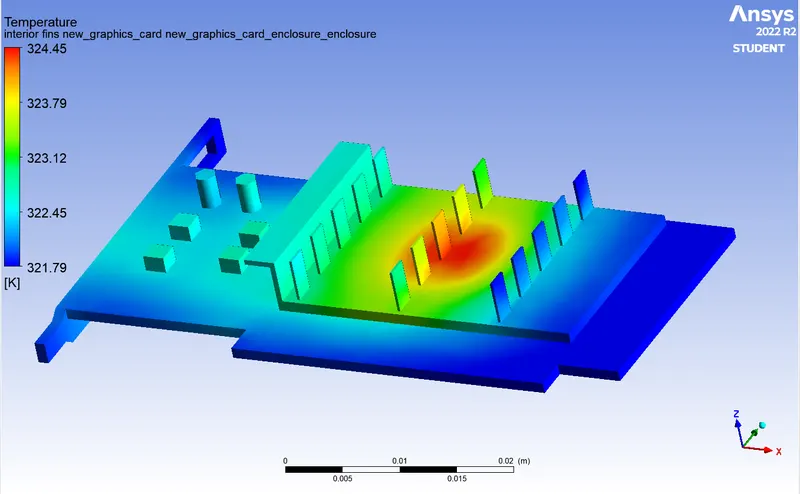
Temperature Contour:-
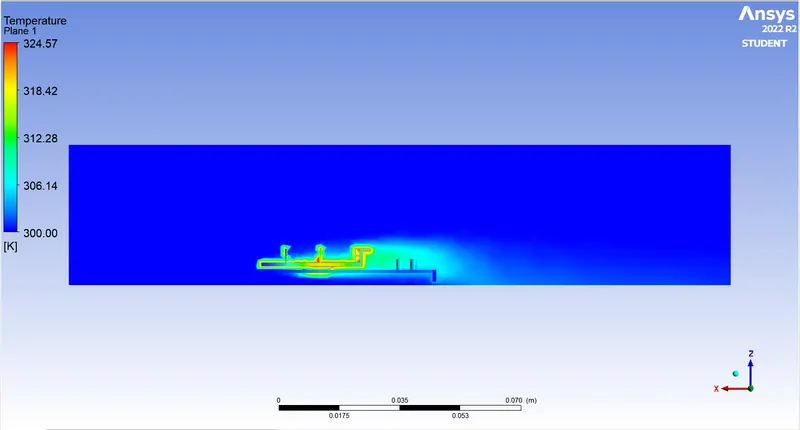
Velocity Vector:-
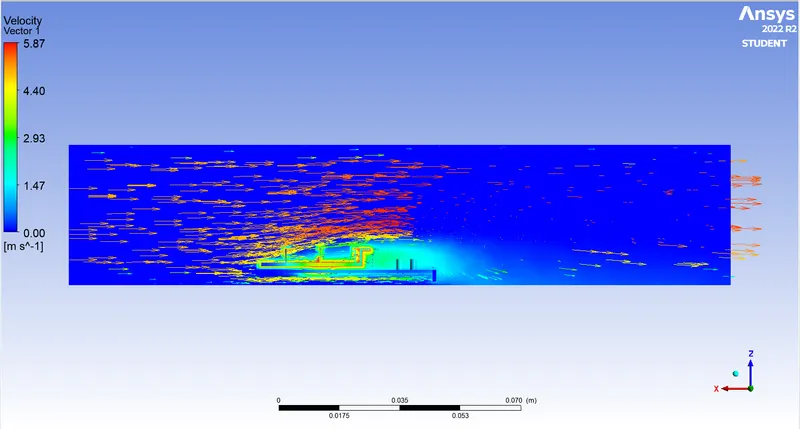
As we can see in Above figures Temperature is High near to the Processor and we can clearly seen the Hotspot.
CASE-4 Refined mesh with Velocity of Air 1 m/s:-
In this Case-4 geometry and Set-up are Same as Case-1, So we are Changed only Mesh Size and make the Mesh Refined.
- Meshing:-
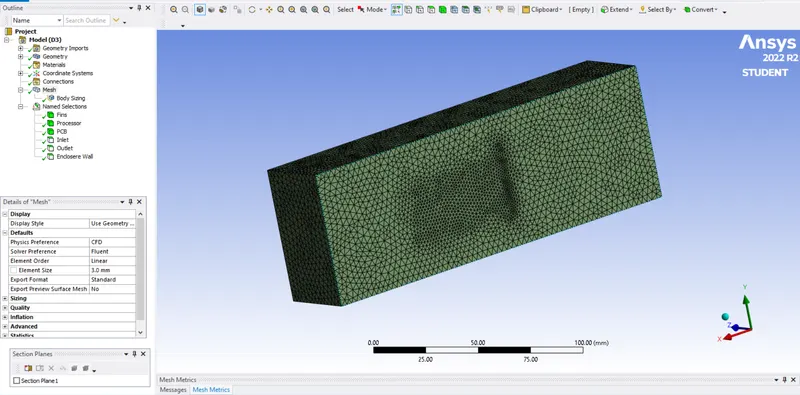
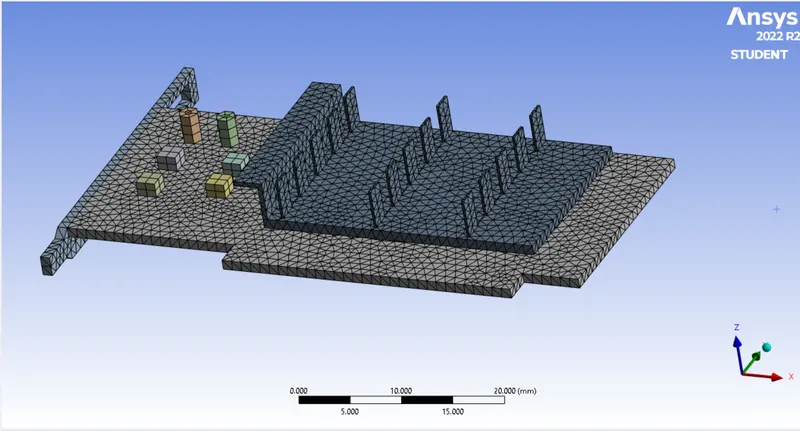
For Meshing for case-4 Enclosere Mesh Size is 3 mm and 1 mm mesh size for Graphic Card.
Mesh For Enclosere:-
Mesh For Graphic Card:-
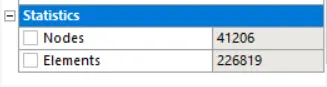
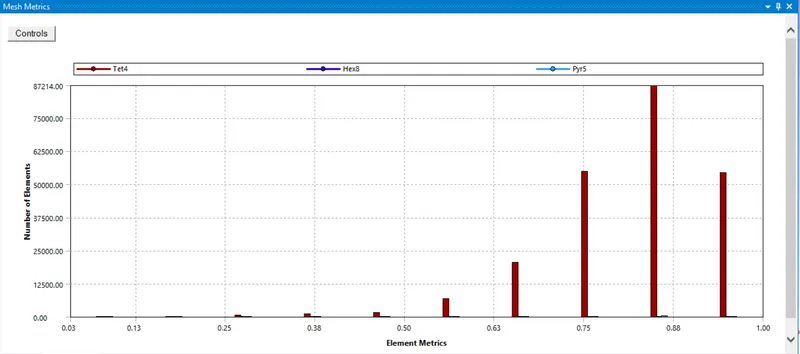
Mesh Statistics:-
Total No. of Elements for Meshing is 226819.
Mesh Quality:-
- Set-up:-
Set-up is Same As Case -1 Only Inlet Velocity of air as 1 m/s.
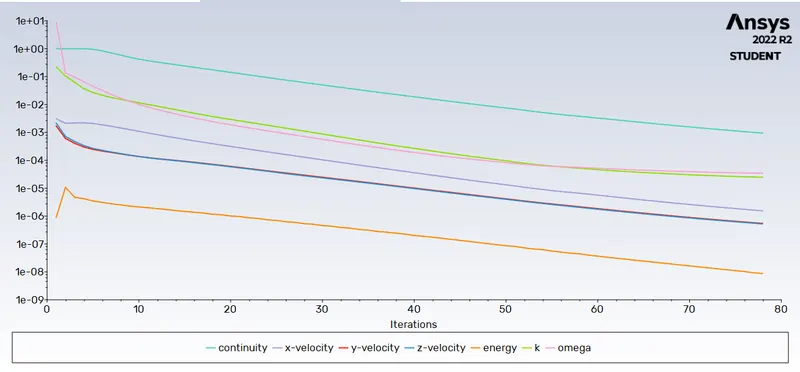
After above Set-up Ran the Solution, after that we are getting Folowing Results:-
- RESULTS:-
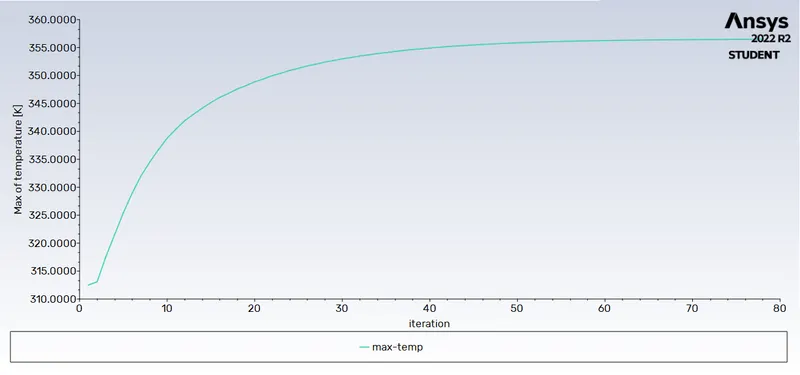
Residual Plot:-
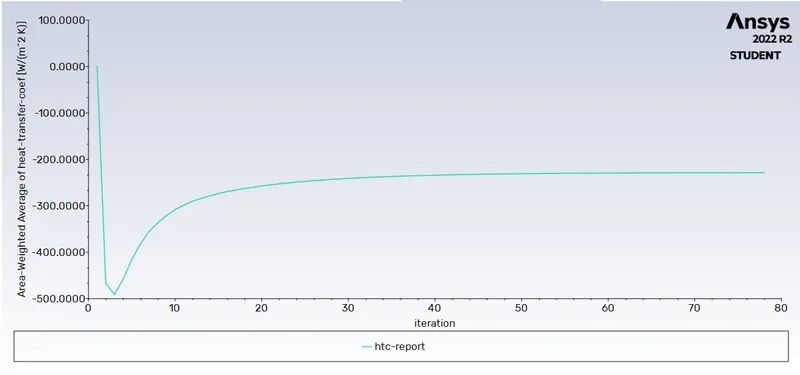
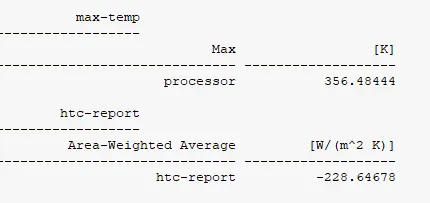
HTC Plot:-
Maximum Temperature Plot:-
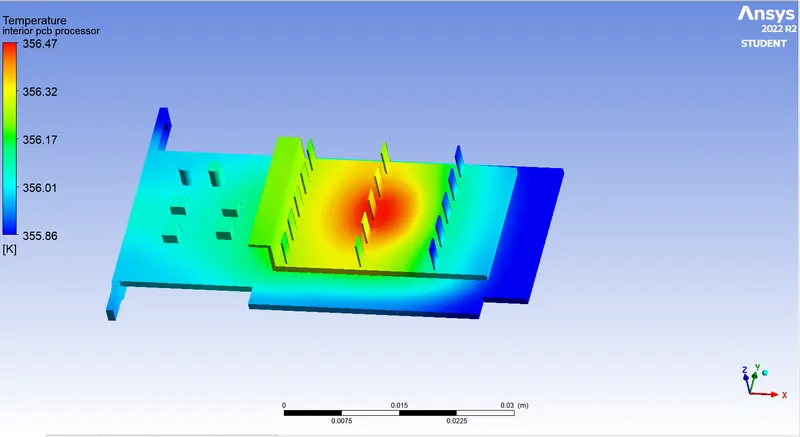
Temperature Contour:-
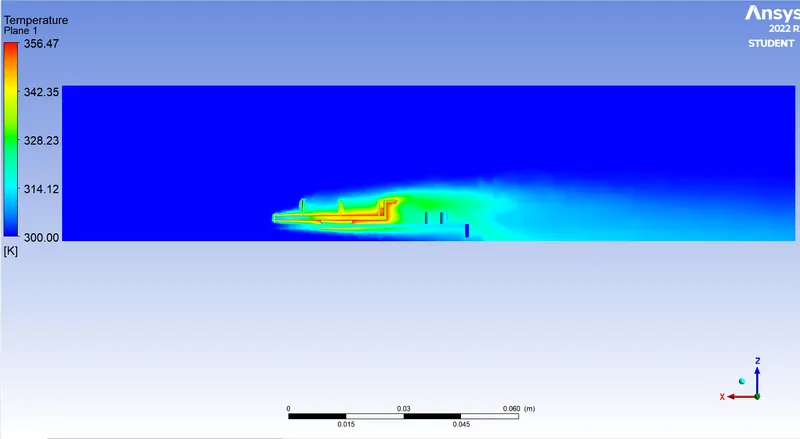
Velocity Vector:-
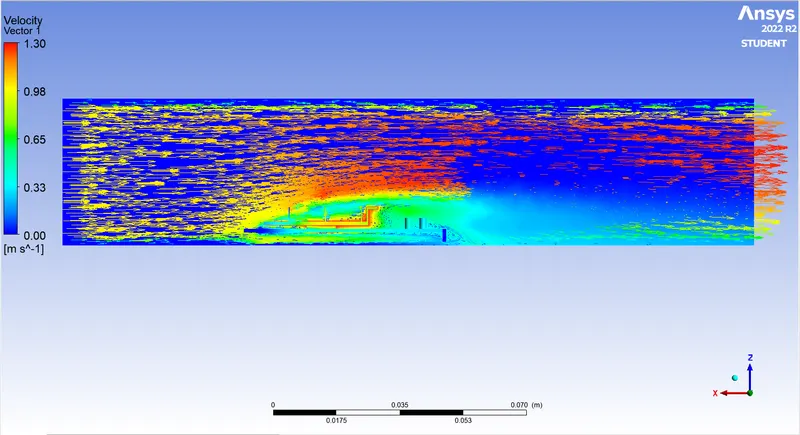
As we can see in Above figures Temperature is High near to the Processor and we can clearly seen the Hotspot. but we can see the Hotspot is Larger in Size due to Velocity is only 1 m/s.
CASE-5 Refined mesh with Velocity of Air 3 m/s:-
In this Case-5 geometry, Meshing and Set-up are Same as Case-4, So we are Changed only Inlet Velocity of air as 3 m/s.
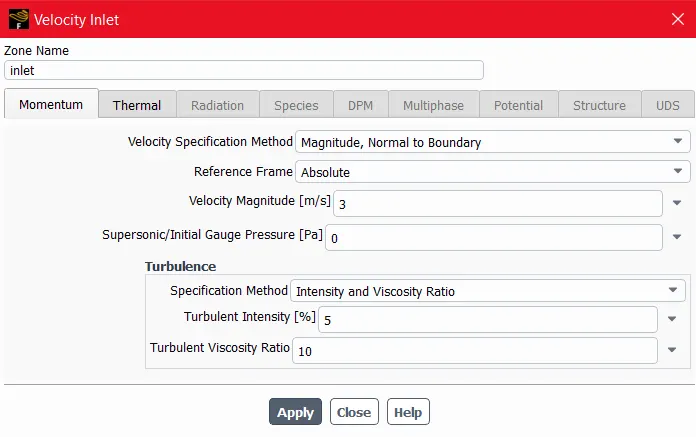
After above Set-up Ran the Solution, after that we are getting Folowing Results:-
- RESULTS:-
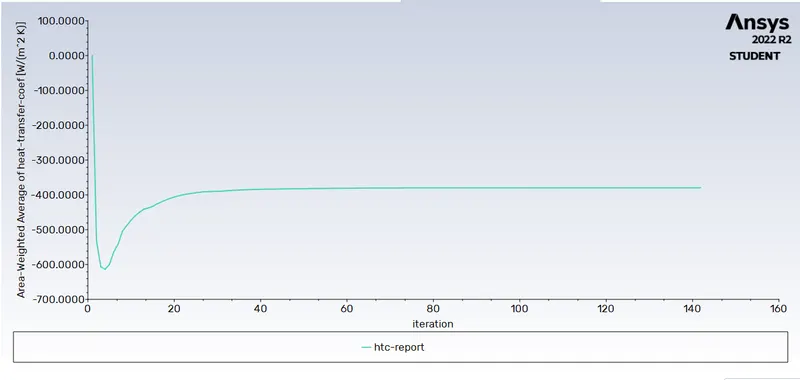
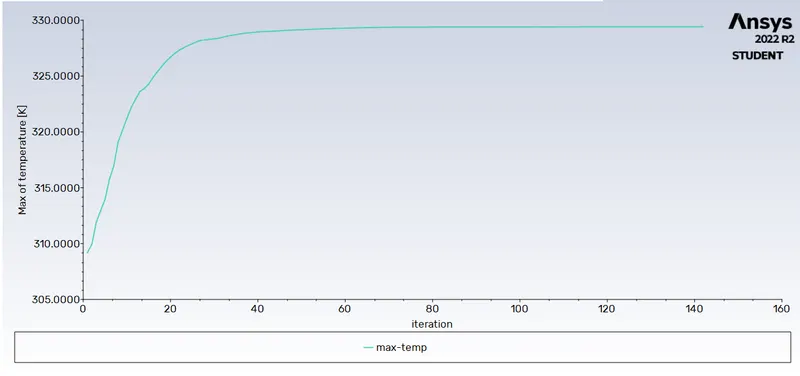
Residual Plot:-
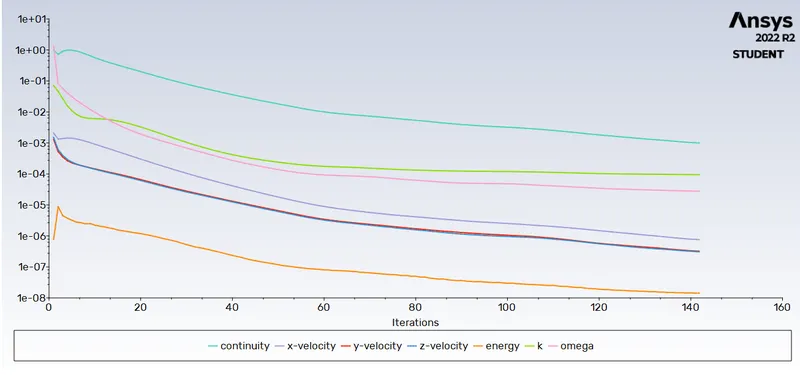
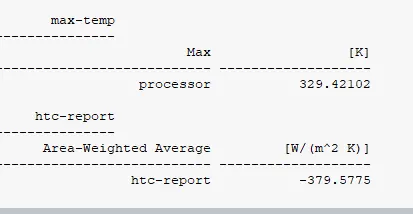
HTC PLOT:-
Maximum Temperature Plot:-
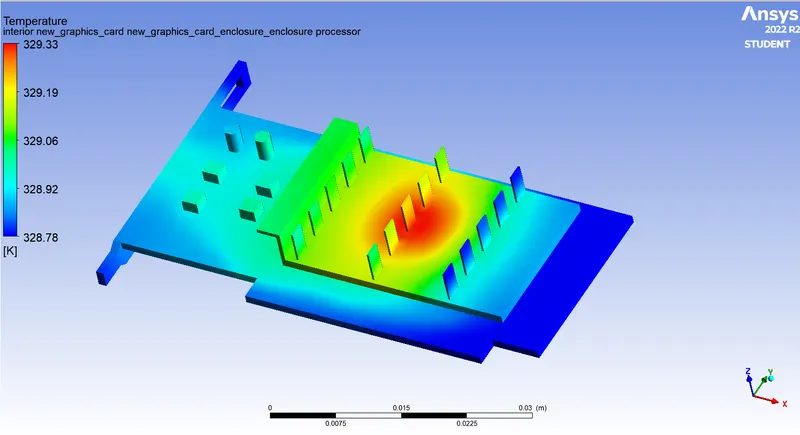
Temperature Contour:-
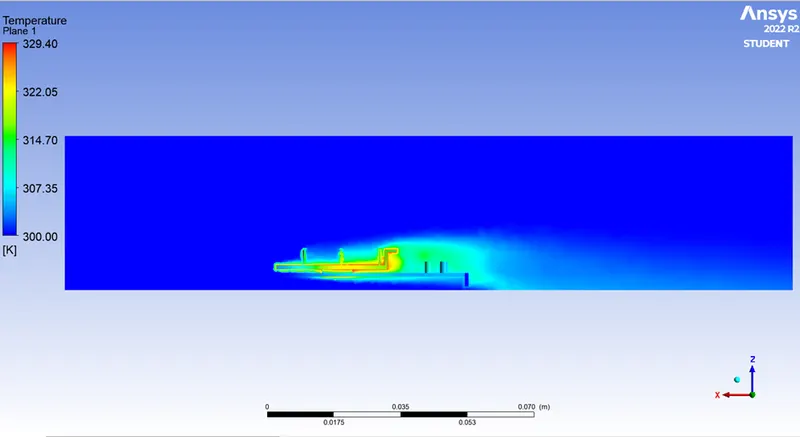
Velocity Vector:-
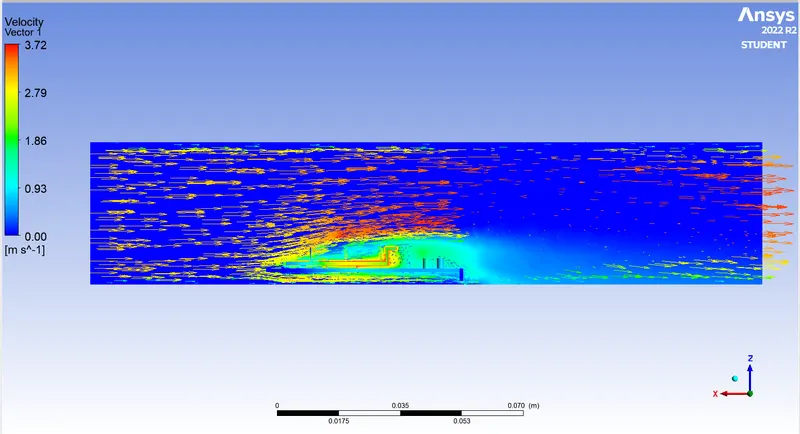
As we can see in Above figures Temperature is High near to the Processor and we can clearly seen the Hotspot. but we can see the Hotspot is Larger in Size due to Velocity is only 3 m/s.
CASE-6 Refined mesh with Velocity of Air 5 m/s:-
In this Case-6 geometry, Meshing and Set-up are Same as Case-4, So we are Changed only Inlet Velocity of air as 5 m/s.
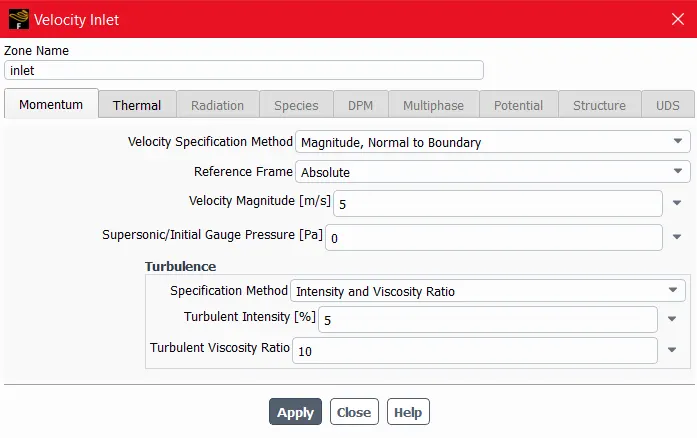
After above Set-up Ran the Solution, after that we are getting Folowing Results:-
- RESULTS:-
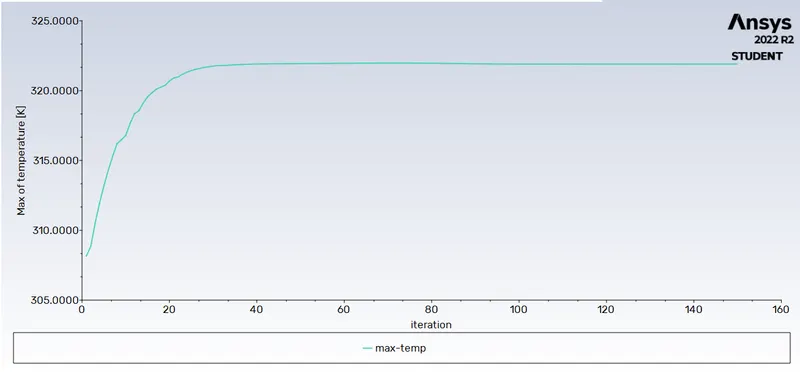
Residual Plot:-
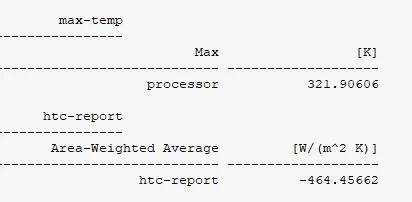
HTC Plot:-
Maximum Temperature:-
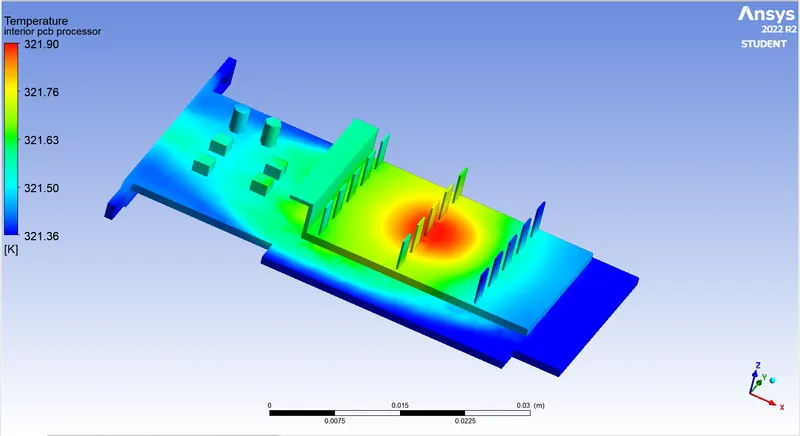
Temperature Contour:-
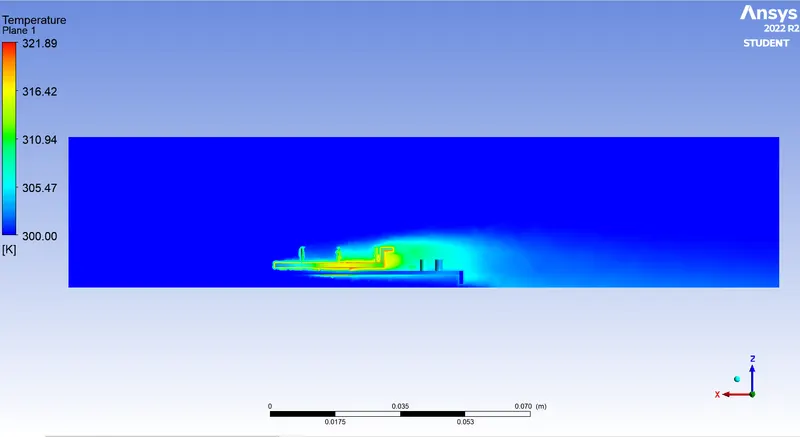
Velocity Vector:-
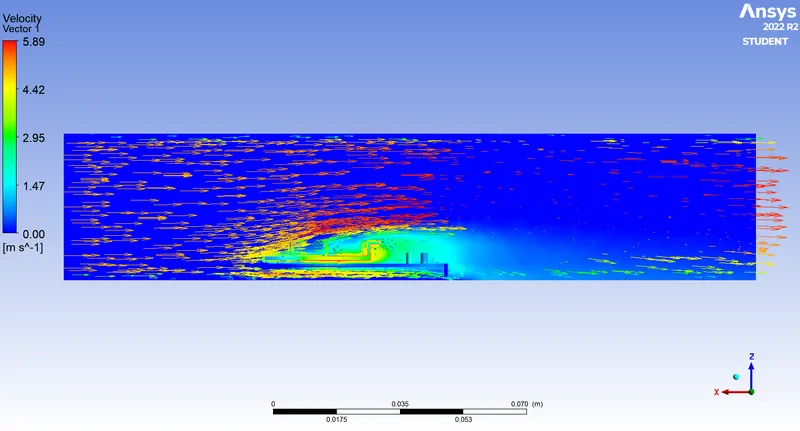
As we can see in Above figures Temperature is High near to the Processor and we can clearly seen the Hotspot. but we can see the Hotspot is Smaller in Size as compare to Velocity 1 m/s and 3 m/s.
RESULT AND DISCUSSION:-
| Type Of Mesh | Total No. of Mesh Elements | Cases | Velocity of Air | Heat Transfer Coefficient in W/m^2.K | Maximum Temperature in K |
| Course Mesh | 51461 | Case-1 | 1 m/s | -221.90 | 358.43 |
| Case-2 | 3 m/s | -363.16 | 331.06 | ||
| Case-3 | 5 m/s | -425.93 | 324.63 | ||
| Refined Mesh | 226819 | Case-4 | 1 m/s | -228.64 | 356.48 |
| Case-5 | 3 m/s | -379.57 | 329.42 | ||
| Case-6 | 5 m/s | -464.45 | 321.9 |
From Above Table we can see that As Mesh is Refined the Accurate Temperature results are obtained. and as Velocity increased from 1 m/s to 5 m/s in Both Courese mesh and Refined Mesh Maximum Temperature Will be Decreased and Heat transfer Coefficient incraesed.
CONCLUSION:-
-
We are observed that the maximum temperature of the processor is decreasing with an increasing the inlet velocity of air.
- From Temperature Contour we can Conclude that Higher temperature present over Processor as we can see the Potential Hotspot near the Processor.
- As Velocity of Air is Increased the Heat transfer Coefficient as well incraesed.
- From Above observations We can say that the Higher the Inlet Velocity the rate of Processor Cooling is High and Lower the Temperature of the Graphic Card.