Week 2- 2R Robotic Arm Challenge
Aim: To simulate the forward kinematics of a 2R Robotic Arm in MATLAB.
Procedure:
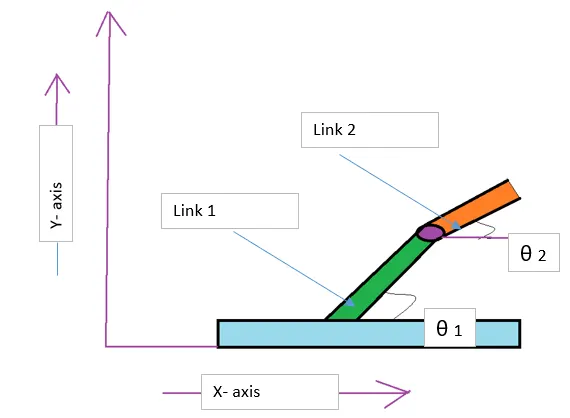
Fig.Forward Kinematics Linkage
above Fig Shows that two links are Joined to each other Works as the Forward kinematics Robotic Arm.
Link 1 having angle of θ1 with X-axis and Link 2 having angle of θ2 with X-axis.
Link 1 Having Length of l1
Link 2 Having Length of l2
Code:
% forward kinematics 2R Robotic Arm manipulator

clear all
close all
clc

% inputs

l1=1;
l2=0.5;
theta1=linspace(0,90,10);
theta2=linspace(0,90,10);

ct=1;
for i=1:length(theta1);
    THETA1=theta1(i);
    for j=1:length(theta2);
        THETA2=theta2(j);
        x0=0;
        y0=0;

        x1=l1*cosd(THETA1);
        y1=l1*sind(THETA1);

        x2=x1+l2*cosd(THETA2);
        y2=y1+l2*sind(THETA2);

        % plotting

        plot([x0 x1],[y0 y1],[x1 x2],[y1 y2],'linewidth',3)
        axis([-0.1 1.5 0 1.5])
        pause(0.01)
        m(ct)=getframe(gcf);
        ct=ct+1;
    end
end

movie(m)
videofile=VideoWriter('forward_kinematics.avi','Uncompressed AVI');

open(videofile)
writeVideo(videofile,m)
close(videofile)
Explaination:
Step 1:- First start with Finding out the inputs like
Link 1 Length l1= 1 m
Link 2 Length l2= 0.5 m
Theta1 and Theta 2 by linspace command
Step 2 :- next step is we have to use for loop, because we have two links with Different angles.
for using for loop we have to mention i for Theta 1 and j for Theta 2.
then we have to find out X and Y co-ordinates as below,
x0=0;
y0=0;
x1 = l1 cosd (theta1)
y1= l1 sind (theta1) like that we have to find x2 and y2 values.
x2=x1+l2cosd(theta2)
y2= y1+l2sind(theta2)
Step 3 :- after that we have to plot all values of the Links axes by plot command.
then we have to use Pause command for need to stop the link frame for some time for smoothnes.
by using (gcf) command we can get correct fame.
then we have to use ct=ct+ 1; because of we have the correct interval for smoothning of animation.
then we have to complete both loops by end command.
Step 4: then we have to make movie of the all frames we got,by Videowriter commandas shown in Program.
then we can save the video file in correct path aleready we set.
Errors Occurred While Running Program:
two errors occured while running program as below
1.
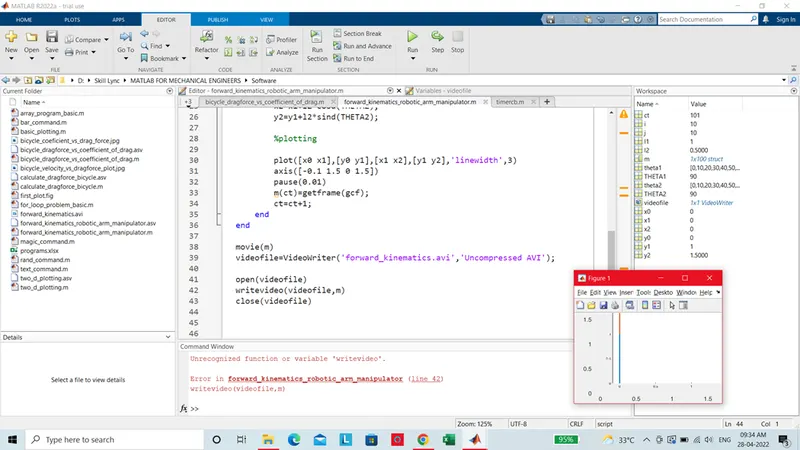
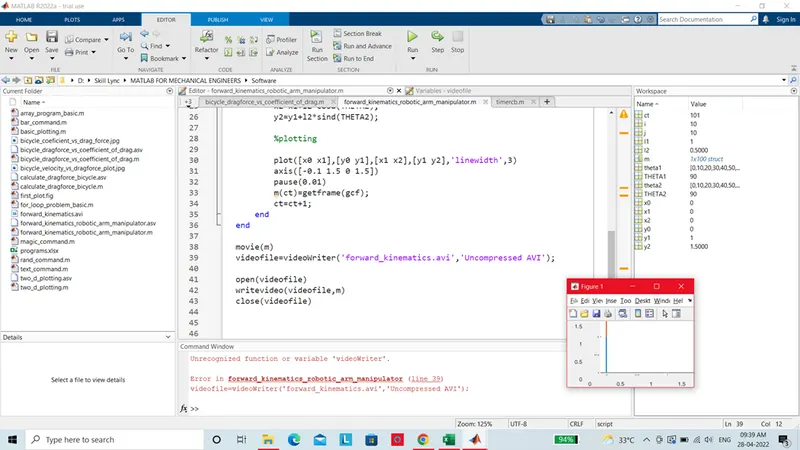
2.
by correcting 'videoWriter'. typo error removed.
Results:
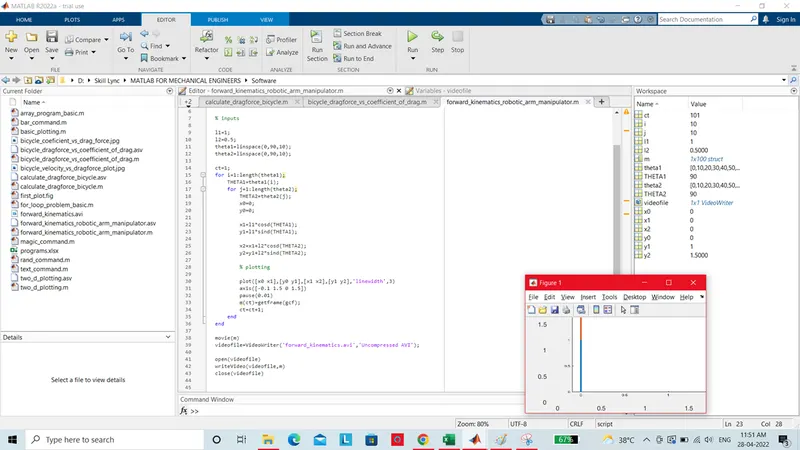
we can see the Animation of Forward kinematics 2R Robotic Arm by using Above Matlab Programs.
Video link is attached below.
Follow the Link to Show Video: https://youtu.be/1GLmdABJH_I