Week-6 Calculate the Stretch Ratio by comparing the ELFORM (-2,-1,1,2) with Ogden_Material Model.
Ogden Material
Objective: To create a cube model from the given material and give different element formulation (1, -1, 2, -2). Then plot the graph for stretch ratio and engineering stress.
Odgen Material: The Ogden material model is a hyperplastic material model used to describe the non-linear stress–strain behaviour of complex materials such as rubbers and polymers.
Step 1: Import the given material card onto the LS-DYNA GUI.
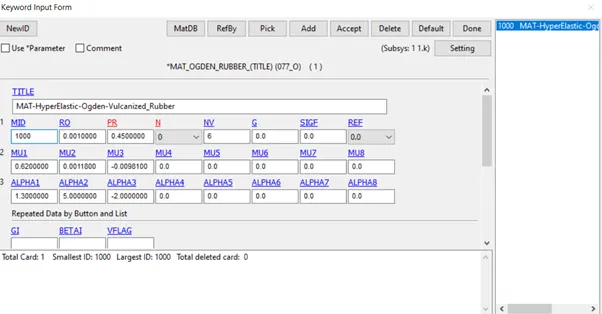
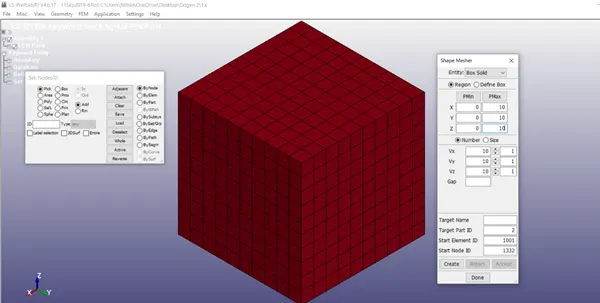
Step 2: Create a cube model from the given material card.
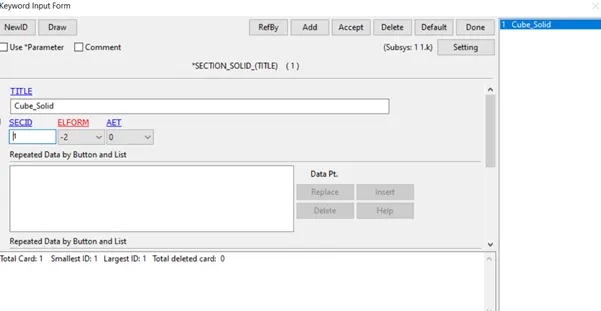
Step 3: Create a section id with different element formulation (-1, 1, 2, -2).
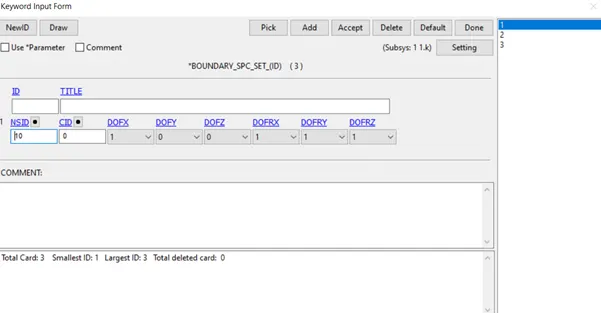
Step 4: Create Constraints along X, Y and Z. With the necessary DOFs enabled.
Step 5: Define Load curve with the inserted values.
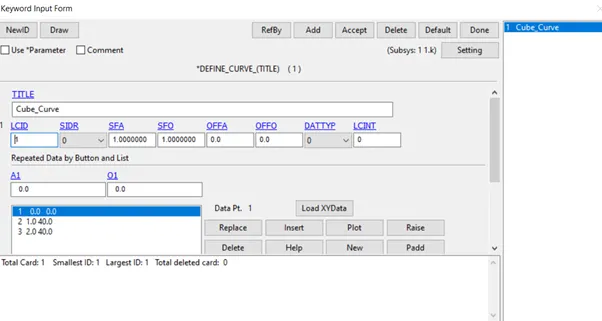
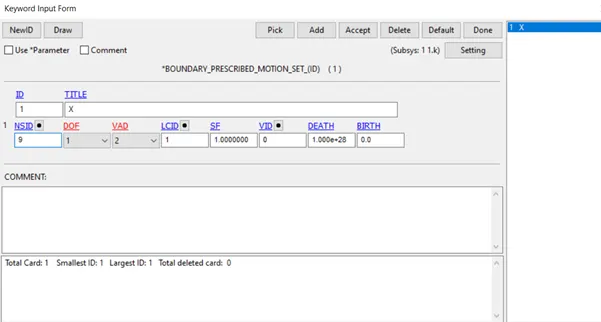
Step 6: Give a prescribed motion for the model on the other side of the constrained side. Give the LCID of the defined curve.
Step 7: Give the necessary control implicit functions.
Step 8: Give the necessary database functions.
Step 9: Now the model is completed for the tensile load analysis. The model saved in. k extension and then the file is run in the LS manager. The termination came normal.
Step 10: From the model the true stress and strain values have been extracted. Through which the engineering Stress – Strain values will be calculated.
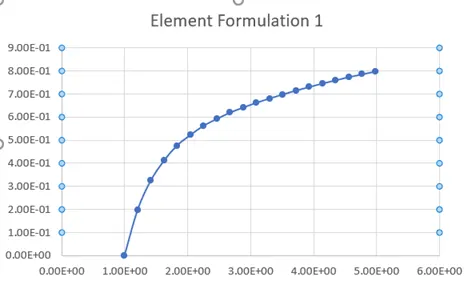
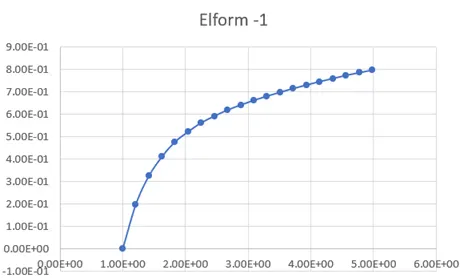
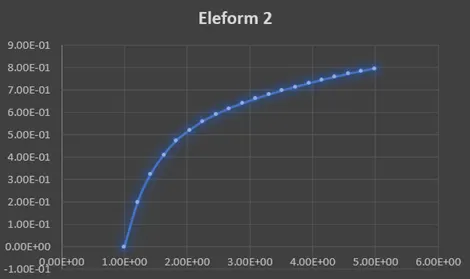
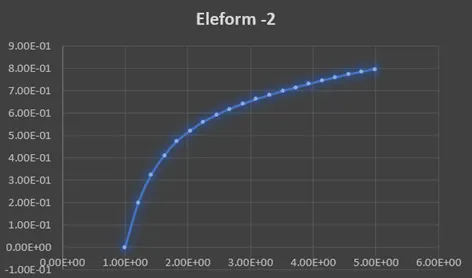
Conclusion: The Ogden material model is simulated for different element formulations of 1, -1, 2, -2. The graph is plotted.