Assign suitable connections to FE model of a automotive rear door using NASTRAN deck in ANSA workbench
Objective:
Assign suitable connection to FE model of a automotive rear door using NASTRAN deck in ANSA workbench.
Steps Followed:
- Import model.
- Assign required connections.
Connections Overview:
These are constraints which are applied to model to replicate the original model before it is sent for for simulation to help the simulation run smoothly.
Type of Connectors:
There are many connectors available in ANSA, but some chiefly used are:
- Rigid Body Element (RBE2)
- Bolt Connection.
- Weld Connection.
Importing Model:
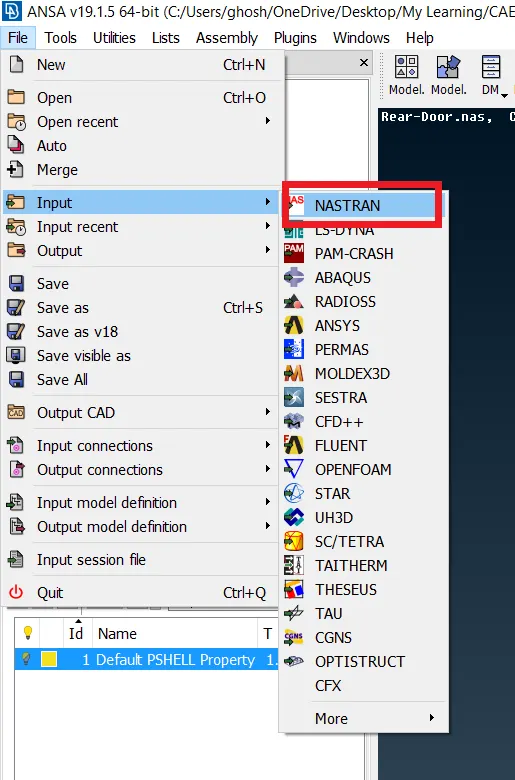
Since, the file provided to us is a .nas file, we will need to import it using NASTRAN tab availaible in file tab: File > Input > NASTRAN
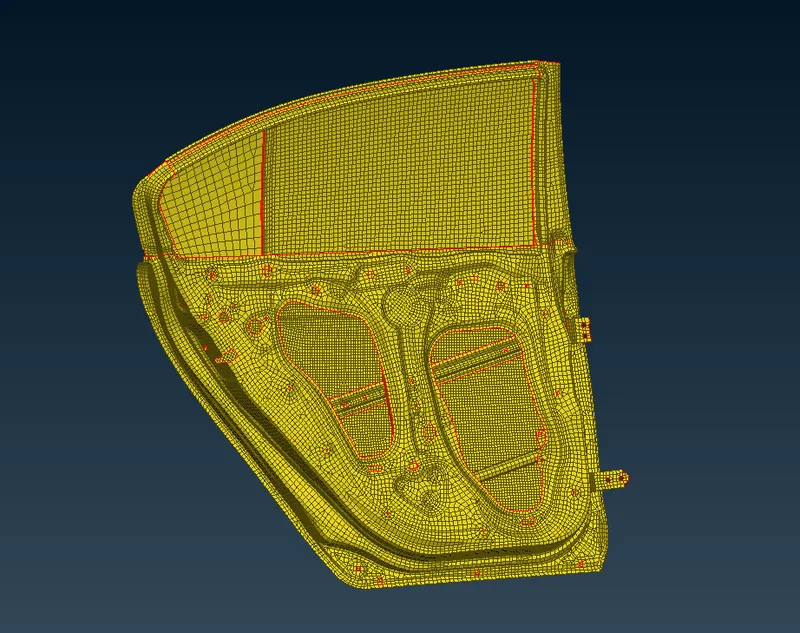
The model provided is an FE model. So, we need not execute a geometry check.
Bolted Connections:
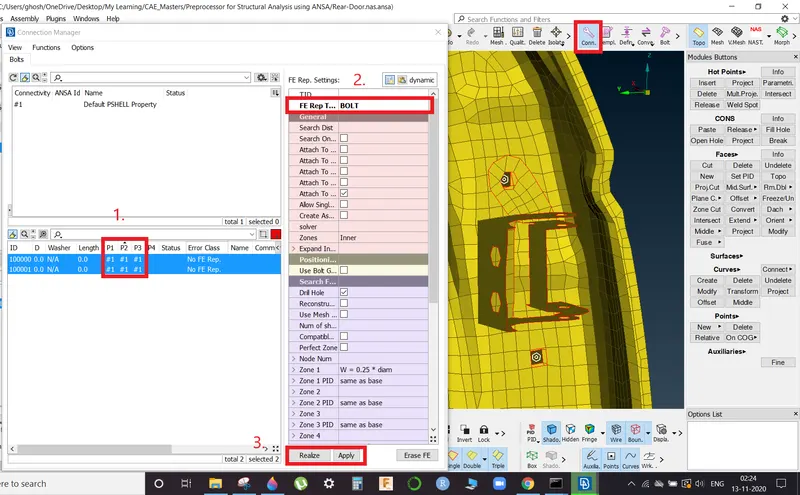
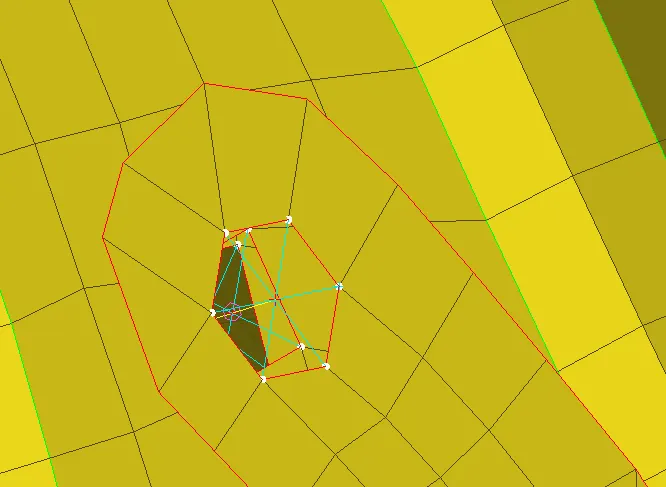
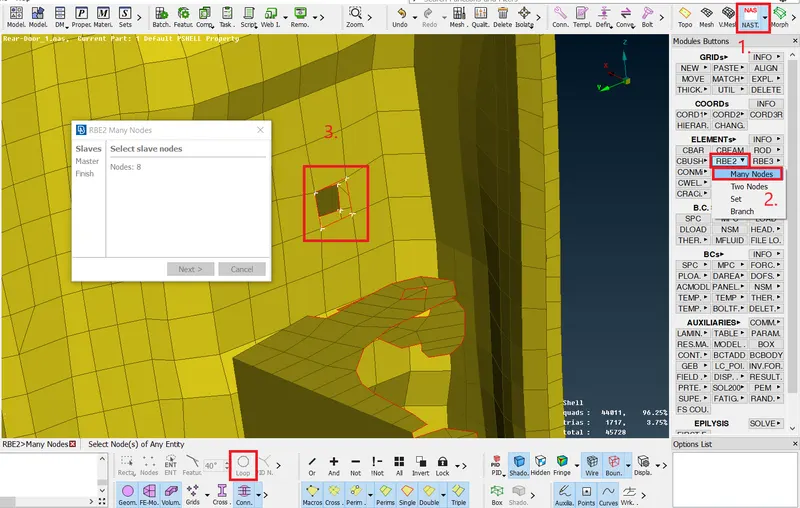
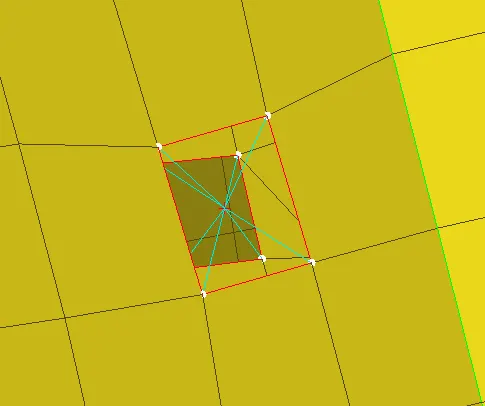
Here we assign rigid constraints in form of RBE2 elements which includes both Two Node RBE2 and Multi Node RBE2 as per requirement.
RBE2 Stem Elements:
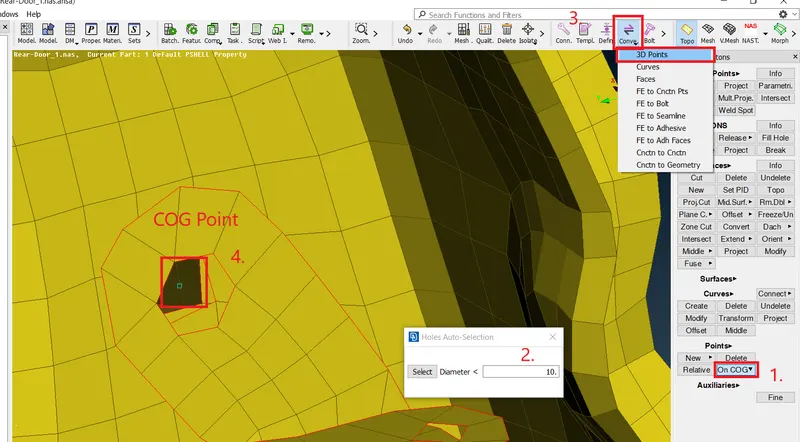
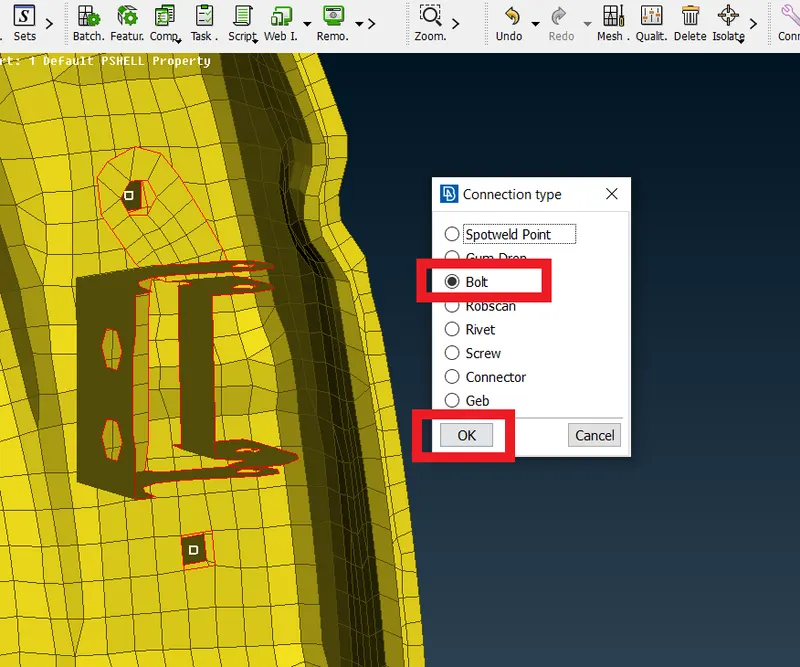
Topo >> On COG >> Dia. range >> Convert 3D Points >> Bolt >> Connection Manager >> Select Perimeter ( Press F1 > Select Perimeter > Enter ) >> F.E Type (BOLT) >> Apply >> Realize
Multi Node RBE2:
NASTRAN >> RBE2 >>> Many Nodes >> Loop Select >> Select the nodes of required perimeter
Two Node RBE2:
NASTRAN >> RBE2 >>> Two Nodes >> Select the master nodes which is needs to be connected
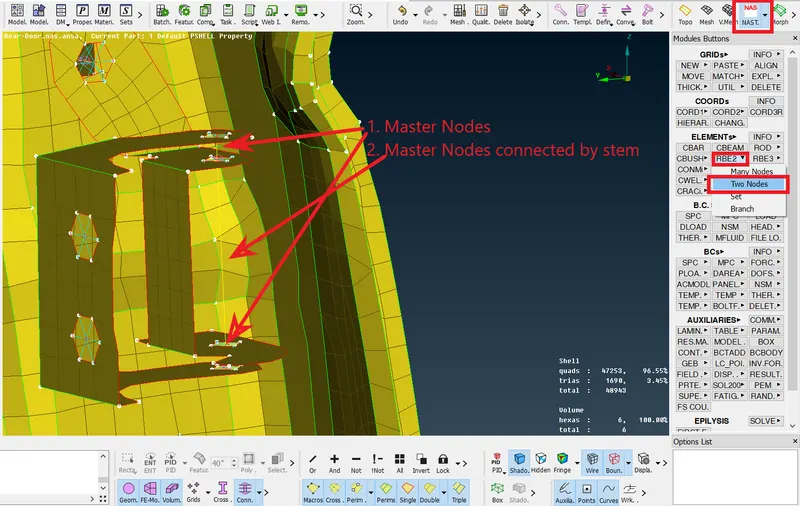
Any body in 3D space has total 6 degrees of freedom. It means that there are six parameters or ways that the body can move.
Six degrees of freedom consists of the following movement parameters:
- Translation – Moving along the different axes X, Y and Z:
- Moving up and down along the Y axis is called heaving.
- Moving forwards and backwards along the X axis is called surging.
- Moving left and right along the Z axis is called swaying.
- Rotation – Turning in order to face a different axis:
- Moving between X and Y is called pitch.
- Moving between X and Z is called yaw.
- Moving between Z and Y is called roll
Now, we have to remove a degree of freedom from and make the join unconstrained in global Z-direction as it is a hinge joint and the motion of the door is in Z-direction as per ANSA global co-ordinate system. In ANSA these are denoted by 123456. Thus, to enable motion in Z-direction we need to remove 6 from the co-ordinate system definition of the stem joint representing the hinge.
INFO >> Click on Stem element >> Edit the CM tab to 12345 from present 123456
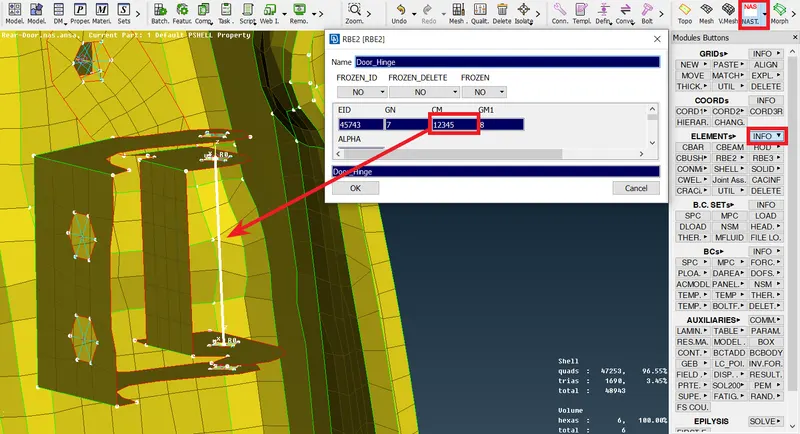
Spot Weld Connections:
Spot welding (or resistance spot welding) is a type of electric resistance welding used to weld various sheet metal products, through a process in which contacting metal surface points are joined by the heat obtained from resistance to electric current.
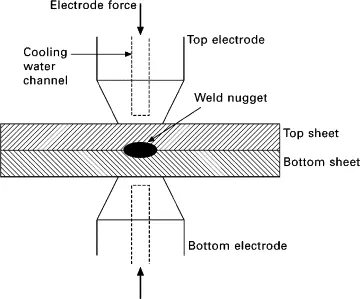
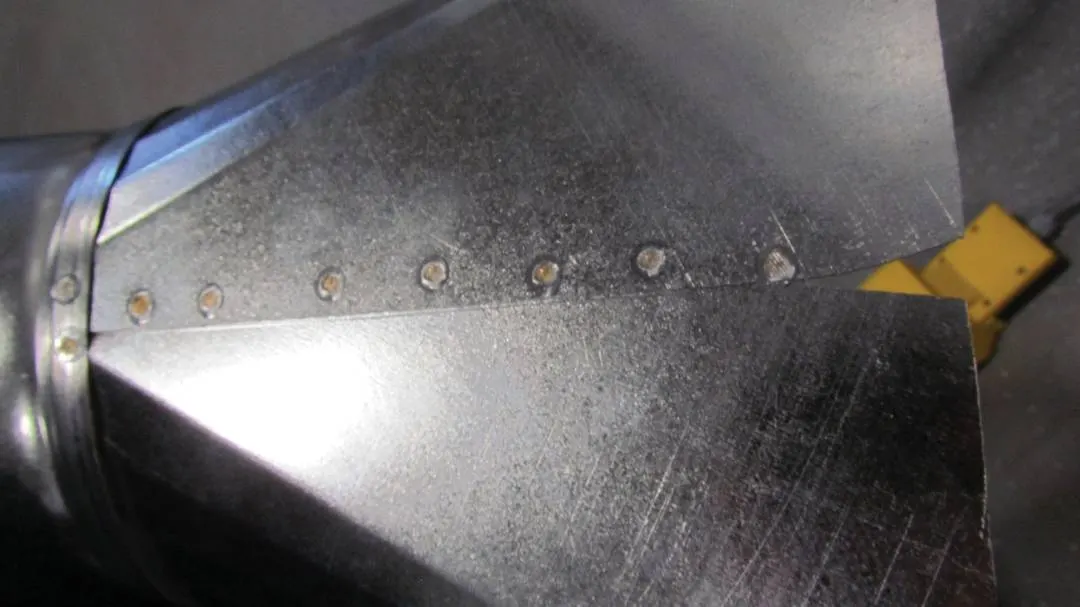
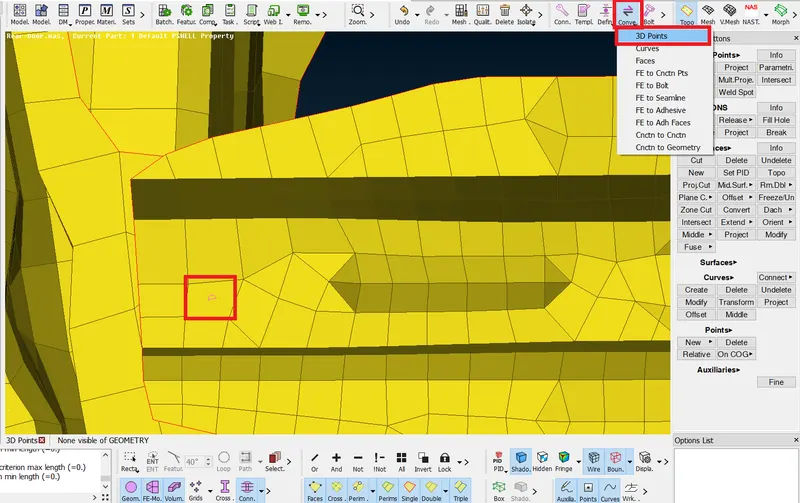
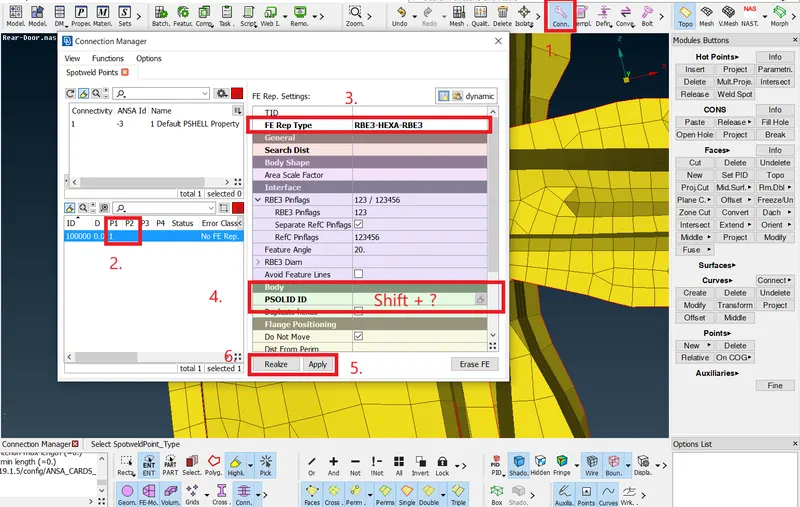
Topo >> On COG >> Convert 3D Points >> Spotweld >> Connection Manager - and follow the steps as shown in image ( use "Shift+?" to create new spotweld PID)
Adding Concentrated Mass to Connections:
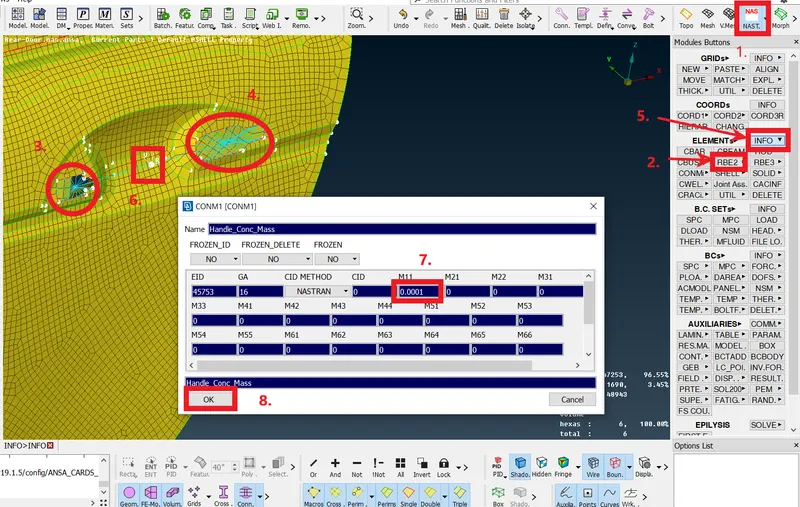
The door handle is replicated as a concentrated mass for simlulation purposes. i.e. a concentrated mass is added at the master node of two connections as shown below.
Fixing the Glass:
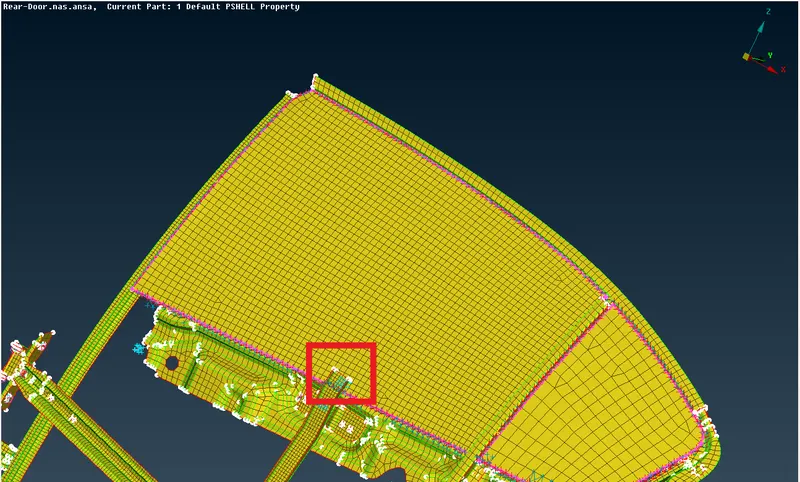
In ANSA while assigning connections we need to make certain assumptions one of which is fixing the window glass. Though, the glass has sliding motion but for simulation purpose we will fix the glass using many node RBE2 elements.
C-Bush Connections:
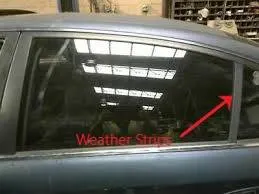
C-Bush connections are used to replicate weather strips which are present on windows and thus secure glass in position and also prevent outer atmosphere to seep inside the automotive cabin and maintains air-conditioning.
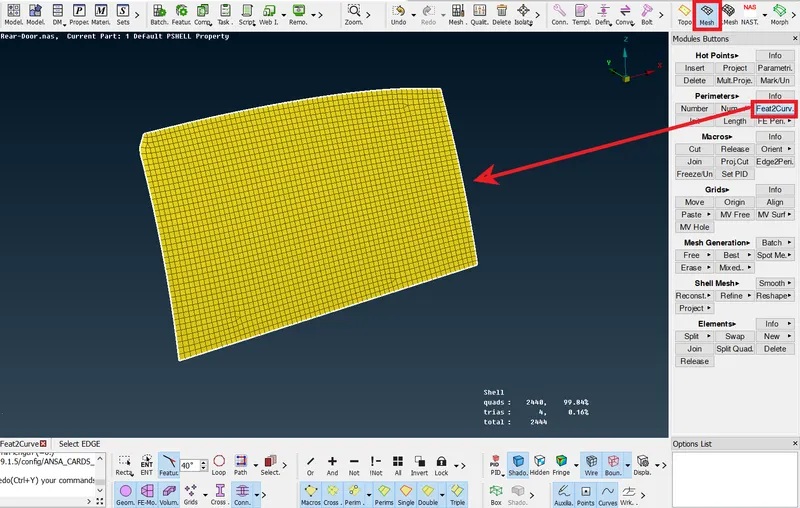
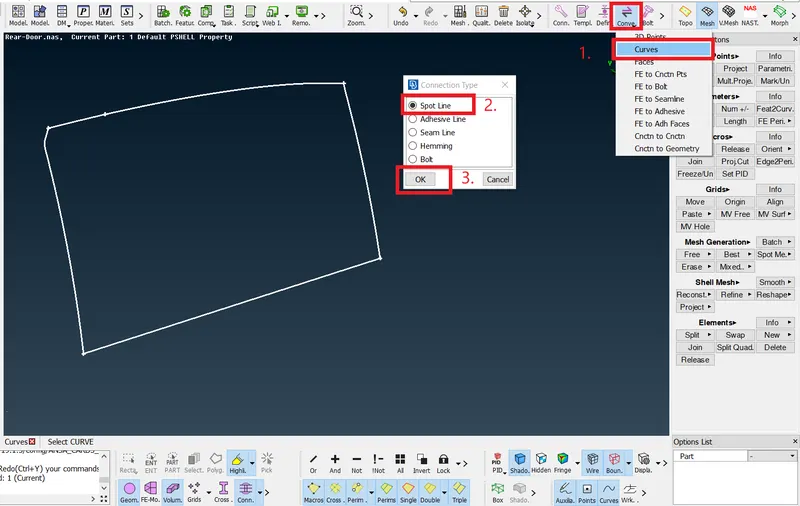
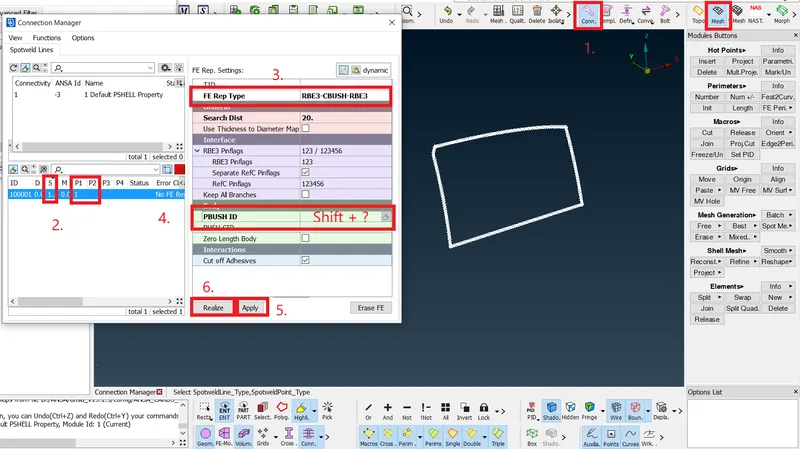
Feat2Curve >> Convert Curve >> Spot Line >> Enter Values (S, P1, P2) >> FE Type: RBE3-CBUSH-RBE3 >> PBUSH ID: Shift + ? >> Apply >> Realize
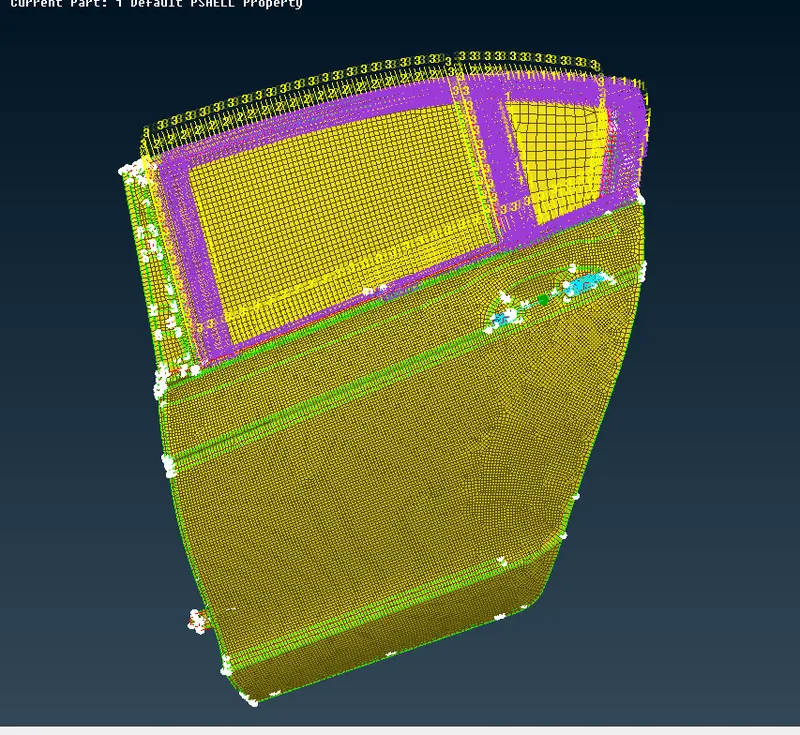
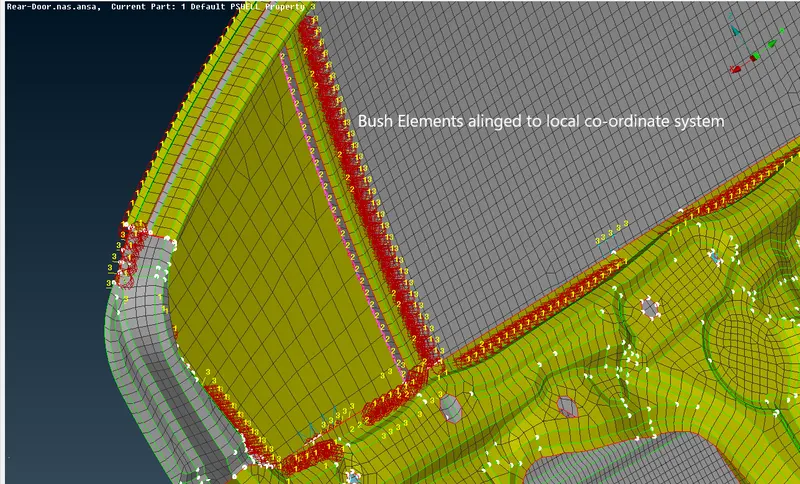
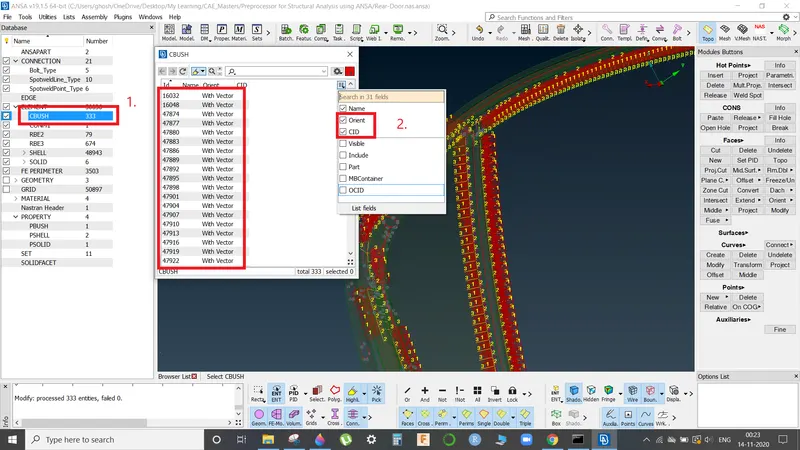
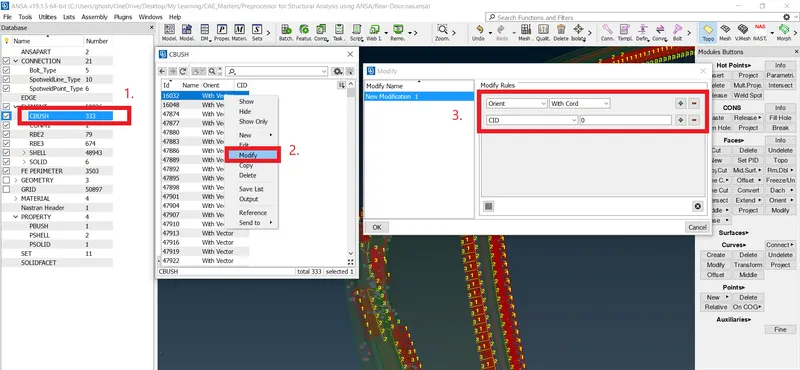
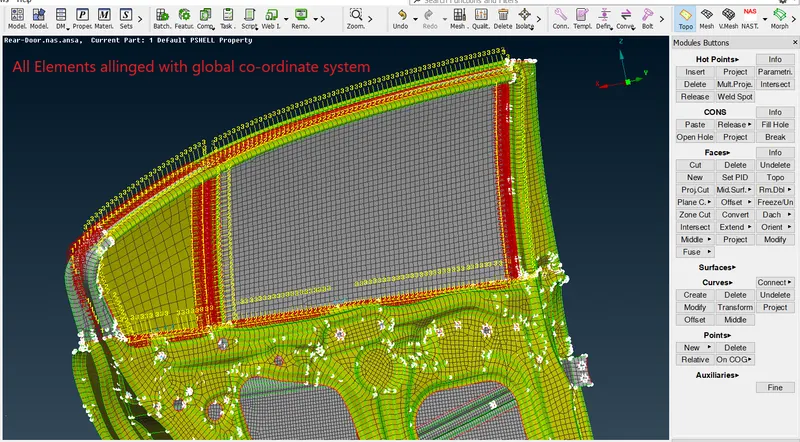
Now, we need to allign the C-Bush elements with global co-ordinate system, as these are alligned with local vector co-ordinate system.
ANSA Database >> C-Bush >> Show-Hide >> Check - Orient, CID >> Right ckick on element >> Modify >> Enter: Orient = With Cord, CID = 0
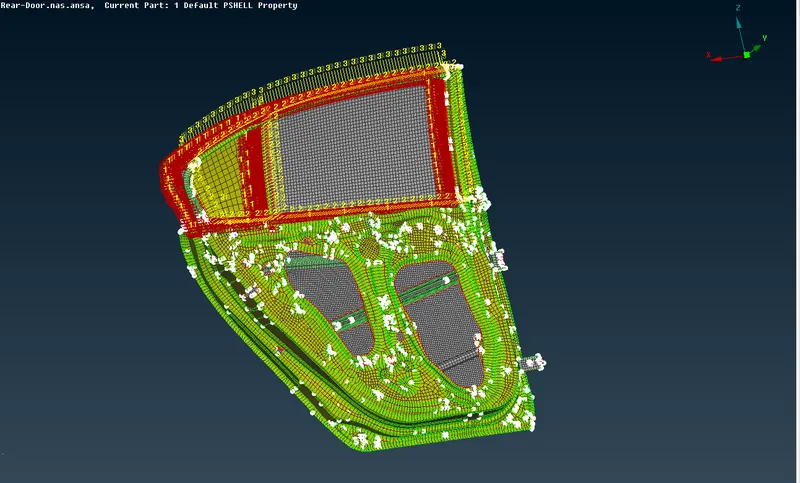
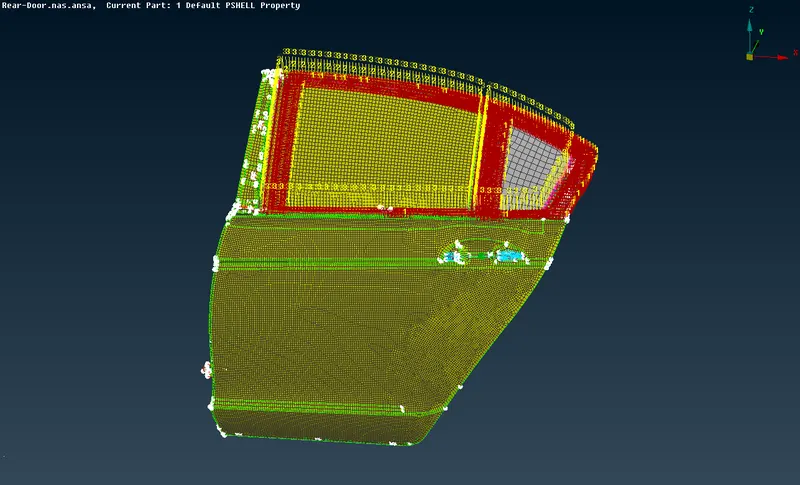
Final Model with all Required Connections:
Learning Outcomes:
- What are connections?
- What are Type of connections?
- How to make connections in ANSA using NASTRAN deck?
- Application of apppropriate connections as per requirement.
Conclusion:
Model was imported and required connections were succesfully applied.