2-D Meshing of Bottle Cap using ANSA
Objective:
For a given component (Bottle Cap), check for the geometrical errors and mesh with the given element Quality criteria and assign required thickness post meshing.
Method:
- Import hood model into ANSA.
- Geometry clean up.
- Mid-Surface extraction.
- Setting PID and thickness assignment.
- Defeaturing as required.
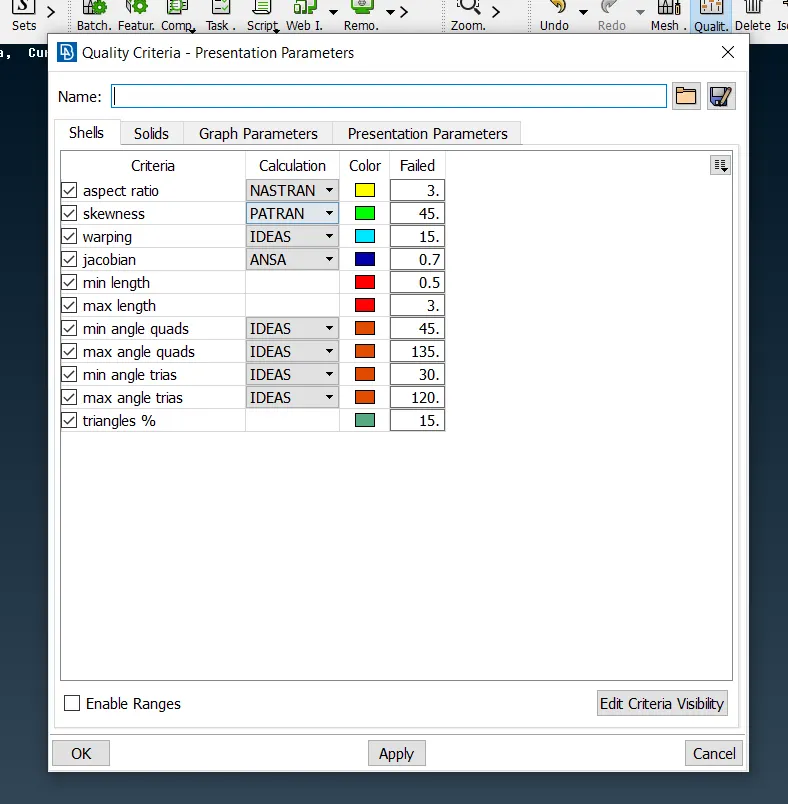
The meshing needs to be executed against the below given quality criteria and needs to fulfill the following requirements:
- Proper mid-surfacing
- Good mesh flow
- No OFF elements
- Thickness assignment
| S.No | Quality Criteria | Value |
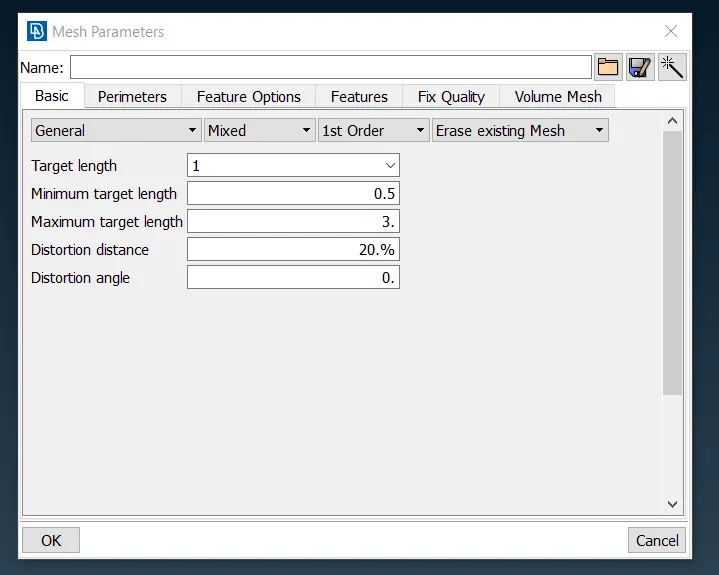
| 1 | Target/Average length | 1 |
| 2 | Minimum Length | 0.5 |
| 3 | Maximum Length | 3 |
| 4 | Aspect | 3 |
| 5 | Warpage | 15 |
| 6 | Skewness | 45 |
| 7 | Jacobian | 0.7 |
| 8 | Minimum Quad Angle | 45 |
| 9 | Maximum Quad Angle | 135 |
| 10 | Minimum Tria Angle | 30 |
| 11 | Maximum Tria Angle | 120 |
| 10 | Tria Percentage | 15 |
Method:
- Import hood model into ANSA.
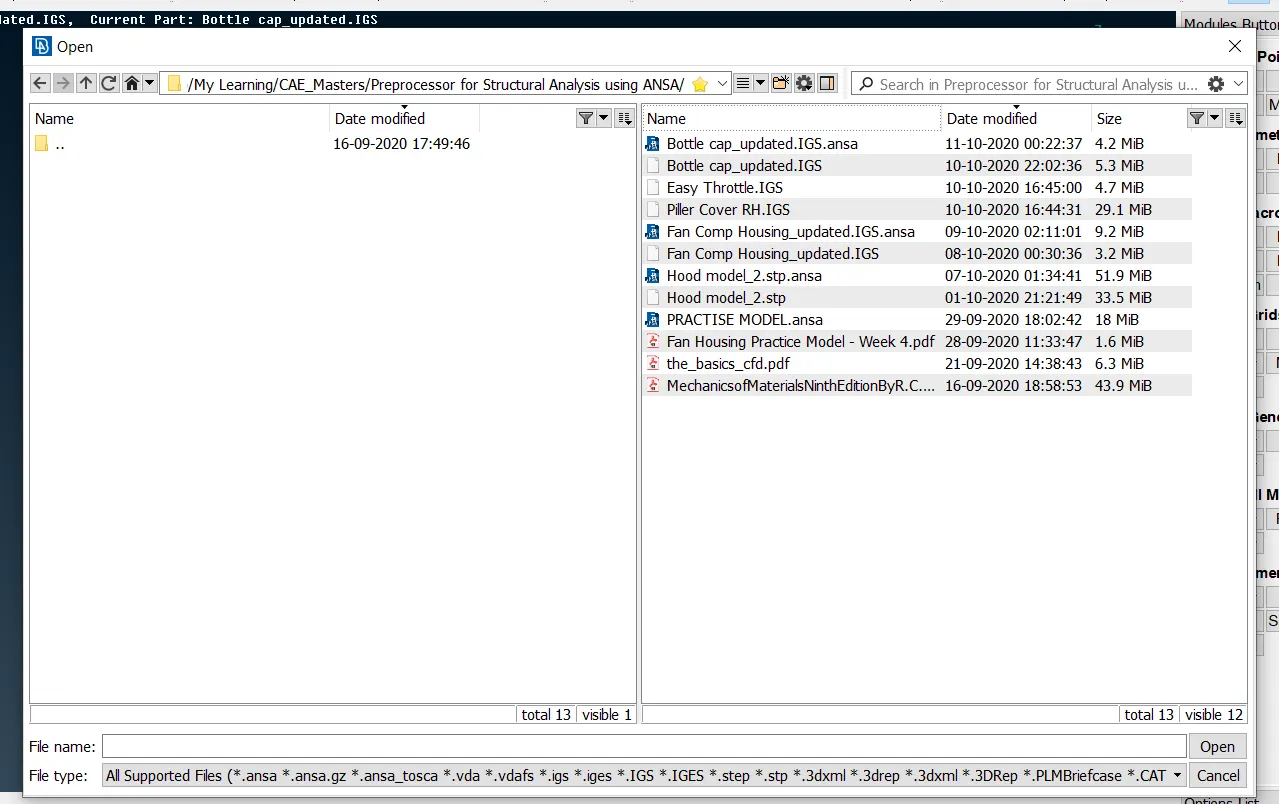
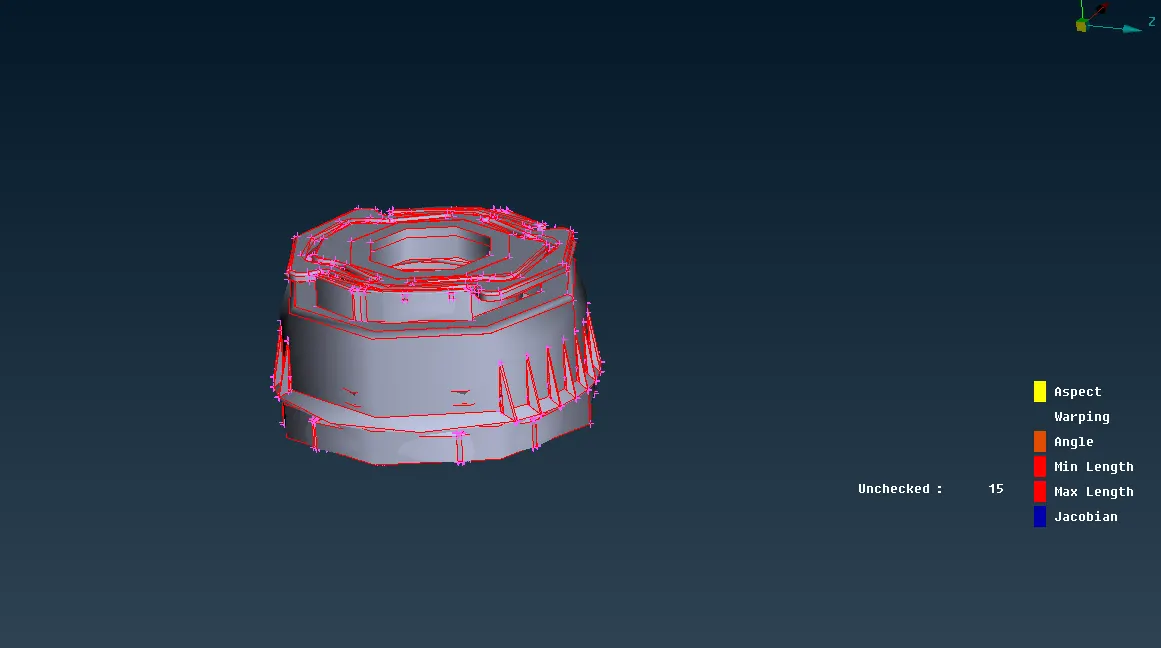
As we can see the imported model is distorted and we need to eliminate the distortion and geometrical irregularities, thus we switch to MESH mode and assign elemental length of 1mm to achieve uniform model dimensions. MESH > Perimeter > Length - (select whole model with left click) > 1 mm (as value input).
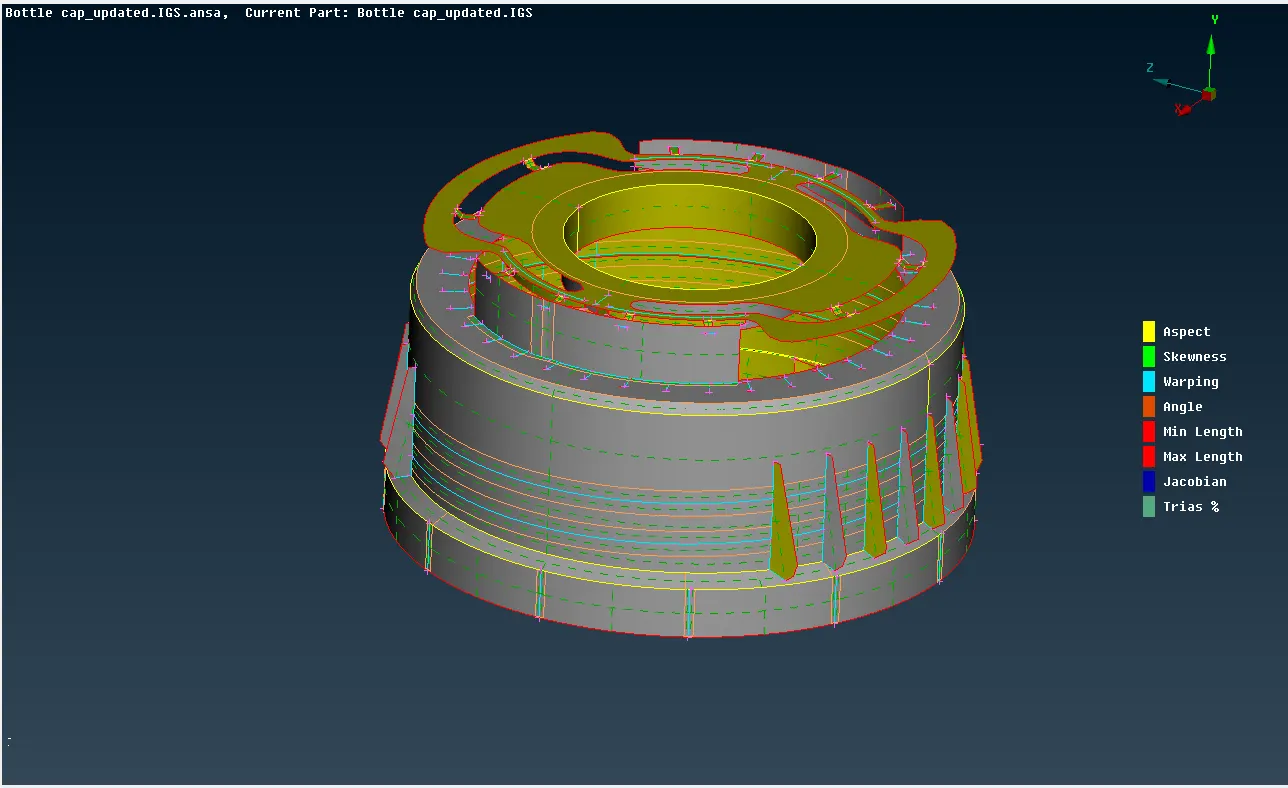
Geometry clean up.
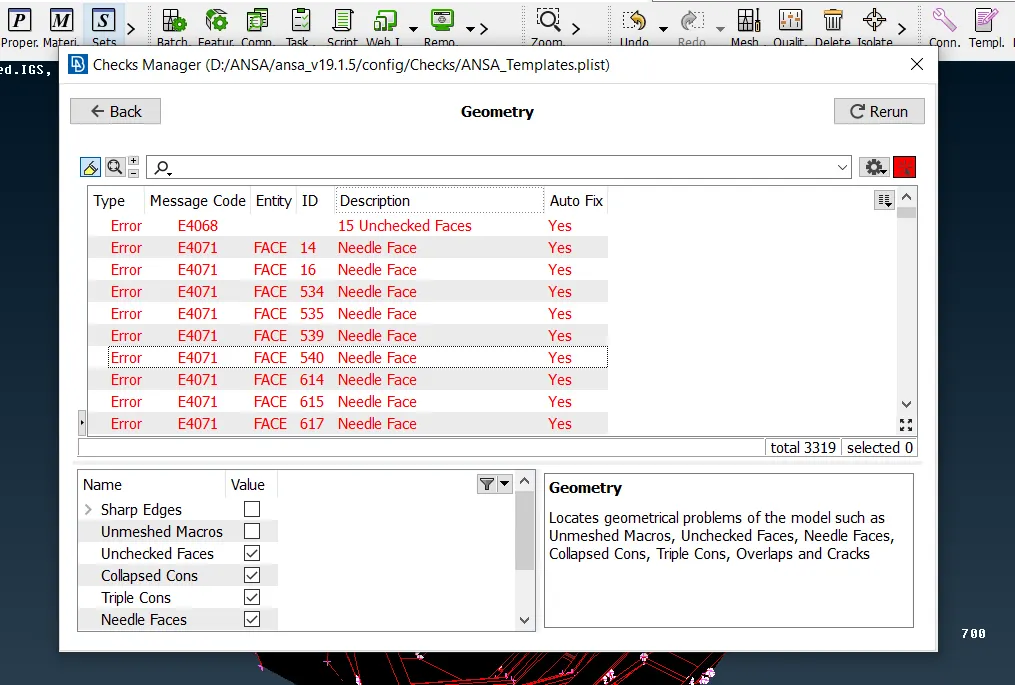
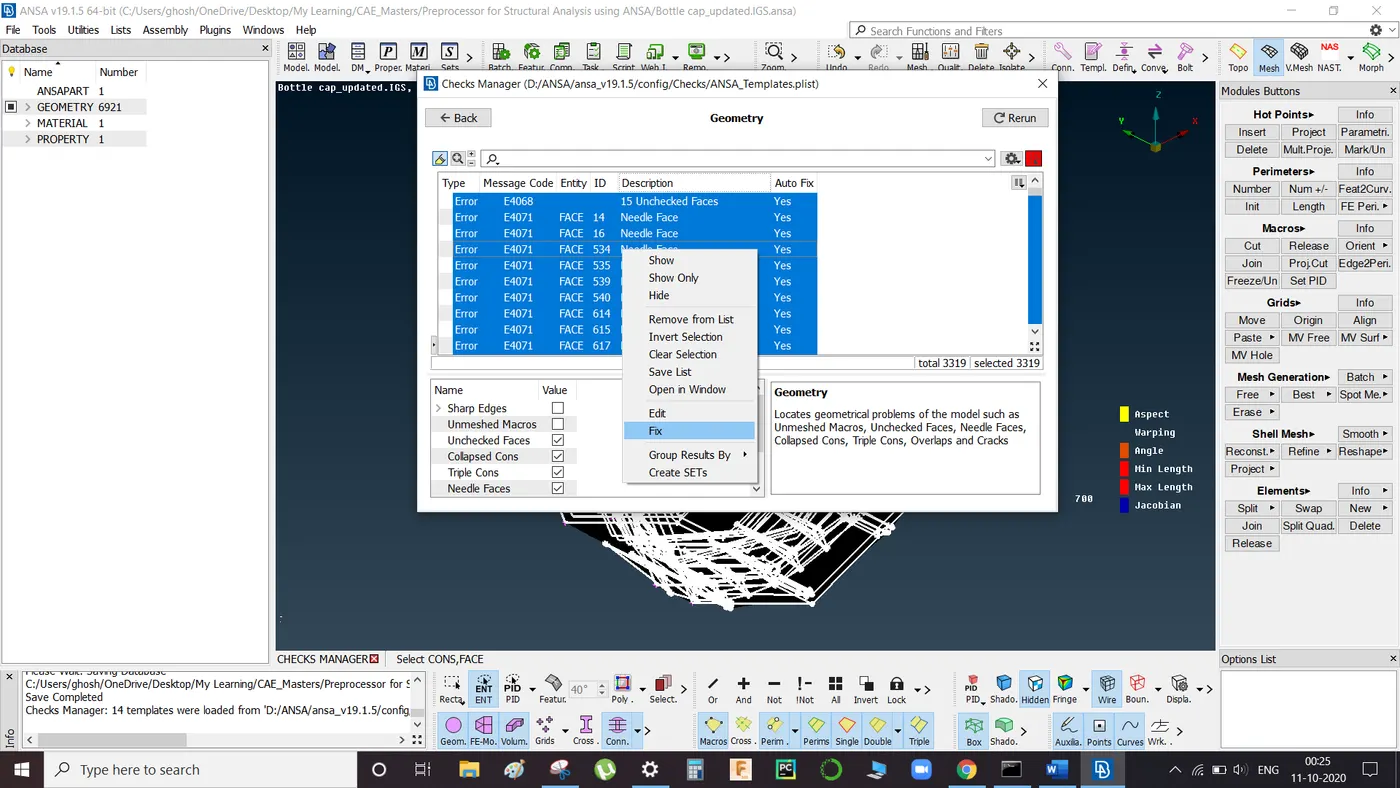
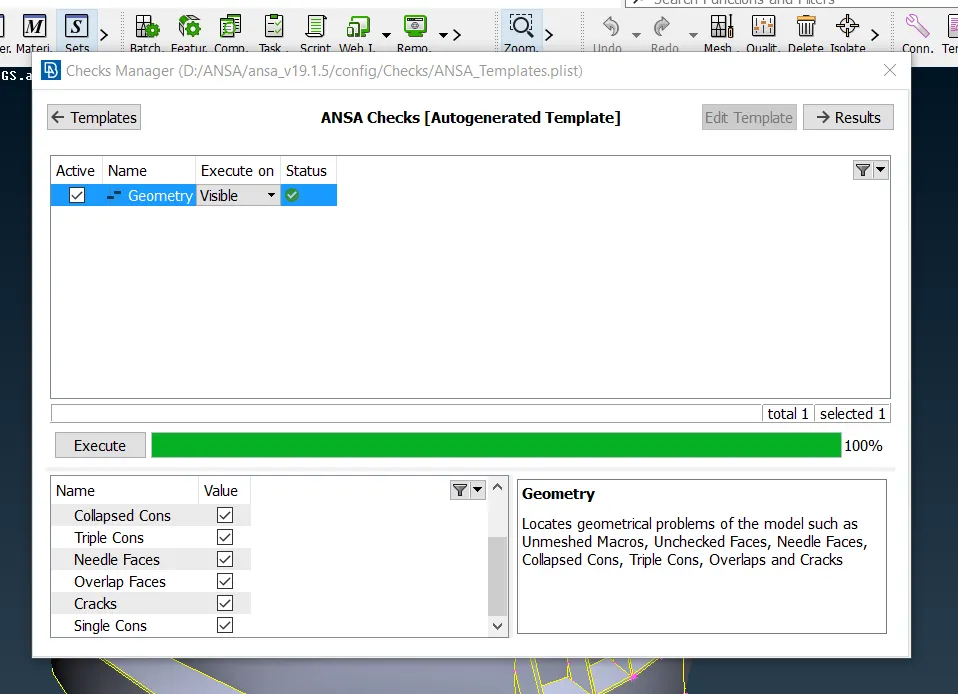
Below shown geometry errors can be detected by running geometry check available in tools tab.
- Use Auto-Fix to resolve errors.
- If any error resolution is unsuccessful in auto mode then use manual method for cleanup by using release and TOPO tabs in Faces section available in TOPO mode.
Mid-Surface extraction
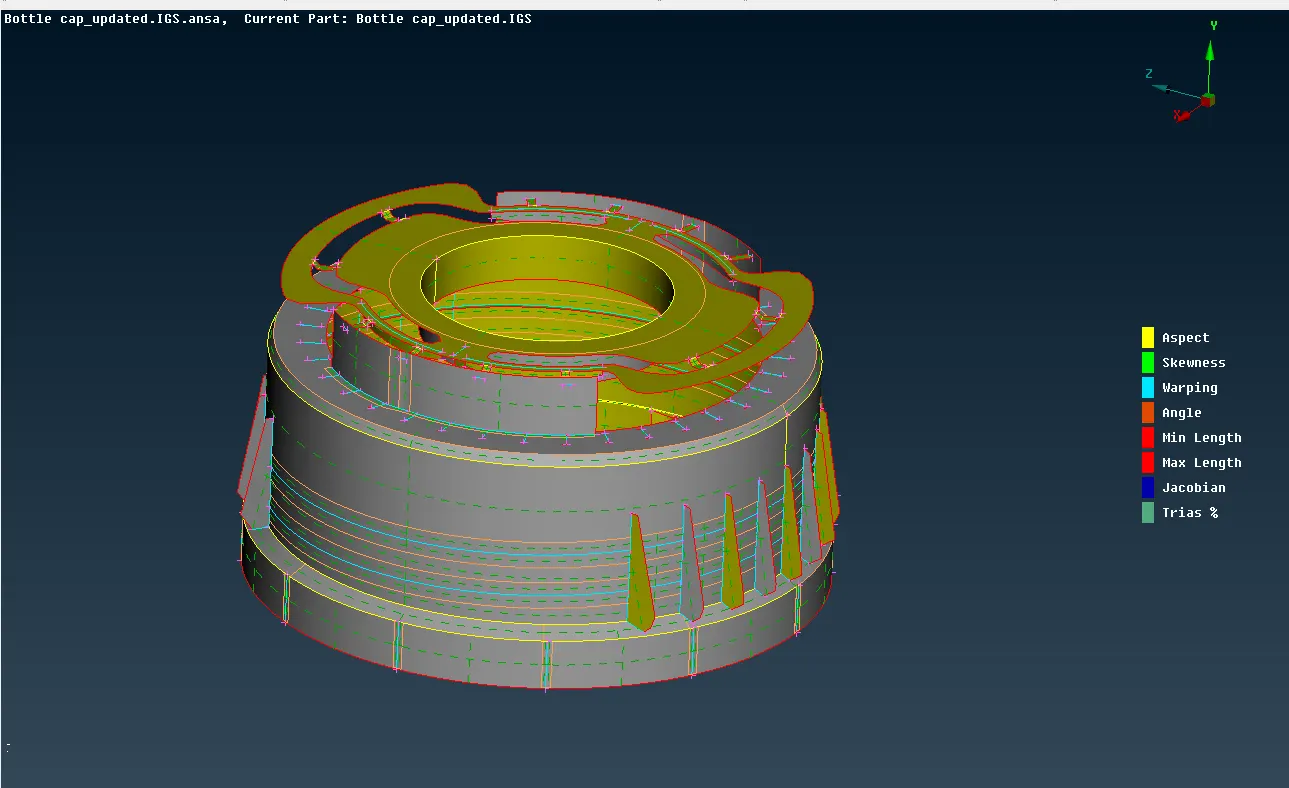
This provided model has many complicated and intricate surfaces, thus 'Auto-Mid' is not possible. Therefore, we extract the mid surface of the model by using two medthod:
- TOPO > OFFSET > FACES > Select the following faces and provide required direction and offset distance in addition with Feature Angle command.
- TOPO > FACES > Select the faces in between which you require mid surface.
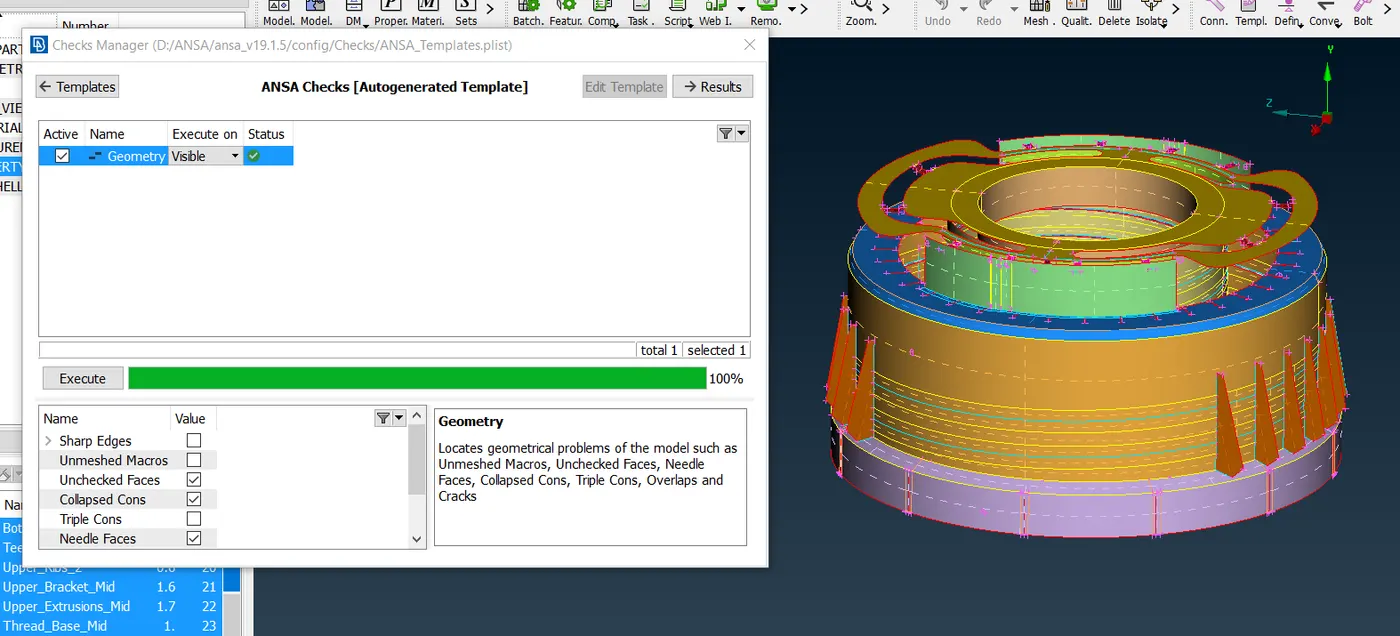
Now check MID surface geometry for any existing errors and if any eliminate them: CHECKS > GEOMETRY > RUN
Meshing of the component
Now we proceed with meshing of the components:
- Select MESH tab from upper right-hand corner
- Press F11 to open quality tab and enter the given parameters
- Open Mesh Parameter tab and enter target, minimum and maximum lengths.
- Make user defined cuts and suppress CONS as required, using MESH > MACROS > CUT as needed to get a good mesh flow.
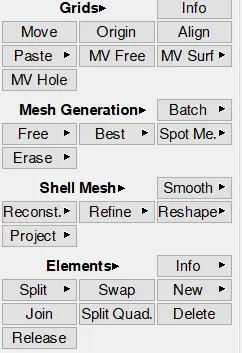
Use Best mesh tab under mesh generation tab and select faces to generate mesh.
- Setting PID and thickness assignment.
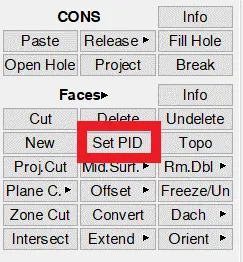
After extraction of middle surface of the given components we assign new PID and thickness to the parts by using Set PID tab under faces tab in TOPO mode:
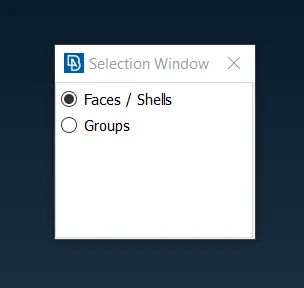
- Select Faces and Shells option.
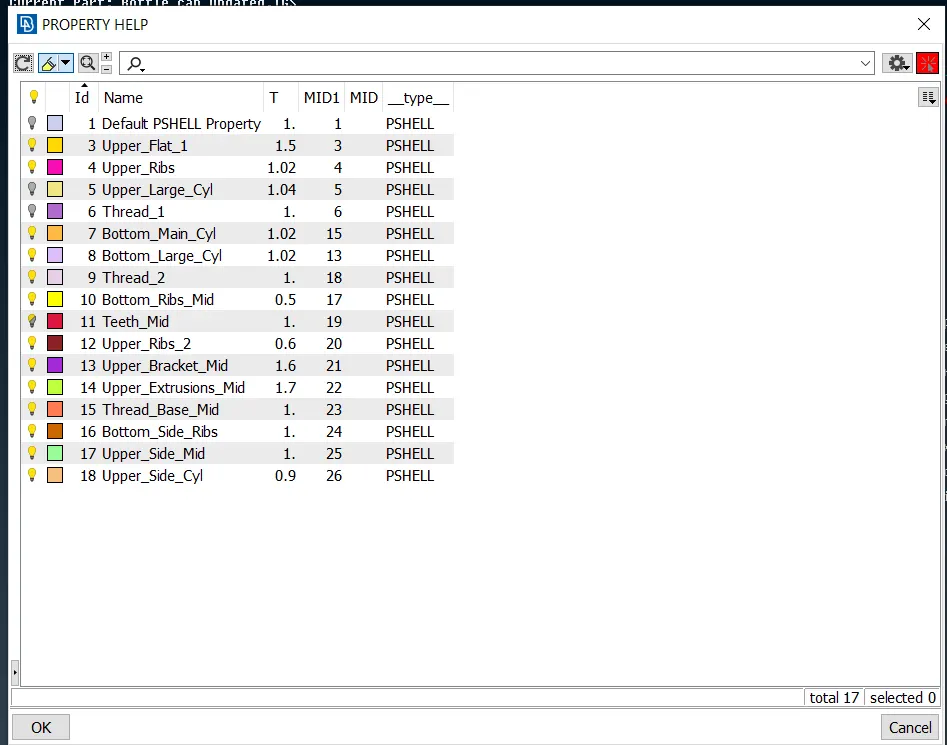
- Right click and select New a Pshell
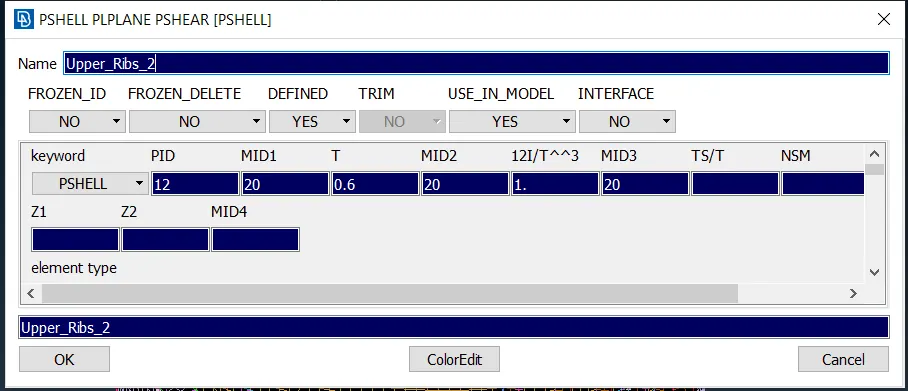
- Assign PID and Thickness
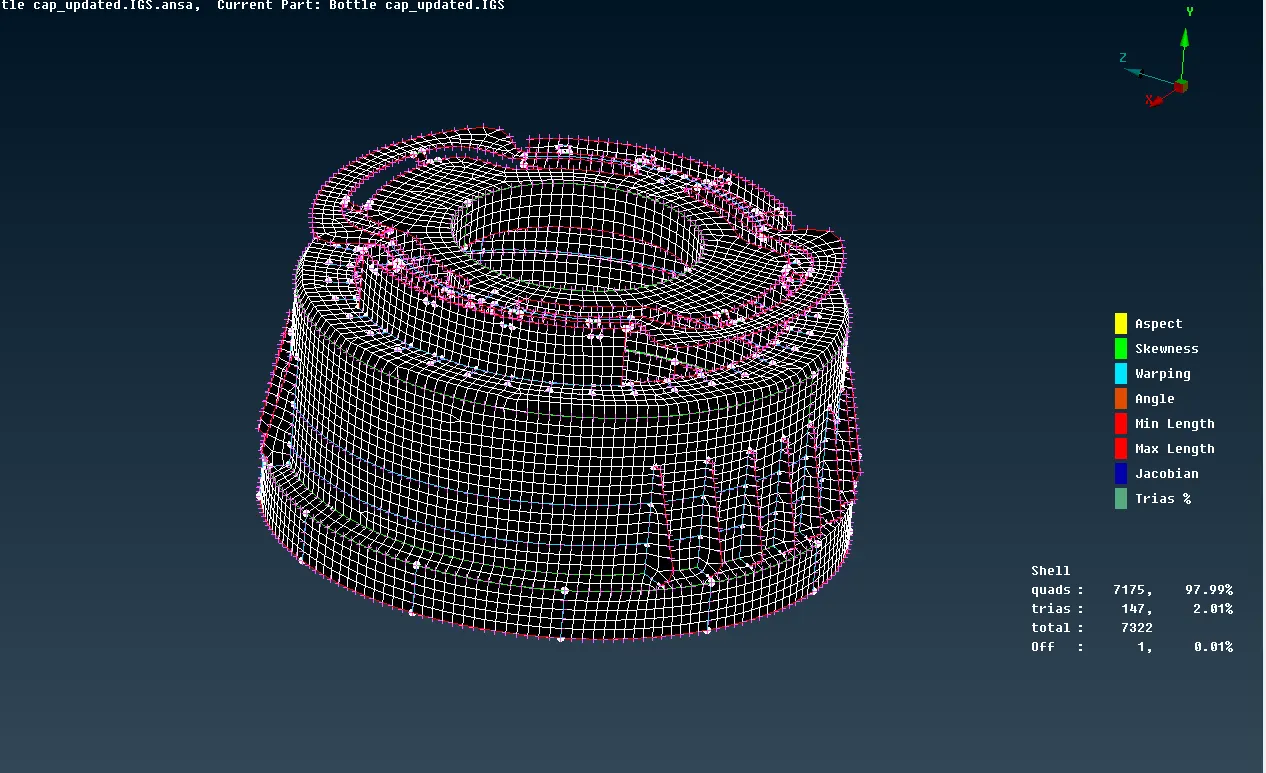
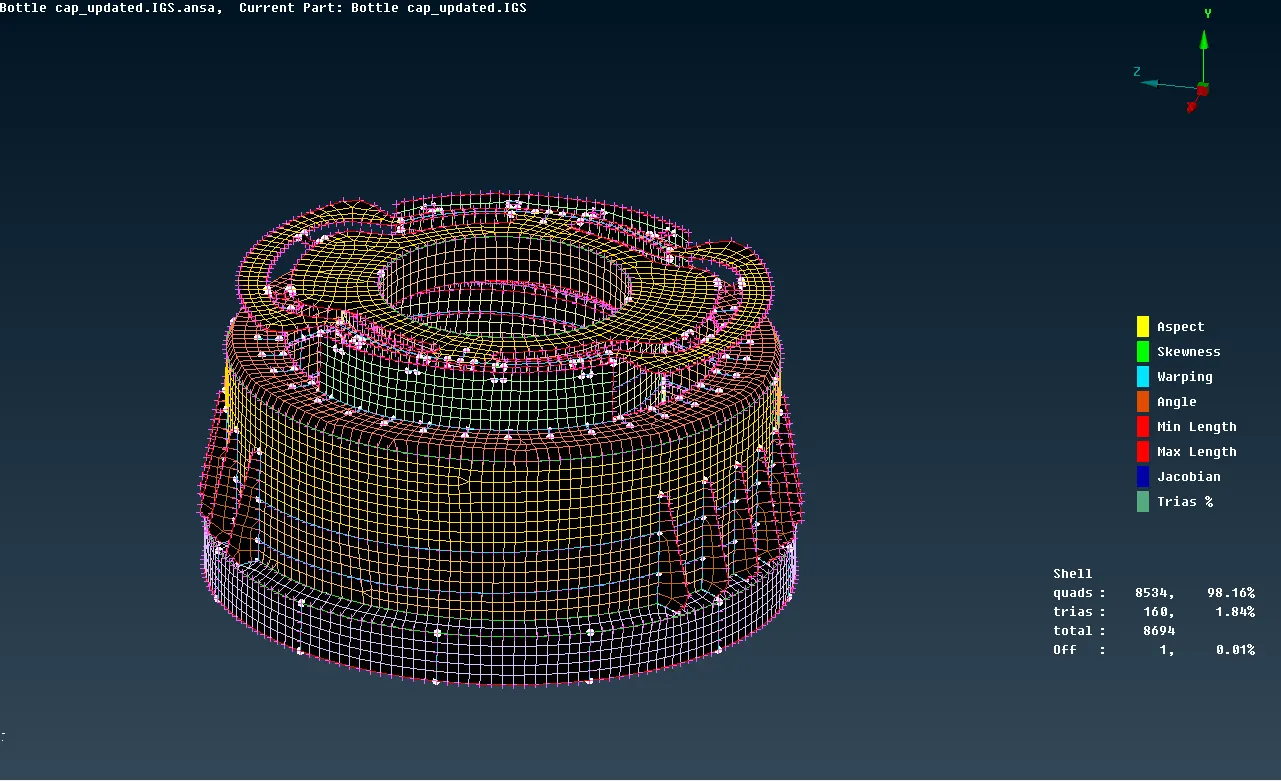
Final Meshed Model:
Conclusion:
The 'Bottle Cap' has been 2D - meshed successfully using ANSA workbench taking into account all the quality parameters and required mesh flow can be observed.
Learning Outcomes:
- Geometry clean up and error fixing.
- Performing Topology operations.
- Creating mid-surface, thickness and PID assignment.
- Importance of mesh quality parameters.
- Model meshing against required quality criteria.
- Removing Tria elements and rotating quads using ‘Split, Swap, Smooth, Paste, Reconstruct and Reshape’ to achieve required mesh flow.