Week 6-3D Tetra Meshing Challenge
Model - 1 : 2D to 3D Conversion method
AIM:
The Tetramesh has to be generate for the Housing component within the given quality criterias using the 2D shell mesh to 3D solid Tetrahedral mesh element Conversion method.
OBJECTIVE:
- For the given component, the tetramesh has to be generated in the model.
- The meshed element should clear the given quality criteria.
PROCEDURE:
- CAD SET UP
- CAD Geometry
- Model Clean Up
- CAD MODELING
- 3D Tetrahedral mesh
- FINAL CHECK
- Attain proper Mesh
- Achieve zero OFF element
Import CAD model:
- The given CAD model is in .stp format.
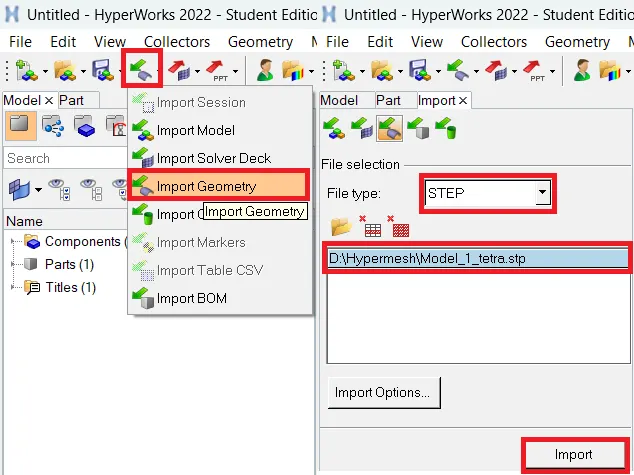
- To open the model select Import file--> Import Geometry--> File selection window--> File type as STEP--> Select file--> Import.
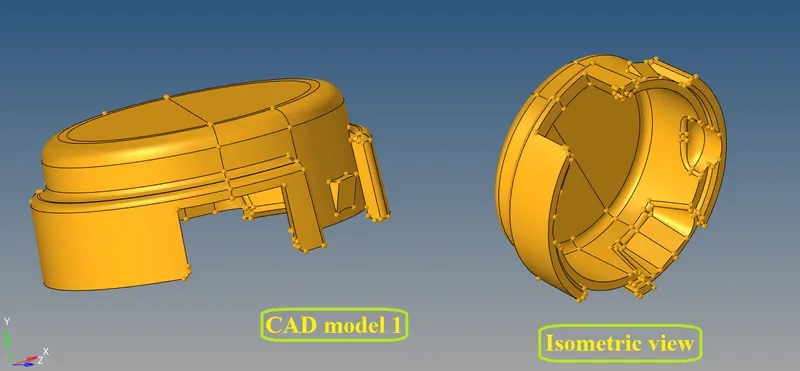
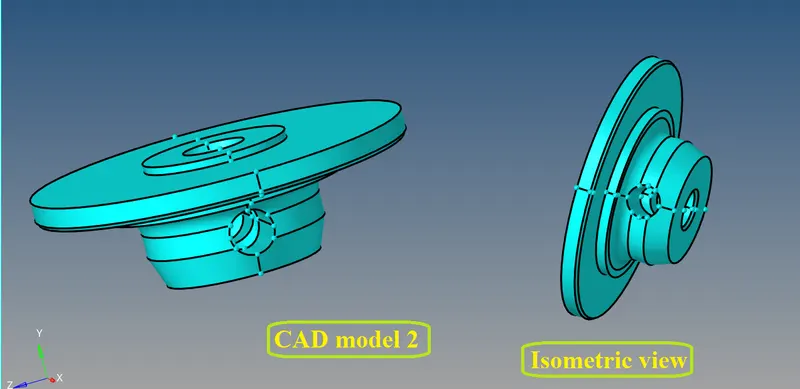
The imported CAD model is an Housing component in the Graphical window will be,
Checking for solid component:
- Before meshing the geometry surface the solid of the surface has to be removed from the component.
- To do that select Delete--> solids--> all --> delete entity to remove the solid from the component.
- If the component only have the surfaces, then there is no need to perform deleting the solids.
Topology cleanup:
- Geometry cleanup has to be done before generating the 2D shell tria mesh in the surface.
- The imported model can have geometry errors like surface patch up, unwanted attached cons, free edges or discrepency, etc.
- These errors can manually rectified by visually inspecting the model in wireframe mode to identify to solve it .
Assign Elemental Quality criterias:
- Every developed product will undergo some Quality check during analysis to know its deformating stability before it produced.
- If its not pass the quality criterias then boundary conditions applying load setup analysis are not feasible. So the elemental quality checks are performed.
- The customizable colours for the quality criterias will show which are the elements are being failed for its criteria.
- Those elements are must be corrected manually to the given criterias.
- Now provide the quality criterias to set the mesh that should come under the given specific criterias.
- To set go to Menu bar--> Preferences--> Criteria file settings.
Elements sizes:-
2D shell criterias : Min- 2 Units, Target- 5 Units, Max- 7 Units
3D solid mesh criterias : Tet collapse- 0.15
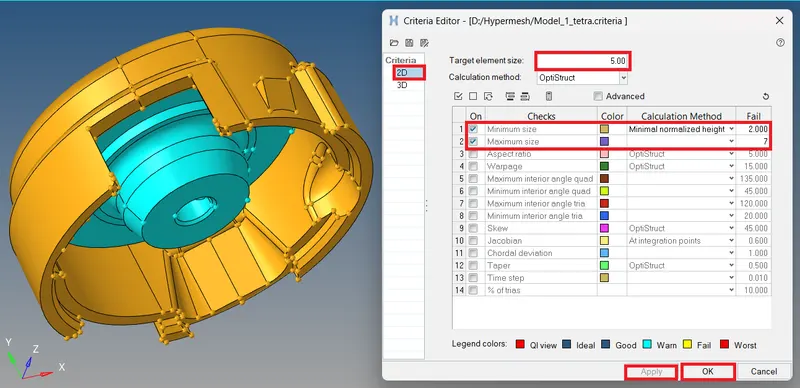
fig - 2D Shell mesh quality criterias
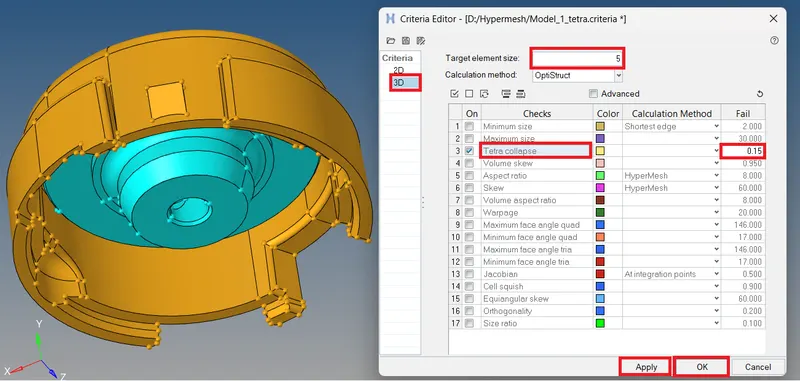
fig - 3D Solid Tetramesh quality criteria
- For converting 2D tria to 3D tetramesh, the min size and max size only consider for shell mesh.
- After converting it to 3D tetramesh the tetra collapse are only consider for solid mesh.
Meshing the geometry:
- A mesh is a FE-method to discretize the model into finite number of nodes and edges to form a element.
It can be classified into two types
- 2D - Structural mesh
- shell mesh (Tria and Quad)
- 3D - Unstructured mesh as well as structured
- solid mesh (Tetra and Hexa)
- Tetra - Unstructured
- Hexa - Structured
- To do Tetramesh here 2D (tria) shell mesh has to be perform because the component has thickness above 6mm of plastic component.
- To perform mesh go to 2D--> automesh and set Target element size= 5mm and mesh type as trias then do mesh.
- Then to find the elements are failing, change the view into By element quality mode.
- If any element fails for quality then go to 2D--> Quality Index--> Cleanup tools.
- Then use element cleanup tools to optimize elements to correct the failing elements.
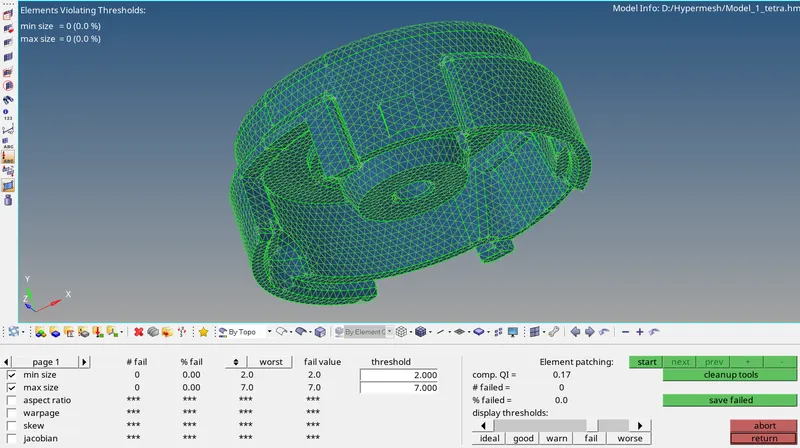
The above imaage shows that all the 2D elements attain the given criteria and there is no elements failing for the quality.
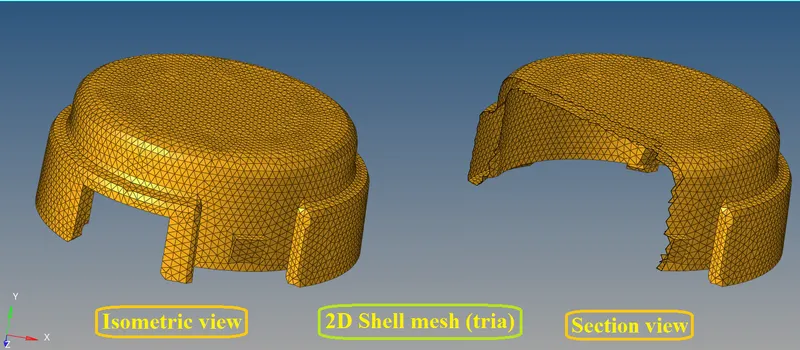
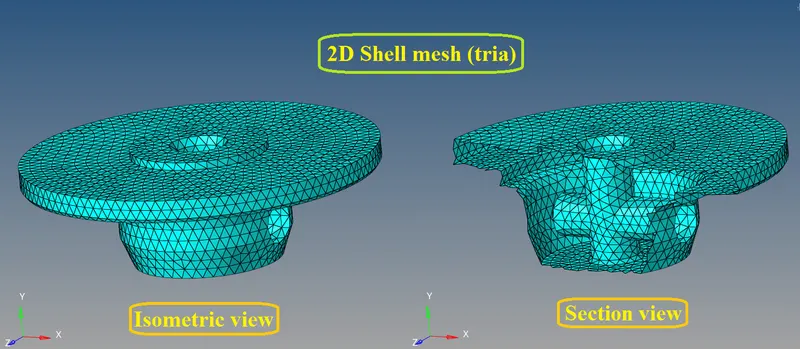
The above two images are the 2D tria shell mesh of the given component.
Converting 2D to 3D Tetramesh:
- To convert 2D shell mesh to 3D tetramesh go to 3D--> tetramesh.
- Then select elements under fixed trias/quads to tetra mesh option then do mesh.
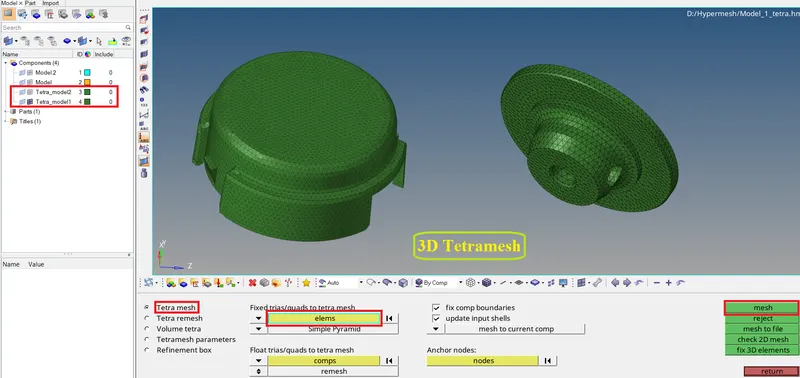
- Then mask few elements to review the tetramesh is created.
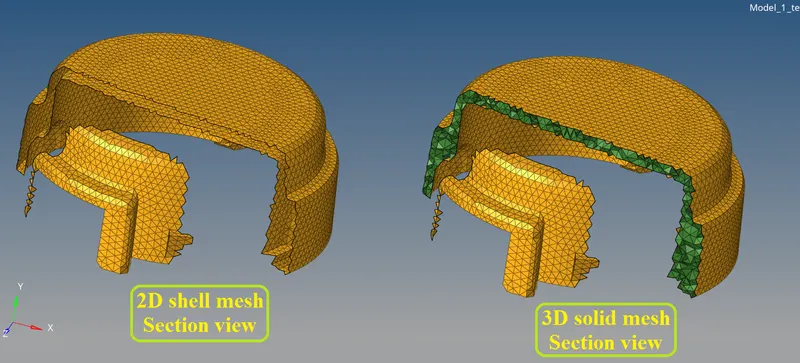
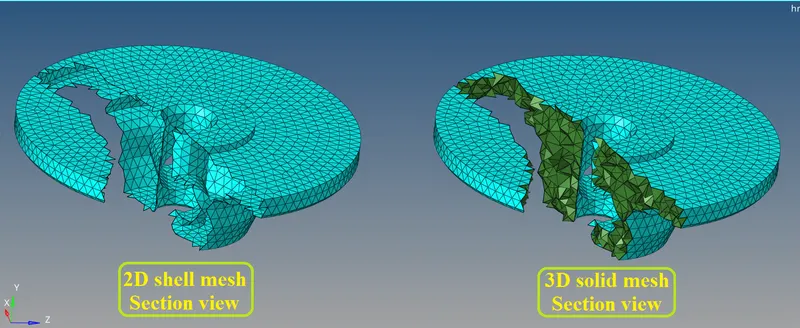
- Now go to Tool--> Check elems--> 3D and set value for tet collapse to check the quality of tetra elements.
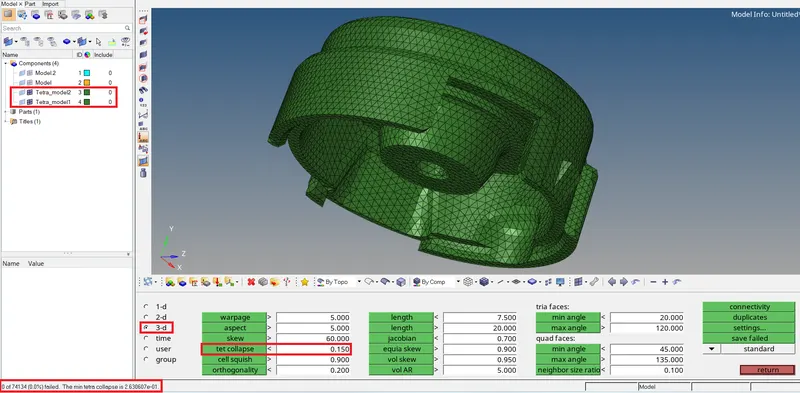
As per the objective finally 'Zero Tet collapse' have been achieved.
Final result:
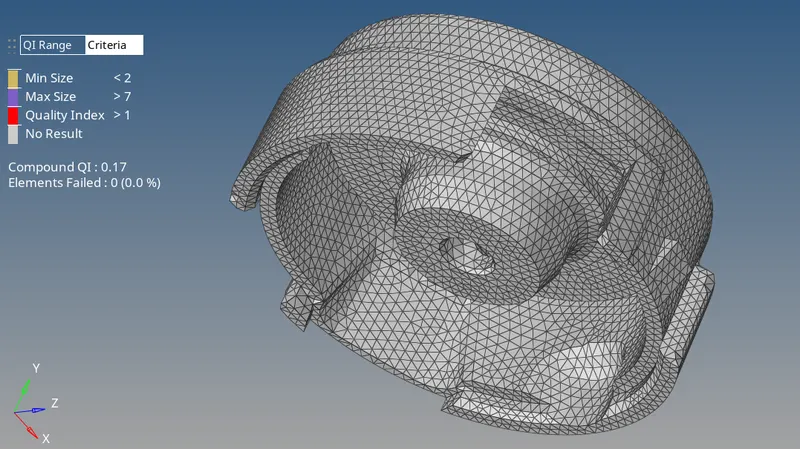
Finally achieved all the elements are attained the given quality criterias with zero failing tet collapse found.
Model - 2 : Quick Tetra Mesh method
AIM:
The Tetramesh has to be created for the given component within the given quality criterias using Quick Tetra mesh element creation method.
PROCEDURE:
Import CAD model:
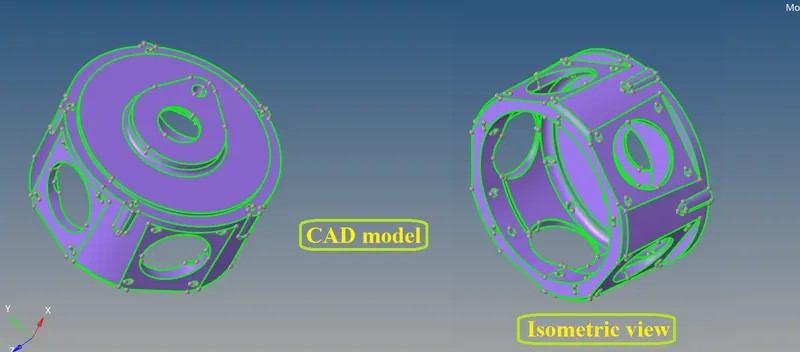
- The given CAD model is in .IGS format.
- To open the model select Import file--> Import Geometry--> File selection window--> File type as IGES--> Select file--> Import.
- The imported CAD model in the Graphical window will be,
Checking for solid component:
- The solid of the surface has to be removed from the component.
- To do that select Delete--> solids--> all --> delete entity to remove the solid from the component.
- If the component only have the surfaces, then there is no need to perform deleting the solids.
Assign Elemental Quality criterias:
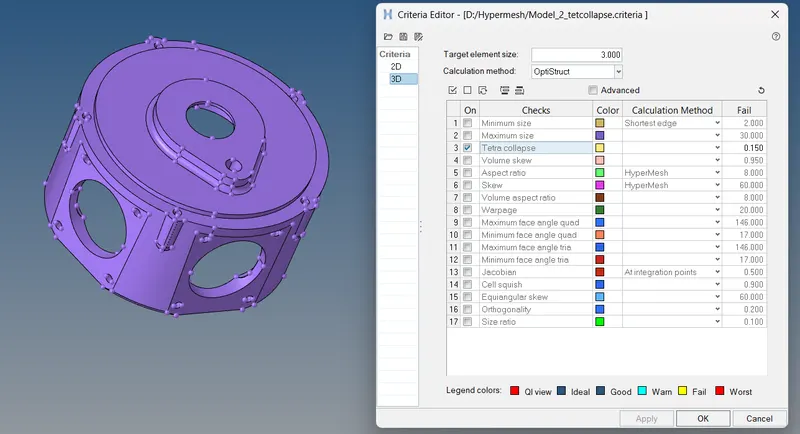
- To set Quality criterias go to Menu bar--> Preferences--> Criteria file settings.
Elements sizes:-
Target Element size: 3 Units.
Tet Collapse: 0.15
Quick Tetra mesh:
- The quick tetramesh method is used to create Tetramesh directly without doing shell mesh manually.
- It perform shell mesh and then it turns them into tetramesh automatically.
- This method is preferred only if the element quality criterias are not considered.
Quick Tetramesh method:
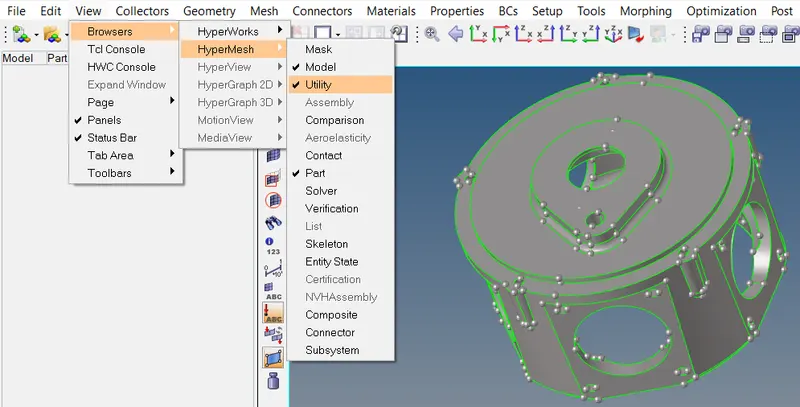
- To perform Quick tetramesh method go to Menu bar--> View--> Browsers--> Hypermesh--> Utility.
- Under Utility tab select Geom/Mesh--> Mesh tools--> Quick TetraMeshing tab.
- In Quick Tetra tab attach the component and set Mesh size as given and mesh type as Trias only then proceed Mesh.
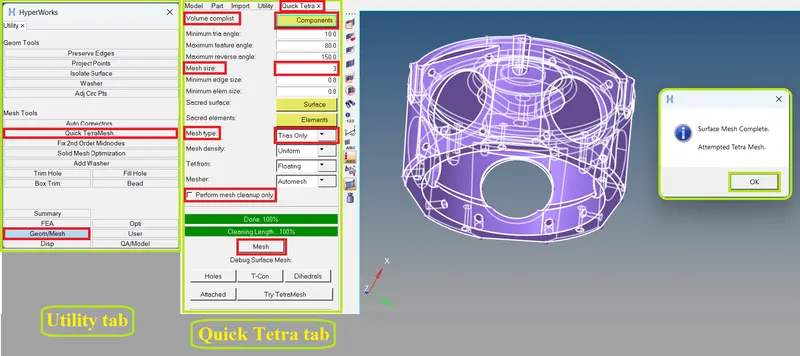
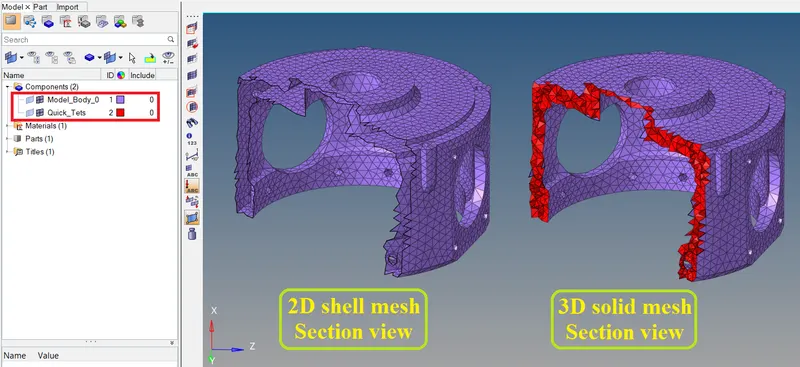
- After generating shell mesh and solid Tetramesh successfully, mask few elements to verify it is created properly.
- Now go to Tool--> Check elems--> 3D and set value for tet collapse to check the quality of tetra elements.
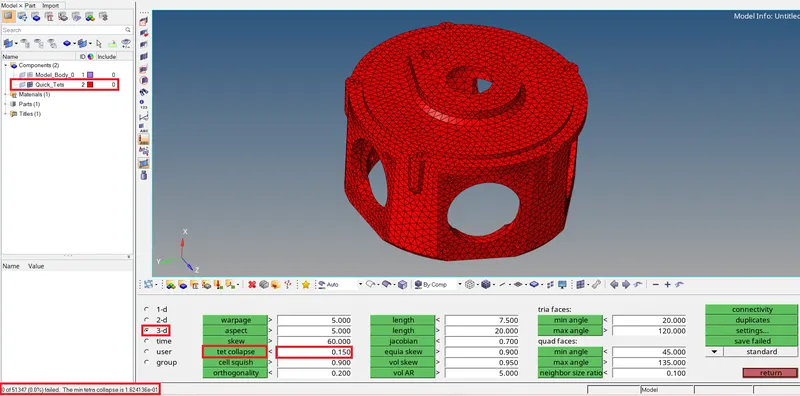
Finally Zero Tet collapse have been achieved.
Final result:
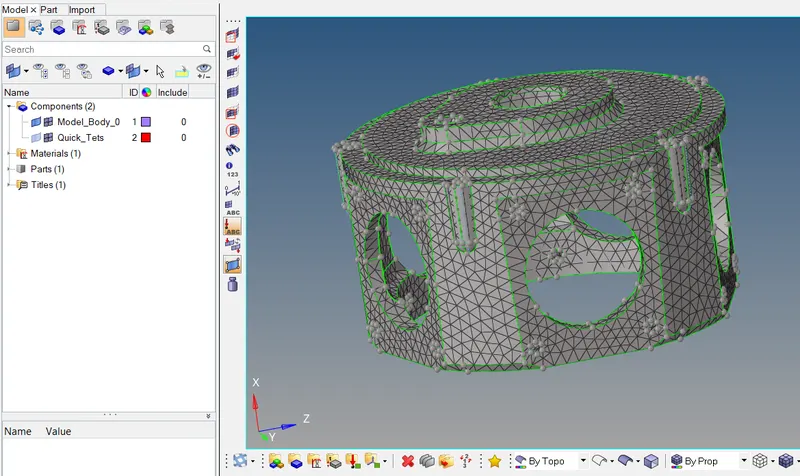
Finally achieved all the elements are passed with tet collapse and attained the given quality criterias.
Model - 3 : Volume TetraMesh method
AIM:
The Tetramesh has to be build for the given assembly within the given quality criterias using Volume Tetramesh element creation method.
PROCEDURE:
Import CAD model:
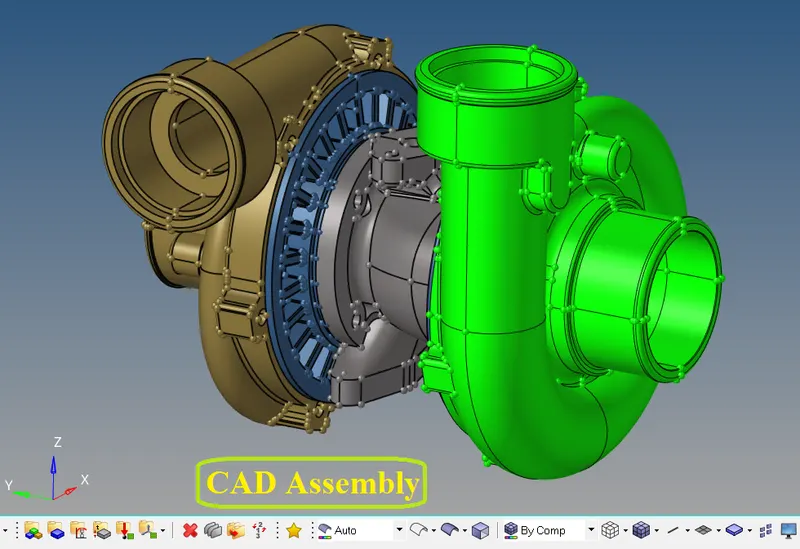
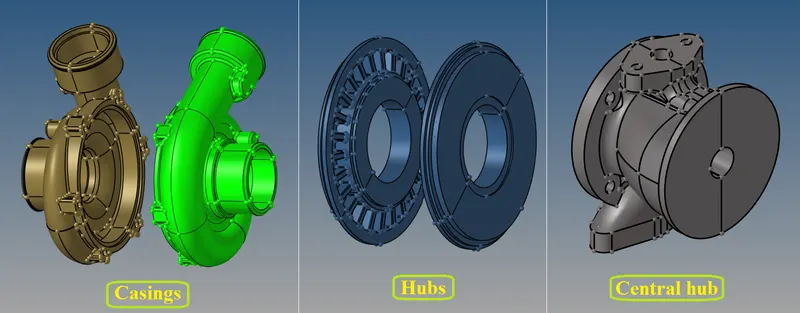
- The given CAD assembly is in .IGES format.
- To open the model select Import file--> Import Geometry--> File selection window--> File type as IGES--> Select file--> Import.
- The imported CAD assembly in the Graphical window will be,
Checking for solid component:
- To peform volume tetramesh, it is necessary to keep solid of the component.
- So, there is no need to delete the solid entity of the assembly model.
Assign Elemental Quality criterias:
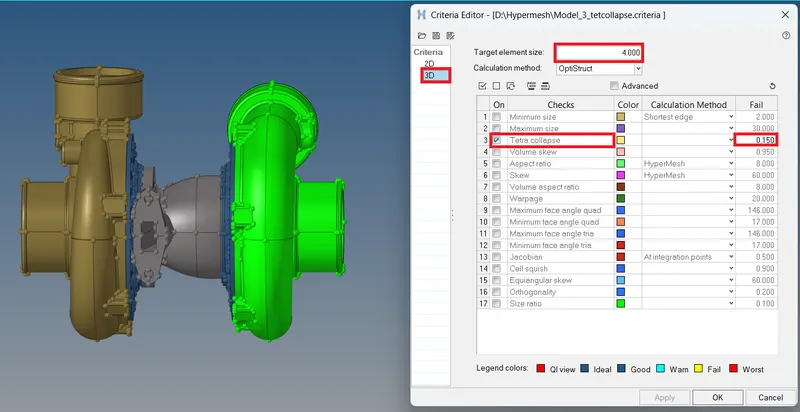
- To set Quality criterias go to Menu bar--> Preferences--> Criteria file settings.
Elements sizes:-
Target Element size: 4 Units.
Tet Collapse: 0.15
Volume Tetramesh:
- The Volume Tetramesh will directly generate 3D Tetramesh without performing 2D shell mesh.
- So, the volume tetramesh can directly perform in the solid geometry.
Volume Tetramesh method:
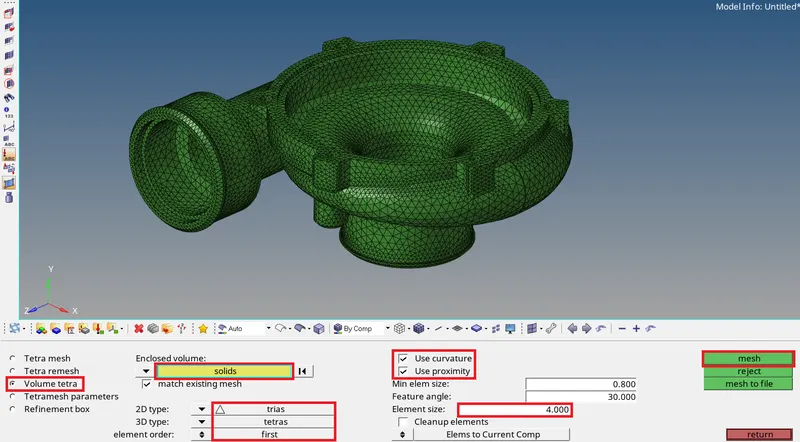
- To perform Volume Tetramesh method go to 3D--> Tetramesh--> Volume tetra.
- Then select Solids/surfs and set 2D type as trias, 3D type as tetras and provide the element size as required.
- Then apply Use curvature and Use proximity to get better mesh flow and capture features efficiently with adjustable mesh size then proceed mesh.
- Now go to Tool--> Check elems--> 3D and set value for tet collapse to check the quality of tetra elements.
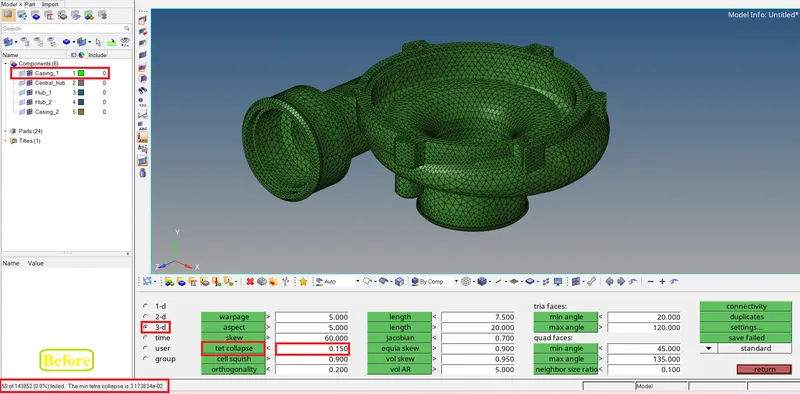
- If elements are failed for tet collapse use Tetra remesh option to rebuild the elements to capture all the 3D elements are passed for the quality criterias.
- To do Tetra remesh first enable fill voids, fix midnodes, smoothing and set tet collapse value in tetramesh parameters.
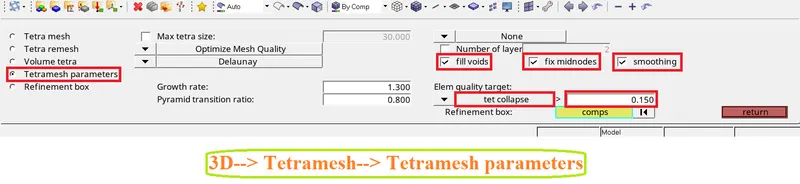
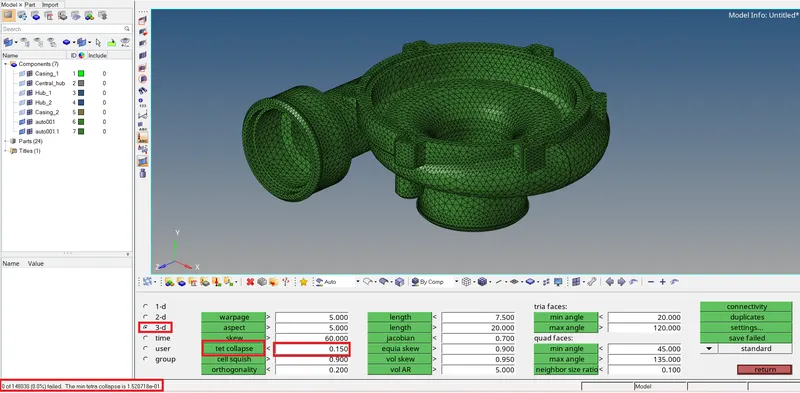
Then go to Tetra remesh--> 3D elements--> elems then select elements and proceed remesh.

- After remesh go to check elements and check the elements has achieved Zero Tet collapse to be found.
After meshing all the components with Zero Tet collapse has been attained for the Tetra elements, each components it will be,
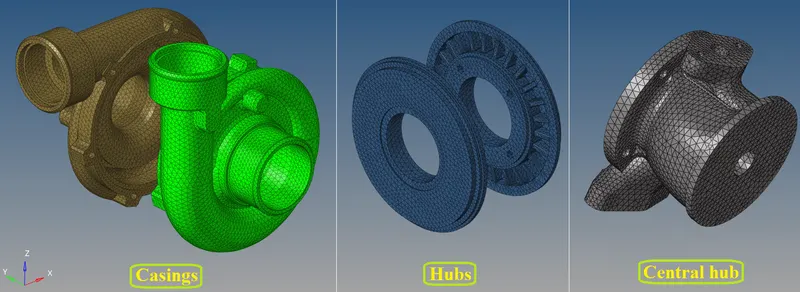
Then finally check of Zero Tet collapse have been obtained for all components of 3D Tetra elements will be,
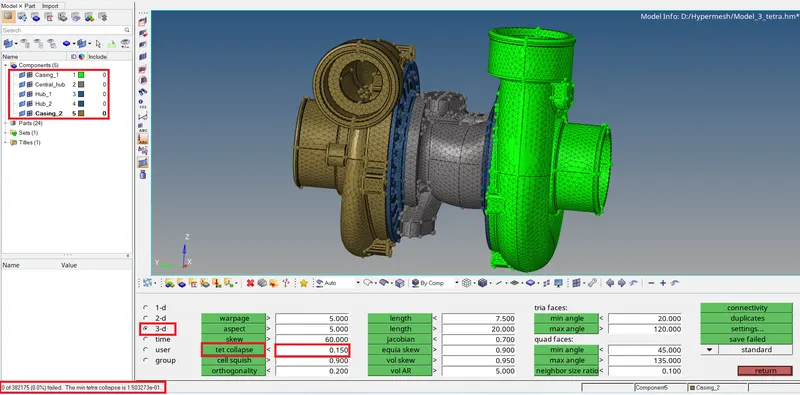
Final result:
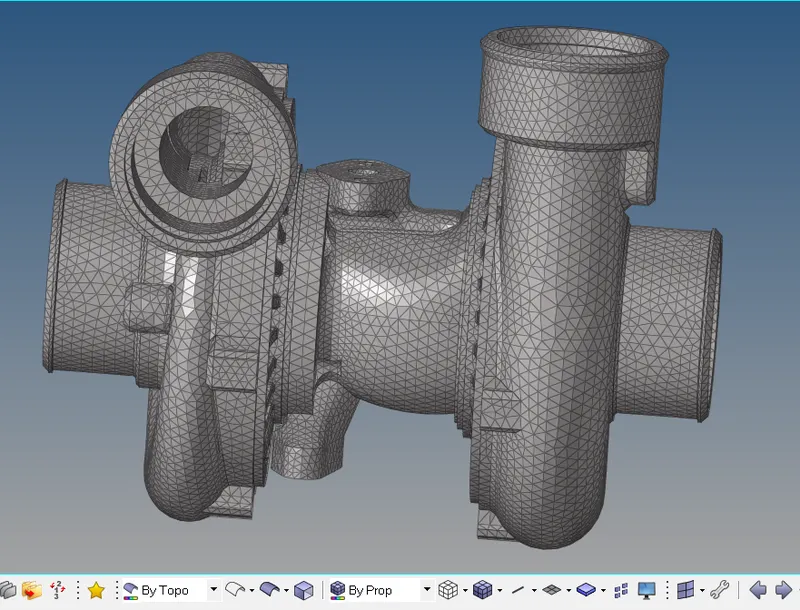
Finally obtained all the elements are passed with tet collapse and attained the given quality criterias.
LEARNING OUTCOMES:
At the end of this challenge, I can able to
- Do Tetramesh with various methods can be perform.
- Can perform Tetramesh modelling for any complex components.
- Identify and resolve the elemental quality failures and to improve the Mesh flow.
- Work on "HYPERMESH" with good flow have been obtained.
CONCLUSION:
- Hence, clearing the geometrical errors and attaining good mesh within the given element Quality criteria has been performed successfuly.
- Also Tetra elements are created in the model with no kinks and dips are appered on the surface of the component.
- Tetra model has been performed by capturing with zero tet collapse have been attained.