Week 5 Sphere pressing on a plate
Aim : To perform the analysis to simulate a sphere pressing on a plate
Software: Ansys 2021 R1
Summary
Objective
Procedure for setup
Results
Conclusion
Objective:
To perform the analysis to simulate a structural steel sphere pressing on a Non linear structural steel plate
To press the sphere onto plate 4mm downwards and retract it.
To capture the plastic deformation
Procedure for setup
Open ANSYS>>Drag and drop static structural model in the project schematic window.
Go to the engineering data to choose the materials (Non linear structural steel, structural steel is chosen by default).
Go to the model tab
Rename the different as required:
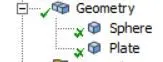
Go to connection >> contacts
Delete the default contact
Create to manual contact as follows
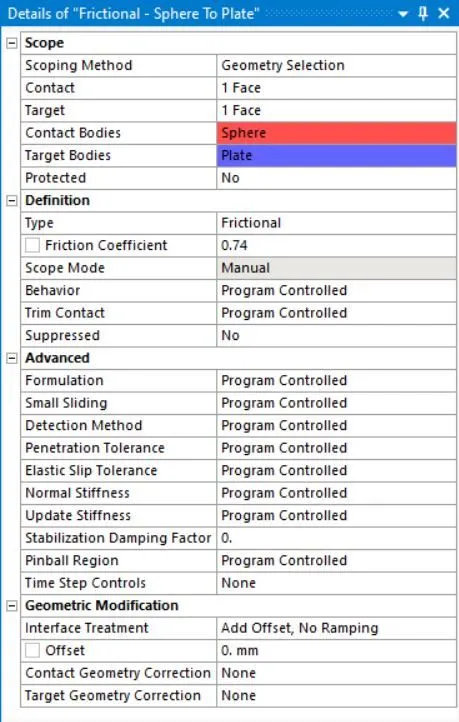
Make with them frictional contacts (friction coefficient=0.74)
Go to tab for the meshing:
For the meshing choose the values as follows:
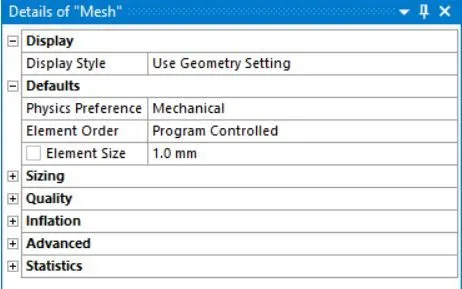
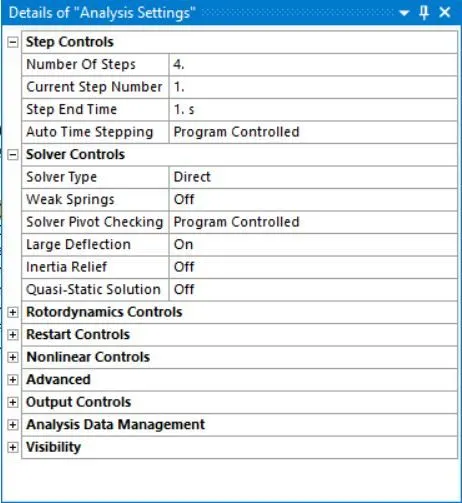
The following analysis settings are defined for the simulation.
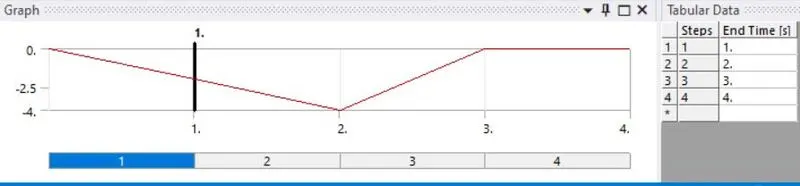
Fix the plate and set the displacement as follows:
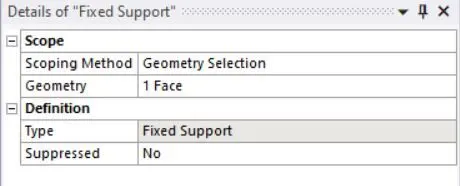
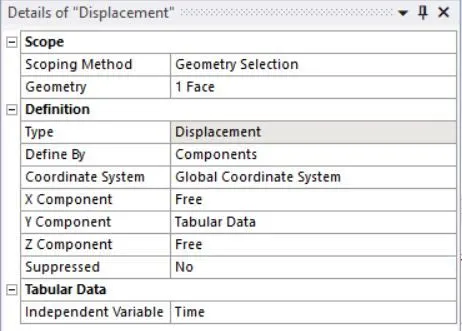
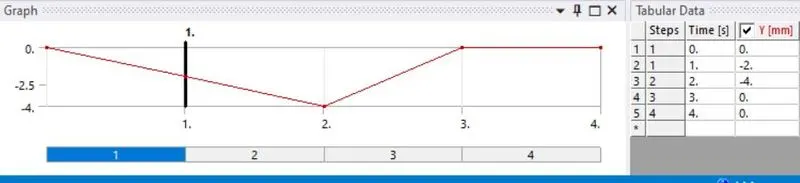
Go to solution tab and insert equivalent stress, directional deformation, equivalent elastic strain.
Results:
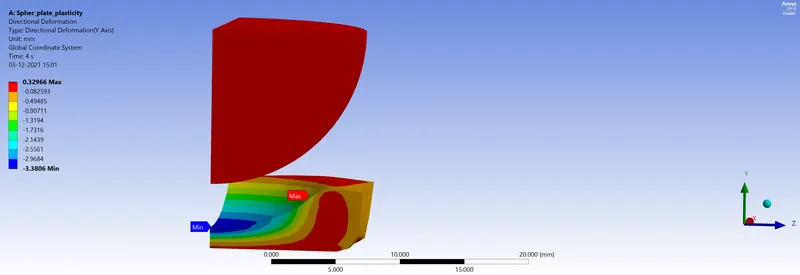
Directional deformation:
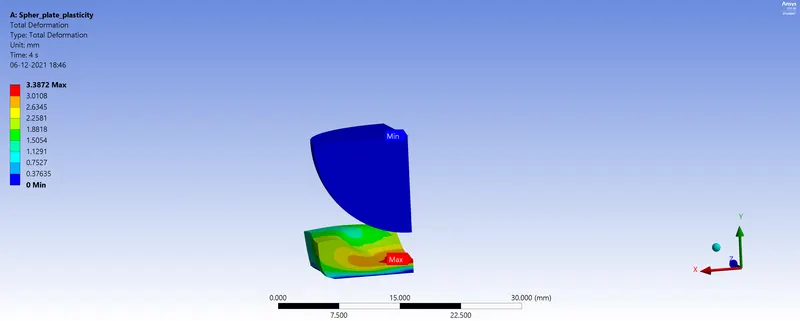
Total deformation
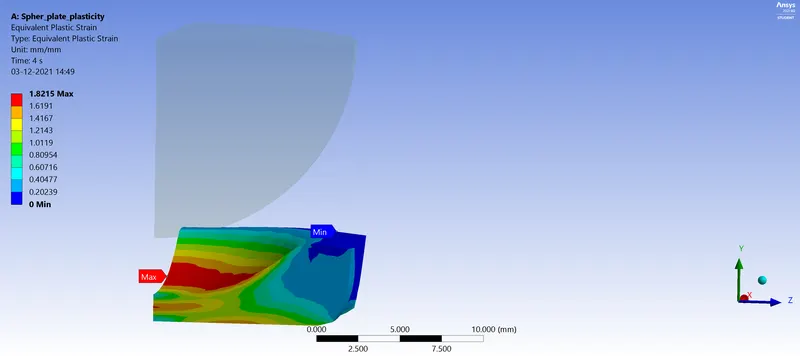
Equivalent plastic strain
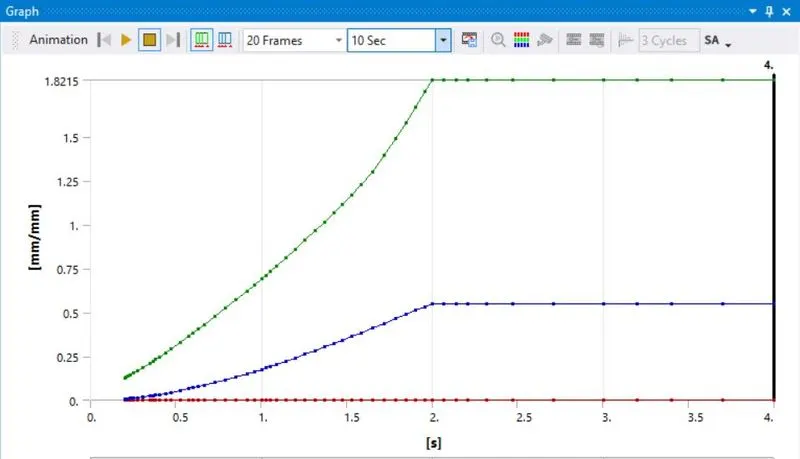
Equivalent elastic strain
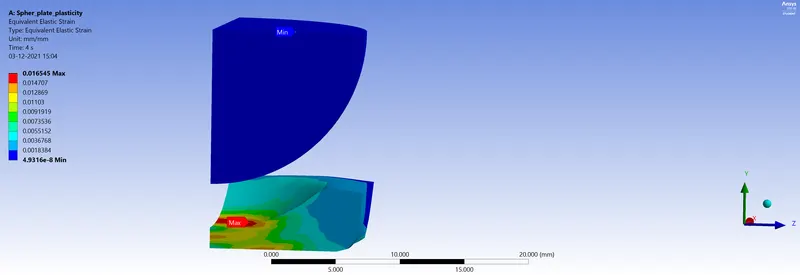
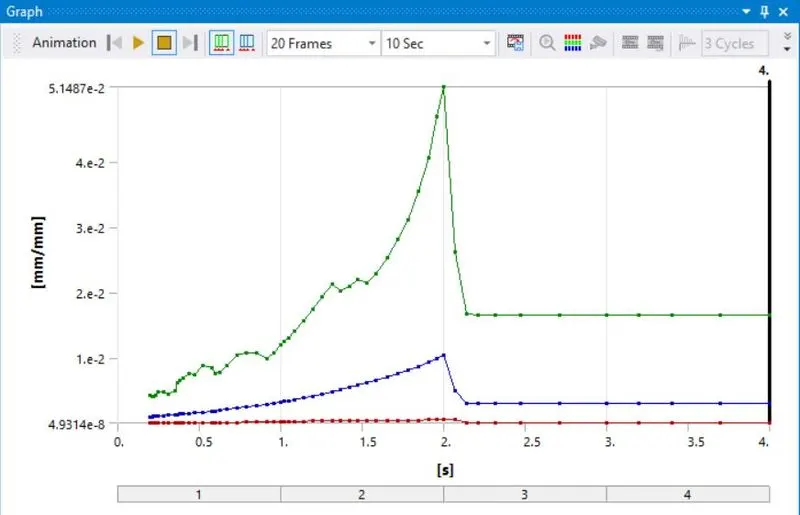
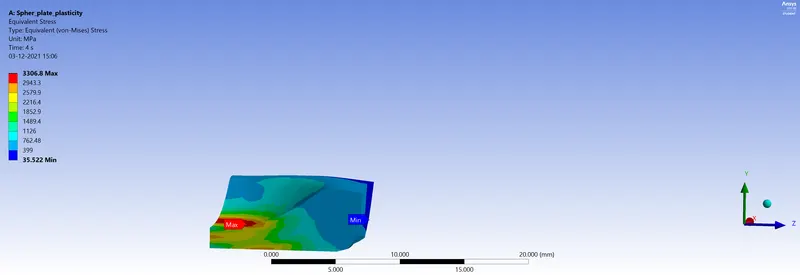
Equivalent stress
|
Equivalent plastic strain (mm/mm) |
Equivalent elastic strain (mm/mm) |
Equivalent elastic stress |
Directional Deformation (mm) (y) |
Total deformation (mm) |
|
|
Maximum |
1.8215 |
0.016545 |
3306.8 |
0.32966 |
3.3872 |
|
Minimum |
0 |
4.9316e-8 |
35.522 |
-3.3806 |
0 |
Conclusion:
Through this work we notice that by applying 4 mm displacement to the sphere, the plate does not regain its original shape even after removing the displacement: This is the plasticity phenomenon.