Week 5 Sphere pressing on a plate
Aim-
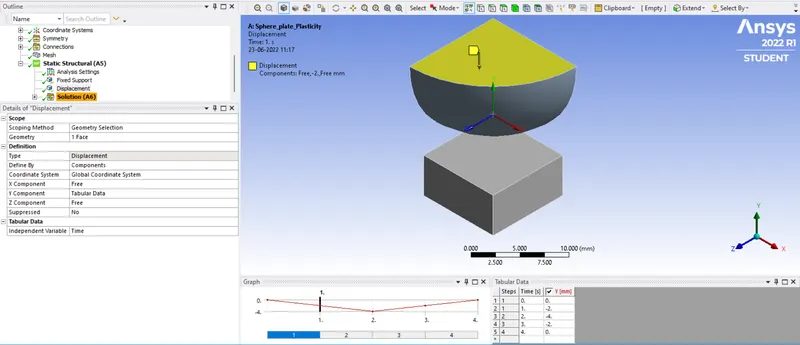
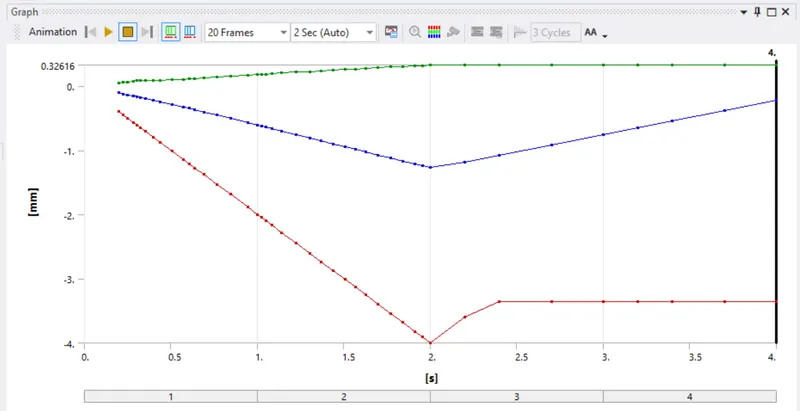
For this Project, We have to perform the analysis to simulate a sphere pressing on a plate. Using Structural steel for both sphere and plate but the material of the plate must be Non Linear. We have to press the sphere onto plate 4mm downwards and retract it. The plastic deformation must be captured.
Procedure-
- We have to first start as new project in the ansys workbench and select the proper material for the weld joint plate.
- Here material has been specified in the project so we will select materials as per case.
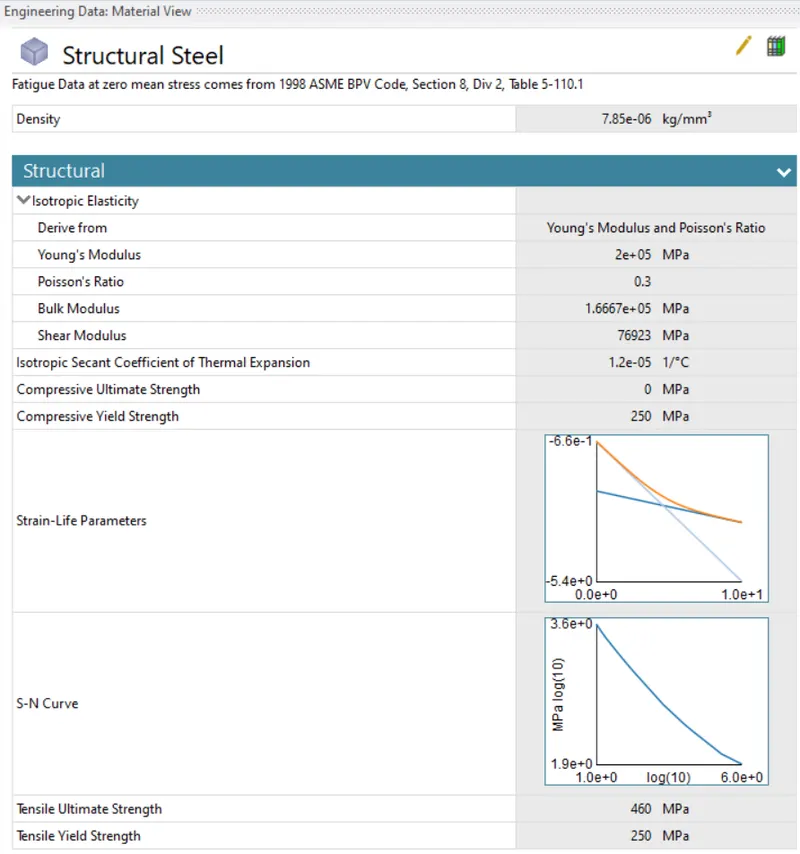
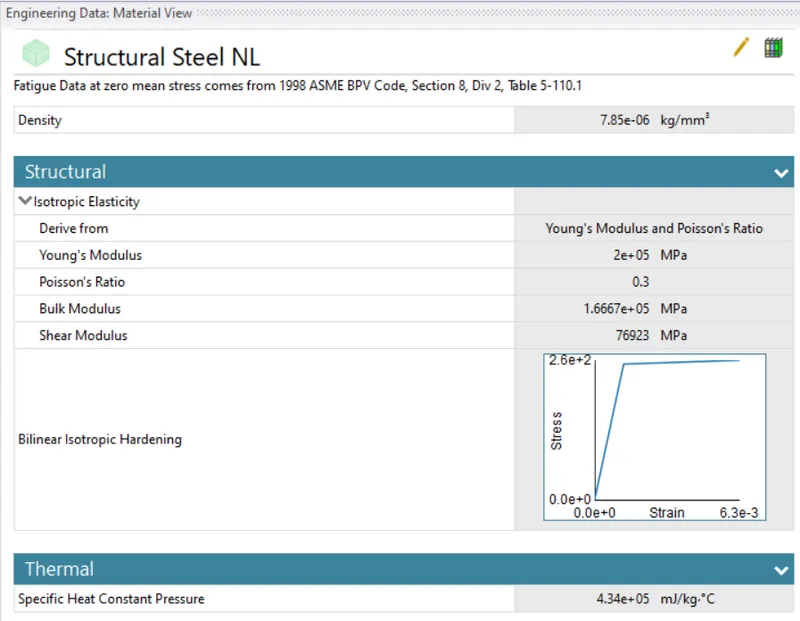
- Now we have to import the model for that right click on the geometry tab and hit import>>then select the file from saved location and hit ok.
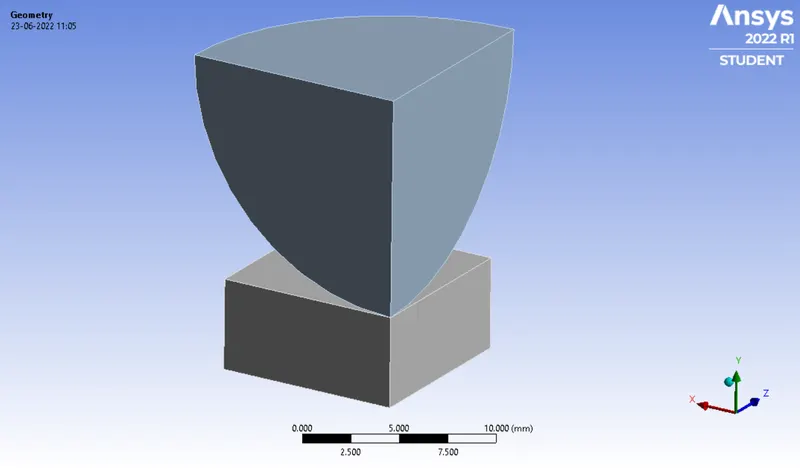
- Now we have to open mechanical Model and wait for a while till our model loads.
- For wire select material as Structural Steel NL.
- We have to now remane the parts name and the proceed further for symmetry.
Symmetry-
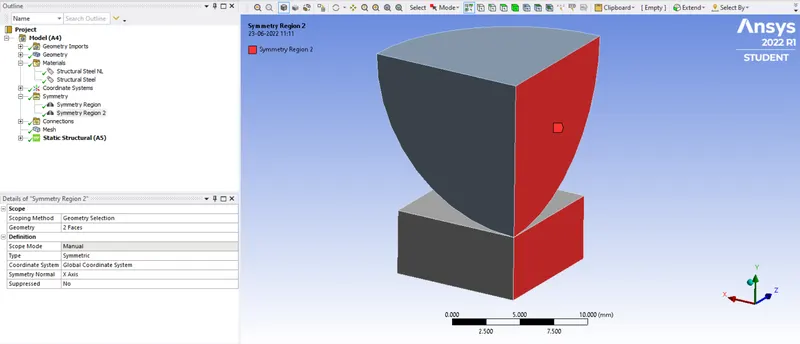
- Now right click on model tab>>symmetry>>symmetry region>>select the surfaces of sphere and plate and assign the proper axis.
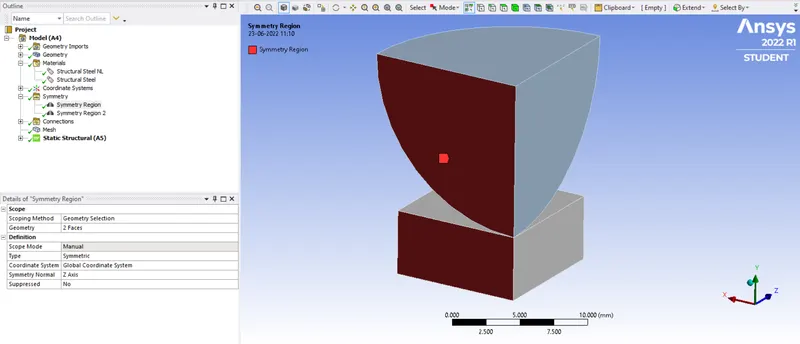
- Now again right click on symmetry>>symmetry region>>select the surfaces of sphere and plate and assign the proper axis.
Connections-
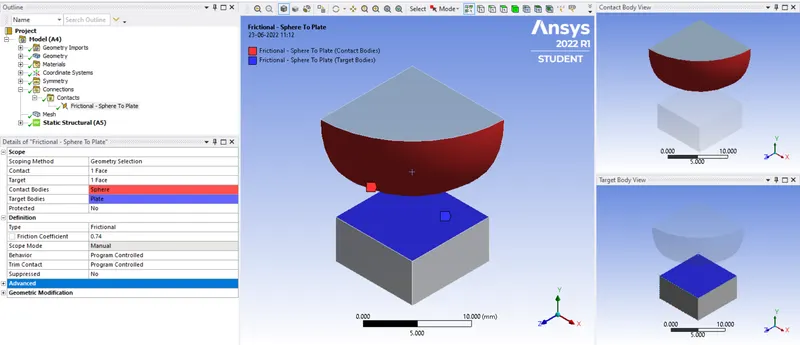
- We have to first delete the old connections and then right click on connection and select a new connection.
- Now for pair refer the below snap.
Mesh-
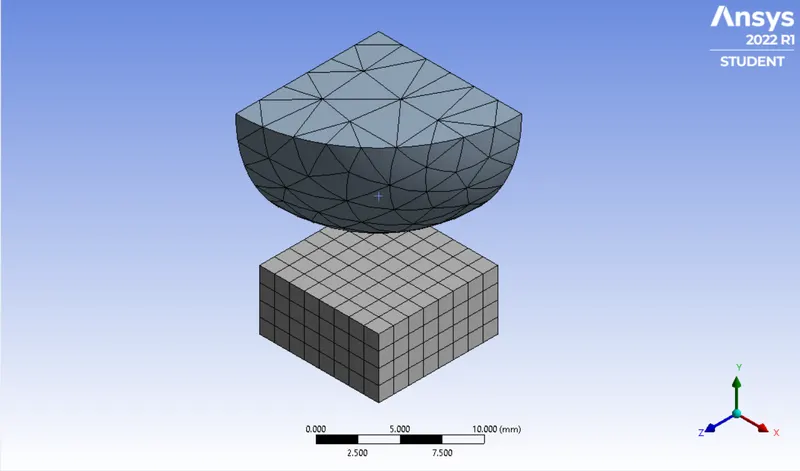
- For meshing we will accept the default mesh here.
Analysis setting-
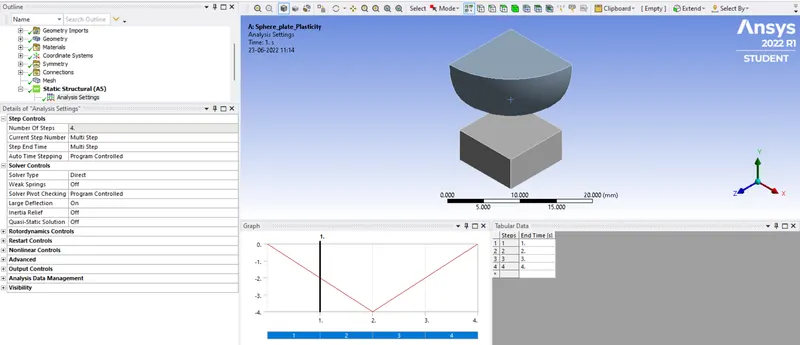
- Go to analysis setting and set number of set as 4 and refer below setting.
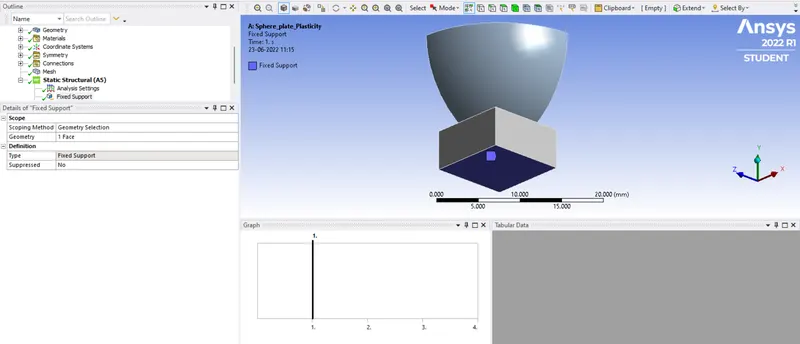
- Apply the fixed support on the bottom side of plate.
- Now select the Top face of sphere and apply displacement over there as mentioned below in negative Y direction.
Solution-
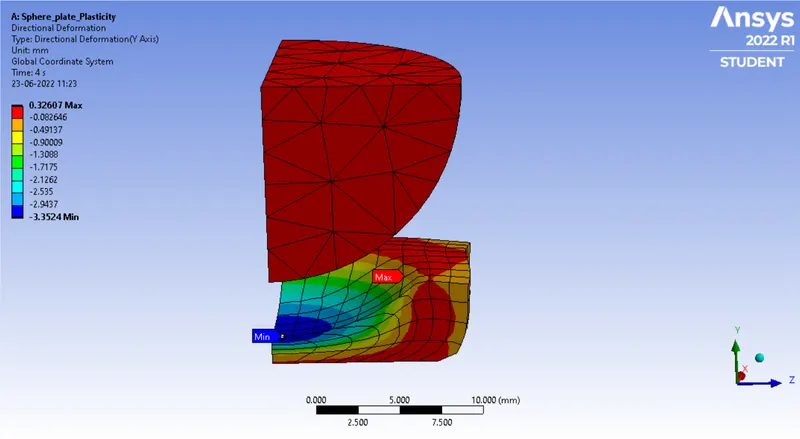
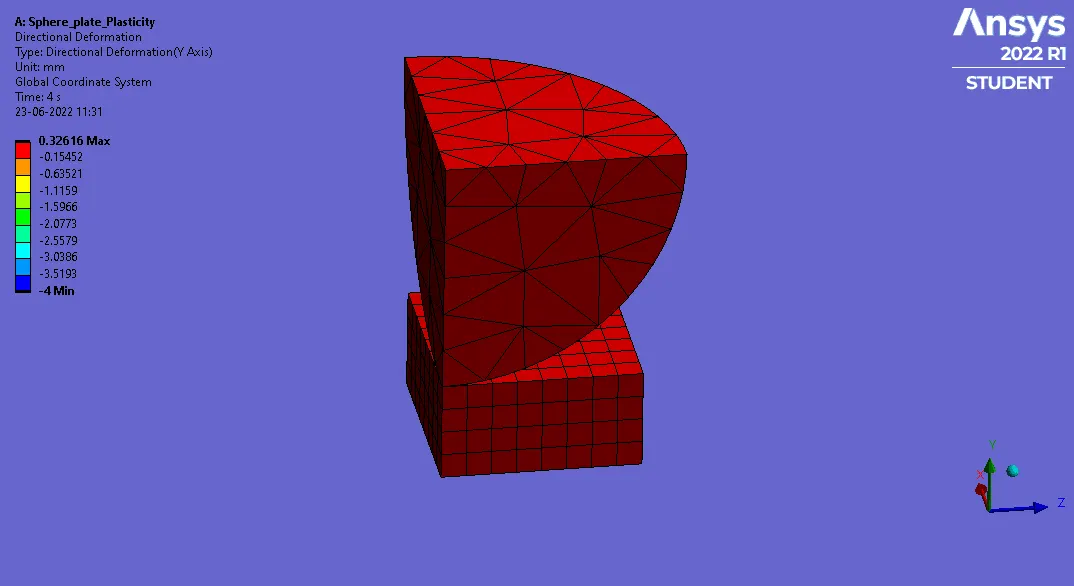
- Now for deformation right click on the solution>>insert>>deformation>>directional (in Y-axis).
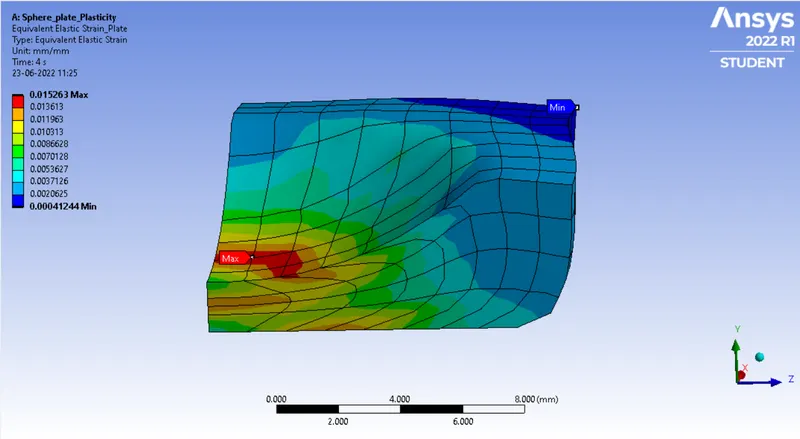
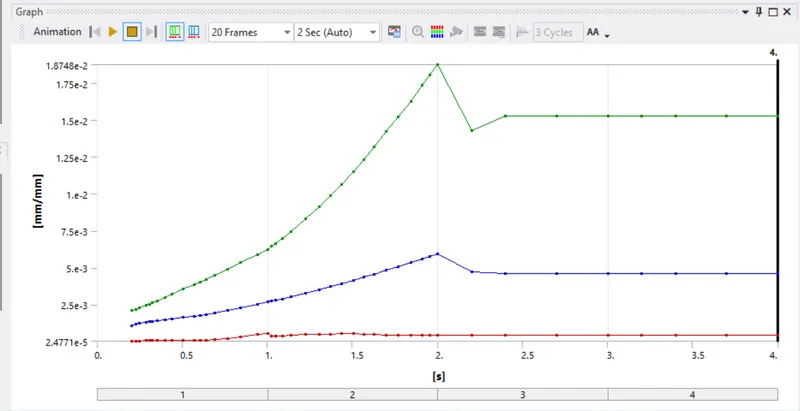
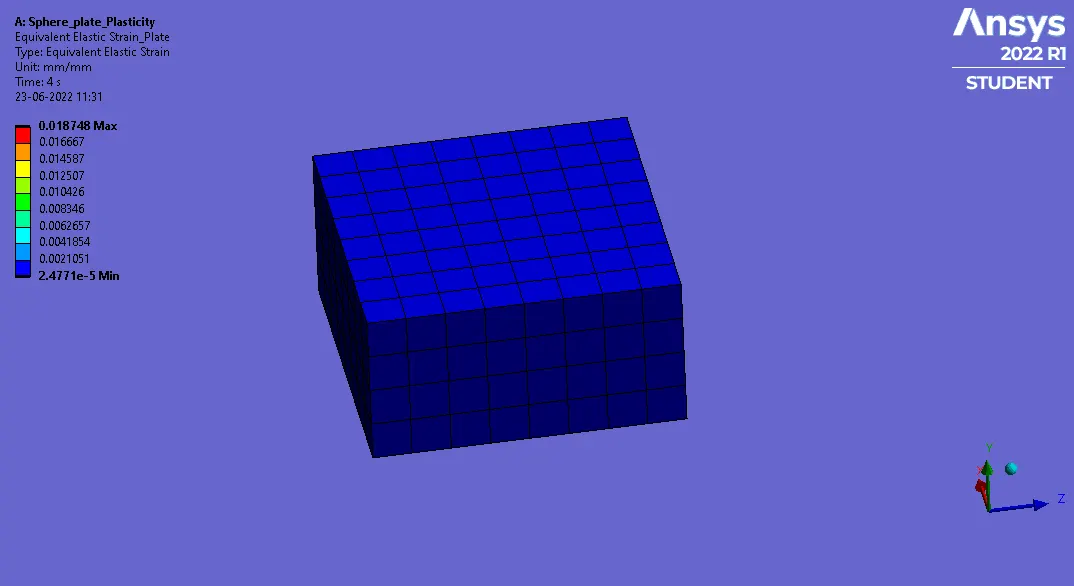
- Now for strain right click on the solution>>insert>>strains>>equivalent elastic strain(for plate alone).
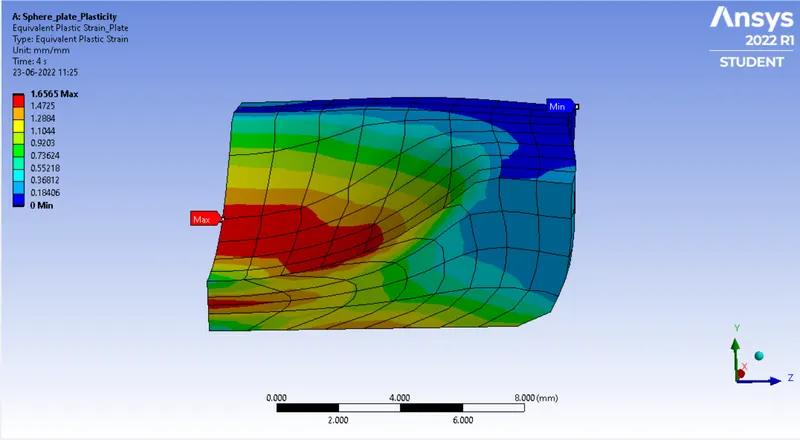
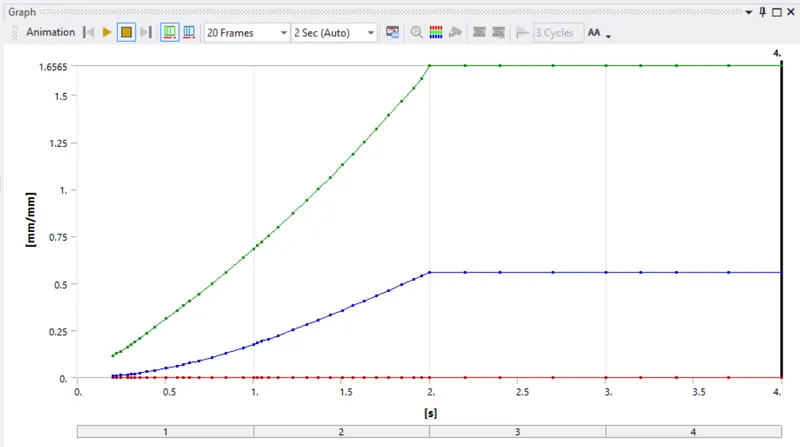
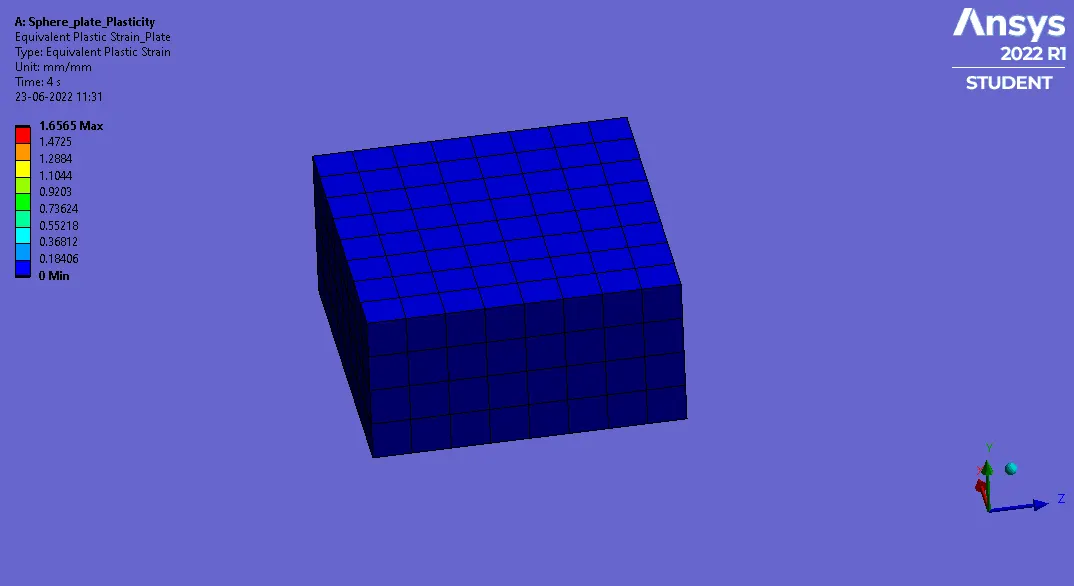
- Now for strain right click on the solution>>insert>>strains>>equivalent plastic strain(for plate alone).
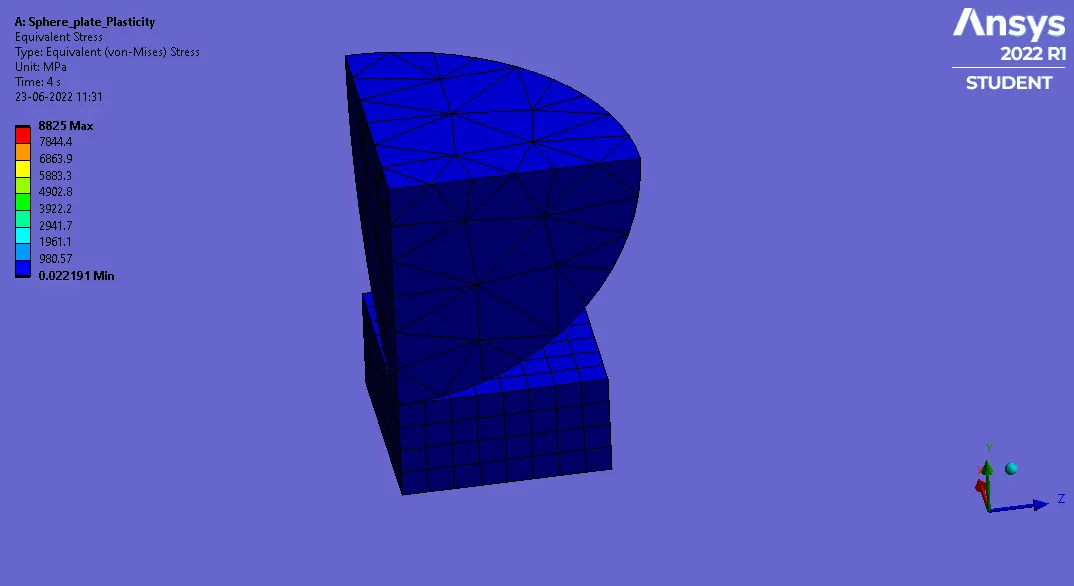
- Now for stress right click on the solution>>insert>>stresses>>equivalent (von-Mises).
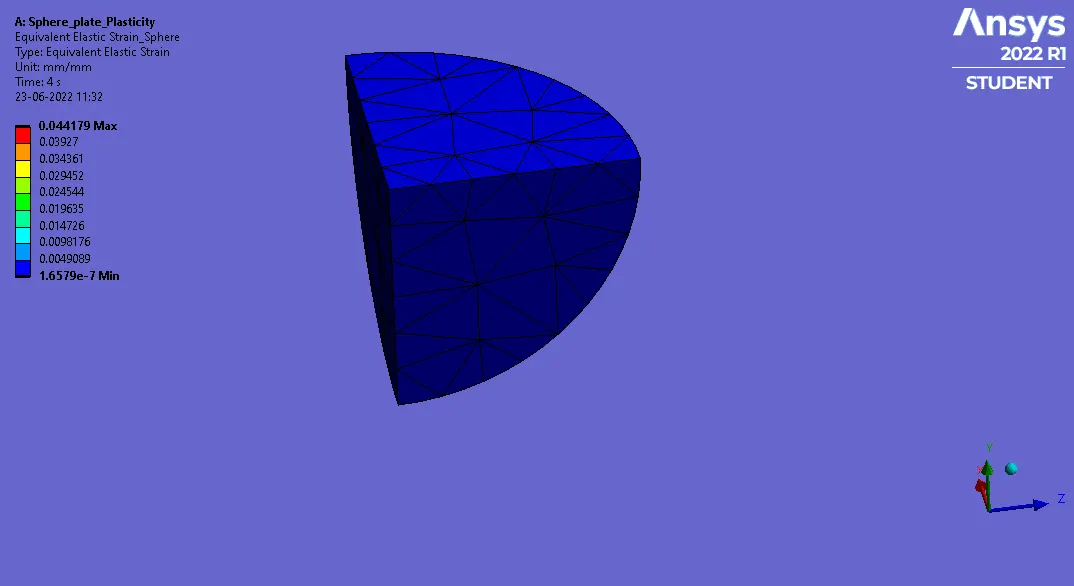
- Now for strain right click on the solution>>insert>>strains>>equivalent elastic strain(for sphere alone).
Result-
1. Directional deformation Along Y-axis-
2. Equivalent Elastic Strain for Plate-
3. Equivalent Plastic Strain for Plate-
4. Equivalent Stress-
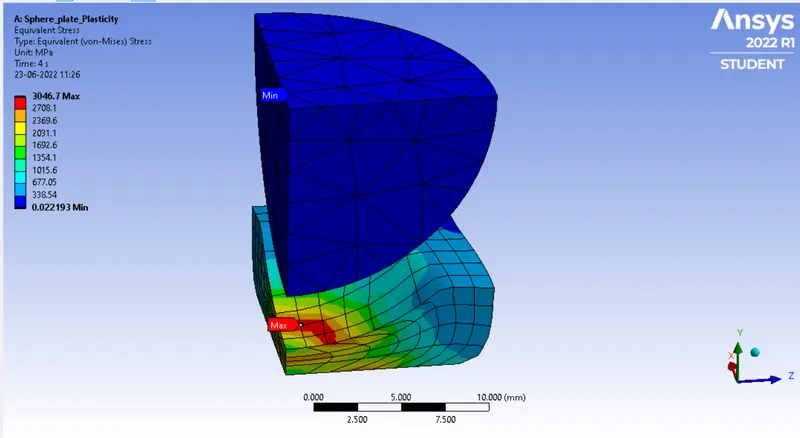
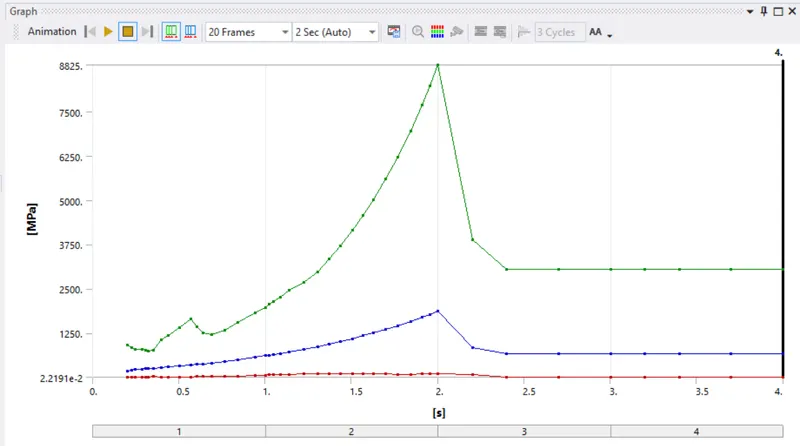
5. Equivalent Elastic Strain for Sphere-
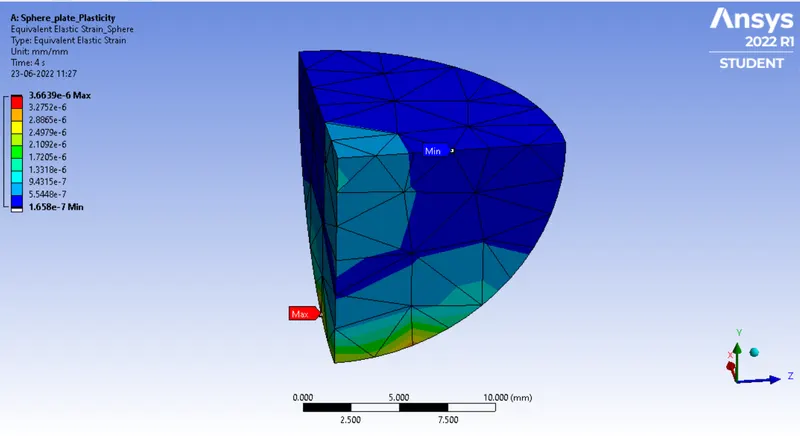
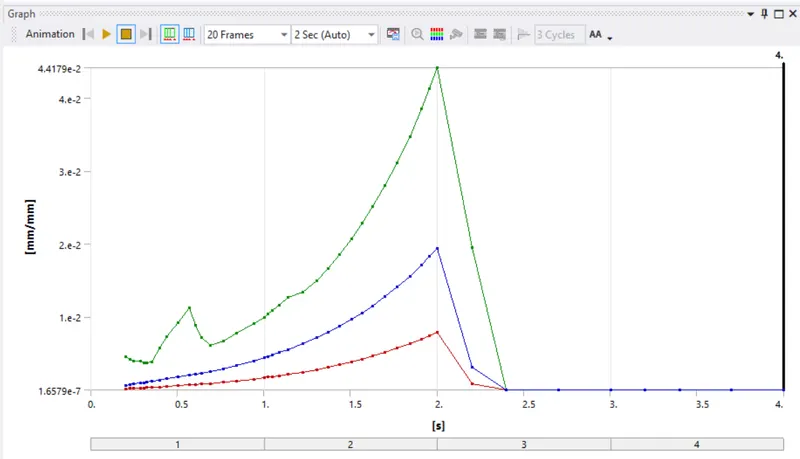
Animated Results-
1. Directional deformation Along Y-axis-
2. Equivalent Elastic Strain for Plate-
3. Equivalent Plastic Strain for Plate-
4. Equivalent Stress-
5. Equivalent Elastic Strain for Sphere-
Conclusion-
- Structural analysis shows how materials, such as non-linear structural steel, perform under dispalement loading. It can also reveal weaknesses in the structural makeup of a design which are likely to affect the lifespan of the model. From the results of a structural analysis, a design engineer can make a more informed performance prediction of the component or product being simulated and improve the design accordingly.
- We have also learnt about the plastic deformation of non linear material & also idealizations of stress-strain behavior are the key to practical engineering analysis of deformation processes.