Week- 5 - Solid meshing
REPORT ON SOLID MESHING
AIM :
For the given Rear view mirror component, check for the geometrical errors and mesh the Surfaces with the given 2D element Quality criterias given below.
|
S.No |
Quality Criteria |
Value |
|
1 |
Target/Average length |
1 |
|
2 |
Minimum Length |
0.5 |
|
3 |
Maximum Length |
2 |
Use tetra elements to mesh the Volumes defined in the model and check for the below quality after Volume meshing.
|
S.No |
Quality Criteria |
Value |
|
1 |
Tet collapse |
0.2 |
INTRODUCTION:
Solid meshing is the 3 dimensional mesh which is done on the component that mid surface extraction is not possible. In solid mesh, the ability to mesh is referred to as mappability.
Here the rear view mirror which is used in automobiles and other vehicles is to be meshed using solid modelling. The rear view mirror allows the driver to see the rearwards. The solid meshing methodology helps to mesh the component without extracting the mid surface. Later it will be assigned as a volume and remesh to obtain as a volume tetramesh using tetra rapid and tetra FEM types.
PROCEDURE:
1. Import the file to the workspace of ANSA.
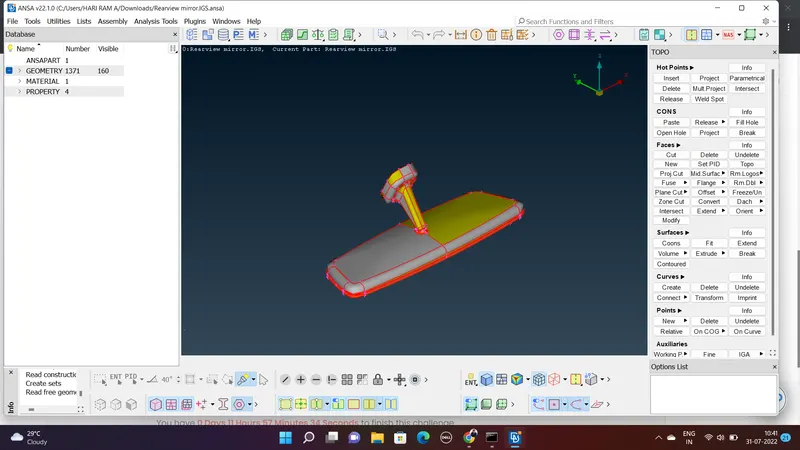
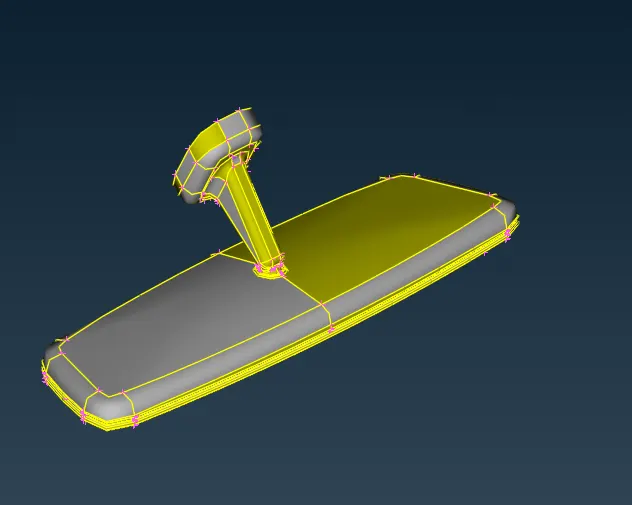
2. As the model is not stitched on the edges, perform topo operation once. So that the CAD is better to visible. Topo Module> Faces > Topo
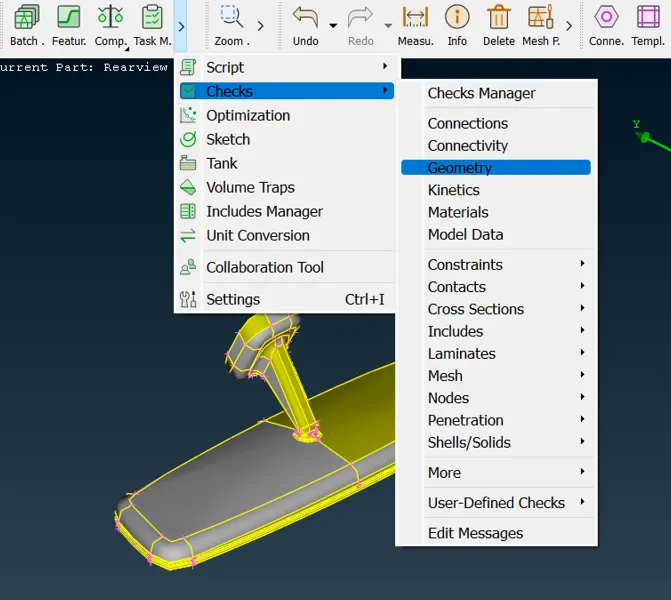
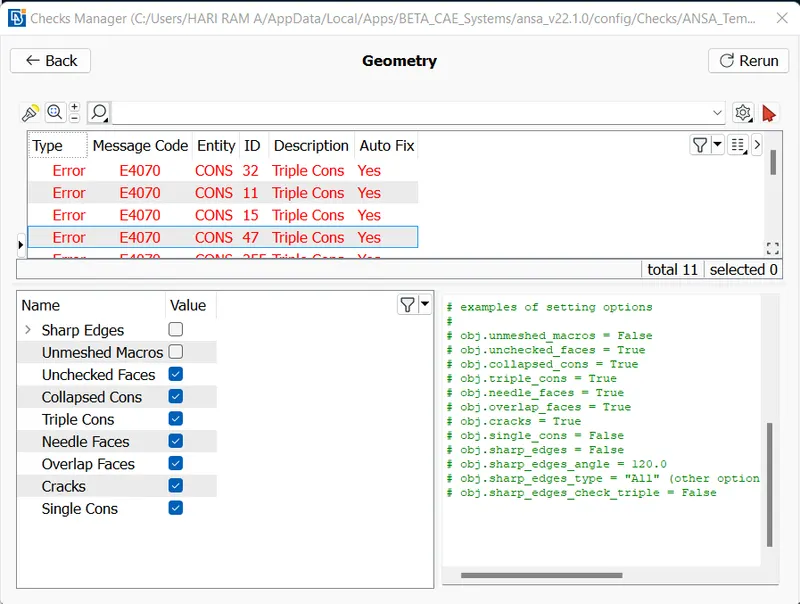
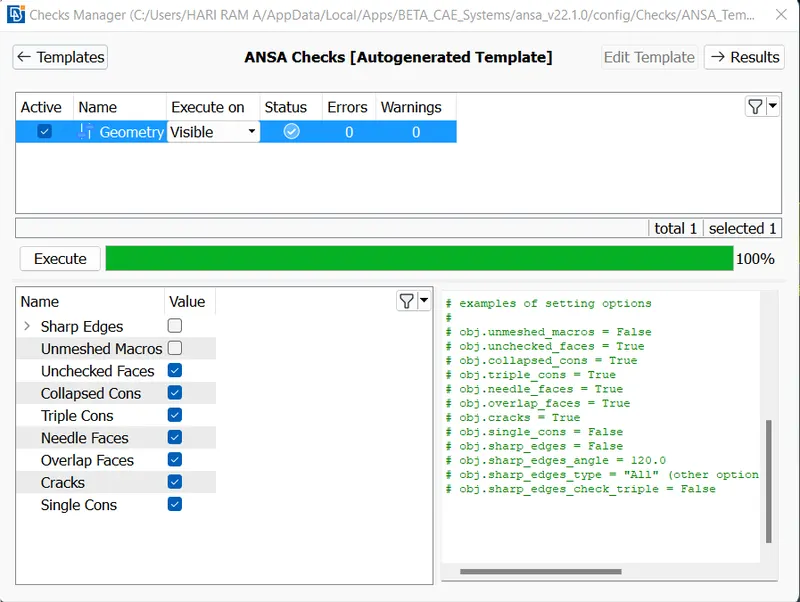
3. The geometry check is to performed inorder to check whether any errors present in the geometry such as unchekced faces, triple cons etc. Tools > Check > Geometry
The errors which are appearing can be autofixed if possible. Recheck the geometry to proceed further steps.
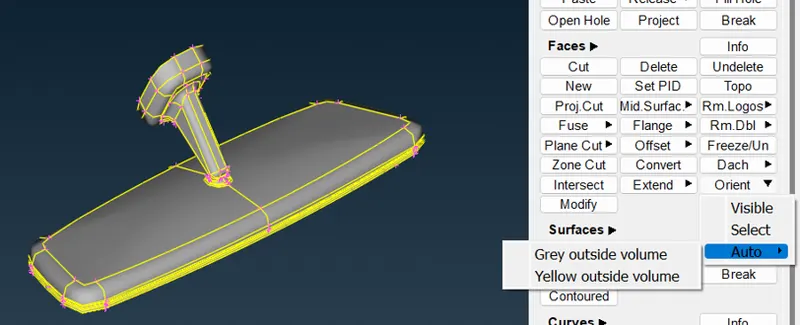
4. The orientation view is to be assigned properly. Inorder to orient Topo Module > Faces > Orient > Auto
5. To make the shell mesh, while checking the property tab, there are 4 properties in which the whole rearview mirror component is assigned. Each of the parts should be meshed first.Inorder to make the shell mesh in the surface of the model, the quality criteria should be given along with mesh parameters.
Here, the quality criteria include the given minimum and maximum length as 0.5 and 2 mm respectively. And in mesh parameter interface, target element length should be assigned to 1 mm along with selecting the mesh parameter tab from utitlities module.
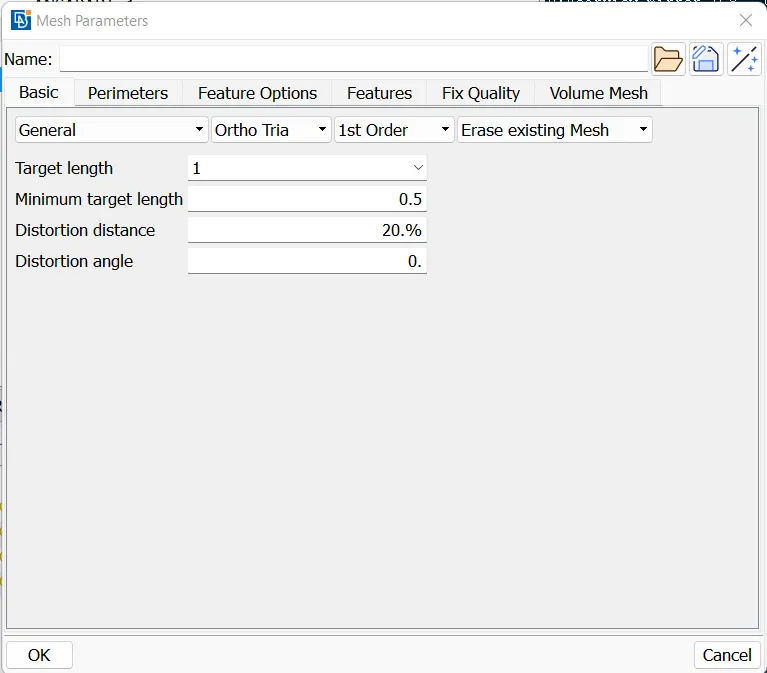
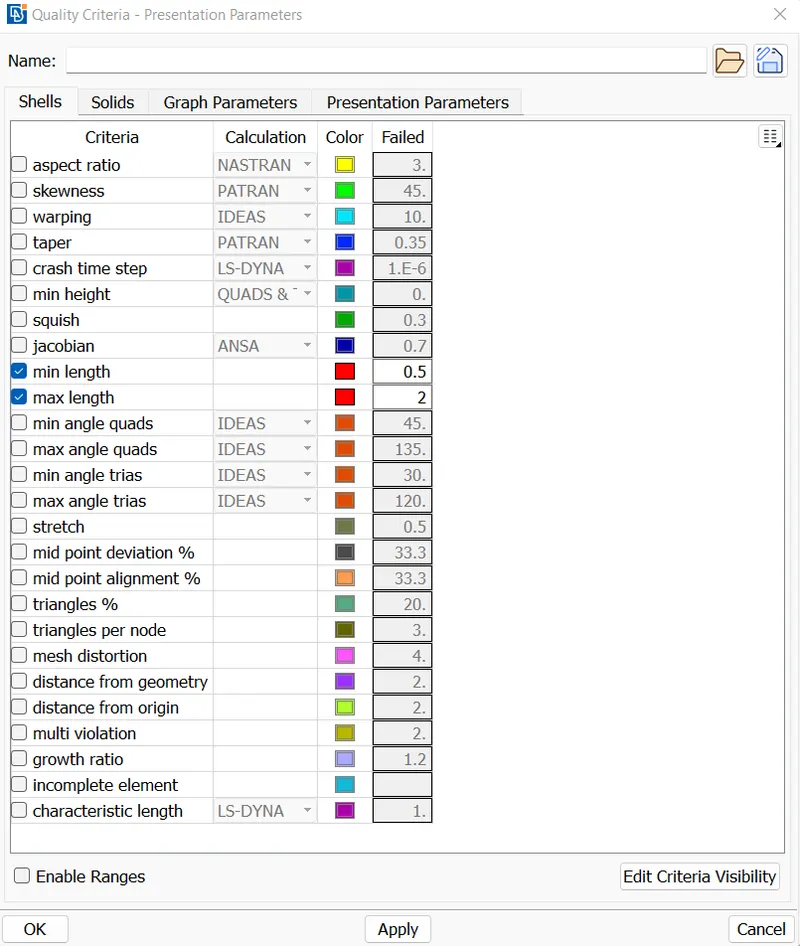
The mesh for each property is done . The best mesh in classis mesh module is used to mesh the shell. Classic Mesh > Mesh Generation > Best.
The ortho tria elements are used in the curved areas and in flat faces tria elements are plotted inorder to improve the simulation speed. The ortho tria elements will catch up the surface properly than tria elements.
The shell meshed component can be shown below.
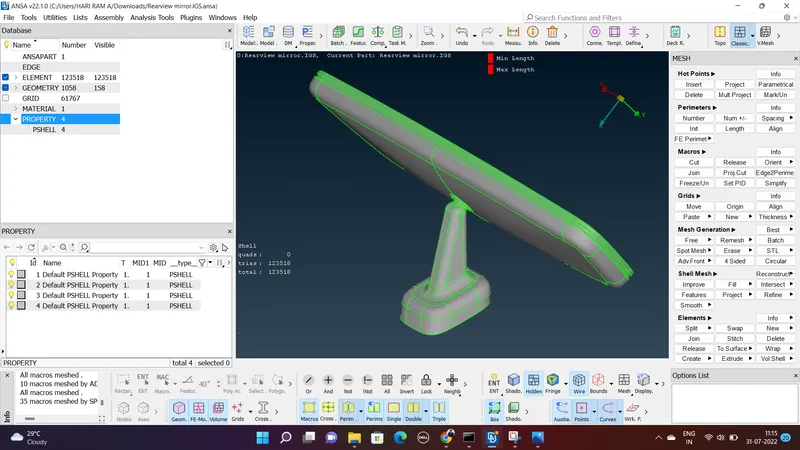
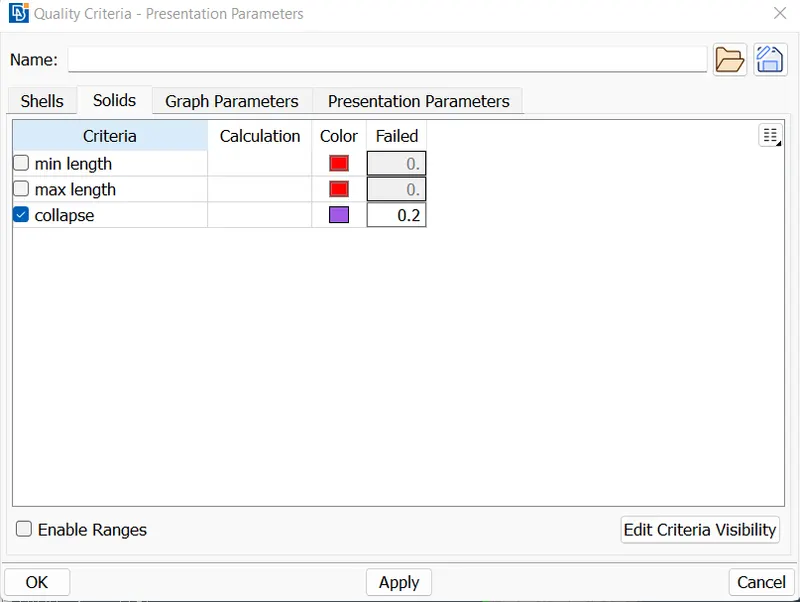
6. The quality criteria for the solid mesh is only tet collapse. The limit is 0.2.
7. The meshed component should be converted into a volume inorder to get a solid mesh. It will perform by catching up the hollow space with in the body to fill with tetra elements.
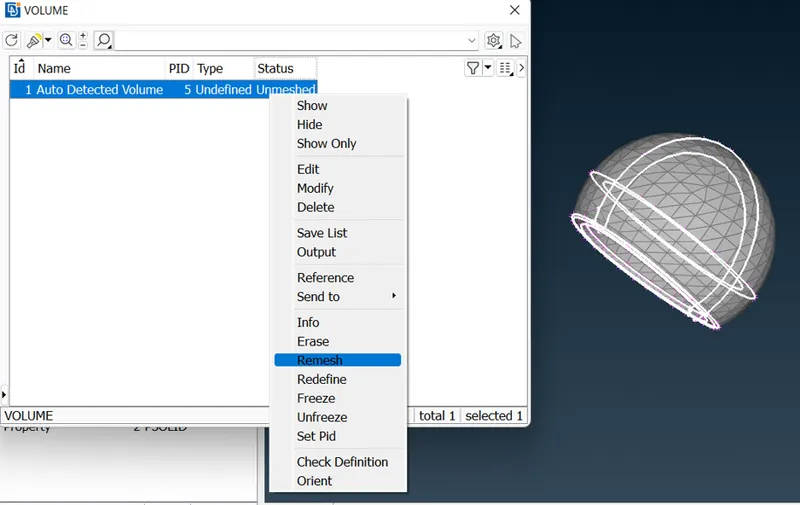
Inorder to define each property into volume, define the volume first and later remesh. Thus the solid mesh is obtained.
Volume Mesh Module > Volumes > Define
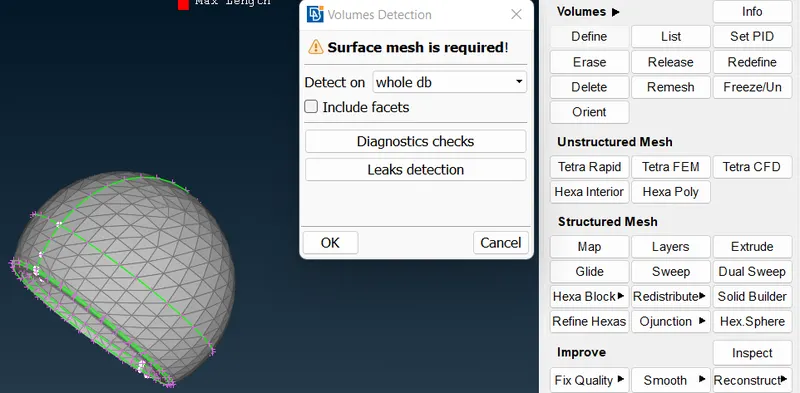
Select visible in detect on portion of dialogue box appeared in above image. So that a new property on volume is detected for the property selected initailly. Later it should be remeshed as shown below.
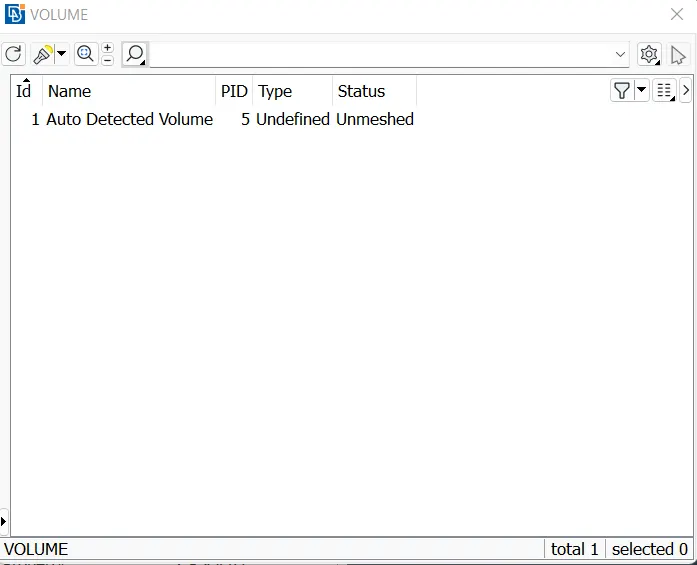
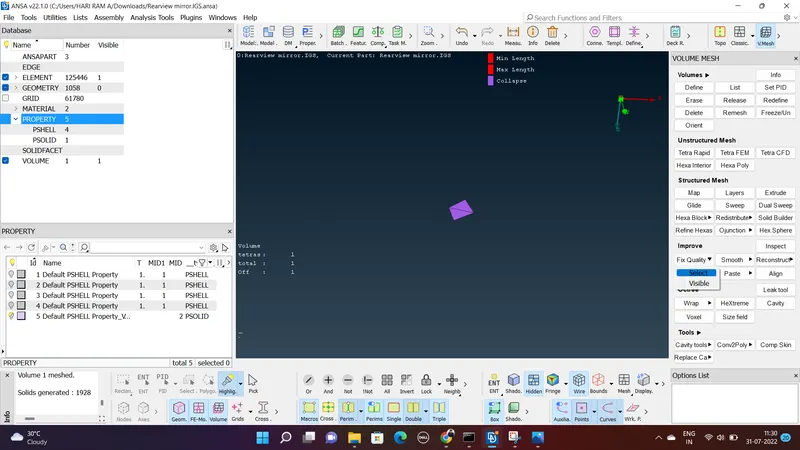
While obtaining the volume mesh, if some off elements are there for tet collapse quality criteria, it should be fixed as below shown.
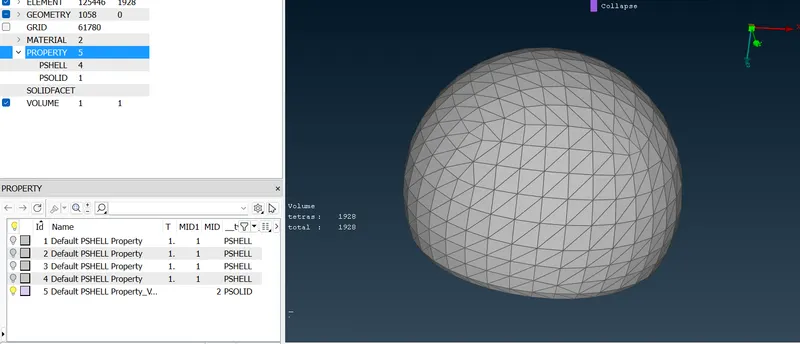
The obtained solid mesh for the first property is as seen below.
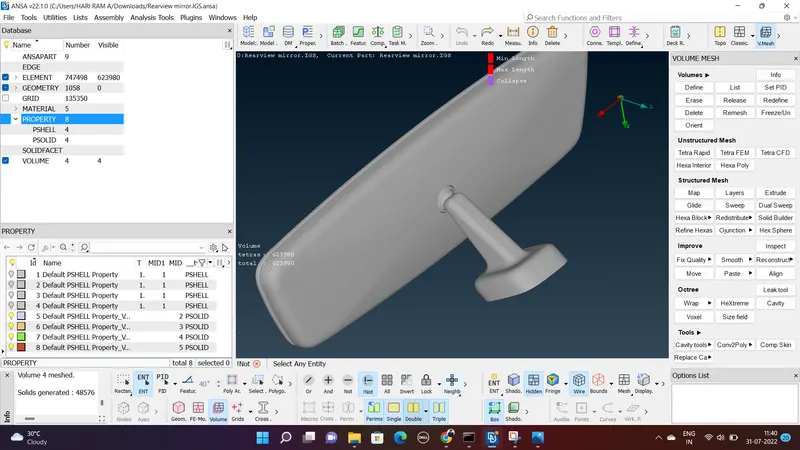
Similarly the other parts also solid meshed and the final volume mesh property in the database area can be seen as 4.
Tetra Rapid : The Tetra Rapid algorithm meshes the Volume with Tetra Elements.
The parameters used during the automatic generation of volume elements are defined in the Options window:
- The Maximum growth rate, which is the approximate growth factor of volume element size from layer to layer while the generation moves towards the interior of the Volume.
- Maximum Element Length. Specify the maximum allowable length of the tetra elements to be generated. Useful when specifying a growth rate factor while keep the length of the elements below a certain value.
- Quality Criterion and Threshold Value. The user can select the quality criterion definition with respect to which the generated tetra elements will be optimized, and specify a threshold value to guide the optimization process. Furthermore, this function gives the option of identifying possible problematic regions of already defined volumes, prior to volume meshing
Tetra FEM : This function automatically creates a Tetrahedral mesh inside selected Volumes, initially with pyramid elements if the starting surface mesh contains quad elements. It is to be used mainly for structural applications. Volumes to be meshed with this function must have been defined using the Define(Volumes) function.
The parameters used during the automatic generation of volume elements are defined in the Options window:
- The Maximum growth rate, which is the approximate growth factor of volume element size from layer to layer while the generation moves towards the interior of the Volume.
- Maximum Element Length. Specify the maximum allowable length of the Tetra elements to be generated. Useful when specifying a growth rate factor while keep the length of the elements below a certain value.
- Quality Criterion and Threshold Value. The user can select the quality criterion definition with respect to which the generated Tetra elements will be optimized, and specify a threshold value to guide the optimization process. Furthermore, this function gives the option of identifying possible problematic regions of already defined volumes, prior to volume meshing.
- Create pyramids flag. The user can enable or disable the creation of pyramids.
Learning Outcomes :
- Learned on ortho tria and tria elements used for solid meshing
- Learned spot mesh and best mesh operation on the model.
- Learned on how the ortho tria effectively catches the surface properly.
- Learned about tetra rapid and tetra FEM modelling.
Conclusion:
The rearview mirror model is effectively solid modelled by meshing it into a volume without any kinks and raised edges by using ortho tria and tria elements.