Week- 5 - Solid meshing
Aim : To do Solid meshing of given geometry using ANSA preprocessor
Software used : ANSA.
procedure :
step 1: Open the CAD geometry inside ANSA GUI and set the solver deck to NASTRAN.
step 2: Go to geometry check and check for any unjoined surfaces and surface irregularities.
step 3: Join all the surfaces using TOPO ( CONS>TOPO)
step 4: Switch to mesh model and select entities in the capture window and set the element sell lenghth 0.5(mesh> perimetres>length).
step 5: Orient the FE model (Faces>orient>select).
step 6 : Now go to TOPO and join all free edges in model if any.
step 7: Switch to mesh module and delete unnecessary cons using cut and reconstruct the surface with new cons.
step 8: Start meshing the faces by maintaing continuty using (mesh generation>Best).
step 9: Adjust the mesh if any opposit trias exist join them using split,reconstruct,smooth.
srep 10:Now go to mesh quality check (checks>mesh>mesh quality>quality criteria>shells) and set the quality criteria then exicute.
step 11: If there are any elements failing for quality try to do changes in cons and hotpoints.
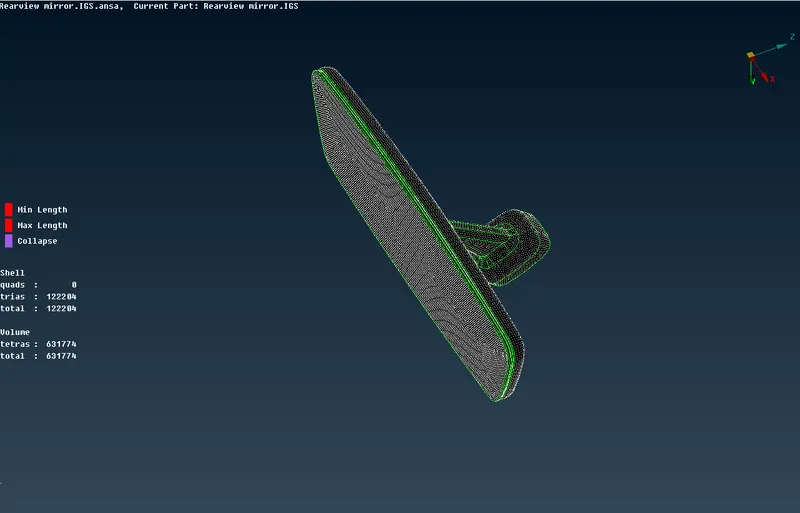
step 12: Detect howmany volumes are there in the geometry and isolate any one volume and start extracting volume mesh for it.
step 13: Now go to volume mesh module (volumes>define>manual) select the shells and give PID to the shells and say OK.
step 14: Go to (unstructured mesh>Tetra rapid>volume) now capture the shells in the window and give PID solids and say OK and mesh.
step 15: Check for quality solids (checks>mesh>mesh quality>quality criteria>solids) and see if any elements are failing for Tet collapse.
step 16: improve the quality of volume mesh which are failing for tet collapse by isolating the failing elements (mesh module> Grids> MV free) Move the elemets downword and improve the quality.
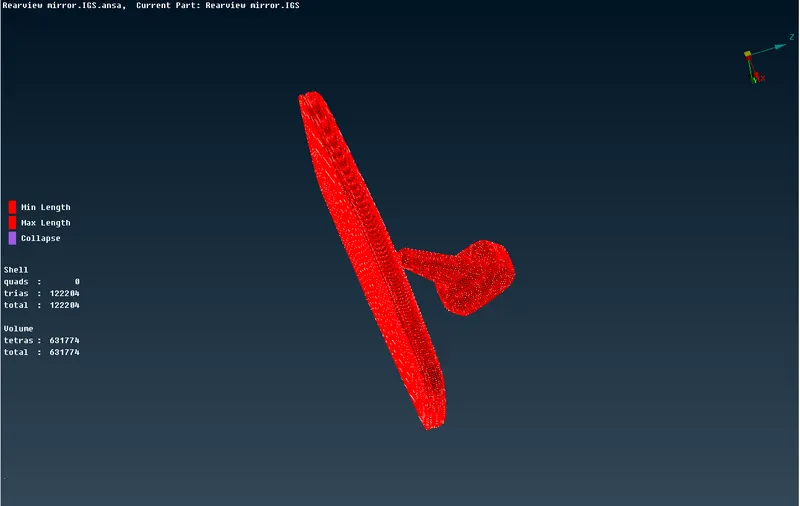
step 17: Repeat the same steps for repaing volumes.
step 18: Save the model