Week- 5 - Solid meshing
Aim: To Pre-Process and Generate Solid Unstructured Mesh for the Rear Mirror Model Using ANSA V20.14 with Given Quality Parameters
Pre-Processing Procedure Includes:
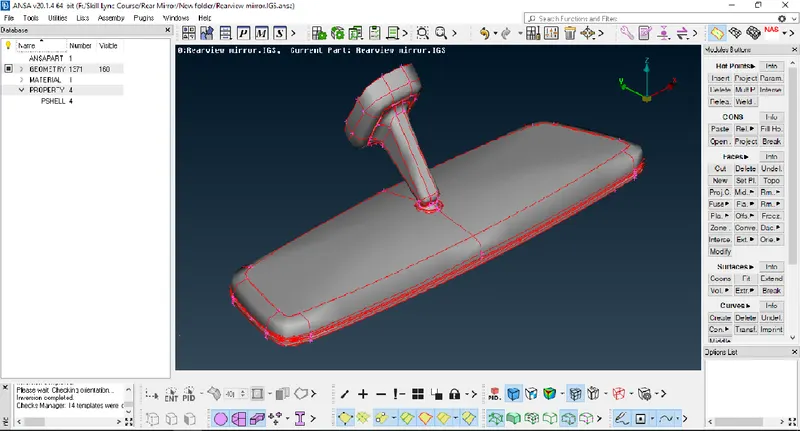
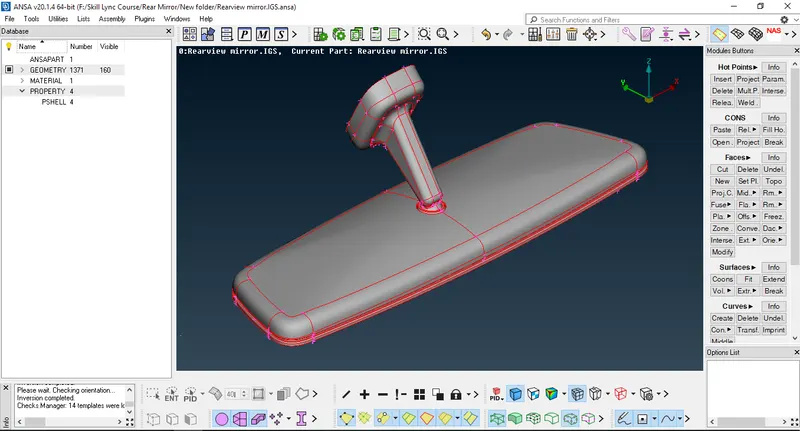
01.Increase CONS Resolution With Target Value of 1:
--Used Length Tool to increase Cons Resolution from 20 to 1
Location of tool (From Modules Deck -> Mesh -> Perimeters -> Length)
Before CONS Resolution:
After CONS Resolution:
02.Apply Topology, run Geometry Check & Fix Errors If Found :
--Used TOPO Tool to apply Topology to Model (It Converts Single CON into Double CON & Creates Relation Between Two Surfaces)
Tool Location (From Modules Deck -> Topo-> Faces -> TOPO)
--Run Geometry Check Using Check Tool
Tool Location (Tools -> Check -> Geometry -> Execute)
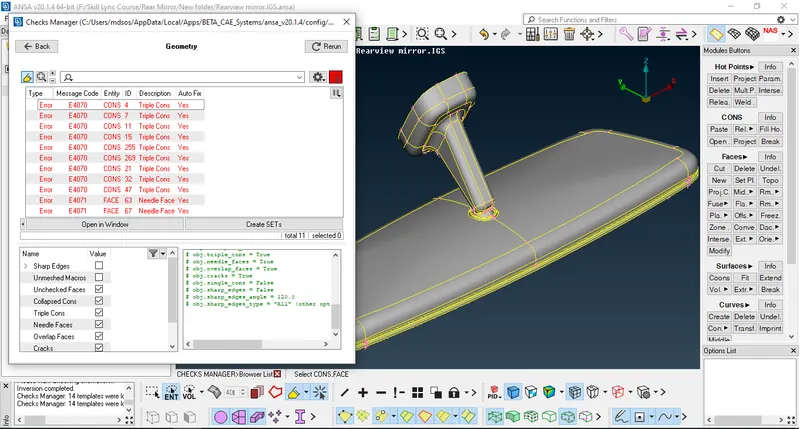
--Fix Errors If found(Automatically or manually)
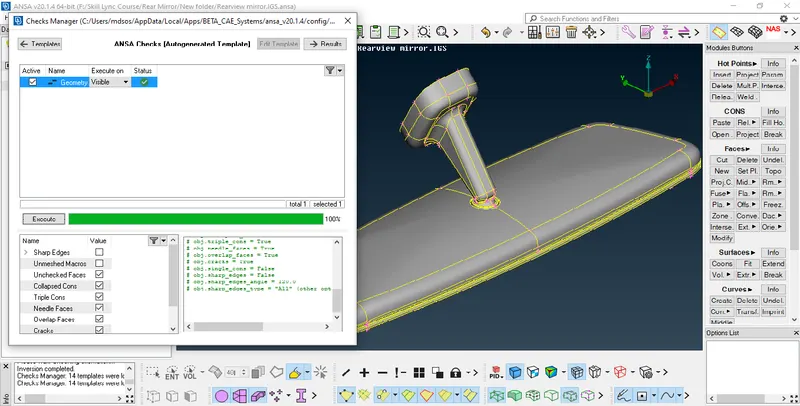
--To Fix Error Select All Errors Right Mouse Click and Click on Fix, ANSA will try to fix errors Automatically, if ANSA fails to fix Errors Automatically Then Try to Fix it Manually.
--In this Model ANSA Fixed All the Errors Automatically
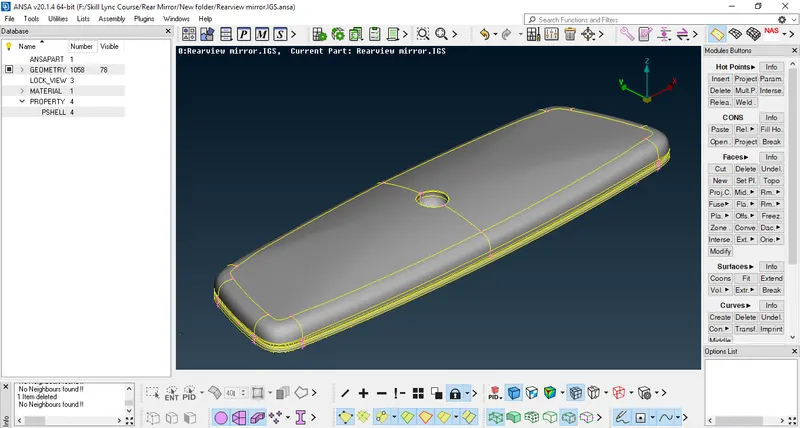
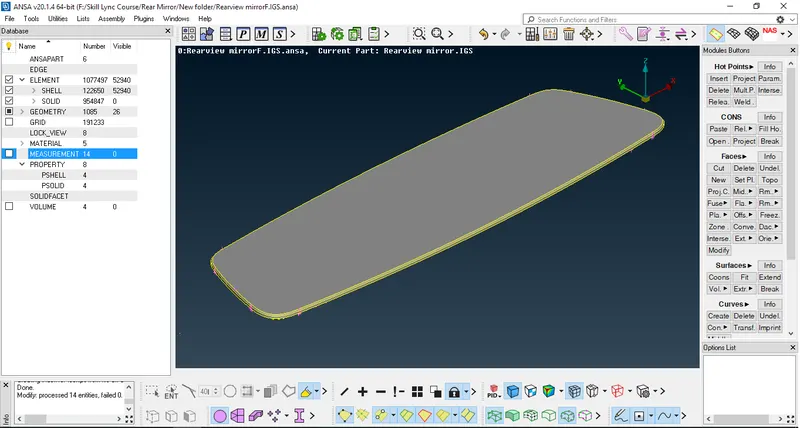
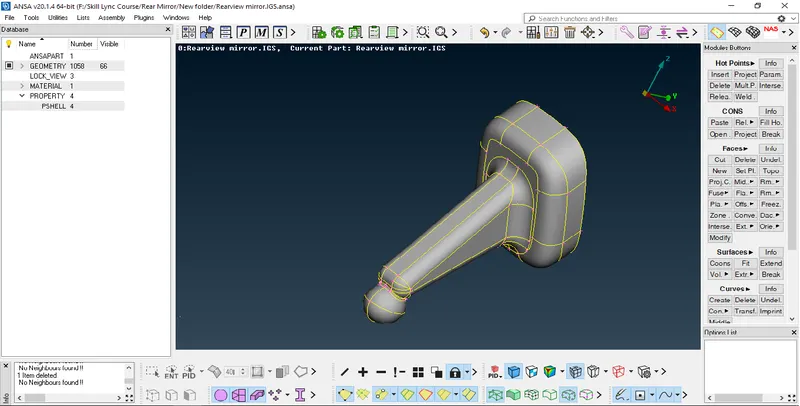
03.Separate Parts, Save Separated Parts In Lock View & Measure Different Areas Of Parts:
---I used to Separate Parts of Given Model
---After Separation I used to Measure Different areas of model to check whether Given Quality Parameters will Fail or not
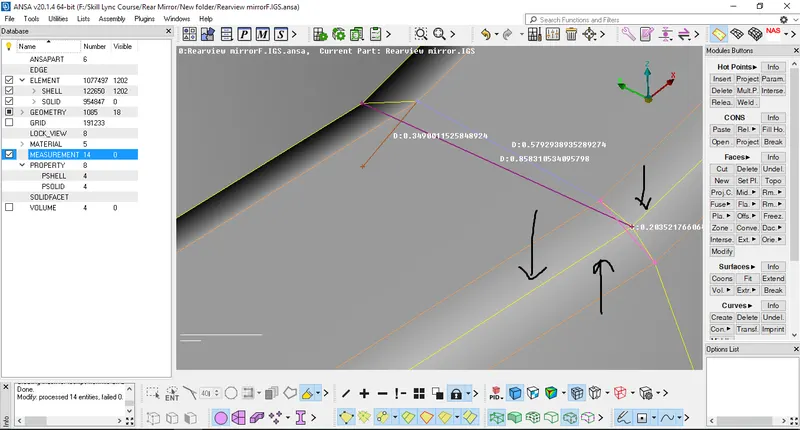
-- At some Areas i found that my quality will definately fail as the measurement of areas is less than Given Minimum Length.
So, I used to Create Middle Curve W.r.t two Failing curve areas by Middle Tool and Projected Middle Curve on face Using Project Tool
Tool Location (From Modules Deck -> Topo -> Curves -> Middle)
Tool Location (From Modules Deck -> Topo -> CONS -> Project)
Before Middle Curve:-
After Middle Curve:-
Lock View Of Parts :-
04.Performed 2D Meshing on Surface On parts Separately with Given Quality Criteria:
Quality Criteria :-
S.no Quality Value
01 Target/Average Length 1
02 Min Length 0.5
03 Max Length 2
--At some Areas I used to Join the Curves where Given Quality will fail by using Join Tool
Tool Location (From Modules Deck -> Mesh -> Macros -> Join)
--I used Ortho Tria Option To Generate Mesh on Curved Faces to get smooth mesh.
-- If i am using tria mesh on Curved Faces i am getting Kinks and Dips on faces.In a Result Mesh will come out from Surface of Parent Geometry.
So, not preferred to use Tria Mesh on Curved face areas
--I used Tria mesh on flat face areas as it gives better result and gives less Number of Trias compare to ortho Tria Mesh.
--More Number of Trias will take more time in Simulation so not preferred to use Ortho Tria Option on Flat Faces.
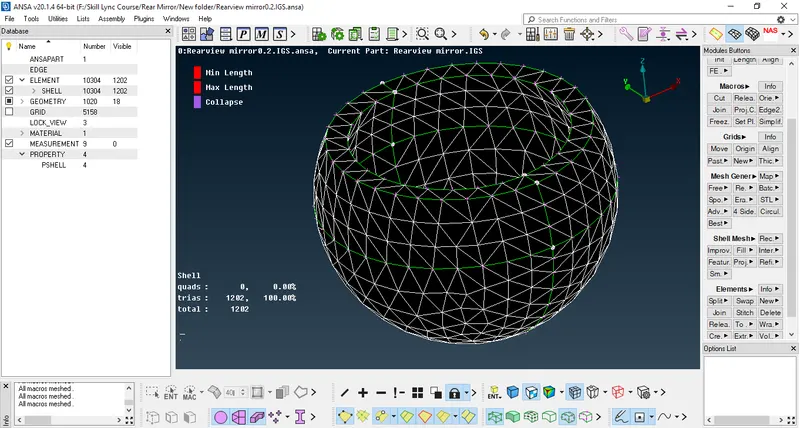
2D Mesh for Rear Mirror Holder Ball
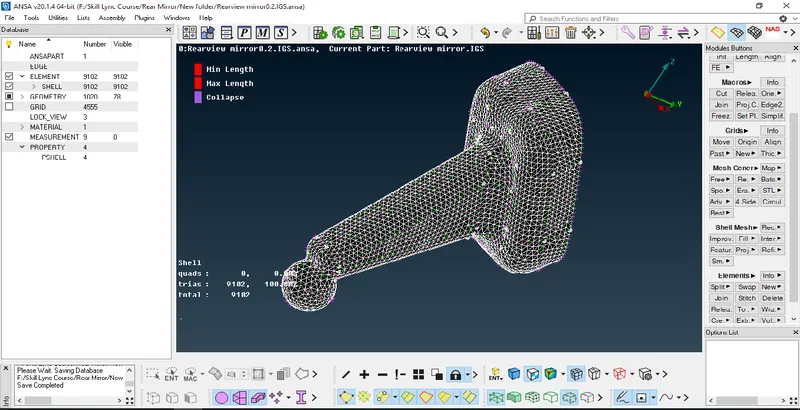
2D Mesh for Rear Mirror Holder
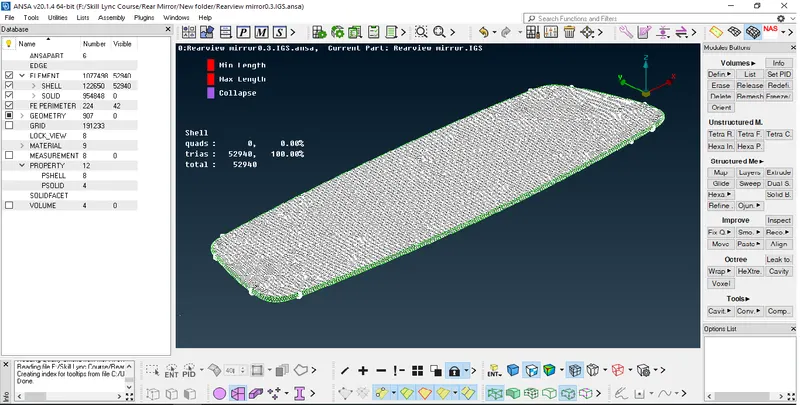
2D Mesh for Rear Mirror Bottom part
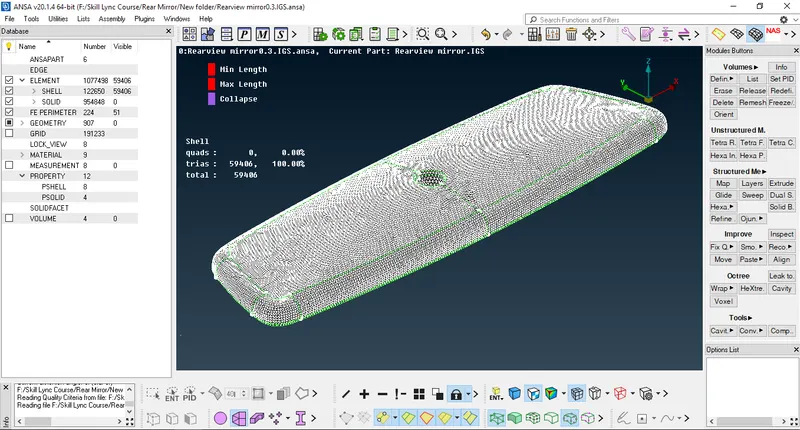
2D Mesh for Rear Mirror Top part
05.Convert 2D Mesh into 3D Mesh:-
--I used Tetra FEM Tool To convert 2D Mesh(Shell) into 3D Mesh(Solid)
Tool Location (From Modules Deck -> V.Mesh -> Unstructured Mesh -> Tetra FEM)
Procedure to convert 2D(Shell) into 3D(Solid) mesh
- First i used to assign a solid property to part using (V.mesh -> Define ->Manual-> Select the Part by Selection Tab).
- then Check whether the property is defined or not from list tab it shows property is assigned to part but not defined.
- To Define Solid Property I used to select the assigned solid property-
---Right Mouse Click on it
---Select Remesh Option
---I used to Select Tetra FEM Tool to generate Solid Mesh on 2D Meshed Part.
or
- We Can Also Use Tetra FEM option Directly from--Tool Location (From Modules Deck -> V.Mesh -> Unstructured Mesh -> Tetra FEM) to Generate & Assign 3D Mesh.
- Tetra FEM Gives Good Result Compare to Tetra Rapid Option.(Gives Less Number of trias).
---Also Checked For Collapse-0.2 for 3D SOLID MESH
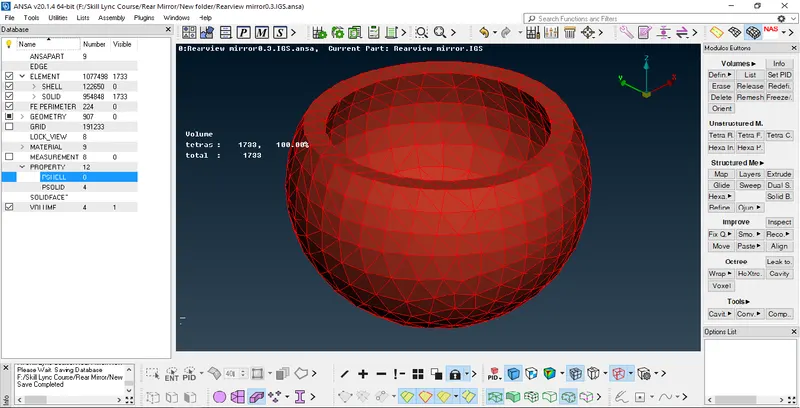
Defined Rear Mirror Holder Ball Volume:-
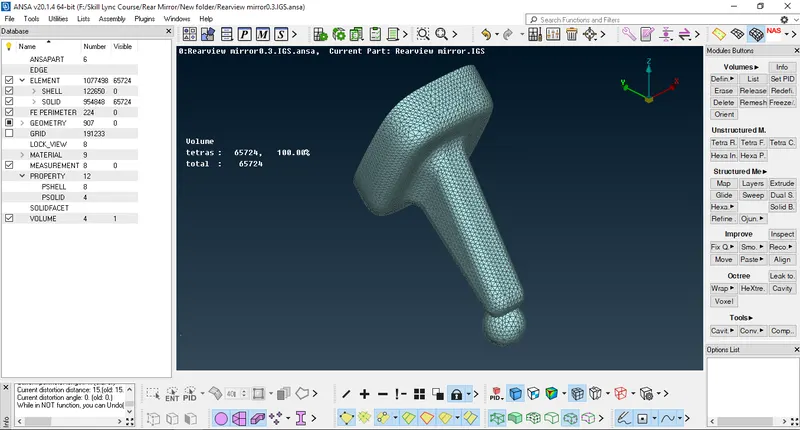
Defined Rear Mirror Holder Volume:-
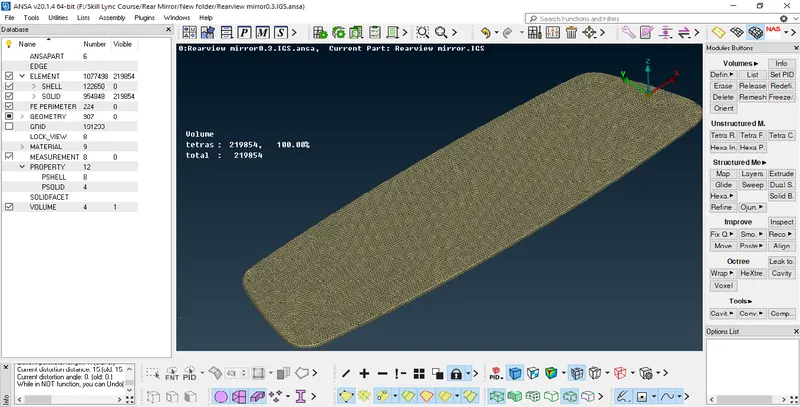
Defined Rear Mirror Bottom Volume:-
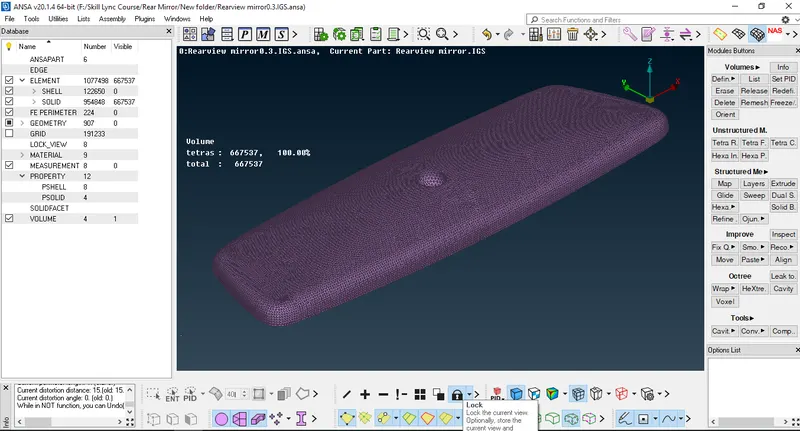
Defined Rear Mirror Top Volume:-
Fully Defined Solid Volume:-
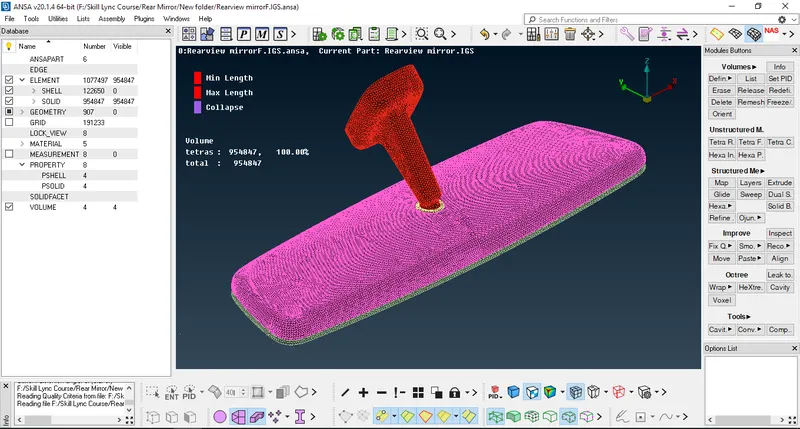
2D (Shell Mesh) & 3D(Solid Mesh) in One Picture:
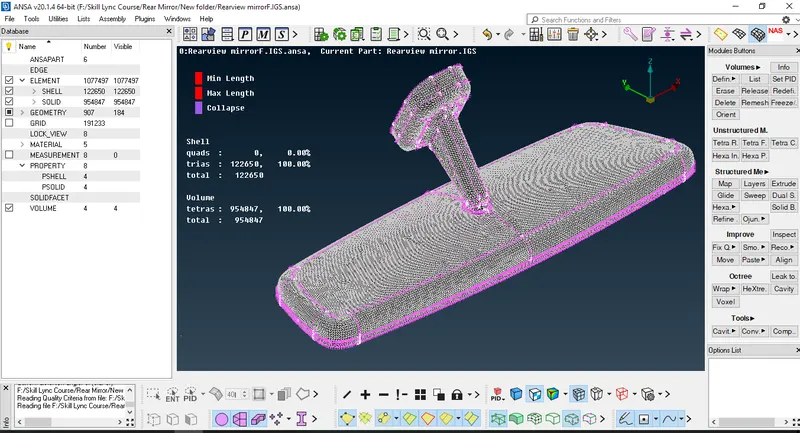
06.Saved Quality Criteria & Mesh Parameters for Shell And Solid Mesh in Seperate file
07.Assigned Seperate Property for Solid Volumes:-
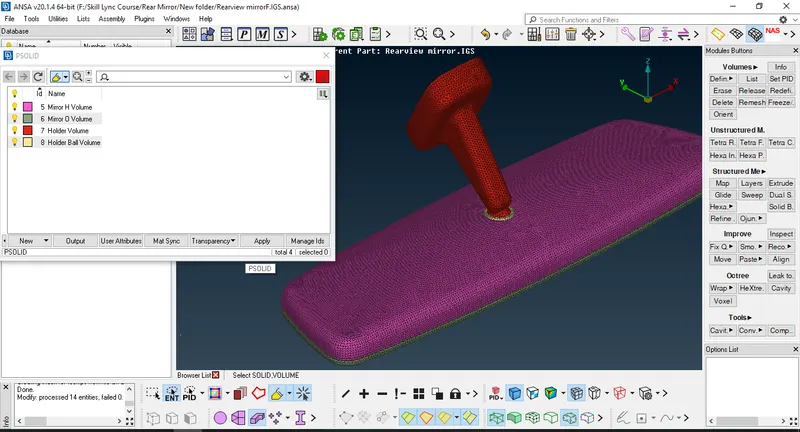
08.Save .ansa File
Learning OutComes:
-Learned How to Perform Solid Unstructured Mesh To A Model with regular or irregular Surface.
Conclusion:
After Completion of This Challange I can Perform Unstructured Meshing to any Complicated Model Whose surface is irregular or regular in Shape